
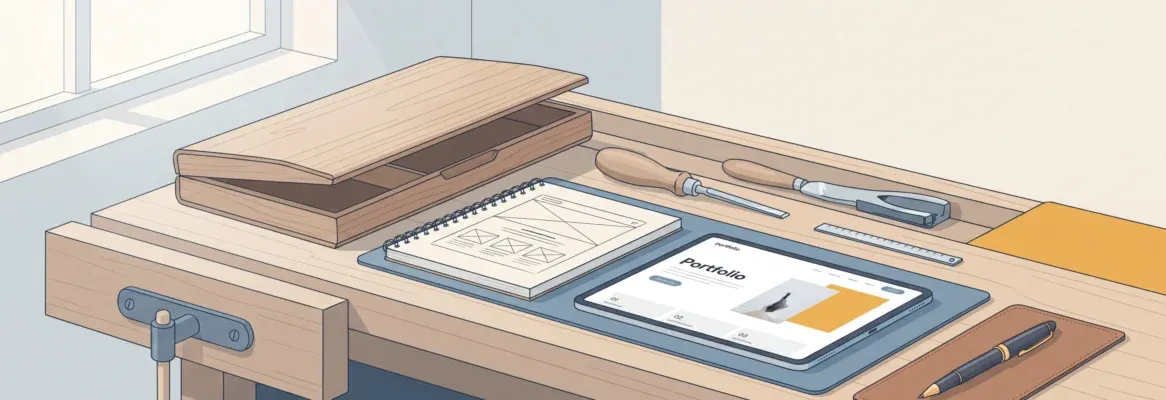
Want to create a personal portfolio website for freelancing? Choose a reliable builder, select clean templates, showcase projects, define services, connect a custom domain, and publish confidently to attract clients worldwide.
How to build a personal portfolio website for freelancing?
It is simple. Choose the right website builder, pick clean templates, upload your best work, and publish it with a custom domain. That’s really all it takes to get started.
A well-designed portfolio website can open doors worldwide. It works as your digital presence, your introduction, and your proof of skills all in one place.
Clients often check a website before making decisions. A strong online portfolio helps shape your personal brand and builds trust instantly. It gives potential clients a clear view of your projects, services, and style.
Now let’s break this down step by step and turn that idea into a real, working portfolio site.
Why a Portfolio Website Matters in 2026?
Freelancing is not a hobby anymore. It is serious business. Developers, designers, writers, and even photographers rely on a portfolio website to attract clients.
A portfolio website acts as a digital portfolio. It showcases your skills, projects, and style. It helps potential clients understand your creative process and see your best work on one website.
Social media is fine. But your own website gives you control. You decide the layout, the pages, the domain name, and the message. That makes a lasting impression.
And here is the fun part. You no longer need extensive coding knowledge. A good website builder handles most of the work.
Dev vs Non-Dev: Different Paths, Same Goal
Devs often prefer to code their portfolio site from scratch. They build custom layouts, tweak code, and fine-tune SEO.
Non-dev creatives, such as graphic designers or photographers, usually prefer templates and a portfolio website builder. Less code. More focus on creative work.
Both paths work. The goal stays the same. Build a good portfolio that clearly showcases your work and your best skills.
So what are the options?
What to Include in a Good Portfolio Website
A good portfolio is not just a gallery of images. It tells a story. Here is a simple structure for your portfolio website:
| Section | Purpose | Tips |
|---|---|---|
| Home | First impression | Clear headline and best work |
| About | Build trust | Share skills and background |
| Projects | Showcase work | Add high quality images and details |
| Services | Explain offer | List packages and pricing |
| Contact | Get clients | Add form and links |
Each portfolio site should clearly highlight projects. Add short descriptions. Explain your role. Show results if possible.
Want to impress search engines like Google? Add basic seo. Use keywords. Add alt text to images. Keep the domain name clean.
How to Build a Personal Portfolio Website with Rocket.new
Alright. Time to build, not just plan. Below is the exact workflow inside Rocket.new.
Rocket makes building apps as simple as describing what you want. Just share your idea, and it takes care of the research, design, and launch for you. You don’t need any coding skills. It turns your thoughts into real, working apps quickly
Step 1: Sign In and Start a New Project
Everything begins inside your dashboard. This is your control room.
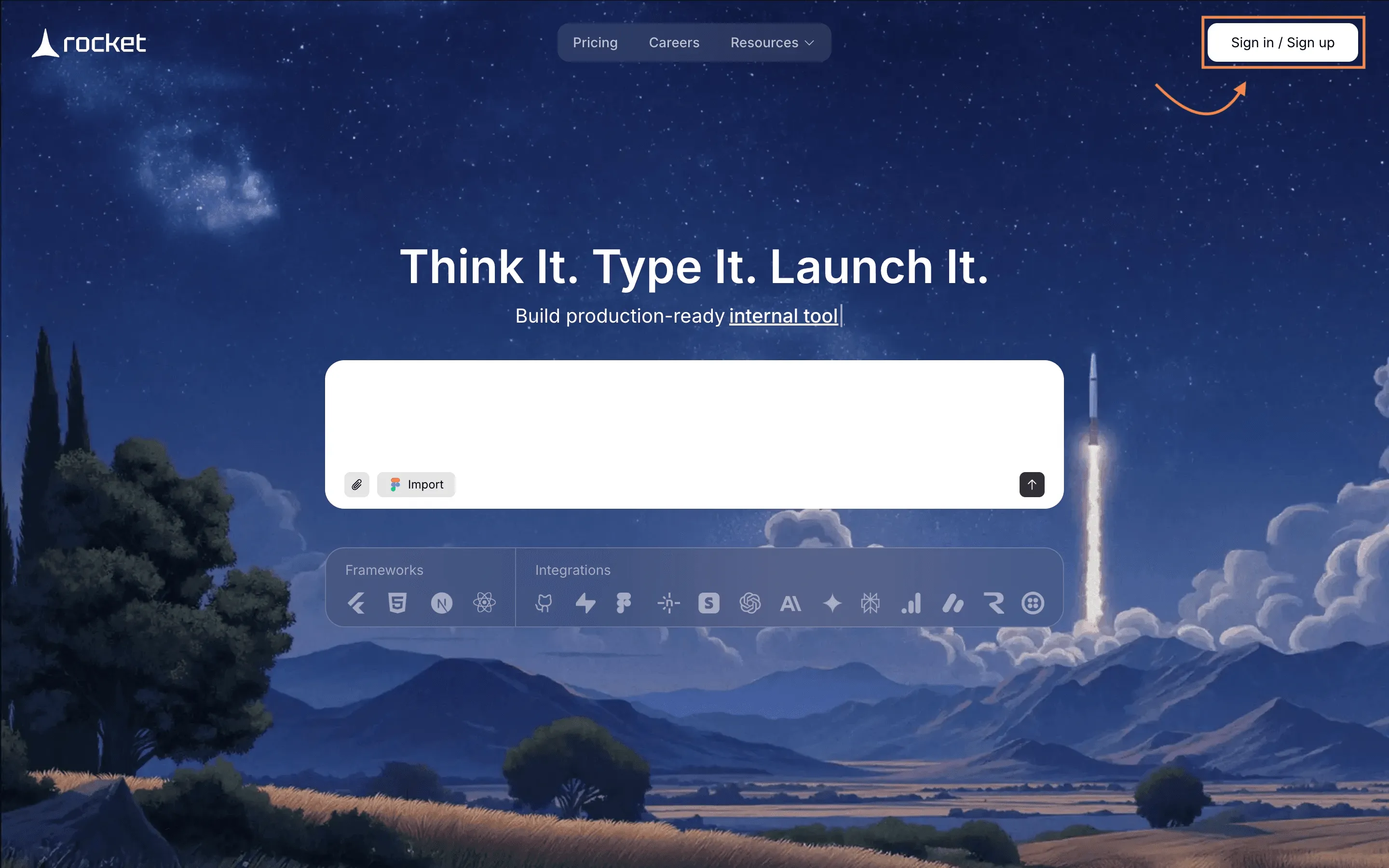
What to do:
- Go to Rocket.new
- Click Sign In or Create Account
- Open your dashboard
- Click Create New Project
You will now see the AI prompt interface.
This is where your portfolio website starts taking shape.
Every strong portfolio site begins with a clear starting point. This is it.
Step 2: Enter a Clear Prompt
Rocket.new builds based on instructions. The clearer the prompt, the cleaner the website.
Type something like:
“Create a personal portfolio website for a freelance developer. Include home, about, projects gallery, services page, testimonials, blog, and contact form. Add booking feature, basic seo setup, and mobile friendly design.”
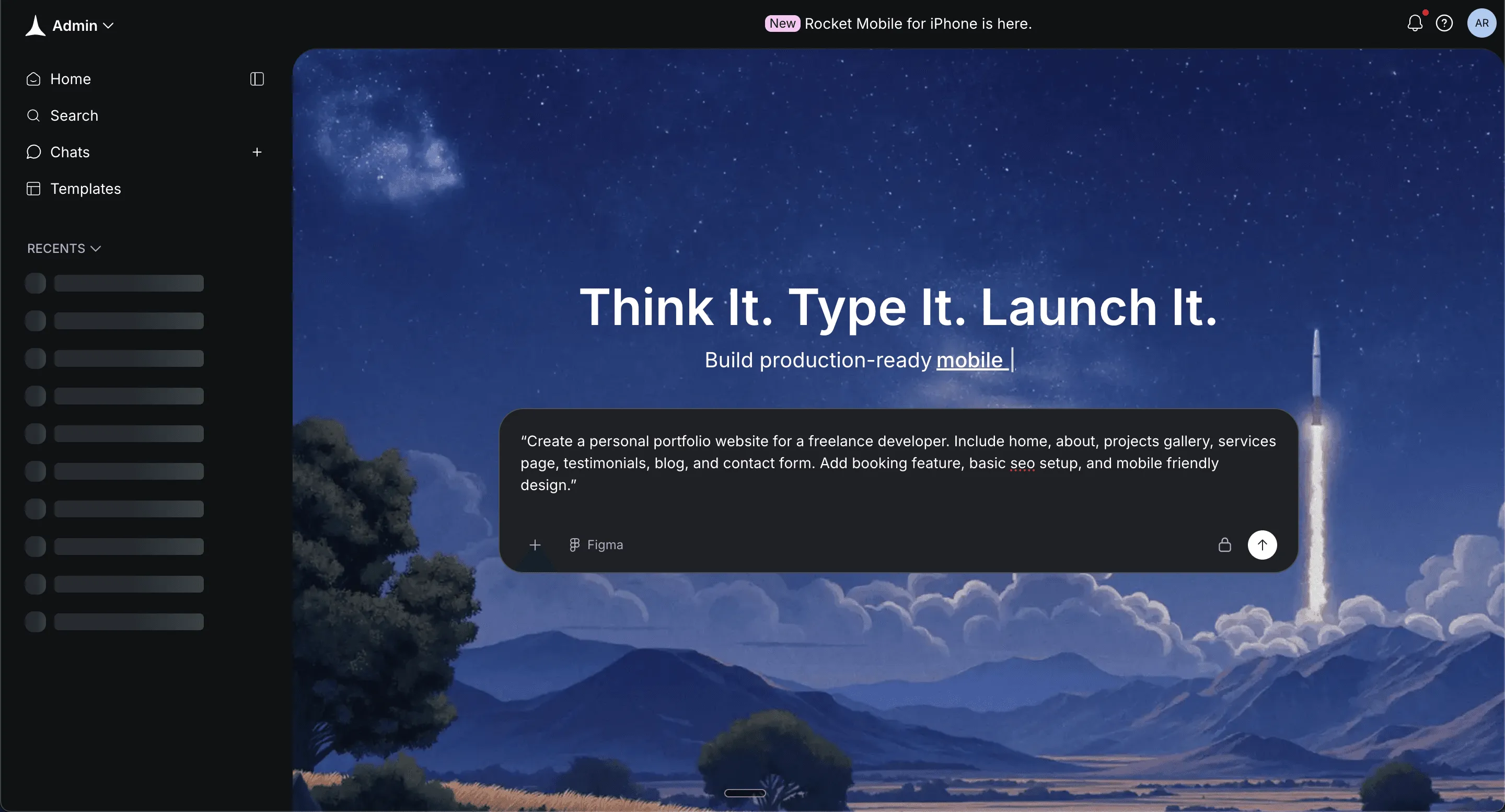
Be specific about:
- Pages you want
- Projects section
- Services offered
- Online store if selling digital products
- Seo for google
- Custom domain support
Click Generate.
Clear instructions now mean fewer edits later.
Step 3: Select Framework
You will now choose how the site runs behind the scenes.
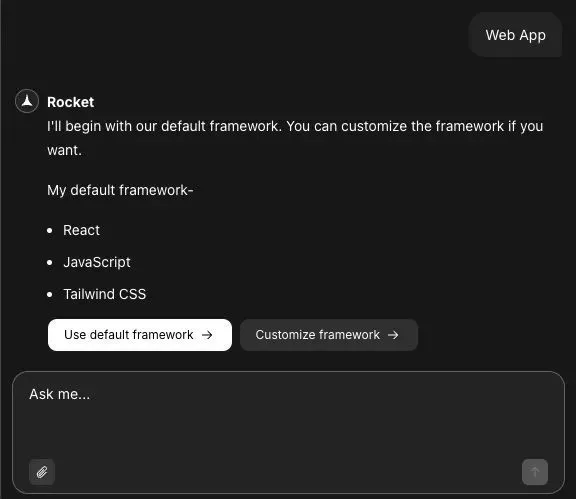
Option A: React
- Great for simple one page portfolio
- Fast and clean
- Perfect for small portfolio site
Option B: Next.js
- Stronger seo for google
- Better for blog content
- Good for scaling your business
If it is a simple portfolio website → choose React.
If you want blog and long term growth → choose Next.js.
Click Confirm. Pick based on your goal, not hype.
Step 4: Watch the Website Build
Now Rocket.new handles the heavy lifting.
It will automatically:
- Create page structure
- Generate portfolio templates
- Build navigation
- Set up contact forms
- Configure hosting
- Prepare admin panel
You will see a live build screen. No manual code. Just structured automation.
Step 5: Review the Generated Portfolio
Time to test your first working version.
Open preview mode and:
- Click through pages
- View projects
- Test contact form
- Check services section
- Review images
- Check layout on mobile
Make sure:
- Links work
- Seo titles appear
- Content looks clean
- Best work stands out
This is your foundation. Clean and functional.
Step 6: Customize Your Portfolio Website
Now you shape your portfolio's personality.
Inside the editor, you can:
- Click any section to edit
- Replace images
- Add new pages
- Rearrange layout
- Remove sections by dropping elements
- Update text instantly
You can also type commands like:
- "add auth”
- update logo"
Changes update in real time. This is where your personal brand becomes visible.
Step 7: Connect Domain and Hosting
A real domain makes your portfolio website look serious.
Steps:
- Buy a domain name from Google or another provider
- Add a custom domain inside Rocket.new
- Verify domain settings
- Activate hosting
Rocket.new includes hosting. No extra setup. Your professional web address builds trust with clients.
Step 8: Test Before Launch
Small checks prevent awkward moments later.
Test:
- Mobile version
- Contact form
- Booking system
- Blog post layout
- Online store checkout if added
- All links
Polish now. Relax later.
Step 9: Launch Your Portfolio Site
Time to go live. Click Deploy or Launch Project.
Rocket.new will:
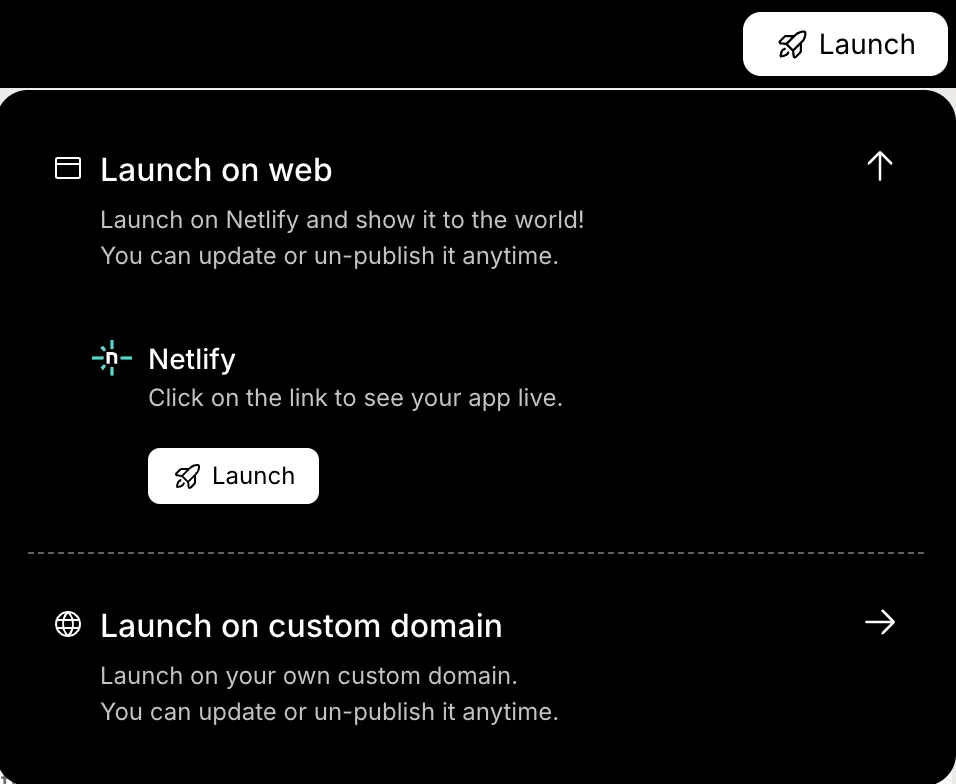
- Push website to live hosting
- Activate domain
- Secure backend
- Make site public
Your portfolio website is now accessible worldwide. You now have a live portfolio site ready to attract clients, showcase projects, and grow your business
One Page or Multiple Pages?
Some freelancers prefer a single-page layout. Everything scrolls. Quick and simple.
Others create multiple pages. One page for projects. One page for services. One page for blog.
A one-page portfolio site works well if your projects are limited. It feels clean and direct.
If you have many projects and digital products, multiple pages make sense. That gives a complete picture of your business.
Picking the Right Templates
Templates save time. A portfolio website template gives structure.
Look for:
- Clean layout
- Space for images
- Easy navigation
- Custom domain support
- Seo features
Many website builder platforms offer free portfolio templates. Some even include photography focused templates for designers and photographers.
Templates are not limiting. They are a starting point. You can create your own style by changing fonts, colors, and dropping elements you do not need.
That is where creativity meets tools.
The Role of Domain and Hosting
Your domain name matters. A clean domain makes your portfolio website look serious. It acts as a professional web address. It builds trust with clients.
You can buy a domain through Google or other providers. Connect it to your portfolio site. That is usually simple with modern website builder platforms.
Hosting is also included in most builders. That means your site stays online worldwide without extra setup.
Some platforms offer free hosting plans. That works at the beginning. Later, upgrading can give extra features.
Community Insight
In a LinkedIn discussion about portfolio advice, one creator wrote:
“Clients don’t care about how cool it looks. They care about what it does. Does it show results, not just visuals?”
That says a lot. A creative portfolio is not just about style. It is about impact. Clients want to see how your projects helped real business goals.
Showcase Your Work Like a Pro
Want to showcase your work properly?
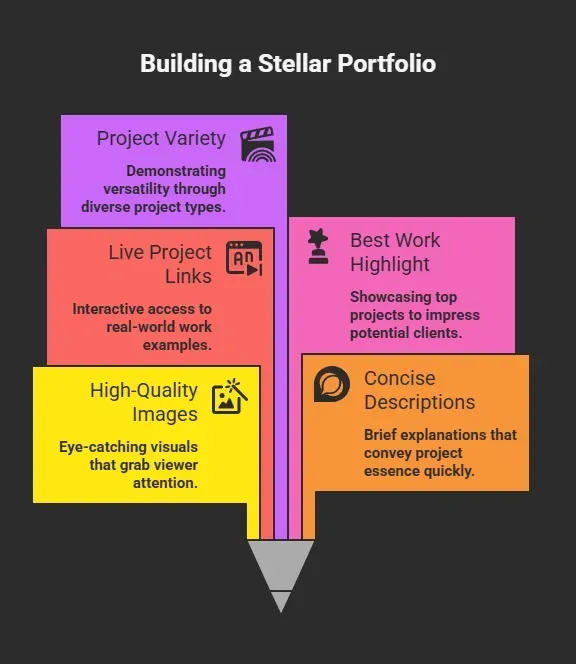
Do not upload every project. Pick your best work. Quality over quantity. Your portfolio design should guide attention. Clear sections. Balanced spacing. Strong call to action. Remember, your portfolio is for clients.
Selling Services and Digital Products
A portfolio website can do more than display projects.
It can sell services.
It can host an online store.
It can offer digital products like templates, presets, or ebooks.
Some website builder platforms include payment features. You can book appointments directly from the site. That saves time and looks professional.
If you run a photography business, you can sell prints. Designers can sell design templates. Developers can sell code snippets.
One website. Many opportunities.
Common Mistakes to Avoid
Even a strong portfolio website can lose clients if small details go wrong. Before launching your portfolio site, check for these common slip-ups.
- Too many projects
- No clear services section
- No custom domain
- Slow images
- No call to action
A good portfolio is focused. It does not confuse visitors. It clearly shows skills and helps clients contact you quickly.
Time to Create personal Portfolio Website
Freelancers rely too much on social media. Posts get lost. Clients struggle to find a complete picture of skills and services. Create a personal Portfolio Website that acts as a central hub. Use a website builder or Google Sites. Pick strong templates. Add projects. Connect a domain name. Apply seo basics.
A portfolio website is not complicated. It just needs clarity. Choose tools that match your comfort level. Devs can code. Non devs can use free portfolio templates and a portfolio builder.
One clean portfolio site can attract clients from all over the world. Keep it simple. Keep it focused. And let your work speak.
Table of contents
- -Why a Portfolio Website Matters in 2026?
- -Dev vs Non-Dev: Different Paths, Same Goal
- -What to Include in a Good Portfolio Website
- -How to Build a Personal Portfolio Website with Rocket.new
- -Step 1: Sign In and Start a New Project
- -Step 2: Enter a Clear Prompt
- -Step 3: Select Framework
- -Step 4: Watch the Website Build
- -Step 5: Review the Generated Portfolio
- -Step 6: Customize Your Portfolio Website
- -Step 7: Connect Domain and Hosting
- -Step 8: Test Before Launch
- -Step 9: Launch Your Portfolio Site
- -One Page or Multiple Pages?
- -Picking the Right Templates
- -The Role of Domain and Hosting
- -Community Insight
- -Showcase Your Work Like a Pro
- -Selling Services and Digital Products
- -Common Mistakes to Avoid
- -Time to Create personal Portfolio Website

