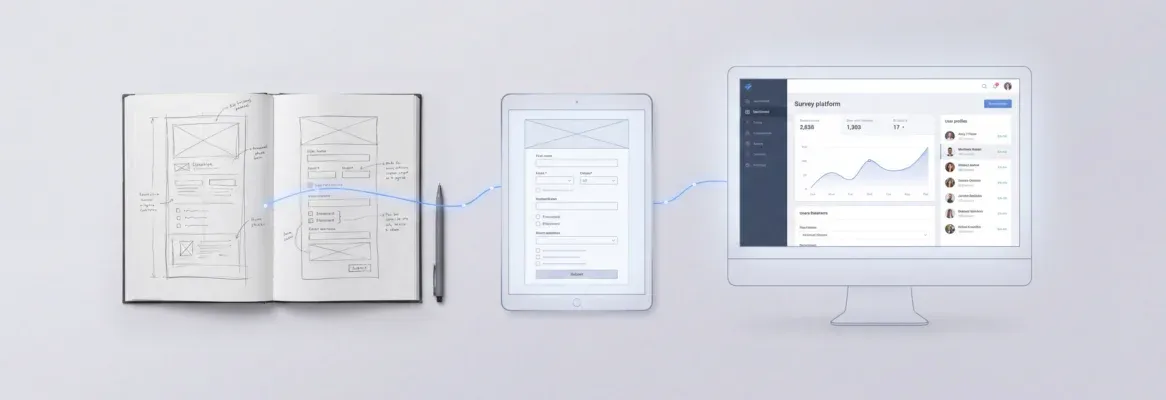
Build a full-stack app with AI prompts by describing your idea; let Rocket.new generate production-ready Next.js or Flutter code, and iterating through chat. Validate first with Solve, build with Build, monitor competitors with Intelligence. No credit card. Ships in hours.
You can build a full stack app with AI prompts by describing your idea in full-stackage, letting the AI generate production-ready Next.js or Flutter code, and iterating through chat until your app is ready to deploy. No manual stack assembly required. Most founders ship a working prototype in under a day, without writing a single line of boilerplate.
Build Full Stack App With AI Prompt: What Does It Actually Mean?
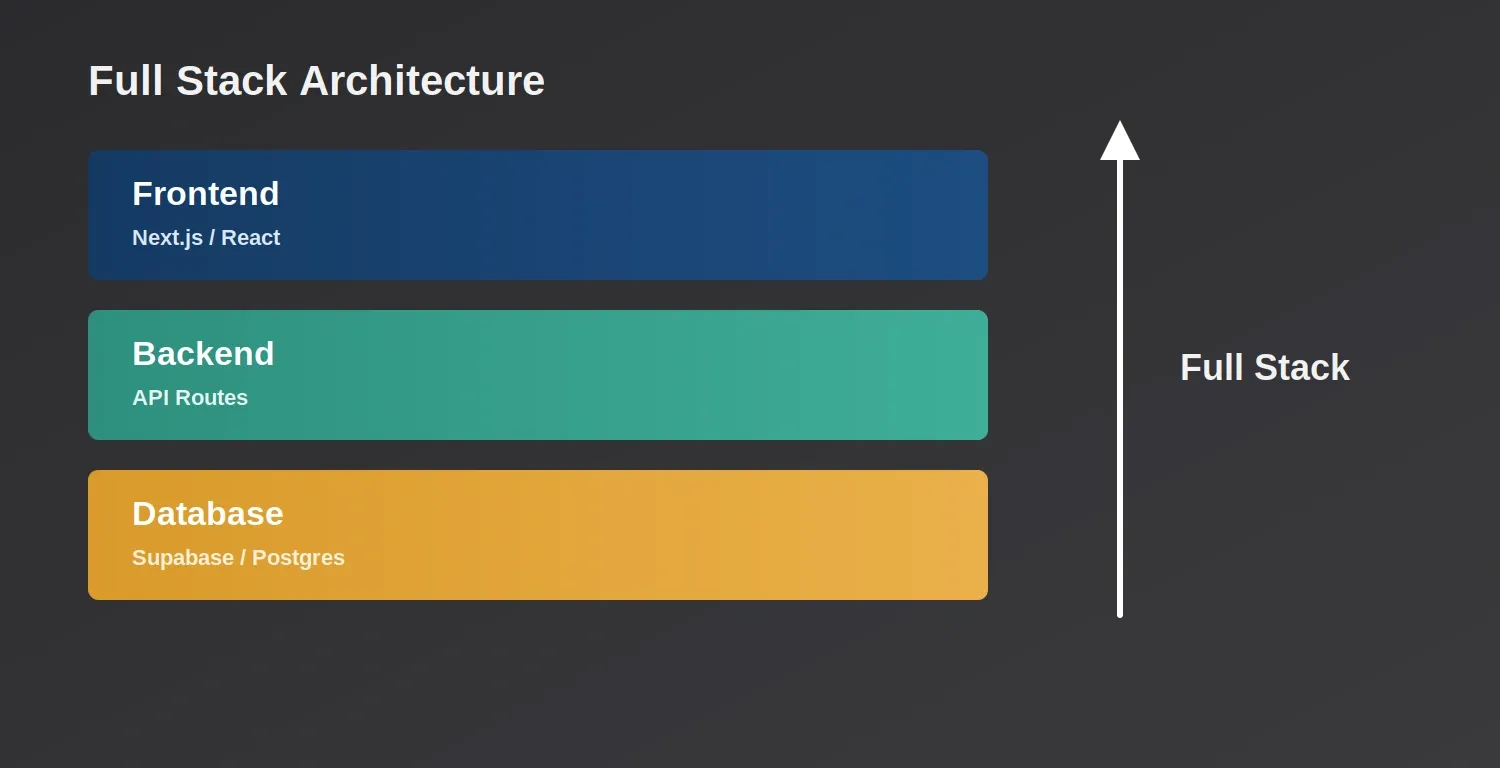
A full-stack app covers three layers: the frontend users see, the backend that runs the logic, and the database that stores the data.
A full-stack app covers every layer of a working product: the frontend (what users see), the backend (server logic and APIs), and the database (where data lives). Traditionally, building all three required separate expertise and days of setup.
Vibe coding changes that equation. Instead of writing code line by line, you describe what you want in plain language, and an AI generates the structure, logic, and UI. The term comes from the idea that you're guiding the AI through conversation rather than programming it directly.
Vibe solutioning goes further. Rocket.new's own framing for this approach combines three stages: validate the idea first (Solve), build the product (Build), and monitor the market after launch (Intelligence). This article walks through all three.
Validate Before You Build: The Step Most Founders Skip
Most "how to build an app" guides jump straight to code. That's a mistake. The most common reason startups fail is building something the market doesn't want, not technical failure.
According to research on startup failure rates, 35% of startups fail because there's no market need for their product. Running structured research before writing a single line of code is the single highest-leverage thing a founder can do.
Before writing a prompt for code, run a structured research task. Rocket.new's Solve pillar does this in minutes: describe your business question, and Solve returns a structured report with market sizing, competitor analysis, pricing benchmarks, and actionable recommendations, exportable as PDF, HTML, or PowerPoint.
Example Solve prompt: "Is there demand for a task management app targeting freelance designers?" "Who are the top competitors, what do they charge, and what features are users asking for that no one has built yet?"
Solve's output gives you a PRD-ready brief you can feed directly into your Build prompt. This is what separates a product that ships with confidence from one that ships and pivots immediately. Learn more about how Solve turns business questions into structured reports.
Choosing Your Build Target: Web App, Mobile App, or Both
Before you prompt, decide what you're building. Rocket.new generates two types of production-ready apps natively:
| Build Target | Technology | Distribution |
|---|---|---|
| Web app | Next.js (React) | Browser, custom domain, Netlify |
| Mobile app | Flutter | iOS App Store, Google Play, APK download |
| Landing page / marketing site | Next.js | Custom domain, Netlify |
This matters because your prompt should specify the target. "Build a SaaS dashboard" produces a Next.js web app. "Build an iOS fitness tracker" produces a Flutter mobile app ready for App Store submission. You don't assemble the stack manually; Rocket picks the right output for your intent.
Common build categories:
- SaaS dashboards and internal tools
- E-commerce stores with Stripe checkout
- AI-powered tools (OpenAI, Anthropic, Gemini connectors built in)
- Customer portals and booking apps
- Mobile apps for iOS and Android
Explore how Rocket.new builds smarter solutions with its full-stack AI builder across all these categories.
How to Turn an AI Prompt into Working Code
Write a Strong System Prompt
The quality of your output is directly proportional to the clarity of your prompt. A weak prompt produces a generic scaffold; a strong prompt produces a working app.
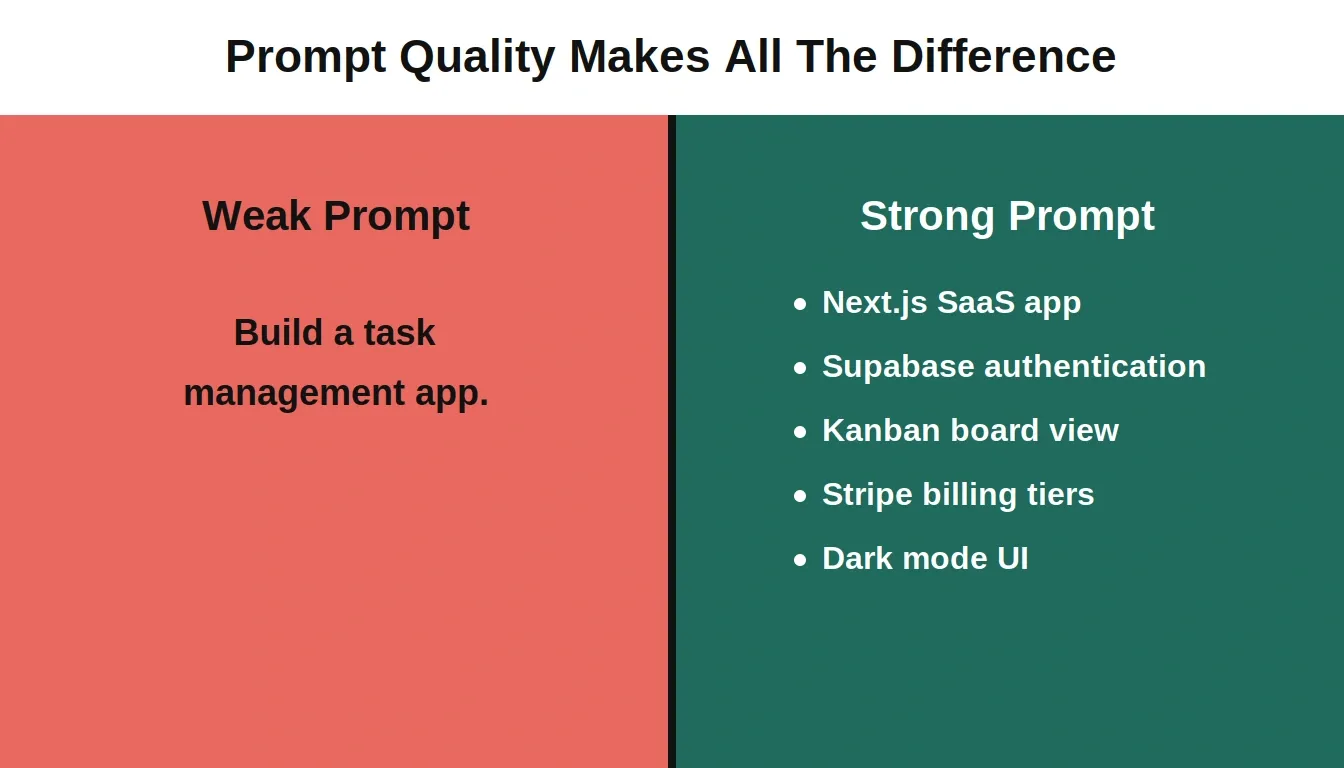
Weak vague prompt vs strong prompt
Specificity is everything: a strong prompt names the stack, auth method, data model, payment flow, and UI style upfront. AI performs best with opinionated frameworks that have strict conventions and strong type safety.
Weak prompt: "Build a task management app."
Strong prompt: "Build a Next.js SaaS task management app for freelance designers. Include: user authentication via Supabase, a project dashboard with CRUD operations, a Kanban board view, Stripe subscription billing with a free tier and a $12/month Pro tier, and a clean minimal UI with a dark mode toggle."
Name the stack target (Next.js or Flutter), the authentication method, the data model, the payment flow, and the UI style, and define the overall architecture early. Rocket.new's prompt intelligence scores your prompt quality and asks clarifying questions before running, so if you miss something, it catches it; you can then test and refine in natural language, and in 2026, many full-stack builds also lean on AI-assisted coding agents and serverless infrastructure.
What Rocket Generates
When you submit a Build prompt, Rocket.new produces:
- All frontend screens with navigation and routing
- Backend API routes and server logic
- Database schema, with code generation connected to Supabase Postgres by default; Supabase is also a common backend service for apps built with AI development tools
- Authentication flows (email, Google, Apple via Supabase)
- Environment variable scaffolding
- A live preview URL you can share immediately
You review the output in a live preview, then iterate through the chat. In one-click deployment platforms such as Vercel, the heavy lifting often includes AI handling build scripts and environment variables. Say "make the dashboard sidebar collapsible" or "add a CSV export button to the data table" and Rocket edits the specific component without regenerating the whole app.
What You Still Need to Do
AI-generated code is a strong starting point, not a finished product. Expect to review auth edge cases, run unit and integration testing to verify individual components and how services work together, test payment webhooks in Stripe's test mode, and fix issues like N+1 database queries on data-heavy screens. These aren't failures of the AI; they're the normal work of shipping software. The difference is you're reviewing and refining instead of writing from scratch.
Structuring Your Project for Scale
Rocket.new organizes work into projects, containers that share context, uploaded files, and connected services across multiple tasks. Set up your project before you build:
- Create a project and name it after your app
- Connect your services (Supabase for database and auth, Stripe for payments, GitHub for version control)
- Upload any reference files, existing designs, a PRD from Solve, a competitor screenshot
- Start your Build task inside the project so it inherits all context
This matters at scale. When you return to add a feature three weeks later, the AI already knows your data model, your design language, and your connected services. You don't re-explain from scratch.
Rocket.new's 26+ built-in connectors span every category a production app needs:
| Category | Services |
|---|---|
| Database and Auth | Supabase (Postgres, auth, storage, edge functions) |
| Payments | Stripe, Razorpay |
| Resend, SendGrid, Brevo, Mailchimp | |
| AI Models | OpenAI, Anthropic, Gemini, Perplexity, ElevenLabs |
| Analytics | Google Analytics 4, Mixpanel |
| CMS | Airtable, Strapi, Directus, Webflow |
| Productivity | Notion, Linear, Jira, GitHub, Google Workspace |
| Deployment | Netlify (one-click, automatic HTTPS, global CDN) |
Building Core Features Step by Step
Break your app into discrete feature tasks rather than trying to build everything in one prompt. Each feature is a conversation.
User Authentication
Supabase handles auth in Rocket.new apps out of the box. Firebase Authentication is another common way developers add user authentication easily, but this workflow uses Supabase by default. One prompt connects it: "Add Supabase authentication with email/password signup, Google OAuth, and a protected dashboard route that redirects unauthenticated users to /login." This sets up an account flow and gives you a clear path to manage app users.
CRUD Operations and Data Model
"Create a Projects table in Supabase with columns: id, user_id, title, status (enum: active/archived), created_at. Build a dashboard with a dedicated projects page that lists projects, lets users create new ones, edit titles, and archive them." Wishboard is a full-stack CRUD application built using AI tools like Fusion and Supabase. AI Prompt Share is a full-stack project for discovering, sharing, and saving prompts for AI models.
Rocket.new generates the SQL migration, the API routes, and the UI components in one pass. Each feature builds on the previous one; the AI maintains context across the conversation.
Payments with Stripe
"Add Stripe billing with a free plan (3 projects max) and a Pro plan at $12/month (unlimited projects). Show an upgrade prompt when free users hit the limit."
Rocket.new wires the Stripe checkout session, the webhook handler for subscription events, and the usage-gating logic in your app. See how AI app builders with Stripe payment integration work in practice.
File Storage
"Add Supabase Storage so users can upload a cover image for each project. Store images in a public bucket and display them as thumbnails on the dashboard."
Testing and Fixing AI-Generated Code
Testing is where most vibe coding guides go quiet, especially around unit tests and integration checks. Here's what actually breaks in production and how to handle it:
| Issue | Where It Appears | Fix Prompt |
|---|---|---|
| Auth edge cases | Password reset, magic link expiry | "Test the full password reset flow and fix any broken redirect handling" |
| N+1 queries | Data-heavy list views | "Review the projects list query for N+1 issues and add a join or eager load" |
| Missing RLS policies | Supabase multi-tenant data | "Add row-level security to the projects table so users only see their own rows" |
| Webhook signature validation | Stripe payment events | "Add Stripe webhook signature verification to the /api/webhooks/stripe endpoint" |
| Mobile layout overflow | Flutter on smaller screens | "Fix layout overflow on the dashboard screen for iPhone SE screen size" |
Use Rocket.new's Advisor Agent, a built-in senior architect that diagnoses root causes and resolves error loops automatically. When the coding agent gets stuck, the Advisor Agent steps in to make architectural decisions rather than retrying the same broken approach.
For systematic debugging, describe the error precisely and use AI assistance to verify both component behavior and service-to-service interactions. Specific error descriptions produce specific fixes; vague descriptions produce vague attempts. If Cloud Firestore throws error messages about missing query support, follow the prompt to add indexes and confirm the right access rules are enforced with unit tests. Learn how AI in backend development improves API performance and speed to avoid common pitfalls.
Connecting Frontend and Backend
In Rocket.new-generated Next.js apps, the frontend and backend live in the same codebase. API routes sit in /app/api/, and frontend components call them via fetch or a typed client. By contrast, Cloud Firestore is a NoSQL database used for data persistence in Firebase-based apps, while this example uses Supabase and abstracts the underlying api calls.
Use Rocket.new's built-in API importer to test endpoints before wiring them to UI: "Import this Postman collection and bind the GET /api/projects response to the projects list component."
Rocket.new reads the endpoint spec, maps the response fields to your component props, and handles loading and error states automatically. Real-time updates for collaborative apps or live dashboards use Supabase's real-time subscriptions: "Add a Supabase real-time subscription to the projects table so the dashboard updates instantly when another user creates or archives a project." That gives users live data in the interface without manual refreshes.
Once this connection is solid, your app behaves like a production product. Data flows from user action through API to database and back to the UI without page reloads. Explore how to integrate AI into an app for advanced patterns beyond basic CRUD.
Deployment and Going Live
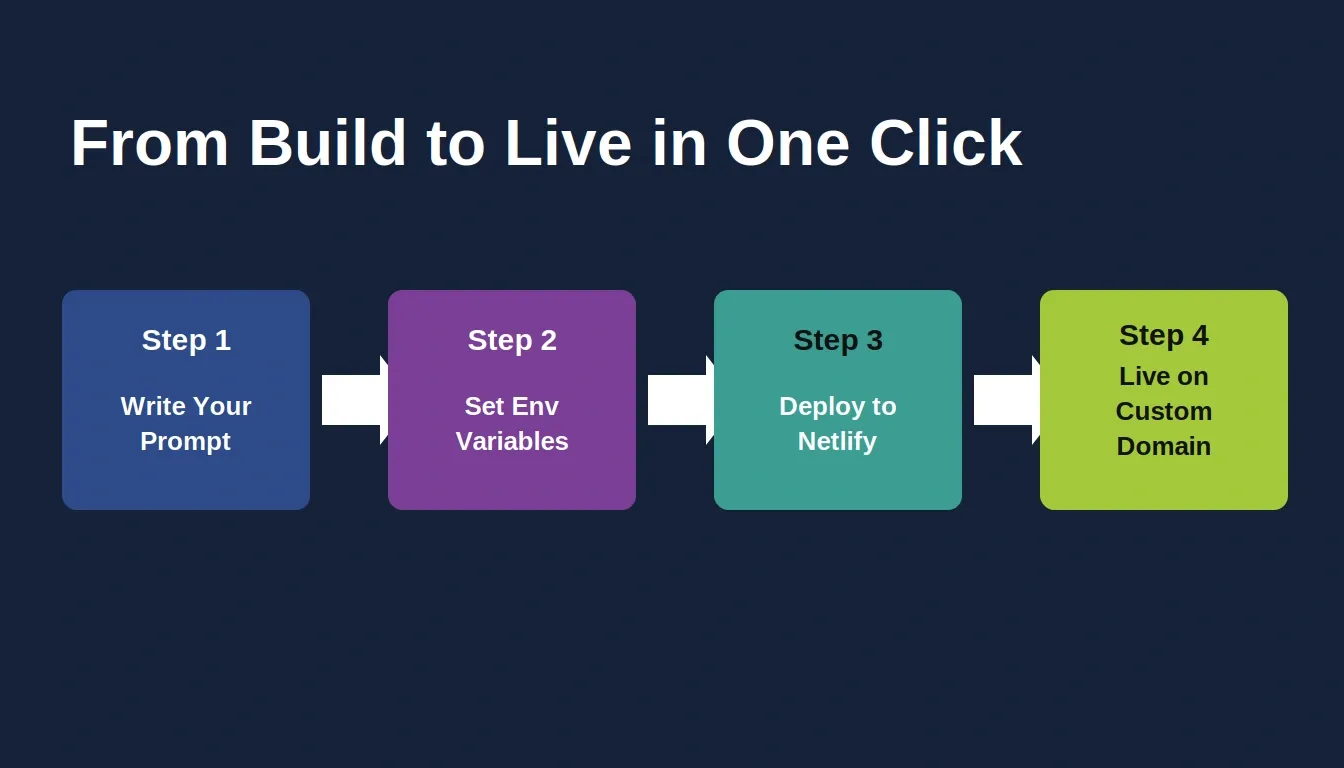
Deployment pipeline
Four steps from build to live: write your prompt, configure environment variables, deploy to Netlify, and go live on your custom domain.
Rocket.new deploys to Netlify with one click, automatic HTTPS, a global CDN, a public link, and automatic updates when changes are made, plus a shareable preview URL. For custom domains, Rocket.new handles DNS configuration for supported registrars or walks you through manual record setup.
Web app deployment checklist:
- Set all environment variables (Supabase URL, Stripe keys, API tokens) in Rocket.new's env panel or env file before deploying
- Run a performance check. Rocket.new's built-in performance tab scores against Core Web Vitals and flags LCP and CLS issues
- Run the SEO audit. Rocket.new checks metadata, sitemaps, and AI citation signals
- Run the accessibility audit, automated WCAG 2.1 AA fixes for alt text, ARIA labels, and contrast ratios
Mobile app deployment:
- Flutter apps export as a signed Android APK for sideloading or Google Play submission
- iOS builds go to TestFlight or the App Store via Rocket.new's Apple App Store workflow
- Share a web preview link first for early testing, no install required
Every build saves a version. If a deployment breaks something, roll back to any previous version from chat in seconds.
Monitor Competitors After Launch
Rocket.new's three pillars work together: Solve validates ideas, Build ships apps, and Intelligence tracks what competitors do next.
Shipping is not the end of the job. The market moves while you're building.
Rocket.new's Intelligence pillar watches competitors continuously across nine signal pillars: website changes, social media, news coverage, GTM campaigns, product and technology updates, hiring patterns, business and finance signals, and customer reviews.
What this looks like in practice:
- A competitor updates their pricing page, you get an Intel card within hours, not weeks
- A rival raises a funding round; Intelligence surfaces it with context on what it signals for their product roadmap
- Customer reviews on G2 show a recurring complaint about a competitor's onboarding, that's a gap you can build into
Set up Intelligence once. It runs automatically and delivers a ranked daily feed of signals personalized to your role and strategic questions. The research-to-decision loop that used to take days now takes minutes. Learn more about how the vibe solutioning platform supports rapid prototyping from idea through launch.
AI Developer Adoption: The Numbers Behind the Shift
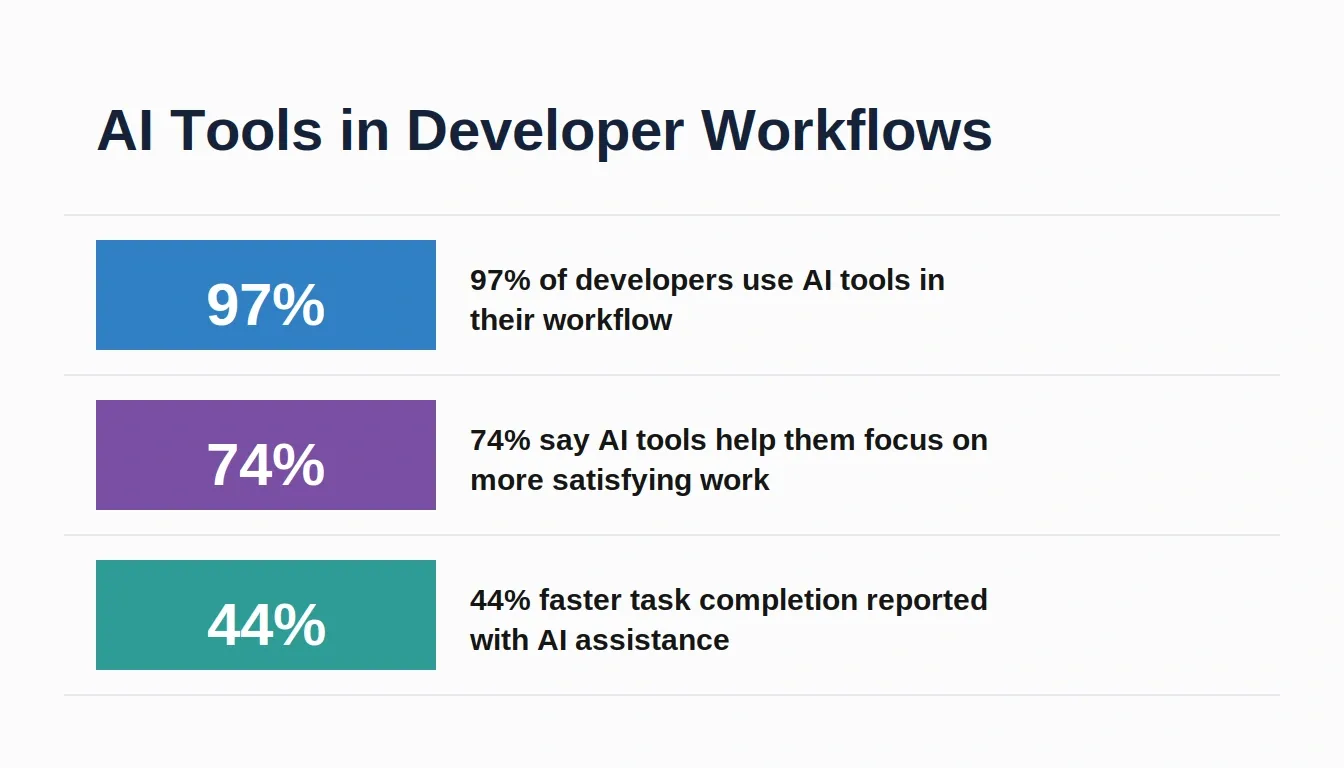
AI tool adoption among developers has crossed a tipping point, reshaping how teams prototype, build, and ship products.
The shift toward AI-assisted development is not a trend; it's a structural change in how software gets built. 97% of developers now use AI tools in their workflow. 74% say AI tools help them focus on more satisfying work, freeing them from repetitive boilerplate. And 44% report faster task completion when AI is part of their development process.
These numbers matter for startup founders specifically. Speed of iteration is the primary competitive advantage of a small team against a large one. AI-assisted development compresses the feedback loop from weeks to days and improves the overall developer experience.
Here's a real take from a builder shared on X (Twitter):
"AI is making it insanely easy to build apps fast with just prompts."
This reflects what many developers are experiencing right now. Vibe coding is not chaotic; it means trusting your coding instincts and experience while using AI effectively. With AI and vibe coding, the focus is shifting from writing code manually to describing ideas clearly.
Rocket vs. Other AI App Builders
| Feature | Rocket.new | Replit | Lovable | Bolt.new | v0 (Vercel) |
|---|---|---|---|---|---|
| Idea validation (research) | Solve pillar | No | No | No | No |
| Web app generation | Next.js | Various | React | Various | React |
| Mobile app generation | Flutter (iOS + Android) | Limited | No | No | No |
| Competitor monitoring | Intelligence pillar | No | No | No | No |
| Built-in connectors | 26+ services | Partial | Partial | Partial | No |
| Figma import | Yes | No | No | No | Yes |
| GitHub two-way sync | Yes | Yes | No | No | No |
| No credit card to start | Yes | No | No | No | Yes |
The core difference: most AI app builders are code generators. Some other frameworks, such as Encore.ts, emphasize infrastructure automation directly from TypeScript code to reduce AI hallucinations during development. Rocket.new is a vibe solutioning platform, research, build, and intelligence in one product that shares context across all three. You don't switch tools between validating an idea, building it, and tracking the market after launch.
Smarter Startup Builds with AI Prompts
Startups often struggle with limited time, resources, and complex development cycles. That slows down progress and delays turning an idea into a real app. TaskFlow is a modern task management application built using SvelteKit and Supabase. With AI, clear prompts, and vibe coding, you can take an app idea from a blank canvas to something useful faster, with little to no coding required.
You do not need to be an expert developer to build full-stack applications. With the right tools and approach, you can build a full-stack app with AI prompts, test a new feature quickly, and turn your idea into reality. Start small, stay consistent, and keep refining your prompts as your project grows.
Ready to build your full-stack app with AI prompts? Rocket.new is the vibe solutioning platform that takes your idea from validated concept to production-ready app without switching tools. Validate your market with Solve, build your Next.js web app or Flutter mobile app with Build, and track competitors with Intelligence. Sign up in 30 seconds; no credit card required. Start building on Rocket.new for free and ship your first app today.
Table of contents
- -Build Full Stack App With AI Prompt: What Does It Actually Mean?
- -Validate Before You Build: The Step Most Founders Skip
- -Choosing Your Build Target: Web App, Mobile App, or Both
- -How to Turn an AI Prompt into Working Code
- -Write a Strong System Prompt
- -What Rocket Generates
- -What You Still Need to Do
- -Structuring Your Project for Scale
- -Building Core Features Step by Step
- -User Authentication
- -CRUD Operations and Data Model
- -Payments with Stripe
- -File Storage
- -Testing and Fixing AI-Generated Code
- -Connecting Frontend and Backend
- -Deployment and Going Live
- -Monitor Competitors After Launch
- -AI Developer Adoption: The Numbers Behind the Shift
- -Rocket vs. Other AI App Builders
- -Smarter Startup Builds with AI Prompts