

The best web development tools span eight categories from code editors and version control to AI app builders and choosing the right stack determines how fast you ship, how clean your code stays, and how confidently your team scales.
What Tools Do Professional Web Developers Actually Use?
The best web development tools cover code editing, debugging, version control, testing, and deployment. This guide walks through the essential tools in each category and explains how to match them to your workflow.
Web development is evolving rapidly. Traditional, code-heavy workflows are no longer the default approach for building modern applications. According to Gartner, by 2025, nearly 70% of new applications will use low-code or no-code tools.
This shift explains why tools that simplify building, testing, and shipping web applications are gaining traction faster than ever.
What Makes a Web Development Tool Worth Using?
The tools that stick around solve real problems and save time without adding friction. Before jumping into the list, it helps to know what categories of web development tools exist and what each one does.
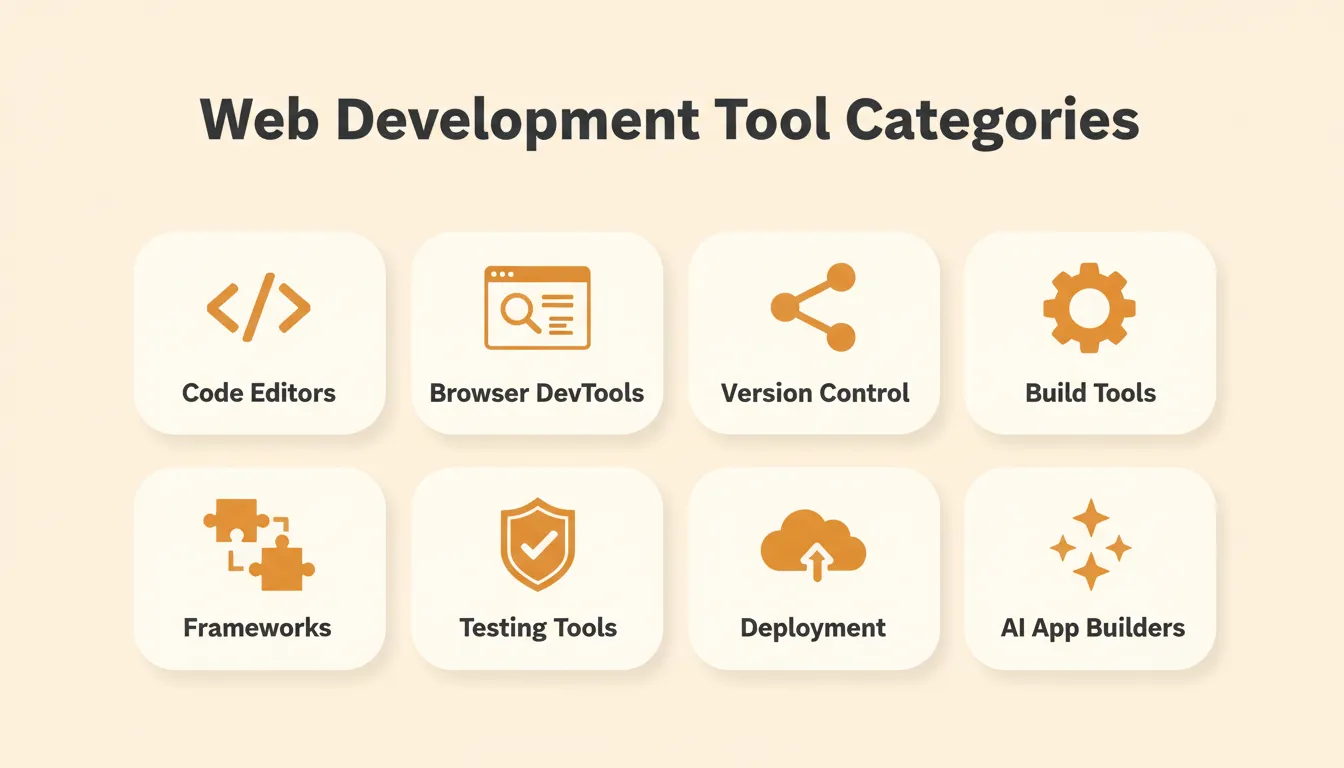
The eight core categories of tools in web development:
- Code editors: where HTML, CSS, and JavaScript live, with syntax highlighting and real-time error feedback
- Browser DevTools: inspect elements, debug CSS properties, and trace network requests without leaving the browser
- Version control systems: record every change to source code, enable rollbacks, and make team collaboration structured
- Build and automation tools: bundle assets, minify CSS code, and run tests so developers can focus on features
- Libraries and frameworks: reusable code patterns that accelerate building interactive web applications
- Testing tools: catch bugs before users do, from unit tests to end-to-end UI checks
- Deployment and hosting helpers: get web applications live with managed servers, SSL, and CI/CD pipelines
- AI app builders: generate production-ready web apps and mobile apps from natural language prompts
| Category | Primary Purpose | Key Benefit |
|---|---|---|
| Code Editors | Write and edit source code | Syntax highlighting, autocomplete, real-time debugging |
| Browser DevTools | Inspect live DOM and debug | Real-time layout, network, and performance data |
| Version Control | Track every code change | Rollbacks, branching, structured team collaboration |
| Build Tools | Automate repetitive tasks | Faster builds, asset bundling, CSS minification |
| Frameworks and Libraries | Reusable code patterns | Faster UI development, less repetition |
| Testing Tools | Verify code behavior | Catch bugs before users encounter them |
| Deployment Helpers | Ship apps to production | Managed SSL, CDN, CI/CD pipelines |
| AI App Builders | Generate apps from prompts | Idea to live app in minutes |
Code Editors That Make Coding Faster
A code editor is a program for writing and editing source code. It includes syntax highlighting, autocomplete, and integrated debugging. Modern editors like VS Code extend this with a plugin ecosystem covering Git integration and live browser preview.
The right editor reduces friction across the entire development workflow. It is where HTML, CSS, and JavaScript live. A good editor surfaces errors before the browser does and suggests completions before you finish typing. It also integrates with version control so commits happen without leaving the window.
What to look for in a code editor:
- Language support: Does it handle your primary stack, such as JavaScript, TypeScript, Python, and CSS?
- Extension ecosystem: Can you add Git, linting, formatting, and debugging without leaving the editor?
- Performance: Does it stay fast on large projects with thousands of files?
- Collaboration: Does it support live share or real-time co-editing for team workflows?
| Editor | Best For | Price | Standout Feature |
|---|---|---|---|
| VS Code | All-around development | Free | 30,000+ extensions, built-in Git, real-time error highlighting |
| Sublime Text | Speed-focused developers | Free / $99 one-time | Lightweight, instant startup, multi-cursor editing |
| WebStorm | Professional JS/TS development | Paid | Deep framework integration, built-in refactoring |
| Cursor | AI-assisted coding | Free / Paid | Inline AI suggestions, codebase-aware completions |
| Atom | Hackable setups | Free (archived) | Open source, community packages, friendly UI |
Editors like VS Code show errors in real time and offer auto-complete. They include debugging panels and live previews that make front-end development significantly faster. For teams building full-stack apps with AI, a good editor remains the foundation even when AI handles code generation.
Browser Built-In Tools: Chrome and Firefox DevTools
Browser DevTools are built-in panels that let developers inspect the live DOM and debug JavaScript. They also trace network requests, audit performance, and test responsive layouts without leaving the browser.
Every modern browser ships with developer tools that quietly do the job. These tools help debug issues, test layouts, and understand how a page behaves in real time. Mastering DevTools is one of the highest-leverage skills in front-end development. It eliminates the feedback loop between writing code and seeing what breaks.
High-value DevTools workflows every developer should know:
- Network tab: Identify slow API calls, large assets, and failed requests before they reach production
- Performance tab: Record and replay page load to find render-blocking scripts and layout thrash
- Console: Log variables, run JavaScript snippets, and catch uncaught errors in real time
- Responsive mode: Test breakpoints across device sizes without a physical device
| Tool | Best For | Price | Standout Feature |
|---|---|---|---|
| Chrome DevTools | Performance profiling, JS debugging | Free (built-in) | Lighthouse integration, Core Web Vitals audit |
| Firefox DevTools | CSS and layout inspection, accessibility | Free (built-in) | CSS Grid inspector, color contrast checker |
| Safari Web Inspector | iOS and macOS debugging | Free (built-in) | Native iOS device debugging |
| Edge DevTools | Windows-first teams | Free (built-in) | 3D DOM view, memory profiler |
These tools give direct access to the source code sent to web pages. Bugs show up faster. Fixes take less time.
Version Control System: Track Every Change
A version control system records every change made to source code. It lets developers revert mistakes, branch for new features, and collaborate without overwriting each other's work.
Git is the industry standard. According to the Stack Overflow Developer Survey, Git is used by over 87% of professional developers. That makes it the single most universal tool in web development.
Git concepts every web developer must know:
- Branch: An isolated copy of the codebase for a feature or fix. Work without touching main.
- Commit: A saved snapshot with a message describing what changed and why.
- Pull request: A formal request to merge a branch. The place for code review and discussion.
- Merge conflict: When two branches change the same line differently. Git flags it, and you resolve it.
Version control workflow: from writing code through CI/CD to production deployment.
| Tool | Best For | Price | Standout Feature |
|---|---|---|---|
| Git | Local version control | Free | Branching, merging, full history |
| GitHub | Team collaboration, open source | Free / paid | Pull requests, Actions CI/CD |
| GitLab | Self-hosted or cloud DevOps | Free / paid | Built-in CI/CD pipelines, issue tracking |
| Bitbucket | Atlassian-integrated teams | Free / paid | Native Jira integration, Pipelines CI/CD |
Automation and Speed: Build Tools That Save Time
Build tools automate repetitive development tasks. They bundle JavaScript modules, minify CSS code, run tests, and compile assets. This lets developers focus on writing features rather than managing pipelines.
Repeating the same steps slows projects down fast. Automation keeps things moving without extra effort. A well-configured build pipeline gives every developer consistent, reproducible results regardless of their local environment.
- Webpack: Bundles files, scripts, and assets into a single output. Manages JavaScript and CSS as projects scale. It has a highly configurable plugin ecosystem.
- Vite: Offers a near-instant dev server using native ES modules. It is faster than Webpack for most modern projects. Vite is the default choice for new React, Vue, and Svelte projects.
- esbuild: An ultra-fast JavaScript and TypeScript bundler written in Go. It runs ten to one hundred times faster than Webpack for simple bundles.
- Turbopack: Webpack's successor built in Rust. It delivers dramatically faster incremental builds for large Next.js codebases.
| Tool | Best For | Price | Standout Feature |
|---|---|---|---|
| Webpack | Large-scale JS bundling | Free | Code splitting, tree shaking, hot module replacement |
| Vite | Fast dev server and modern builds | Free | Near-instant HMR, native ES modules |
| Gulp | Task automation | Free | Streaming build system, plugin ecosystem |
| esbuild | Ultra-fast JS/TS bundling | Free | Go-based, 10 to 100x faster for simple bundles |
| Turbopack | Next.js large-scale builds | Free | Rust-based, incremental compilation |
Understanding the right tech stack for web development before choosing build tools helps teams avoid costly rewrites later. Stack choices and deployment targets should be mapped together from the start.
Libraries and Frameworks Developers Can't Stop Using
A JavaScript framework is a pre-written code library that provides structure, reusable components, and conventions for building web applications. It reduces the need to write repetitive patterns from scratch.
Libraries and frameworks help developers build web apps faster and with less repetition. They are essential tools for web development at any scale. Choosing the right framework early saves months of refactoring later.
- React: Uses a virtual DOM to update the UI smoothly. It works well for interactive pages and large web applications. React has the most widely adopted front-end library ecosystem.
- Vue: Keeps things readable and modular. It has a gentler learning curve than React and is popular for teams transitioning from simpler setups.
- Tailwind CSS: Relies on utility classes rather than longhand CSS. It reduces the need to write endless CSS code while keeping layouts flexible.
- Next.js: A full-stack React framework with server-side rendering, static generation, and edge deployment built in. It is the default choice for production React applications.
- Svelte: Compiles components to vanilla JavaScript at build time. It has no virtual DOM overhead and produces smaller, faster output for many use cases.
- Astro: Optimized for content-heavy sites. It ships zero JavaScript by default and hydrates components only when needed.
| Tool | Best For | Price | Standout Feature |
|---|---|---|---|
| React | Interactive UIs, SPAs | Free | Virtual DOM, massive ecosystem |
| Vue | Readable component logic | Free | Composition API, gentle learning curve |
| Tailwind CSS | Utility-first styling | Free | No custom CSS needed, PurgeCSS built-in |
| Next.js | Full-stack React apps | Free | SSR, SSG, App Router, edge deployment |
| Svelte | Performance-critical UIs | Free | No virtual DOM, compiled output |
| Astro | Content-heavy sites | Free | Zero JS by default, island architecture |
How to choose a framework:
- Building a SaaS dashboard or complex web app: use Next.js + React
- Building a marketing site or blog: use Astro or Next.js
- Building a small interactive UI: use Vue or Svelte
- Need utility-first styling: use Tailwind CSS with any framework
- Building a mobile app: use Flutter via Rocket Build or React Native
Teams exploring AI in web development are increasingly pairing these frameworks with AI builders to ship faster without sacrificing code quality.
Testing Tools: Catch Bugs Before Users Do
Testing tools verify that code behaves as expected. They cover everything from individual functions to full user flows, performance audits, and accessibility checks.
You can write clean JavaScript, but without testing, bugs find their way to users. A solid testing strategy covers three layers: unit tests for individual functions, integration tests for connected components, and end-to-end tests for complete user flows.
The three layers of web application testing:
- Unit testing: Test individual functions and components in isolation. Jest is the standard. It is fast to run, easy to write, and catches logic errors early.
- Integration testing: Test how components work together. React Testing Library pairs with Jest to test UI components the way users interact with them.
- End-to-end (E2E) testing: Test complete user flows in a real browser. Cypress and Playwright simulate real user actions and verify the app responds correctly.
| Tool | Best For | Price | Standout Feature |
|---|---|---|---|
| Jest | Unit and integration testing | Free | Snapshot testing, mocking, zero config |
| Cypress | End-to-end UI testing | Free / paid | Real browser testing, time-travel debugging |
| Lighthouse | Performance and SEO audits | Free (built-in) | Core Web Vitals scoring, accessibility checks |
| Playwright | Cross-browser E2E testing | Free | Chromium, Firefox, WebKit in one tool |
| Vitest | Vite-native unit testing | Free | Faster than Jest for Vite projects |
| React Testing Library | Component testing | Free | Tests behavior, not implementation |
Testing best practices for web developers:
- Write tests for the behaviors users care about, not implementation details
- Run tests automatically on every pull request with CI/CD using GitHub Actions or GitLab CI
- Use Lighthouse in CI to catch performance regressions before they reach production
- Prioritize E2E tests for critical paths such as checkout, login, and onboarding
Developers building web apps with AI tools should still run Lighthouse audits on generated output to confirm performance baselines are met before shipping.
Deployment and Hosting: Get Your App Live
Deployment tools get a finished web application from a developer's machine to a live server. They manage builds, SSL certificates, CDN distribution, and continuous delivery pipelines.
Once the code is ready, the next step is getting the project live. Modern deployment platforms abstract away server management entirely. This lets developers focus on shipping features rather than managing infrastructure.
What to look for in a deployment platform:
- Preview deployments: Does every pull request get its own live URL for review?
- Rollback: Can you revert to any previous deployment in one click?
- Custom domains: Is SSL automatic? Can you connect your domain without touching DNS manually?
- CI/CD integration: Does it trigger builds automatically on push to main?
- Analytics: Does it include traffic, performance, and Core Web Vitals monitoring?
| Tool | Best For | Price | Standout Feature |
|---|---|---|---|
| Vercel | Next.js, React apps | Free / paid | Edge network, instant rollbacks, preview deployments |
| Netlify | Static sites, JAMstack | Free / paid | Form handling, serverless functions, split testing |
| Firebase | Full-stack with backend | Free / paid | Auth, Firestore, hosting in one platform |
| Railway | Full-stack with databases | Free / paid | One-click Postgres, Redis, instant deploys |
| Cloudflare Pages | Edge-deployed static/SSR | Free / paid | Global CDN, generous free tier |
These web development tools handle servers, SSL, and domains. Developers can focus on building features rather than managing infrastructure.
Rocket: Research, Build, and Monitor in One Platform
Most web development tools solve one part of the workflow. Rocket is a vibe solutioning platform that covers the complete arc. It takes you from validating what to build, to generating the product, to monitoring competitors, all without switching tools.
1.5 million people have tried Rocket across 180 countries, from solopreneurs to enterprise teams. Rocket ships with seven pillars: Solve, Build, Intelligence, Redesign, Context, Collaborate, and Human Help. All seven share a compound context architecture. Research done in Solve becomes the foundation for Build. Intelligence signals trigger new Solve questions. Nothing is re-explained across tasks.
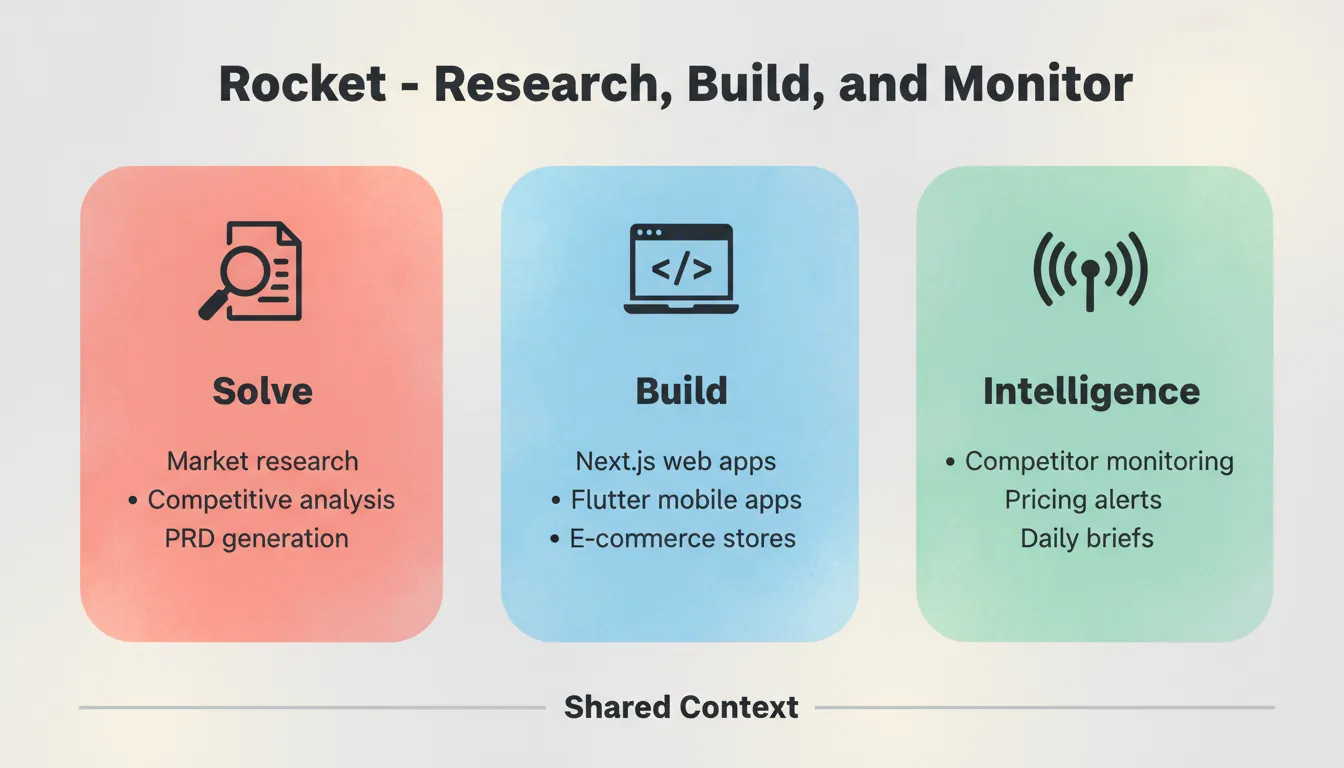
Each pillar works independently. Use one, two, or all seven depending on what you need.
Pillar 1: Solve — Research Before You Build
**Solve is Rocket's decision intelligence engine.** You describe a business situation in plain language. Rocket runs thousands of queries across 150+ sources simultaneously. It delivers a structured, evidence-backed report in 60 to 90 minutes, ready to act on, present, or build from.
What Solve produces:
- Market analysis: size markets, identify trends, assess opportunities
- Competitive teardowns: compare features, analyze positioning, run SWOT frameworks
- Pricing strategy: benchmark pricing, model scenarios, analyze willingness to pay
- PRD generation: prioritize features, analyze user needs, inform roadmaps
- M&A assessments, regulatory research, and board-ready deliverables
Every Solve report follows a five-part structure. It includes an executive summary with a direct recommendation, detailed analysis with findings and evidence, supporting data tables, actionable next steps, and full sources and methodology.
Solve answers a question once. Intelligence watches for changes over time. The two work together: a Solve report scopes what you monitor, and Intelligence signals trigger new Solve questions.
Pillar 2: Build — Production-Ready Apps from a Prompt
**Build is Rocket's AI app builder.** You describe what you want, and Rocket generates a fully functional app with UI, navigation, logic, and production-ready code. Web apps are built in Next.js and mobile apps in Flutter. Most apps generate in 1 to 3 minutes.
Every build ships with SEO-ready structure, WCAG accessibility compliance, GDPR coverage, and performance optimization by default. After launch, built-in analytics track visitors, conversions, and Core Web Vitals with zero setup required.
What Build produces:
- Next.js web apps: SaaS dashboards, internal tools, marketplaces, AI-powered tools, customer portals
- Flutter mobile apps: iOS and Android apps from a single codebase, ready for App Store and Google Play
- Marketing sites: portfolios, blogs, and conversion-focused pages with built-in SEO and fast load times
- E-commerce stores: product catalogs, checkout flows, and payment integrations
- Internal tools: OKR trackers, customer health monitors, compliance dashboards, investor data rooms
| Starting Point | When to Use |
|---|---|
| From an idea | Describe what you want in plain language |
| From Figma | Import a Figma design and convert it to working code |
| From an attachment | Upload a screenshot, wireframe, or design mockup |
| From a template | Start from a pre-built template at zero credit cost |
| From GitHub | Import an existing Next.js TypeScript repository and continue building |
| Redesign | Provide a URL and transform an existing site using eight slash commands |
25+ integrations available: Stripe, Google Analytics, Supabase, Notion, Linear, Airtable, Mailchimp, Mixpanel, Typeform, OpenAI, Anthropic, Gemini, PayPal, Cal.com, Twilio, SendGrid, and more. Authenticate once and they flow into every build.
Pillar 3: Intelligence — Continuous Competitor Monitoring
**Intelligence watches companies you care about across every public surface they operate on.** It covers website, social, news, hiring, traffic, product, GTM, finance, and reviews. Set it up once per workspace. It runs automatically and surfaces signals to a live dashboard in your sidebar.
Intelligence covers nine monitoring pillars: Website, Social Media, News and Media, GTM, Product and Technology, People and Hiring, Business and Finance, Reviews and Community, and Traffic.
What Intelligence delivers:
- Automated daily briefs and Intel cards ranked by relevance to your role
- Pricing change alerts and trend signals
- Absence detection: when a competitor goes quiet, that is a signal too
- Cross-pillar patterns that reveal strategy, not just individual changes
| Feature | Intelligence | Solve |
|---|---|---|
| When to use | Ongoing awareness of competitor changes | Specific question right now |
| How it works | Continuous monitoring, automatic | One-time research task |
| Output | Personalized Intel feed and dashboard | Structured report with recommendations |
| Setup | Follow companies in Discover | New Solve task per question |
Pillar 4: Redesign — Reimagine Any Existing Website
Redesign gives you a third option between starting from scratch and hiring an agency. Point Rocket at any live website URL and tell it what kind of change you need using slash commands. Rocket reads the site structurally, including content, layout logic, and design language, then rebuilds it based on your direction.
Eight slash commands across three categories:
- Reimagine: Reimagine Website Design, Full Website Makeover, Mobile-First Redesign
- Insight-Driven: Redesign from Heatmap, Fix Conversion Issues, Fix Visual Hierarchy
- Brand and Consistency: Redesign Like Competitor, Generate Brand-Matched Page
Pillar 5: Context — Compound Memory Across Every Task
Context is Rocket's persistent shared memory. Add files, research, and decisions to a project once. Every task that follows already knows everything. The PRD from Solve is present when Build starts. The competitive brief is present when the landing page is written. Work compounds across tasks instead of starting from zero each session.
This is the architectural difference between Rocket and a collection of separate tools. Without shared context, every handoff compresses information. With it, every task inherits the full intelligence of everything that came before.
Rocket Pricing
| Plan | Price | Credits | What's Included |
|---|---|---|---|
| Free | $0 | 20 (one-time) | Build production-ready apps + Light Solve |
| Pro | $25/month | 100/month | Build + Light Solve |
| Rocket | $50/month | 250/month | Build + Full Solve + Competitive Intelligence |
| Booster | $250/month | 1,500/month | Build + Full Solve + Competitive Intelligence + Premium Support |
All paid plans include unlimited team members. Credits roll over month to month on monthly plans.
Community Insight on Web Development Tools
One Reddit user in r/nocode wrote about picking tools:
"Rocket.new: Super clean Figma-to-webflow style import. Handles responsive layouts well, generates maintainable code, and integrates easily with APIs." Source: Reddit r/nocode
How to Choose the Right Web Development Tools for Your Workflow
There is no one-size-fits-all answer when it comes to web development tools. The best tools are the ones you actually like using, not the ones with the longest feature list. The right stack depends on your project type, team size, and how much complexity you are willing to manage.
Match your immediate need to the right tool category.
Recommended starter stacks by project type:
| Project Type | Editor | Framework | Testing | Deployment |
|---|---|---|---|---|
| SaaS web app | VS Code | Next.js + Tailwind | Jest + Cypress | Vercel |
| Marketing site | VS Code | Astro or Next.js | Lighthouse | Netlify |
| Mobile app | VS Code | Flutter via Rocket | Flutter Test | App Store / Play Store |
| Internal tool | VS Code | Next.js | Jest | Railway |
| E-commerce | VS Code | Next.js + Stripe | Cypress | Vercel |
| AI-powered app | Cursor | Next.js + OpenAI | Playwright | Vercel |
Using the right web development tools also makes learning and experimenting less painful. Trying new libraries, frameworks, or testing setups becomes easier when your workflow already feels comfortable. The right toolkit does not just speed up projects. It keeps developers motivated and creative.
The Future of Web Development Tools Is Already Here
The best web development tools now handle the thinking before the build. They validate ideas, research markets, and monitor what changes after you ship. As AI becomes embedded in every layer of the stack, developers who ship the most are the ones who pick tools that compound their decisions, not just their keystrokes.
Whether you are choosing a code editor, a testing framework, or a deployment platform, the principle is the same. Pick tools that reduce friction on the work that matters. Type what you want to build and let the system handle the rest. Start building at Rocket.new.
Table of contents
- -What Makes a Web Development Tool Worth Using?
- -Code Editors That Make Coding Faster
- -Browser Built-In Tools: Chrome and Firefox DevTools
- -Version Control System: Track Every Change
- -Automation and Speed: Build Tools That Save Time
- -Libraries and Frameworks Developers Can't Stop Using
- -Testing Tools: Catch Bugs Before Users Do
- -Deployment and Hosting: Get Your App Live
- -Rocket: Research, Build, and Monitor in One Platform
- -Pillar 1: Solve — Research Before You Build
- -Pillar 2: Build — Production-Ready Apps from a Prompt
- -Pillar 3: Intelligence — Continuous Competitor Monitoring
- -Pillar 4: Redesign — Reimagine Any Existing Website
- -Pillar 5: Context — Compound Memory Across Every Task
- -Rocket Pricing
- -Community Insight on Web Development Tools
- -How to Choose the Right Web Development Tools for Your Workflow
- -The Future of Web Development Tools Is Already Here

