
The best AI prompts to build a website name the goal, audience, layout, visual style, and functionality upfront. Rocket turns those descriptions into production-ready Next.js or Flutter code. This guide covers seven prompt types with real examples and shows how to iterate when the first output needs work.
The best AI prompts to build a website turn a plain-language description into production-ready Next.js code, styled pages, and working features in minutes. This guide covers seven prompt types with real examples and shows exactly how to iterate when the first output isn't quite right.
Why Prompts Are the New Design Brief
Before AI builders existed, turning an idea into a website meant writing a spec, hiring a designer, waiting on a developer, and debugging the gap between what you described and what shipped. That gap was expensive and slow.
AI website builders collapse that cycle. But here's what most guides get wrong: the quality of your output is almost entirely determined by the quality of your input. A vague prompt produces a generic site. A structured prompt produces something you can actually ship.
This is especially true on platforms like Rocket, which scores your prompt quality before running a task and asks clarifying questions when your intent is ambiguous. That feedback loop, prompt, score, refine, is the real skill to develop.
One Reddit user building with AI website tools put it plainly:
"An issue I faced with AI website builders was that the design was very generic."
Generic output is almost always a prompt problem, not a tool problem. The fixes in this guide address that directly.
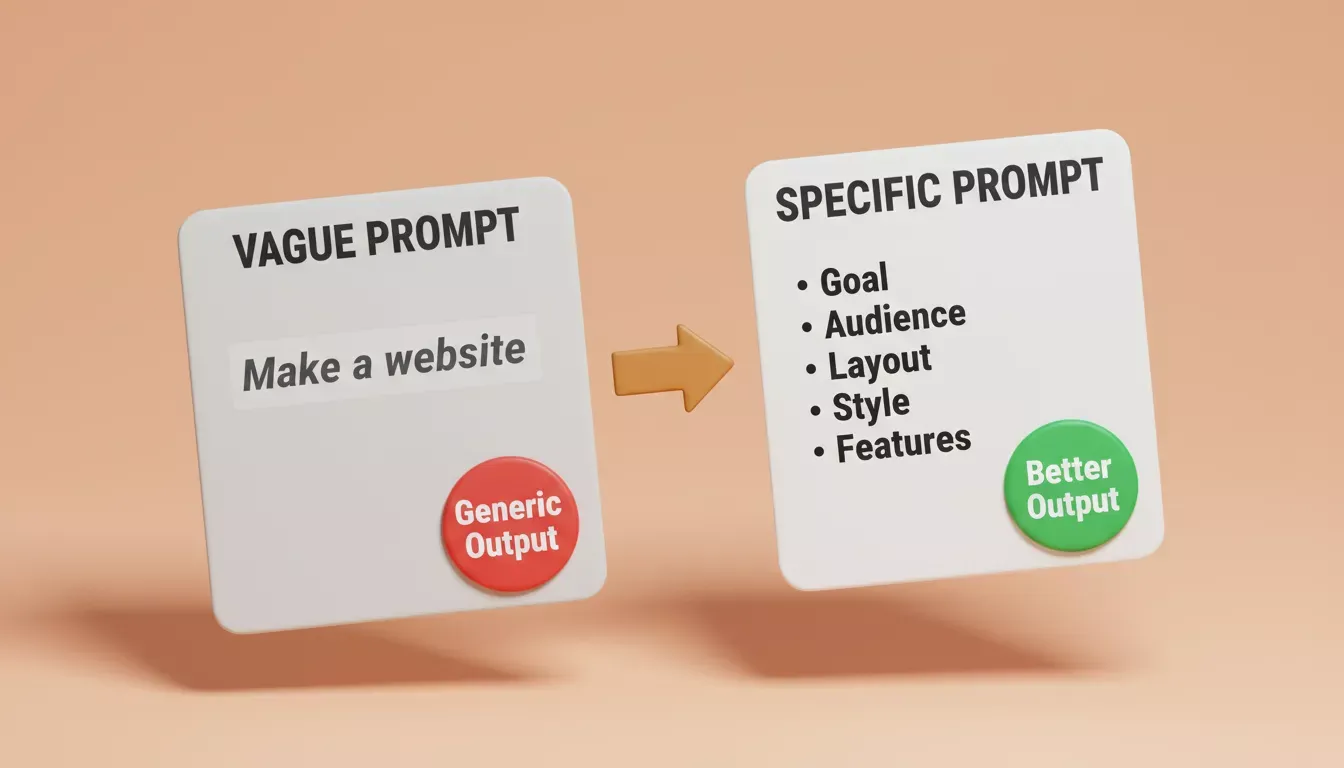
A vague prompt produces generic output. A specific prompt with goal, audience, layout, style, and features produces something you can ship.
What Rocket Actually Builds (Not Just Websites)
Before diving into prompts, it's worth understanding what you're prompting toward, because Rocket is not a website builder in the traditional sense.
Rocket is a vibe solutioning platform with three distinct capabilities:
| Pillar | What It Does | When to Use It |
|---|---|---|
| Solve | Turns business questions into structured, evidence-backed research reports: market analysis, competitive teardowns, pricing strategy, product direction | Before you build: validate the idea, understand the market, define what to build |
| Build | Generates production-ready Next.js web apps and Flutter mobile apps from a prompt, Figma file, or GitHub repo | When you're ready to ship: websites, SaaS apps, e-commerce stores, internal tools, mobile apps |
| Intelligence | Monitors competitors across nine signal pillars (website changes, hiring, GTM, product, reviews, and more) and delivers structured Intel cards | After you launch: track what rivals are doing and respond before the market shifts |
Most people come to Rocket for Build. But the teams that ship the best products use Solve to research the market first, Build to generate the product, and Intelligence to stay ahead afterward.
For this guide, we focus on Build prompts, specifically for websites and web apps. One important note: Rocket generates Next.js and Flutter code, not raw HTML. Every prompt example below is written accordingly.
The Rocket workflow: research with Solve, build with Build, monitor with Intelligence. Each pillar feeds the next.
The Anatomy of a Strong Build Prompt
Rocket's Prompting for Build guide identifies the patterns that consistently produce better first generations. Here's what they have in common:
Five elements that separate good prompts from generic ones:
- Goal: what the site or app is for, in one sentence
- Audience: who will use it and what they need to do
- Visual direction: color palette, mood, reference sites if you have them
- Page/screen structure: which sections or routes to include
- Functionality: specific features, not just "make it work"
The table below shows how each element translates into concrete prompt language:
| Element | Weak Version | Strong Version |
|---|---|---|
| Goal | "Make a website" | "A SaaS landing page for a project management tool targeting remote teams" |
| Audience | "For users" | "For startup founders who need to demo to investors" |
| Visual direction | "Modern design" | "Dark background, electric blue accents, Inter font, minimal whitespace" |
| Structure | "Homepage and about" | "Hero with CTA, feature grid (3 columns), pricing table (3 tiers), FAQ accordion, footer" |
| Functionality | "Contact form" | "Contact form with name, email, company, message fields, validate on submit, show success state" |
The stronger versions give Rocket's Build agent enough context to make real decisions. The weaker versions force it to guess, and guessing produces generic output.
You can browse Rocket's prompt library for ready-to-use starters organized by role and use case.
Types of AI Prompts You Can Use to Build a Website
Different prompts serve different goals. Some focus on layout, some on design style, and others help generate code or functionality.
Below are seven prompt types that people commonly use when working with an AI website builder. Each example shows how a simple instruction turns into a real page, layout, or working feature.
Prompt 1: Website Layout Prompt
A layout prompt is your starting point. It defines the full page structure before any content or functionality is added.
What a layout prompt does: Describes the page hierarchy so Rocket generates the correct component tree, navigation, sections, and footer, in the right order and with the right visual weight.
Build a Next.js landing page for a B2B SaaS startup. Pages: home only. Sections from top to bottom: sticky navigation with logo and CTA button, hero with headline, subheadline, and primary CTA, social proof bar with logos of five fictional companies, three-column feature grid, pricing section with three tiers (Free, Pro, Enterprise), FAQ accordion with five questions, and footer with links. Visual: white background, dark navy text, electric blue (#0057FF) for CTAs, Inter font, generous whitespace.
What to expect: Rocket generates a multi-section Next.js page with responsive layout, correct heading hierarchy, and placeholder content you can replace. The component tree will be clean and editable, and the builder helps by suggesting navigation and functionality improvements when the initial structure is unclear.
Common first-output problem: The hero headline is generic ("Welcome to Our Platform"). Fix it with a follow-up: "Rewrite the hero headline and subheadline for a project management tool that helps remote teams cut meeting time by 40%."
Prompt 2: Landing Page Prompt
A landing page is often the most important part of a website. It focuses on conversions and clear messaging.
What a landing page prompt does: Signals to Rocket that conversion architecture matters, so a well-written prompt can produce a high-converting product page. CTA placement, social proof positioning, and friction reduction are design decisions, not just aesthetic ones.
Build a Next.js landing page for a productivity app called FocusFlow. Goal: get visitors to start a free trial. Sections: hero with headline, subheadline, primary CTA button "Start free trial" and secondary CTA "Watch demo", feature list with four features and icons, video embed placeholder, social proof with three testimonial cards showing name, role, company, and quote, pricing section with two tiers (Free and Pro at $12/month), and a final CTA banner before the footer. Visual: dark mode, deep gray (#111827) background, green (#10B981) CTAs, clean sans-serif.
What to expect: A conversion-structured page with CTA buttons wired to placeholder routes. The pricing section will render as a comparison card layout.
Iteration tip: After the first generation, try: "Move the social proof section above the feature list. I want trust signals earlier in the scroll." Rocket will reorder the components without rebuilding the whole page.
This approach aligns with prompt engineering best practices, specifically around intent and not just appearance.
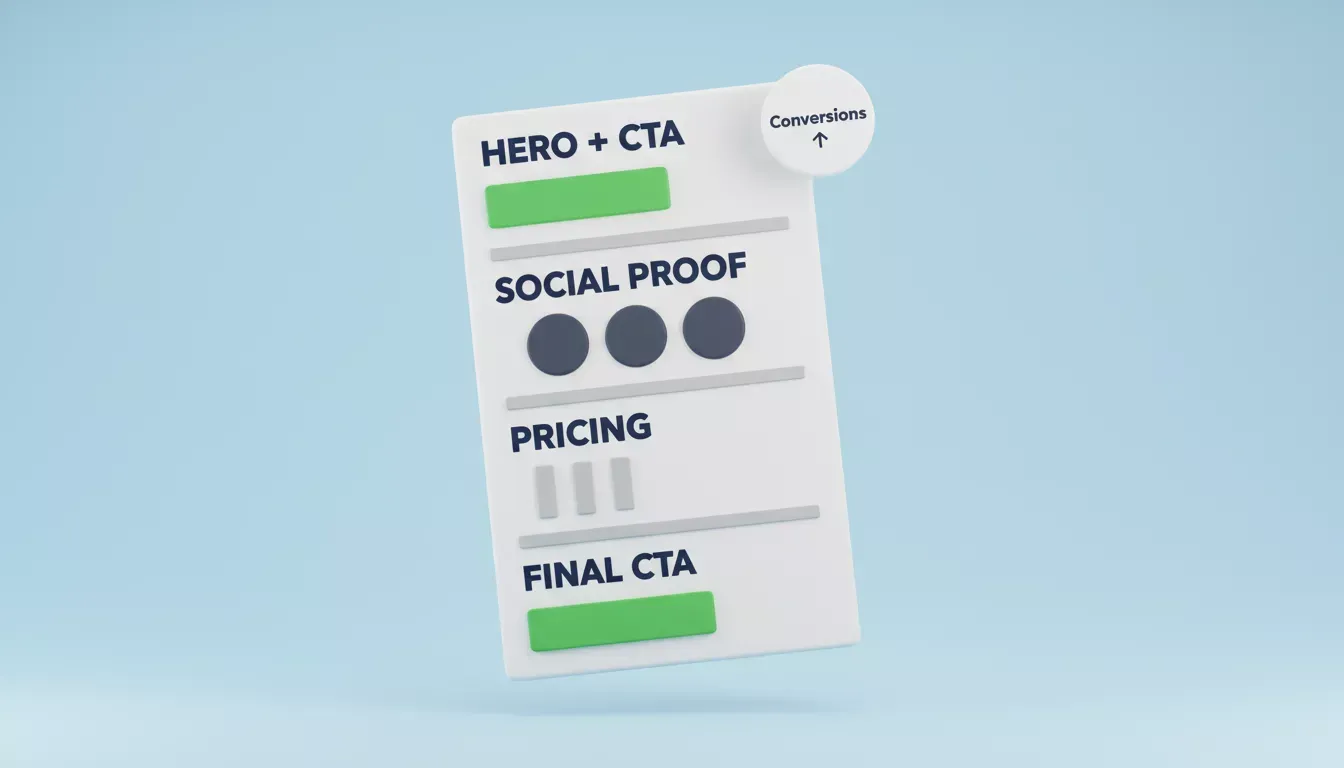
A conversion-focused landing page stacks sections in a deliberate order: hero, social proof, pricing, and a final CTA. Each section moves the visitor closer to one action.
Prompt 3: Personal Blog or Content Site Prompt
Content sites have different requirements than conversion pages: they need a CMS connection, category navigation, and a reading experience that supports content creation and keeps visitors engaged.
What a content site prompt does: Tells Rocket to generate a multi-route Next.js app with a blog index, individual post pages, and author sections, not just a single static page.
Build a Next.js personal blog focused on technology, productivity, and lifestyle. Routes: homepage with recent posts grid, blog index with category filter, individual post page, and about page with author bio. Design: cream background (#FDFAF6), dark charcoal text, soft colors with accent color (#D97706), readable serif font for body, sans-serif for UI. Features: post cards with title, date, category tag, and two-line excerpt; author section in sidebar on post pages; responsive layout. Connect to Strapi as headless CMS for post content.
What to expect: A full multi-page Next.js app with dynamic routing. The Strapi connector will scaffold the content schema and API calls automatically, and chatgpt prompts can help plan follow-up posts after the structure is generated.
The CMS difference: Without specifying a CMS, Rocket generates static content you have to edit in code. Adding "Connect to Strapi" (or Airtable, Directus, or Webflow) gives you a proper content management layer. See Rocket's connector docs for setup details.
Prompt 4: Design-First Prompt (Figma to Code)
If you have a Figma design, you don't need to describe it in words. Import it directly and let Rocket convert it to production code.
What a Figma prompt does: Skips the layout description entirely and uses your visual design as the source of truth. Rocket reads the Figma file and generates matching React/Next.js or Flutter code with pixel-accurate layouts.
How to do it:
- Prepare your Figma file: frames named clearly, layers grouped, no hidden or off-screen elements (see Rocket's Figma design guidelines)
- Copy your Figma file URL
- In Rocket Build, paste the URL and add a short prompt:
Import this Figma design and generate a deployable Next.js web app. Preserve all spacing, typography, and color values exactly. Add smooth scroll behavior between sections. Wire the CTA buttons to /signup.
What to expect: A Next.js app that matches your Figma frames. Typography, spacing, and color tokens are preserved. Interactive elements (buttons, forms) are wired to placeholder routes you can update.
When to use this vs. a text prompt: Use Figma import when you have an existing design system or a client-approved mockup. Use text prompts when you're exploring and want Rocket to make design decisions for you. An AI tool can also generate images or logos that match the design direction in the Figma file or text prompt.
Prompt 5: Functionality Prompt
Functionality prompts go beyond layout. They describe specific interactive features, form logic, and backend behavior.
What a functionality prompt does: Tells Rocket's Build agent to generate working component logic, not just UI shells. This is where Rocket's Supabase and API connectors become important.
Add a contact page to my existing Next.js site with a contact form. Fields: full name (required), email (required, validate format), company (optional), message (required, minimum 20 characters). On submit: validate all fields client-side, show inline error messages with clear labels for web accessibility, send form data to a Supabase table called "contact_submissions", show a success state saying "We'll be in touch within 24 hours" and reset the form. Style to match the existing dark theme.
What to expect: A fully wired form component with client-side validation, Supabase integration, and success/error states. Rocket generates the Supabase table schema alongside the component.
When the first output has a bug: Don't start over. Use Rocket's Advisor Agent. It diagnoses root causes and resolves error loops automatically, making it a powerful tool for debugging and refinement. Or describe the specific error in chat: "The form submits but the success state doesn't appear. The Supabase insert is returning a 403." Rocket will trace the issue and fix it.
Rocket's Build best practices guide covers how to structure prompts for reliable, production-grade functionality output.
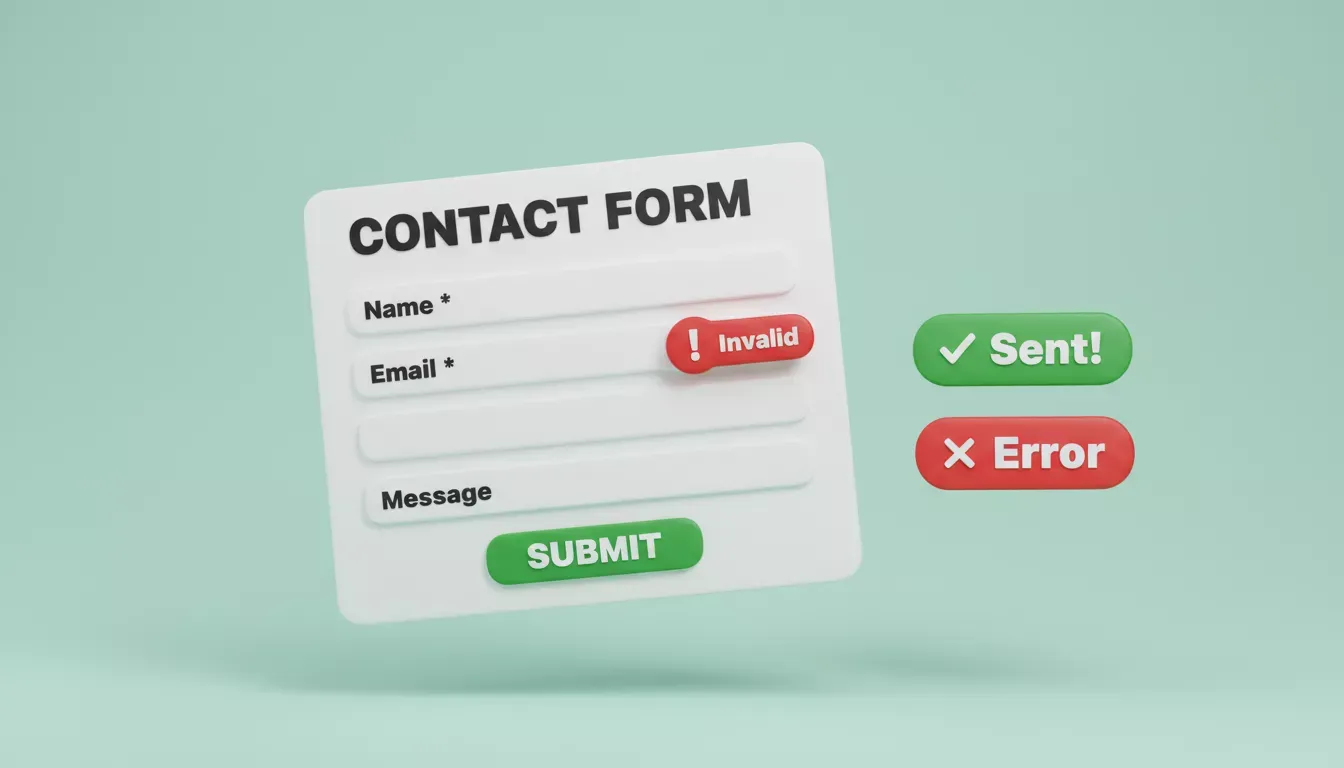
A functionality prompt generates a complete contact form: required field validation, inline error messages, and a success state, all wired to Supabase with no manual backend setup. The same approach can also improve site speed or security without relying only on paid tools.
Prompt 6: eCommerce Store Prompt
E-commerce builds are more complex than landing pages. They need product data, cart state, checkout flow, and order management. Rocket handles this as a full-stack build, not a static site.
What an e-commerce prompt does: Triggers Rocket to generate a multi-route Next.js app with Stripe for payments, a product catalog connected to a CMS or database, and a cart/checkout flow.
Build a Next.js e-commerce store for a small ceramics brand. Pages: homepage with featured products, shop page with product grid and category filter, product detail page with images, description, size selector, and add-to-cart, cart page with quantity controls, and checkout with Stripe integration. Connect Stripe for payments. Connect Airtable as the product database with fields for name, price, category, description, images, and stock. Visual: warm off-white (#FAF7F2), earthy tones, clean minimal layout.
What to expect: A complete e-commerce app with Stripe checkout wired and Airtable as the product backend. Product pages pull live data; cart state is managed in React context.
Scope this carefully: E-commerce is one of the more complex build types. Start with the core flow (browse, product, cart, checkout) and add features (wishlists, reviews, order history) in follow-up prompts. Rocket's e-commerce recipe walks through the full build sequence.
Prompt 7: Mobile App Prompt
Rocket builds Flutter mobile apps from the same prompt interface as web apps, and the output is a deployable APK (Android) or IPA (iOS), not a mobile-responsive website.
What a mobile app prompt does: Switches Rocket's Build agent to Flutter output mode, generating native mobile screens with proper navigation patterns, platform conventions, and mobile-specific UX.
Build a Flutter mobile app for tracking daily water intake. Screens: home with today's intake progress ring and quick-add buttons for 250ml, 500ml, and custom amounts; history screen with weekly bar chart; settings screen with daily goal, reminder time, and notification toggle. Connect Supabase for user auth (email and Google) and data storage. Visual: clean white UI, blue (#2196F3) accent, rounded cards, bottom navigation bar. Target iOS and Android.
What to expect: A Flutter app with three screens, Supabase auth wired, and a working data model. You can preview it in the browser immediately, download an APK to test on Android, or submit to app stores after review.
Web vs. mobile prompt differences: Mobile prompts should specify screens (not pages), navigation patterns (bottom nav, drawer, tab bar), and platform-specific behaviors (pull-to-refresh, haptic feedback). The visual language is different from web. Think in screens, not sections.
What to Do When the First Output Is Wrong
Every experienced builder knows: the first generation is a starting point, not the final product. Here's how to iterate with effective prompts rather than starting over.
Targeted fixes beat full rebuilds. Instead of "regenerate the whole page," describe the specific problem: "The hero section has too much padding on mobile. Reduce it to 24px top and bottom." Targeted prompts produce targeted fixes.
Use @-mentions to carry context. Rocket's cross-task context lets you @-mention findings from a Solve research report directly in your Build prompt. If you ran a competitive analysis in Solve and found that competitors all use dark mode, you can reference that in Build: "@competitive-analysis, build this with dark mode as the default, matching the pattern we found."
Name the error, not the frustration. If something breaks, copy the exact error message into chat. Rocket's Advisor Agent traces root causes. It's more useful than "this doesn't work."
Prompt iteration example, before and after: Use this simple process to refine prompts without losing momentum.
| Prompt Version | Output |
|---|---|
| "Make a hero section" | Generic headline, stock-photo placeholder, blue button |
| "Hero for a B2B SaaS targeting HR teams. Headline: 'Onboard faster. Retain longer.' Subheadline: 'FocusFlow cuts new-hire ramp time by 35%.' CTA: 'Start free trial' in green. Background: dark navy. Include a product screenshot placeholder on the right." | Specific headline, correct color, two-column layout with screenshot area |
The second prompt took 30 extra seconds to write and saved 3 rounds of iteration.
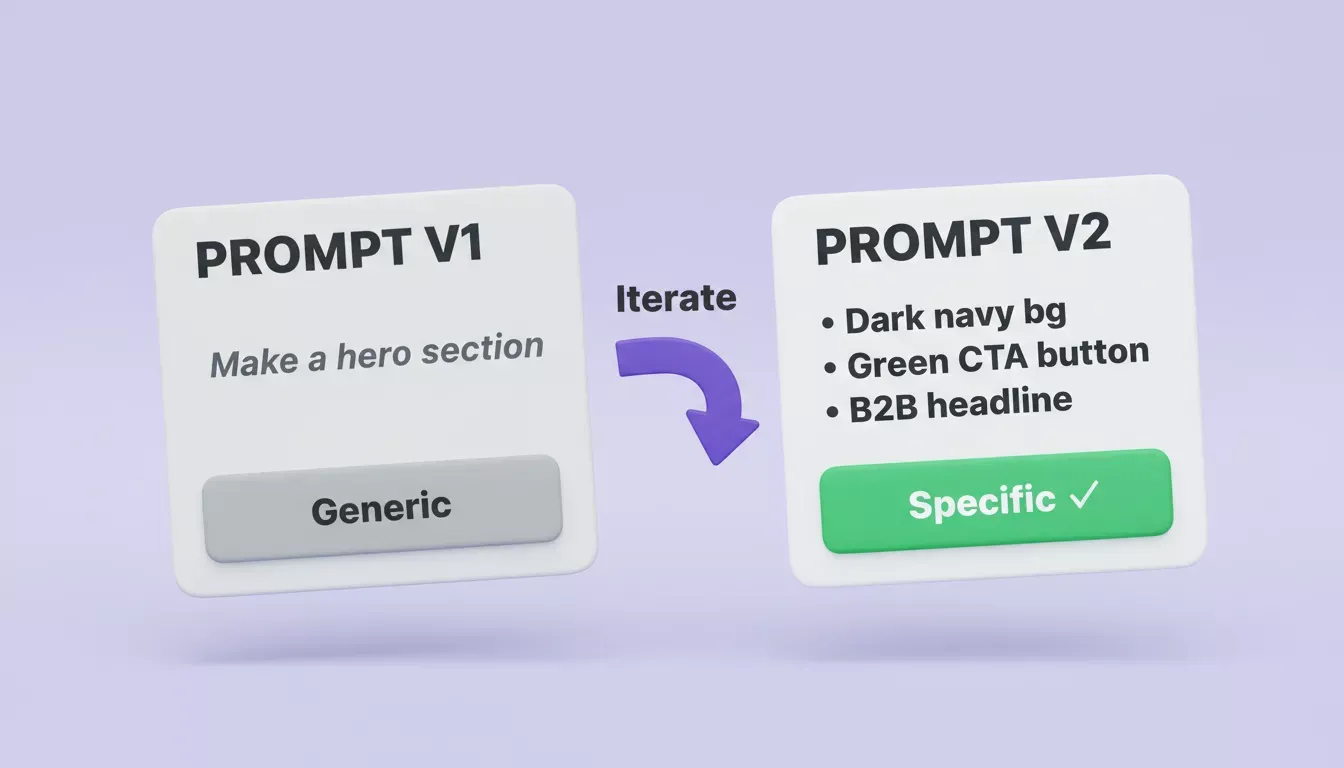
Prompt v1 produces generic output. Prompt v2 with specific colors, copy, and layout instructions produces something you can actually ship. The difference is 30 seconds of extra thinking across the whole process.
Before You Prompt: Use Solve to Research First
The most common reason a website underperforms isn't the design or the code. It's that the positioning is wrong. The messaging doesn't match what the target audience actually cares about.
Rocket's Solve pillar addresses this before you write a single Build prompt. Ask Solve a business question like:
- "What are the top three messaging angles that convert for project management SaaS targeting remote teams?"
- "What do competitors in the productivity app space emphasize on their landing pages?"
- "What pricing model performs best for B2B tools with a free tier?"
Solve returns a structured, evidence-backed report with sources. You can then feed those findings directly into your Build prompt, or @-mention the Solve task from Build to carry the context automatically.
Teams that research first and build second consistently produce better first versions. Rocket's research-to-launch workflow documents exactly how to connect the two.
Planning Your Website With AI Prompts
A short planning checklist before you open Rocket so you can create a clear plan before prompting:
- What is the single primary action you want a visitor to take?
- Who is the visitor and what do they already know, and what are they skeptical about?
- Which pages or screens are essential for launch vs. nice-to-have later?
- Is this a personal portfolio for a specific role or a photography portfolio for a defined niche?
- Do you have a Figma file, brand guidelines, or reference sites to share?
- Which connectors do you need: payments (Stripe), database (Supabase), CMS (Strapi)?
Answering these before you prompt gets your first generation closer to what you actually want, so you spend less time iterating on fundamentals.
Rocket Builds Production-Ready Apps, Not Prototypes
Rocket is built on one principle: a clear description should become a professional, production-ready product. The output is Next.js or Flutter code you can inspect, modify, and ship with existing systems in mind, not a mockup or a template you have to rebuild from scratch.
Every prompt in this guide produces real, runnable code. Paste one in, see the output, iterate until it matches your vision, and deploy. Sign up and build your first site with Rocket.new.
Table of contents
- -Why Prompts Are the New Design Brief
- -What Rocket Actually Builds (Not Just Websites)
- -The Anatomy of a Strong Build Prompt
- -Types of AI Prompts You Can Use to Build a Website
- -Prompt 1: Website Layout Prompt
- -Prompt 2: Landing Page Prompt
- -Prompt 3: Personal Blog or Content Site Prompt
- -Prompt 4: Design-First Prompt (Figma to Code)
- -Prompt 5: Functionality Prompt
- -Prompt 6: eCommerce Store Prompt
- -Prompt 7: Mobile App Prompt
- -What to Do When the First Output Is Wrong
- -Before You Prompt: Use Solve to Research First
- -Planning Your Website With AI Prompts
- -Rocket Builds Production-Ready Apps, Not Prototypes