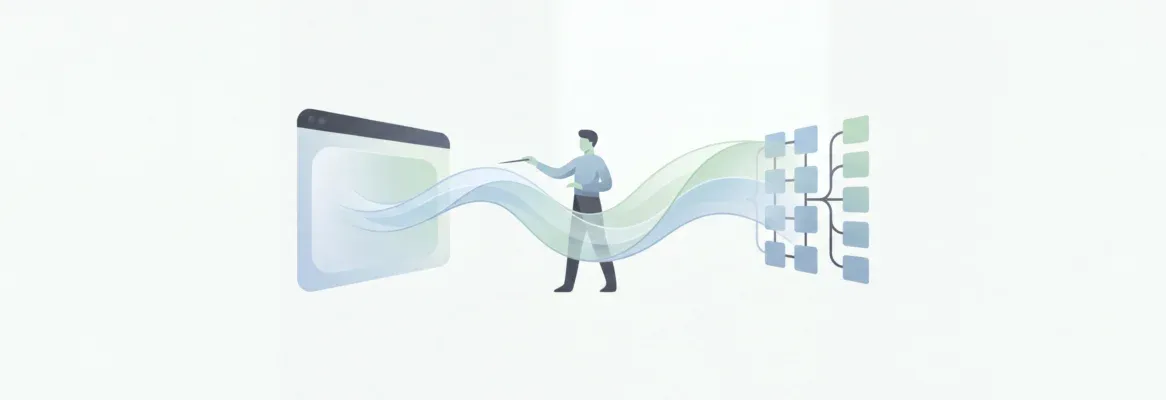
Vibe coding full-stack apps blends backend, frontend, and workflow seamlessly, highlighting how AI tools can support developers while maintaining creativity and real-world project flow.
There’s a quiet thrill in building full-stack apps.
Watching pieces fall into place, code aligning with logic, UI behaving just right.
For those of us who have spent hours toggling between backend scripts and front-end components, vibe coding full-stack apps feels like a fresh rhythm in our workflow.
The tools here invite us to rethink how we approach projects.
So, what if AI assistance could help manage multiple files, database schemas, and frontend code without slowing down creativity?
In this blog, we’ll explore vibe coding as more than a method. It’s a subtle shift in how developers, teams, and workflows interact, reflecting on real-world applications, workflow changes, and the human side of coding.
Understanding Vibe Coding for Full Stack Apps
Vibe coding isn’t just a toolset; it’s a mindset shift.
Experienced developers quickly notice how natural language prompts guide code generation. Not just templates or boilerplate; actual AI-generated code that feels almost conversational.
You give instructions, and the AI assistant fills in multiple files, backend logic, and frontend components.
It’s a subtle but noticeable change. It’s like having a junior developer who never makes syntax mistakes.
Why Vibe Coding Feels Different?
There’s a calmness in writing prompts instead of endless repetitive code. You’re still responsible for structure, logic, and quality.
But now, the AI acts like a partner, suggesting improvements, catching missing unit tests, and reviewing code blocks. Suddenly, fixing bugs feels less like chasing syntax errors and more like refining logic.
Teams often notice quicker iterations and fewer miscommunications when everyone works from shared prompts.
You pause to think, rather than type, think, type, think.
Shows the flow from project idea to deployment using vibe coding. Each stage includes AI assistance, multi-file management, and natural language prompts.
Core Features of Vibe Coding Tools
- Natural Language Prompts: Convert plain English into multi-file generated code.
- AI Assistance: Guides code completion, suggests improvements, adds new features.
- Code Review Integration: Supports pull requests, fixes, and unit tests.
- Multi-file Management: Keeps frontend and backend in sync smoothly.
Building Full Stack Apps Step by Step
Let’s get into the flow of building a full-stack app.
Picture the workflow. Start with a GitHub repo and folder structure. Define your database schema. Generate backend logic. Then front end components appear, prompted naturally.
The AI reviews, suggests fixes, and unit tests confirm the app works. It almost feels meditative, watching code appear across multiple files without endless typing.
| Step | Action | Result |
|---|---|---|
| 1 | Initialize repo & folder | Organized project structure |
| 2 | Define database schema | Backend ready for API calls |
| 3 | Generate backend logic | Functional endpoints |
| 4 | Create frontend code | UI components ready |
| 5 | AI code review | Improved code quality |
| 6 | Run unit tests | Verified functionality |
| 7 | Deploy app | Working full stack application |
Working with Example Prompts
A typical prompt: Generate backend login API with JWT and a React login form, including validation. Within moments, multiple files appear: API endpoints, React components, styling, and tests.
And then a shift in thinking occurs. Less about syntax, more about design, interaction, and logic flow.
Shows the interaction between the developer and the AI assistant, highlighting code generation, review, and deployment.
Advanced Workflow Reflections
Vibe coding isn’t just about speed. It’s about structure.
Developers focus on meaningful logic while AI handles repetitive code. Teams notice fewer merge conflicts since AI-generated code often follows consistent patterns. Code review becomes less tedious. Unit tests catch edge cases automatically.
The conversation shifts. Discussions focus on functionality rather than syntax.
Subtle, but it matters.
Handling Multi-file Projects
Large full-stack apps often have dozens of interdependent files. Vibe coding handles this naturally. Backend endpoints, frontend components, database models; they all align with the initial prompt.
Developers can tweak structures if needed, but AI keeps things consistent. Mental load drops.
Projects grow without chaos.
Real-World Use Cases with Rocket.new
Rocket.new builds on the vibe solutioning workflow. Forget local environments, package management, and deployment scripts. Describe your app in natural language, and AI generates code ready to preview, edit, and deploy.
Prototyping feels almost effortless.
How It Works on Rocket
- Sign in to Rocket.new.
- Enter app description using natural language prompts.
- Preview panel shows AI-generated frontend and backend code.
- Edit multiple files if needed.
- One click deployment brings your app live.
Key Features
- Preview Panel: Instant view of generated code.
- One Click Deployment: Deploy web apps or full stack apps without setup.
- Multi-file Support: Handle backend and frontend files simultaneously.
- AI Assistance: Suggestions, unit test generation, bug fixing.
- Rapid Prototyping: Iterate quickly, refine with prompts.
- Command Updates: Use the "/" Command to apply updates directly from chat efficiently.
Examples
| App | Prompt | Result |
|---|---|---|
| Task Manager | "Create a drag-and-drop task manager with notifications" | Full stack prototype ready for testing |
| Expense Tracker | "Build an expense tracker for multiple users with charts" | Backend APIs and frontend components generated |
| Social Feed | "Develop a social feed app with likes, comments, and notifications" | Deployed web app with full stack integration |
Rocket.new lets teams visualize folder structures, live previews, and deployed apps side by side. The workflow encourages faster prototyping and smoother handoffs.
👉 Build Your App on Rocket.new
Developer Perspectives
A Reddit user wrote: "I never thought prompts could replace boilerplate coding so efficiently. It feels like coding and brainstorming at once." Reddit discussion. On LinkedIn, a developer shared: "Using AI assistance for multi-file management changed how our team collaborates. Less friction, more iteration." LinkedIn post.
Reflections on Workflow and Team Impact
Teams notice less back and forth. Code reviews focus more on logic than syntax. Unit tests and AI suggestions catch issues early.
Fewer context switches, less mental fatigue, and more space to think about UX and architecture. Workflows feel reflective rather than reactive.
Advancing with Vibe Coding Full Stack Apps
Vibe coding creates a new cadence in development. Natural language prompts, AI-generated code, and multi-file management let teams build functional applications faster, with fewer errors, and more focus on design and logic. Rocket.new makes this tangible, linking the prompt to deployment seamlessly. For developers seeking a thoughtful, conversational approach to full-stack development, vibe coding is a workflow worth experiencing.
Table of contents
- -Understanding Vibe Coding for Full Stack Apps
- -Why Vibe Coding Feels Different?
- -Core Features of Vibe Coding Tools
- -Building Full Stack Apps Step by Step
- -Working with Example Prompts
- -Advanced Workflow Reflections
- -Handling Multi-file Projects
- -Real-World Use Cases with Rocket.new
- -How It Works on Rocket
- -Key Features
- -Examples
- -Developer Perspectives
- -Reflections on Workflow and Team Impact
- -Advancing with Vibe Coding Full Stack Apps