Powerful Tutorial | Free Website Template | Rocket
A scroll-reveal landing page template built for WordPress video tutorial series. It opens with an interactive learning-path estimator, then progressively discloses a full tutorial library through frosted-glass cards and a searchable directory. Two conversion paths drive app downloads and free browser previews, all wrapped in a deep glassmorphic visual identity.
by Rocket studio
Quick summary
This single-page template is designed for WordPress video tutorial businesses. It leads with an interactive estimator that builds a personalized learning path, then unfolds the tutorial library through scroll-driven reveal animations. A glassmorphic color system creates a focused, immersive feel. Two clear conversion paths push visitors toward an app download or a free browser preview.
Who this template is for
This template suits anyone publishing a structured WordPress video tutorial series and looking to convert casual visitors into committed learners. It works especially well for course creators, tutorial studios, and independent educators who want their page to feel as polished as the content it promotes.
- Freelance designers building their first WordPress site without developer support
- Small business owners who just registered a domain and need a clear starting point
- Marketing managers who need to launch pages independently without filing a development ticket
What problem this template solves
Most tutorial library pages dump everything on the visitor at once. The result is decision fatigue before a single video plays. This template solves that by making the page itself feel like a guided experience, not a catalog.
- Visitors land without a clear plan, so the estimator tool gives them one immediately
- A flat library layout overwhelms beginners, so scroll-reveal progressive disclosure builds confidence as they explore
- Generic calls to action get ignored, so every download prompt is anchored to the personalized path the visitor just built
What you get with this template
You get a fully designed, single-page scroll-reveal layout that sequences every element with purpose. From the interactive header tool to the filterable tutorial directory at the bottom, each section builds naturally on the one before it.
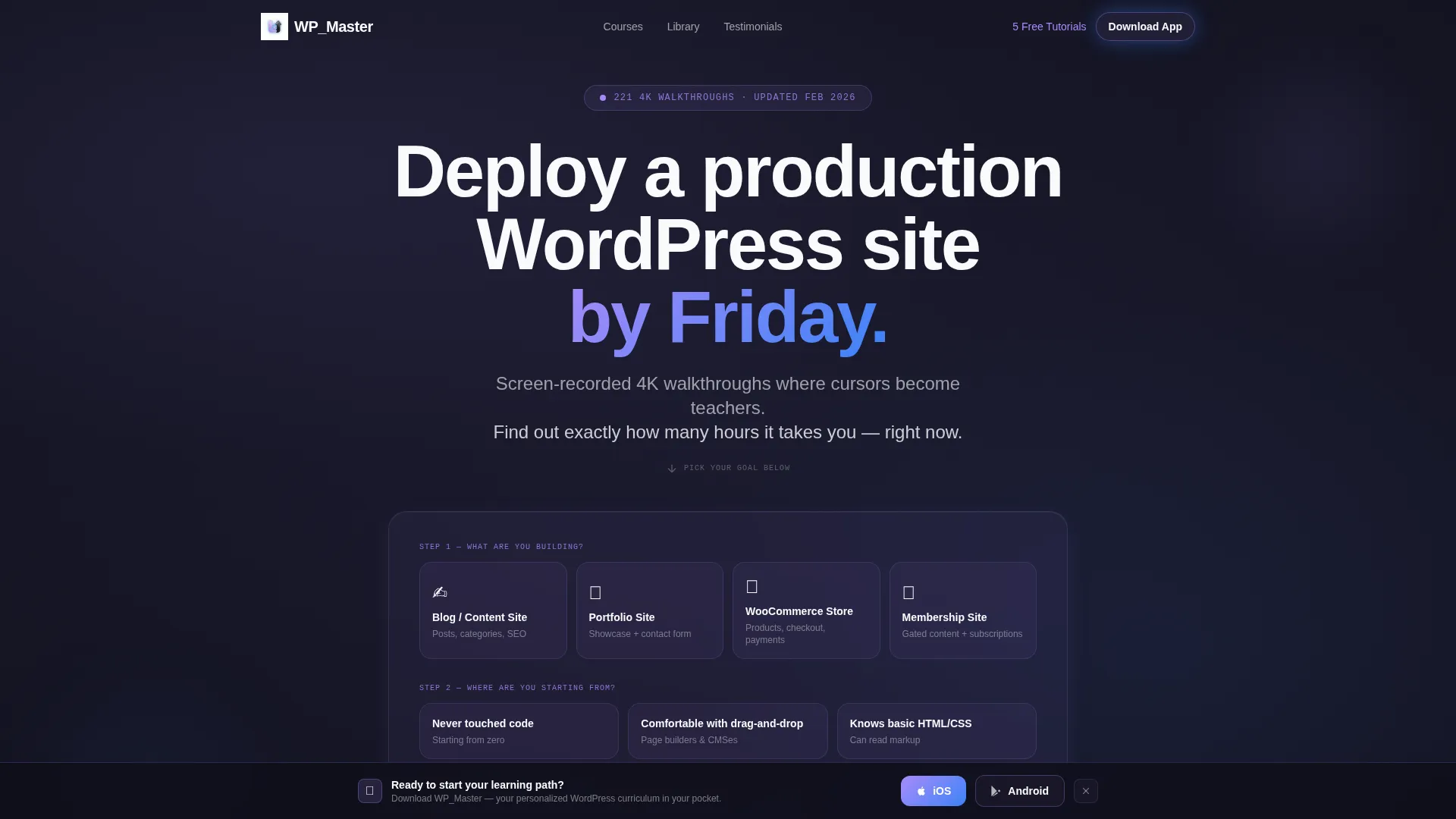
- An interactive learning-path calculator in the header with animated results and frosted-glass module cards
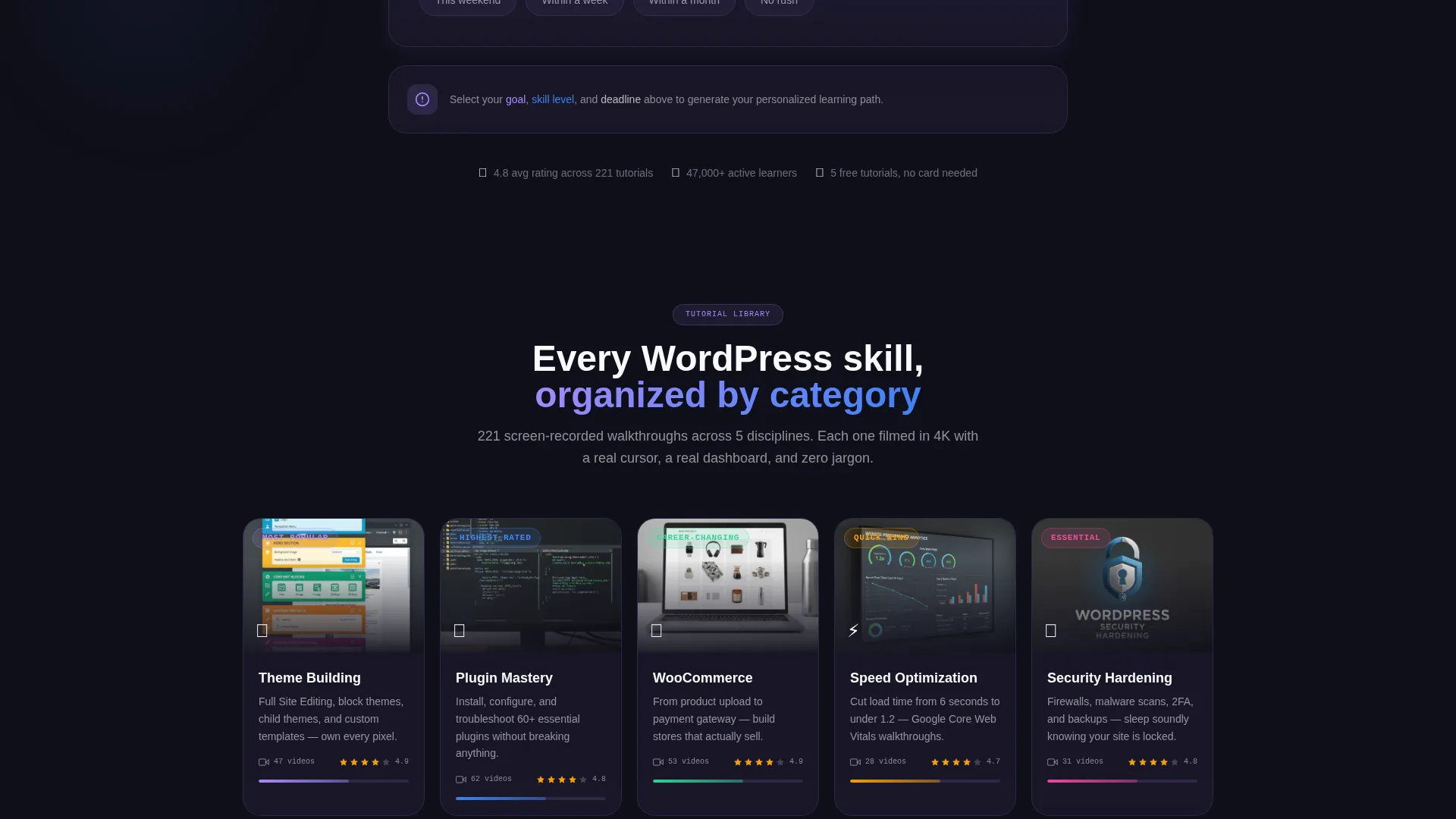
- A scroll-triggered tutorial category section with looping preview thumbnails and rating displays
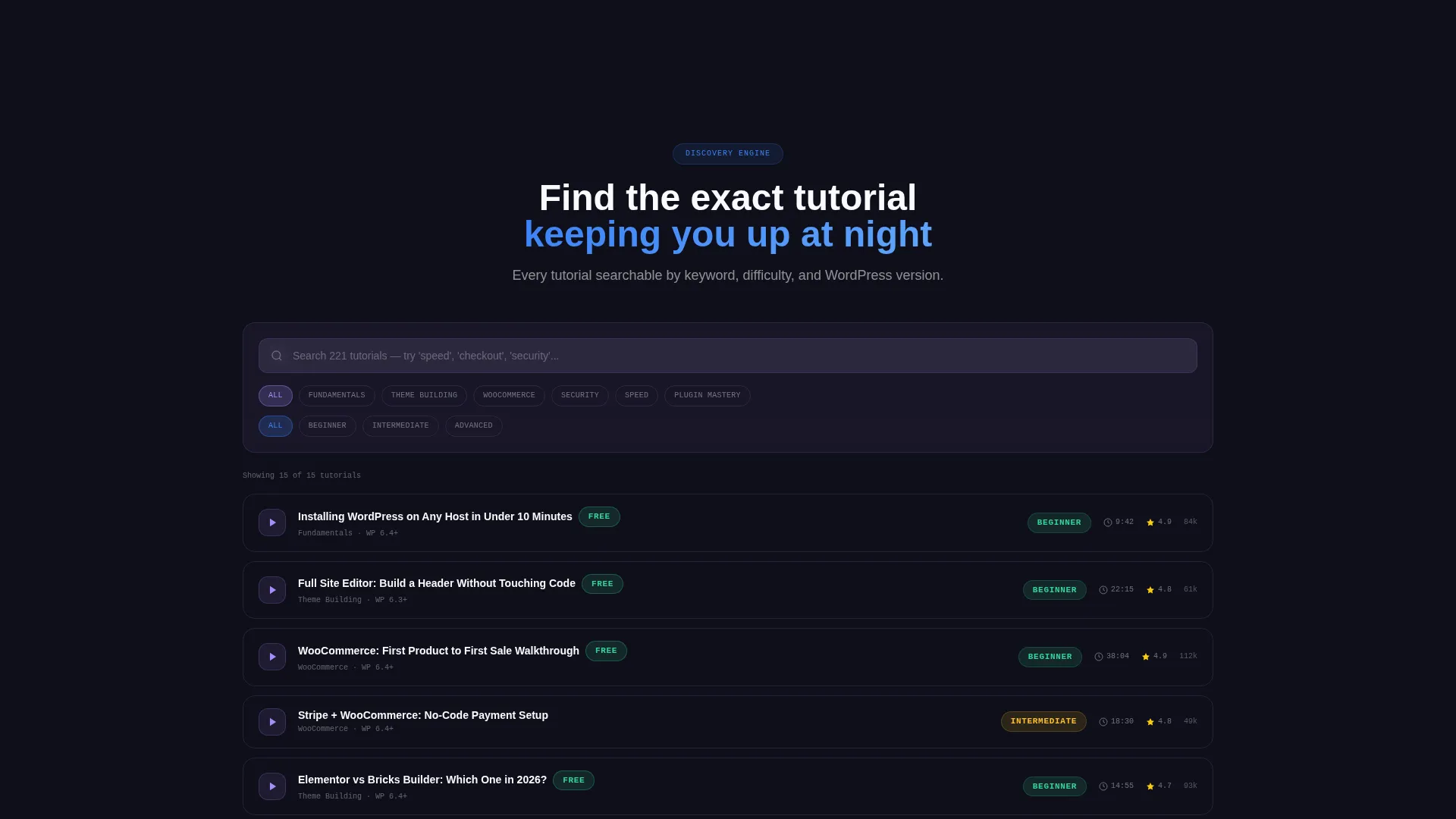
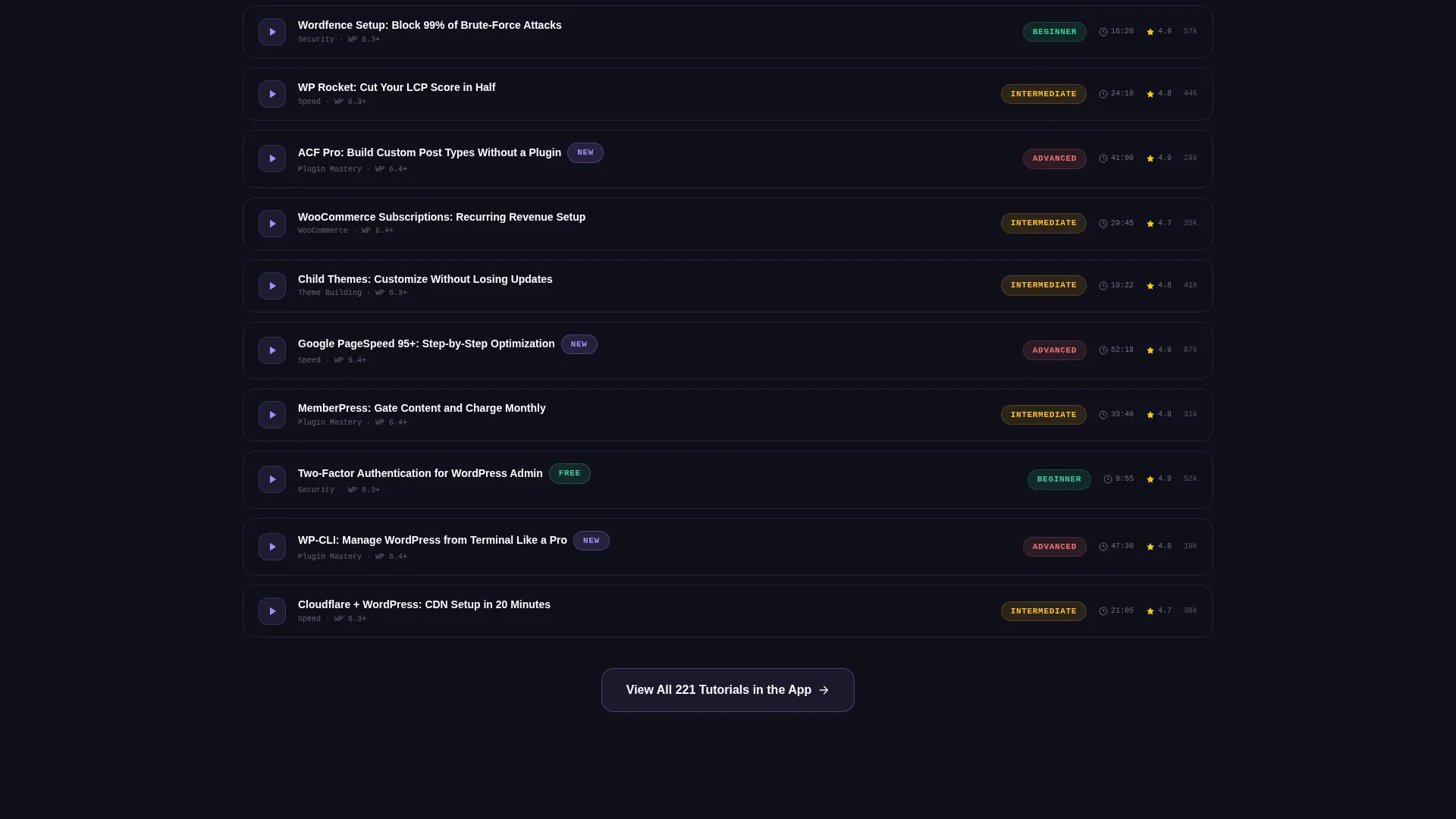
- A searchable and filterable tutorial directory organized by difficulty and WordPress version
- Dual app download calls to action, plus a secondary email-capture path for browser preview visitors
- A persistent frosted-glass bottom bar that slides into view after the third scroll reveal
Feature list
This section describes the key functional and design capabilities delivered inside the template.
Interactive Learning Path Estimator
The header features a live calculator titled "How Many Hours Will WordPress Take You?" Visitors select their goal, skill level, and deadline. The tool instantly outputs an estimated hour count, tutorial count, and a visual module timeline rendered as animated frosted-glass cards.
Scroll Reveal Progressive Disclosure
Every major content section enters the viewport through a blur-to-sharp transition triggered by downward scroll. Category cards, tutorial rows, and directory filters all materialize progressively, mimicking the natural pace of learning and rewarding continued exploration.
Tutorial Category Card Grid
Five category tiles cover Theme Building, Plugin Mastery, WooCommerce, Speed Optimization, and Security Hardening. Each frosted-glass card sharpens into focus on scroll entry and displays a video count, average rating, and a three-second looping preview thumbnail.
Searchable Filterable Tutorial Directory
Below the category grid, a full tutorial directory lets visitors search and filter by difficulty level and WordPress version. Each row slides in from transparency as the visitor scrolls, making the depth of the library feel earned rather than overwhelming.
Dual App Download Conversion Flow
The primary call to action offers paired buttons for iOS and Android app downloads. The first placement appears inline with the calculator results. A persistent frosted-glass bottom bar with the same prompt slides up after the third scroll reveal.
Secondary Browser Preview Capture
Visitors not ready to download the app can access five free tutorials directly in the browser. This path collects an email address and sets up a follow-up sequence to deliver the download prompt at a more comfortable moment.
Page sections overview
| Section | Purpose |
|---|---|
| Header Estimator Tool | Personalizes learning path with goal, skill, and deadline inputs |
| Animated Results Cards | Displays estimated hours, tutorial count, and module timeline |
| Inline App Download call to action | Converts visitors directly after seeing their custom plan |
| Category Card Grid | Introduces five tutorial topics with previews and ratings |
| Tutorial Discovery Directory | Searchable, filterable index of all tutorials by difficulty |
| Persistent Bottom Bar | Keeps download prompt visible throughout the scroll journey |
| Free Preview Capture | Offers browser access to five tutorials in exchange for email |
Design & branding system
The visual identity uses a Directory and Discovery theme executed through a glassmorphic color system. Every surface layer is intentionally translucent, giving the page the quality of a browser window glowing over a dark desktop.
- Deep workspace charcoal (#1A1A2E) as the base background, with frosted panels tinted in soft lilac (#A78BFA at 12% opacity) for card surfaces
- Electric cursor-blue (#3B82F6) for all interactive highlights, buttons, and animated accents
- Clean chalk-white (#F8FAFC) text floats above blurred backdrops, keeping readability high across every depth layer
Mobile & speed optimization
The scroll-reveal approach is structured to keep the page feeling fast even as each section loads progressively. Animations are tied to viewport entry, so nothing renders before it is needed.
- Frosted-glass card animations use blur-to-sharp transitions that are visually lightweight and do not require heavy asset loads
- The persistent bottom bar and inline call-to-action placements are designed to stay functional and tappable on smaller screens
- Looping preview thumbnails in category cards are limited to three-second clips, keeping media overhead low
How this template helps you convert
Every layout decision in this template points toward a specific conversion moment. The page does not push visitors toward a call to action before it has earned the click.
- The estimator tool runs first, giving visitors a personalized plan before any product pitch appears, which makes the app download feel like a logical next step rather than an interruption.
- The scroll-reveal structure progressively builds trust in the library's depth, so by the time visitors reach the directory, they already believe the content can answer their questions.
- The secondary email-capture path catches visitors who are not ready to download, turning a potential exit into a recoverable lead through the free browser preview offer.
Other information about this template
This template is built for the WordPress video tutorial niche and sits within the Documentation and Support category, specifically WordPress Documentation. It is designed as a landing page, not a multi-page site, so all content lives within a single scroll journey.
- The template style is Scroll Reveal (Progressive), meaning sections enter the viewport sequentially rather than all at once
- The header concept is a Calculator and Estimator tool, which is a relatively uncommon pattern in tutorial marketing and tends to increase time on page
- The primary conversion direction is app download, with iOS and Android as the two named platforms in the brief
- The creative direction is Calculator and Tool First, meaning the interactive element leads rather than a traditional hero banner
- This template is well suited to tutorial creators who want their marketing page to reflect the quality and structure of the courses they sell
Theme
Directory & Discovery
Creative direction
Calculator/Tool First
Color system
Glassmorphic
Style
Scroll Reveal (Progressive)
Direction
App Download
Page Sections
Interactive Learning Path Estimator
Scroll Reveal Progressive Disclosure
Tutorial Category Card Grid
Searchable Filterable Tutorial Directory
Dual App Download Conversion Flow
Secondary Browser Preview Capture
Related questions
Can I change the tutorial categories shown in the card grid?
Does the learning path estimator require custom development to work?
Is this template suitable for a tutorial series that does not have a mobile app?
How does the scroll reveal animation sequence work?
What is the purpose of the secondary email capture path?



