Wire — Certified Electrical Contractor Landing Page Template
Conduit is a gallery and detail landing page built for parking structure electrical contractors. It opens with a before-and-after case study header, walks visitors through each project phase with a transparent process layout, and leads them into a five-question garage diagnostic quiz. The result is a page that earns trust through disclosure and converts through genuine utility.
by Rocket studio
Quick summary
Conduit is a single-page template designed for electrical contractors who work in multi-level parking structures. It combines a visceral case study header, a phase-by-phase project gallery, and a diagnostic quiz that scores each visitor's garage before asking for contact details. The template is built to earn trust first and capture leads second.
Who this template is for
This template is built for specialty electrical contractors whose work lives inside concrete decks and parking structures. If your crew installs LED retrofit systems, emergency lighting, or electric vehicle charging stations in garages, this page speaks your language and speaks directly to your clients.
- Electrical contractors specializing in parking structure retrofits and new builds
- Contractors bidding municipal, hospital, or airport parking projects
- Firms targeting property management companies managing aging downtown garages
What problem this template solves
Property managers and facility directors do not hire an electrical contractor on instinct. They need evidence that the crew understands code compliance, can work around revenue-generating levels, and has done this exact type of job before. Most contractor websites offer none of that proof. Conduit fixes the trust gap by making the entire project process visible.
- Visitors cannot see how a job actually unfolds from site assessment to final sign-off
- Generic contractor pages offer no way for a prospect to self-qualify their own garage needs
- Decision-makers skip contact forms when they feel they are giving before they get anything
What you get with this template
The template delivers a structured, single-page layout built around disclosure and diagnostic value. Every section is purposeful, and the design moves visitors forward without relying on pressure tactics.
- A before-and-after case study header showing a real project outcome with fixture counts and zero-downtime credentials
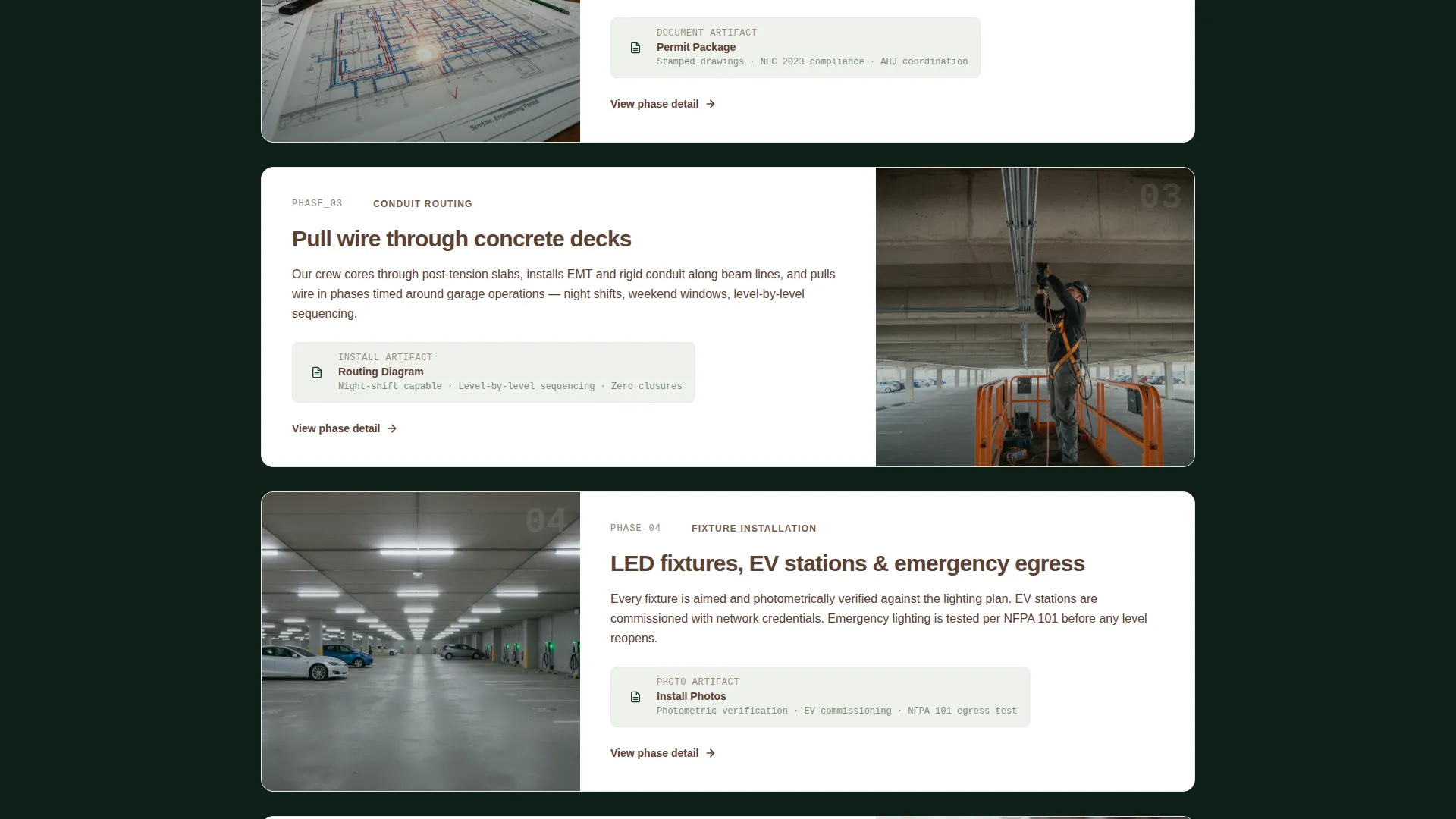
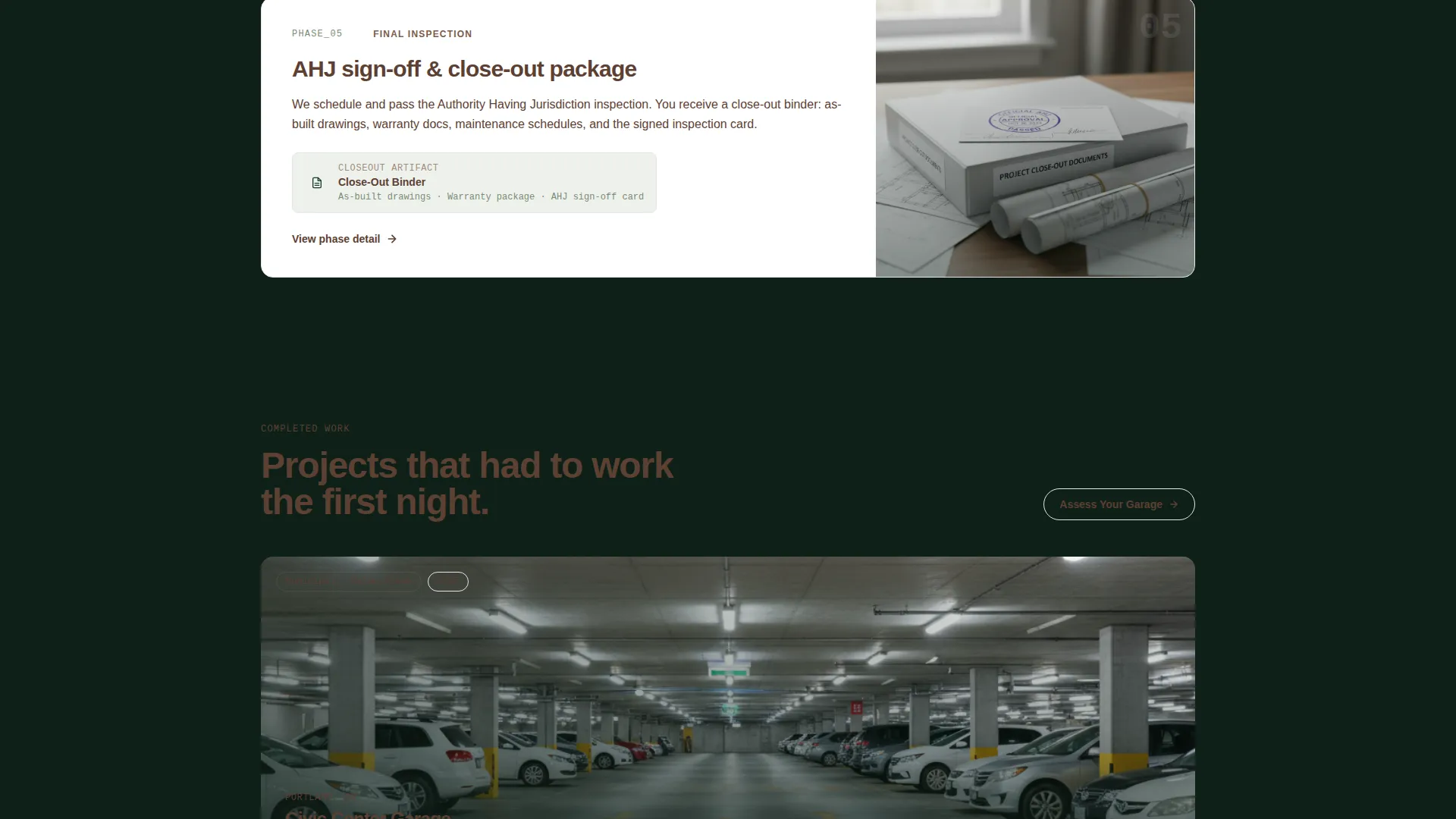
- A phase-by-phase gallery covering site assessment, permitting, conduit routing, installation photography, and final inspection
- A five-question garage diagnostic quiz with a custom priority score and a gated full report as the lead capture mechanism
Feature list
The Conduit template is built around components that work together to move a skeptical facility director from curious to convinced.
Before-and-After Case Study Header
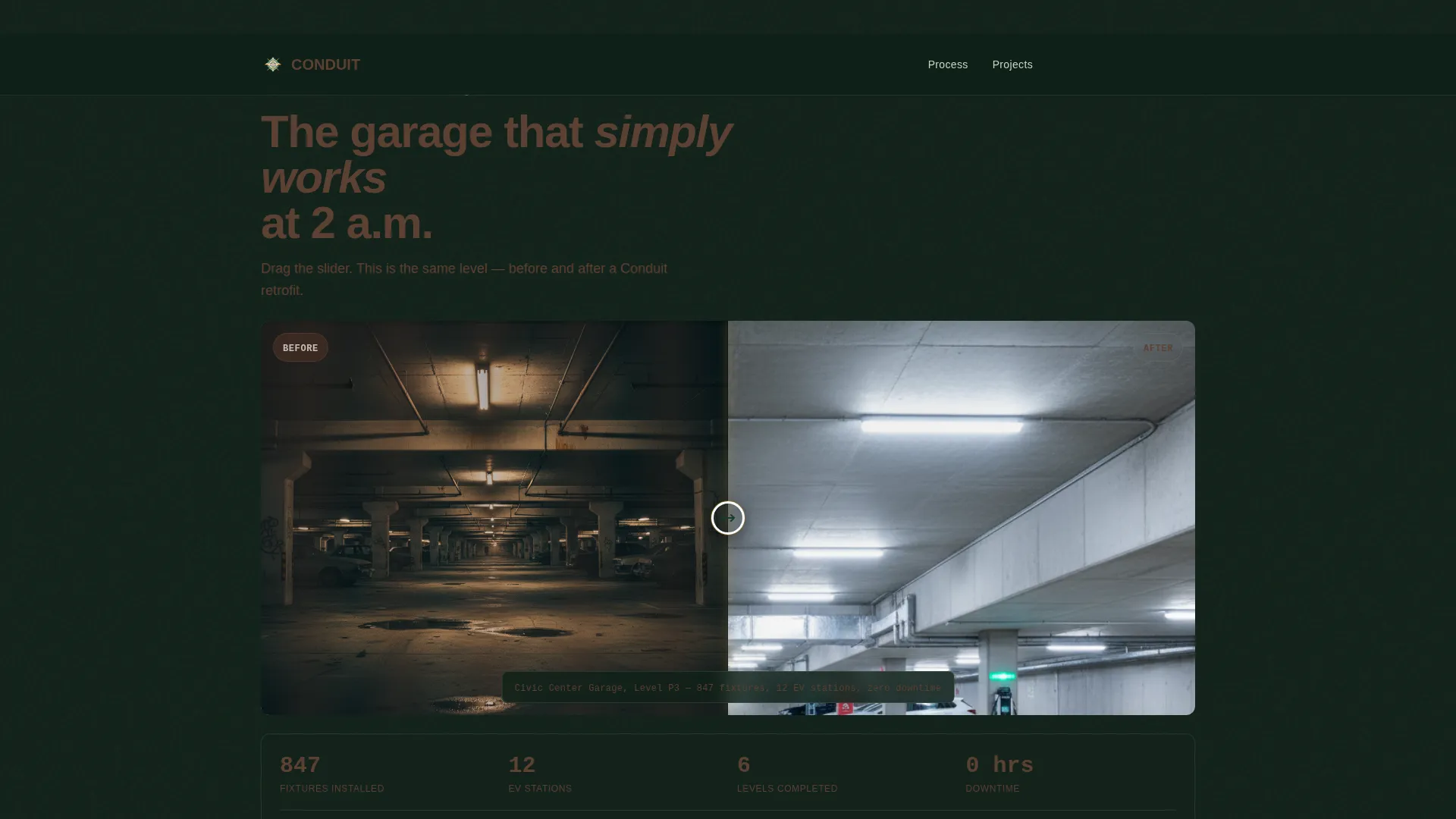
The header splits a single parking structure level into two images. The left side shows flickering fluorescents and shadowed dead zones. The right side shows the completed LED retrofit with clean conduit runs and lit EV charger indicators. A monospaced project stamp sits at the bottom edge with fixture count, station count, and downtime record.
Transparent Process Gallery
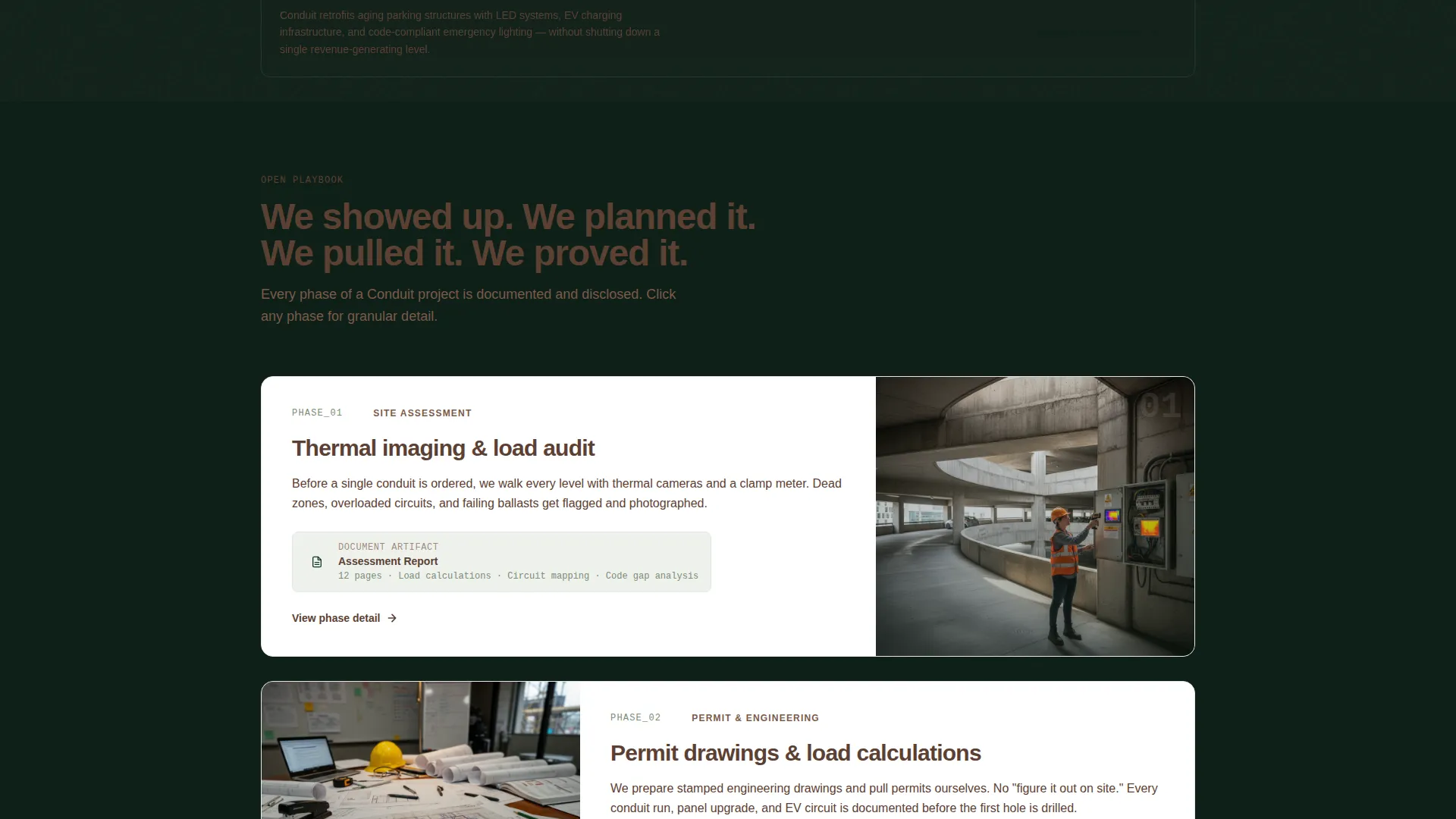
Each scroll section peels back one phase of the job. Thermal imaging stills, permit and load calculation documents shown as real artifacts, conduit routing diagrams overlaid on structural plans, mid-pull installation photography with harnesses and lift equipment visible, and final inspection sign-off sheets are all presented as clickable gallery items. The scroll tells the story in order.
Five-Question Garage Diagnostic Quiz
The primary call to action launches a short quiz. It asks about structure type, number of levels, current lighting technology, electric vehicle charging needs, and the visitor's biggest concern. Results produce a custom priority score and a recommended scope tier before any contact information is requested.
Gated Assessment Report
After the quiz delivers its score, a secondary call to action invites visitors to receive a full assessment report. This step captures name, property address, and email. The sequence earns the click by providing real diagnostic value first.
Phase-Locked Gallery Detail Views
Each project phase in the gallery is clickable for granular detail. Visitors can zoom into permit documents, routing diagrams, or inspection sheets without losing their place in the overall project narrative.
Forest Trust Color System
Safety amber highlights every call to action, callout, and interactive element. Deep evergreen anchors backgrounds and section dividers. Worn bark brown carries body text. Lichen gray softens card backgrounds and form fields. The palette signals authority without aggression.
Page sections overview
| Section | Purpose |
|---|---|
| Before/After Header | Show immediate project contrast and credibility |
| Project Stamp Bar | Display fixture count, EV stations, and downtime record |
| Site Assessment Phase | Present thermal imaging stills as evidence |
| Permitting Phase | Show permit and load calculation documents as real artifacts |
| Conduit Routing Phase | Display routing diagrams overlaid on structural plans |
| Installation Phase | Show mid-pull photography with visible crew and equipment |
| Inspection Sign-Off | Present final inspection sheets as proof of completion |
| Garage Diagnostic Quiz | Guide visitors through five self-qualification questions |
| Quiz Results Score | Deliver a custom priority score and scope recommendation |
| Assessment Report call to action | Capture name, address, and email for the full report |
Design & branding system
The visual identity follows a Service Utility theme with a Forest Trust color palette. The overall feel is authoritative and grounded, like a national park trail marker rather than a sales brochure. Every color choice has a specific job on the page.
- Deep evergreen (#1B3A2D) anchors backgrounds and section dividers; worn bark brown (#5C4033) carries body text and secondary headers; lichen gray (#A8B5A2) softens card backgrounds and form fields
- Safety amber (#E8A317) is reserved exclusively for calls to action, callout blocks, and interactive highlights so the eye is never misdirected
- Monospaced type is used for project stamps and data labels, reinforcing a utility-grade precision aesthetic
Mobile & speed optimization
The gallery and quiz layout is structured to remain clear and functional on smaller screens. Clickable phase cards and the diagnostic quiz flow are designed to work within a compact viewport without losing their narrative sequence.
- Phase gallery cards stack vertically on mobile so the project story reads in the correct order without horizontal scrolling
- The quiz steps present one question at a time, keeping the interaction simple and focused on narrow screens
- The before-and-after header image uses a stacked format on mobile so both sides remain visible and legible
How this template helps you convert
This template is built around a conversion sequence that earns trust before it asks for anything. The logic is deliberate: show the work, explain the process, offer something useful, then ask for contact details.
- The before-and-after header creates an immediate emotional contrast between an unsafe garage and a solved one, establishing credibility before a single word is read about the company.
- The transparent process gallery removes the guesswork that makes facility directors hesitate, because every project phase is visible and documented rather than summarized in a paragraph.
- The diagnostic quiz flips the contact form dynamic by delivering a priority score and scope recommendation before capturing any lead information, so visitors arrive at the report request already engaged and already trusting the result.
Other information about this template
The Conduit template is categorized under Construction and Home, specifically within the Parking Structure Construction subcategory and the Parking Structure Electrical Contractor niche. It is matched to a Gallery and Detail template style, making it suitable for contractors who need to present complex multi-phase projects in a visual and linear format.
- The template is designed as a single landing page, not a multi-page website, so all content and conversion steps live within one scrollable layout
- The quiz-and-report sequence is the primary lead generation mechanism; no secondary contact forms or sidebar opt-ins are included in the template layout
- The Intersection Match Score for this template is 13, reflecting a high alignment between the template structure and the specific needs of parking structure electrical contractors
Theme
Service Utility
Creative direction
Transparent Process
Color system
Forest Trust
Style
Gallery + Detail
Direction
Quiz/Assessment
Page Sections
Before-and-after Case Study Header
Transparent Process Gallery
Five-question Garage Diagnostic Quiz
Gated Full Assessment Report
Forest Trust Color System
Related questions
Who is this template best suited for?
How does the diagnostic quiz generate leads without a standard contact form?
Can the before-and-after header be customized for different completed projects?
What makes this template different from a standard contractor portfolio page?
Is this template a single page or a multi-page website?