Waypoint - Brutalist Travel Landing Page Template
Waypoint is a bold brutalist landing page template built for a travel AI chatbot. It opens with a live trip cost estimator as the hero, then progressively reveals technical specs as the visitor scrolls. The design uses monospaced type, structural black, and hazard yellow to build confidence fast and move visitors toward a free trial without a sign-up form in the way.
by Rocket studio
Quick summary
Waypoint is a single-page, scroll-reveal landing page template for a travel AI chatbot. The hero is a functional cost estimator, not a banner image. As visitors scroll, each section drops in a hard technical stat. The cumulative effect is a product dossier that makes trying the tool feel like the only logical next step.
Who this template is for
This template is built for teams and founders launching a travel AI product that needs to earn trust fast. It works especially well when the product itself is the best pitch, and the goal is to get users inside it before asking for a commitment.
- Solo travel app founders who want a direct, no-fluff product page
- Growth teams running freemium or free-trial acquisition campaigns
- Product designers who need a brutalist, spec-driven layout ready to customize
What problem this template solves
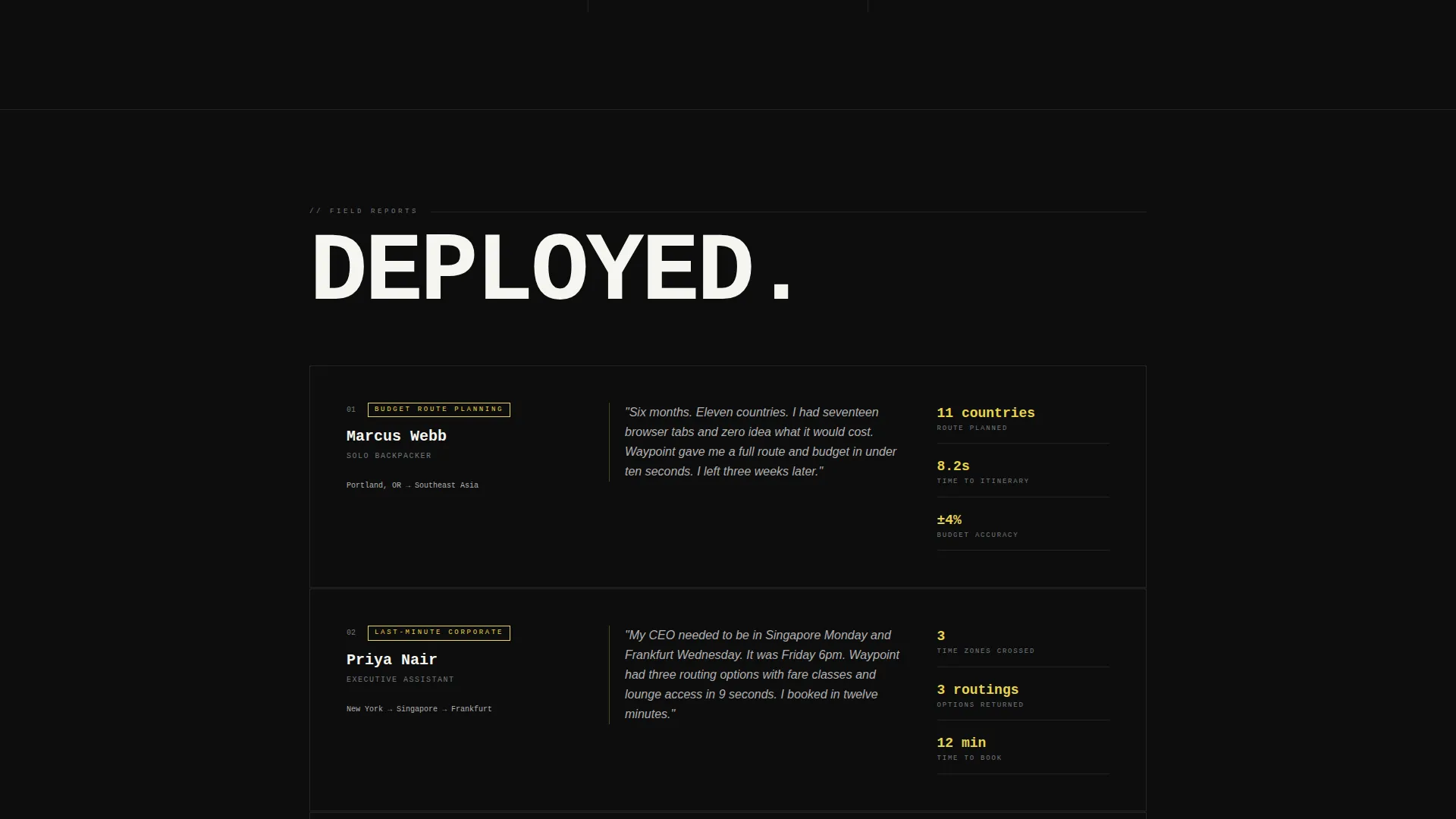
Most travel landing pages bury the value proposition behind stock photography and vague promise copy. Visitors with real intent, whether they are pricing a backpacking route or booking a last-minute business trip, do not need inspiration. They need proof.
- Generic hero sections that show imagery instead of demonstrating the product
- Conversion flows that ask visitors to sign up before they have seen the tool work
- Cluttered layouts that scatter technical credibility across too many pages
What you get with this template
You get a fully structured, scroll-reveal single-page layout designed around a travel AI chatbot use case. Every section serves a specific conversion purpose, from the interactive estimator at the top to the persistent call-to-action bar that locks to the bottom of the screen after the third scroll section.
- A hero section with a three-input trip cost estimator that returns a live cost breakdown
- Progressive scroll sections that each reveal one chatbot capability, formatted as a product data sheet
- A three-tier pricing grid near the footer and a full-screen modal call to action that pre-loads visitor inputs
Feature list
This template ships with a focused set of intentional layout features. Each one is grounded in the brief and serves a defined purpose in the conversion flow.
Live Trip Cost Estimator Hero
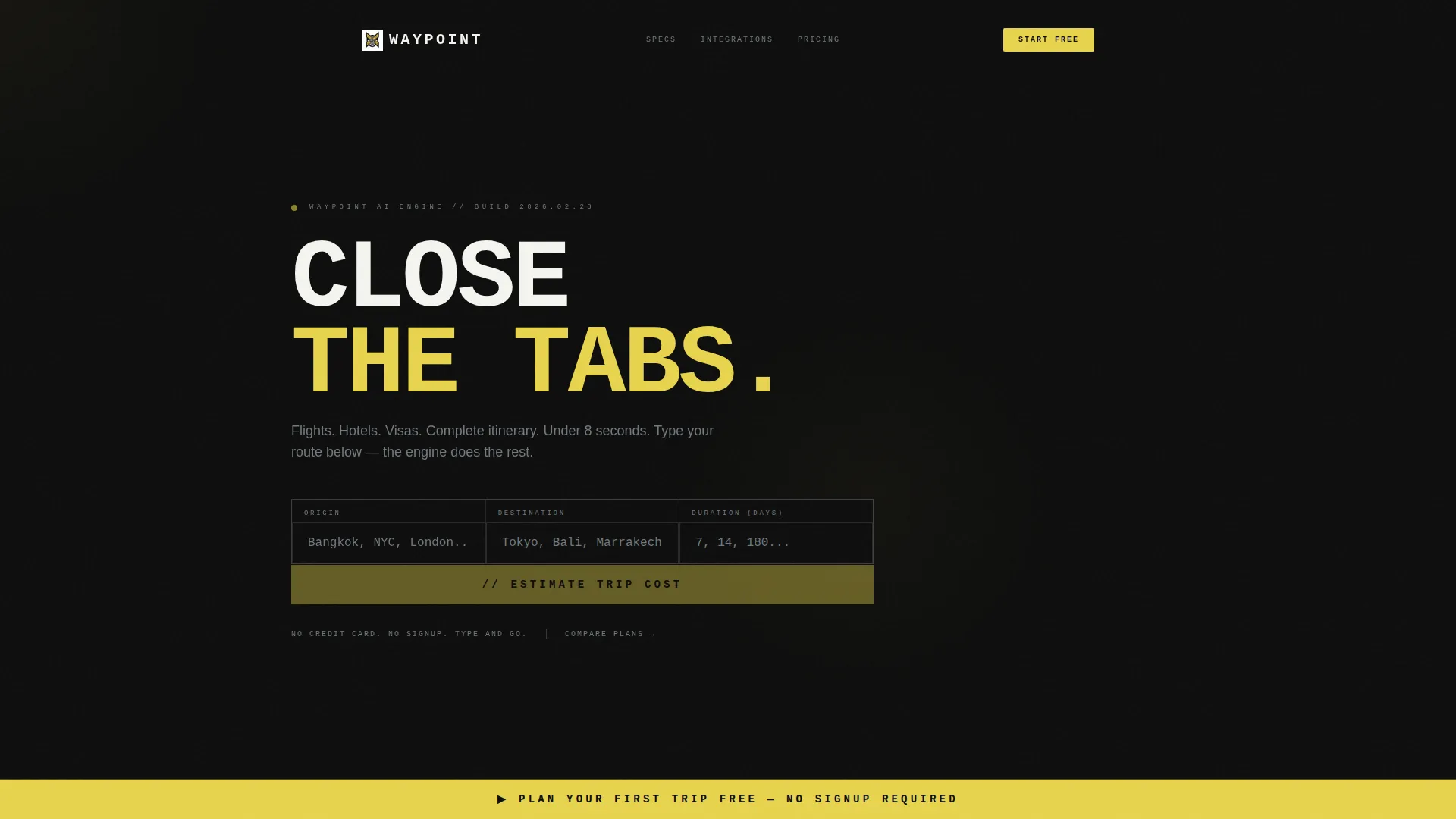
The hero section replaces traditional imagery with a functional estimator block. Visitors enter an origin city, a destination city, and trip length in days. They hit the yellow "Estimate" bar and receive a real-time cost breakdown covering flights, lodging, meals, and visas, rendered in monospaced type that enters the screen character by character like a departures board flipping.
Progressive Scroll Reveal Sections
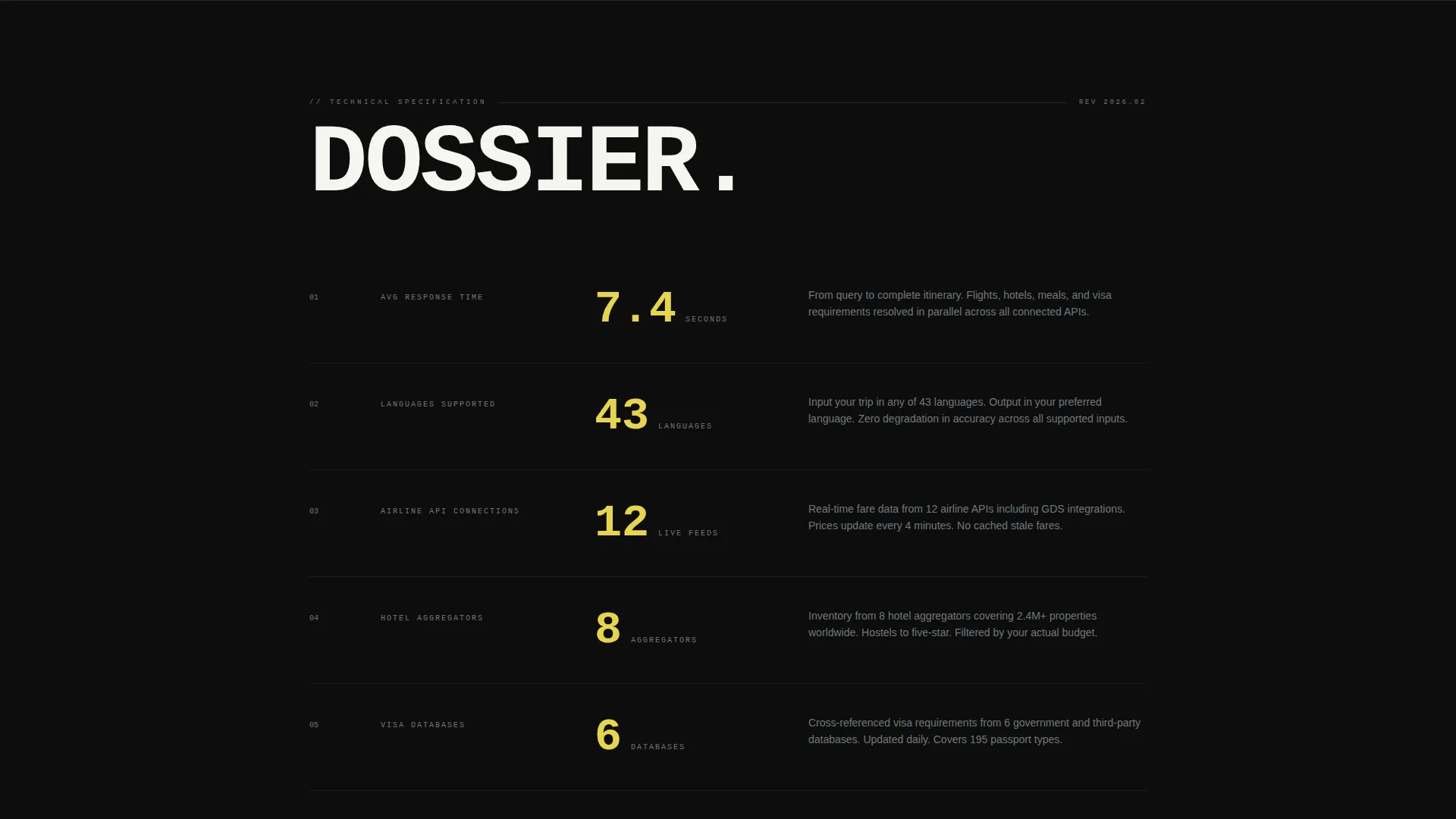
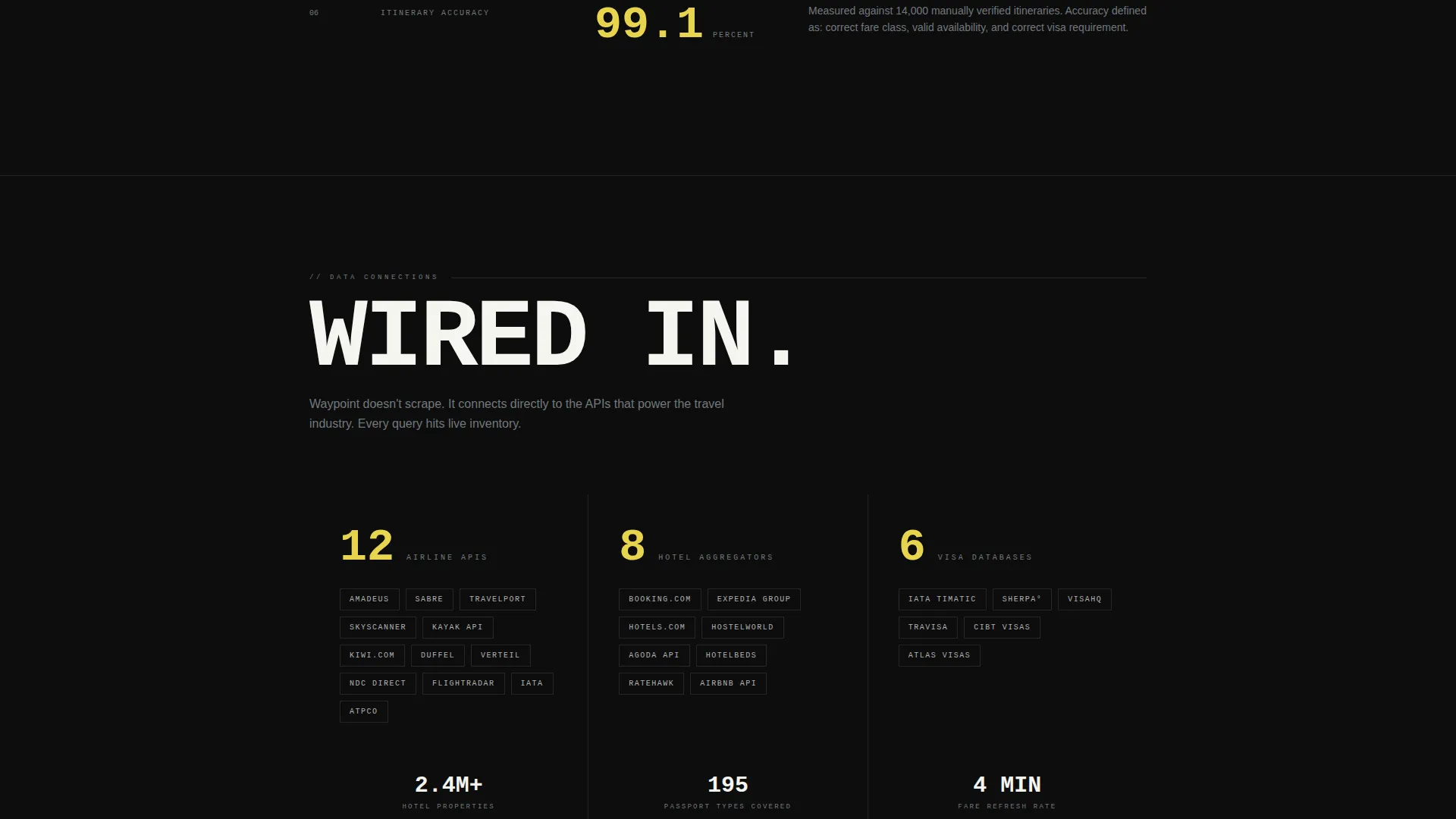
Each scroll section enters the viewport with a brutalist wipe animation and reveals exactly one technical capability. Stats such as response time, supported languages, airline integrations, hotel aggregators, and visa database connections are presented one at a time. Confidence builds with every section, compounding into a hard-to-dismiss dossier.
Persistent Sticky call to action Bar
After the visitor passes the third scroll section, a hazard yellow "Plan Your First Trip Free" bar locks to the bottom of the viewport. It stays visible through the pricing grid and remains there until the visitor clicks. No sign-up form appears on the page at any point.
Pre-loaded Chatbot Modal
Clicking the primary call-to-action opens the chatbot in a full-screen brutalist modal. The modal arrives already pre-loaded with the origin and destination the visitor typed into the header estimator, removing friction and making the first interaction feel immediate and personal.
Three-Tier Pricing Grid
A secondary conversion path lives near the footer: a clean three-tier pricing grid anchored by a steel-gray "Compare Plans" link visible from earlier in the page. It gives price-conscious visitors a clear path to evaluate plans without interrupting the primary demo-first flow.
Spec Sheet Data Display
Key chatbot metrics are displayed in a product data sheet format rather than marketing copy. Response time averages, supported language counts, and integration counts are presented as raw numbers in oversized monospaced type. The format signals technical credibility without over-explaining.
Page sections overview
| Section | Purpose |
|---|---|
| Hero Cost Estimator | Demonstrates the chatbot with a live trip cost breakdown |
| Scroll Reveal Stats | Builds a technical dossier one capability at a time |
| Persistent call to action Bar | Keeps the primary conversion action visible after scroll section three |
| Chatbot Launch Modal | Opens the full product pre-loaded with visitor inputs |
| Pricing Tier Grid | Anchors the secondary comparison path near the footer |
Design & branding system
The visual identity is Bold Brutalist with a Monochrome Steel palette. Typography is oversized, monospaced, and unapologetic. No stock photography or illustrations appear anywhere on the page. The numbers and type carry all the visual weight.
- Color system: structural black (#0D0D0D) for backgrounds, cold-rolled steel (#71797E) and poured concrete gray (#B0B0B0) for supporting elements, bare-filament white (#F5F5F0) for text, and hazard yellow (#E8D44D) reserved strictly for interactive elements and call-to-action states
- Section dividers are raw steel lines, animations are mechanical wipe reveals, and the overall aesthetic evokes a brutalist airport terminal at 5 AM
Mobile & speed optimization
The layout is built as a single-page scroll experience, which keeps the structure clean and load paths short. The scroll-reveal approach means content enters the screen progressively rather than all at once, keeping the visual experience controlled on any screen size.
- Single-page structure with section-by-section reveal reduces layout complexity on smaller viewports
- The sticky call to action bar and full-screen modal are designed to function clearly on both desktop and mobile contexts
How this template helps you convert
The conversion strategy is demo-first. Visitors use the product before they encounter any commitment request. The layout is engineered to accumulate trust through visible evidence, then channel that trust into a single low-friction action.
- The hero estimator turns the first interaction into a product demo, showing real output before the visitor has scrolled anywhere or read a single benefit claim.
- Each progressive scroll section adds one hard technical stat, so by the time the visitor reaches the pricing grid, they have already seen proof of capability rather than just reading about it.
- The persistent call to action bar and pre-loaded modal remove the two biggest friction points in freemium sign-up flows: the moment of hesitation before clicking and the blank-slate experience after the click.
Other information about this template
Waypoint is categorized under Technology, specifically the AI for Travel subcategory. It is a strong fit for travel AI chatbot products that rely on demonstrating speed and data depth rather than lifestyle imagery. The template style is Scroll Reveal (Progressive) with a Freemium/Trial landing page direction built in from the start.
- The header concept is a Calculator/Estimator, which means the demo experience begins at the very top of the page with no scroll required
- The creative direction follows a Spec Sheet model: every scroll section is a data point, not a story beat
- This template is well-suited for products that connect to flight APIs, hotel aggregators, or visa databases and want to surface those integrations as trust signals on the page
Theme
Bold Brutalist
Creative direction
Spec Sheet
Color system
Monochrome Steel
Style
Scroll Reveal (Progressive)
Direction
Freemium/Trial
Page Sections
Live Trip Cost Estimator Hero
Progressive Scroll Reveal Sections
Persistent Sticky Call to Action Bar
Pre-loaded Chatbot Modal
Three-tier Pricing Grid
Spec Sheet Data Display
Related questions
Does this template include a working chatbot or API connection?
Can I change the color palette or typography?
Is there a sign-up form on the page?
What happens when a visitor clicks the primary call-to-action?
Who is this template designed to attract?



