Italy Travel Booking Website Template
Viaggio is a single-column flow landing page template for an adventurous Italy honeymoon package. It guides couples through a scroll-driven travel diary, from Sardinia's sea grottoes to Tuscany's hillside trails. With a booking-focused layout, lemon-zest call-to-action buttons, and a built-in trip designer scheduler, it turns inspiration into real plans fast.
by Rocket studio
Quick summary
Viaggio is a single-column flow landing page built for an adventurous Italy honeymoon package. The layout unfolds like a travel diary, pulling couples through timestamped days across Sardinia, Tuscany, and the Dolomites. A search-style header, a sticky booking call to action, and a lead-capture itinerary download work together to move visitors from dreaming to scheduling.
Who this template is for
This template is designed for travel businesses and trip designers who sell active, experience-led honeymoon packages in Italy. It speaks directly to couples who want more than a resort stay and are ready to book something they will talk about for years.
- Italy honeymoon package operators and boutique travel planners
- Trip designers who offer personalised consultation calls and tailored itineraries
- Travel brands targeting newly engaged couples in their late twenties and thirties
What problem this template solves
Most honeymoon landing pages look identical: soft pastels, poolside photos, and a generic enquiry form. That sameness makes it hard for adventurous couples to recognise that a package was designed specifically for them. This template fixes that problem by making the experience feel lived-in before anyone books.
- Couples who have already done the resort holiday need a page that speaks their language
- Generic templates fail to communicate the texture and energy of an active itinerary
- Long enquiry forms lose warm leads who are excited but not yet ready to commit
What you get with this template
You get a fully structured single-column landing page that doubles as an immersive itinerary preview. Every section is ready to populate with your own photography, copy, and booking details.
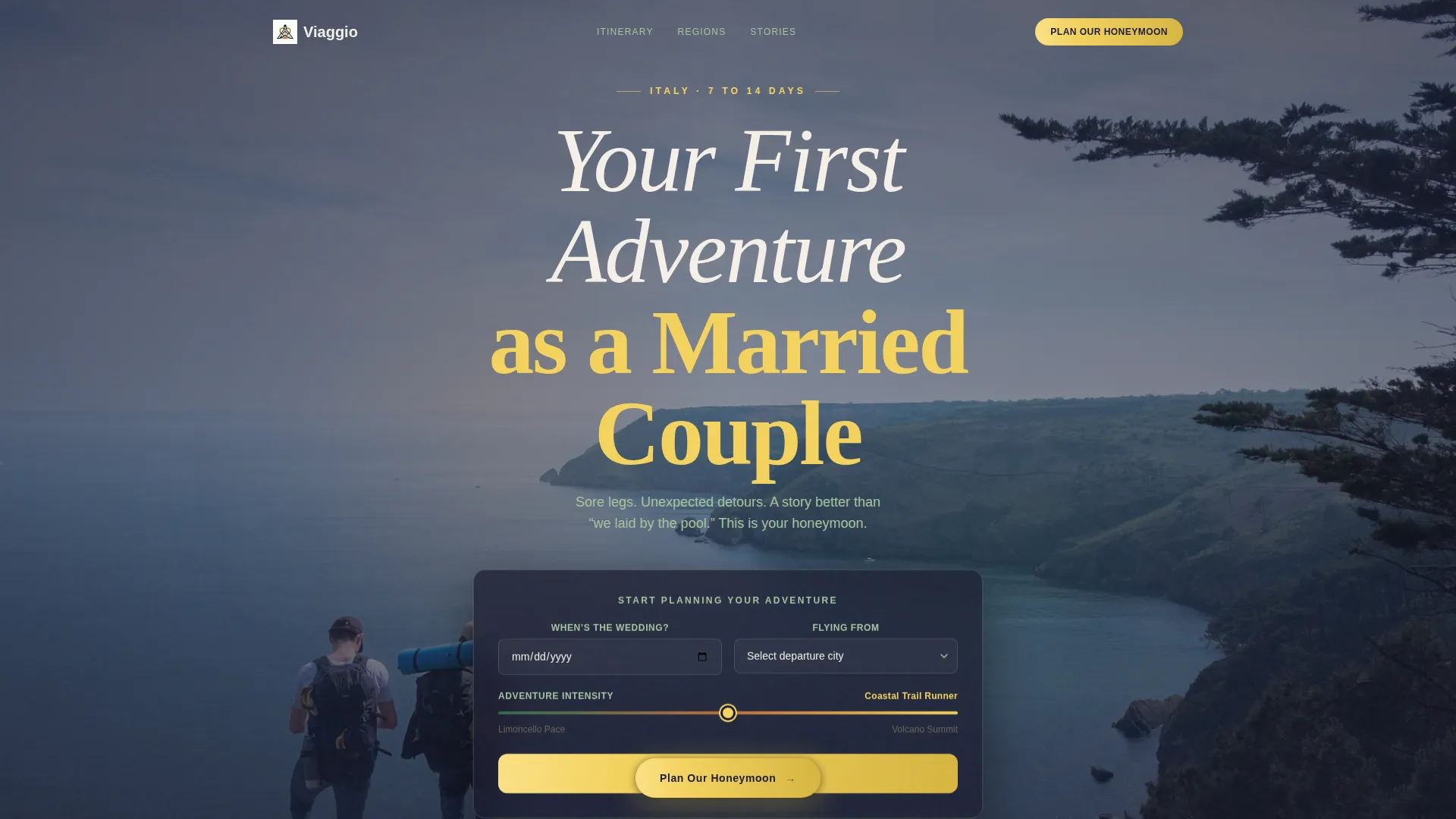
- A cinematic header with a search box, three input fields, and a postcard-style headline
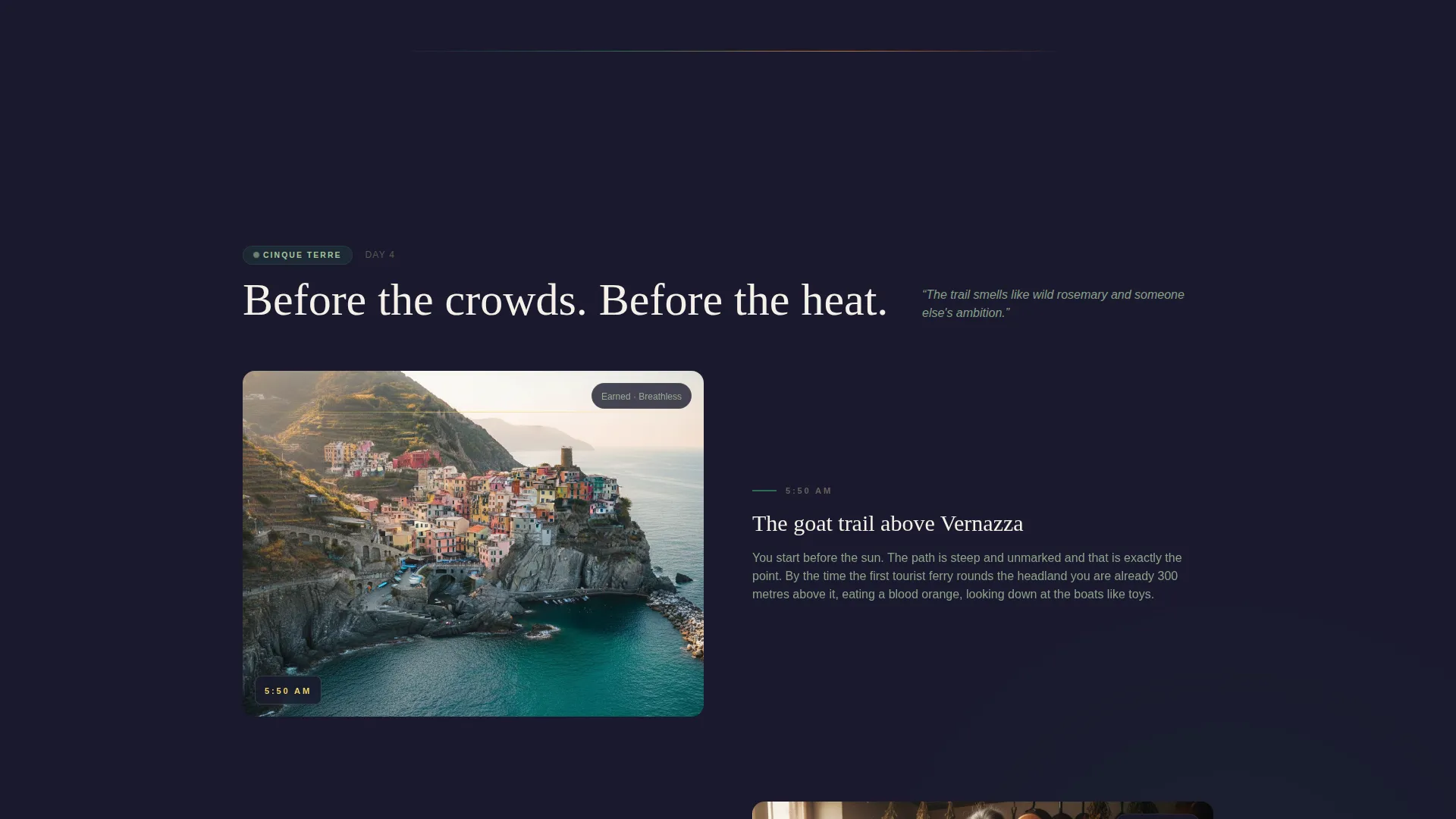
- A scroll-driven day-by-day journey format that reveals each region of Italy as visitors read
- Two conversion paths: a direct trip designer call booking form and a gated sample itinerary download
Feature list
This template ships with purpose-built sections and interaction patterns designed around the booking journey for an active Italy honeymoon.
Cinematic Search-Box Header
The header opens against a slow-motion aerial drone shot above the Amalfi Coast. A floating search box holds three fields: a wedding date picker, a departure city dropdown, and an adventure intensity slider running from "Limoncello Pace" to "Volcano Summit." The headline above reads in a warm hand-drawn serif that feels written on a postcard.
Day-in-the-Life Scroll Narrative
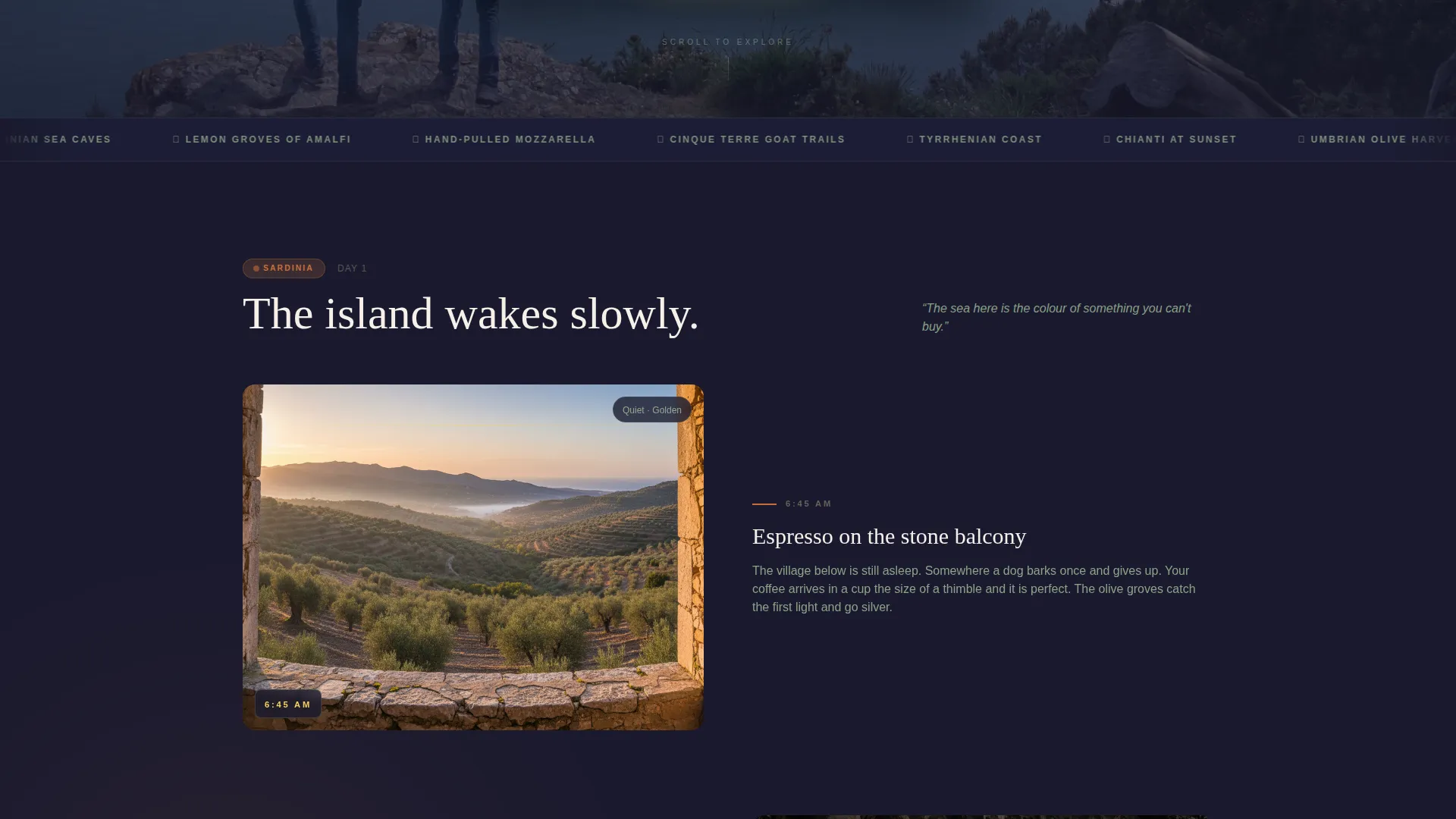
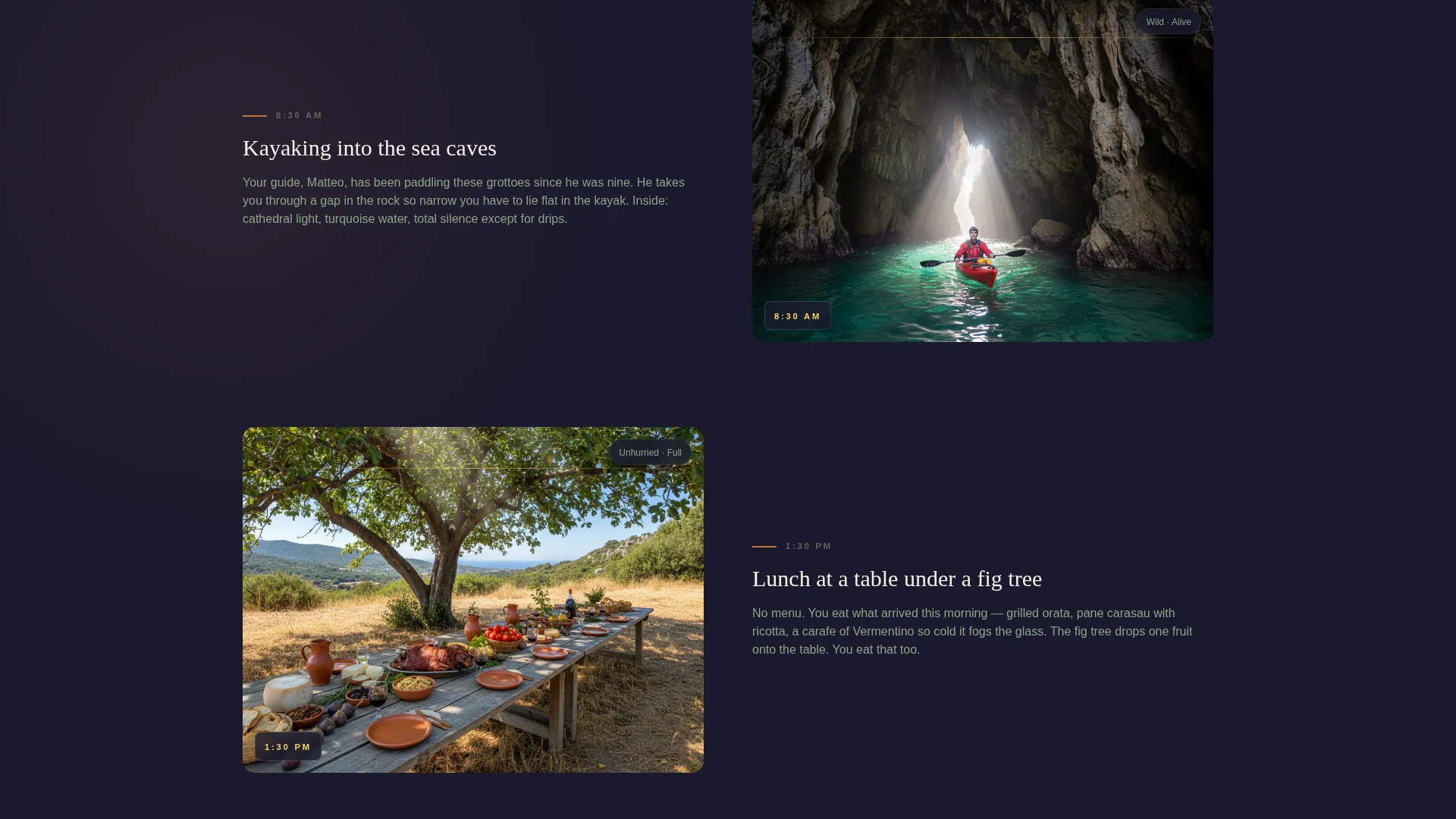
Each scroll section is timestamped and narrated like a travel diary entry. The day builds from quiet morning espresso on a stone balcony, through a guided coastal scramble, into a golden-hour cooking lesson. As the visitor scrolls further, the region shifts: Sardinia gives way to Tuscany, then to the Dolomites.
Sticky Booking Call to Action
The primary "Plan Our Honeymoon" button appears in lemon zest after the second day reveal. From that point forward, it stays fixed to the bottom of the screen. This keeps the booking option visible without interrupting the storytelling flow of the page.
Trip Designer Scheduling Form
Clicking the primary call to action opens a short form collecting the wedding date, number of travel days (7, 10, or 14), adventure comfort level, and dietary needs. A calendar picker then lets couples book a free 30-minute video call with a trip designer directly from the page.
Gated Itinerary Download
A secondary conversion path offers a sample itinerary download. Visitors enter their email address and wedding month to unlock it. This captures warm leads who are in the dreaming phase and not yet ready to schedule a call.
Page sections overview
| Section | Purpose |
|---|---|
| Aerial Hero Header | Sets the adventurous tone and invites couples to begin personalising their trip |
| Wedding Date Search | Collects key trip details through an interactive, low-friction input box |
| Day One: Sardinia | Opens the travel diary with dawn kayaking and coastal grotto scenes |
| Day Two: Tuscany | Shifts the region and deepens the itinerary story with hillside trails and farm meals |
| Day Three: Dolomites | Completes the regional arc with mountain terrain and golden-hour romance |
| First Sticky call to action | Anchors "Plan Our Honeymoon" after the second day reveal and stays fixed below |
| Trip Designer Form | Converts ready buyers into scheduled consultation calls |
| Itinerary Download Gate | Captures emails from couples who are dreaming but not yet booking |
Design & branding system
The visual identity follows an Adventure Terrain theme using a Rainforest colour palette. Every colour choice traces back to the natural landscape of the Italian countryside: dark volcanic soil, dense green canopy, warm terracotta rooftops, and sudden citrus colour.
- Core palette: volcanic black (#1A1A2E), deep fern green (#2D6A4F), sun-warmed terracotta (#C4713B), and wild sage (#A7C4A0) for secondary surfaces
- Accent and interaction: bright lemon zest (#F4D35E) is reserved exclusively for call-to-action buttons and interactive highlights
- Typography: a warm, hand-drawn serif is used for hero headlines to reinforce the handwritten postcard feeling; body copy remains clean and readable
Mobile & speed optimization
The single-column flow format is inherently well-suited to mobile screens. The layout reads from top to bottom without requiring horizontal scrolling or complex grid switching.
- The sticky booking button remains accessible on small screens without covering content
- The search box fields and calendar picker are designed for touch-friendly interaction
- Day-by-day sections stack cleanly so the scroll narrative reads just as well on a phone as on a desktop
How this template helps you convert
Viaggio is built around two clearly defined conversion paths, both introduced at the right moment in the visitor's emotional journey.
- The sticky "Plan Our Honeymoon" call to action appears after the visitor has experienced two full days of the itinerary story, so they are already emotionally invested before they see the form.
- The gated itinerary download provides a lower-commitment entry point, converting visitors who need more time by capturing their email and wedding month for follow-up.
Other information about this template
This template is part of a focused set of adventure-travel landing page designs built for niche hospitality operators. It is particularly suited to Italy travel specialists who offer curated, active itineraries rather than standard package tours.
- The template style is Single Column Flow, making it straightforward to edit and extend with your own day entries
- The creative direction is Day-in-the-Life, a storytelling format that works well for travel brands selling experiences over amenities
- The header concept uses a Search Box interaction, which signals to visitors that the trip will be personalised to them from the very first scroll
Theme
Adventure Terrain
Creative direction
Day-in-the-Life
Color system
Rainforest
Style
Single Column Flow
Direction
Booking/Scheduling
Page Sections
Cinematic Search-box Hero Header
Day-in-the-life Scroll Narrative
Sticky Booking Call to Action
Trip Designer Scheduling Form
Gated Itinerary Download
Related questions
Can I customise the day-by-day sections with my own itinerary?
Does the template support two separate booking paths?
Can I change the adventure intensity slider labels?
Is this template suited to a travel operator focused on one Italian region?
How does the sticky call-to-action button behave across the page?