Dark Immersive 3D Artist Portfolio Landing Page
Vertex is a dark, immersive landing page template built for 3D artists who need their portfolio to feel as polished as their renders. A collage-style header, scrolling masonry grid, case-study card expansions, and a focused contact section work together to turn first-time visitors into genuine project inquiries.
by Rocket studio
Quick summary
Vertex is a single-page 3D artist portfolio template built around a masonry gallery layout, a scrapbook-style header, and a dark void-and-violet visual system. It guides creative directors, VFX supervisors, and indie developers from first impression through to a booking inquiry, letting the work speak before the call to action ever appears.
Who this template is for
Vertex is designed for working 3D artists who want a portfolio that matches the quality of their craft. It suits freelancers who regularly pitch to studios, agencies, and independent productions that need to evaluate skill quickly.
- Freelance 3D artists and character sculptors looking to attract studio clients
- Hard-surface and environment artists targeting game and film pipelines
- 3D generalists who need one focused page to replace scattered social profiles
What problem this template solves
Most portfolio pages treat a gallery like a filing cabinet. Work gets listed, not experienced. Vertex solves the gap between showing work and earning trust by weaving process context directly into the browsing flow.
- Visitors leave before reaching the contact form because nothing holds their attention mid-scroll
- Art directors cannot circulate work internally without a downloadable reference
- Studios cannot quickly assess tool proficiency, polycount range, or artistic process from static thumbnails alone
What you get with this template
Vertex delivers a complete single-page layout with every section pre-built and arranged to guide a visitor from discovery to inquiry. Nothing needs to be invented from scratch.
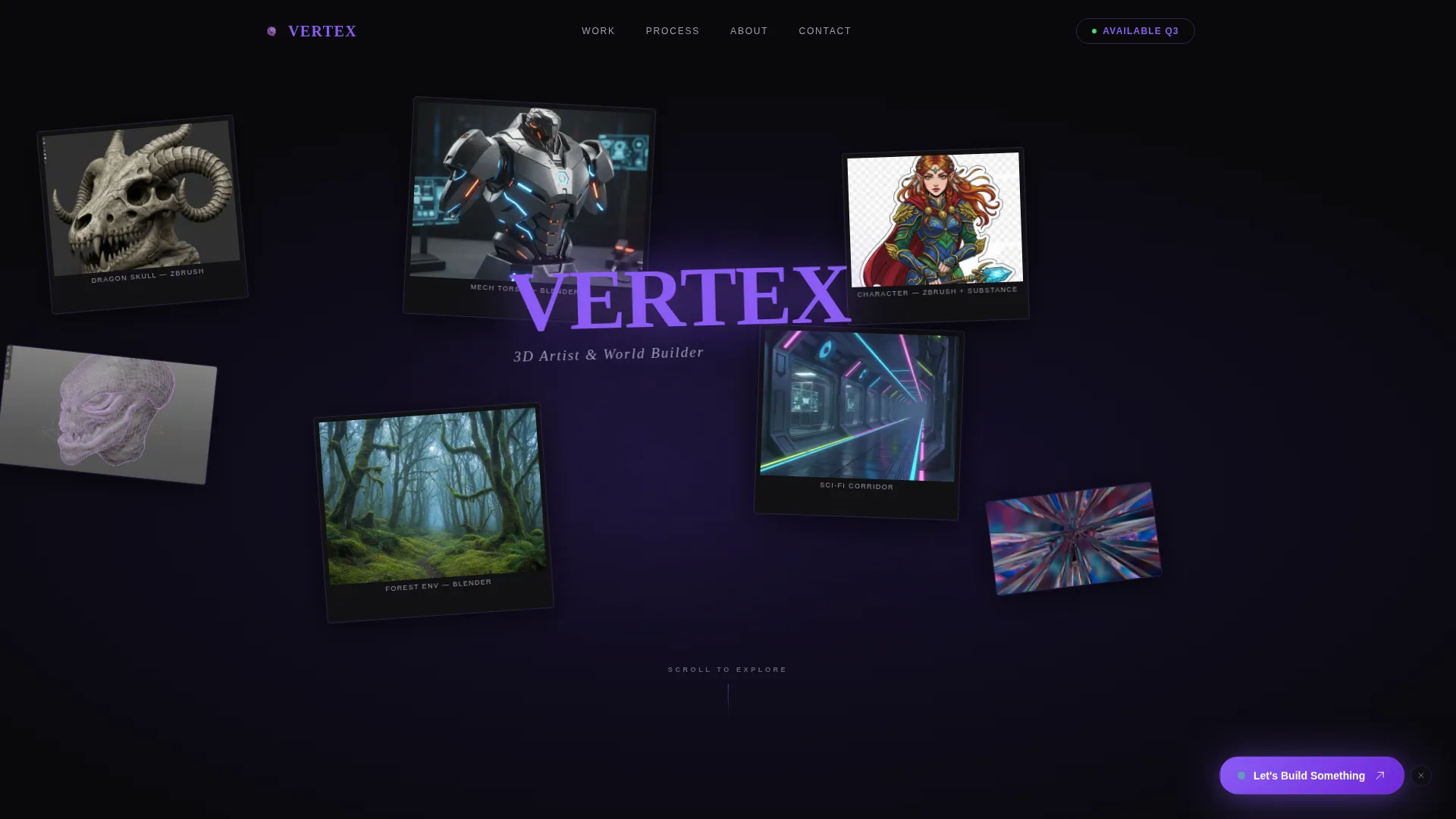
- A collage-style header where overlapping renders are placed at slight rotations like physical prints on a desk
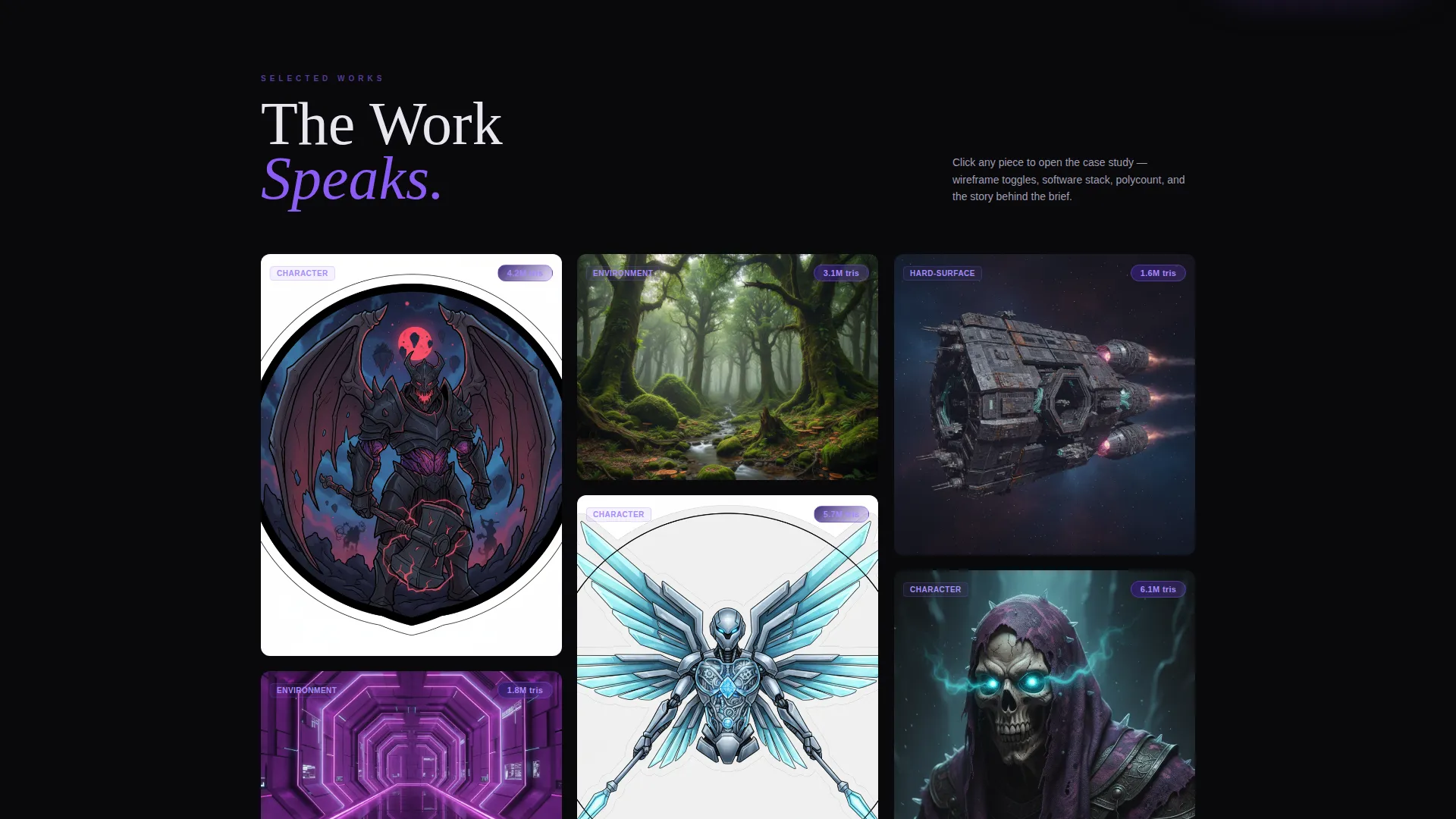
- A scroll-driven masonry grid where each card expands into a mini case study with a turntable, wireframe toggle, polycount badge, and software icons
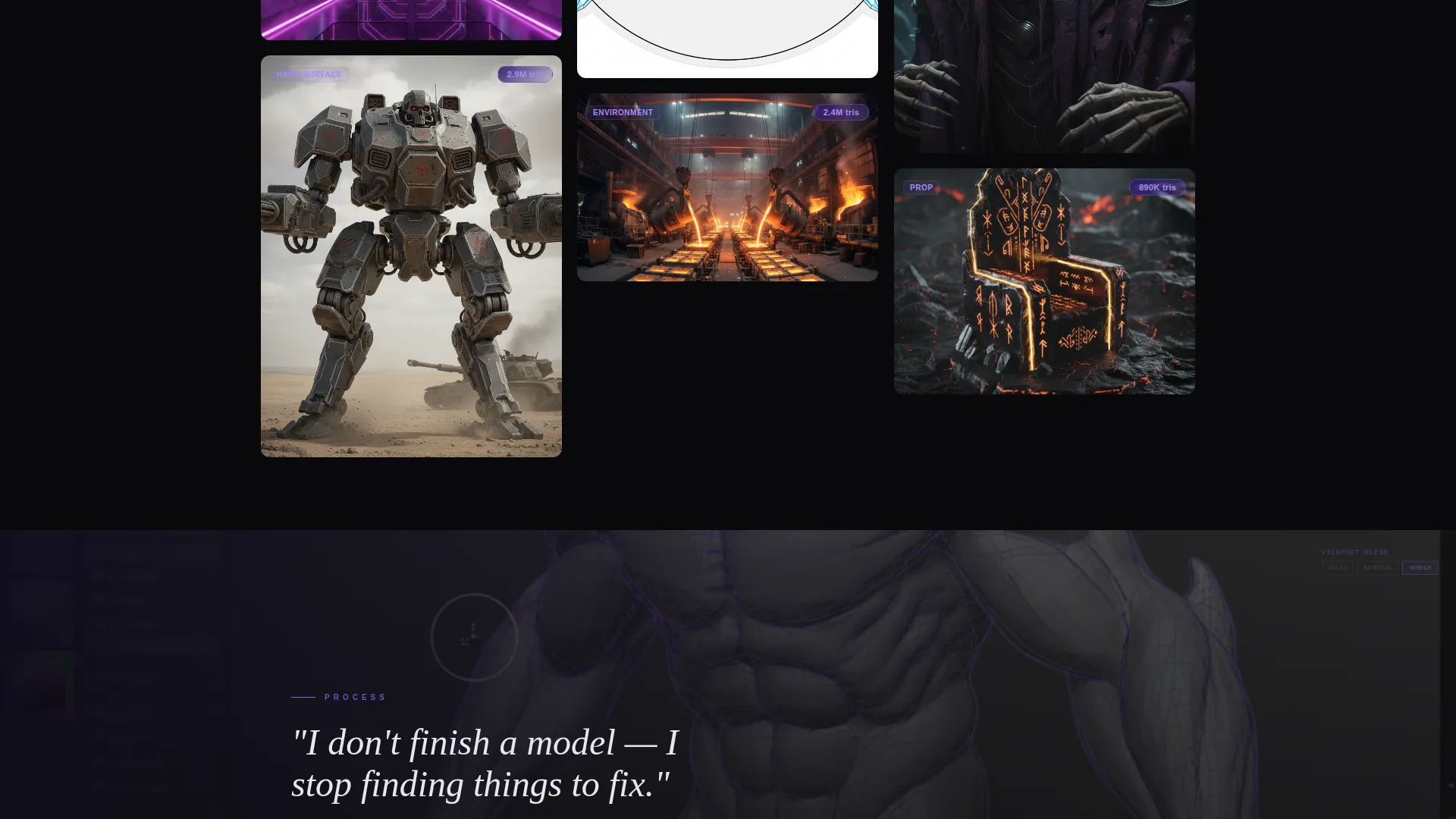
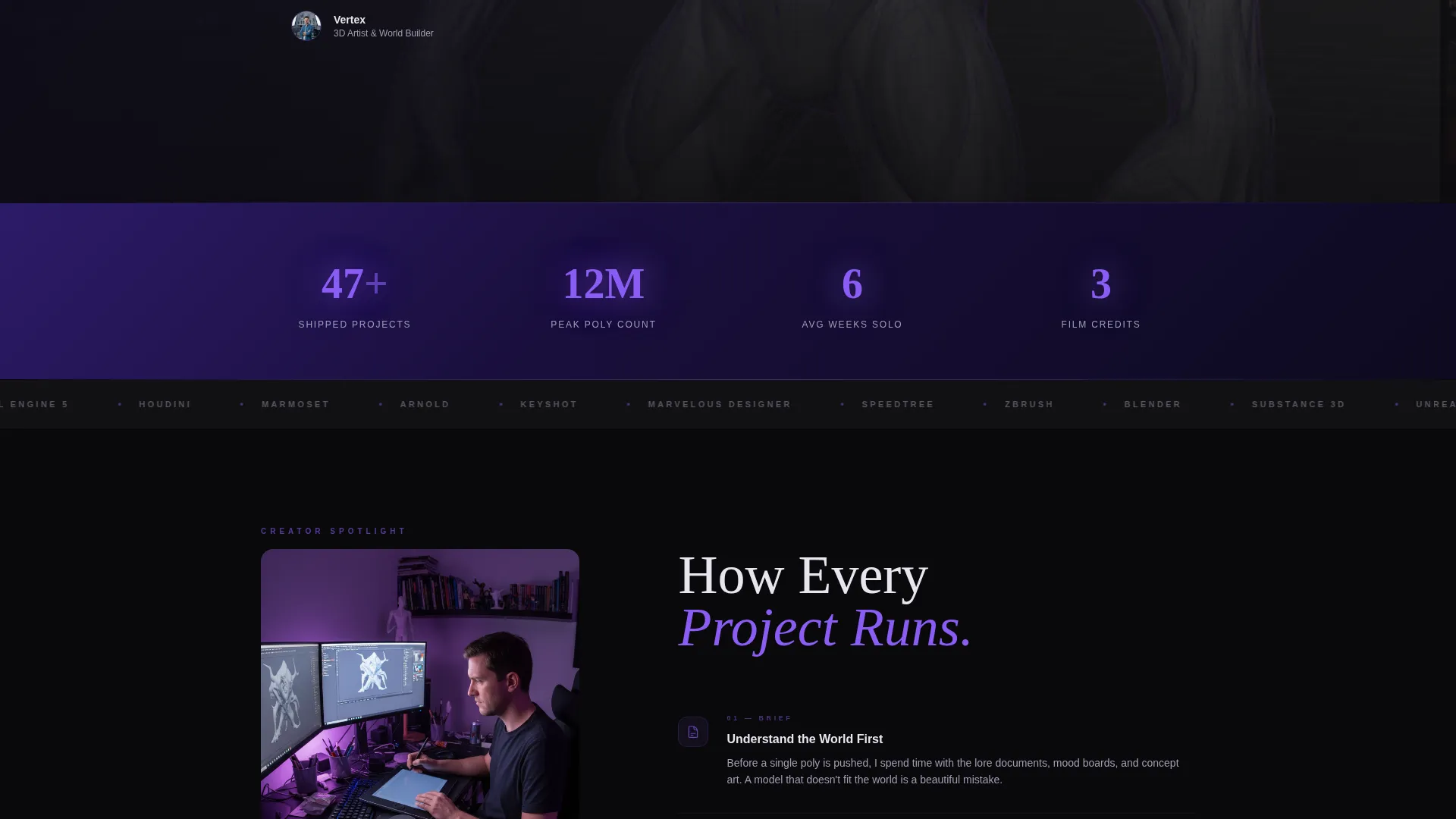
- Full-width interstitial strips between grid clusters that show workspace screenshots, timelapse thumbnails, and artist philosophy quotes
- A closing contact section with availability status, a one-line project scope field, and an email input
- A floating "Let's Build Something" pill that appears after three seconds of scroll and anchors into the closing section
- A secondary "Download Full Portfolio PDF" link for art directors who need to share work before reaching out
Feature list
Vertex includes a focused set of purpose-built features. Each one comes from the brief and serves the single goal of turning a portfolio visit into a real conversation.
Collage Scrapbook Header
Renders are scattered at slight rotations across a void-black canvas, overlapping like prints tossed on a desk. The artist's name is placed among the pieces in electric orchid rather than centered, giving the header a raw, found quality that immediately signals artistic personality.
Scroll-Driven Masonry Grid
The gallery breathes as the visitor moves down the page. Each card reveals with a subtle depth shift on scroll, and clicking any piece expands it into a mini case study rather than opening a plain lightbox. Visitors can view a turntable, toggle a wireframe overlay, read a polycount badge, and see which software tools were used.
Full-Width Interstitial Strips
Between clusters of work, full-width strips surface the human behind the renders. A viewport screenshot mid-sculpt, a timelapse thumbnail, or a short philosophy quote breaks the gallery rhythm and builds the sense that the visitor is moving through chapters of a creative process.
Floating and Anchored call to action
A pill-shaped "Let's Build Something" button floats in the bottom-right corner after three seconds of scrolling. It later anchors into a closing contact section that shows a green availability dot, a one-line project scope input, and an email field. The two-state approach keeps the invitation present without being aggressive.
Secondary PDF Download Path
Alongside the primary contact form, a quieter "Download Full Portfolio PDF" link gives art directors a way to circulate work internally before committing to a direct message. This secondary path serves how studios actually evaluate freelance talent.
Availability Status Display
The closing section includes a visible availability indicator: a green dot paired with a plain-language status line such as "Currently booking Q3." This one detail removes a common friction point and saves both the artist and the client from early back-and-forth.
Page sections overview
| Section | Purpose |
|---|---|
| Collage Header | Introduce artist identity through overlapping, rotated renders |
| Masonry Gallery Grid | Display portfolio work in an expanding, case-study format |
| Interstitial Process Strips | Break grid rhythm with workspace context and artist voice |
| Floating call to action Pill | Keep the contact invitation visible during scroll |
| Closing Contact Section | Collect project inquiries with availability status and scope input |
| PDF Download Link | Offer a shareable portfolio file for internal studio review |
Design & branding system
The visual identity runs on a Void and Violet color system that makes rendered work glow against a true void-black canvas. Every color decision reinforces the sense of stepping into a darkened gallery where each piece is its own light source.
- Void black (#09090B) as the dominant background, deep ultraviolet (#2D1B69) bleeding into card hover states and section dividers, electric orchid (#8B5CF6) marking interactive elements and the artist's name, and cool bone white (#E8E5F0) for body text
- Typography and layout follow a Dark Immersive theme: low contrast on structural elements, high contrast reserved for renders and calls to action, creating a hierarchy that guides the eye without competing with the work
- The Collage and Scrapbook header concept uses deliberate imperfection, slight rotations, and overlapping compositions to signal creative confidence rather than corporate polish
Mobile & speed optimization
The template is structured so that the visual hierarchy scales from desktop to smaller screens without losing the immersive feel. The dark canvas and high-contrast renders remain legible and impactful at any viewport width.
- The masonry grid adjusts column count for narrower viewports, keeping card proportions readable and tap targets usable
- Floating elements such as the call to action pill are positioned so they do not obscure content on smaller screens
- Interstitial strips reflow to maintain their full-width presence without cropping key visual detail
How this template helps you convert
Vertex earns the click before the call to action appears. By the time a visitor reaches the contact section, they have already seen process, tools, and polycounts, so the question shifts from capability to availability.
- The collage header creates immediate visual impact, slowing the visitor's pace and encouraging deeper scroll rather than a quick bounce.
- Expanding case studies with wireframe toggles and software badges answer the technical questions a creative director or VFX supervisor forms silently while browsing, removing doubt without requiring a conversation.
- The two-path closing section, a direct contact form and a PDF download link, meets visitors where they are. Those ready to reach out can submit a one-line brief, while those still evaluating can take away a shareable file and return later.
Other information about this template
Vertex is categorized under Portfolio and Agency templates, sitting within the 3D Artist Portfolio subcategory and the 3D Artist Gallery Portfolio niche. It is built as a single landing page, not a multi-page site, which keeps the visitor's attention focused on one narrative arc from entry to inquiry. The Creator Spotlight creative direction means process transparency is built into the structure, not bolted on afterward. The Click-Through landing page direction shapes every layout decision, from the timed floating pill to the minimal closing form.
- Template style: Masonry and Pinterest grid layout
- Theme: Dark Immersive
- Header concept: Collage and Scrapbook
- Color system: Void and Violet
- Creative direction: Creator Spotlight
- Landing page direction: Click-Through
Theme
Dark Immersive
Creative direction
Creator Spotlight
Color system
Void & Violet
Style
Masonry/Pinterest
Direction
Click-Through
Page Sections
Collage Scrapbook Header
Scroll-driven Masonry Gallery
Full-width Process Strips
Timed Floating Call to Action Pill
Availability Status and Contact Form
Secondary PDF Download Link
Related questions
Can I update the artist name, renders, and availability status myself?
Does the PDF download link require a separate file to be set up?
Is Vertex suitable for 3D artists who work across multiple disciplines?
What does the expanding card case study include?
Does the floating call to action button work on mobile screens?