Platform Comparison Landing Page Template
Versus is a platform comparison landing page template built for decision-makers who need clarity fast. It lays every platform side by side across sortable feature rows, pricing tiers, integration lists, and user ratings. The interactive explorer design lets visitors pin platforms, filter by category, and surface a personalized top match before they leave the page.
by Rocket studio
Quick summary
Versus is a single-page comparison template designed to help visitors evaluate platforms without opening a dozen browser tabs. It combines a dark, data-forward layout with interactive filtering, sortable table rows, and a guided conversion flow. The result is a page that earns trust by delivering real depth before it ever asks for a click.
Who this template is for
This template is built for anyone who needs to help an audience make a confident platform decision. The design and structure speak directly to high-stakes evaluators who are already deep in research mode.
- Startup CTOs comparing SaaS tools for their next infrastructure build
- Operations managers building an internal business case for switching vendors
- Solo founders who need a clear, fast answer at any hour of the day
What problem this template solves
Most comparison pages bury the answer. Visitors arrive overwhelmed, click through three tabs of vague bullet points, and leave no closer to a decision. This template replaces that frustration with a structured, interactive experience that puts every relevant data point in front of the visitor at once.
- Scattered research spread across multiple browser tabs and conflicting sources
- Comparison pages that present data without helping visitors reach a conclusion
- Conversion flows that ask for commitment before delivering any real value
What you get with this template
You get a fully structured comparison landing page built around a single interactive flow. Every section is designed to move the visitor from broad overview to granular detail, with the conversion ask appearing only after real value has been delivered.
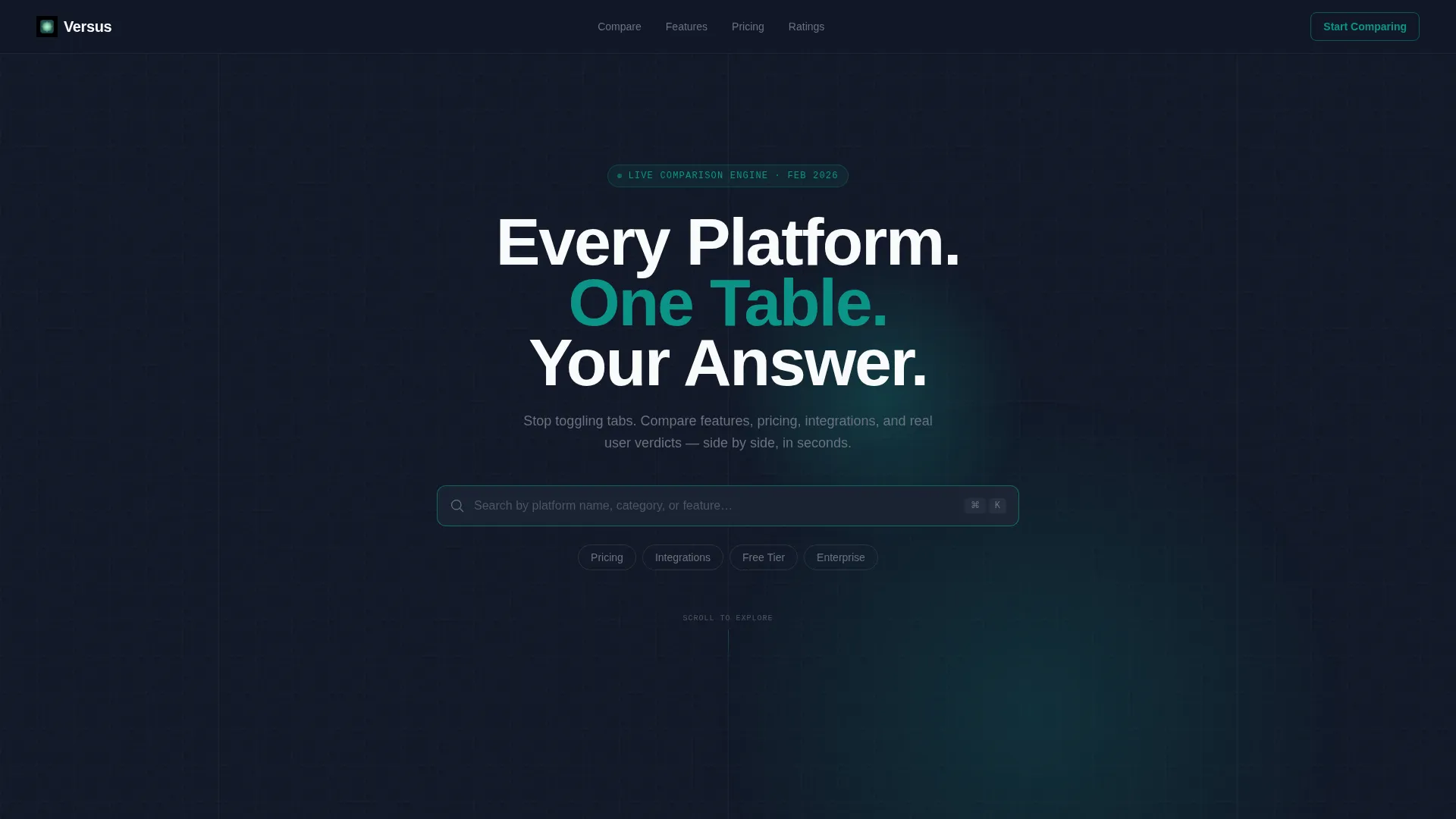
- A dark full-bleed header with a teal radial glow, bold headline, and live search bar with filter chips
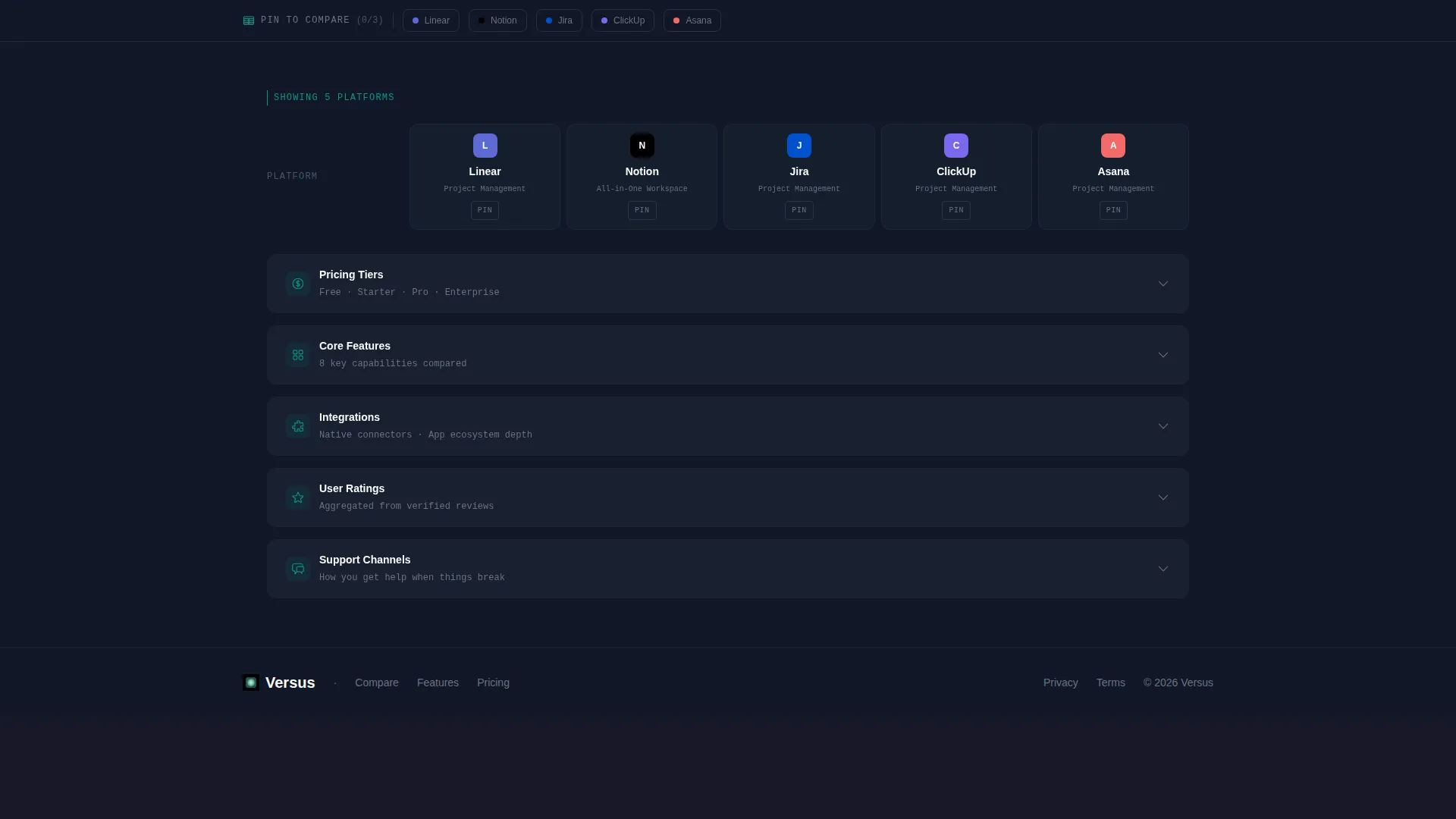
- A sticky toolbar for pinning two or three platforms into a live head-to-head view
- Sortable, filterable feature category sections with expanding detail drawers
- A qualifying modal call to action that surfaces after the visitor has engaged with at least two filter categories
- A secondary email-capture path placed at the bottom of each table section
Feature list
This template is built around a set of purpose-designed components that work together to guide visitors from curiosity to confident decision.
Dark Full-Bleed Header with Radial Glow
The header fills the full viewport with a deep charcoal background and a soft teal radial glow at 15% opacity. A bold headline and an active search bar sit above the glow, making the first interaction an invitation to explore rather than a passive read.
Live Search and Filter Chips
A ghost-text search bar lets visitors search by platform name, category, or feature. Four filter chips, Pricing, Integrations, Free Tier, and Enterprise, sit alongside the search field and respond immediately, narrowing the comparison scope without a page reload.
Sticky Platform Comparison Toolbar
A toolbar persists at the top of the page as the visitor scrolls. It allows pinning two or three platforms into a live side-by-side view that stays visible across every feature category section below.
Sortable Feature Category Sections
Each major section, Pricing, Core Features, Integrations, User Ratings, and Support Channels, is rendered as a sortable, filterable table. Teal checkmarks and muted absence markers make scanning fast. Clicking any row opens an expanding detail drawer with deeper context.
Qualifying Modal call to action
After the visitor has interacted with at least two filter categories, a teal-bordered modal appears. It asks three short qualifying questions: use case via dropdown, team size via slider, and monthly budget via range selector. The result is a personalized top-match recommendation.
Email Capture at Table Footer
A secondary conversion path sits at the bottom of each table section. A single email field invites visitors to download the full comparison as a PDF, capturing a lead at the moment when engagement is highest.
Page sections overview
| Section | Purpose |
|---|---|
| Dark Header Hero | Introduce the comparison tool with search and filter entry |
| Sticky Comparison Toolbar | Let visitors pin platforms for live head-to-head tracking |
| Pricing Table Section | Compare cost tiers across all listed platforms |
| Core Features Section | Evaluate key capabilities row by row with detail drawers |
| Integrations Table Section | Scan integration support across platforms at a glance |
| User Ratings Section | Surface real verdict data to support the decision |
| Support Channels Section | Compare available support options per platform |
| Modal call to action Overlay | Collect qualifying answers and surface a top match |
| PDF Download Footer | Capture email leads with a secondary conversion offer |
Design & branding system
The visual identity follows a Directory and Discovery theme built around the Teal Catalyst color system. The palette is engineered for long reading sessions with high-density data, keeping fatigue low while making every decision point visually sharp.
- Deep charcoal (#111827) dominates all backgrounds so table data appears to float forward
- Primary teal (#0D9488) carries all interactive weight: toggles, checkmarks, winning-row indicators, and call to action borders
- Pale mint (#CCFBF1) activates on hover states and highlights the selected comparison row
- Signal white (#F9FAFB) is used for table text and dividers, keeping high contrast without harshness
Mobile & speed optimization
The template is structured to remain usable and scannable on smaller screens. The comparison-heavy layout is adapted so visitors on mobile can still filter, scroll, and engage without losing context.
- The sticky toolbar collapses gracefully so it does not consume screen real estate on narrow viewports
- Table rows are designed to reflow into a card-style layout on mobile for easier vertical scrolling
- Filter chips and the search bar remain accessible at the top of the viewport on all screen sizes
How this template helps you convert
This template is built around a conversion logic that earns the click before it asks for one. Every interaction adds value, so by the time the call to action appears, the visitor already trusts the page.
- The interactive filter and pinning experience gives visitors immediate, tangible value before any form or call to action appears, building confidence in the page's depth.
- The qualifying modal call to action appears only after two or more filter categories have been engaged, so the ask arrives at the moment of highest intent rather than at page load.
- The PDF download path at each table section footer creates a low-commitment second conversion option, capturing leads who are not yet ready to commit to the primary call to action.
Other information about this template
This template sits within the Documentation and Support category, specifically in the Onboarding and User Guide subcategory. It is designed for the Platform Comparison Guide niche, making it well suited for content teams, tool-review publishers, and vendor evaluation hubs.
- The template style is a Comparison Table, optimized for side-by-side data presentation across multiple feature categories
- The creative direction is Interactive Explorer, meaning the page responds to visitor behavior rather than presenting static content
- The header concept is Dark Full-Bleed with Glow, giving the page a distinct, high-focus visual entry point
- The landing page direction is Comparison and Versus, built specifically to guide visitors toward a clear platform choice
- The theme is Directory and Discovery, suited to audiences actively searching for the right tool rather than passively browsing


Theme
Directory & Discovery
Creative direction
Interactive Explorer
Color system
Teal Catalyst
Style
Comparison Table
Direction
Comparison/Versus
Page Sections
Dark Full-bleed Header with Radial Glow
Live Search Bar and Filter Chips
Sticky Platform Pinning Toolbar
Sortable Feature Category Tables
Qualifying Modal Call to Action
Per-section Email Capture Footer
Related questions
Can I customize the platforms and feature rows in this template?
How does the qualifying modal call to action work?
Is this template suitable for a SaaS vendor evaluation page?
What is the secondary conversion path in this template?
What color system and visual theme does this template use?



