Dog Professional Website Template
Vector is a hub-and-spoke landing page template built for air traffic management platforms targeting civil aviation authorities, airport operators, and air navigation service providers. It combines a Corporate Precision design system, an exploded-view isometric hero, and five anchor-navigated spoke sections to move procurement evaluators toward a technical briefing request with confidence.
by Rocket studio
Quick summary
Vector is a single-page, anchor-navigated landing page template for enterprise air traffic management software. It is designed for procurement-driven sales cycles where technical credibility comes before any conversation. Five spoke sections cover Surveillance, Sequencing, Safety Nets, Integration, and Compliance, all converging on one clear call to action: Request Technical Briefing.
Who this template is for
This template is built for B2B aviation technology companies selling to institutional buyers. It speaks the language of evaluation binders, request-for-information documents, and ICAO standard references, so decision-makers recognize their own requirements reflected back at them.
- Air navigation service providers (ANSPs) and procurement officers reviewing platform specifications
- Civil aviation authorities leading modernization programs that require ICAO Doc 4444 and EUROCONTROL standards alignment
- Airport operators and aviation technology vendors presenting capacity and integration capabilities to technical evaluators
What problem this template solves
Selling an air traffic management platform to institutional buyers is not a quick process. Evaluators arrive with detailed requirement lists, and a generic product page loses them in seconds. This template solves the trust gap between first visit and first conversation.
- Procurement officers need specification density before they will engage, and this template delivers it through monospaced performance metrics and compliance callouts across every spoke section
- Civil aviation authority leads need proof of ICAO alignment before booking a briefing, so the Compliance spoke presents standards coverage in a self-completing checklist format
- Technical evaluators need architecture clarity, so the Integration spoke shows radar and ADS-B ground station connections assembling on scroll rather than asking readers to imagine them
What you get with this template
Vector ships as a complete, ready-to-customize landing page built around five anchor-navigated content spokes. Every section is structured to satisfy a different evaluator concern without requiring them to read the page in order.
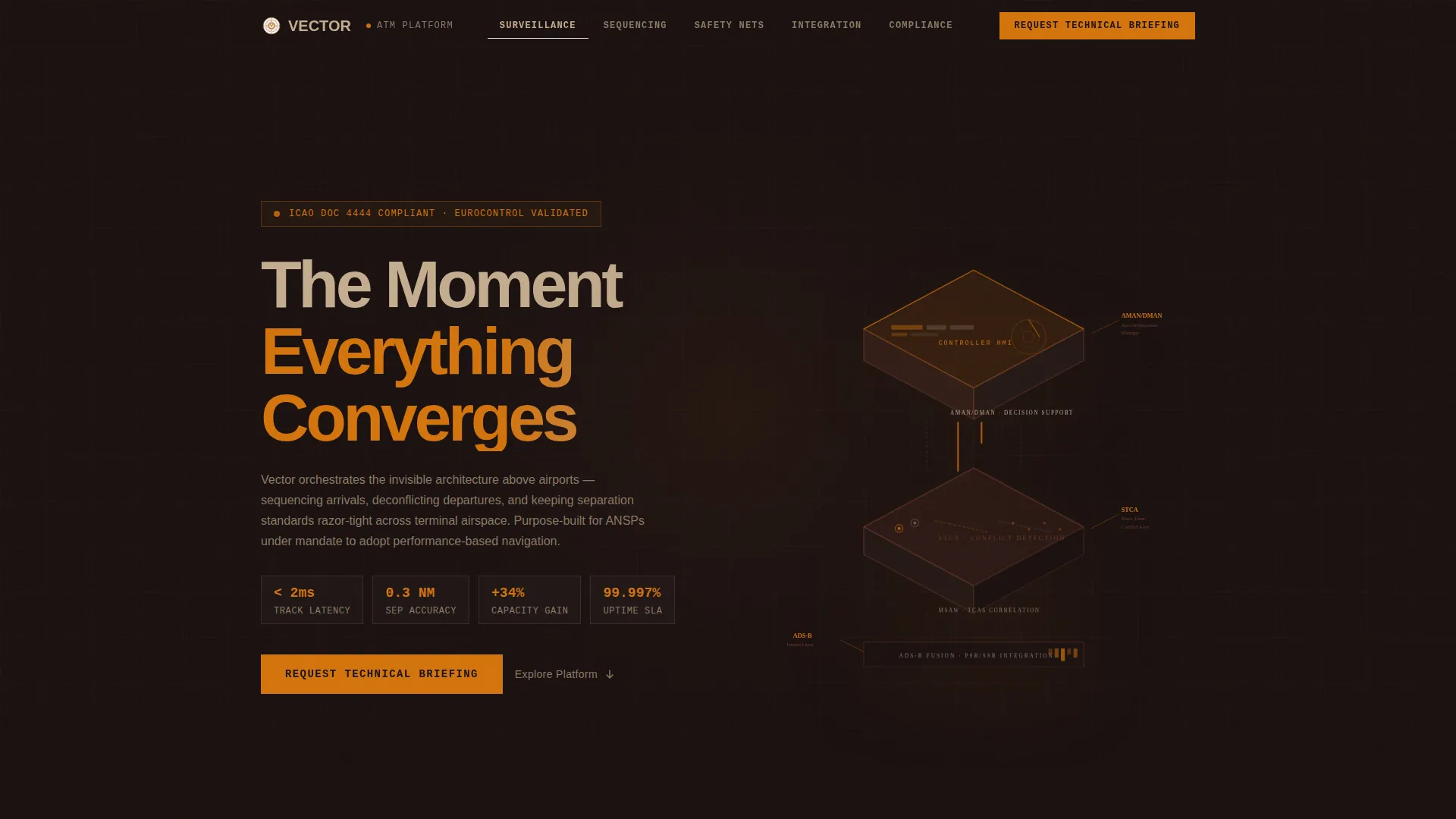
- An isometric exploded-view hero showing the platform surveillance-processing-automation stack with animated amber data lines connecting each labeled layer
- Five spoke sections (Surveillance, Sequencing, Safety Nets, Integration, Compliance) each closing with a repeated "Request Technical Briefing" call-to-action button
- A persistent anchor navigation bar, count-up performance numbers, scroll-linked SVG architecture diagrams, and a linear single-row footer
Feature list
This section covers the core built-in capabilities that make Vector functional and credible for its target audience.
Isometric Exploded-View Hero
The hero renders the platform stack as a detonated isometric diagram: radar feed ingestion at the base, conflict detection logic in the middle layer, and the controller decision-support interface at the top. Thin amber data lines animate between layers. Each layer is labeled with ICAO-standard terminology including STCA, AMAN/DMAN, and ADS-B fusion, so a procurement officer reads their own requirements document in three dimensions.
Anchor Navigation with Five Spokes
A persistent navigation bar keeps five spoke sections always reachable: Surveillance, Sequencing, Safety Nets, Integration, and Compliance. Evaluators can jump directly to the section matching their section of an RFI without scrolling through unrelated content. Each spoke closes with the primary call-to-action to maintain conversion momentum regardless of entry point.
Spec Sheet Section Design
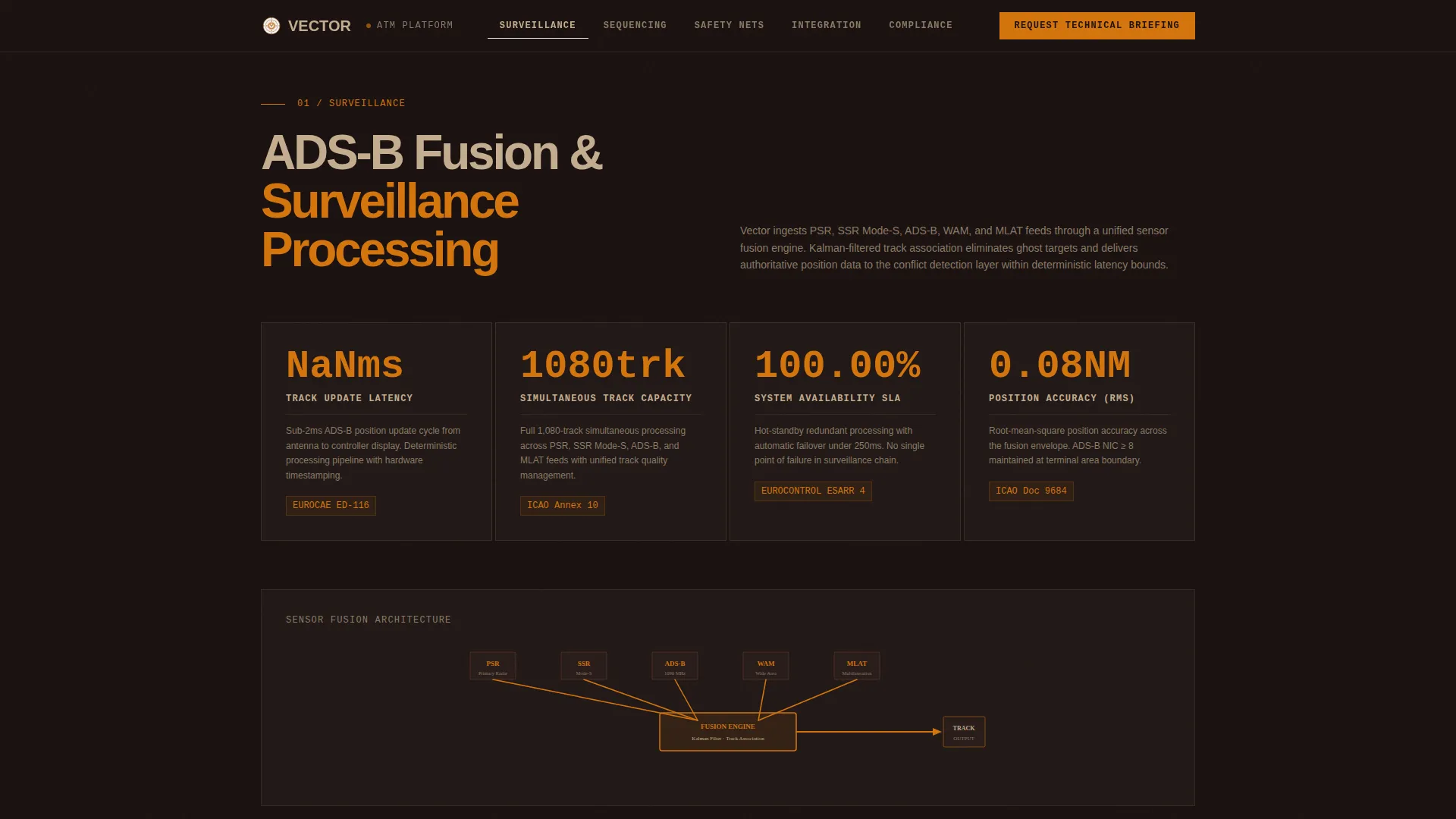
Each spoke section is styled as a technical data sheet brought to life. Performance metrics appear in oversized monospaced type. Compliance callouts reference ICAO Doc 4444 and EUROCONTROL standards directly. Throughput figures, separation accuracy values, and latency readings count up on scroll entry, making the data feel live rather than static.
Scroll-Linked Architecture Diagrams
The Integration spoke includes an architecture diagram that assembles itself connection by connection as the visitor scrolls. Radar ground station links and ADS-B inputs appear sequentially, giving technical evaluators a clear visual of how the platform connects to existing infrastructure without requiring a separate document.
Compliance Matrix with Self-Completing Checklist
The Compliance spoke presents ICAO Doc 4444 and EUROCONTROL standards coverage as a matrix that checks itself off on scroll entry. This format mirrors the structure of an official evaluation checklist, helping procurement officers confirm coverage at a glance before committing to a briefing request.
Click-Through call to action Architecture
There is no form on this page. The primary call to action, "Request Technical Briefing," appears in the persistent nav bar and at the close of every spoke section. Each click lands on a dedicated briefing-request page where classification level, operational environment, and fleet mix are captured separately, keeping this page focused entirely on building trust through specification density.
Page sections overview
| Section | Purpose |
|---|---|
| Hero (Exploded View) | Introduce the platform stack visually with ICAO-labeled isometric layers and animated amber data lines |
| Surveillance Spoke | Present ADS-B fusion specifications, latency metrics, and count-up performance numbers |
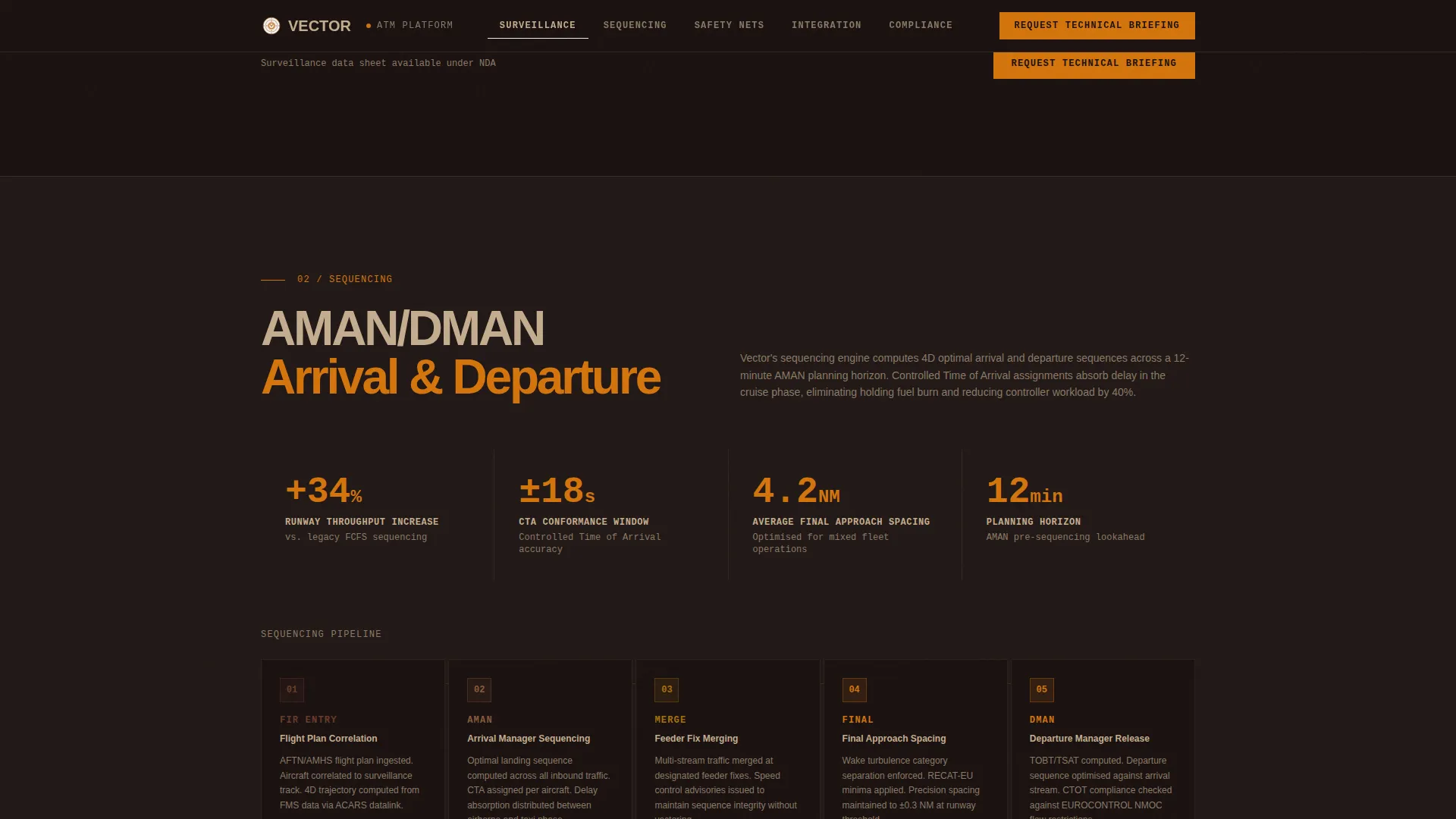
| Sequencing Spoke | Show AMAN/DMAN throughput, capacity increase figures, and arrival metering diagram |
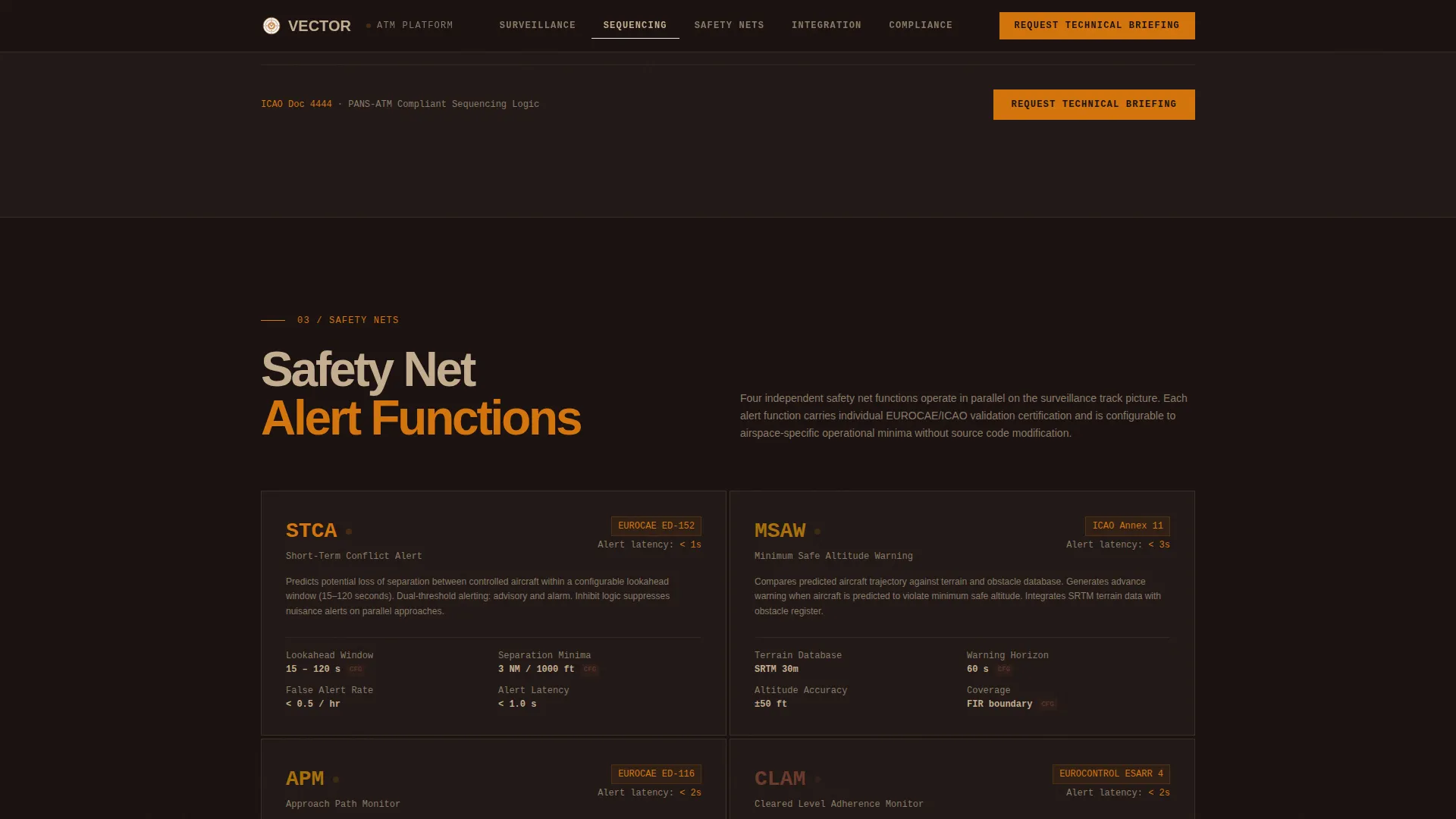
| Safety Nets Spoke | Detail STCA and MSAW specifications, separation accuracy, and safety compliance matrix |
| Integration Spoke | Display self-assembling architecture diagram with radar and ADS-B ground station connections |
| Compliance Spoke | Render ICAO Doc 4444 and EUROCONTROL standards as a self-completing checklist matrix |
| Footer (Linear) | Provide single-row navigation and brand closure in a minimal linear layout |
Design & branding system
Vector uses a Corporate Precision visual identity built around a Fire and Earth color system. The palette evokes a radar scope glowing in a dim tower cab at dusk: warm instrumentation light against a deep, authoritative ground plane. Typography pairs Manrope for headings with JetBrains Mono for all data and specification text, reinforcing the technical credibility of every metric displayed.
- Color system: deep volcanic black (#1A1110) as the base, burnt umber (#6B3A2A) for structural surfaces, controlled-flame amber (#D4740C) for active states and data highlights, and dry sandstone (#C4AD8F) for secondary surfaces and divider lines
- Typography: Manrope handles all headings and navigation labels while JetBrains Mono carries performance metrics, latency figures, and specification callouts in oversized monospaced style
- No stock photography or generic dashboards; all visual elements are purpose-built diagrams and isometric technical illustrations tied directly to platform architecture
Mobile & speed optimization
Vector is built desktop-first, reflecting the reality that procurement officers review RFI responses on workstations rather than mobile devices. The animation and interactivity layer is designed to perform well at that primary resolution without sacrificing page responsiveness.
- Server Components handle all static content sections, keeping initial load fast while Client Components manage count-up animations, SVG path drawing, and scroll-linked reveals independently
- Scroll-linked reveals and isometric layer assembly animations are scoped to Client Components, so heavy animation does not block static content rendering
- The anchor navigation system allows evaluators to jump between spoke sections instantly, reducing the need to scroll through the full page and keeping interaction efficient on large monitors
How this template helps you convert
Vector is designed as a click-through page, not a lead-capture form. Trust is built through specification density before any click is required, so by the time a visitor reaches the call to action they have already confirmed the platform speaks their language.
- The exploded-view hero and ICAO-labeled stack layers establish technical credibility within the first scroll, signaling to evaluators that this is a platform built to their standards rather than a generic product
- Each spoke section closes with a repeated "Request Technical Briefing" call to action, so the conversion opportunity is present at every natural stopping point in a non-linear reading session
- The dedicated briefing-request page (reached after the click) captures classification level, operational environment, and fleet mix, ensuring that every inbound lead is already qualified before the first human conversation
Other information about this template
Vector is positioned within the Aerospace and Defense category under the Aircraft and Aviation subcategory, with a niche focus on air traffic management technology. It is suitable for any enterprise aviation technology vendor that needs a technically rigorous landing page to support a long sales cycle with institutional buyers.
- The template style is Hub and Spoke with Anchor Navigation, making it straightforward to extend or reorder spoke sections as product scope evolves
- The Spec Sheet creative direction and Exploded View header concept are core to the template's identity and should be preserved when customizing content
- The Fire and Earth color system and Corporate Precision theme are designed to feel authoritative in contexts where buyers associate visual precision with operational reliability
- This template is optimized for the English language and uses ICAO standard terminology throughout, including nautical miles and milliseconds as the default units for performance metrics
Theme
Corporate Precision
Creative direction
Spec Sheet
Color system
Fire & Earth
Style
Hub & Spoke (Anchor Nav)
Direction
Click-Through
Page Sections
Isometric Exploded-view Hero
Persistent Anchor Navigation Bar
Spec Sheet Section Layout
Self-assembling Architecture Diagram
Self-completing Compliance Matrix
Click-through Call to Action Architecture
Related questions
Who is this landing page template designed for?
Does this template include a contact form?
Can I add or remove spoke sections?
What animations are included in this template?
Is this template suitable outside of ICAO-specific contexts?



