Emergency Plumber Landing Page Template
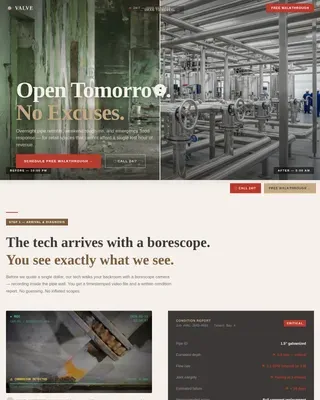
Valve is a single-column emergency plumber landing page built around speed, trust, and immediate action. The Engineering Blueprint visual theme pairs monochrome steel tones with amber urgency signals. A before-and-after header case study, a live-styled arrival counter, and a sticky tap-to-call bar work together to turn a panicked visitor into a confirmed call within seconds.
by Rocket studio
Quick summary
Valve is a single-column landing page for a 24-hour emergency plumbing service. It opens with a dramatic before-and-after case study, walks visitors through a problem-to-solution scroll arc, and closes with a sticky call-to-action bar and a friction-free three-field contact form. The design is built on an Engineering Blueprint theme using a monochrome steel palette with amber urgency highlights.
Who this template is for
This template is built for emergency plumbing businesses that need to convert panicked visitors into phone calls fast. It suits operators who work around the clock and want their page to reflect that reliability instantly.
- Emergency plumbers running 24-hour operations who need a high-urgency, direct-sales landing page
- Plumbing contractors wanting to showcase real before-and-after work to build immediate trust
- Service businesses in the Construction and Home niche targeting homeowners, property managers, and commercial clients during active water emergencies
What problem this template solves
A generic plumbing website fails when someone is standing in two inches of water at midnight. Visitors in crisis need a page that communicates competence and speed before they read a single paragraph. Valve removes every hesitation between panic and phone call.
- Eliminates the friction of long contact forms, replacing them with a three-field emergency intake that asks only for address, problem type, and phone number
- Replaces vague service lists with concrete proof: timestamped before-and-after images and a live-styled arrival counter showing 27 minutes average response
- Solves the trust gap by showing finished, documented work before ever asking for contact information
What you get with this template
Valve is a ready-to-adapt single-column landing page structured to compress a visitor's decision from minutes to seconds. Every section is purpose-built for an emergency audience that has no patience for marketing fluff.
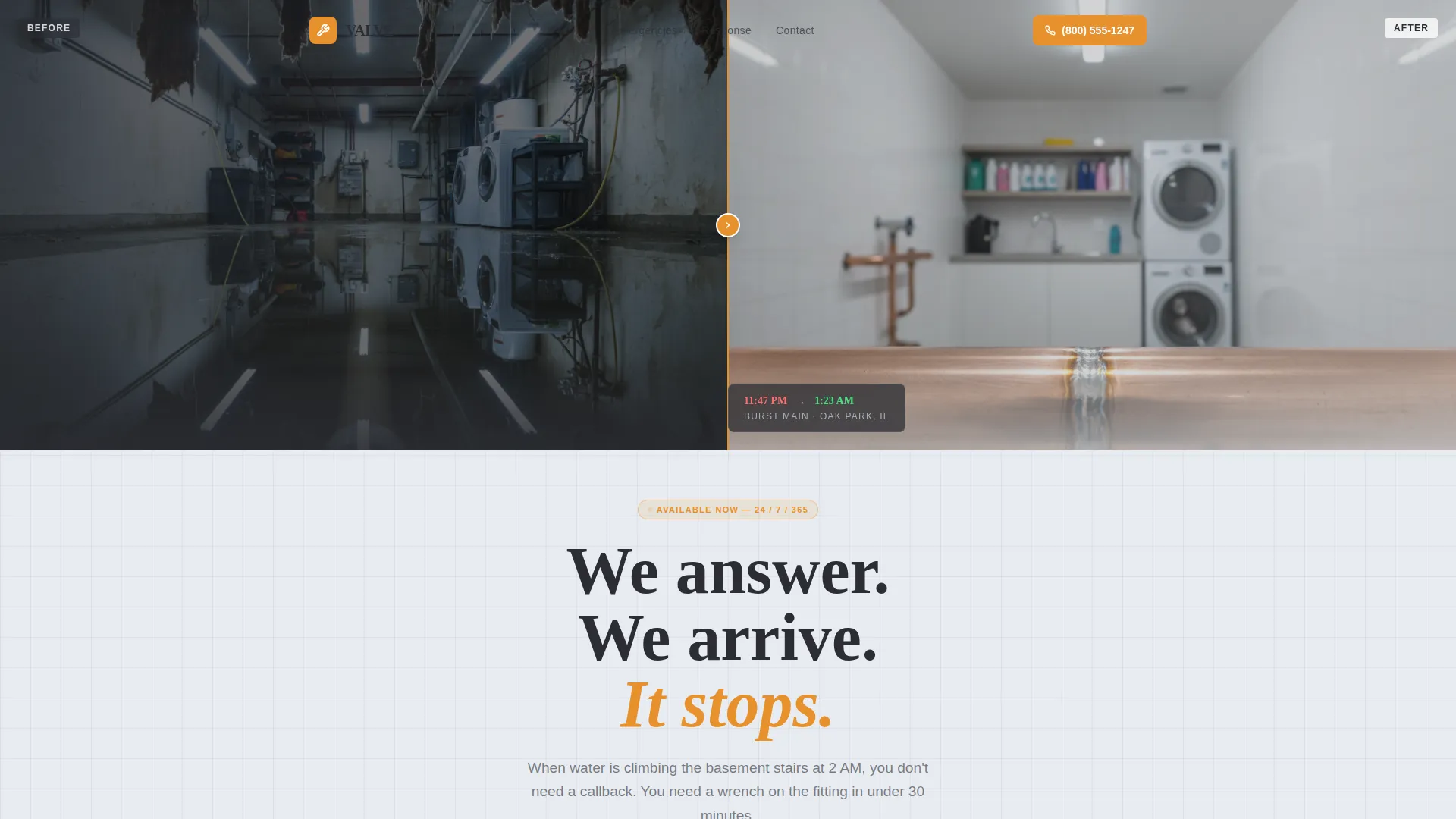
- A full-width split header image with a timestamp overlay, a fade-in headline, and a strong problem-to-solution scroll arc across every section below it
- A sticky bottom call-to-action bar with tap-to-call functionality and a pulsing amber button, paired with an inline emergency contact form
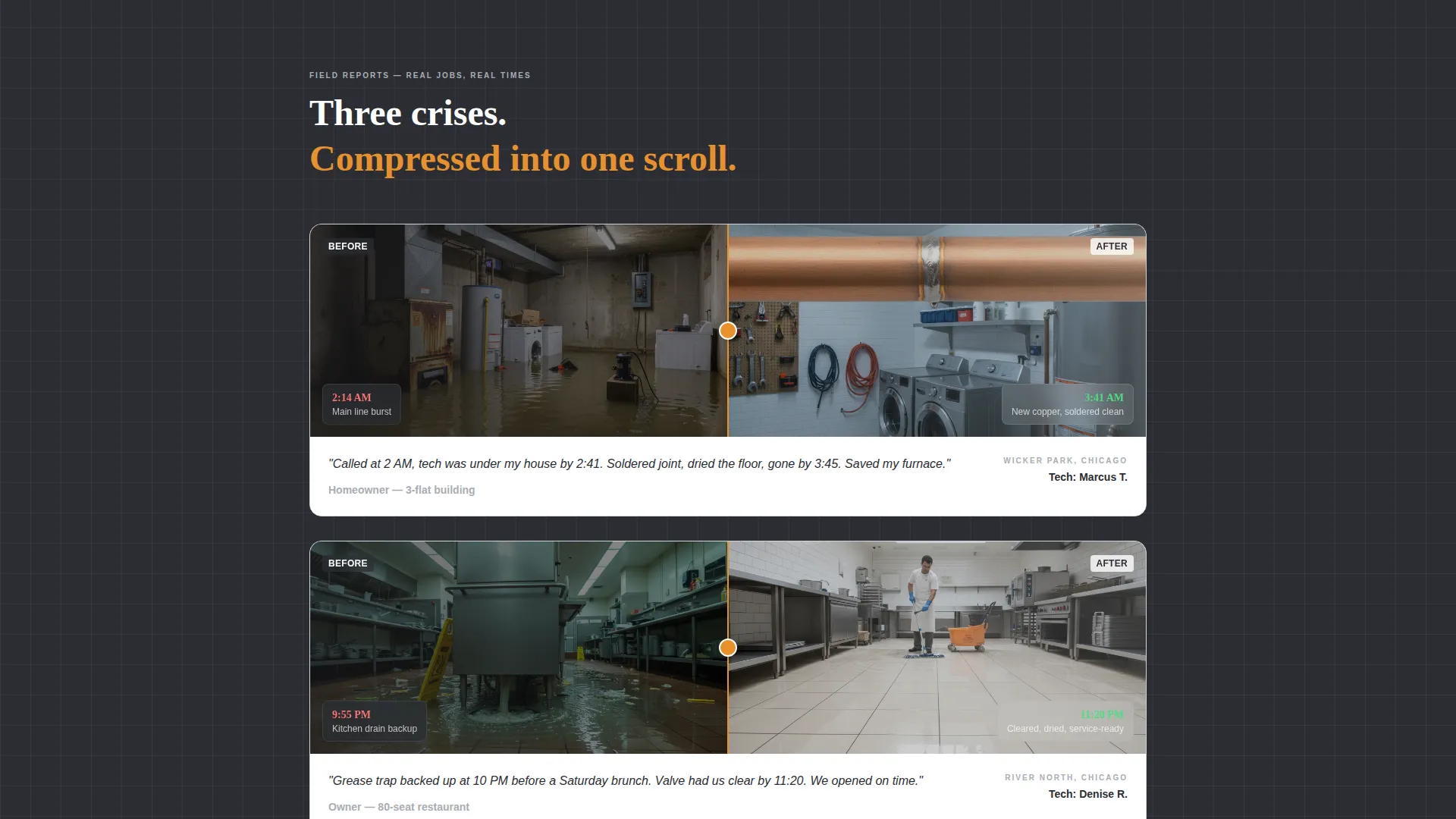
- Four before-and-after case study placements, a blueprint-schematic van inventory visual, and a live-styled response time counter
Feature list
This section covers the core built-in components that make Valve work as a direct-sales emergency plumber landing page.
Before-and-After Header Case Study
The header opens with a full-width split image: a flooded utility room on the left and the same room bone dry on the right. A timestamp overlay reading "11:47 PM to 1:23 AM" anchors the turnaround. The headline "We answer. We arrive. It stops." fades in below, setting the page's entire tone in one frame.
Live-Styled Arrival Counter
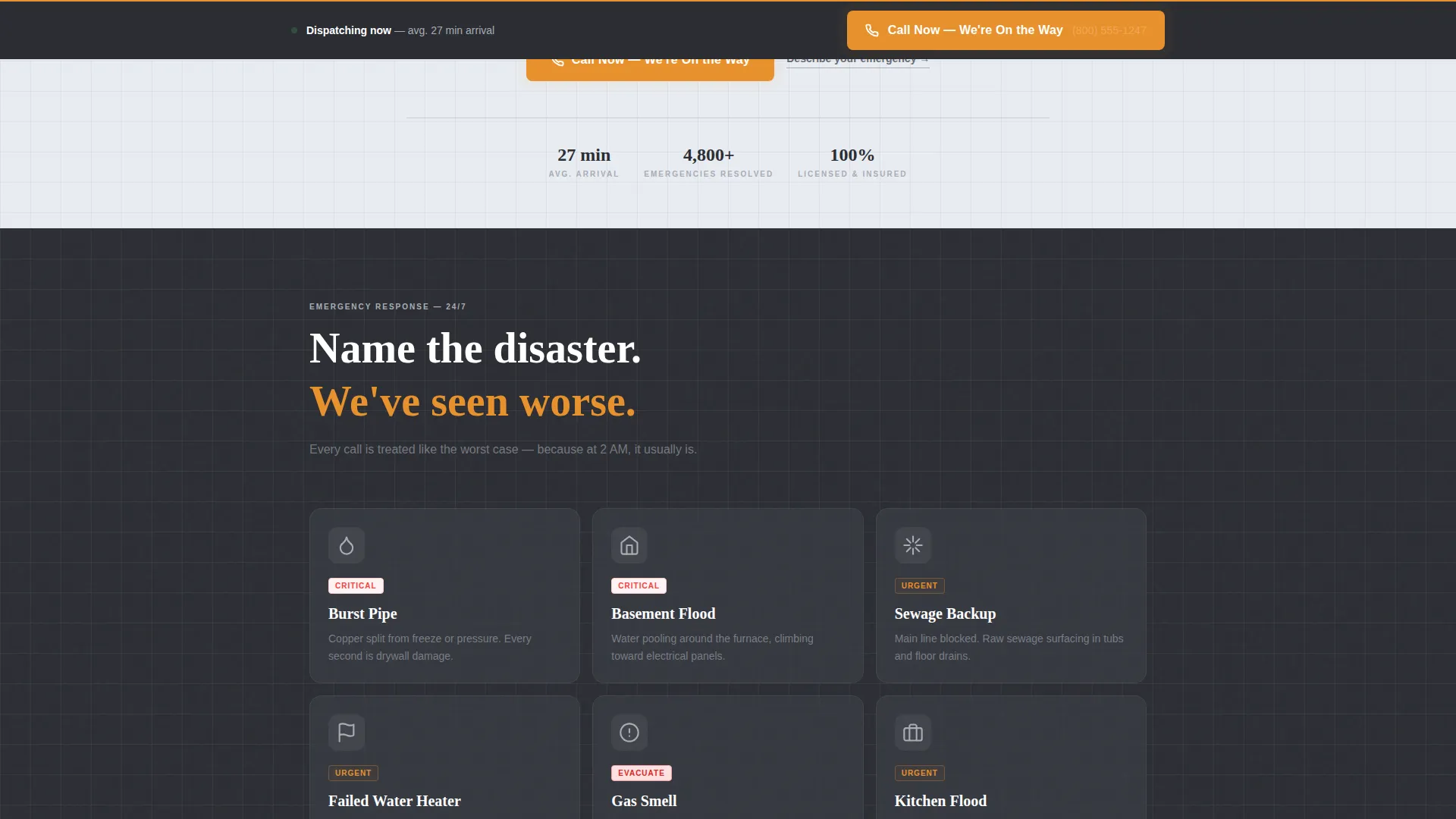
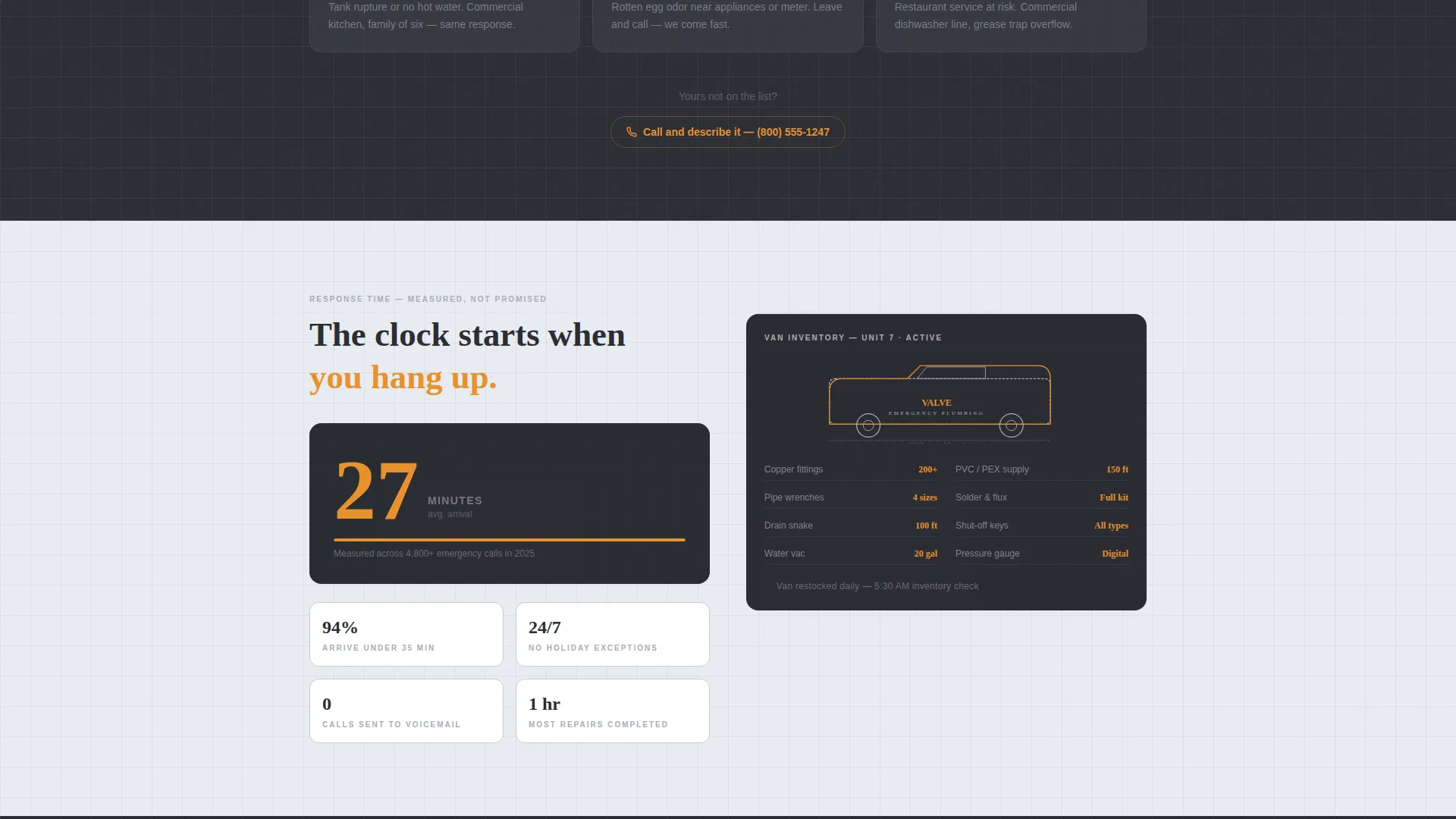
A bold display shows the average arrival time as 27 minutes, styled to resemble a live counter. This single number communicates urgency and capability more directly than any paragraph of service copy could.
Blueprint Schematic Van Inventory
The tool-loaded service van is rendered as a blueprint-style schematic diagram, listing the equipment carried on every call. This visual reinforces technical preparedness without relying on written claims alone.
Problem-to-Solution Scroll Arc
Each scroll section escalates a specific emergency, naming burst pipes, sewage backup, failed water heaters, and gas leaks plainly, then resolves it with a matching before-and-after case study. The arc keeps tension high and competence visible all the way to the bottom of the page.
Sticky Tap-to-Call Bottom Bar
A persistent bar anchored at the bottom of the screen carries the primary call-to-action button "Call Now, We're On the Way" with a tap-to-call phone number. The amber button pulses to draw the eye. This bar stays visible throughout the entire scroll.
Friction-Free Emergency Contact Form
An inline secondary form labeled "Describe Your Emergency" asks for only three fields: address, problem type via dropdown, and phone number. The dropdown options cover the most common emergencies: leak, flood, no hot water, gas smell, and other.
Page sections overview
| Section | Purpose |
|---|---|
| Split Header Image | Opens with before-and-after visual proof and timestamped turnaround |
| Fade-In Headline | Delivers the core promise immediately below the header image |
| Emergency Types List | Names specific crises plainly to match what visitors are experiencing |
| Arrival Time Counter | Displays average 27-minute response as a live-styled urgency signal |
| Van Inventory Schematic | Shows equipment readiness through an Engineering Blueprint diagram |
| Case Study Scrolls | Compresses three additional crisis-to-resolution stories into single scroll blocks |
| Inline Contact Form | Collects address, problem type, and phone number with minimal friction |
| Sticky call to action Bar | Keeps the tap-to-call button visible at the bottom throughout the page |
Design & branding system
Valve uses an Engineering Blueprint theme that feels pulled from a plumbing manual. Every visual choice reinforces technical credibility and operational seriousness, not decorative appeal.
- Core palette: structural graphite (#2B2D33) for backgrounds, brushed pipe silver (#A8ADB5) for secondary elements, and blueprint wash (#E8ECF1) for lighter surface areas
- Amber accent (#E8912D) is reserved exclusively for call-to-action buttons and urgency indicators, keeping the signal color meaningful and unmissable
- The overall aesthetic is monochrome steel with technical linework, resembling a cross-section diagram from a trade manual rather than a consumer-facing website
Mobile & speed optimization
Emergency visitors are almost always on a mobile device, often in a stressful situation with one hand free. Valve's single-column layout is inherently suited to small screens, keeping the most critical information and actions within thumb reach at all times.
- The sticky bottom bar with the tap-to-call button is positioned for easy one-thumb access without scrolling
- The three-field emergency form avoids complex inputs, making it completable quickly on any mobile keyboard
- The single-column flow eliminates horizontal layout shifts, keeping every section readable without pinching or zooming
How this template helps you convert
Valve earns the click before it asks for it. The page follows a deliberate sequence: prove capability, name the problem, show the solution, then present the call-to-action when trust is already established.
- The before-and-after header and timestamp overlay establish credibility in the first two seconds, before the visitor has read a word of copy, reducing the instinct to bounce and look for a second opinion
- The problem-to-solution scroll arc mirrors the visitor's own emergency, making the service feel personally relevant by the time the inline form and sticky call bar come into view
Other information about this template
Valve is part of the Construction and Home category, specifically designed for the Emergency Plumber niche within Plumbing Service subcategory pages. It carries an Intersection Match Score of 13, indicating strong alignment between the template style, creative direction, and niche intent.
- Template style: Single Column Flow, optimized for direct-sales landing pages where a single conversion action drives the entire structure
- Creative direction: Problem to Solution Arc, a scroll-based narrative that escalates the viewer's sense of urgency before resolving it with competence and proof
- The header concept uses a Case Study Before and After approach, a format that communicates real outcomes rather than aspirational promises
Theme
Engineering Blueprint
Creative direction
Problem→Solution Arc
Color system
Monochrome Steel
Style
Single Column Flow
Direction
Direct Sales
Page Sections
Before-and-after Header Case Study
Live-styled Arrival Time Counter
Blueprint Schematic Van Inventory
Problem-to-solution Scroll Arc
Sticky Tap-to-call Bottom Bar
Friction-free Emergency Contact Form
Related questions
Who is this landing page template designed for?
Can I update the before-and-after images with my own project photos?
What emergencies does the contact form dropdown cover?
Is the sticky call-to-action bar always visible while scrolling?
Can I update the arrival time counter to match my actual response time?