Uptime - Proven Itservices Landing Page Template
Uptime is a dark-glass IT services testimonials landing page built for managed service providers who need to prove performance, not just promise it. Modular testimonial cards display hard client metrics, a live comparison tool lets visitors benchmark their current provider, and a sticky call-to-action bar drives immediate engagement. Every design choice reinforces operational credibility.
by Rocket studio
Quick summary
Uptime is a single-page testimonials landing page for IT services companies. It uses a modular card grid to present real client outcomes as technical data sheets, not marketing copy. A frosted-glass aesthetic, cyan metric highlights, and a live comparison tool make the page feel like a live monitoring dashboard where every status light is green.
Who this template is for
This template is built for IT services companies that win clients on proof, not promises. It works especially well for managed service providers whose buyers have been burned before and need hard numbers before they commit.
- Managed service providers pitching hospital IT directors or healthcare organizations where downtime is not tolerable
- IT consultancies serving logistics operators, mid-market finance teams, or infrastructure-heavy businesses
- Service teams that can back up claims with real uptime figures, resolution times, and migration benchmarks
What problem this template solves
Most IT services companies present testimonials as a wall of vague praise. Buyers who have already suffered through a failed vendor relationship are not moved by five-star quotes. They want evidence, and this template is structured to deliver it.
- Client stories are buried in generic text instead of being presented as quantifiable outcomes
- Visitors cannot easily compare their current provider's performance against what better service looks like
- There is no built-in mechanism to make a prospect's dissatisfaction concrete before asking for the next step
What you get with this template
You get a fully designed, single-page testimonials landing page ready to be customized with your own client data. The layout is modular, so each card section can be updated independently without restructuring the whole page.
- A six-panel Dark Glass header with parallax behavior and a de-frost reveal for full testimonials
- A modular card grid that formats each client story as a spec sheet with pull-quotes and hard performance metrics
- A sticky comparison bar at the bottom of the viewport with three inline input fields and a live side-by-side result card
Feature list
This section describes the key functional and visual components included in the template.
Dark Glass Panel Header
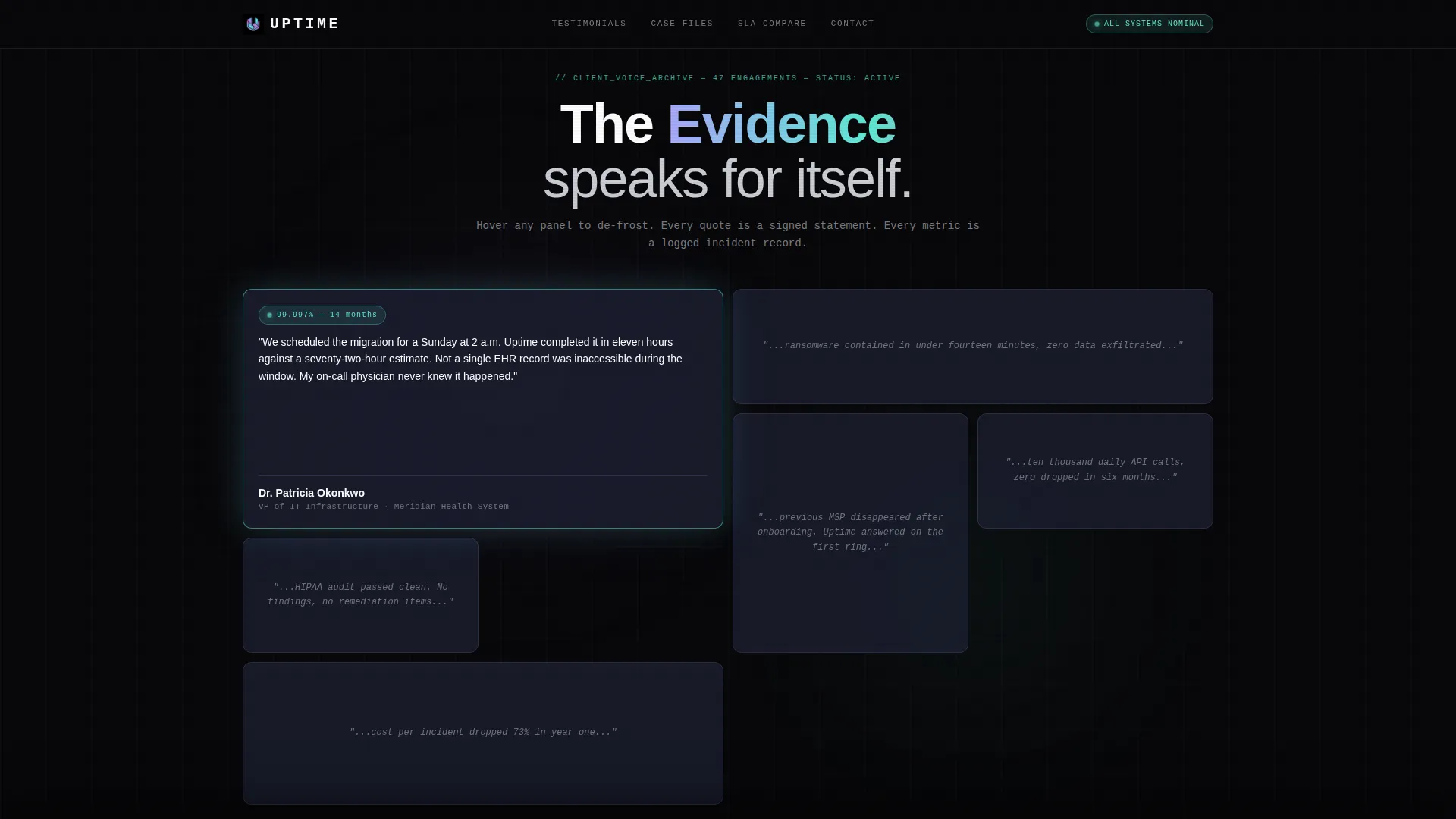
Six frosted-glass rectangular cards are arranged in a staggered mosaic layout. Cursor movement triggers parallax shifts across the panels. One card de-frosts on hover to reveal a complete testimonial, client name, title, and a pulsing green uptime badge.
Modular Spec Sheet Card Grid
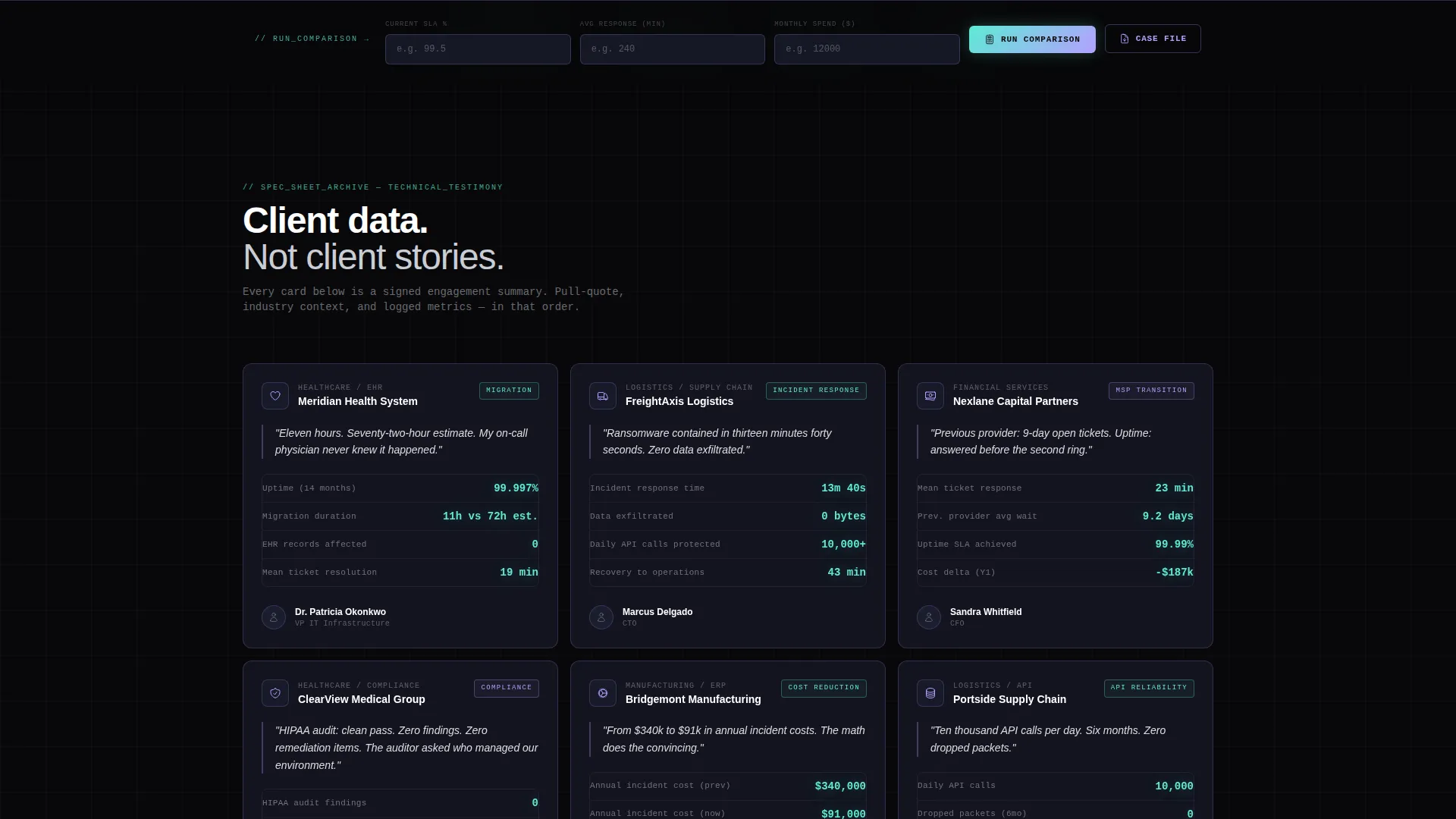
Each testimonial card is structured like a technical data sheet. It displays an industry icon, a pull-quote, and hard client metrics such as uptime percentages, migration durations, and mean ticket resolution times. Cards are modular and independent, making individual updates straightforward.
Before-and-After Comparison Columns
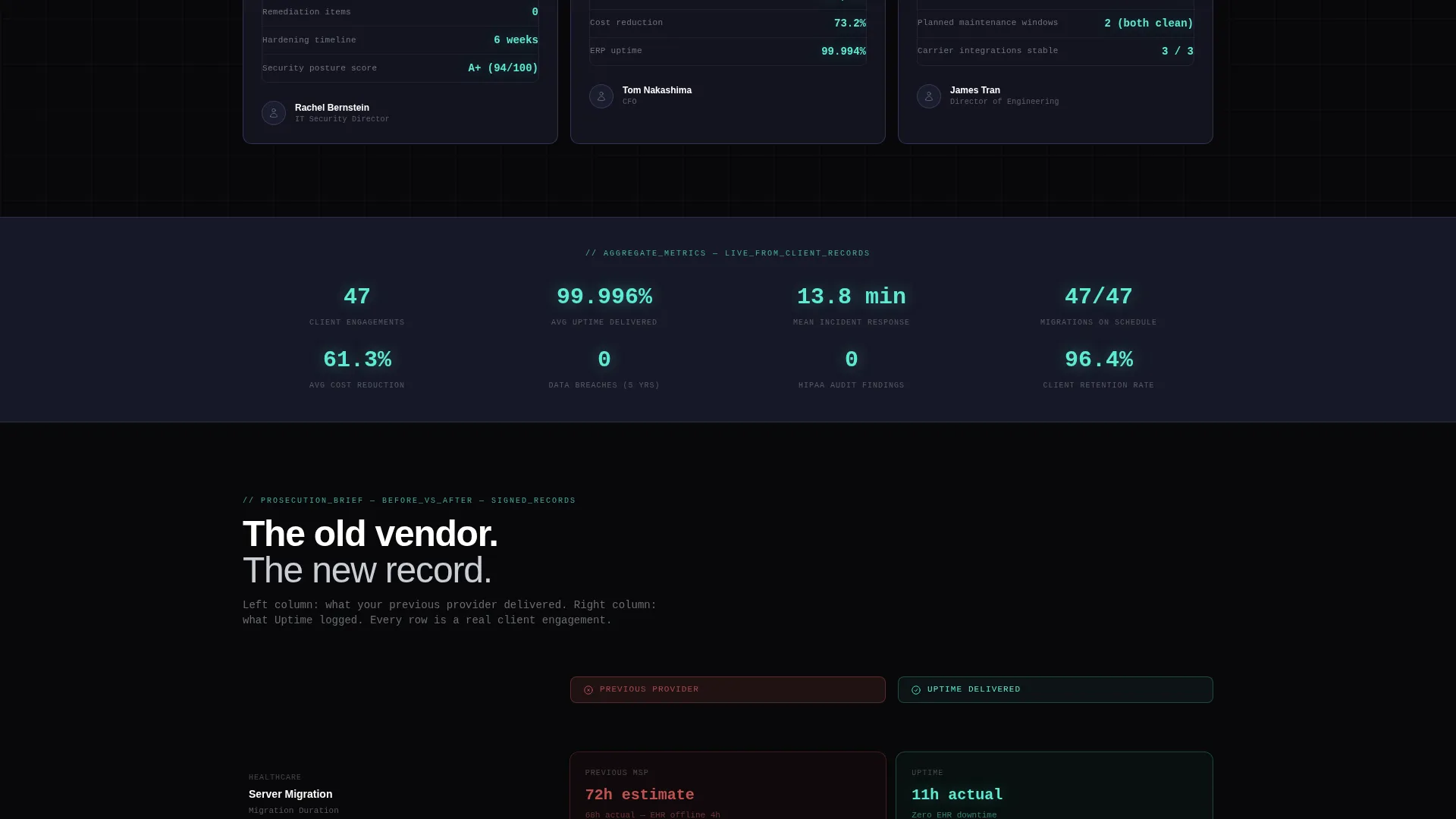
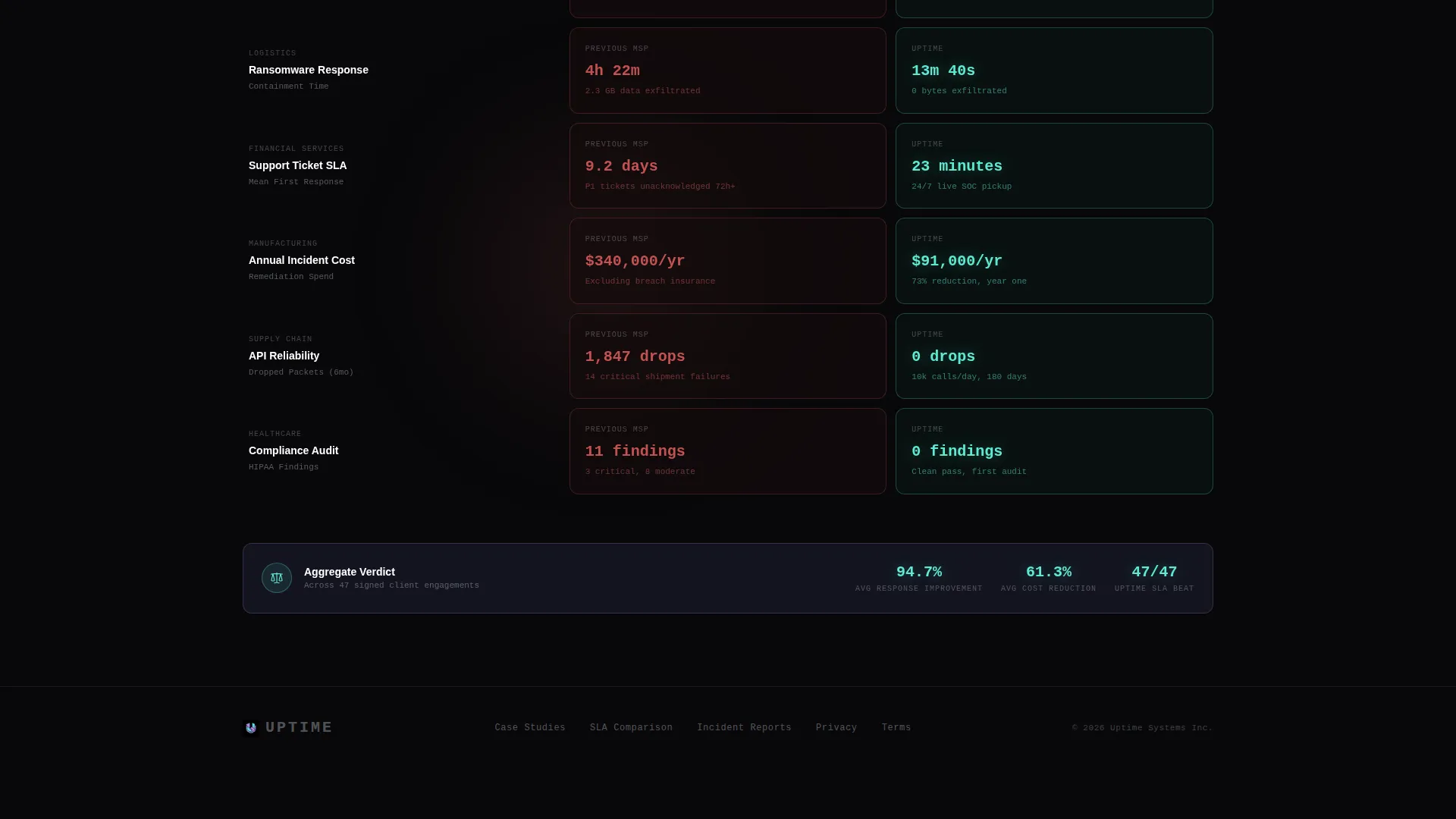
As visitors scroll deeper, the card grid reorganizes into two columns. Left-column cards display the client's previous provider metrics in a muted red tone. Right-column cards show post-engagement results in bright cyan, building a clear visual case for switching providers.
Live Comparison Tool
A sticky glass bar anchored to the bottom of the viewport contains three inline input fields: current provider SLA percentage, average response time, and monthly spend. On submission, the page generates a live side-by-side card comparing visitor-entered numbers against aggregated client outcomes.
Gated Case File Download
A secondary call-to-action offers a downloadable PDF case file. Access is gated behind a simple email field. The gate is positioned after the comparison section, so visitors have already quantified their own dissatisfaction before they are asked for anything.
Page sections overview
| Section | Purpose |
|---|---|
| Dark Glass Header | Opens with six parallax frosted-glass panels holding client quote fragments |
| Testimonial Card Grid | Displays client stories as spec-sheet cards with hard performance metrics |
| Comparison Column Grid | Reorganizes cards into before-and-after columns using color to show contrast |
| Sticky Comparison Bar | Anchors a live benchmarking tool to the viewport bottom for ongoing access |
| Gated PDF Download | Captures email addresses in exchange for a full downloadable case file |
Design & branding system
The visual identity follows a Tech Glass theme driven by an AI Iridescent color palette. The overall feeling is a tinted server rack door: dark, reflective, with faint prismatic light catching on surfaces.
- Core palette: void black (#08080A) backgrounds, frosted glass panels (#1A1D2E at 60% opacity), iridescent lilac (#B4A0FF) and shifting cyan (#5EEAD4) for borders and data highlights, with hot signal pink (#FF3CAC) reserved for hover states and comparison highlights only
- Typography: pure white headlines, cool gray (#C9CDD4) body text, and cyan data figures that read like terminal readouts
- Card borders are 1px luminous lines that shift between lilac and cyan depending on scroll position, reinforcing the sense of a live interface
Mobile & speed optimization
The modular card grid is structured to reflow cleanly at smaller viewport widths. Each card is self-contained, so the layout adapts without breaking the visual hierarchy of metrics and pull-quotes.
- The sticky comparison bar resizes to remain accessible and usable on mobile screens
- The parallax header scales its panel arrangement to avoid overlap or cropping on narrower displays
How this template helps you convert
The page is designed around a specific conversion logic: make the visitor's current situation feel measurable and unsatisfying before presenting an alternative. Every section feeds that flow.
- The spec sheet card grid builds credibility by presenting real client outcomes in the language of technical buyers, using figures rather than adjectives, which shortens the trust-building process for skeptical prospects
- The live comparison tool turns passive reading into active participation, and because visitors enter their own data, the resulting side-by-side card feels personally relevant rather than generic
- The gated case file download appears only after the comparison result, so the email ask feels like a natural next step rather than an interruption
Other information about this template
This template is specifically designed for the IT services company testimonials page use case. It sits within the broader IT services company website templates category under the Technology segment.
- The template style is a Card Grid (Modular) layout, which means sections can be rearranged or expanded as your client roster grows
- The Spec Sheet creative direction is intentional: it targets technical decision-makers such as IT directors, CTOs, and CFOs who evaluate vendors the way they evaluate hardware, with specifications and benchmarks
- The Comparison/Versus landing page direction makes this template well suited for competitive positioning, particularly when your audience has recently left a previous managed services provider
- The header concept, color system, and card behavior are all defined in the design files and do not require custom code to implement
Theme
Tech Glass
Creative direction
Spec Sheet
Color system
AI Iridescent
Style
Card Grid (Modular)
Direction
Comparison/Versus
Page Sections
Dark Glass Panel Header
Modular Spec Sheet Card Grid
Before-and-after Comparison Columns
Sticky Live Comparison Bar
Gated Case File Download
Related questions
Can I replace the placeholder metrics with my own client data?
Does the live comparison tool require a developer to set up?
Is this template suitable if my client list is small?
Who is the intended visitor for this landing page?
Can this template work for service categories outside IT infrastructure?



