Uptime - Powerful SRE Landing Page Template
Uptime is a single-page landing page template built for site reliability engineering newsletters and communities. It opens with animating metric counters, flows into a comparison table showing what engineers learn here versus what they learn the hard way, and closes with a sticky subscription call to action. The design uses a dark iridescent palette that feels like a live monitoring dashboard.
by Rocket studio
Quick summary
Uptime is a comparison table landing page template designed for a site reliability engineering newsletter. It leads with animated stats, builds trust through structured proof, and drives visitors toward a subscription. The color system mirrors a Grafana-style dark dashboard, and every section is built to move on-call engineers from skeptical to subscribed.
Who this template is for
This template is built for technical publishing teams and independent engineers who want to grow a reliability-focused newsletter audience. It speaks directly to people who live in terminals and dashboards, not marketing decks.
- On-call site reliability engineers at growth-stage startups running container orchestration workloads
- Platform engineers at enterprises navigating large-scale infrastructure migrations
- Engineering managers building service level objective cultures who need credible, data-backed content
What problem this template solves
Reliability teams keep hitting the same failure modes because hard-won knowledge never escapes the postmortem document. A newsletter landing page needs to make the value of that knowledge immediately obvious to a skeptical technical audience.
- Generic newsletter templates feel too polished and too vague for an engineer audience that trusts data over copy
- There is no structured way to show the cost of learning reliability patterns in production versus learning them here
- Visitors need a low-friction path to subscribe without handing over trust before they have seen the content
What you get with this template
You get a focused, single-page layout that quantifies credibility before the visitor reads a full paragraph. Every section is designed to reduce hesitation and accelerate the decision to subscribe.
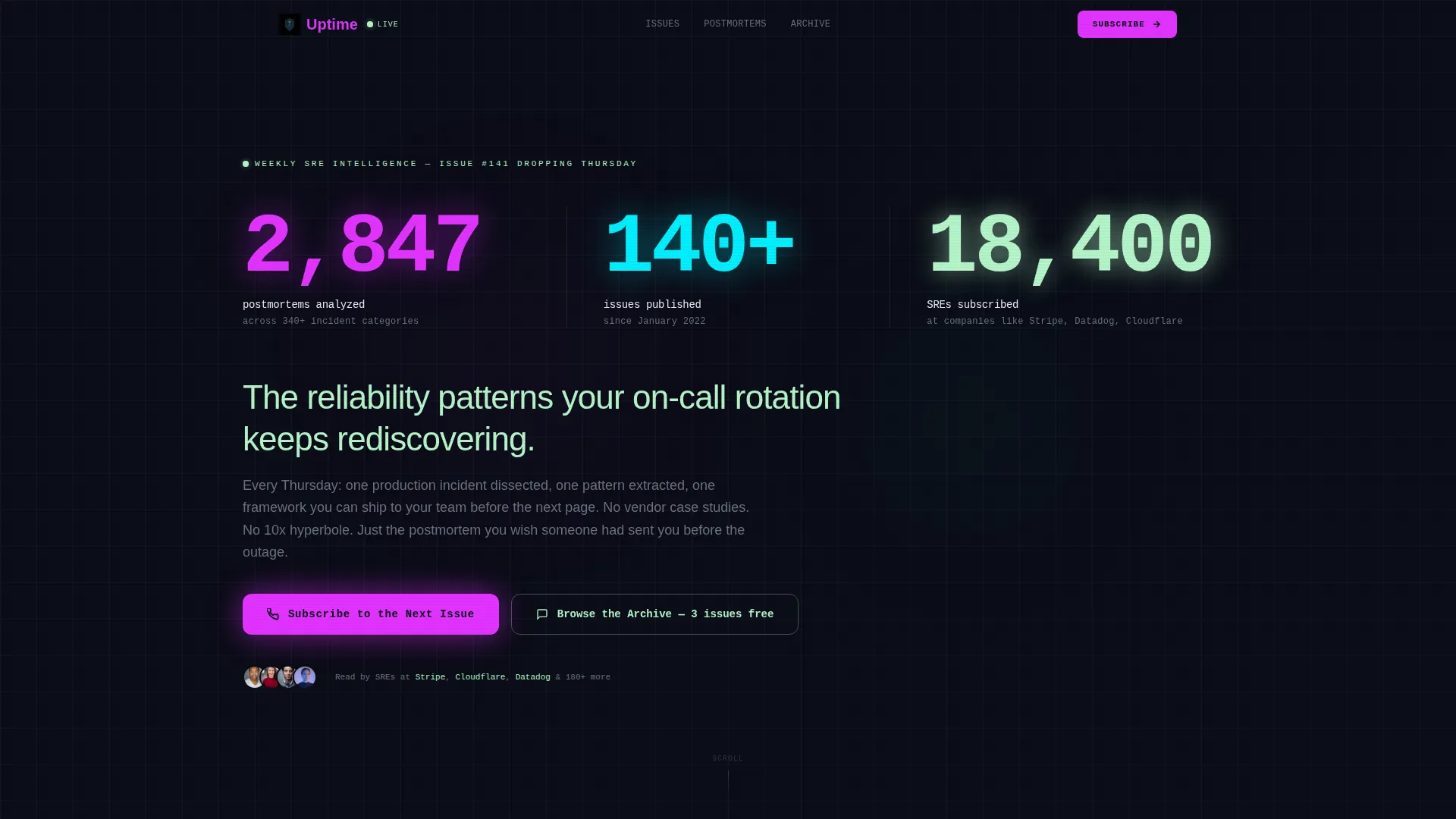
- An animated stats wall with three live-style counters establishing authority on load
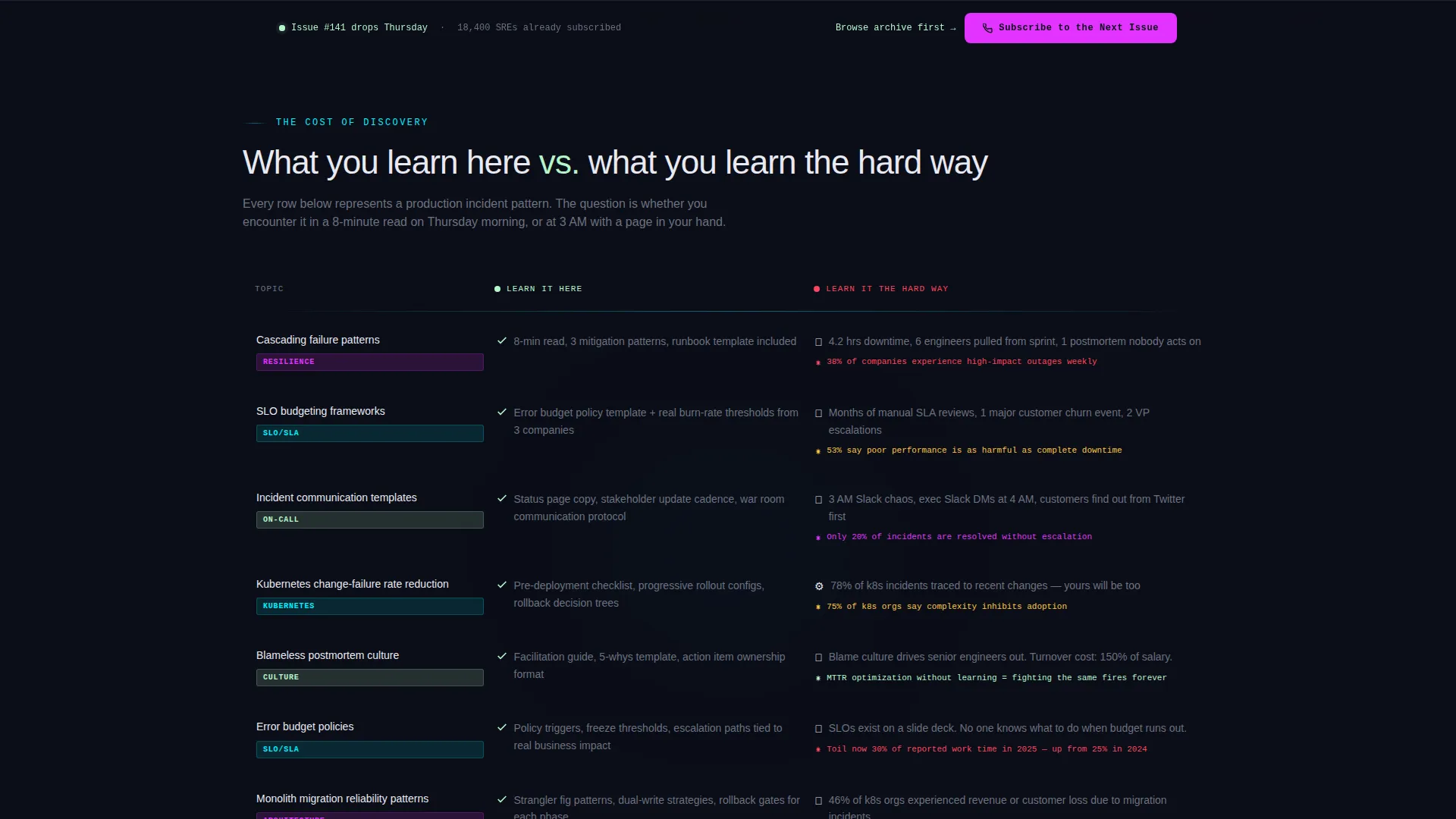
- A structured comparison table contrasting newsletter knowledge against the cost of learning the hard way in production
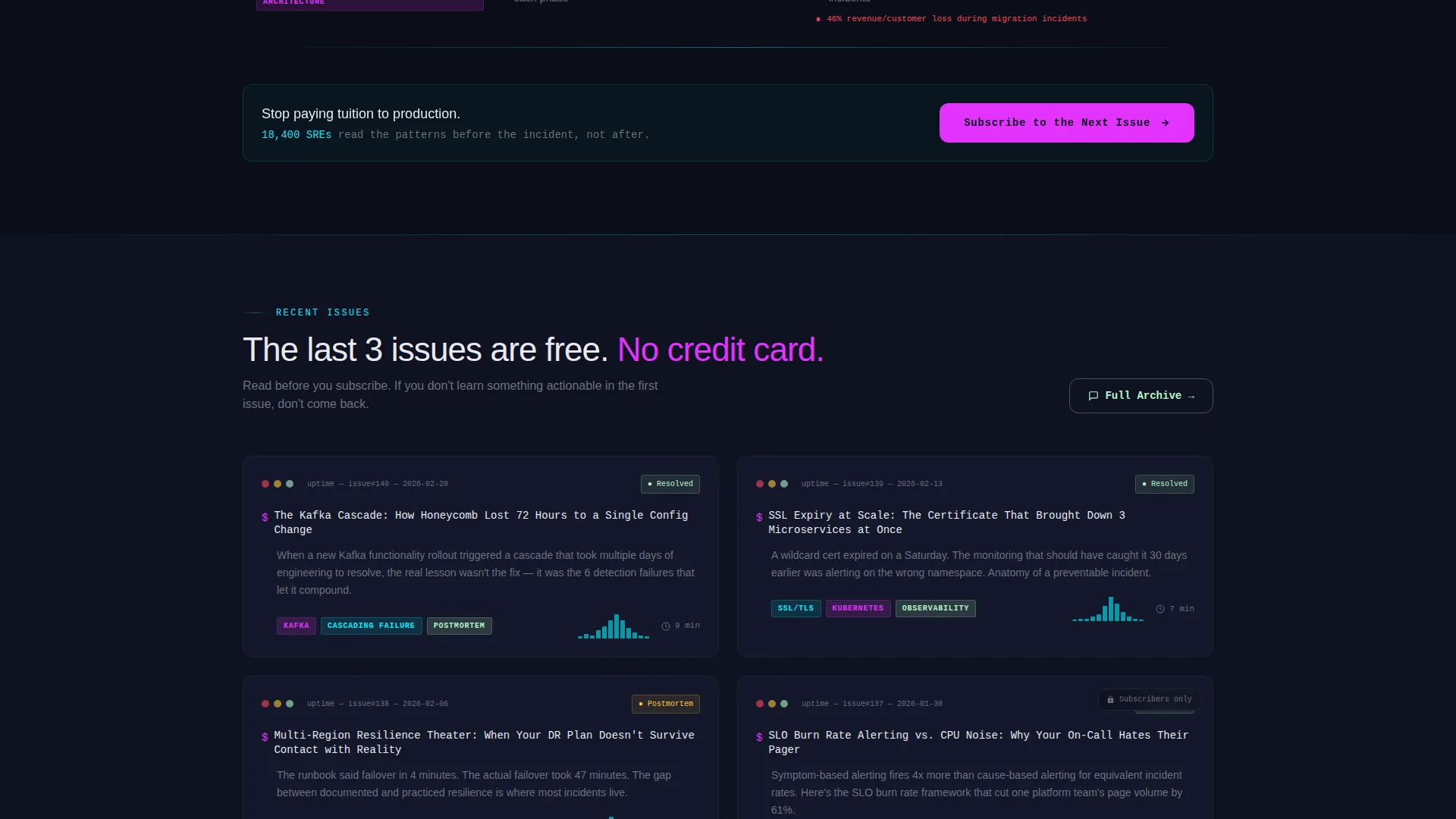
- Terminal-styled recent issue cards with subject lines, read-time badges, and topic tags
- A primary call to action in magenta and a sticky bottom subscription bar after the comparison table
- A secondary archive path that lets skeptics read past issues before committing
Feature list
This section covers the core built-in components and design behaviors that make this landing page work for a technical newsletter audience.
Animated Stats Counter Wall
Three large monospaced counters animate upward on page load, displaying metrics such as postmortems analyzed, issues published, and subscribers. The numbers render at display scale and tick like live Prometheus counters, establishing authority before any marketing copy appears.
Comparison Table Component
A structured side-by-side table contrasts what readers learn from the newsletter against the real cost of discovering those patterns in production. Each row includes a micro-stat drawn from incident data, making the value tangible and specific rather than abstract.
Terminal-Styled Issue Cards
Recent issues are displayed as terminal-inspired cards. Each card shows a subject line, a read-time badge, and topic tags, giving visitors a concrete preview of the content quality and format they can expect.
Sticky Subscription Bar
After the comparison table, a sticky bottom bar persists as the visitor continues scrolling. It carries the primary call to action and routes the click to a dedicated single-field email capture page, keeping the on-page experience clean.
Two-Path Conversion Flow
The template supports two distinct visitor journeys. Ready subscribers click the primary magenta call to action beneath the header counters. Skeptical visitors follow the secondary "Browse the Archive" path to read unlocked past issues before making a decision.
Dark Iridescent Visual System
The color palette uses void black for backgrounds, incident-alert magenta for interactive elements, cyan for data highlights and dividers, and phosphor green for tags and passive text. The result is a layout that reads like a live monitoring dashboard, not a typical newsletter page.
Page sections overview
| Section | Purpose |
|---|---|
| Stats Counter Header | Animate key metrics to establish credibility immediately on load |
| Comparison Table | Show knowledge cost difference between newsletter learning and production incidents |
| Issue Preview Cards | Display recent issues in terminal-styled cards with tags and read-time badges |
| Primary call to action Block | Drive clicks to the dedicated subscription signup page |
| Sticky Subscription Bar | Persist the subscribe prompt as visitors scroll past the comparison table |
| Archive Browse Path | Give skeptical visitors a low-friction way to sample past issues |
Design & branding system
The visual identity follows a Directory and Discovery theme executed through an AI Iridescent color system. Every color choice carries functional meaning, the way signal colors work on a real monitoring dashboard.
- Void black (#0B0D17) dominates all backgrounds and card surfaces, creating a deep terminal feel
- Incident-alert magenta (#E233FF) marks primary calls to action, hover states, and interactive elements
- Service level indicator cyan (#00F0FF) highlights data points, sparklines, and section dividers
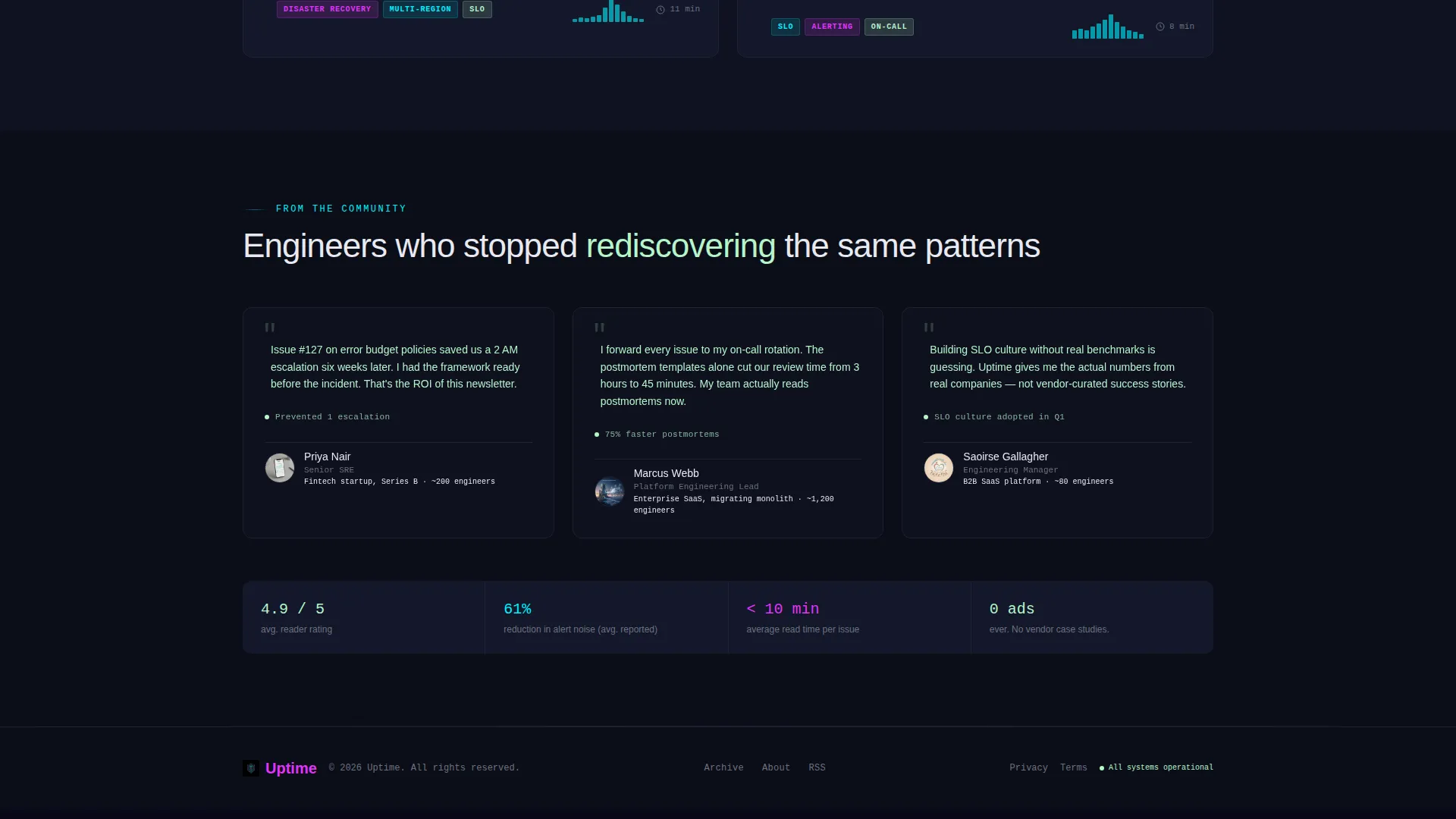
- Muted terminal phosphor (#B4F5C9) appears in testimonials, topic tags, and passive informational text to signal healthy, stable content
Mobile & speed optimization
The template is structured to stay readable and functional across screen sizes without relying on heavy assets. The Stats-First creative direction avoids hero images entirely, so the visual weight comes from typography and color rather than media files.
- Monospaced display type scales cleanly from desktop counters to mobile headline sizes
- Card-based issue previews reflow naturally into a single-column layout on smaller screens
- The sticky subscription bar is designed to remain accessible and unobtrusive at mobile viewport heights
How this template helps you convert
The layout is built around a single conversion goal: getting a technically skeptical visitor to click through to a subscription signup. Every section is sequenced to reduce doubt and raise confidence.
- The animated counter wall delivers immediate social proof through numbers, so the visitor trusts the newsletter's reach before reading a single line of copy.
- The comparison table makes the cost of not subscribing concrete, turning abstract reliability knowledge into rows of quantified production pain.
- The two-path flow serves both ready subscribers and cautious readers, so neither group hits a dead end or a high-friction form.
Other information about this template
This template fits naturally into the broader ecosystem of technical content publishing, where trust is earned through specificity rather than style. A few additional details are worth knowing before you use it.
- The template is built as a single landing page, not a multi-page site, keeping the visitor's focus on one conversion action
- The comparison table rows are fully editable, so you can swap in your own incident data, topic labels, and micro-stats
- The "Subscribe to the Next Issue" call to action text and the "Browse the Archive" secondary link are both placeholder labels ready for your own URL destinations
- The phosphor green color used for tags and testimonials is intentionally restrained, signaling stable and trustworthy information without competing with the magenta calls to action
- This template suits any technically focused newsletter or community in the reliability, infrastructure, or platform engineering space
Theme
Directory & Discovery
Creative direction
Stats-First Impact
Color system
AI Iridescent
Style
Comparison Table
Direction
Click-Through
Page Sections
Animated Stats Counter Wall
Comparison Table Component
Terminal-styled Issue Cards
Two-path Conversion Flow
Sticky Subscription Bar
Dark Iridescent Visual System
Related questions
Does this template include an email signup form on the page?
Can I edit the comparison table rows with my own topics and stats?
Do I need design experience to customize the color system?
What is the purpose of the secondary archive browse path?
Is this template suitable for newsletters outside site reliability engineering?



