Soft Skills Training Landing page Template
The Upskill soft skills training landing page is built for teams that need better conversations, not another offsite. It guides visitors through a Problem-to-Solution arc, a behavior comparison table across six skill areas, and a low-friction quiz that surfaces personalized skill-gap results. The design is warm and editorial, mobile-first, and built to convert managers and HR leaders into engaged learners.
by Rocket studio
Quick summary
This landing page template is designed for a soft skills training library targeting managers, HR directors, and small business owners. It follows a Problem-to-Solution arc, anchored by a behavior comparison table and a quiz that identifies specific skill gaps. The design feels grounded and human, built to earn trust before asking for an email.
Who this template is for
This template speaks directly to the people carrying the weight of team dynamics every day. It is built for leaders who were promoted for what they could build, not for how they managed people.
- Mid-level managers juggling five to fifty direct reports who struggle with feedback, conflict, and one-on-ones
- HR directors looking for a training solution that sticks past Monday after an expensive offsite
- Small business owners who sense a valued employee is about to walk out over something fixable
What problem this template solves
Most soft skills training content is abstract and forgettable. Managers close the tab and go back to avoiding the hard conversation. This template solves the problem of low engagement by making the pain feel real and personal before offering the solution.
- Visitors rarely act on training content that does not first name what they are already feeling
- Generic feature lists do not show the behavioral gap between where a team is and where it could be
- A quiz-first conversion path removes friction and delays the email gate until value is already delivered
What you get with this template
You get a single-page layout with six fully structured sections, each designed with a specific conversion role. The template is ready to customize with your training library content, brand colors, and quiz questions.
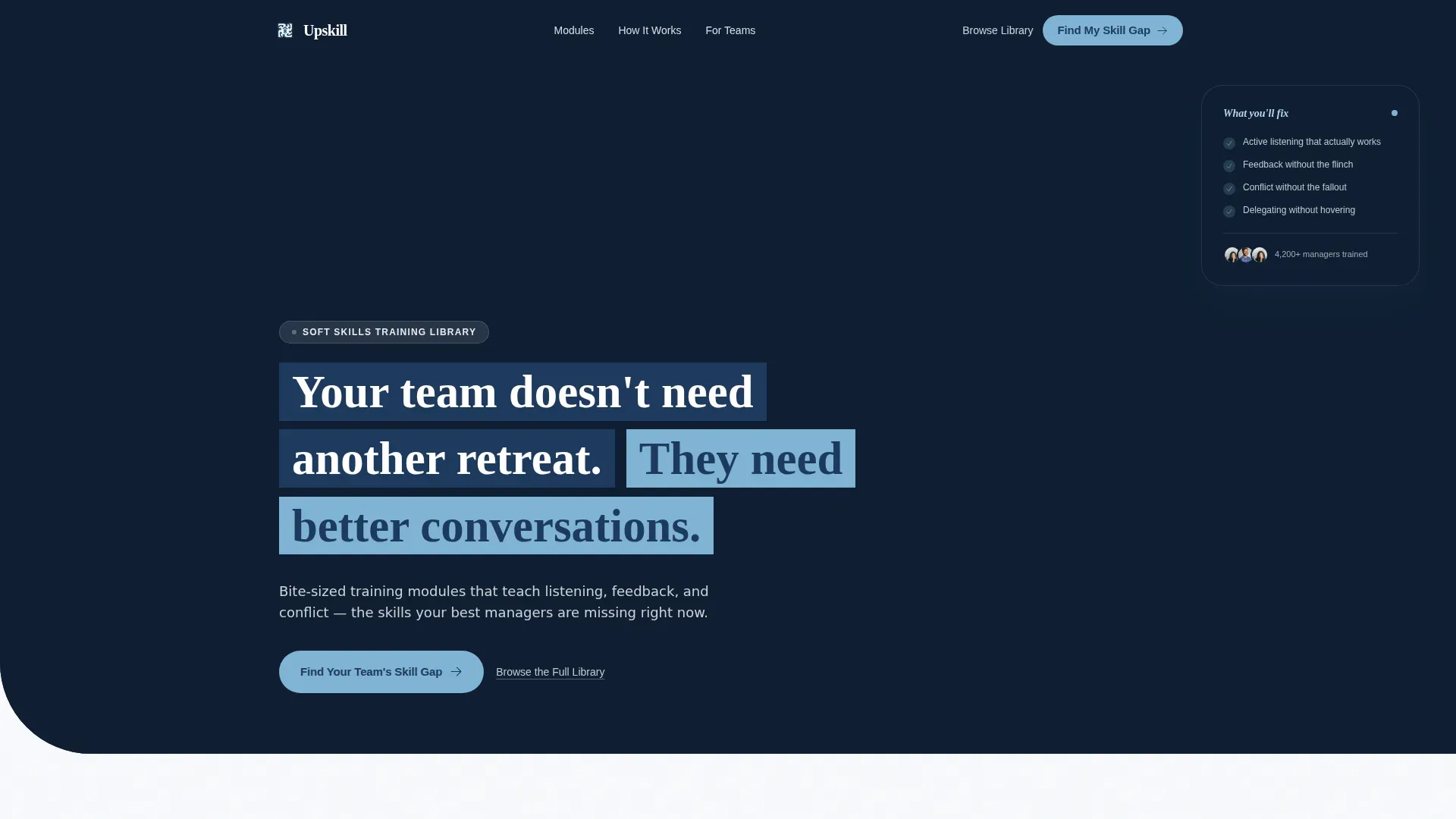
- A cinematic hero section with a candid team photo, a headline that fades in over the lower third, and a floating highlight card
- A Pain Arc section written in second person, a six-row comparison table, a quiz call-to-action section, and a social proof section with testimonials and stat counters
- A sticky quiz call-to-action bar on mobile and a secondary browse path for visitors who already know what they need
Feature list
This template ships with six purposeful sections and interactive components designed around the specific needs of soft skills training buyers.
Second-Person Pain Arc Section
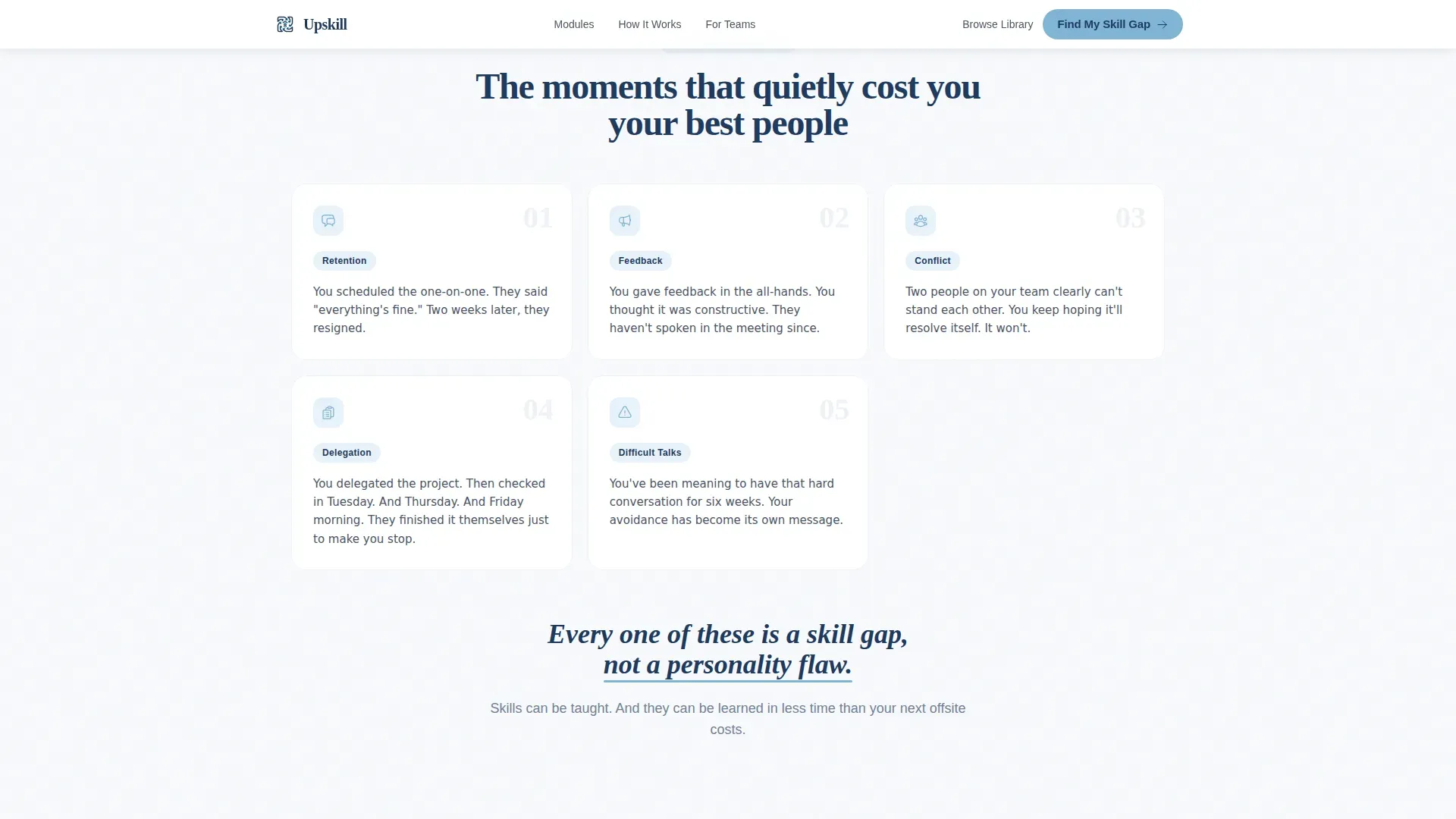
This section opens the scroll with familiar, cringeable workplace scenarios written directly to the visitor. Each scenario lands like a gut-punch before the page pivots with a single line that reframes every example as a skill gap, not a personality flaw.
Behavior Comparison Table
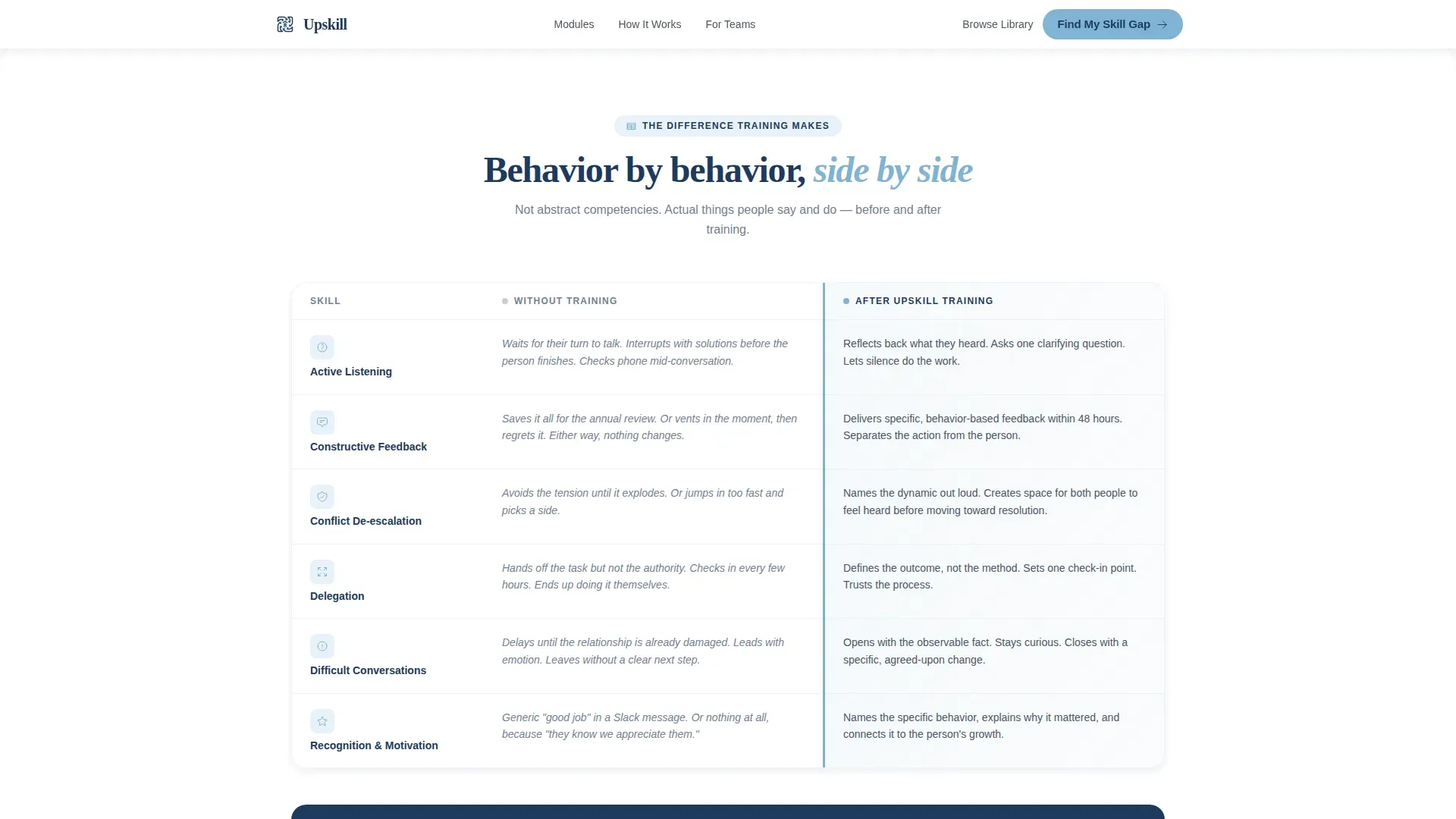
Six soft skill rows are laid out side by side: untrained behavior versus trained behavior. Skills covered include active listening, constructive feedback, conflict de-escalation, and delegation without micromanaging. Each row is specific and behavioral, never abstract.
Eight-Question Quiz Modal
The primary conversion tool opens with one low-friction question about team size, then moves through eight scenario-based questions. No email is required until the results page, where a personalized skill-gap report is gated behind name, work email, and company size.
Sticky Mobile Quiz Bar
On mobile, the "Find Your Team's Skill Gap" call-to-action persists as a sticky bottom bar throughout the scroll. This keeps the primary conversion action visible without interrupting the reading experience.
Social Proof Section
Testimonials are paired with role and company context alongside stat counters for teams trained, modules completed, and retention improvement figures. This section supports trust for all three audience types: managers, HR leaders, and business owners.
Secondary Browse Path
A "Browse the Full Library" text link sits alongside the primary quiz call-to-action. It serves visitors who already know their skill gap and want to move directly into the training catalog without completing the assessment.
Page sections overview
| Section | Purpose |
|---|---|
| Hero with Photo | Cinematic team image, fading headline, floating highlight card |
| Pain Arc Scenarios | Second-person cringe moments that name unspoken frustrations |
| Skill Pivot Line | Single-sentence reframe from personality flaw to skill gap |
| Comparison Table | Untrained versus trained behavior across six skill rows |
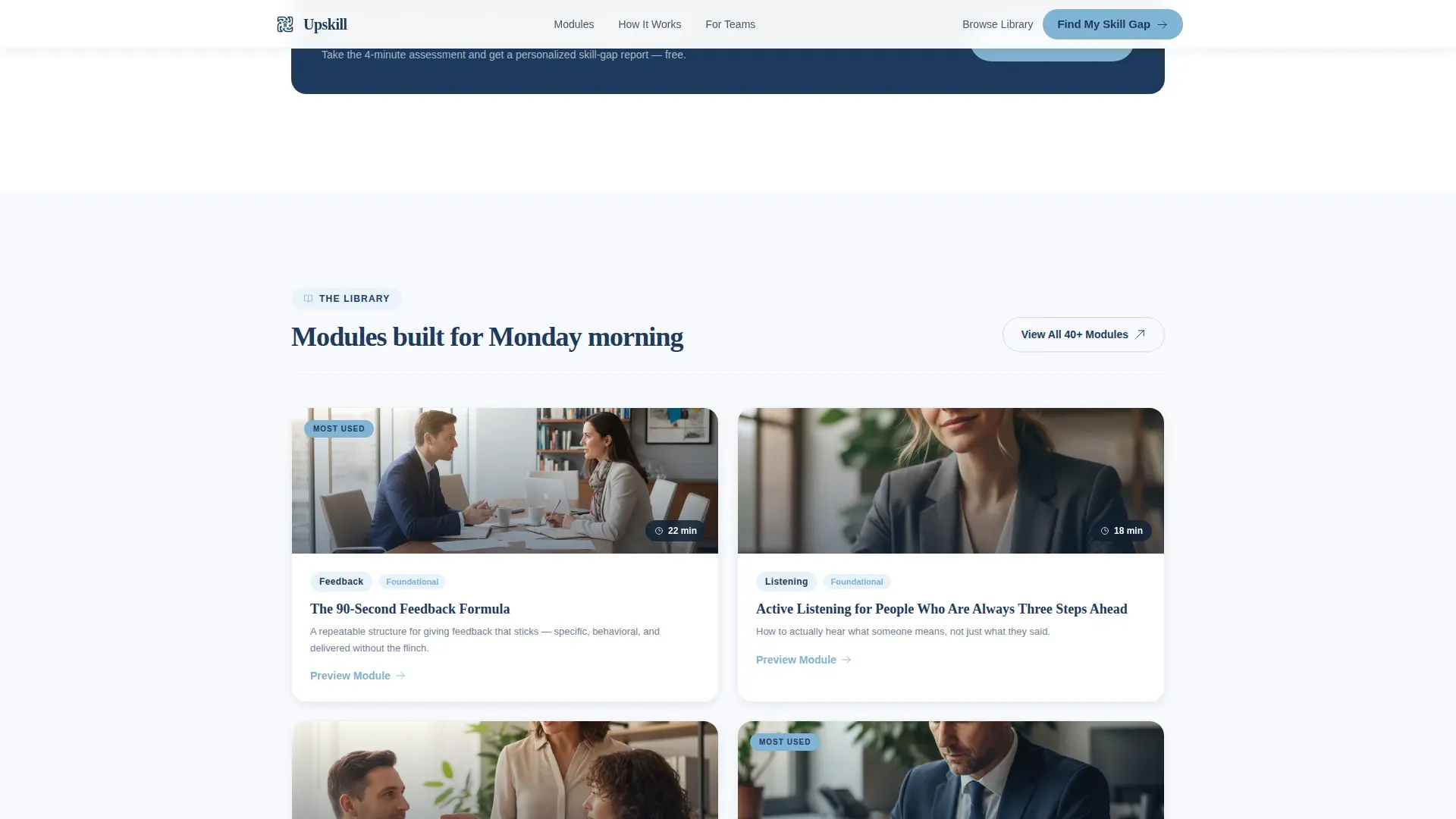
| Quiz Call to Action | Primary conversion prompt with eight-question assessment modal |
| Social Proof | Testimonials, stat counters, retention and training figures |
| Footer | Single-row linear footer with secondary navigation links |
Design & branding system
The visual identity follows a Family First theme built around a Slate and Sky color system. The palette feels like a clear morning through a kitchen window: steady, unhurried, and approachable.
- Deep Dusk Navy (#1E3A5F) anchors headers and key focal points; Chalk White (#F7F9FC) keeps backgrounds open and uncluttered; Sky Blue (#7FB3D3) highlights buttons, comparison table rows, and interactive accents
- DM Sans handles body text and interface elements for clean readability; Fraunces provides serif warmth for display headlines, giving the page an editorial, human feel
- The hero image is a candid team photo shot at shoulder height with warm, slightly overexposed window light to make the viewer feel like they just walked into the room
Mobile & speed optimization
The template is built mobile-first, with every interaction designed for the smaller screen before scaling up to desktop. The quiz flow and comparison table are both optimized for touch and vertical scroll.
- The sticky quiz call-to-action bar on mobile ensures the primary conversion action is always one tap away without obscuring content
- The hero image is optimized for fast initial load, and the quiz state is managed in React with smooth modal transitions and a visible progress bar
How this template helps you convert
The conversion architecture is built around reducing friction early and delivering perceived value before asking for anything in return.
- The Pain Arc earns emotional trust by naming real frustrations in plain language, making the visitor feel understood before the training library is ever mentioned.
- The comparison table moves the visitor from recognition to motivation by showing, row by row, exactly what a trained team looks like compared to where they are today.
- The quiz delays the email gate until after eight scenario questions, so the personalized skill-gap report feels earned rather than extracted.
Other information about this template
This template is built for the intersection of HR and hiring, learning and development platforms, and soft skills training. It is a strong fit for EdTech products and B2B SaaS teams selling into small and mid-sized businesses as well as enterprise HR departments.
- The template supports English language content, US date format, and USD pricing context out of the box
- Scroll reveal animations, staggered entrance effects, and comparison table row highlights add interactivity at a medium intensity that keeps the page lively without distracting from the message
- The design system and component structure make it straightforward to adapt module titles, quiz scenarios, testimonial copy, and stat counter figures to match your specific training library
Theme
Family First
Creative direction
Problem→Solution Arc
Color system
Slate & Sky
Style
Comparison Table
Direction
Quiz/Assessment
Page Sections
Second-person Pain Arc Storytelling
Six-row Behavior Comparison Table
Eight-question Assessment Modal
Sticky Mobile Call-to-action Bar
Social Proof with Stat Counters
Secondary Library Browse Path
Related questions
Can I replace the quiz questions with my own scenario content?
Do visitors have to give their email before taking the quiz?
Is this template suitable for HR directors and small business owners, not just managers?
How does the comparison table work?
What is the secondary browse path for?



