Upskill - Adaptive Hospitality Training Landing Page Template
Upskill is a scroll-reveal landing page template built for hospitality training platforms. It opens with a live cost-savings calculator, then walks visitors through a Problem-to-Solution arc that quantifies the real cost of untrained staff before showcasing adaptive micro-module training. The dark Data Command visual theme, cyan interactive highlights, and side-by-side comparison panels make the value case fast and compelling.
by Rocket studio
Quick summary
Upskill is a single-page, scroll-reveal landing page template designed for hospitality training platforms. It leads with an interactive ROI calculator, then builds a persuasive Problem-to-Solution arc across progressive sections. The Data Command visual theme uses deep blacks, liquid chrome, spectral violet, and shifting cyan to give the page the focused authority of a live operations dashboard.
Who this template is for
This template is built for teams who need to sell or promote adaptive hospitality training to property operators. It speaks directly to the buyers who feel the daily cost of high staff turnover and inconsistent service standards.
- Regional hotel general managers handling 40% or higher annual staff turnover
- Food and beverage directors onboarding large groups of seasonal hires on a tight schedule
- Learning and development leads at boutique hotel chains who need consistent standards across multiple properties
What problem this template solves
Hospitality training programs often struggle to communicate their ROI before a prospect loses interest. Generic landing pages show features without proving urgency. This template solves that by leading with the visitor's own numbers and then building a documented case for change.
- Visitors leave before seeing the value because the cost of inaction is never quantified
- Side-by-side comparisons between modern training and legacy methods are missing from most promotional pages
- Long intake forms create friction and disqualify leads before the platform proves its worth
What you get with this template
You get a fully structured, scroll-reveal single-page layout that moves the visitor from awareness to conversion without requiring them to navigate away. Every section is purpose-built to advance the argument.
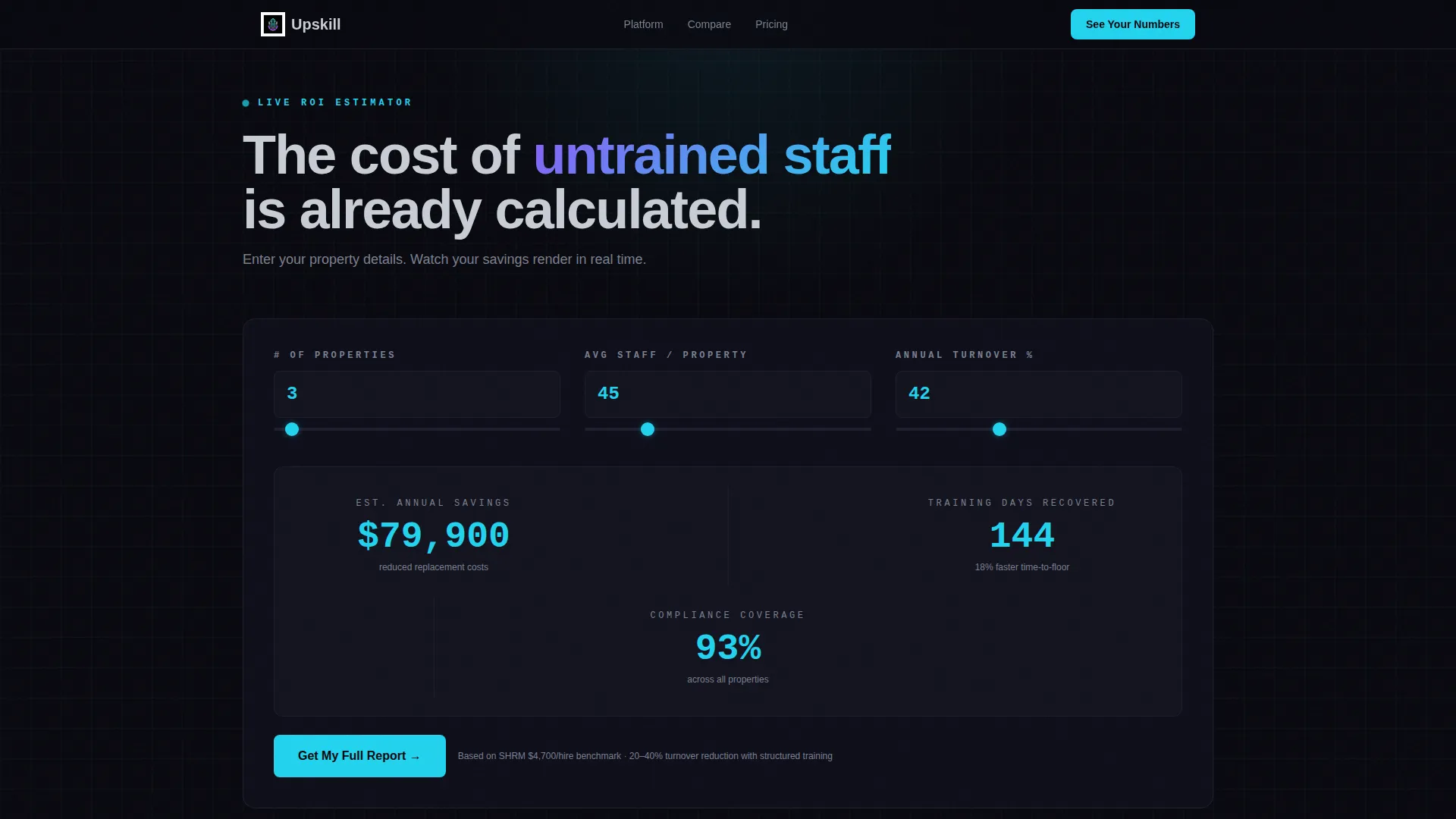
- A dark-paneled live calculator section where visitors input property count, staff size, and turnover rate to see animated cost and time savings
- A progressive Problem-to-Solution arc with stat-forward sections and side-by-side comparison panels contrasting legacy training with adaptive micro-modules
- A manager dashboard mockup section, a sticky secondary call to action, and a low-friction final form requesting only work email and property count
Feature list
This template delivers a structured set of design and layout capabilities grounded in the source brief.
Live ROI Calculator Header
The page opens with a dark-paneled calculator tool. Visitors enter their property count, average staff size, and current turnover percentage. Estimated onboarding cost savings, time-to-competency reduction, and compliance coverage scores animate into view in real time, with numbers rendered in shifting cyan like a live trading terminal.
Scroll-Reveal Progressive Layout
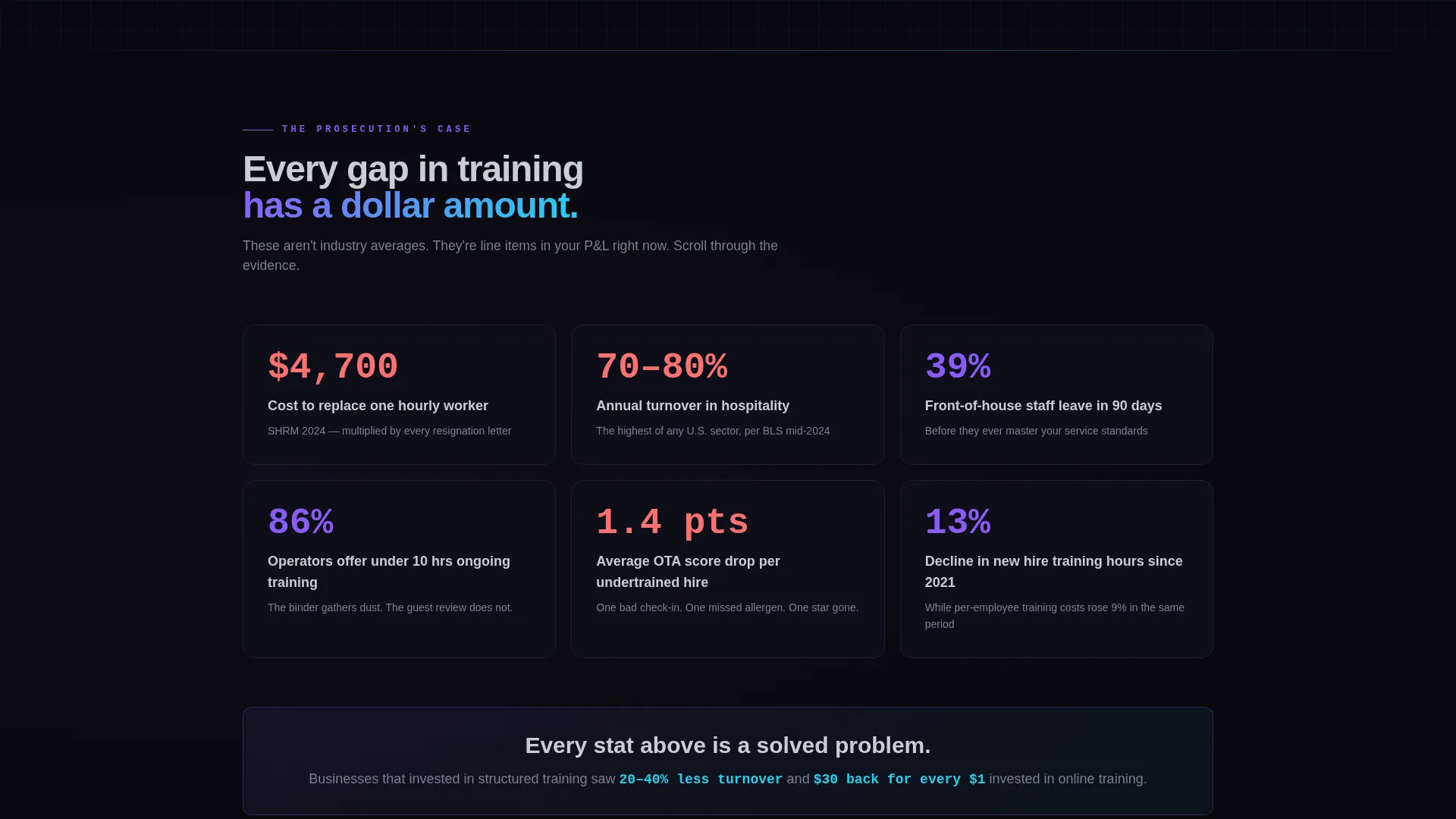
Each section fades or slides into view as the visitor scrolls. This pacing controls the narrative, building the cost-of-inaction case stat by stat before revealing each platform capability as a direct answer to the problem above it.
Problem-to-Solution Arc Sections
Below the calculator, dedicated sections expose the true cost of untrained staff. Guest complaint rates, online travel agency score erosion, and liability exposure each appear as the visitor scrolls. The arc then pivots to platform capabilities that directly neutralize each stated problem.
Side-by-Side Comparison Panels
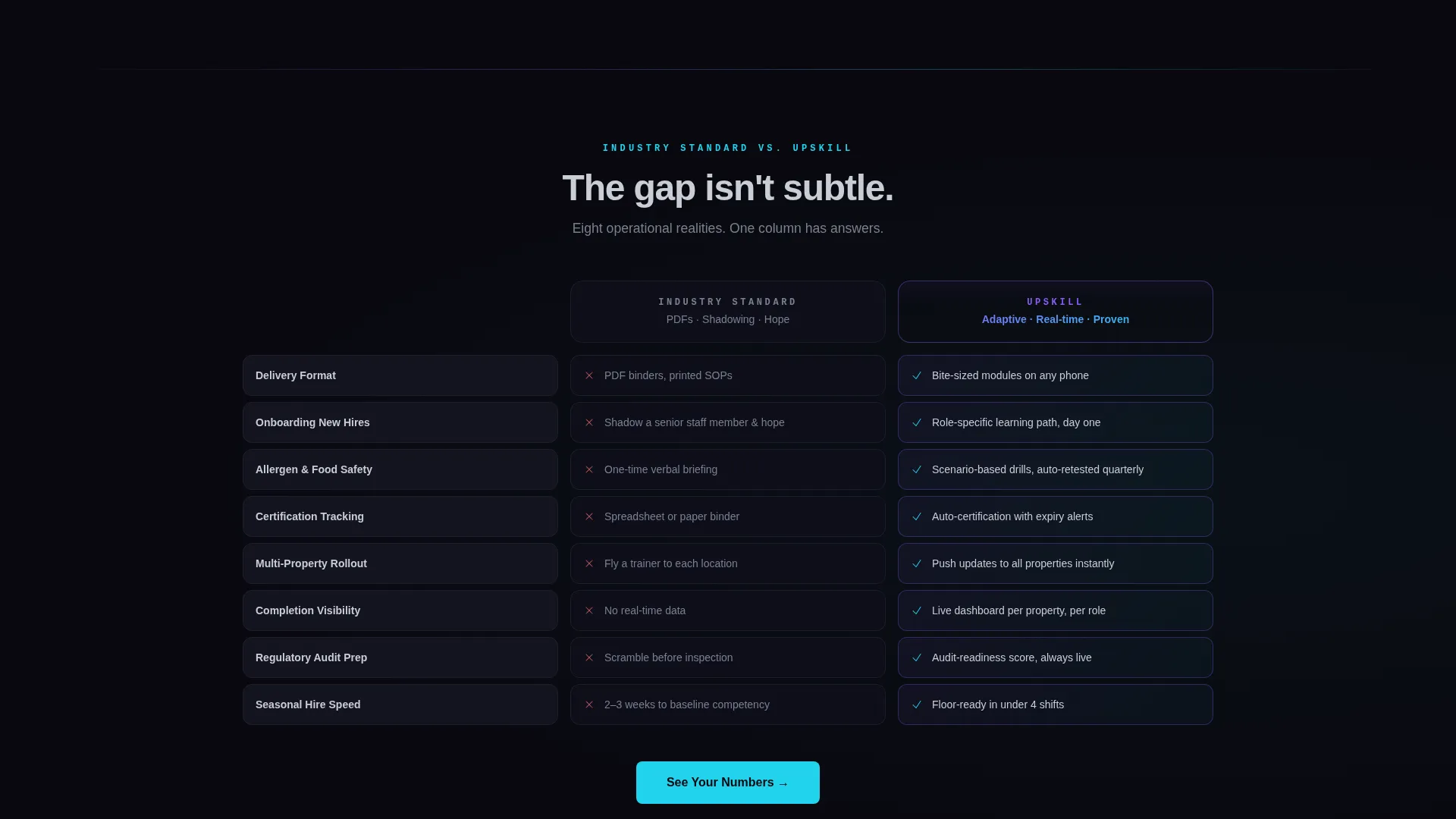
Each capability section includes a comparison panel that places industry-standard training methods (printed documents, job shadowing, informal onboarding) alongside the platform's adaptive micro-module approach. Checkmarks and gaps are rendered in spectral violet and void black for immediate visual contrast.
Manager Dashboard Mockup Section
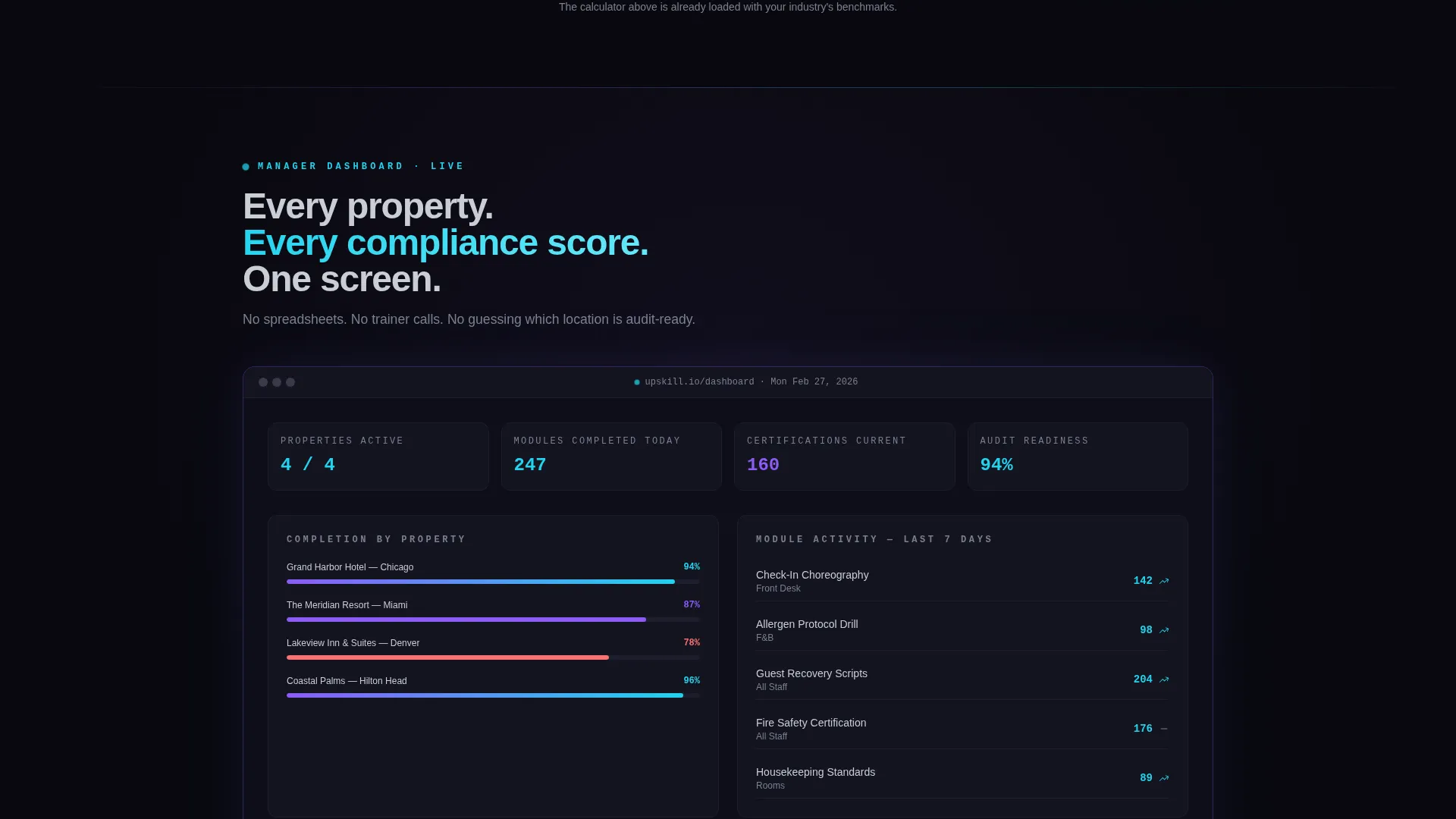
A scrolling interface mockup shows completion rates, skill gap indicators, and audit-readiness scores laid out across multiple properties. This section makes abstract platform benefits tangible by letting visitors see the dashboard before they sign up.
Sticky and Anchored call to action System
The primary call to action, "See Your Numbers," anchors back to the header calculator. It reappears as a sticky button after the third section. A secondary call to action, "Compare Plans," opens an interactive feature matrix comparing the platform against generic learning management tools and manual training methods.
Page sections overview
| Section | Purpose |
|---|---|
| Calculator Header | Personalizes ROI with live animated estimates |
| Cost of Inaction | Quantifies untrained staff impact stat by stat |
| Problem Arc Stats | Builds urgency through scrolling data reveals |
| Capability Reveal | Neutralizes each stated problem with a platform answer |
| Comparison Panels | Contrasts legacy training against adaptive modules |
| Dashboard Mockup | Shows live completion and audit-readiness metrics |
| Feature Matrix | Interactive plan comparison with checkmarks and gaps |
| Final Conversion Form | Captures work email and property count at low friction |
Design & branding system
The visual identity follows a Data Command theme using the AI Iridescent color system. The palette is built for authority and focus, evoking a hotel lobby at midnight where screen light is the only source of illumination.
- Void black (#09090F) anchors all backgrounds; liquid chrome (#C8CDD5) handles body text and secondary interface elements; spectral violet (#8B5CF6) marks section transitions and comparison graph lines
- Shifting cyan (#22D3EE) activates on hover states, live data points, calculator output numbers, and all primary call-to-action buttons, making every interactive moment feel immediate
- No stock photography or lifestyle imagery is used anywhere on the page; the visual language is purely typographic, numeric, and data-driven
Mobile & speed optimization
The scroll-reveal layout is structured to perform cleanly on mobile screens, where hotel managers and food and beverage directors are most likely reviewing content between shifts.
- Progressive section reveals are designed to work within a single-column mobile layout without losing narrative pacing
- The calculator input panel and comparison panels are structured to reflow naturally at smaller viewport widths
- The sticky call to action button remains accessible during scroll on mobile without obscuring primary content
How this template helps you convert
The conversion strategy is built around personalized urgency and low-friction qualification. Every layout decision is designed to reduce doubt and advance the visitor toward the form.
- The header calculator makes ROI personal before any feature is described, so the visitor arrives at the comparison sections already invested in their own numbers
- The Problem-to-Solution arc escalates from soft operational costs to hard regulatory risk, then resolves with a manager dashboard mockup that makes the outcome feel real and reachable
- The final form asks only for work email and property count, keeping qualification high and friction low because the estimator has already done the persuading
Other information about this template
This template is part of a broader set of scroll-reveal templates built around the Data Command theme and AI Iridescent color system. It is particularly well-suited for hospitality software and SaaS products that need to communicate measurable value to operational buyers rather than technical evaluators.
- The Comparison/Versus landing page direction makes it effective for competitive positioning against generic learning management system tools
- The template style pairs well with hospitality training platforms targeting multi-property hotel groups, resort operations, and restaurant chains with high seasonal hiring volumes
- The page structure supports a sales-assisted motion where the estimator output can be referenced in follow-up conversations after the visitor submits the low-friction form
Theme
Data Command
Creative direction
Problem→Solution Arc
Color system
AI Iridescent
Style
Scroll Reveal (Progressive)
Direction
Comparison/Versus
Page Sections
Live ROI Calculator Header
Scroll-reveal Progressive Sections
Problem-to-solution Arc Layout
Side-by-side Comparison Panels
Manager Dashboard Mockup
Sticky and Anchored Call to Action System
Related questions
Can I adapt the calculator section for different input variables?
Does this template include working calculations or live data?
Can this template work for a platform with multiple pricing plans?
How does the sticky call to action function across the page?
Who does the final conversion form qualify?



