Hospitality Software Professional Website Template
Triage is a bento grid landing page template built for hospitality patient management platforms. It opens with a live metrics wall, delivers proof point by proof point through staggered scroll-reveal tiles, and drives toward a mobile app download. The design channels operational urgency through a deep teal and midnight charcoal palette electrified with catalyst magenta call-to-action pulses.
by Rocket studio
Quick summary
Triage is a single-page, stats-first landing page template designed for real-time patient management apps. It leads with five animated metric tiles, builds credibility through a bento grid of operational proof points, and funnels visitors toward downloading the app. The visual identity feels like a live hospital dashboard rebuilt by a fast-moving software team.
Who this template is for
This template is built for teams launching or marketing a hospitality patient management platform. It speaks directly to the people who run hospital operations and feel the daily friction of fragmented systems.
- Hospital operations directors who rely on whiteboard tallies and disconnected tools to track bed availability
- Charge nurses toggling between multiple legacy systems just to locate an open bed
- Hospitality coordinators at boutique surgical centers who still track room turns on paper clipboards
What problem this template solves
Hospital operations teams lose time and make slower decisions when their data lives across three different screens. A landing page that opens with dense copy fails to earn trust from people who think in metrics. Triage flips that order by showing the numbers first and explaining them second.
- Visitors see live-style metrics before reading a single sentence of marketing copy
- Every bento tile pairs one number with one operational insight, removing ambiguity
- The page removes the credibility gap between a product claim and actual proof
What you get with this template
You get a fully structured bento grid landing page with a stats-first creative direction and a clear app download conversion path. Every section is pre-designed to match the operational urgency of the product it promotes.
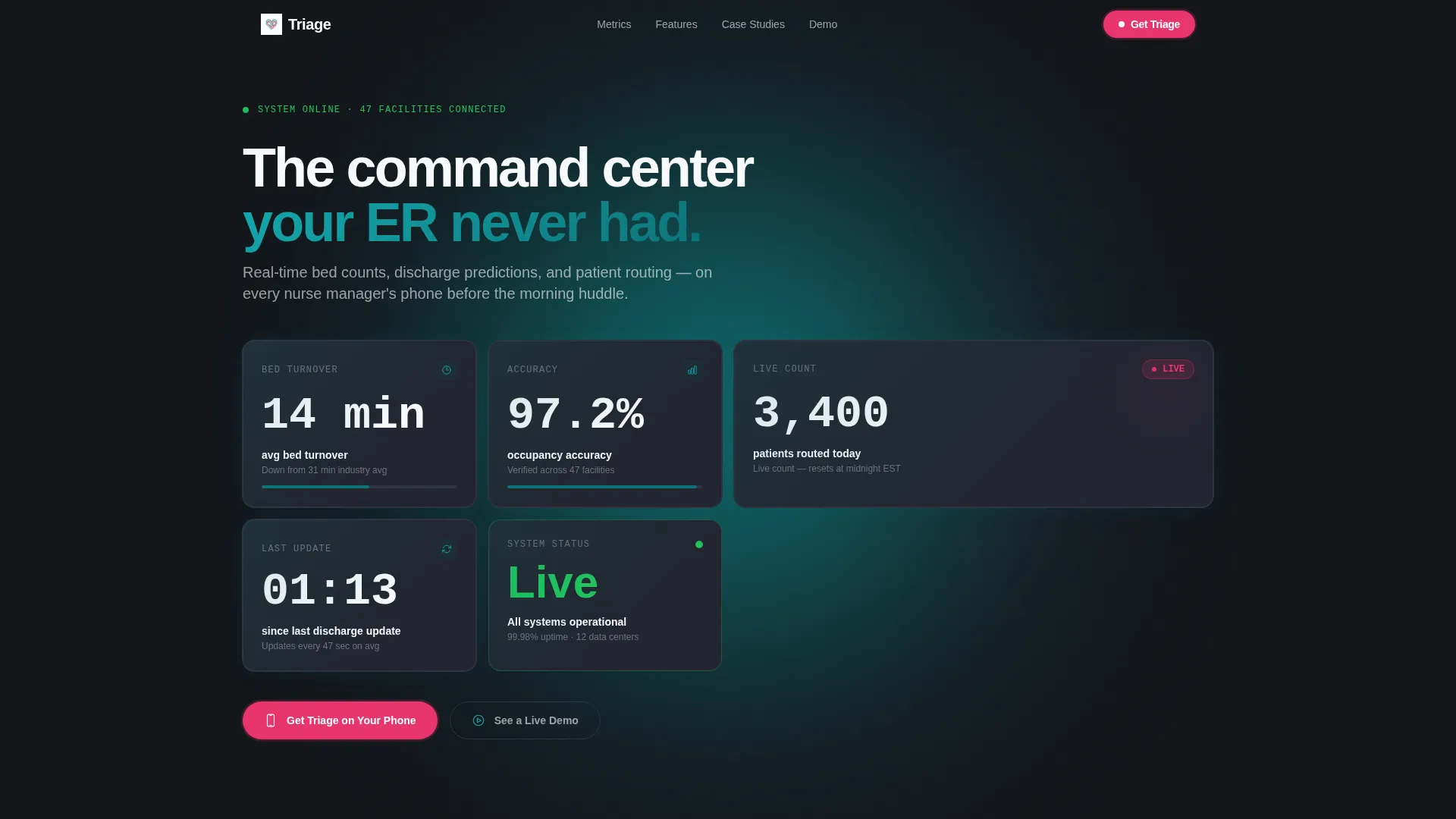
- A living metrics header with five animated stat tiles counting up on scroll trigger
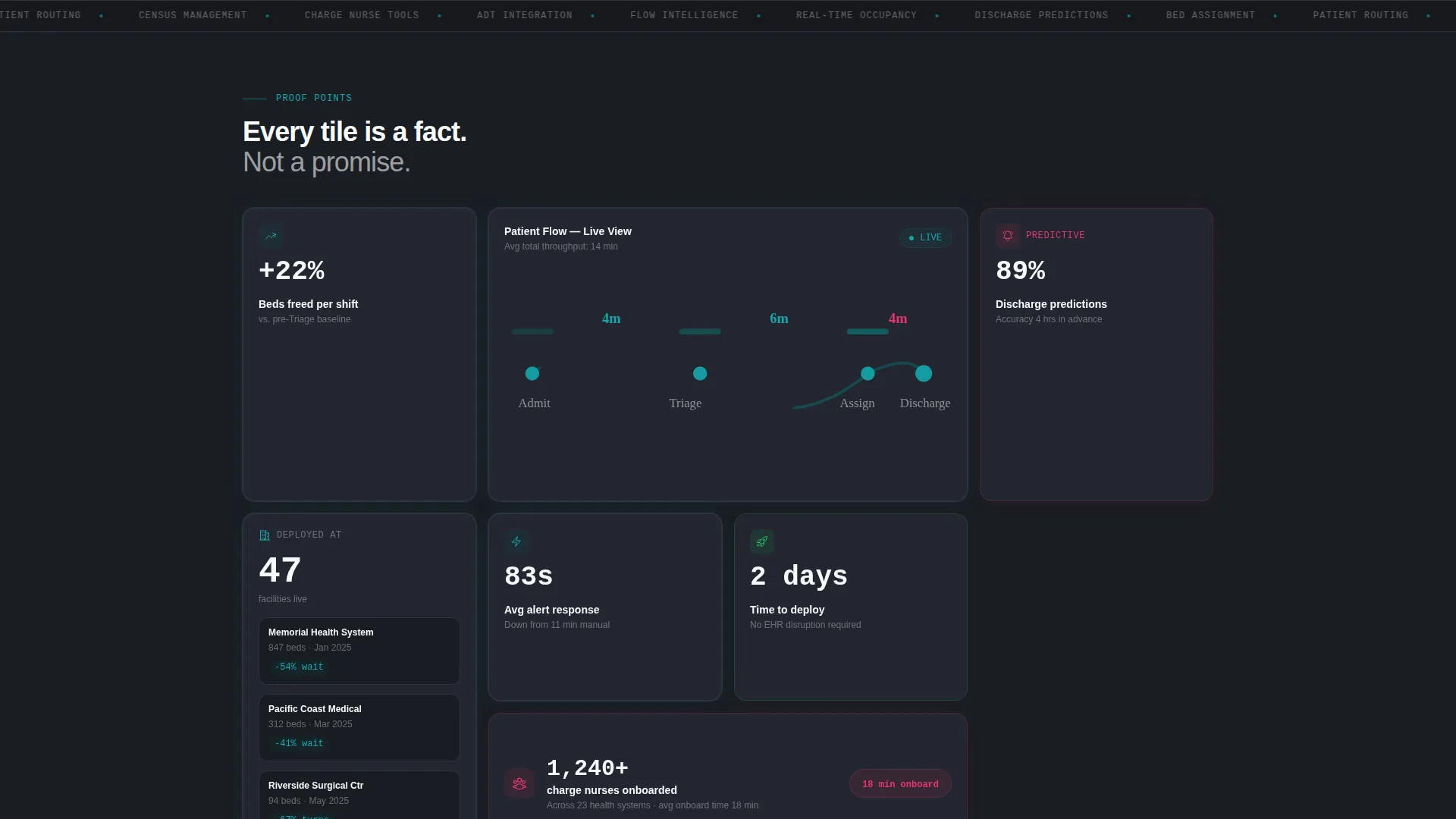
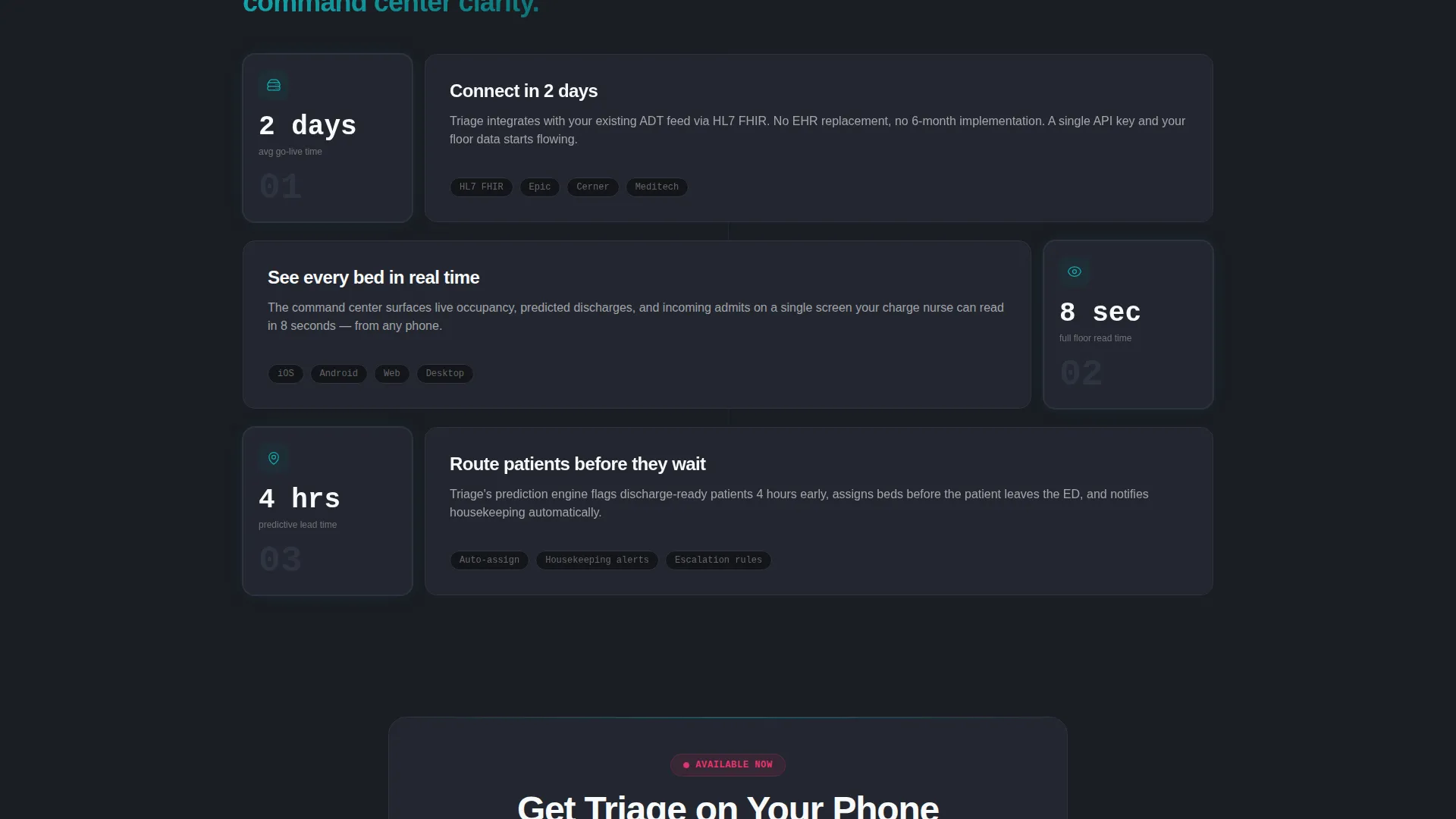
- A responsive bento grid below the fold with staggered scroll-reveal tile animations
- A floating mobile call-to-action bar and a two-field app download form with a secondary demo modal path
Feature list
This template ships with purposeful components drawn directly from its Stats-First Impact creative direction. Each feature serves the download funnel without adding visual noise.
Animated Metrics Header
Five oversized stat tiles fill the header, each counting up on scroll trigger. The tiles display figures like average bed turnover time, real-time occupancy accuracy, and a live seconds-since-last-update clock. No hero image is needed because the numbers do the persuading.
Bento Grid Proof System
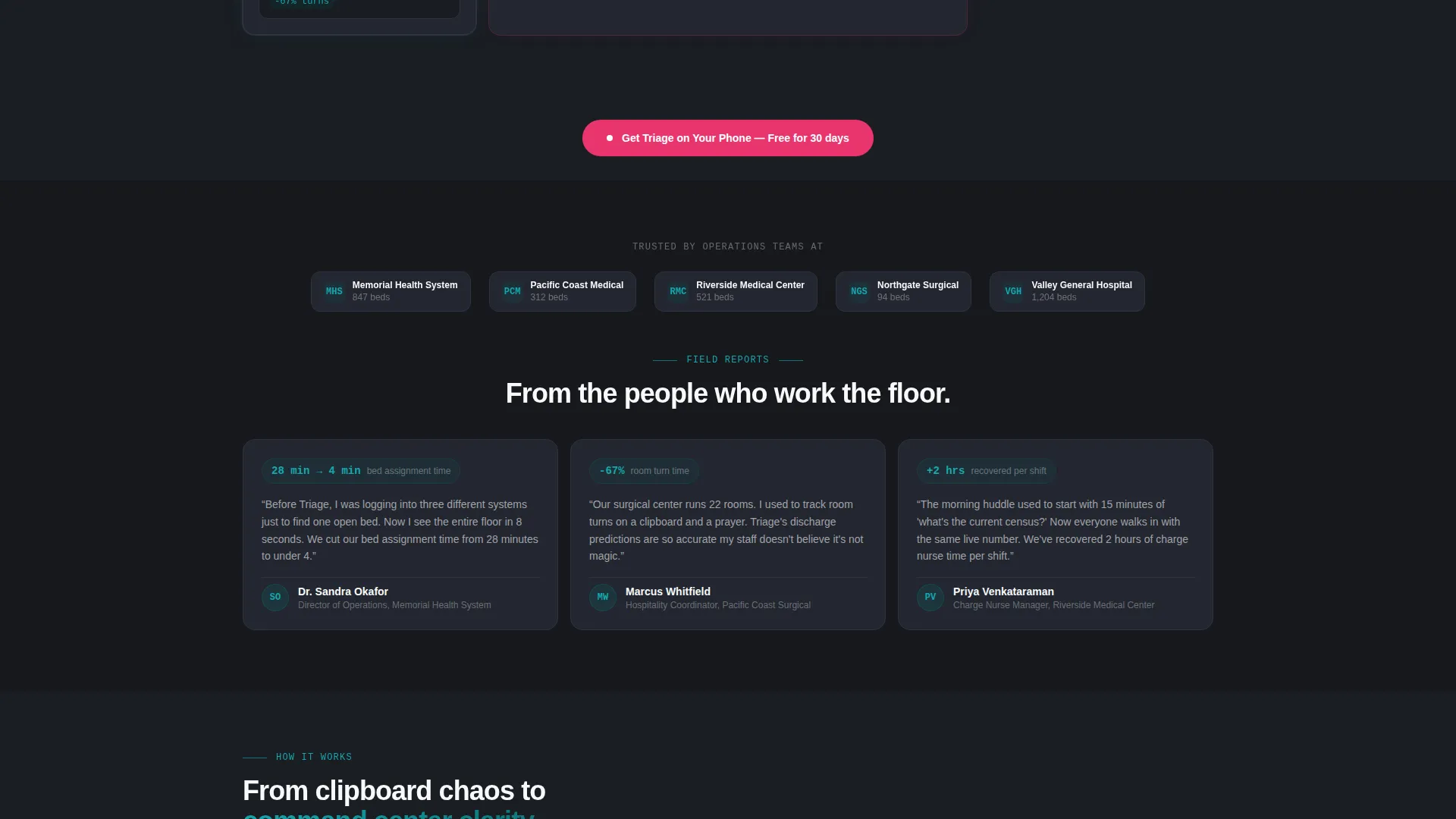
The section below the fold is built as a bento grid where each tile is a self-contained proof point. Tiles reveal at staggered scroll intervals. Small tiles carry a single metric, double-wide tiles animate a patient flow diagram, and tall tiles stack social proof with implementation context.
Floating App Download Bar
On mobile, a fixed bottom bar keeps the primary call to action visible at all times. The bar pulses in catalyst magenta and carries the label "Get Triage on Your Phone." It disappears only when the two-field form is open.
Two-Field Conversion Form
Tapping the primary call to action opens a minimal form asking only for a work email and hospital name. After submission, visitors are routed to the appropriate app store. The form reduces friction by keeping the field count as low as possible.
Live Demo Modal
A secondary conversion path labeled "See a Live Demo" triggers a modal that auto-plays a 90-second screen recording. This path captures visitors who are not yet ready to download but want to see the product in action before committing.
Stats-First Tile Layout
Every section in the template leads with a number and then earns the right to explain it. This layout decision builds a staircase of credibility from the first scroll to the final call to action, so the download feels like a natural next step rather than a pitch.
Page sections overview
| Section | Purpose |
|---|---|
| Animated metrics header | Opens with five live-style stat tiles to establish instant credibility |
| Patient flow bento grid | Delivers operational proof points tile by tile with staggered reveals |
| Social proof column | Stacks hospital logos with implementation timelines in a tall bento tile |
| App download call to action | Drives toward download with a two-field form after every third bento row |
| Live demo modal | Offers a 90-second screen recording for visitors who want proof before downloading |
| Floating mobile bar | Keeps the primary call to action pinned at the bottom of the screen on mobile |
Design & branding system
The visual identity is built on the Teal Catalyst color system, styled to feel like a live operations dashboard that was redesigned by a high-velocity software team. Every color has a specific job and does not appear outside of it.
- Deep operational teal (#0D7377) anchors headers and data cards; midnight charcoal (#1A1D23) fills backgrounds to create a dashboard-at-2-a.m. atmosphere; clinical white (#F7F9FA) keeps card surfaces readable and clean
- Catalyst magenta (#E8356D) is used exclusively for notification badges, live-updating numbers, and call-to-action pulses, so every magenta element signals urgency
- The Startup Velocity theme gives the layout an energetic, forward-moving rhythm through staggered tile reveals, backlit teal card glows, and a header that looks like a screenshot of the app itself already running
Mobile & speed optimization
The template is built with mobile-first usage in mind, recognizing that charge nurses and operations directors are more likely to encounter this page on a phone than on a desktop screen.
- The floating bottom bar pins the primary call to action to the base of the screen on mobile, keeping conversion within thumb reach at all times
- Bento grid tiles reflow cleanly for smaller screens without losing the staggered reveal animation logic
- The two-field form is designed to be completable in seconds, reducing drop-off on mobile connections
How this template helps you convert
The conversion strategy is built into the page structure itself. Visitors are never asked to trust a claim they have not already seen proved.
- The animated metrics header front-loads undeniable numbers, so visitors arrive at the call to action already convinced by data they watched load in real time.
- Each bento tile advances the proof one step further, pairing a metric with an insight so that trust compounds with every scroll until the download feels inevitable.
- The secondary demo modal path captures visitors who need one more layer of evidence, giving the page two conversion routes instead of one.
Other information about this template
This template is categorized under Technology and specifically targets the Hospitality Software subcategory, with a niche focus on hospitality patient management. It is a strong fit for product teams building in the intersection of clinical operations and mobile software.
- The template style is Bento Grid, with a Startup Velocity theme and Stats-First Impact creative direction
- The header concept is built around live stats and metrics rather than illustration or photography, keeping the design system consistent with the product experience it promotes
- The landing page direction is App Download, meaning every design and copy decision is weighted toward getting a visitor to tap "Get Triage on Your Phone" or watch the live demo
Theme
Startup Velocity
Creative direction
Stats-First Impact
Color system
Teal Catalyst
Style
Bento Grid
Direction
App Download
Page Sections
Animated Scroll-trigger Metrics Header
Staggered Bento Grid Layout
Floating Mobile Call-to-action Bar
Minimal Two-field Conversion Form
Live Demo Auto-play Modal
Related questions
Who is this template designed for?
Can I customize the stat tiles in the header?
Does the template include both mobile and desktop layouts?
How does the live demo modal work?
Is this template suitable for a boutique surgical center rather than a large hospital?



