Healthcare Consulting Landing Page Template
Triage is a sidebar companion landing page template built for clinical workflow consulting firms. It combines a metrics-driven header, scrolling case study panels, and a persistent expert sidebar to guide practice managers, department heads, and multi-site clinic owners toward booking a workflow consultation. The design uses a Plum Executive color system for authority, clarity, and trust.
by Rocket studio
Quick summary
Triage is a single-page sidebar companion template designed for healthcare consulting firms that fix broken clinical operations. It opens with a wall of real transformation metrics, walks visitors through escalating case studies, and closes with a booking module. The layout stays organized and purposeful throughout, much like a well-run clinical floor.
Who this template is for
This template is built for consultants and firms that help healthcare facilities work better. If your clients struggle with patient flow, provider efficiency, or staff adoption after software changes, this layout speaks their language directly.
- Practice managers dealing with high no-show rates and unpredictable patient routing
- Hospital department heads watching throughput decline after a software migration
- Multi-site clinic owners whose providers lose significant time to slow or inefficient charting workflows
What problem this template solves
Healthcare consulting firms often struggle to communicate the scale and credibility of their work to busy clinical decision-makers. Generic service pages do not resonate with people who manage actual patient volumes and staffing pressures every day.
- Visitors leave before they understand the firm's depth of expertise
- Standard layouts fail to segment visitors by facility type or problem severity
- Booking friction prevents qualified prospects from taking the next step
What you get with this template
You get a fully structured sidebar companion landing page that puts proof first and guides visitors toward booking a workflow consultation. Every section is designed around a specific stage of a clinical buyer's decision process.
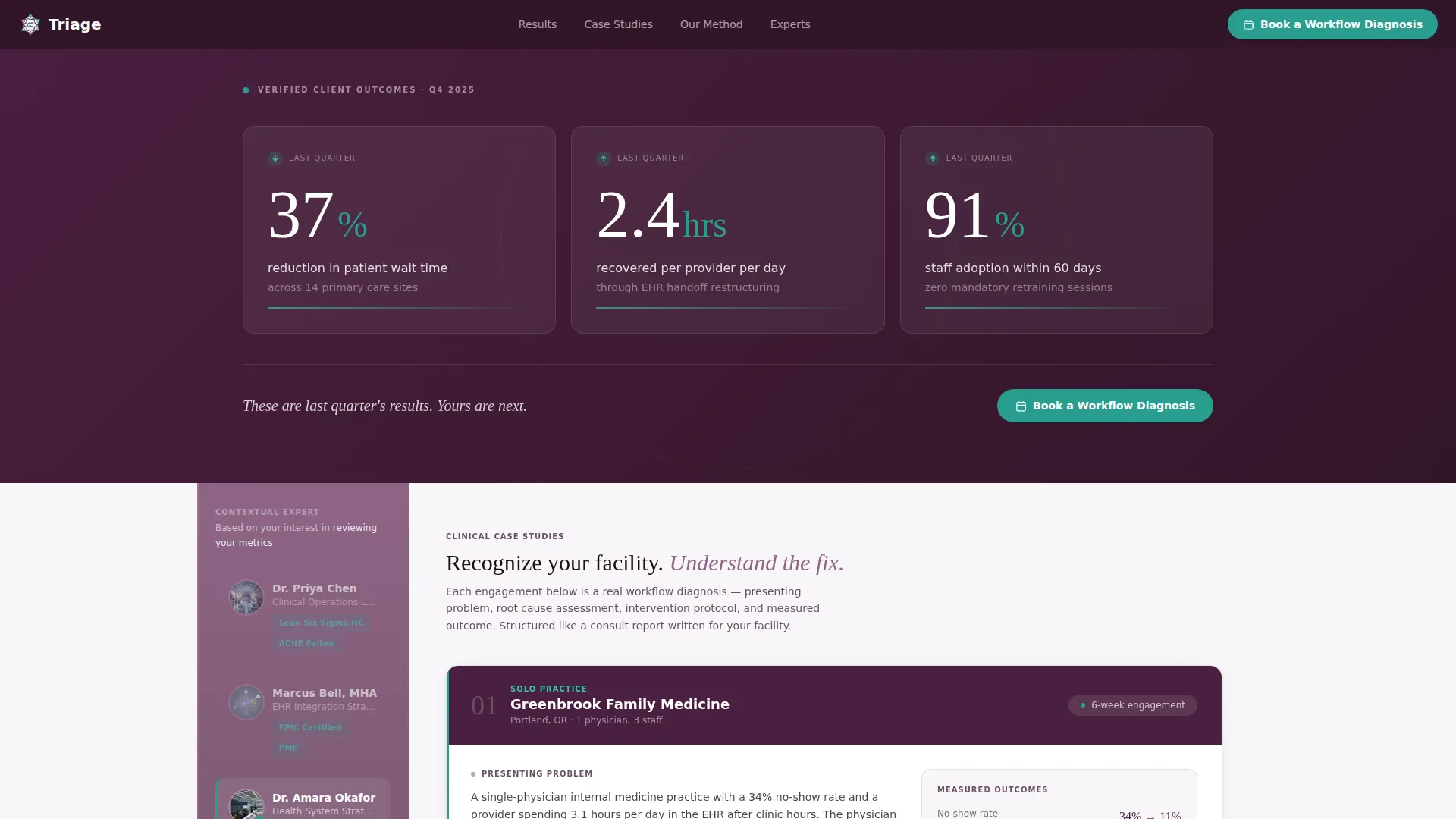
- A stats and metrics header displaying three oversized key performance indicator tiles with real transformation numbers
- A persistent scrolling sidebar housing consultant headshots, credential badges, and a contextual micro-call-to-action
- An inline scheduling module with facility type, provider count, and bottleneck selection fields
- A secondary lead capture path offering a downloadable clinic efficiency audit checklist
Feature list
A brief paragraph introduces this section: each feature below maps directly to a design or functional decision described in the source brief, giving you a clear picture of what the template delivers and why each piece matters.
Metrics-First Header Wall
Three oversized key performance indicator tiles sit against a deep plum background. Each tile shows a real outcome number, such as a 37 percent reduction in patient wait time or 2.4 hours recovered per provider per day. The header earns trust through data before a visitor reads a single word of body copy.
Persistent Expert Sidebar
The sidebar stays visible as the visitor scrolls through the page. It displays consultant headshots, credential badges including Lean Six Sigma Healthcare, EPIC-certified status, and ACHE Fellow recognition, and a contextual micro-call-to-action that updates based on which case study section is currently in view.
Escalating Case Study Panels
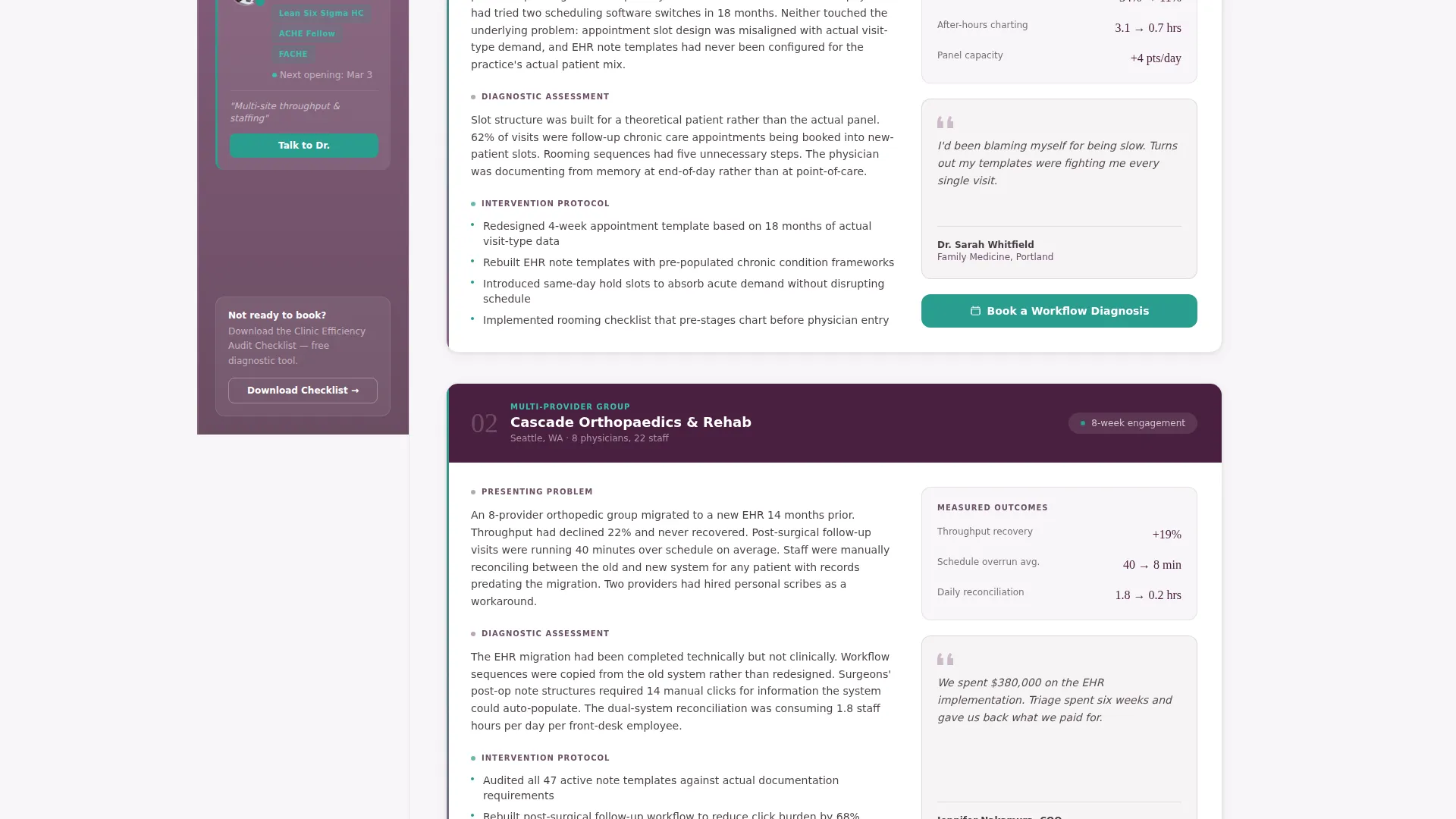
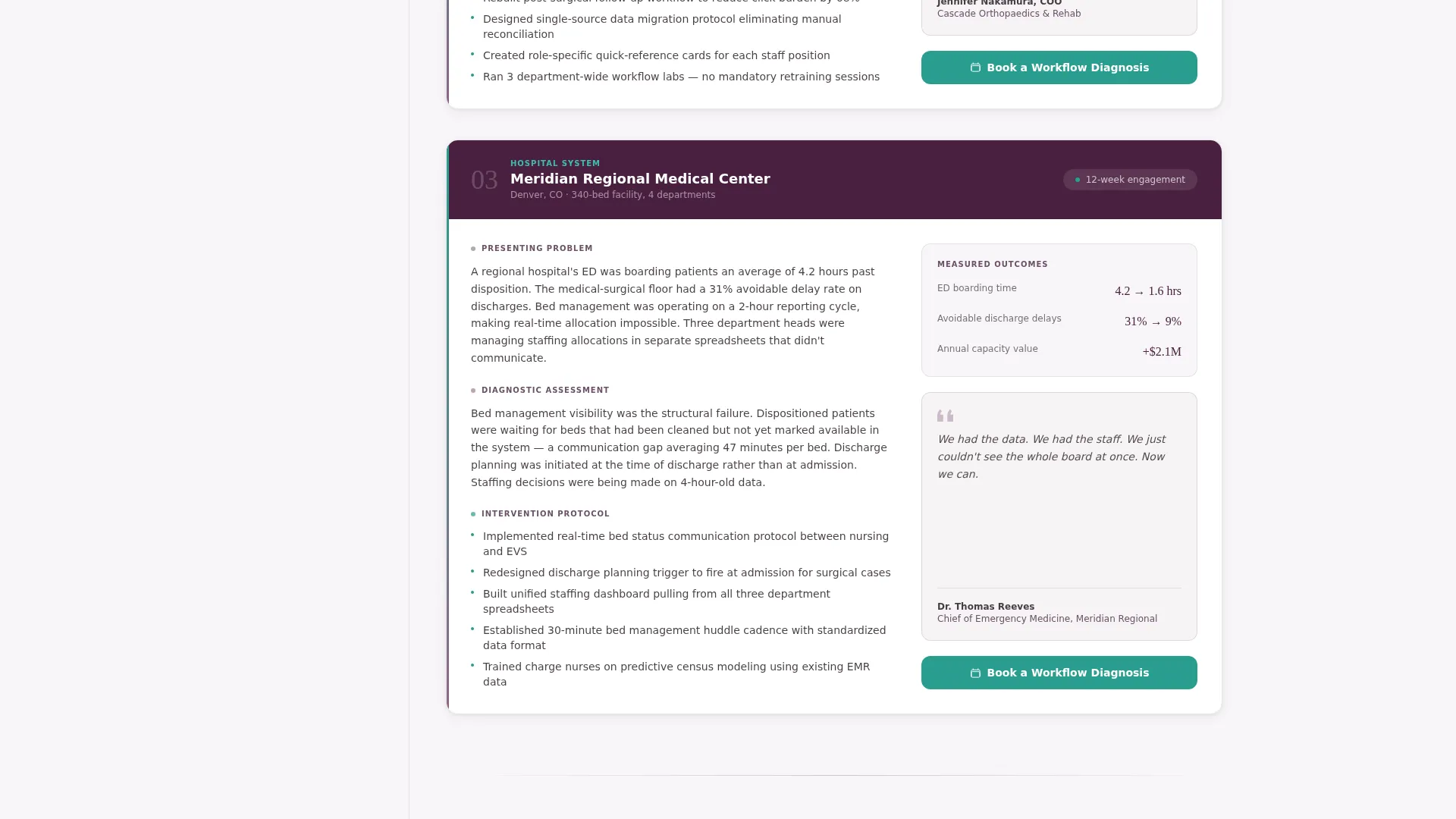
Three case study panels are structured as clinical narratives. Each follows a consistent format: presenting problem, diagnostic assessment, intervention protocol, and measured outcome. The panels escalate in scope from a solo practice to a multi-provider group to a hospital system, so visitors self-select by recognizing their own situation.
Inline Booking Module
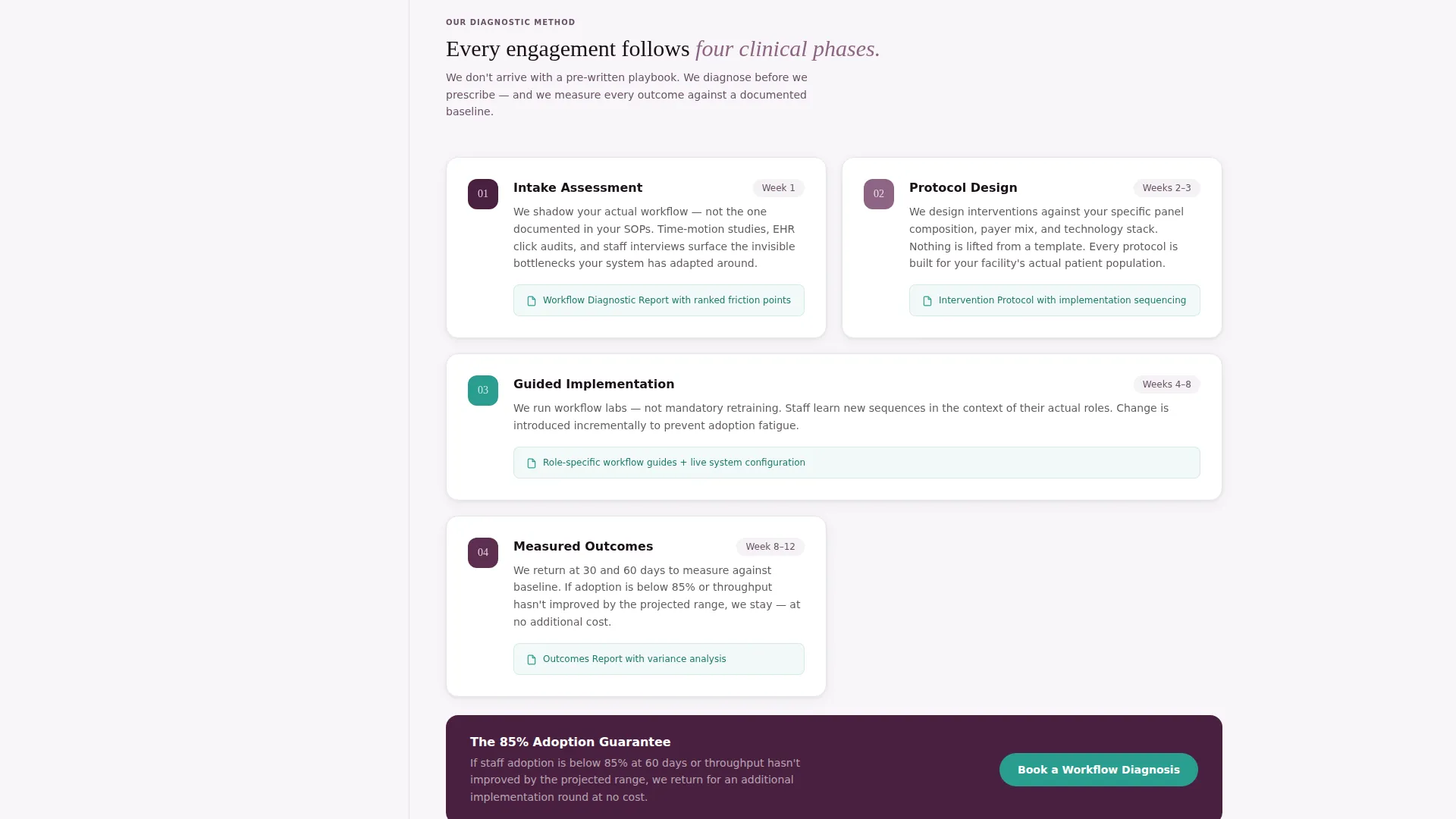
The primary call-to-action, "Book a Workflow Diagnosis," is anchored in both the sticky sidebar and at the close of each case study. Clicking it opens an inline scheduling module. Visitors select their facility type, enter their number of providers, and choose their biggest bottleneck from a structured dropdown.
Secondary Lead Capture Path
Visitors not ready to book can download a clinic efficiency audit checklist. The form collects a name and email address and delivers immediate diagnostic value. This path warms leads and primes them for a future consultation without requiring a commitment upfront.
Service Utility Theme Layout
The overall layout follows a Service Utility theme. Functional clarity takes priority over decoration. Sections are organized for fast scanning, and visual hierarchy guides the eye from credibility proof to case evidence to conversion action in a natural reading flow.
Page sections overview
| Section | Purpose |
|---|---|
| KPI Metrics Header | Opens with three transformation numbers to establish credibility immediately |
| Persistent Expert Sidebar | Keeps consultant profiles and a booking call-to-action visible at all times |
| Solo Practice Case Study | First clinical narrative showing a small-scale workflow intervention and its results |
| Multi-Provider Group Case Study | Second narrative escalating to a group practice problem and resolution |
| Hospital System Case Study | Third narrative covering enterprise-scale throughput and staffing challenges |
| Inline Booking Module | Captures facility type, provider count, and bottleneck to qualify and schedule leads |
| Audit Checklist Capture | Secondary form offering a downloadable checklist for early-stage visitors |
Design & branding system
The Plum Executive color system gives the page a tone that feels authoritative without being cold. The palette draws from clinical and boardroom influences, keeping the design sharp, readable, and credible.
- Deep clinical plum (#4A2040) anchors the header and primary authority areas; muted orchid (#8E6585) fills the persistent sidebar background and secondary surface areas
- Crisp sterile white (#F8F6F9) keeps content panels clean and easy to read; decisive teal (#2A9D8F) appears exclusively on call-to-action buttons and live metric accents
- Typography uses a light, tabular typeface for the KPI tiles so numbers read like a live dashboard rather than a marketing graphic
Mobile & speed optimization
The sidebar companion layout is designed to remain functional and readable across screen sizes. The persistent sidebar adapts so that critical calls-to-action remain accessible without obstructing main content.
- The sticky sidebar and inline booking module are structured to reflow cleanly on smaller viewports
- Case study panels are built in a single scrolling column format that transfers naturally to mobile reading behavior
- The metrics header uses large, tabular numerals that remain legible at reduced sizes without losing visual impact
How this template helps you convert
Every design and copy decision in this template points toward one action: getting a qualified clinical buyer to book a workflow diagnosis. The layout removes friction and builds trust at each scroll point.
- The metrics header immediately answers the buyer's first question ("does this firm actually produce results?") before they invest time reading further
- The escalating case study structure lets visitors self-identify their problem scale, making the booking call-to-action feel personally relevant rather than generic
- The secondary audit checklist path captures leads who need more time, so no qualified visitor leaves without giving you a way to follow up
Other information about this template
This template is well-suited for healthcare consulting firms that operate in the clinical workflow improvement space. It is also a strong fit for independent consultants building credibility in healthcare operations or hospital efficiency advisory services.
- The template style is a Sidebar Companion layout, which keeps navigation and conversion tools visible throughout a long scrolling page
- The header concept uses a Stats and Metrics wall, replacing hero imagery with performance data as the primary trust signal
- The booking module is structured around clinical-specific inputs, making it more relevant to healthcare buyers than a generic contact form
- The creative direction follows an Expert Panel approach, which is particularly effective for service firms where consultant credibility is central to the buying decision
Theme
Service Utility
Creative direction
Expert Panel
Color system
Plum Executive
Style
Sidebar Companion
Direction
Booking/Scheduling
Page Sections
Metrics-first Header Wall
Persistent Expert Sidebar
Escalating Case Study Panels
Inline Booking Module
Secondary Lead Capture Path
Service Utility Theme Layout
Related questions
Who is this landing page template designed for?
What makes the sidebar layout useful for a consulting page?
Can this template capture leads who are not ready to book?
How does the case study structure work?
What information does the inline booking module collect?



