Transform — Intelligent System Modernization Landing Page Template
The Migrate landing page template is a bento grid layout built for automation architects who need a clear, structured path from Integromat's legacy infrastructure to a modern marketing automation platform. It pairs a terminal-aesthetic design with a Problem-to-Solution arc, a downloadable migration toolkit, and a sample audit preview to move visitors from pain recognition to confident action.
by Rocket studio
Quick summary
Migrate is a single-page bento grid landing page template designed for the technical migration process. It guides ops engineers, startup founders, and automation consultants through every step of switching marketing automation platforms. The layout follows a dark-to-light Problem-to-Solution arc, and the primary call to action drives visitors to download a desktop migration toolkit.
Who this template is for
This template was built for people who live inside automation workflows and feel the pressure of a looming platform migration. It speaks directly to technical practitioners, not marketing generalists. If your livelihood or your company's data depends on keeping scenarios running, this template is your starting point.
- Ops engineers managing deprecated modules and broken webhook URLs inside an old marketing automation platform
- Freelance automation consultants whose clients received a sunset notification and need a clear migration plan fast
- Startup CTOs whose billing pipelines and existing campaigns run on scenarios built years ago in a legacy system
What problem this template solves
Switching marketing automation platforms is a genuinely complex process. Many businesses have entire sales processes tied to one system, and when that system breaks down, the cost is immediate. The migration process involves data mapping, module replacement, error handler reconstruction, and careful attention to data integrity, all at once.
This template solves the communication problem first. It gives visitors a structured landing page that names every pain point clearly and then maps a path forward through a downloadable toolkit and a sample audit preview.
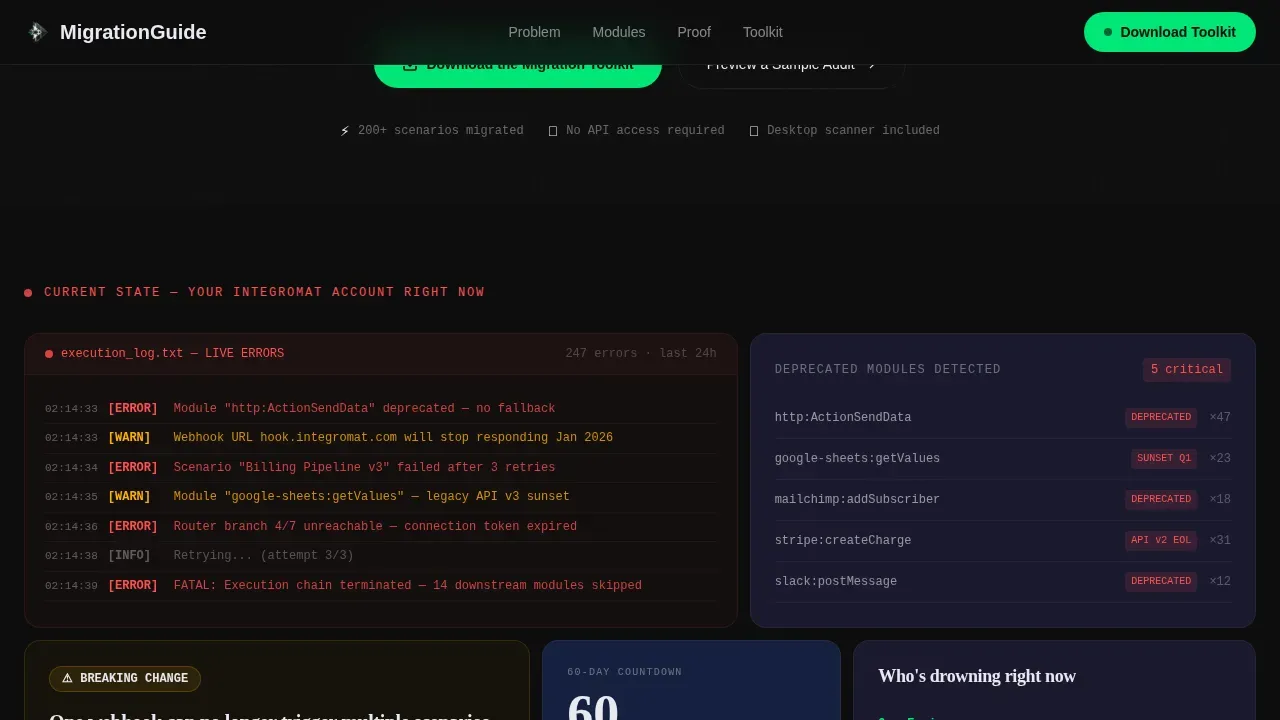
- Deprecated modules and red execution logs create anxiety. The template surfaces these pain points immediately in the first bento row so the visitor feels understood before the solution is introduced.
- Broken links, duplicate data risks, and data loss concerns need to be acknowledged before trust can be built. The template architecture does this through a full-width migration diagram that cracks the tension.
- The absence of a concrete migration checklist leaves engineers paralyzed. This template converts that paralysis into action through a single-field email capture and a free sample audit path.
What you get with this template
A successful marketing automation migration starts with gathering critical assets and inventorying everything that needs to move to the new platform. This template gives you a pre-built landing page structure that handles that narrative for you. Every section is a deliberate proof point in a larger story that moves from chaos toward control.
- A full bento grid landing page with a Code Snippet hero, problem tiles, architecture diagram section, proof section, and social proof row
- A sticky call-to-action pill that appears after the second scroll and a full-width email capture tile near the bottom of the page
- A secondary conversion path offering a no-email sample audit preview, designed to earn the real download click two sections later
Feature list
This template includes purpose-built components for the technical automation migration guide use case. Each feature is grounded in the project brief and designed to support the data migration narrative from start to finish.
JSON Transformation Hero Header
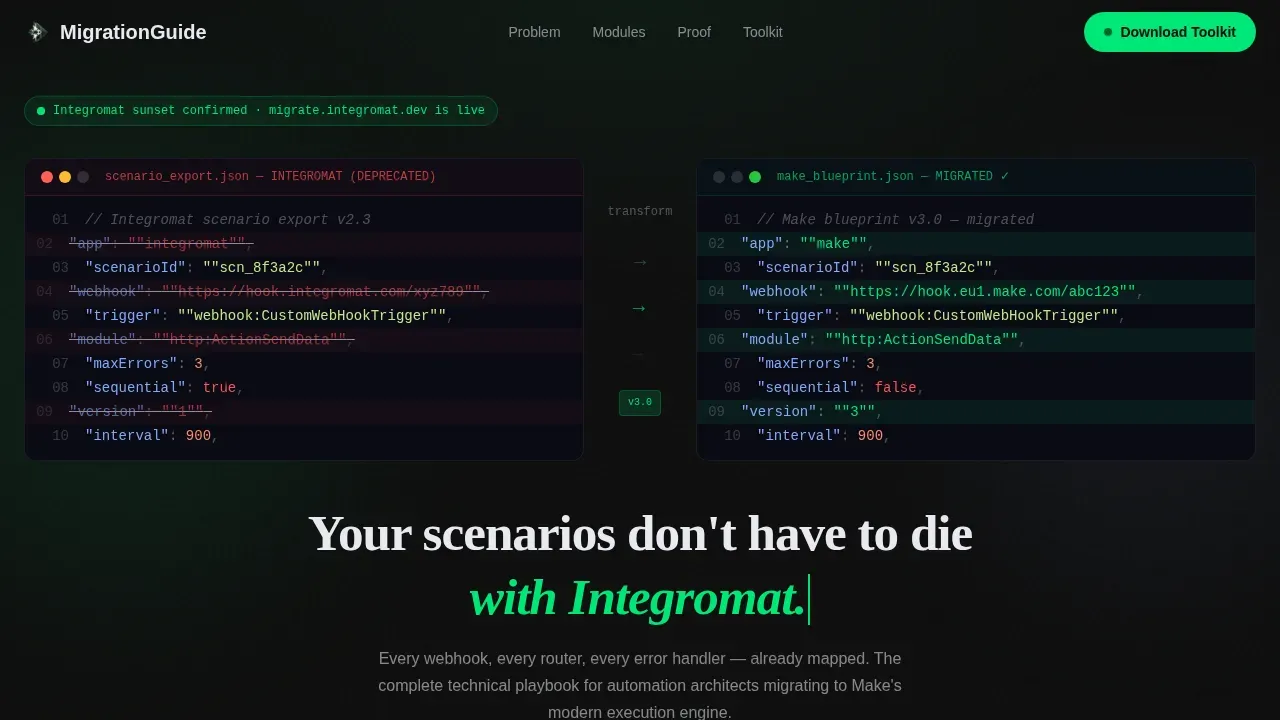
The hero section drops visitors into a syntax-highlighted code block showing a real scenario export in transformation. An animated arrow sequence plays across the center while the equivalent blueprint materializes on the right in monospaced type with soft green diff-highlighting. A headline fades up below: "Your scenarios don't have to die with Integromat." This sets the marketing automation platform migration context immediately and without ambiguity.
Problem-to-Solution Bento Arc
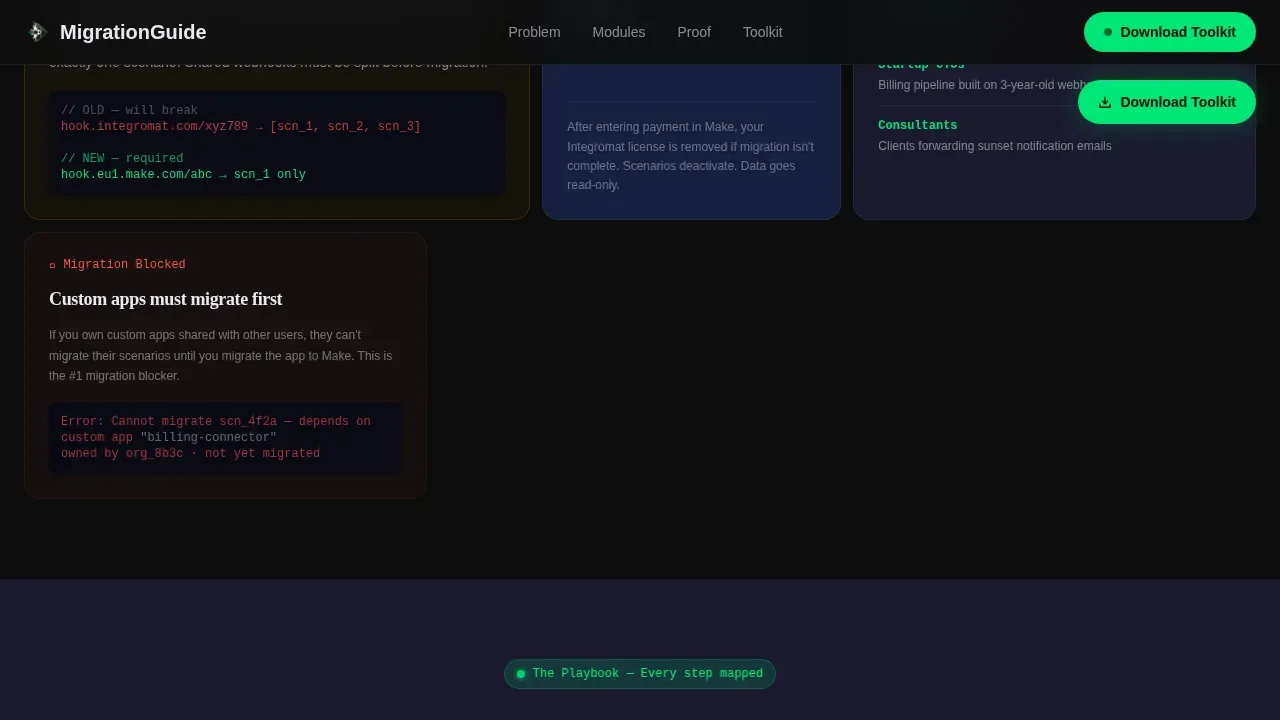
The first bento row surfaces the pain of the migration process with dark, dense tiles showing deprecated module warnings, broken webhook references, and execution logs full of red. As the visitor scrolls, the grid tiles grow lighter and more spacious, mirroring the shift from an old platform to a new system. This scroll-linked depth change is the visual backbone of the entire data migration narrative.
Full-Width Architecture Diagram Tile
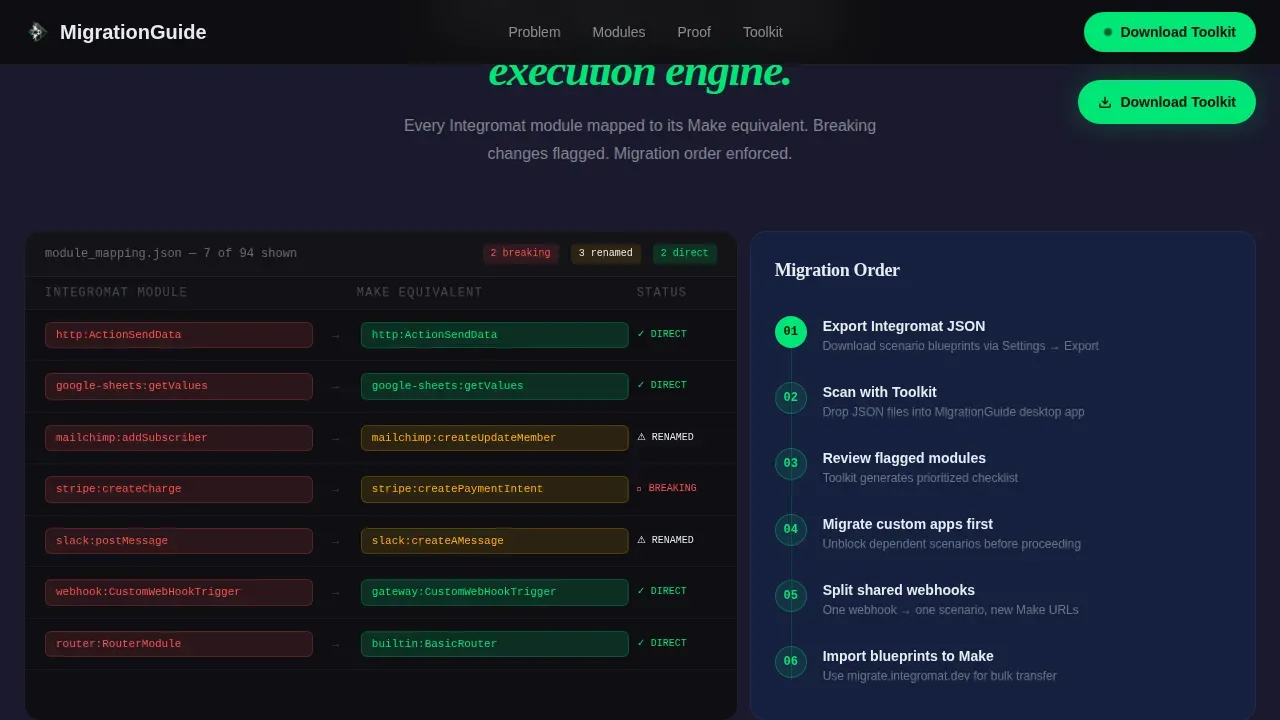
A single full-width tile breaks the tension of the problem section. It presents a migration architecture diagram and a module mapping table, giving the visitor their first clear plan. This is where the marketing automation system handoff becomes concrete. Every webhook, router, and error handler is accounted for in a visual format that ops engineers can scan and trust.
Proof and Metrics Section
This section stacks before-and-after execution time comparisons, a toolkit output preview, and a sample audit display side by side in the bento grid. It gives skeptics a reason to trust before committing. Testimonials from engineers who completed full migration of 200 or more scenarios without a single dropped run are presented as self-contained tiles with company names and migration metrics.
Sticky Call-to-Action Pill
After the second scroll, a sticky pill floats on screen with the primary action: "Download the Migration Toolkit." This keeps the conversion goal visible throughout the entire page experience. The pill uses execution-green to signal an active state against the dark carbon background, drawing the eye without disrupting reading flow.
Sample Audit Preview Path
A secondary conversion path labeled "Preview a Sample Audit" requires no email address. This no-friction preview shows the output quality of the desktop companion app before the visitor commits. It is designed to reduce risk for skeptical buyers and naturally leads to the email capture tile that follows two sections later.
Page sections overview
| Section | Purpose |
|---|---|
| Hero Code Snippet | Show JSON transformation with animated diff and headline |
| Problem Bento Row | Surface deprecated modules, broken webhooks, red logs |
| Architecture Diagram | Present full migration plan and module mapping table |
| Proof Metrics Row | Display before/after execution data and toolkit preview |
| Social Proof Tiles | Share engineer testimonials with scenario counts |
| Sticky call to action Pill | Keep primary download action visible during scroll |
| Email Capture Tile | Convert visitors with one-field work email form |
| Sample Audit Preview | Let skeptics see output quality before committing |
Design & branding system
The visual identity uses a Tech Glass aesthetic built on a Carbon Fiber color system. The palette feels like the surface of a matte-black laptop lid catching fluorescent light. Design elements are obsessively clean, weightless, and technical. The bento grid layers carbon and graphite as alternating tile depths, while frosted glass panels float above with subtle backdrop-blur effects.
- Color palette: deep carbon black (#0D0D0D) and woven graphite (#1A1A2E) for tile backgrounds, frosted glass white (#E8EAF0) for floating panels, and execution-green (#00E676) reserved exclusively for active states, calls to action, and success indicators
- Typography: JetBrains Mono for code blocks and syntax highlighting, DM Sans for body copy, and Fraunces for display headings, all chosen to reinforce the terminal aesthetic
- Animation behavior: JSON transformation animation in the hero, cursor blink effect, staggered bento tile reveals, and scroll-linked tile depth changes throughout the page
Mobile & speed optimization
The template is designed desktop-first, reflecting the reality that ops engineers and automation consultants typically work at workstations during late-night migration sessions. The layout prioritizes full-width bento tiles and side-by-side code comparisons that read best on larger screens. The architecture uses server components for static sections and client components for animations.
- Desktop-first bento grid layout with full-width hero and side-by-side JSON comparison blocks optimized for workstation screens
- Server components handle static content delivery for the marketing platform narrative sections, while client components manage interactive animations and hover states
- Hover states on bento tiles and the sticky call-to-action pill are implemented as client-side interactions to keep the experience responsive without compromising static rendering
How this template helps you convert
The conversion architecture of this landing page follows a phased approach. It earns trust before asking for commitment. Migrating to a new marketing automation platform requires a clear, structured plan, and this template communicates that plan visually at every scroll depth.
- The hero header immediately signals expertise through the JSON diff animation and technical copy. Visitors who recognize the code format feel they are in the right place, which reduces bounce before the first scroll.
- The sample audit preview path removes the critical question of "is this worth my email address?" by letting visitors see real output quality first. This no-email preview is the key step that converts skeptics into engaged leads.
- The sticky call-to-action pill and the full-width email capture tile work together as a two-touch system. The pill maintains awareness; the tile closes the conversion. One field keeps friction minimal and protects deliverability by capturing only work email addresses.
Other information about this template
This template is part of the Documentation and Support category, specifically within the Make (Integromat) Documentation subcategory. It is the migrate technical automation migration guide landing page template designed for the automation migration niche. The following notes cover additional context relevant to buyers evaluating this template for their migration project.
- The downloadable desktop companion app scans exported scenario JSON files, flags incompatible modules, and generates a step-by-step migration checklist. It supports large volumes of scenario files and handles data sources from multiple business units.
- Data security is a practical concern during any platform migration. The migration checklist generated by the app is designed to help teams identify duplicate data, reduce data loss risk, and maintain data storage continuity across the transition.
- Naming conventions for migrated assets matter. Proper naming and organization during the migration phase helps new team members navigate the new environment without confusion after the full migration is complete.
- The template supports dynamic content blocks in the proof section, allowing teams to update before/after metrics, testimonials, and toolkit output previews without touching layout code.
- Email templates, sending domains, and media assets are all referenced in the migration checklist flow, helping teams protect deliverability and email engagement when moving to a new marketing automation platform.
- The sample audit preview doubles as a valuable resource for stakeholder review. Sharing the preview with decision-makers before the migration plan is finalized helps align business units and reduce risk of misaligned technical requirements.
- Teams using a google sheet to track migration progress can align their data mapping columns directly with the migration checklist output format the app produces.
- Training resources are not bundled in the template itself, but the clear plan structure of the landing page is designed to communicate the key steps of the migration process in a format that works as an onboarding reference for new team members.
- The template uses a right partner framing in the social proof section, where testimonials position the toolkit as a trusted companion rather than a generic new tool, reinforcing migration success messaging.
- During the transition period, both the old and new systems operate simultaneously to maintain existing campaigns. The template's architecture diagram section addresses this overlap and helps visitors understand how to manage the new location of their migrated data during that window.
- A test environment and test plan are referenced in the toolkit checklist output, giving teams a structured way to verify data integrity before going live on the new platform.
- The template is built for the USA market in English with a technical voice. It targets the marketing technology space, specifically the intersection of developer tooling and the marketing automation platform migration workflow.
Theme
Tech Glass
Creative direction
Problem→Solution Arc
Color system
Carbon Fiber
Style
Bento Grid
Direction
App Download
Page Sections
JSON Transformation Hero Header
Problem-to-solution Bento Arc
Full-width Architecture Diagram Tile
Proof and Social Proof Section
Sticky Call-to-action Pill
Sample Audit Preview Path
Related questions
What does the Migration Toolkit app actually do?
Do I need to enter my email to see the sample audit?
Is this template suitable for large-scale migration projects?
Can I update the before/after metrics and testimonials without changing the layout?
What happens to email engagement when switching marketing automation platforms?



