Traction - Brutal SaaS Landing Page Template
Traction is a bold brutalist SaaS landing page template built for seed-stage startups that need to win technical buyers fast. It leads with a comparison table, live metrics, and raw data instead of marketing copy. The carbon fiber color system, monospaced type, and electric green accents make every number impossible to ignore.
by Rocket studio
Quick summary
Traction is a single-page comparison landing page template for SaaS seed-stage startups. It skips the pitch deck warmup and opens directly with a competitive comparison table. Electric green highlights your product column. Monospaced numbers do the persuading. The design is bold brutalist, the palette is carbon fiber black, and every section answers one question: why switch?
Who this template is for
This template is built for founders and operators who are moving fast and selling to skeptical technical buyers. It suits teams that have real performance numbers to show and no patience for fluffy marketing layouts.
- Technical co-founders evaluating tools late at night and needing direct proof
- Ops leads at early-stage companies comparing cost and deployment speed
- CTOs who want to cut through enterprise bloat and see honest metrics
What problem this template solves
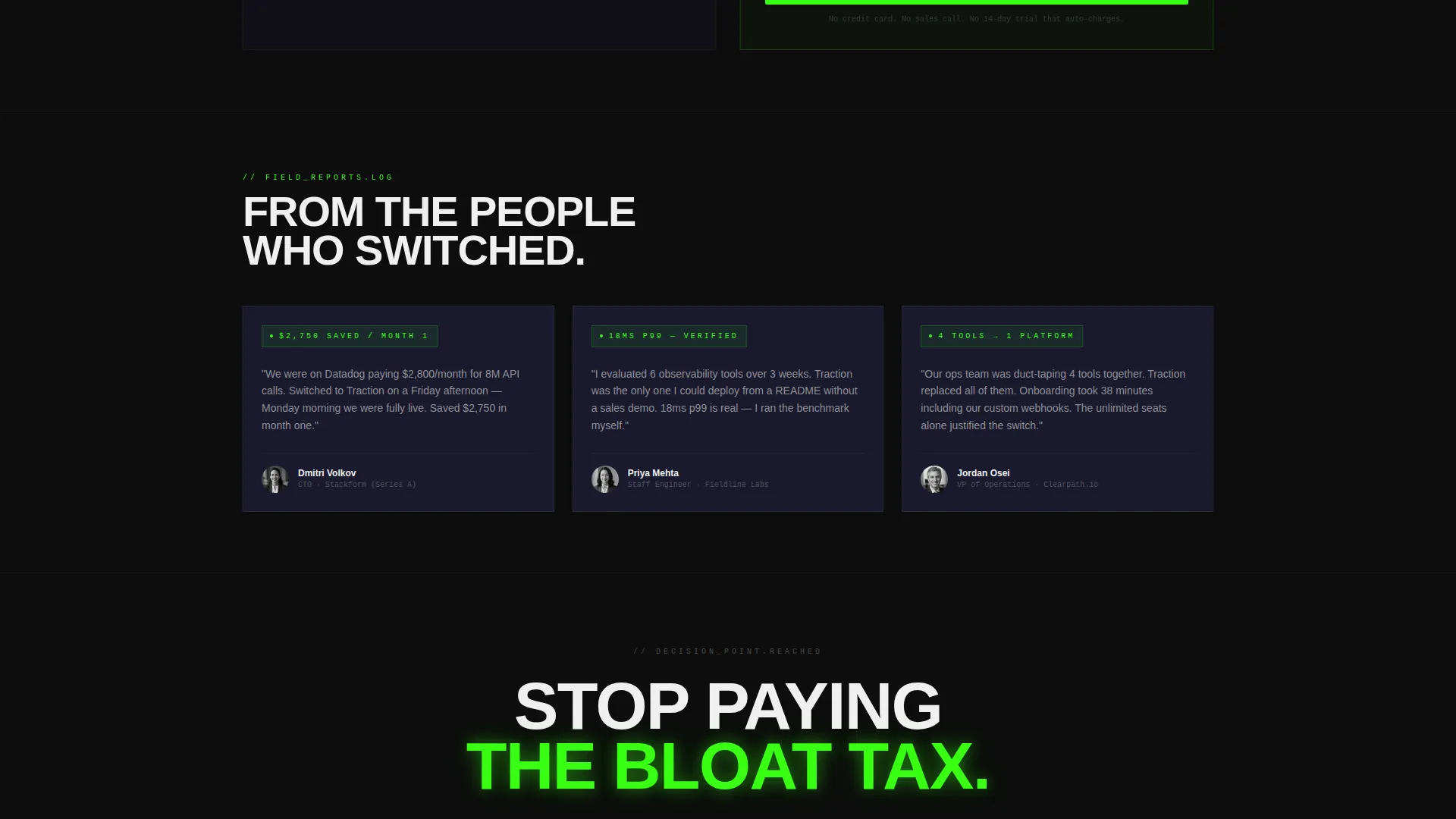
Most SaaS landing pages bury the comparison inside a long scroll of feature illustrations and testimonials. Technical buyers skip all of it. They want to see your numbers next to the competitor's numbers, with nothing in between.
- Visitors arrive skeptical and leave before the value proposition lands
- Generic layouts make it hard to show concrete performance differences
- No clear visual hierarchy signals which option is the obvious choice
What you get with this template
You get a fully structured, single-page brutalist landing page that puts your comparison data front and center from the first scroll. Every section is purpose-built for conversion through proof rather than persuasion copy.
- A full-width comparison table with your column highlighted in electric green
- A logo bar header, oversized headline, live request counter, deployment timeline, and cost calculator section
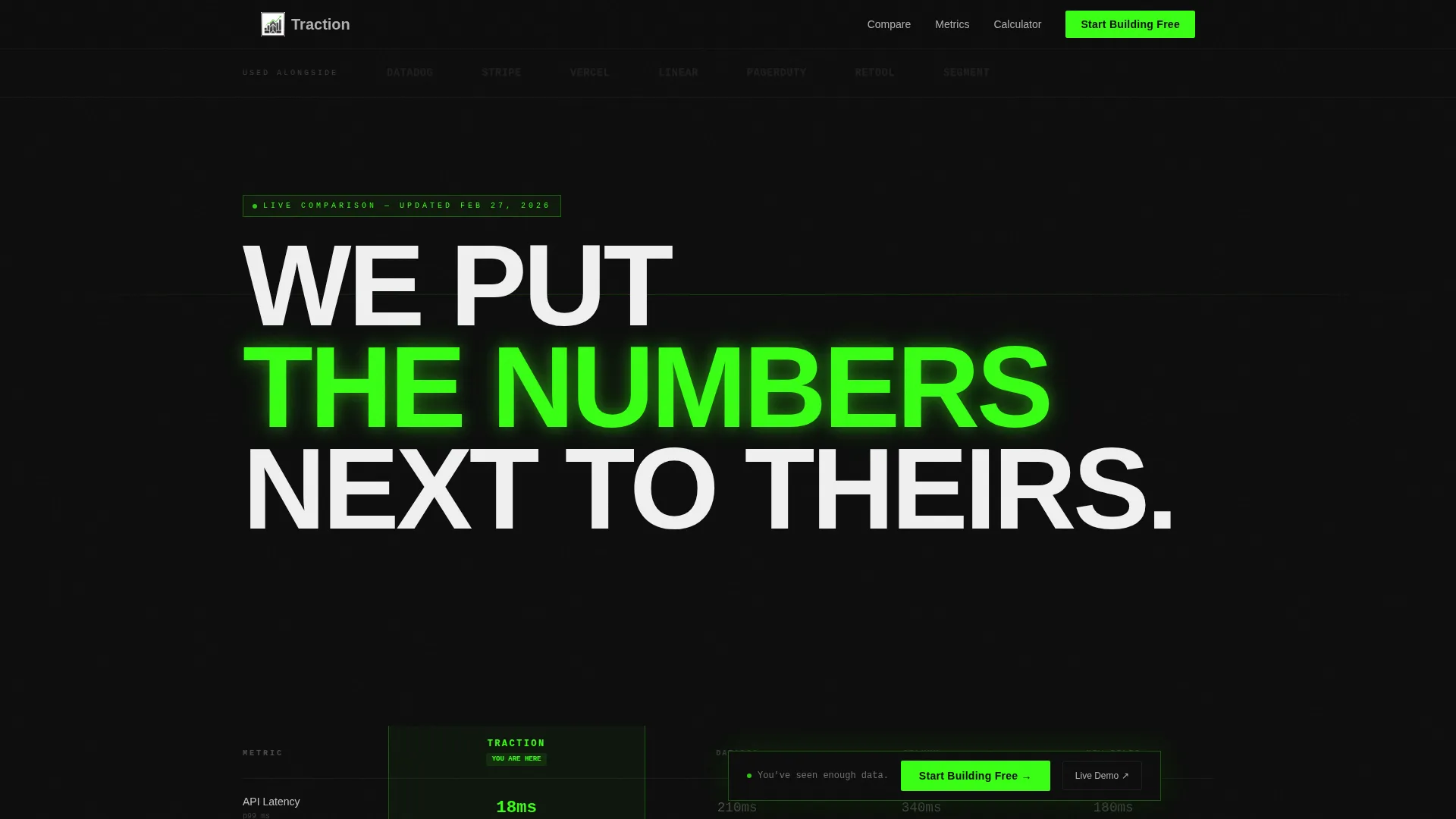
- A floating "Start Building Free" call-to-action bar and a secondary ungated demo link
Feature list
This template is structured around six core components that work together to move a skeptical technical visitor toward a confident decision.
Full-Width Comparison Table
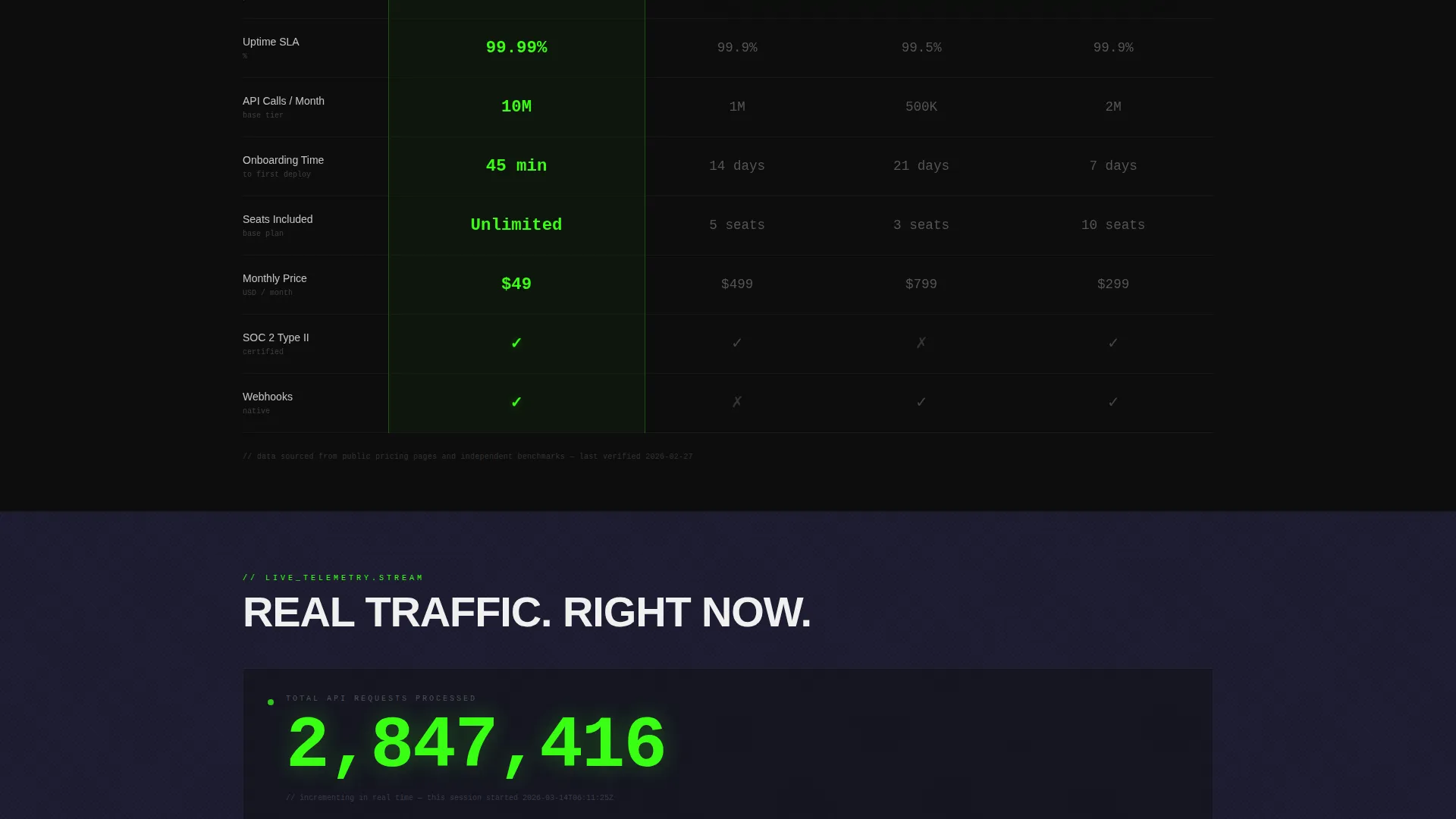
The table opens immediately below the header with no preamble. Each row covers a key metric such as latency, uptime, API calls per month, onboarding time, seats included, and price. Your column is set in electric green; competitors are rendered in muted aluminum gray. Numbers are typeset in a monospaced font that reads like terminal output.
Logo Bar Header Strip
A horizontal strip of company logos sits at the very top of the page. Logos are rendered in monochrome aluminum against void black. There are no hover effects and no animation. The strip functions as a silent social proof signal before the visitor reads a single word.
Live Request Counter Section
As the visitor scrolls past the comparison table, a live counter displays the current number of requests processed. This section reinforces the data-first story by showing real activity in real time rather than a static claim.
Side-by-Side Deployment Timeline
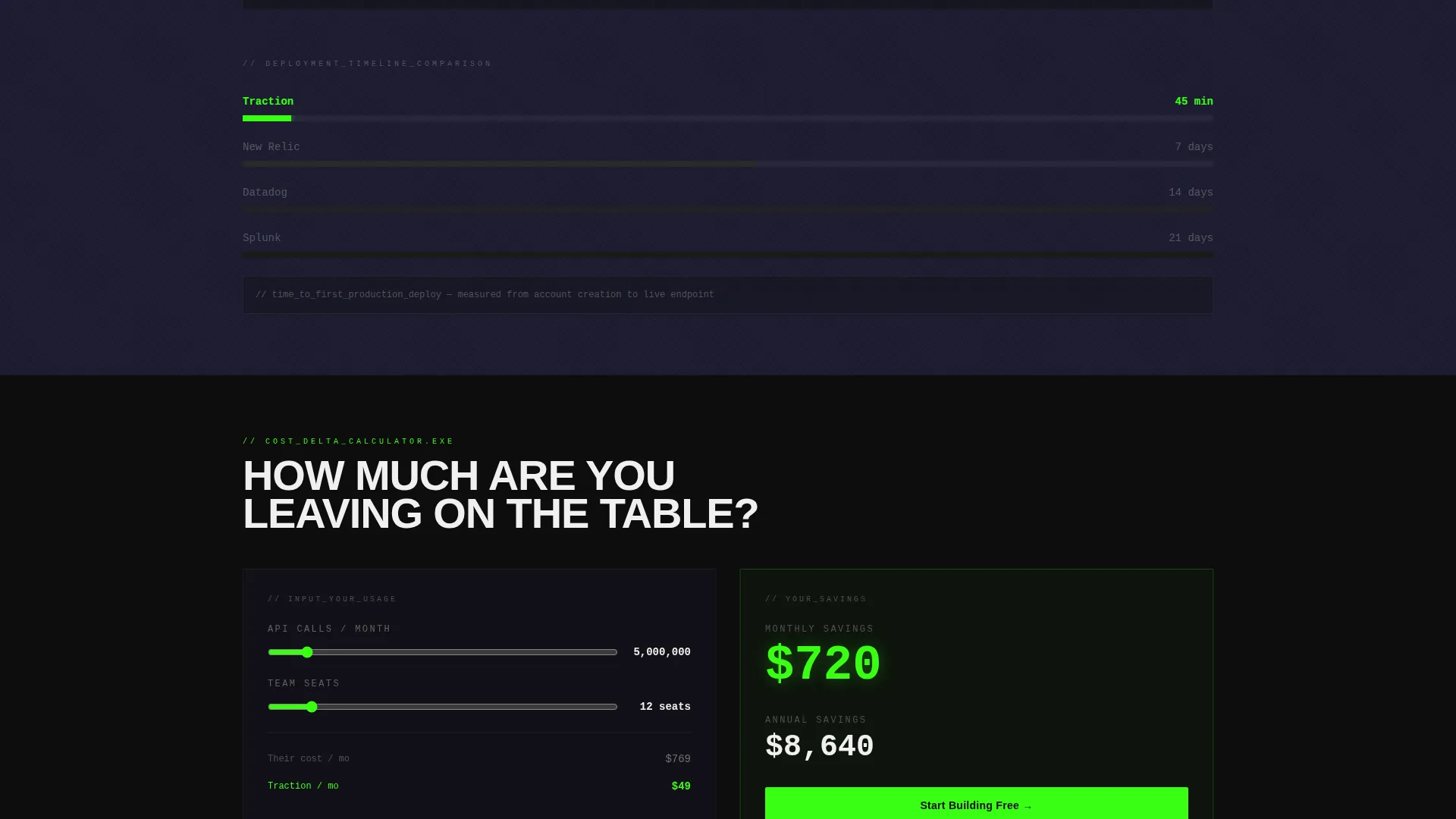
A visual timeline places your deployment speed directly next to the competitor's. The contrast is immediate and deliberate. This section answers the speed objection before it is raised.
Auto-Populating Cost Calculator
A cost calculator section lets visitors enter their usage and see projected savings populate automatically. The math does the selling. No copywriting required.
Floating Primary Call-to-Action Bar
The "Start Building Free" call-to-action bar is pinned and appears once the visitor scrolls past the third table row. It stays visible as the page continues. The secondary path, "See the Live Demo," links to an ungated product sandbox.
Page sections overview
| Section | Purpose |
|---|---|
| Logo Bar Header | Silent social proof strip |
| All-Caps Headline | Sets the confrontational data-first tone |
| Comparison Table | Core metric-by-metric competitor contrast |
| Live Request Counter | Real-time activity proof |
| Deployment Timeline | Speed comparison, theirs versus. yours |
| Cost Calculator | Auto-populated savings estimate |
| Floating call to action Bar | Persistent conversion trigger |
Design & branding system
The visual identity follows a bold brutalist theme using a carbon fiber color system. Every surface is functional. There is no decoration for decoration's sake.
- Background tones stay in the void black (#0D0D0D) to machined graphite (#1A1A2E) range; body text is set in raw aluminum (#B0B0B0)
- The single electric green accent (#39FF14) is reserved only for winning checkmarks, active states, and call-to-action elements
- Typography is the primary design element: the main headline is all-caps, set at brutal scale in a heavy sans-serif; data values use a monospaced font throughout
Mobile & speed optimization
The template is designed so that the data hierarchy reads clearly on smaller screens. The brutalist grid and high-contrast palette translate naturally to mobile viewports without losing legibility.
- The comparison table is structured for horizontal scroll or responsive stacking on narrow screens
- The floating call-to-action bar is sized to remain tappable and visible on mobile without blocking content
- The carbon fiber color system maintains strong contrast across display types and brightness settings
How this template helps you convert
Every section of this landing page is sequenced to build conviction through data, not persuasion. The visitor never has to trust a claim because the numbers are always visible.
- The comparison table appears before any marketing copy, so skeptical visitors engage with proof immediately rather than bouncing past a hero section
- The live counter and deployment timeline escalate the case section by section, removing each remaining objection with a concrete number
- The floating call-to-action bar appears exactly when the visitor has seen enough data to act, turning the click into a logical next step rather than a leap of faith
Other information about this template
This template is a strong fit for SaaS seed-stage startups preparing for early customer acquisition or a public launch. It is designed to work even before full brand assets are complete, which reflects how early-stage teams actually operate.
- The template style is a comparison table layout, purpose-built for the comparison and versus conversion flow common in competitive SaaS markets
- The bold brutalist theme and carbon fiber palette make it visually distinct from the soft, rounded aesthetic common in mainstream SaaS templates
- Teams can adapt the logo bar with competitor logos, integration partner logos, or early adopter company logos depending on what creates the strongest signal for their audience
Theme
Bold Brutalist
Creative direction
Stats-First Impact
Color system
Carbon Fiber
Style
Comparison Table
Direction
Comparison/Versus
Page Sections
Full-width Comparison Table
Logo Bar Header Strip
Live Request Counter
Deployment Timeline Comparison
Auto-populating Cost Calculator
Floating Primary Call to Action Bar
Related questions
Does this template work if my product is still in early development?
Can I launch with this template before my brand identity is finished?
What kind of metrics work best in the comparison table?
How does the floating call-to-action bar work?
Is this template suited for a technical audience?



