Contractor Payroll Tracking Landing Page Template
Clockin is a single-column landing page template built for general contractors who need to replace handwritten timesheets with a faster, cleaner system. It pairs a multi-step lead-capture form with a day-by-day product walkthrough, guiding visitors from crew-size question to signed-up in one focused scroll. The Cloud Canvas color system and Community Hearth theme keep every element functional and field-ready.
by Rocket studio
Quick summary
Clockin is a landing page template for contractor time tracking platforms targeting general contractors, operations managers, and residential builders. The single-column flow opens with a multi-step form, walks visitors through a Monday-to-Friday jobsite week, and closes with a secondary lead-capture path. Everything on the page earns attention before asking for a click.
Who this template is for
This template is built for SaaS founders and product teams launching a construction timesheet or field time tracking platform. It speaks directly to buyers who already know the pain of chasing submitted timesheets and scrambling every Friday to manage payroll.
- General contractors managing 15 or more crew members across multiple construction sites
- Residential builders and framers whose employees bounce between project names and subdivisions daily
- Operations managers who need a standardized method to track employee hours without relying on paper
What problem this template solves
Manual data entry on handwritten timesheets wastes time and breeds human error. Inaccurate data entry leads to wrong client billing and incorrect worker payments. Construction timesheets can be tedious to manage, and time consumption adds up fast when your accounting department is reconciling dozens of daily log entries on a weekly basis.
- Crew members forget clock out times or record the wrong end time, creating gaps in attendance information
- Foremen on construction sites have no fast way to approve hours worked without driving back to the office
- General contractors cannot automatically calculate regular hours, overtime hours, or double time without a reliable timesheet template
What you get with this template
You get a complete single-column landing page layout designed for a contractor time tracking platform. The page is built to track time commitments from the visitor the moment they arrive, turning curiosity into a qualified lead through progressive commitment.
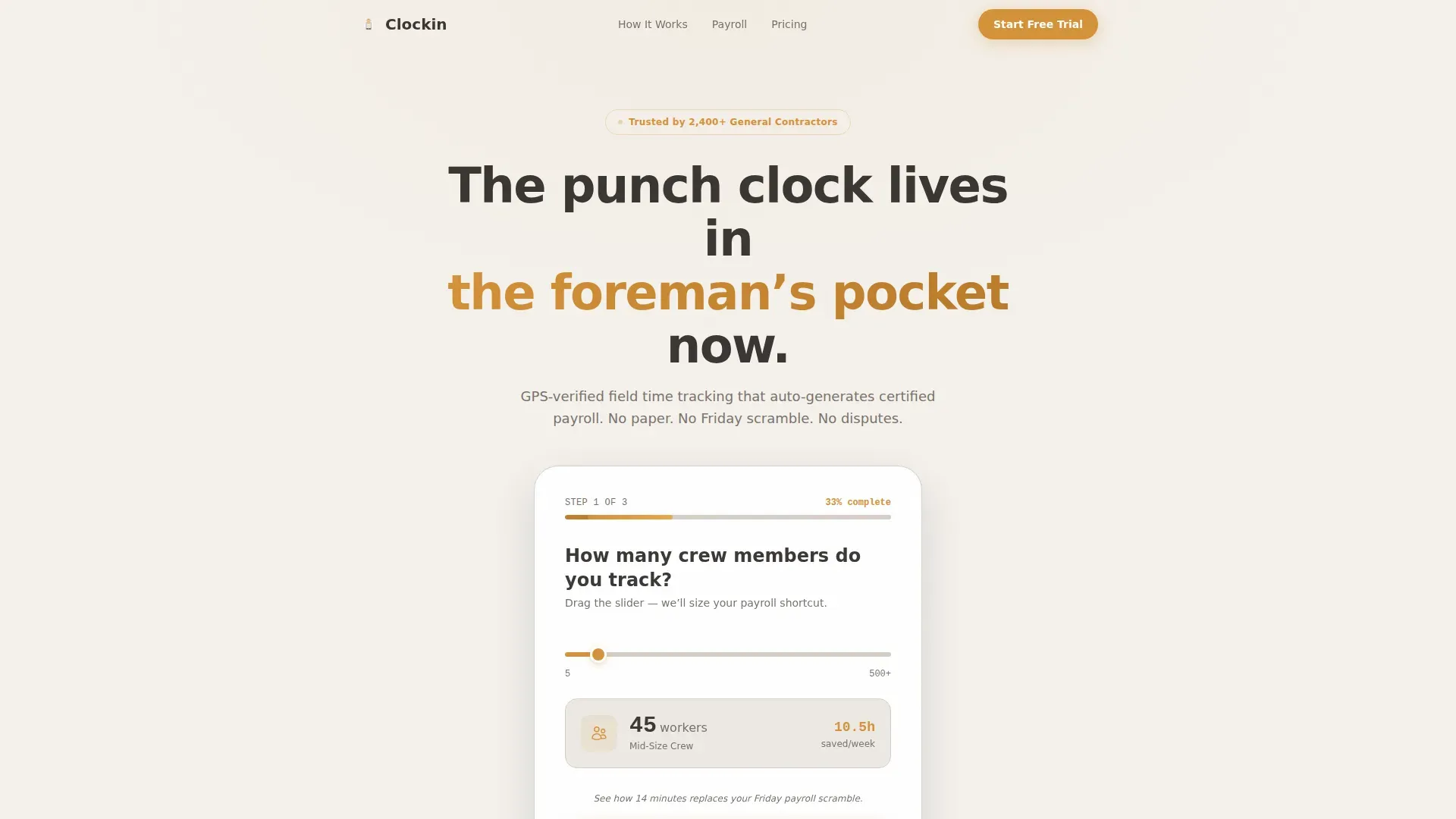
- A three-step header form capturing crew size, project type, and work email with an amber progress bar showing 33 percent completion
- A five-section step-by-step guide walking visitors through a full work week, from Monday crew assignment to Friday payroll review
- A secondary lead-capture form offering a downloadable certified payroll checklist for visitors not yet ready to demo
Feature list
This template is built around prompt-backed components that support real contractor workflows and turn visitors into leads.
Multi-Step Header Form with Crew Slider
The page opens mid-action with Step 1 of 3 already visible. A slider lets visitors answer how many crew members they track, from 5 to 500. The form then collects project type and work email across three steps, with an amber progress bar tracking completion. This approach reduces friction and gathers detailed information before the visitor reaches a call to action.
Monday-to-Friday Step-by-Step Guide
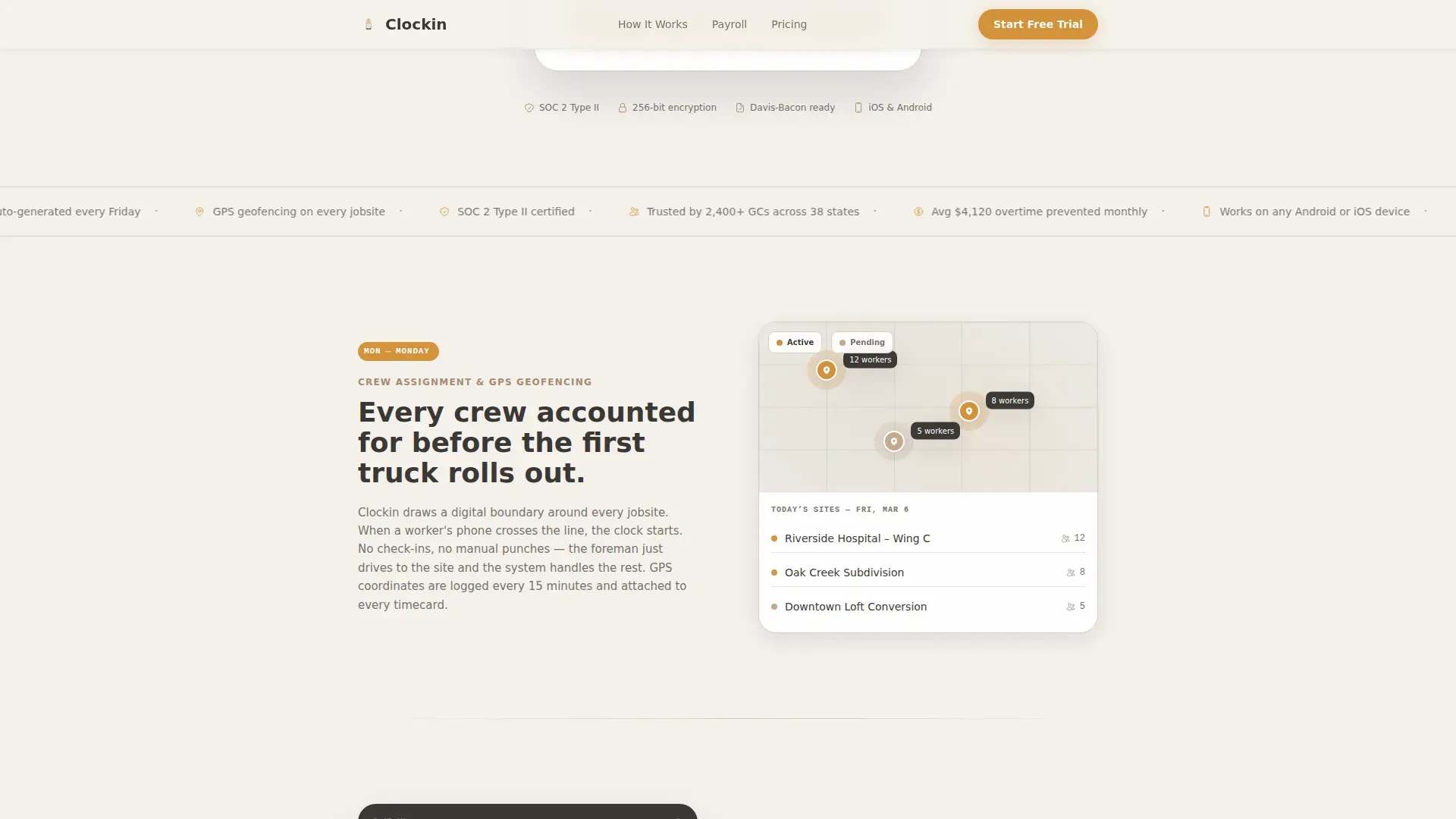
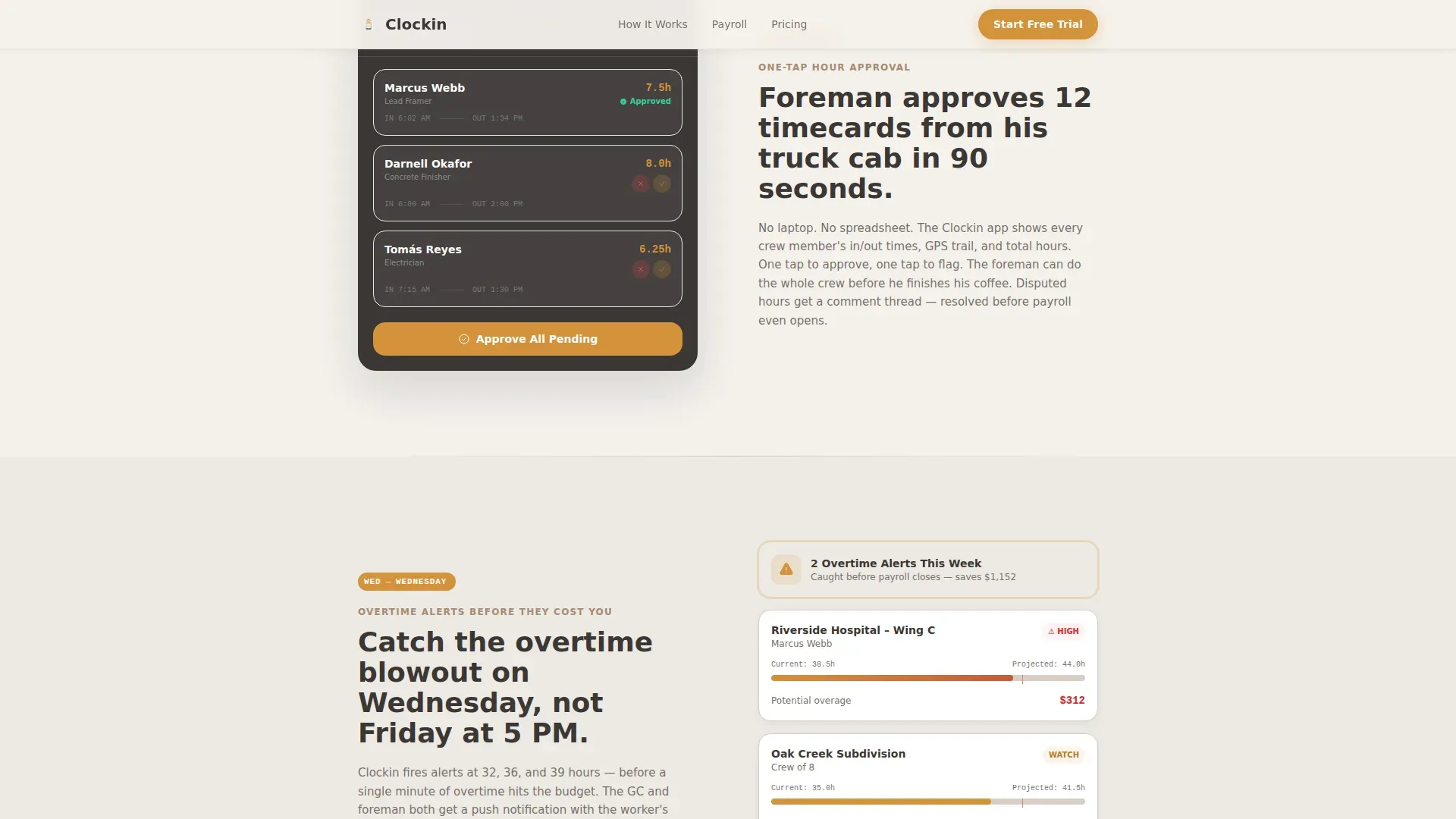
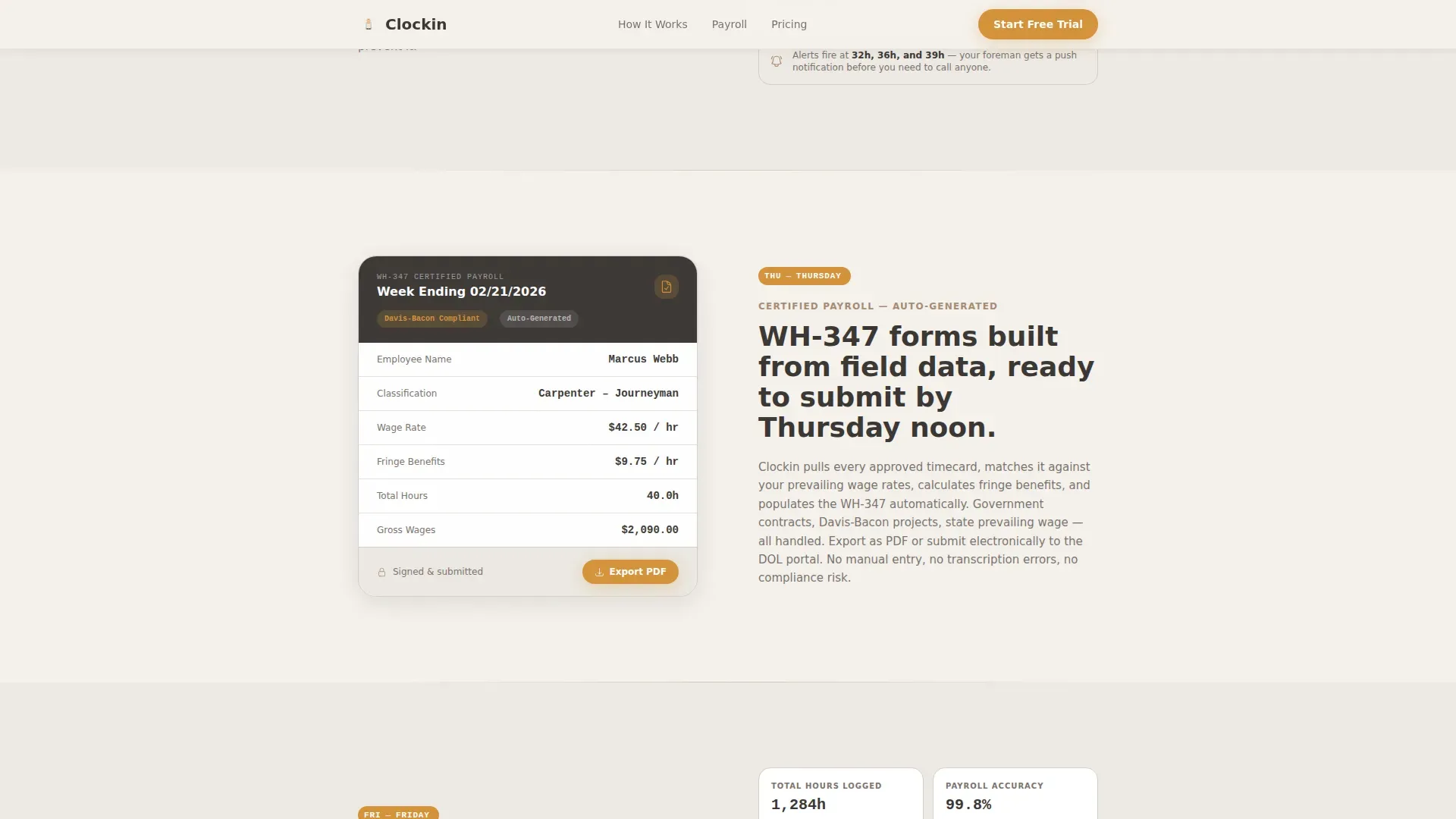
Each scroll section represents one day of a real construction week. Monday covers crew assignment and GPS geofencing. Tuesday and Wednesday show foreman approval and overtime alerts. Thursday reveals auto-generated certified payroll reports. Friday presents the general contractor dashboard view. Visitors track the full week and feel the relief of each step before any ask is made.
Role-Based Page Flow for Different Visitors
The page speaks to both the foreman using a mobile device in the truck cab and the operations manager reviewing a dashboard on a desktop. Sections shift in focus day by day, addressing different roles without splitting the layout. Role-based access control framing helps each visitor self-identify with the product naturally.
Secondary PDF Lead-Capture Section
Below the Friday section, a second form offers a downloadable checklist for contractors who are not ready to demo. It captures name and email, giving the platform a second conversion path. This supports payroll management goals without pressuring visitors who need more time.
Amber-on-Charcoal Primary call to action Block
The primary call to action, "Build My Payroll Shortcut," uses steady amber text on warm charcoal. This call to action block appears after the full week walkthrough, when visitors have seen each day of the workflow and understand the value. Trust signals and inline metrics appear nearby, providing social proof before the final ask.
Accordion FAQ Section
An interactive accordion handles common buyer questions about the time tracking app, construction timesheet setup, cost codes, and calculating payroll. Each answer stays concise. The accordion keeps the page clean while surfacing detailed information that cautious buyers need before committing.
Page sections overview
| Section | Purpose |
|---|---|
| Multi-Step Header Form | Capture crew size, project type, and email with amber progress bar |
| Monday: Crew Assignment | Show GPS geofencing and daily crew setup on a jobsite map |
| Tuesday/Wednesday: Approvals | Display foreman mobile approval flow and overtime alert cards |
| Thursday: Payroll Reports | Preview auto-generated certified payroll document output |
| Friday: GC Dashboard | Present single dashboard view and secondary PDF checklist form |
| Footer | Horizontal flow pattern with navigation and brand links |
Design & branding system
The Cloud Canvas color system gives this template a worn-in, functional identity. Nothing is decorative for its own sake. Every color choice carries a job, the same way a well-worn Carhartt jacket does.
- Overcast white (#F4F1EC) as the primary background, warm charcoal (#3B3735) for body text, muted clay (#A68B72) on section dividers and secondary elements, and steady amber (#D4923A) reserved for buttons and progress indicators
- Plus Jakarta Sans handles all body and user interface text; JetBrains Mono renders all data, times, and numbers, keeping work hours and end time values visually distinct
- Scroll-triggered reveals and staggered day-by-day animations give the page a measured forward pace without distraction
Mobile & speed optimization
Mobile-first design is essential here because foremen use a mobile device to log hours directly from construction sites. The template is built to track time accurately whether a crew member is on a phone in a truck cab or a tablet in a job trailer.
- Single-column layout scales cleanly across all screen sizes, with interactive form elements and the time tracking app flow sized for thumb navigation
- Server components handle all static sections; client components power the multi-step form, slider, and FAQ accordion for responsive interactivity
- Staggered section reveals are scroll-triggered, ensuring the daily log walkthrough feels natural on both mobile apps and desktop browsers
How this template helps you convert
The page earns commitment progressively, showing the full work week before asking for anything. By the time the visitor reaches the call to action, they have already seen their own business operations reflected in the daily workflow.
- The multi-step form starts with a low-commitment question about how many hours the visitor's crew logs, building investment before the email field appears on the final step
- The Monday-to-Friday walkthrough deepens trust section by section, with each day addressing a specific pain point like scope creep, overtime alerts, or an overloaded accounting department
- The secondary PDF checklist path captures leads on a monthly basis or longer sales cycle, ensuring the page converts visitors at every stage of readiness
Other information about this template
This template fits naturally into the contractor timesheet templates space, where platforms need a landing page that speaks to field operations without sounding generic. The Clockin contractor crew payroll tracking landing page template is purpose-built for this exact niche.
- Free construction timesheet templates in tools like Google Sheets are a common starting point for small crews, but they require manual data entry, lack timesheet reminders, and cannot automatically calculate double time or apply variable hourly rate rules across a pay period
- Free construction resources help teams get started, but as projects grow, free construction timesheet templates become harder to scale; this template positions the platform as the clear next step beyond spreadsheet-based tracking
- Platforms offering a weekly construction timesheet template or a daily construction timesheet template as in-app exports can use this page to show how those documents are generated, linking hours logged to each project and cost code
- The daily timesheet template section of the page can demonstrate how each employee's clock out times, task descriptions, and hourly wage details flow into a detailed summary without any extra data entry
- Referencing a comprehensive system for payroll processing builds trust with buyers comparing the platform against other tools in the market
Theme
Community Hearth
Creative direction
Step-by-Step Guide
Color system
Cloud Canvas
Style
Single Column Flow
Direction
Lead Generation
Page Sections
Multi-step Lead Capture Form
Monday-to-friday Workflow Walkthrough
Certified Payroll Report Preview Section
Secondary PDF Checklist Lead Capture
Interactive FAQ Accordion
Role-aware Section Targeting
Related questions
Does this template include the actual time tracking software or app?
Can I customize the construction timesheet sections for my project types?
Who fills out the multi-step header form on the live page?
Is this template suitable for prevailing wage or government construction projects?
How does this template display employee time and attendance information?



