Space & Advanced Aerospace Reviews & Social Proof Website Template
Thrust is a single-column flow landing page template built for launch vehicle companies. It uses a Data Command visual theme with a Charcoal and Amber color system to create an operations-room atmosphere. The layout guides satellite operators, defense procurement officers, and commercial space clients from vehicle specs to a mission quote request through evidence-led, metric-forward design.
by Rocket studio
Quick summary
Thrust delivers a full-viewport, mission-control aesthetic for launch vehicle companies. The single-column flow moves visitors from cinematic header to engineering data to a lead capture form. Amber calls to action, oversized metric type, and data visualization sections build authority fast. Every layout decision supports one goal: turning a technical evaluator into a qualified inquiry.
Who this template is for
This template is purpose-built for companies that put payloads into orbit. It speaks the language of procurement, integration, and manifest planning without requiring translation.
- Satellite constellation operators negotiating rideshare manifests and launch windows
- Defense procurement officers qualifying new launch providers for national security payloads
- Commercial space startups that need a credible, data-backed web presence to attract customers
What problem this template solves
Most aerospace web templates are either too generic or too polished to be convincing to a technical buyer. A procurement officer or constellation operator does not want a brochure. They want evidence. Thrust solves the credibility gap by presenting vehicle data, mission history, and integration specs in a format that reads like a flight performance document, not a marketing page.
- Technical buyers distrust vague claims and skip pages that lack verifiable numbers
- Launch companies struggle to present rideshare flexibility and manifest options in a readable format
- Lead generation forms in aerospace often ask for too much too soon, losing qualified evaluators early
What you get with this template
Thrust is a complete single-column landing page layout ready to be adapted for a launch vehicle company. Every section is structured to deliver specific information at the right moment in the buyer's decision process.
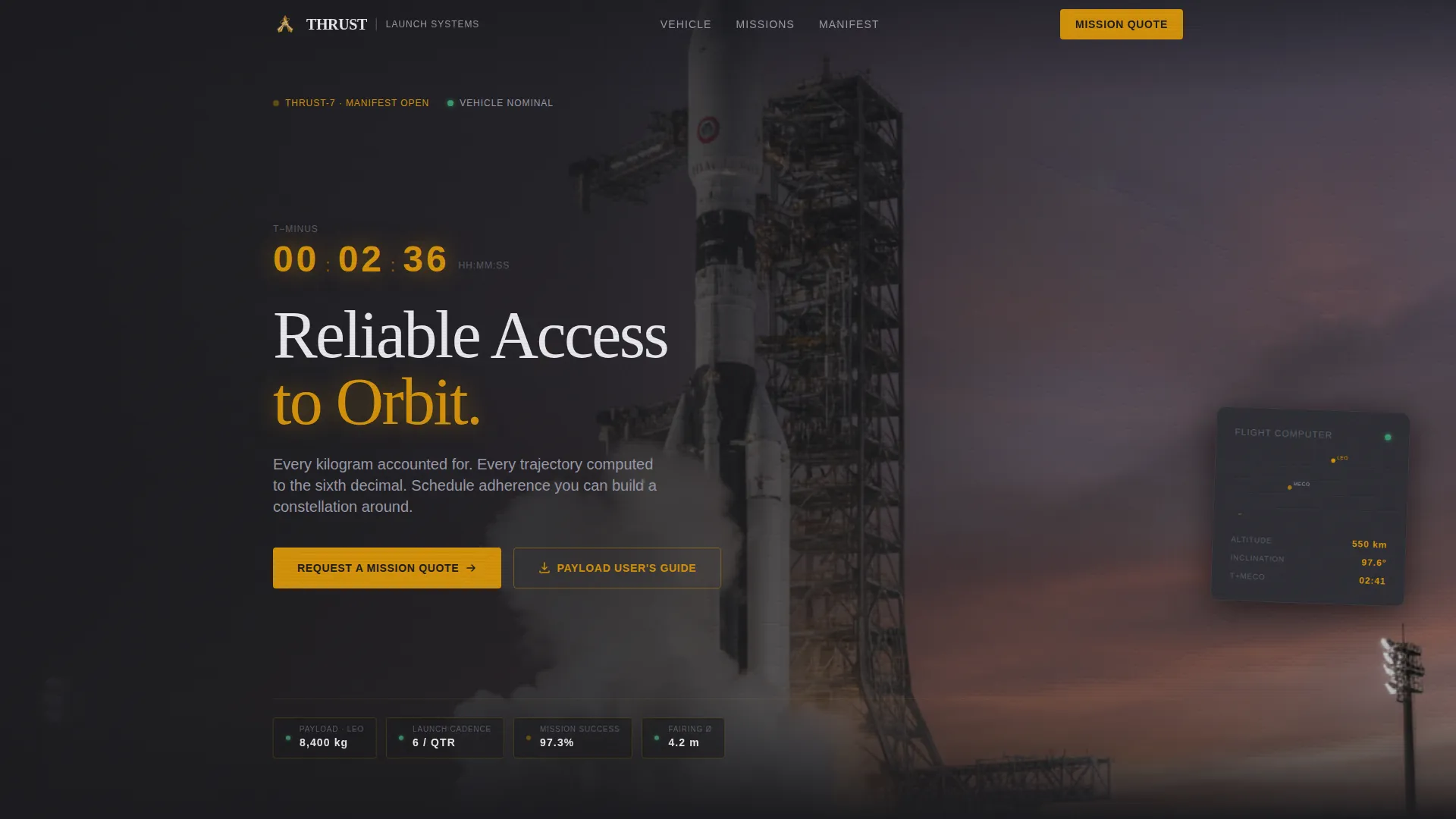
- A cinematic full-viewport header with an amber telemetry countdown animation and headline overlay
- Metric-forward content sections with oversized amber type, embedded data visualization placeholders, and engineering-grade copy structure
- A mission patch carousel for case study presentation and two lead capture paths: a primary quote request form and a lower-friction payload guide download
Feature list
This template includes a focused set of purpose-built layout features. Each one is grounded in the source brief and designed to serve the aerospace buyer journey.
Cinematic Full-Viewport Header
The header uses a panoramic, 21:9-ratio frame of the launch vehicle on the pad at twilight. Negative space is weighted left so the vehicle anchors the right third of the frame. A single amber telemetry line animates across the bottom edge with a T-minus countdown before the headline renders in readout white.
Oversized Amber Metric Blocks
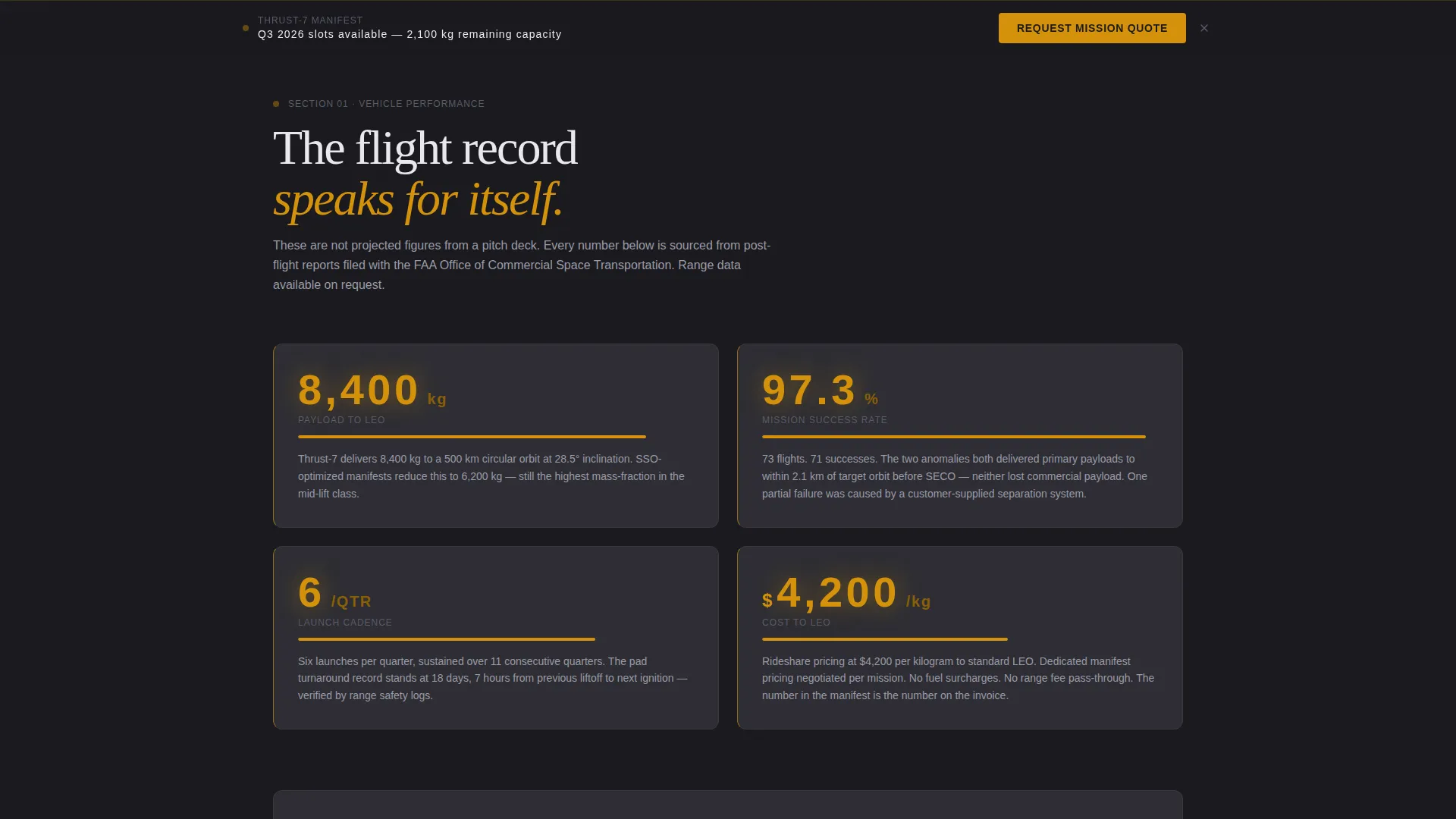
Each content section opens with a bold, oversized metric in amber type. Payload-to-LEO capacity, launch cadence per quarter, mission success percentage, and cost-per-kilogram each introduce their own section. This format signals data authority before a single paragraph of explanation appears.
Embedded Data Visualization Sections
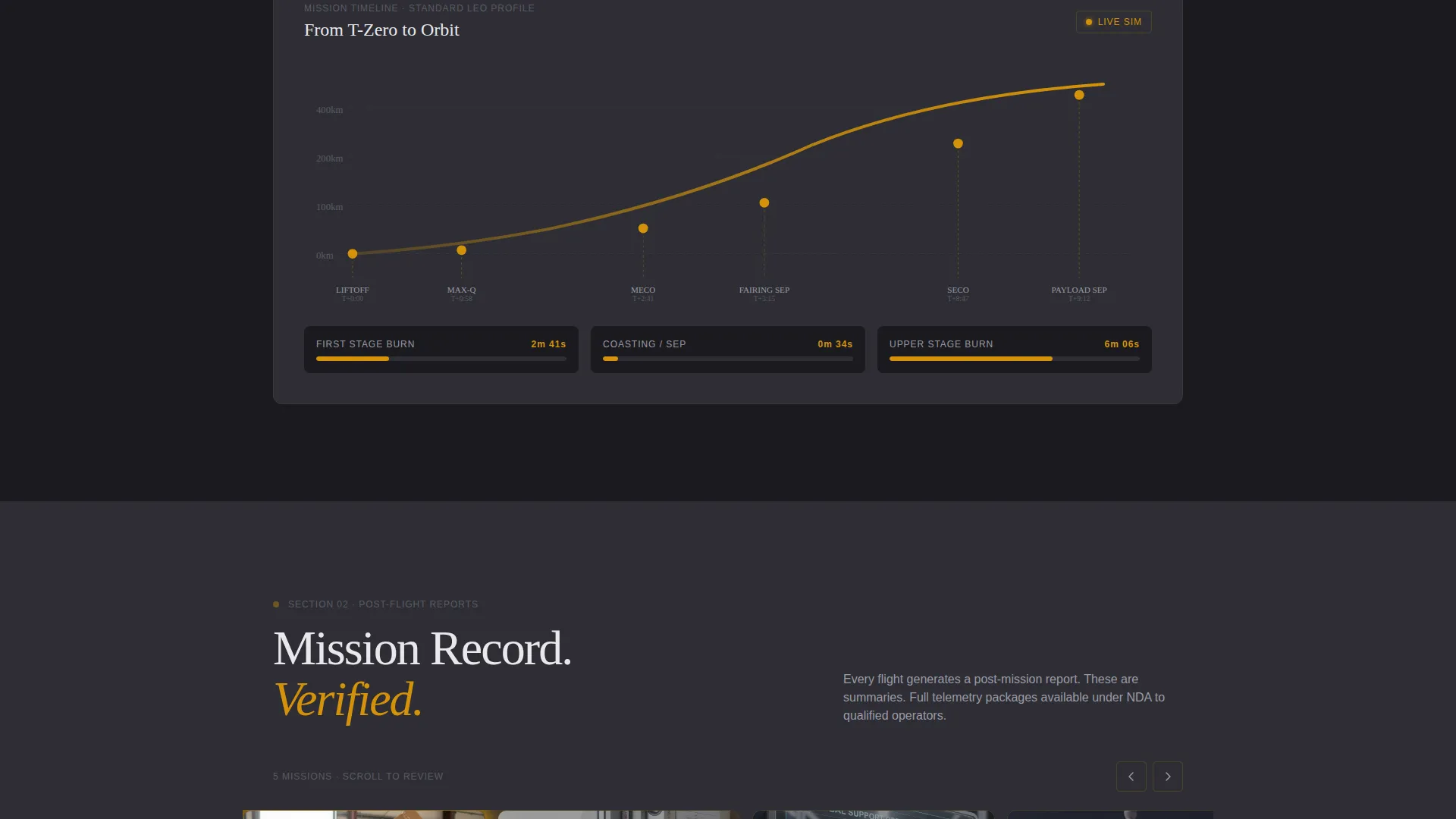
The scroll includes structured placeholders for trajectory profiles, fairing dimension diagrams, and mission timeline Gantt bars. These visualizations sit inside the Industry Report creative direction, giving technical evaluators the kind of detail they expect from a flight performance document.
Mission Patch Carousel
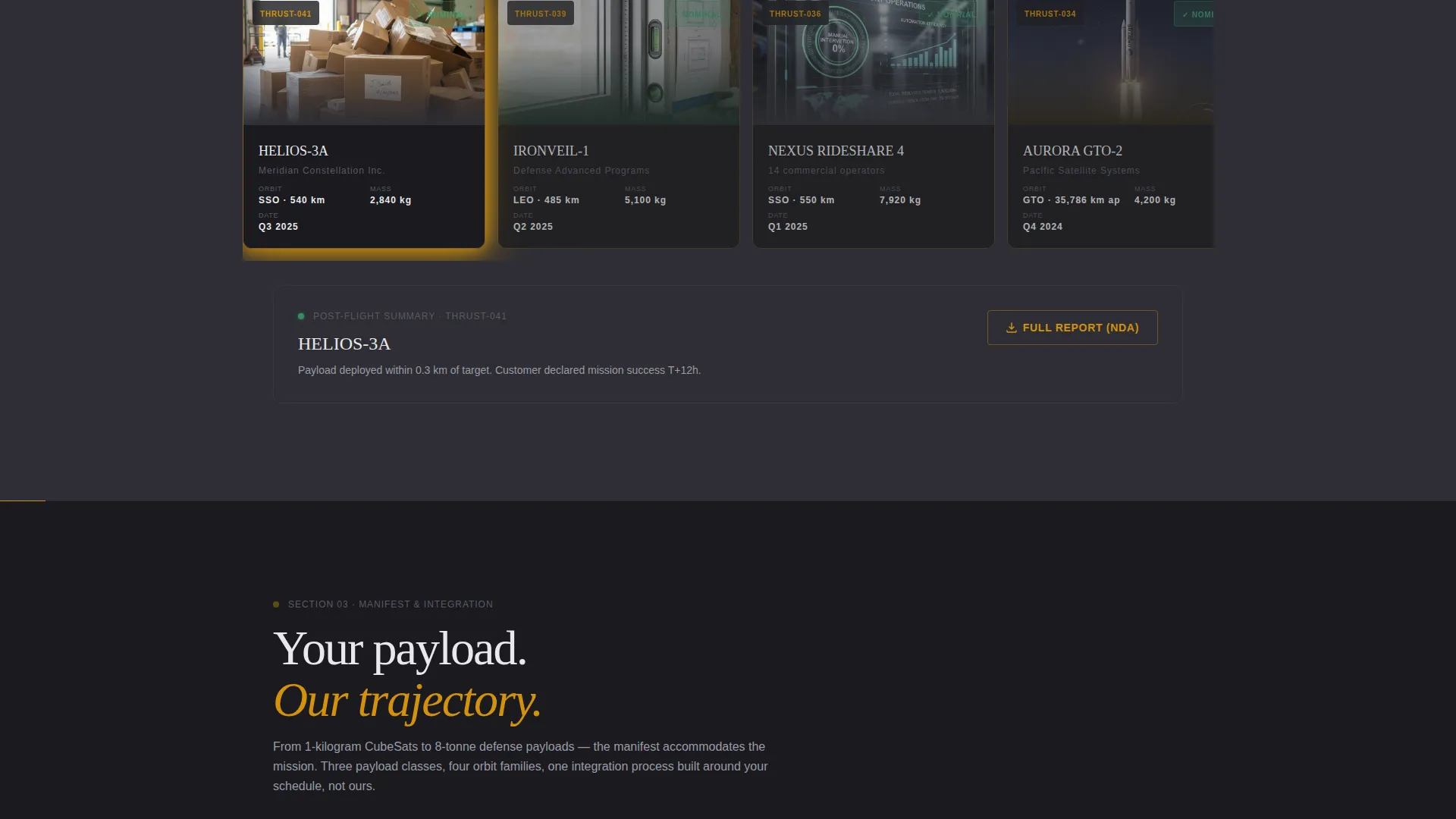
A horizontal scroll carousel midway through the page presents mission patches and post-flight report summaries as case studies. This section reinforces launch history and operational credibility without requiring a separate portfolio page.
Dual Lead Capture Paths
The primary call to action is "Request a Mission Quote," capturing payload mass range, target orbit type (LEO, SSO, GTO, or custom), desired launch window, and work email. A secondary path offers a downloadable Payload User's Guide gated behind email and organization name only, qualifying technical evaluators at lower friction before the procurement conversation begins.
Sticky Conversion call to action
After the visitor scrolls past the vehicle specifications section, the "Request a Mission Quote" button locks to the bottom of the viewport. This persistent call to action ensures the conversion path stays visible throughout the full scroll without interrupting the content reading experience.
Page sections overview
| Section | Purpose |
|---|---|
| Full-Viewport Header | Establish cinematic authority and launch vehicle identity with countdown animation |
| Amber Metric Block | Open each content section with a bold, credibility-building performance figure |
| Vehicle Specs Section | Present payload capacity, trajectory data, and fairing dimensions in detail |
| Manifest Flexibility Section | Explain rideshare options, orbit types, and launch cadence for operators |
| Integration Process Section | Walk through the payload integration timeline and mission planning steps |
| Mission Patch Carousel | Display mission history and post-flight case study summaries horizontally |
| Primary Quote Form | Capture payload mass, target orbit, launch window, and work email |
| Payload Guide Download | Offer a low-friction secondary entry gated by email and organization name |
| Sticky Bottom call to action | Keep the quote request button visible after the specs section is scrolled past |
Design & branding system
The visual identity follows a Data Command theme built entirely around the Charcoal and Amber color system. Every color choice has a functional role in the layout, mirroring the logic of an actual operations room.
- Base surfaces use deep operations-room black (#1A1A1E) and graphite panel gray (#2E2E34), with gray acting as a section divider like a bulkhead wall between content blocks
- Status-amber (#D4920B) owns every interactive element, data highlight, call to action button, and oversized metric, functioning as the signal color against controlled darkness
- Readout white (#E8E8EC) carries all primary body text, sitting clean against charcoal with the mechanical clarity of a mission clock display
Mobile & speed optimization
The single-column flow layout is inherently well-suited for smaller screens. Content stacks naturally without requiring complex grid restructuring, and the metric-block format remains readable at any viewport width.
- The panoramic header scales within its frame so the vehicle and headline remain visible on mobile without cropping the core composition
- The mission patch carousel adapts to touch-based horizontal scrolling on mobile devices, maintaining its case study function across screen sizes
How this template helps you convert
Thrust is structured as a persuasion document, not a brochure. Every layout decision moves a skeptical technical buyer closer to submitting a qualified inquiry.
- The metric-first section structure answers the buyer's first question, which is whether this vehicle can carry their payload to the right orbit, before any soft copy appears. This removes the credibility barrier early.
- The dual lead capture approach meets buyers at two different stages of readiness. Evaluators who are not yet ready to request a quote can download the Payload User's Guide with minimal friction, entering the pipeline for follow-up without feeling pressured.
Other information about this template
Thrust is categorized under Aerospace and Defense, specifically within the Space and Satellite subcategory, targeting the launch vehicle company niche. It is built as a single-column flow landing page using the Data Command theme.
- The template style is Single Column Flow, making it straightforward to customize and extend without disrupting the visual hierarchy
- The creative direction is Industry Report, meaning the scroll is structured to build a cumulative evidence case rather than presenting isolated marketing claims
- The lead generation direction means every section is oriented toward capturing a qualified contact, with the form fields specifically designed for payload mission parameters
- The Intersection Match Score of 13 reflects a precise alignment between the Aerospace and Defense category, the Space and Satellite subcategory, the launch vehicle company niche, and the selected theme and color system
Theme
Data Command
Creative direction
Industry Report
Color system
Charcoal & Amber
Style
Single Column Flow
Direction
Lead Generation
Page Sections
Cinematic Full-viewport Header
Oversized Amber Metric Blocks
Embedded Data Visualization Sections
Mission Patch Carousel
Dual Lead Capture Paths
Sticky Viewport Call to Action Button
Related questions
Who is this landing page template designed for?
What lead information does the quote request form collect?
What is the Payload User's Guide download option?
Does the template include actual mission data or visualizations?
Can I adapt this template for more than one vehicle configuration?



