Notary & Legal Support Booking Website Template
Depose is a split-screen landing page template built for certified court reporting services. It combines a cinematic half-page photo layout with a testimonial mosaic and a streamlined three-step booking form. Legal professionals can schedule a court reporter for in-person, remote, or hybrid depositions without confusion or delay, same day when needed.
by Rocket studio
Quick summary
Depose is a single-page booking template designed for certified court reporting firms. It pairs a bold 50/50 split-screen hero with a staggered testimonial mosaic and an inline three-step booking form. The design gives legal professionals a clear, confident path to schedule a court reporter fast, no retainer, no back-and-forth email, no delay.
Who this template is for
This template is built for court reporting firms and deposition services that need to convert visitors into booked reporters quickly. It suits any team that dispatches certified reporters to conference rooms, law offices, or virtual sessions.
- Litigation paralegals managing active case files across multiple matters at once
- Solo practitioners who prefer same day scheduling without a retainer commitment
- AmLaw 200 associates and law firms that need real-time streaming transcripts delivered to their devices mid-examination
What problem this template solves
Scheduling a court reporter under time pressure creates confusion. Attorneys needing last-minute reporters are typically in high-stress situations, a deposition noticed for the next business day leaves no room for a slow intake process. This template removes that friction.
- Legal professionals waste time searching for a reliable reporter when a self-service form would serve them faster
- Existing sites often bury booking tools under too many clicks, causing visitors to abandon before they schedule
- Firms lose jobs because their website does not provide a clear, immediate path to confirm a date, time, and location
What you get with this template
This template gives your team a fully structured, ready-to-customize landing page built specifically for deposition booking services. Every section serves a conversion purpose.
- A cinematic split-screen hero with headline, subline, and a gold call-to-action button pinned for immediate booking
- A testimonial mosaic showing punchy attorney and paralegal quotes across multiple practice areas to build trust
- A three-step inline booking form collecting date and time, deposition type and location, and contact plus case reference information
Feature list
This template ships with six purpose-built sections and a cohesive visual system. Each component is designed to give court reporting firms a professional, conversion-ready presence from day one.
Split-Screen Hero with Booking Entry
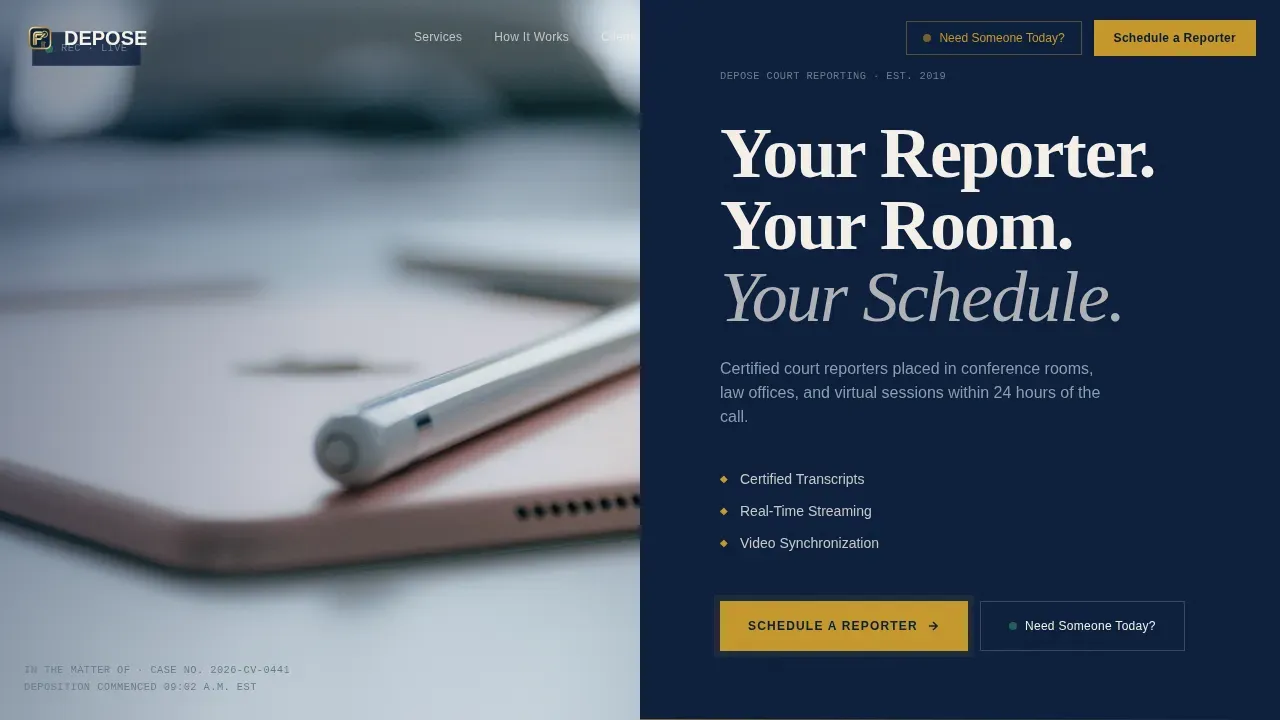
The hero splits the viewport 50/50. The left side holds a cinematic reporter's-perspective photograph. The right side carries a heavyweight serif headline and a gold "Schedule a Reporter" call-to-action button. A secondary "Need Someone Today?" click-to-call button provides an instant path for same day rush bookings.
Testimonial Mosaic with Practice-Area Variety
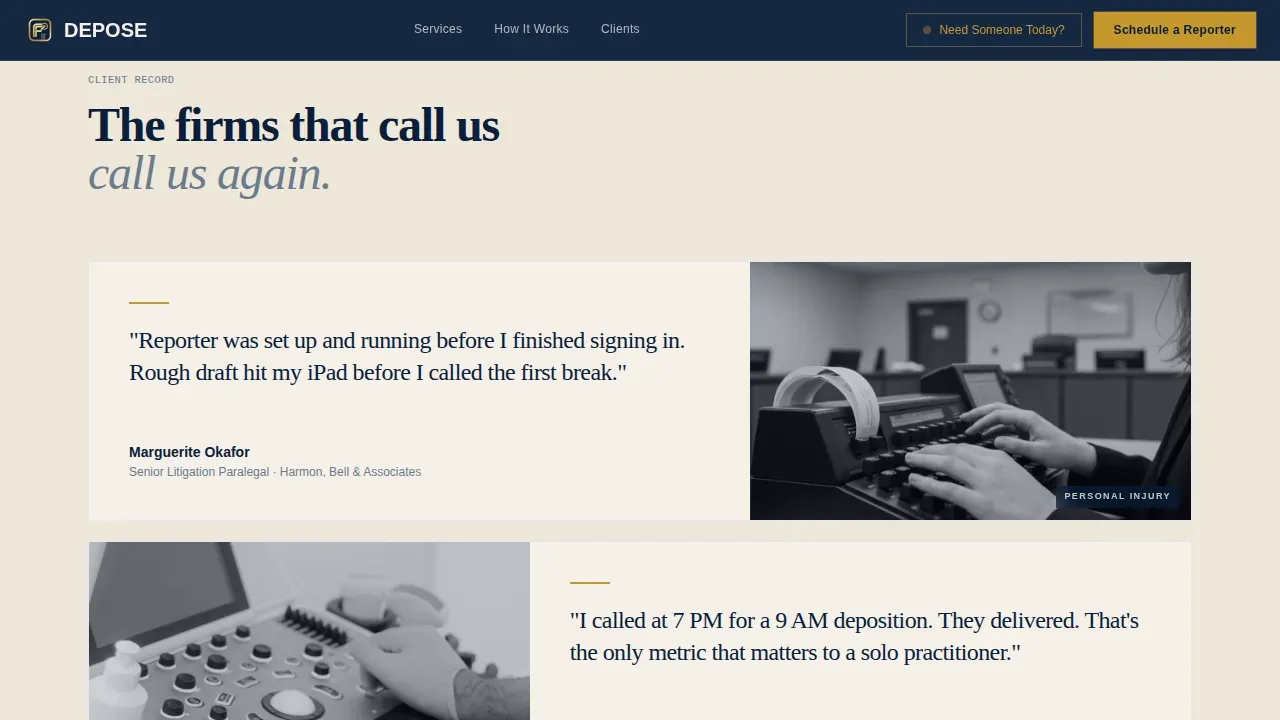
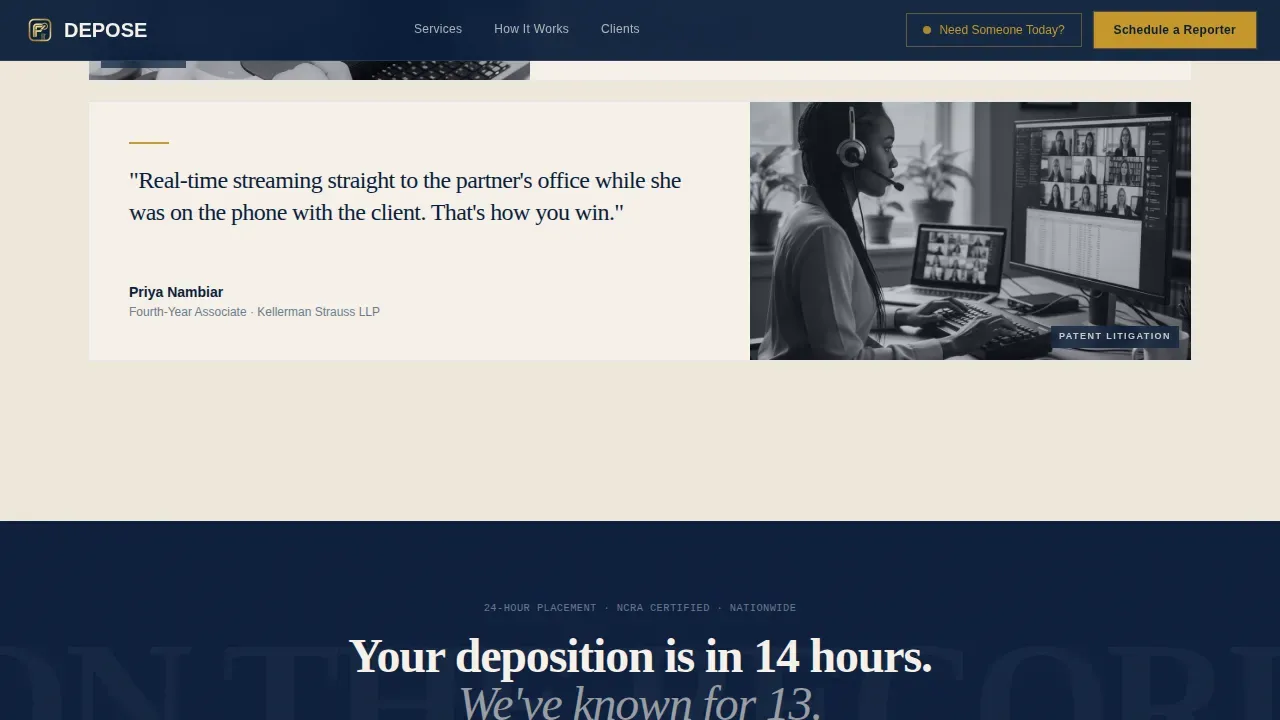
Staggered cards load in subtle reveals, each split between a punchy quote and a detail photograph, a timestamped transcript page, a reporter's hands mid-stroke, a laptop showing a real-time feed. The mosaic covers personal injury, patent litigation, family law, corporate, and employment matters. This variety gives visitors confidence across different case types without stating it directly.
Three-Step Inline Booking Form
The booking form guides users through three focused steps: pick a date and time, select deposition type (in-person, remote, or hybrid) and provide a zip code or virtual platform link, then submit contact name and case reference number. Minimizing form fields ensures only essential information is collected, reducing friction and allowing scheduling to occur quickly.
Repeating Call-to-Action Strips
A navy and gold call-to-action band reading "Schedule a Reporter" repeats after every third testimonial row. This keeps the schedule prompt visible throughout the scroll without overwhelming the social proof content around it.
Gold-Accented Typography System
Fraunces serif handles all display headlines. DM Sans covers body and form copy. Gold accent color is reserved for call-to-action buttons and key user interface markers, creating a visual hierarchy that guides the eye toward the booking tools at every turn.
Single-Row Footer
A clean linear footer closes the page. It keeps the layout tight and ensures no dead end occurs at the bottom of the page, giving visitors one final anchor before they exit.
Page sections overview
| Section | Purpose |
|---|---|
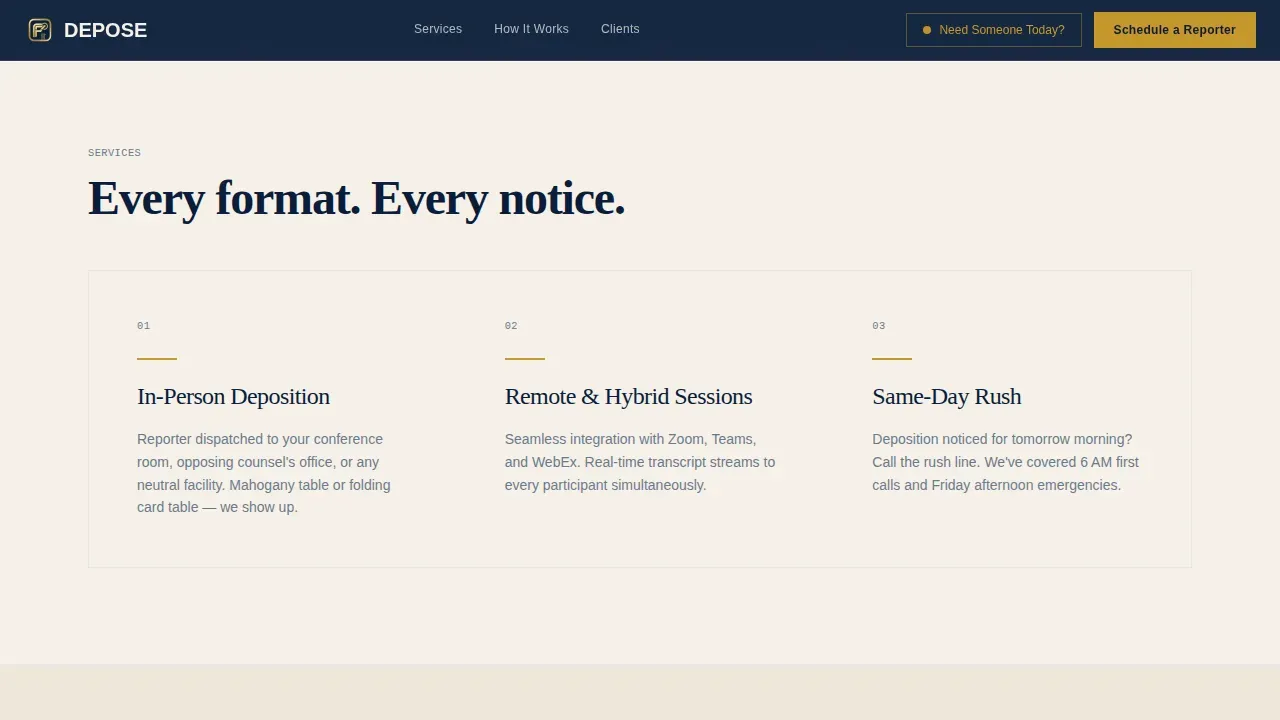
| Hero Split Screen | Cinematic intro, headline, primary and secondary call to action buttons |
| Testimonial Mosaic Row 1 | Social proof quotes from personal injury and patent litigation |
| Schedule call to action Strip | Mid-page booking prompt, navy and gold band |
| Testimonial Mosaic Row 2 | Quotes from family law, corporate, and employment matters |
| Three-Step Booking Form | Inline date, type, and contact form for reporter scheduling |
| Linear Single-Row Footer | Closing anchor, firm information, final navigation |
Design & branding system
The visual identity follows a Service Utility theme grounded in legal authority. Every color and type choice is intentional, the palette feels like opening a fresh transcript binder, heavy with credibility.
- Colors: deep briefcase navy (#0B1D3A) as primary, deposition-transcript cream (#F5F0E8) as background, steel filing-cabinet gray (#6B7B8D) for supporting text, and notary-seal gold (#C5972C) reserved exclusively for call-to-action elements and key user interface accents
- Typography: Fraunces serif for display headlines and section titles; DM Sans for body copy, form labels, and navigation, together they create a balance between legal authority and readable clarity
Mobile & speed optimization
The template is designed desktop-first for litigation professionals at workstations, with a functional mobile fallback built in for paralegals who need to schedule a reporter from a phone when a deposition notice lands unexpectedly.
- Staggered card animations and a subtle parallax effect on the hero photograph are handled through client-side components, keeping static sections lean and fast to render
- The mobile menu and click-to-call button ensure that same day rush bookings can occur from any device without navigating through multiple screens
How this template helps you convert
Every design decision on this landing page is pointed toward one outcome: getting a court reporter scheduled before the visitor closes the tab.
- The pinned gold call-to-action button and the click-to-call option appear immediately in the hero, so high-intent visitors can act the moment they arrive, no scroll needed to find the booking form
- The testimonial mosaic builds layered trust across practice areas, giving attorneys and paralegals the social proof they need to feel confident before they fill out the three-step form
- The repeating schedule strip ensures that at any point during the scroll, the next deposition is only one click away from being confirmed
Other information about this template
This template is designed with deposition scheduling best practices in mind. Several court reporting agencies provide convenient technology solutions for handling scheduling, and this layout reflects those standards. You can attach a deposition notice to an email request or use the inline form, both paths plan for the same outcome: a certified court reporter confirmed for your next deposition.
- The booking form supports in-person, remote, and hybrid deposition types, allowing parties to clarify their preferred platform or location during intake
- All reporters represented in the template context carry verified credentials, agencies should state certifications such as Certified Realtime Reporter (CRR) or Registered Professional Reporter (RPR) clearly on their site to build trust with legal professionals
- Security is a critical consideration: deposition services should communicate how they handle sensitive case files, including data security measures such as encryption and audit logging to record who accessed transcripts and exhibits
- The template plan includes a documented call-to-action structure that helps firms conduct intake efficiently, whether a witness needs to be sworn under oath in-person or deposition participants join remotely across time zones
- Filevine is a platform that uses AI tools to provide real-time transcription and analysis, suggesting follow-up questions and generating summaries the same day, this context helps buyers understand the broader landscape of deposition technology when evaluating which services to offer through this template
- Self-service intake forms reduce back-and-forth communication and allow scheduling to occur outside office hours, which is especially valuable when a deposition gets noticed with only hours to spare
- Firms that prefer managed court reporting over open marketplace models may find this template well-suited to communicate quality and control, since on-demand marketplace services can introduce quality variance and data security risks that a managed team avoids
- The cost of a missed or poorly staffed deposition can extend a trial timeline by weeks, this template helps firms communicate their reliability before that experience ever becomes a concern
- Cookies may be used on the live site to support form state and session continuity across the booking steps; buyers should plan for this in their deployment
Theme
Service Utility
Creative direction
Testimonial Mosaic
Color system
Navy Authority
Style
Split Screen (50/50)
Direction
Booking/Scheduling
Page Sections
Split-screen Hero with Dual Ctas
Staggered Testimonial Mosaic
Three-step Inline Booking Form
Repeating Schedule Call to Action Strips
Gold-accented Typography System
Clean Single-row Footer
Related questions
What sections are included in this landing page template?
Can I customize the booking form for different deposition types?
Does this template support same day rush bookings?
Who should use the testimonial mosaic section?
How do I communicate reporter credentials on this template?



