AR-Enhanced Enterprise Software Cost Calculator Website Template
Tempo is a comparison table landing page template built for an augmented reality business process management platform. It opens with an interactive AR process map simulator, walks visitors through a personal waste calculator, and delivers a twelve-dimension competitive comparison that builds from private revelation to undeniable proof. The design runs on a Carbon Fiber color system with ice blue data highlights and amber urgency signals.
by Rocket studio
Quick summary
Tempo is a dark, high-interactivity landing page template designed for an AR-enhanced business process management platform. It leads with a live AR simulator, moves through a personalized waste calculator, and closes with a twelve-dimension comparison table. The Carbon Fiber visual system keeps every surface absorbed in deep black while key information cuts through with surgical precision.
Who this template is for
This template is built for enterprise software teams selling a complex, insight-driven product to a skeptical, data-literate audience. It suits companies whose buyers need to see a personal number before they believe a pitch.
- VP-level operations and process owners at manufacturing firms who are buried in diagram complexity and invisible waste
- Six Sigma practitioners and digital transformation consultants who need credible, quantified deliverables that hold up in front of a C-suite
What problem this template solves
Flat diagrams and generic software comparison pages fail to communicate the gap between legacy tools and spatial process intelligence. Buyers arrive unconvinced because they have never seen their own workflow in three dimensions.
- The page needs to make the value tangible before asking for a click, not after
- Traditional comparison pages list features without giving buyers a personal stake in the outcome
What you get with this template
This template delivers a structured single-page experience that moves visitors from curiosity to conviction in a deliberate sequence. Every section is pre-built and thematically consistent with the Carbon Fiber cockpit aesthetic.
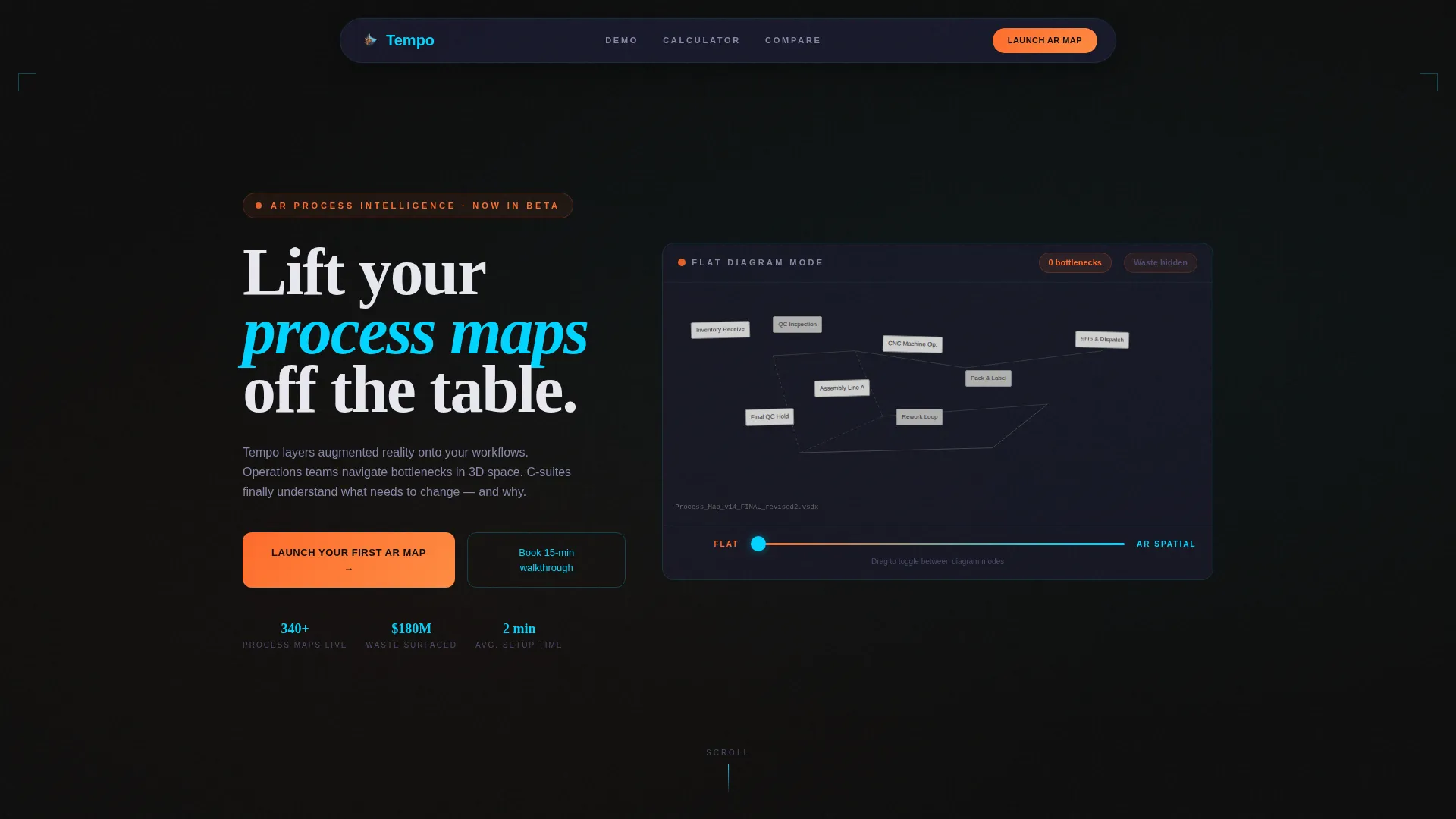
- An embedded AR process map simulator above the fold with a draggable Visio-to-AR toggle slider and a live bottleneck counter
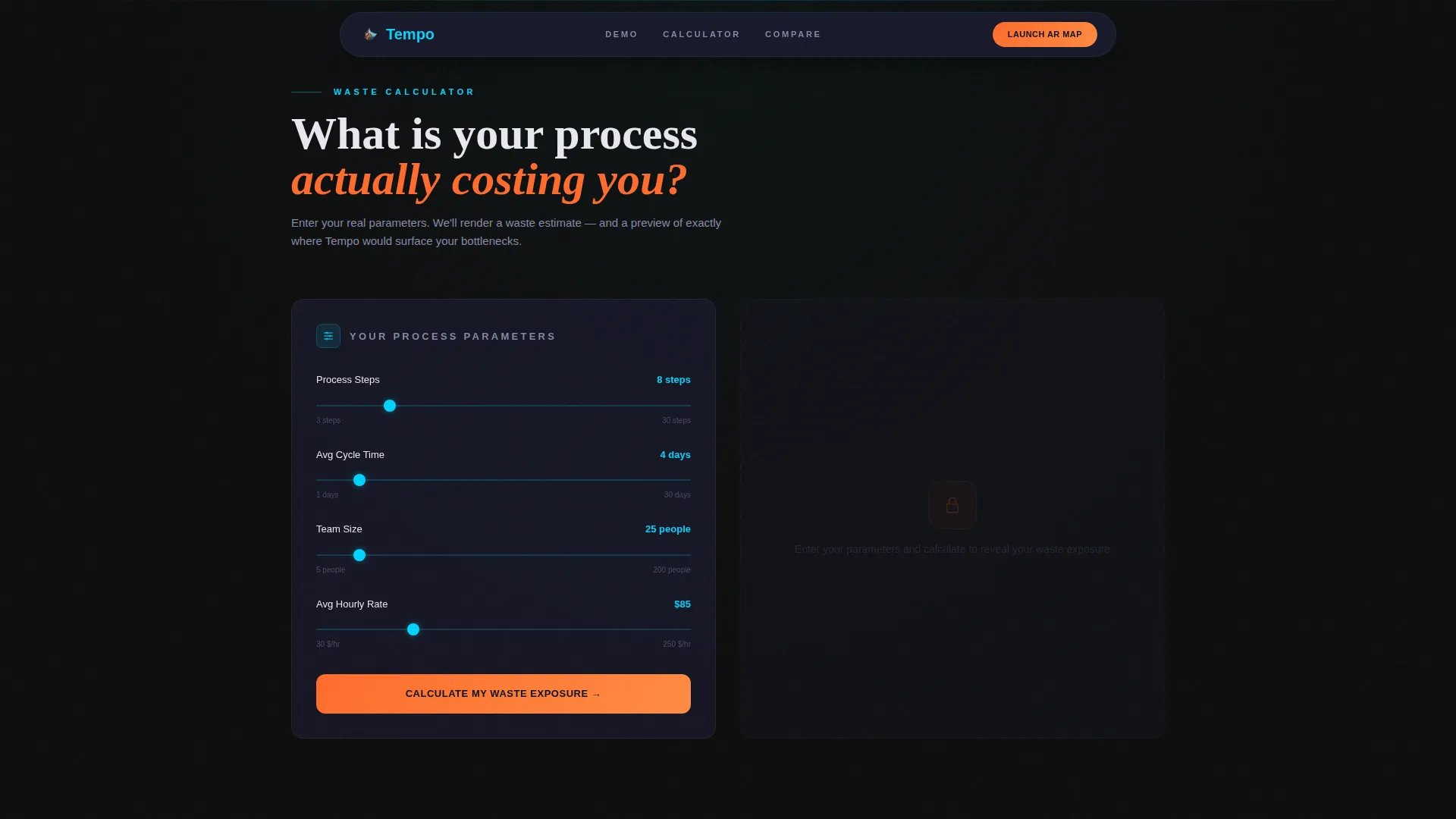
- A waste calculator section where visitors enter their own process parameters and receive a personalized waste estimate alongside a miniature AR preview
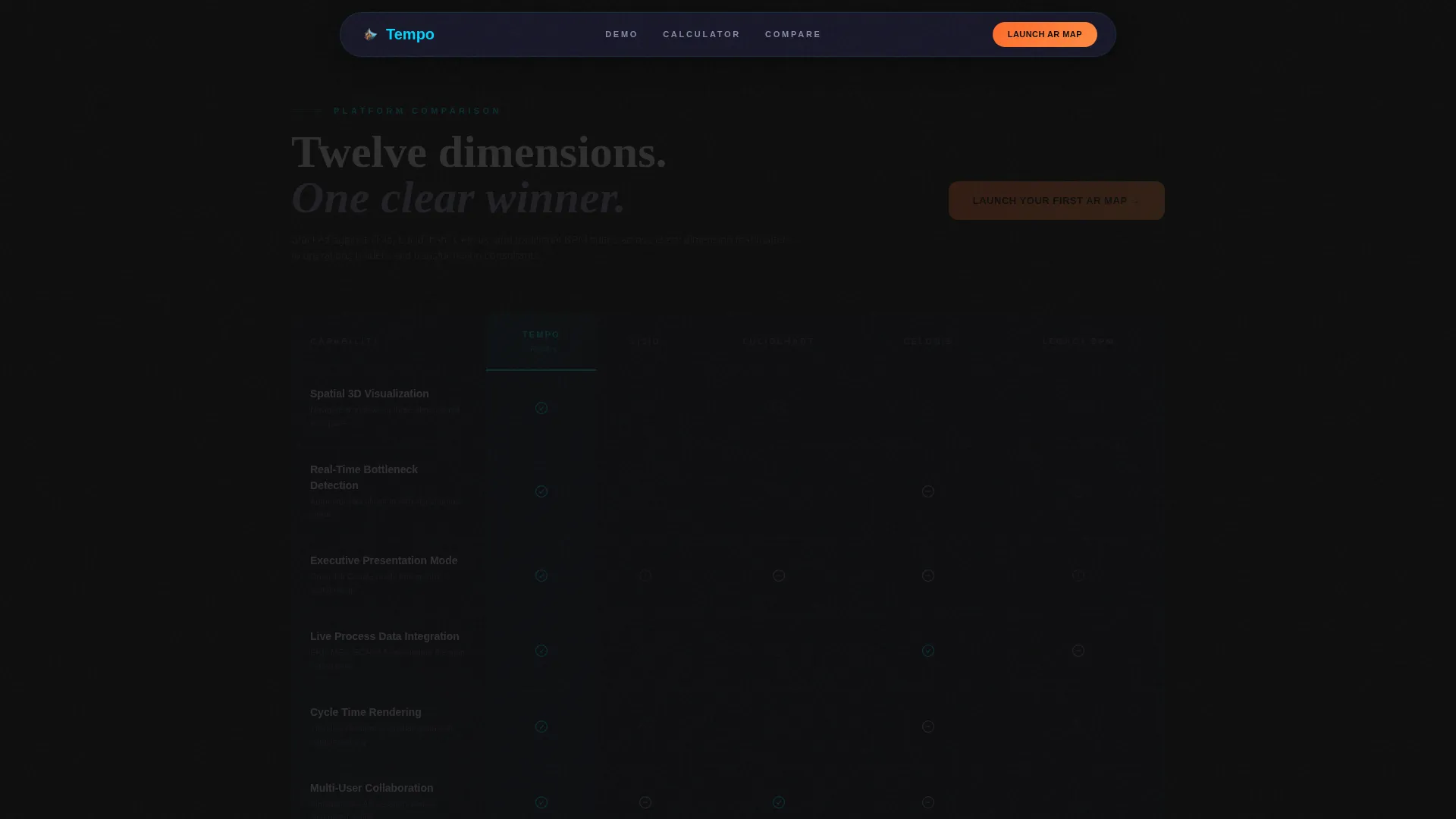
- A twelve-dimension comparison table stacked against multiple legacy and modern tools, with ice blue capability highlights and amber gap indicators
Feature list
This template packages several purposeful interactive and visual components that work together as a single persuasion system.
Interactive AR Simulator Header
A functioning process map simulator sits above the fold in isometric three-dimensional style. Nodes rotate gently, and a draggable slider lets visitors toggle between a deliberately cluttered flat diagram view and a crystalline AR spatial view. A live counter in the corner updates to show detected bottlenecks and an estimated annual waste figure as the visitor interacts.
Personalized Waste Calculator
Visitors enter the number of process steps, average cycle time, and team size into a lightweight calculator. The tool instantly renders a waste estimate specific to their inputs and surfaces a miniature AR preview of their workflow. The comparison table only reveals itself after this personal number appears, making the competitive data feel earned rather than assumed.
Twelve-Dimension Comparison Table
The comparison grid measures the platform across twelve capability dimensions against legacy diagramming tools and modern process intelligence suites. Each row uses the ice blue and amber visual system so capabilities glow and gaps recede. Row hover states add an interactive layer that keeps the table scannable without feeling static.
Three-Point Call-to-Action Architecture
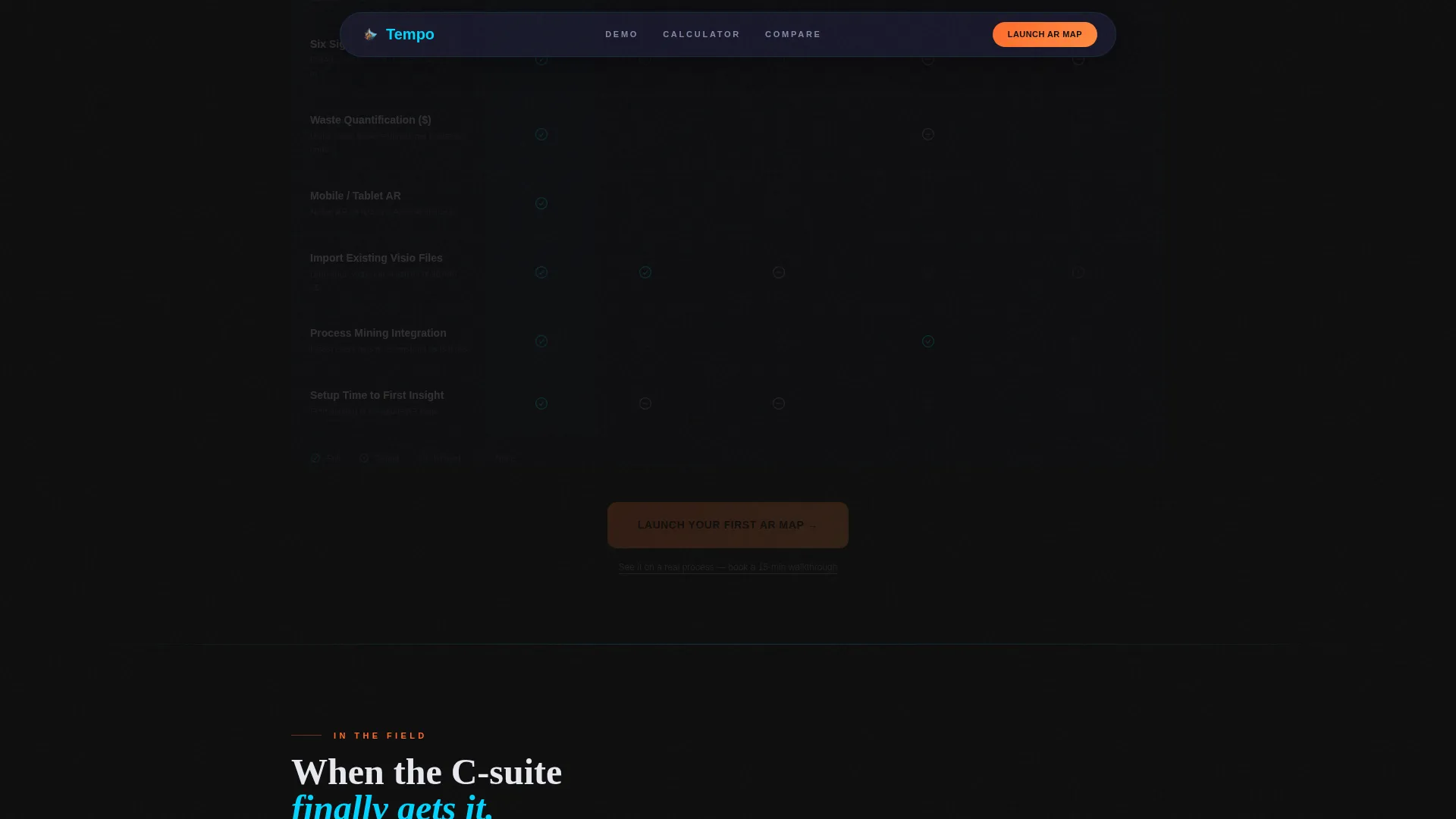
The primary call to action, reading "Launch Your First AR Map," appears three times: floating after the calculator result, anchored below the comparison table, and centered in a full-width activation band at the bottom. No form interrupts the flow. The click carries calculator inputs forward into the trial environment so the visitor's first session is already personalized.
Testimonial Social Proof Section
A dedicated section surfaces testimonials from VP-level process owners and consultants, each paired with a job title, company reference, and specific outcome stated in dollar or time terms. Quantified social proof is positioned between the comparison table and the final call-to-action band to reinforce competitive claims at the moment of decision.
Carbon Fiber Visual System
The full page applies a cockpit-grade dark palette with deep carbon black as the base, woven graphite for card and table surfaces, ice blue for active states and data highlights, and hot signal amber reserved for inefficiency indicators and primary calls to action. DM Sans handles body text and Fraunces handles display headlines.
Page sections overview
| Section | Purpose |
|---|---|
| Hero AR Simulator | Show the Visio-to-AR contrast and surface live bottleneck data above the fold |
| Waste Calculator | Deliver a personalized waste estimate before revealing competitive positioning |
| Comparison Table | Stack the platform against legacy and modern tools across twelve dimensions |
| Social Proof | Reinforce claims with role-specific, outcome-quantified testimonials |
| Final call to action Band | Drive free trial activation with a full-width "Launch Your First AR Map" strip |
| Footer | Close with a linear single-row pattern |
Design & branding system
The visual language treats darkness as a feature, not a default. Every surface absorbs light so that the information that matters burns through with precision and purpose.
- Color palette: deep carbon black (#0D0D0D) for the base, woven graphite (#1A1A2E) for card and table row surfaces, translucent ice blue (#00D4FF) for data highlights and active states, and hot signal amber (#FF6B2B) reserved for inefficiency indicators and primary calls to action
- Typography: DM Sans for body copy and user interface text, Fraunces for display headlines, together creating a contrast between technical clarity and editorial authority
- Animation approach: GSAP ScrollTrigger drives section reveals, CSS keyframes handle particle streams and node rotations, and isometric CSS three-dimensional transforms power the AR simulator
Mobile & speed optimization
This template is built desktop-first, reflecting the reality that VP-level and consultant audiences typically review enterprise tools on large screens where the AR simulator has room to breathe.
- Static sections use server-rendered components so they load without client-side overhead
- Interactive sections, including the AR slider, waste calculator, and comparison table hover states, are isolated as client components to keep the experience fast without blocking non-interactive content
- The layout prioritizes readability and interaction fidelity on wide viewports while remaining structurally coherent at smaller sizes
How this template helps you convert
The page is engineered as a single persuasion sequence rather than a collection of independent sections. Each step reduces doubt and raises personal investment before the next section appears.
- The AR simulator makes the product's core difference immediately visible without requiring a word of explanation. Visitors understand the contrast before they read a single claim.
- The waste calculator makes the value personal. A visitor who has seen their own estimated waste number is far more motivated to act than one who has only read a generic benefit statement.
- The three-point call-to-action placement ensures an invitation to start a free trial appears at every moment of peak conviction, and the no-form click-through model removes the last point of friction before the trial environment.
Other information about this template
This template is part of the Tempo collection and sits within the Technology category, specifically the AR-enhanced enterprise software niche. It is a single-page landing page template structured around a comparison table creative direction with a Calculator-First persuasion flow.
- Template style: Comparison Table landing page with Calculator-First creative direction and Interactive Preview header concept
- Conversion direction: Click-through to free trial activation; no lead capture form on the page itself
- Device priority: Desktop-first layout, suited to VP and consultant audiences working on large displays
- Localization: English language, United States dollar formatting, and US date format conventions throughout
- Animation stack: GSAP ScrollTrigger, CSS keyframes, particle stream effects, and isometric CSS three-dimensional transforms are included as built components
Theme
Tech Glass
Creative direction
Calculator/Tool First
Color system
Carbon Fiber
Style
Comparison Table
Direction
Click-Through
Page Sections
Interactive AR Process Map Simulator
Personalized Waste Calculator
Twelve-dimension Comparison Table
Three-point Call to Action Architecture
Quantified Testimonial Section
Carbon Fiber Visual and Animation System
Related questions
Does this template include the actual AR technology?
Can I edit the comparison table competitors and row dimensions?
Is the waste calculator connected to live data?
Does this landing page use a lead capture form?
What kind of product is this template designed for?



