Family-Owned Business Complete Professional Website Template
Tavola is a warm, gallery-forward landing page template built for family-owned restaurants. It pairs a cinematic header with an honest comparison journey, real food photography, and a reservation-focused call-to-action flow. The result feels less like a website and more like a personal invitation, designed to turn curious browsers into guests who already feel at home before they walk in.
by Rocket studio
Quick summary
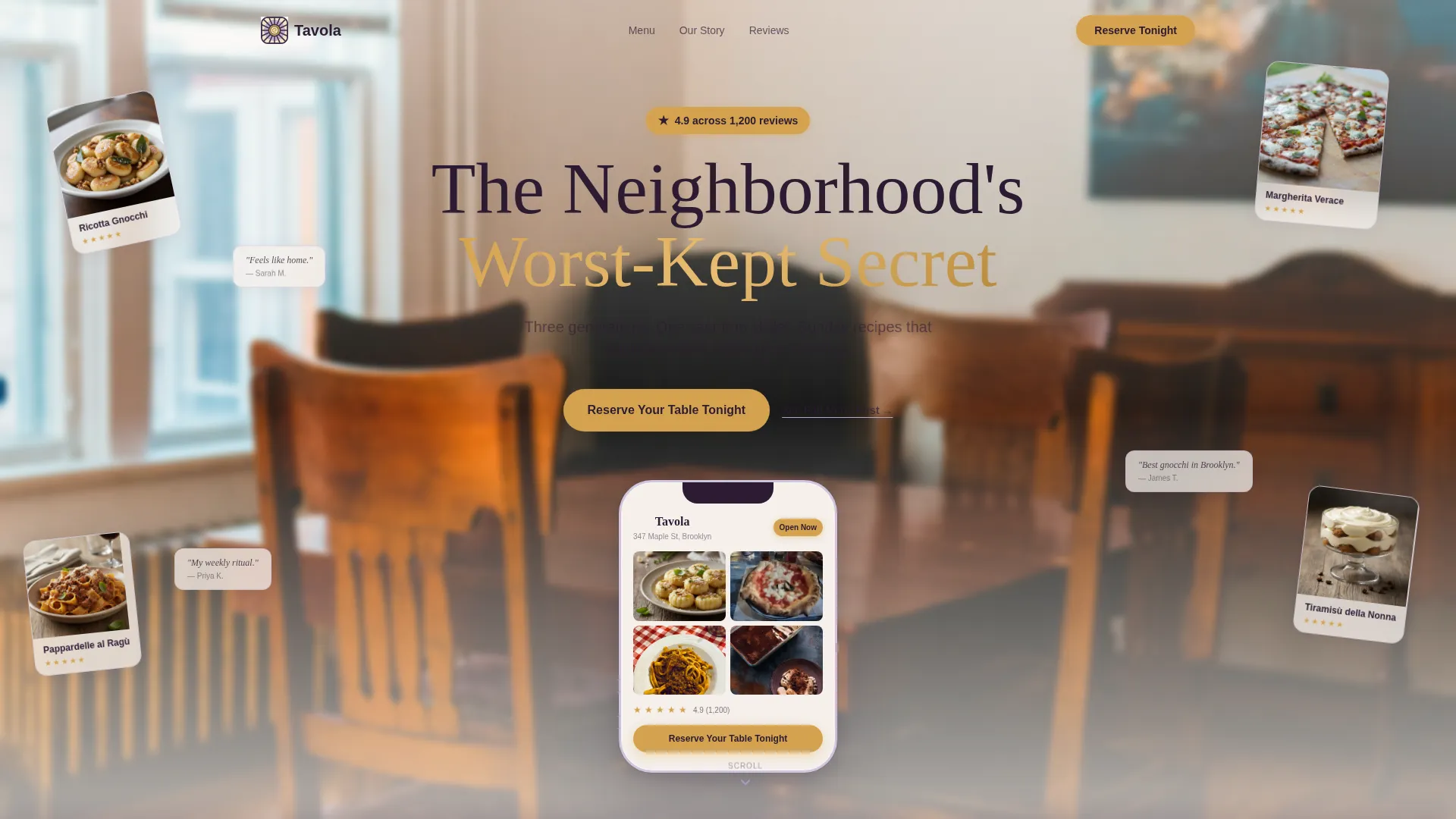
Tavola is a single-page restaurant landing page template built around warmth, story, and appetite. It opens with a floating phone mockup framing the menu like a discovery app, then walks visitors through a honest side-by-side journey that makes choosing this restaurant feel inevitable. Every section builds toward one clear action: reserving a table tonight.
Who this template is for
This template suits any family-owned or independent restaurant that competes on character, not convenience. It is especially well-suited to owners who want their story to do the selling before a visitor ever sees the menu.
- Family-run kitchens and multi-generational dining spots looking to turn regulars into ambassadors
- Independent restaurants whose atmosphere, ingredients, and faces behind the pass are genuine selling points
- Food and hospitality businesses replacing a tired or generic web presence with something that feels earned
What problem this template solves
Most restaurant pages look the same. A hero photo, a phone number, a PDF menu link, and maybe a review widget. Visitors who have never eaten there feel nothing, and they close the tab. Tavola solves that by replacing generic layout habits with a deliberate emotional arc.
- Visitors arrive skeptical and leave feeling like they already have a reservation in mind
- The comparison journey surfaces what makes this place different without a single boastful claim
- The sticky call-to-action removes friction at the exact moment a visitor is ready to commit
What you get with this template
You get a fully structured landing page that carries a visitor from cold arrival to warm conversion in a single scroll. Every section is purposeful, every visual decision earns its place, and the overall feel is more like a curated dining experience than a template fill-in.
- A cinematic App Store Preview-style header with a floating phone mockup, review snippets, and dish thumbnails
- A Comparison Journey section that pairs anonymous alternatives against real food, real faces, and real stories
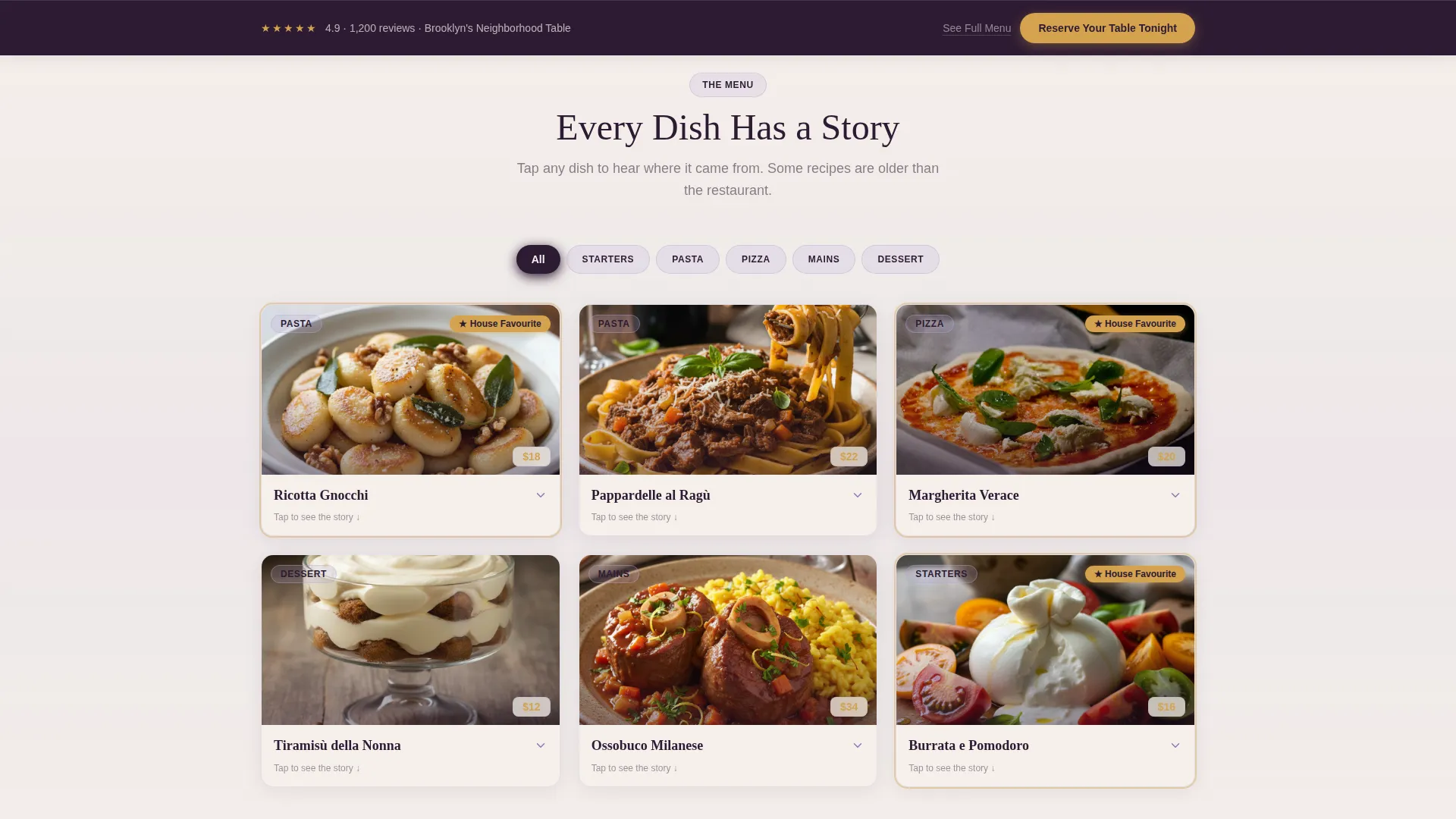
- A gallery with expandable detail panels showing dish names, origin lines, and dietary icon rows
- A sticky bottom reservation bar and a secondary anchor link for visitors who want to browse first
Feature list
The template is designed around a small set of deliberate features. Each one exists to do a specific job in the visitor's journey from arrival to reservation.
App Store Preview Header
The header places a floating phone mockup at center stage. The device displays the restaurant's menu and gallery as if inside a discovery app. Five-star review snippets and dish thumbnails fan outward from the frame. A blurred dining room photo glows behind it, and a honey-glazed badge reading "4.9 across 1,200 reviews" is pinned just above the phone.
Comparison Journey Sections
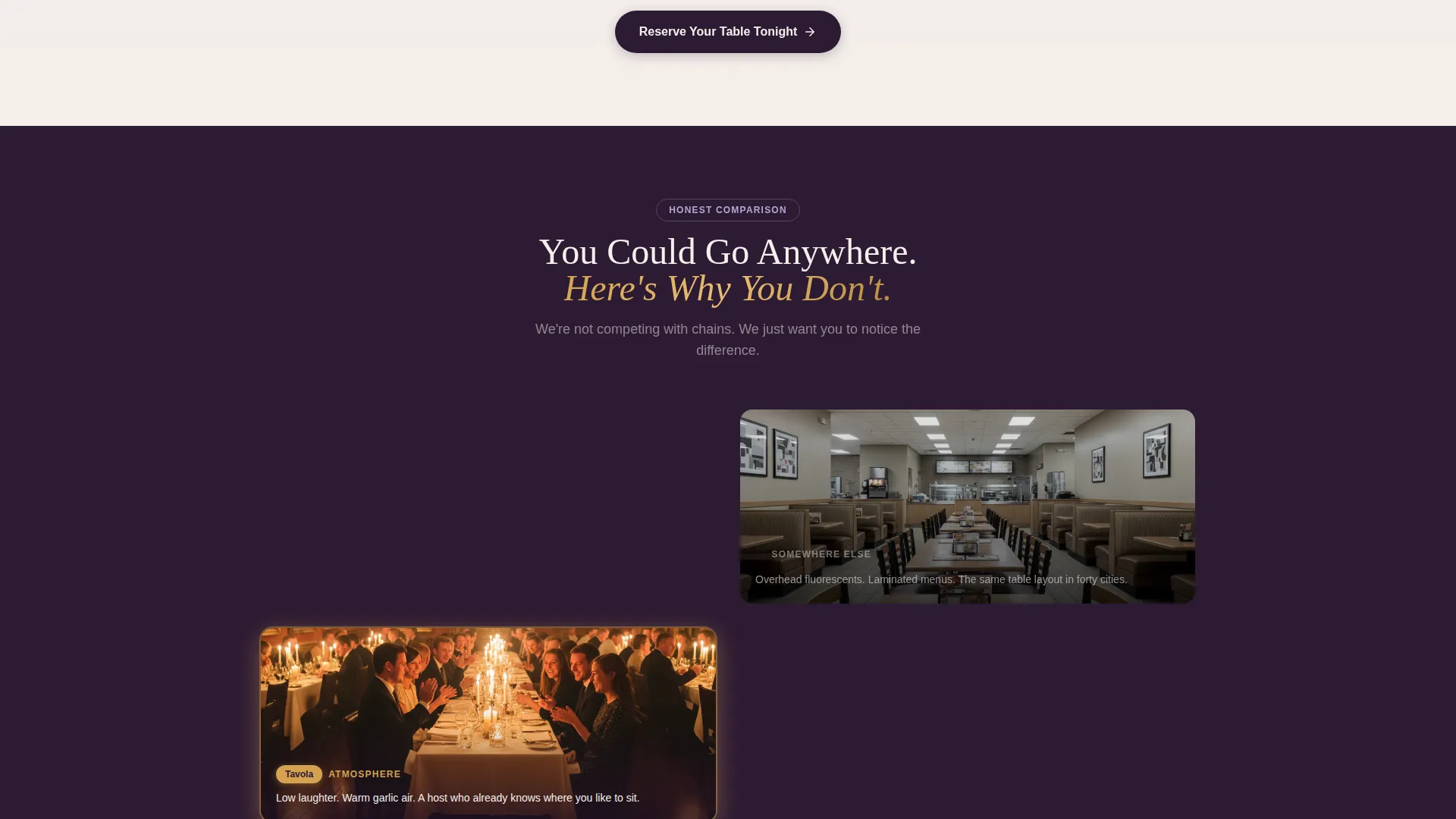
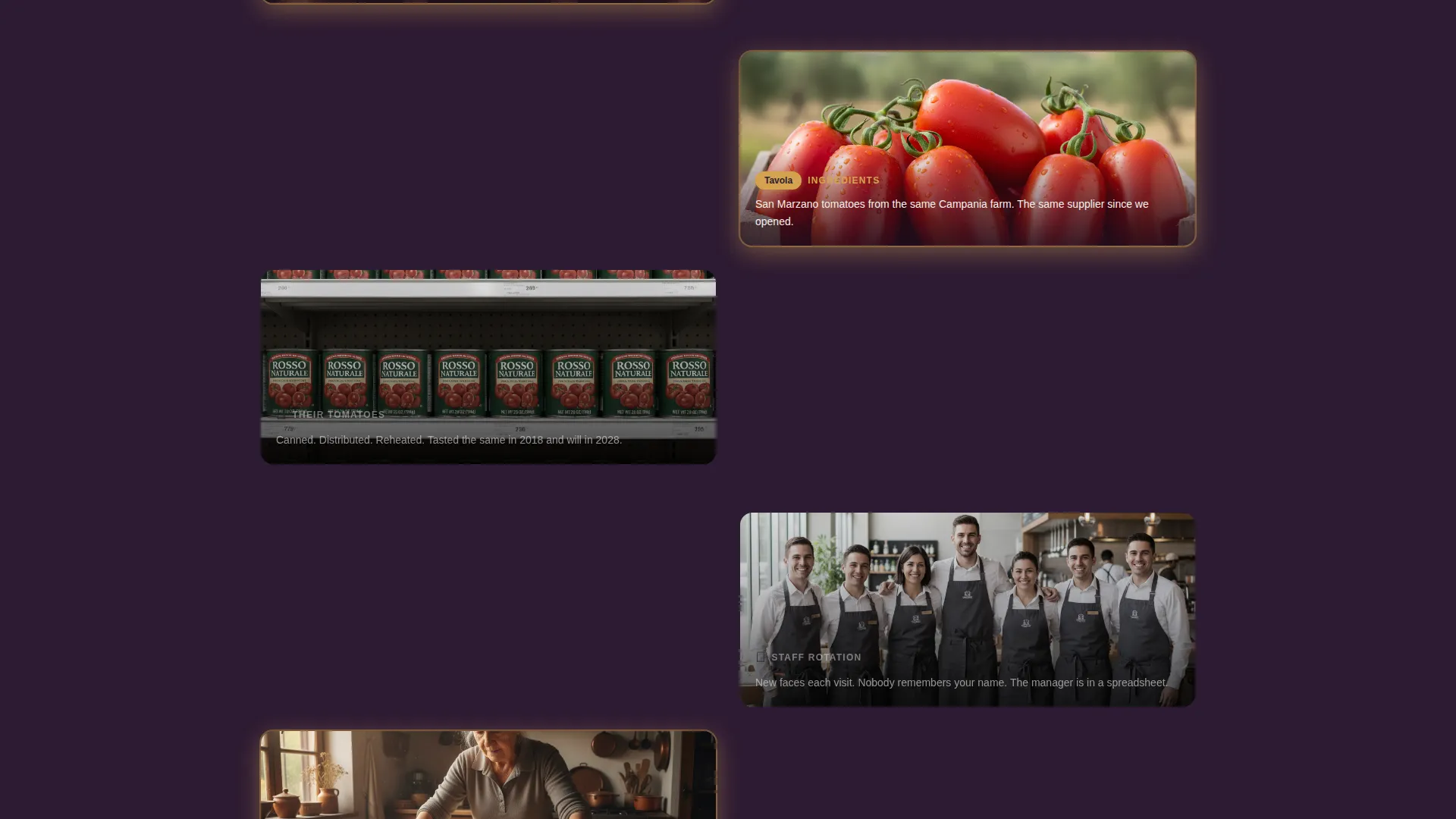
Each scroll step pairs what a visitor finds elsewhere against what they find here. Anonymous chain interiors are set beside a photo of Nonna rolling pasta. A microwaved description is set beside a real story about the San Marzano supplier. The contrast escalates from atmosphere to ingredients to the people behind the pass, and it never feels mean-spirited.
Expandable Gallery Detail Panels
Every gallery image opens into a detail panel. The panel shows the dish name, a one-line origin story, and a row of dietary icons. Visitors can browse at their own pace before committing to a reservation.
Dual Call-to-Action System
The primary call-to-action, "Reserve Your Table Tonight," appears first inside the header phone mockup. It reappears as a sticky bottom bar after the second scroll. A secondary text link, "See Full Menu First," anchors to the gallery section so hesitant visitors have a clear alternative path.
Review and Social Proof Layer
Star ratings and short review snippets are woven into the header layout. They appear before any food photo or story section, so trust is established in the first viewport. The honey glaze color draws the eye to every star and rating figure naturally.
Page sections overview
| Section | Purpose |
|---|---|
| Header with mockup | Anchors trust with reviews, phone preview, and headline |
| Atmosphere comparison | Contrasts generic chain feel with warm, real dining |
| Ingredients story | Highlights supplier origin and seasonal sourcing story |
| People behind pass | Puts family faces and generational story front and center |
| Expandable dish gallery | Lets visitors browse food with name, origin, and dietary info |
| Sticky reservation bar | Keeps the primary call-to-action visible throughout scroll |
Design & branding system
The color palette reads like a pressed wildflower tucked inside a grandmother's recipe book. Every tone is deliberate, and each one has a specific job in the layout hierarchy.
- Aged linen cream (#F5F0EB) dominates the background, giving the page the feel of a well-worn tablecloth
- Soft dried lavender (#B4A7D6) washes across section dividers and card borders, adding gentle contrast without competing
- Charred eggplant (#2D1B33) anchors all body text, headings, and navigation for strong legibility
- Warm honey glaze (#D4A24E) is reserved for buttons, star ratings, and highlighted dish names to direct attention
Mobile & speed optimization
The template layout is built to translate cleanly from desktop to smaller screens. The floating phone mockup in the header reinforces that this experience is designed with mobile visitors in mind from the first viewport.
- The App Store Preview header centers naturally on mobile, keeping the mockup readable without horizontal scroll
- Sticky bottom bar placement is optimized for thumb reach, so the reservation action is never more than a tap away
- Expandable gallery panels are tap-friendly, allowing mobile visitors to explore dish details without pinching or zooming
How this template helps you convert
The page is structured as a Click-Through experience, meaning every section earns the next click rather than asking for it too early. Conversion pressure builds gradually and honestly.
- The header establishes credibility immediately with real review counts and a visual that feels like a product worth discovering, so visitors stay past the first scroll
- The Comparison Journey builds emotional preference section by section, making the decision feel personal rather than transactional before any button appears
- The sticky reservation bar and the secondary "See Full Menu First" link together serve two visitor types, those ready to book and those who need one more reason, so neither leaves without a clear next step
Other information about this template
This template sits at the intersection of the Directory and Discovery theme and a Click-Through landing page direction. It is shaped for family-owned hospitality businesses where personality, history, and food quality are the core differentiators.
- The template style uses an Overlap and Layered approach, visible in the floating phone mockup over the blurred dining room background
- The page structure works well for restaurants that rely on word-of-mouth reputation and want a digital presence that feels as personal as a referral
- Owners can adapt the comparison section to highlight any genuine differentiator, from a garden herb supplier to a three-generation pasta recipe
- The template is designed under a Directory and Discovery theme, making it visually aligned with how modern diners browse and evaluate local restaurants online
Theme
Directory & Discovery
Creative direction
Flash Deal
Color system
Ink & Paper
Style
Overlap/Layered
Direction
Click-Through
Page Sections
App Store Preview Header
Comparison Journey Scroll Flow
Expandable Dish Gallery
Dual Call-to-action System
Social Proof Layer
Lavender Dream Color System
Related questions
Can I use this template without the phone mockup header?
Is this template only suitable for Italian restaurants?
How does the secondary 'See Full Menu First' link work?
Can the sticky reservation bar link to an external booking platform?
What makes this different from a standard restaurant template?