Real-Time Inventory Management Landing Page Template
The Stockroom landing page template is built for food and beverage inventory management platforms targeting bar managers, executive chefs, and multi-unit operators. It features a live interactive dashboard, a toggleable comparison table, and a frictionless freemium signup flow. The Void and Violet design system gives every screen a precise, nocturnal feel built for people who count stock after midnight.
by Rocket studio
Quick summary
This is a single-page landing page template designed for a real-time food and beverage inventory management platform. It opens with a live, interactive inventory dashboard and moves visitors through a comparison table, an ingredient explorer, testimonials, and a conversion-focused call-to-action strip. Every section is interactive, data-driven, and built to earn trust fast.
Who this template is for
This template is purpose-built for hospitality technology founders and product teams launching inventory management software for the food and beverage industry. It speaks directly to the operators who will use the platform every day.
- Bar managers who run weekly manual counts and need real time visibility into pour cost and stock levels
- Executive chefs monitoring food cost percentages and tracking inventory movement across a busy kitchen
- Multi-unit food and beverage operators and any small business owner managing stock across several locations
What problem this template solves
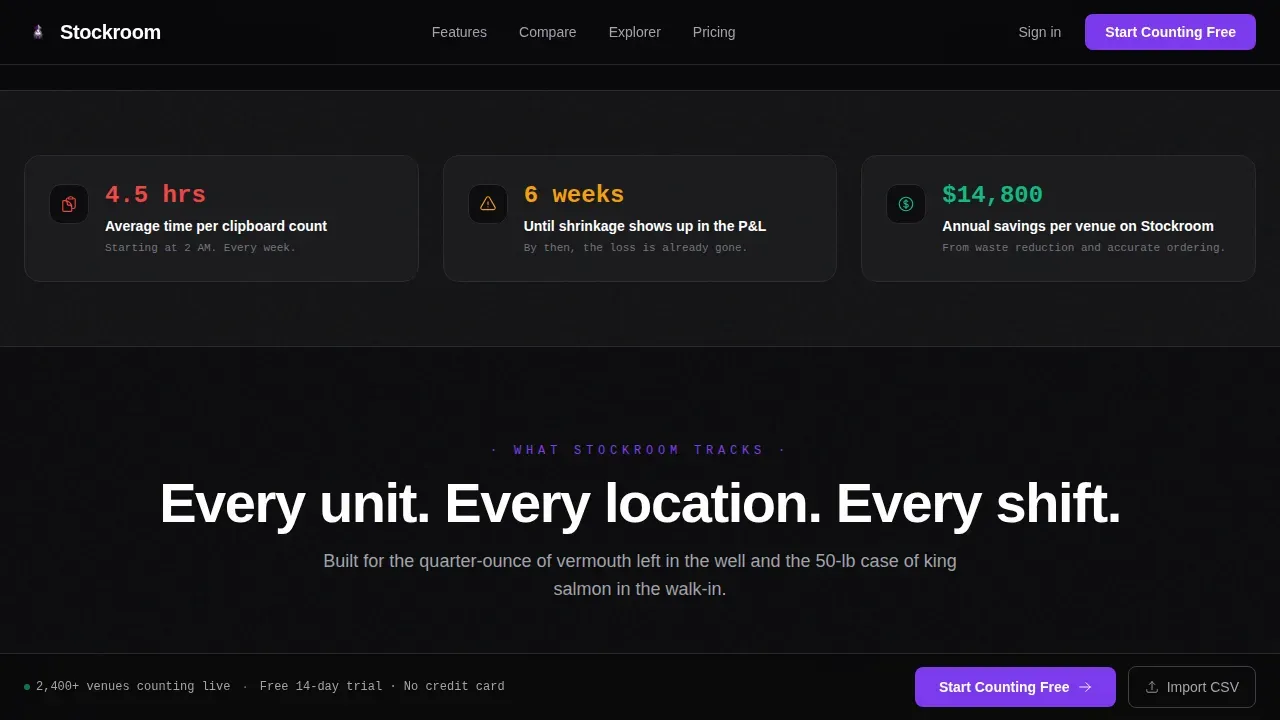
Clipboard-based manual counts and basic spreadsheets leave bars and restaurants flying blind. By the time stock discrepancies surface on a profit and loss statement, the damage is already done. Effective inventory management requires live data, not a six-week-old report.
- Bar and restaurant teams waste hours on manual counts that still produce errors and inaccurate inventory records
- Operators cannot monitor low stock, reorder points, or total inventory value without a connected system
- Sales teams, purchasing teams, and kitchen staff are never on the same page when data lives in disconnected spreadsheets
What you get with this template
This template delivers a complete, fully interactive landing page that showcases an inventory management platform with honesty and precision. Every component is ready to customize and deploy.
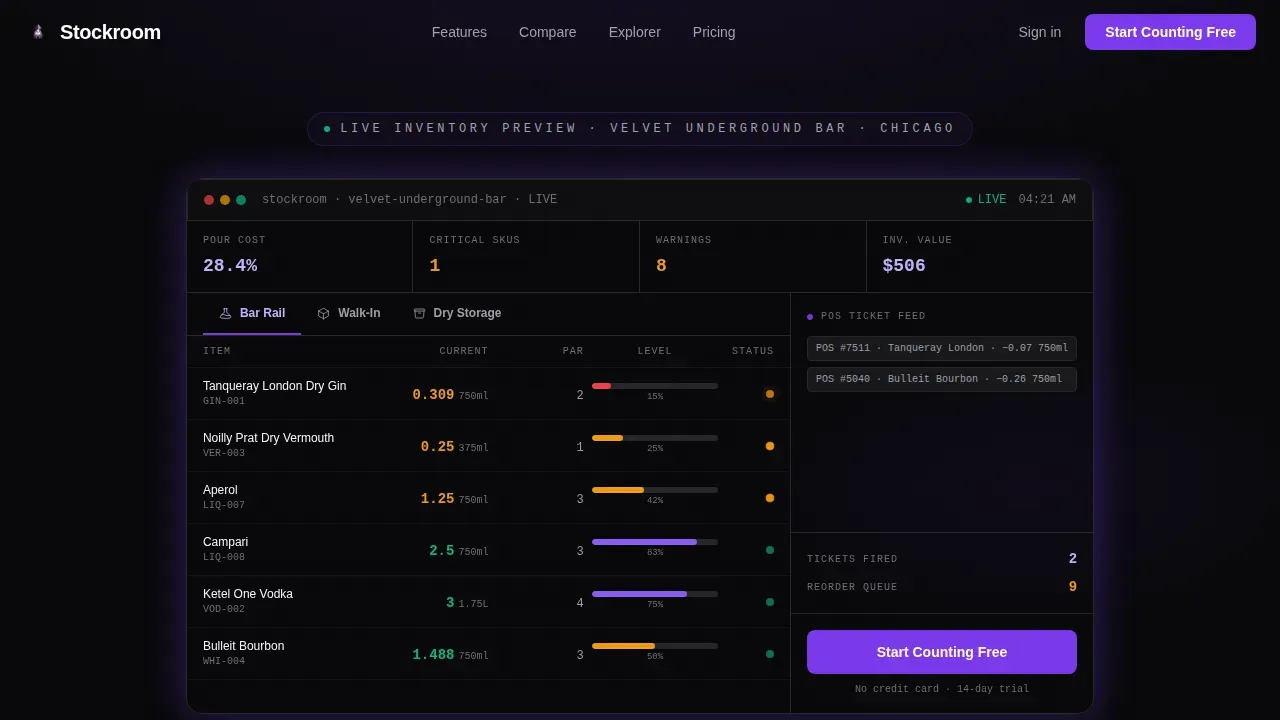
- A live dashboard hero showing real time stock levels, par alerts, and cost recalculation across bar rail, walk-in, and dry storage tabs
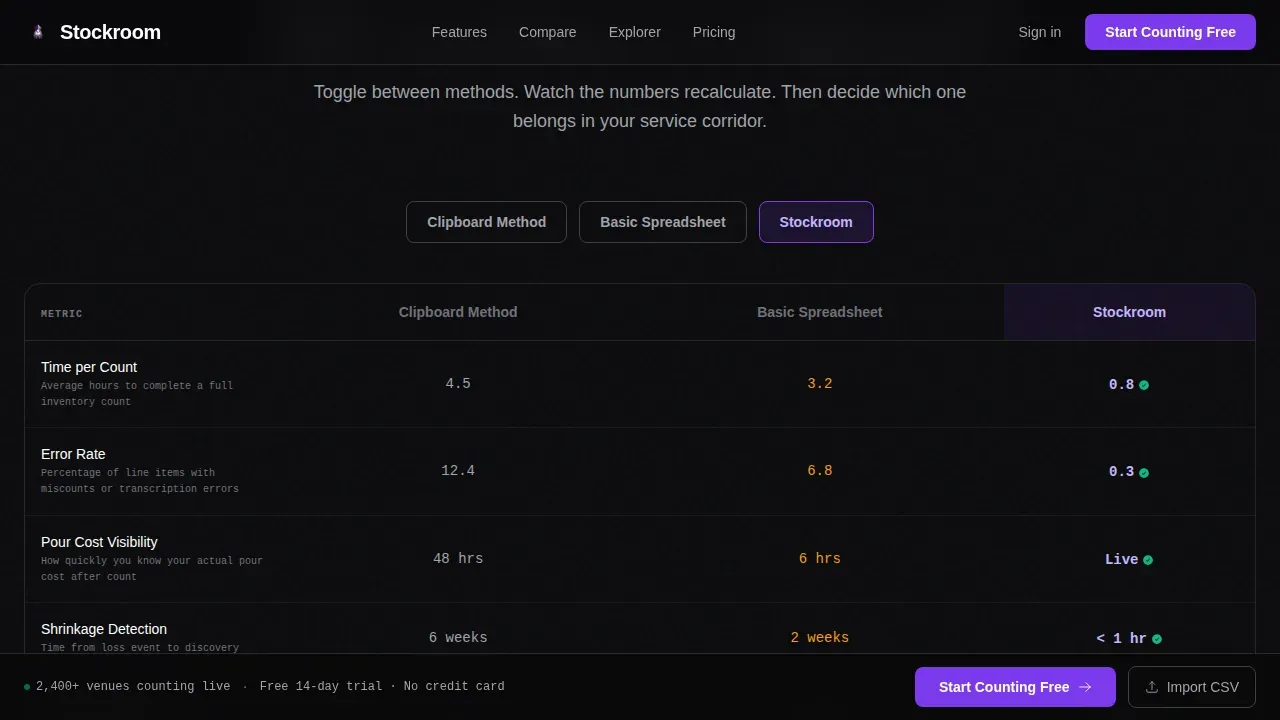
- A toggleable comparison table that recalculates time-per-count, error rates, and cost savings across three counting methods
- A freemium signup flow with email and venue-type fields, plus a secondary CSV import path to prove value instantly
Feature list
This template includes six core interactive components, each designed to reduce cognitive load and move visitors toward conversion without friction.
Live Interactive Inventory Dashboard
The hero section displays a fictional cocktail bar's inventory data in real time. Bottles tick down as simulated tickets fire, amber flags pulse on items approaching reorder points, and one SKU blinks red to signal a low stock emergency. Visitors can click between tabs to monitor the bar rail, walk-in, and dry storage instantly.
Toggleable Comparison Table
Visitors toggle between three methods: clipboard, basic spreadsheet, and the platform. Time-per-count, error rates, and annual cost savings recalculate live. This section makes the case for effective inventory management without a single word of sales copy, letting the data entry and efficiency numbers speak for themselves.
Ingredient Explorer with Live Tracking
Visitors type any item, such as oat milk, Aperol, or king salmon, and see how the platform tracks unit conversion, waste, and shelf life simultaneously. This interactive component demonstrates the depth of inventory tracking available and shows how the system manages item details across inventory categories.
Freemium Signup with CSV Import
The primary call to action reads "Start Counting Free" and requires only email and venue type. A secondary path lets skeptics upload their last count as a CSV file. The template immediately renders their own inventory data inside the platform interface, proving value and demonstrating accurate stock levels before any commitment is made.
Testimonial Section with Operator Proof
Operator testimonials from bar managers, chefs, and multi-unit operators include specific numbers such as pour cost percentage improvements and hours saved per week. This social proof section builds trust by showing real operational outcomes, reinforcing the platform's ability to support informed business decisions.
Sticky Conversion Bar
After the first scroll, a sticky bottom bar keeps the "Start Counting Free" call to action visible at all times. This persistent component ensures conversion opportunities are never lost as visitors explore deeper sections of the landing page.
Page sections overview
| Section | Purpose |
|---|---|
| Interactive Dashboard Hero | Show live inventory data, tabs, and alerts to prove platform value immediately |
| Comparison Toggle Table | Recalculate efficiency metrics across clipboard, spreadsheet, and platform methods |
| Ingredient Explorer | Let visitors search items and see unit conversion, waste, and shelf life tracking |
| Testimonials Block | Display operator quotes with specific numbers to build credibility |
| Call to Action Strip | Capture email and venue type; offer CSV import as a secondary conversion path |
| Sticky Bottom Bar | Keep the primary call to action visible throughout the full page scroll |
| Footer | Linear single-row pattern with supporting links |
Design & branding system
The visual identity follows a Data Command theme. The palette feels like the glow of a point-of-sale terminal in a dark service corridor, precise and nocturnal, built for operators who do their real work after the dining room closes.
- Void black (#09090B) dominates all backgrounds; deep digital violet (#7C3AED) marks interactive elements and live data points; muted titanium (#A1A1AA) structures comparison grids and secondary text
- Electric lavender (#C4B5FD) activates on hover states to reward engagement; DM Sans provides clean, legible typography at small sizes across all components
Mobile & speed optimization
The template is designed desktop-first because bar managers and chefs typically run inventory counts on tablets and laptops. A mobile fallback ensures the page remains fully functional on smaller screens.
- Interactive dashboard tabs and the comparison toggle are touch-friendly for tablet use during active stock counts on the warehouse floor or in a walk-in
- Client components handle all interactive sections while static content uses server-side rendering to keep the system responsive and the latest data always visible
How this template helps you convert
Every design decision in this template serves a single goal: turning a skeptical operator into a signed-up trial user.
- The live dashboard hero eliminates doubt by showing real inventory data in motion before any headline asks for attention, allowing businesses to see the product at work immediately rather than reading about it
- The comparison table recalculates efficiency and cost numbers in real time as visitors toggle methods, making the case for the platform through data rather than claims, supporting more informed business decisions
- The CSV import secondary path converts the most skeptical visitors by transforming their own messy inventory records into a clean, structured interface instantly, demonstrating total inventory value and operational efficiency before signup is required
Other information about this template
This template is a strong match for any team building or marketing inventory management software aimed at hospitality, food service, or adjacent e-commerce operations that need live stock control.
- The stockroom real time inventory management landing page template is designed to showcase digital solutions that track inventory instantly, replacing manual spreadsheets with automated, cloud-based workflows
- Proper inventory management is vital for any business regardless of size; this template supports both a single-venue small business owner and large multi-unit operators managing supply chain complexity
- A free inventory template approach is reflected in the freemium call to action, while the inventory template creates a clear path from trial to paid conversion through demonstrated value
- The inventory management dashboard template components support regular audits, vendor information display, supplier details, and supplier performance tracking as the platform scales
- Sales trends, forecasting tools, serial numbers for specific items, and available stock visibility are all represented within the interactive dashboard and ingredient explorer sections
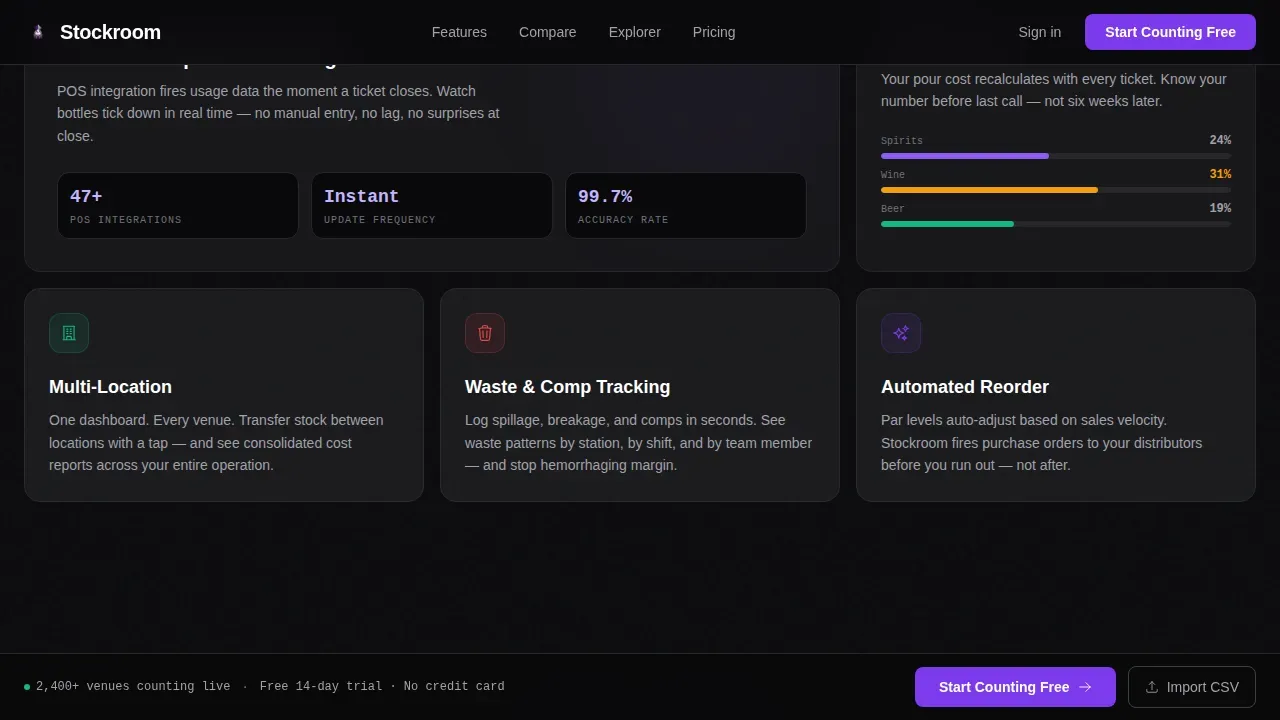
- Purchasing teams and warehouse staff can be assigned role-based access within the platform, keeping the entire team on the same page with accurate, real time data at all times
- The design reduces cognitive load intentionally, following best practices for inventory management interfaces deployed in fast-paced, high-pressure food and beverage operations
Theme
Data Command
Creative direction
Interactive Explorer
Color system
Void & Violet
Style
Comparison Table
Direction
Freemium/Trial
Page Sections
Live Inventory Dashboard Hero
Toggleable Comparison Table
Interactive Ingredient Explorer
Freemium Signup and CSV Import
Operator Testimonial Section
Persistent Sticky Conversion Bar
Related questions
Can I customize the colors and typography in this template?
Does the interactive dashboard use real data or is it a simulation?
What sections are included in this landing page template?
Is this template suitable for non-bar inventory management use cases?
How does the CSV import path work in the template?



