Conference Event Catering & Corporate Summit Website Template
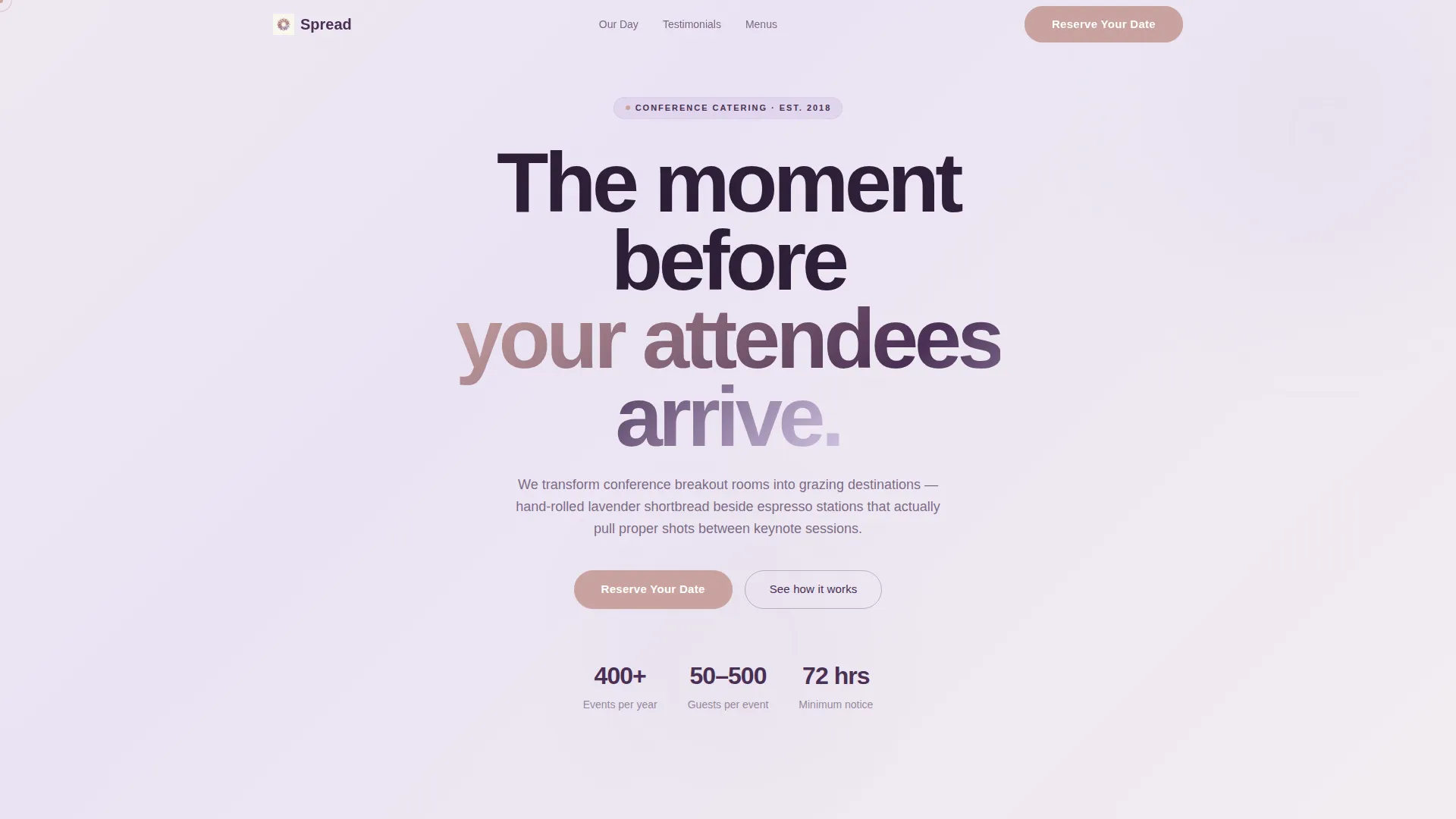
Spread is an elegant conference event catering landing page template built for catering companies that serve corporate summits, association meetings, and high-pressure multi-day events. With a scroll-triggered video header, a day-in-the-life narrative flow, and a soft lavender-and-cream visual identity, this single-column template guides planners from first impression directly to a booking form.
by Rocket studio
Quick summary
Spread is a single-column conference catering landing page built around a cinematic scroll experience. It follows one conference day from pre-dawn prep through evening cocktails, using soft gradient transitions and timestamp markers to build anticipation. The page is designed to move event coordinators, association directors, and executive assistants from curiosity to a confirmed booking.
Who this template is for
This template is built for catering companies that specialize in corporate and conference event food service. It speaks directly to the professionals who hold the budget and the deadline at the same time.
- Event coordinators managing large-scale tech summits and multi-day corporate conferences
- Association directors planning annual meetings with complex catering timelines
- Executive assistants handed a headcount and a seventy-two-hour turnaround
What problem this template solves
Conference catering companies often struggle to communicate the craft and care behind their service. A generic menu page fails to show what it feels like when the room is transformed before the first attendee walks in.
- Planners cannot visualize the experience from a static list of services
- High-pressure buyers need confidence quickly, not a brochure they have to decode
- Without a clear booking path, warm leads scroll away without converting
What you get with this template
This template delivers a fully structured single-column landing page with every section built around the conference catering buying journey. The layout moves visitors through a curated narrative and gives them two clear ways to act.
- A scroll-triggered video header that opens the day-in-the-life story from the first viewport
- An inline booking form with event date, headcount dropdown, venue city, and event type fields
- A gated PDF download path for planners who want to compare menus before committing
Feature list
This template is built around one clear principle: turn a scroll into a sale by making the visitor feel the experience before they ever taste it.
Scroll-Triggered Video Header
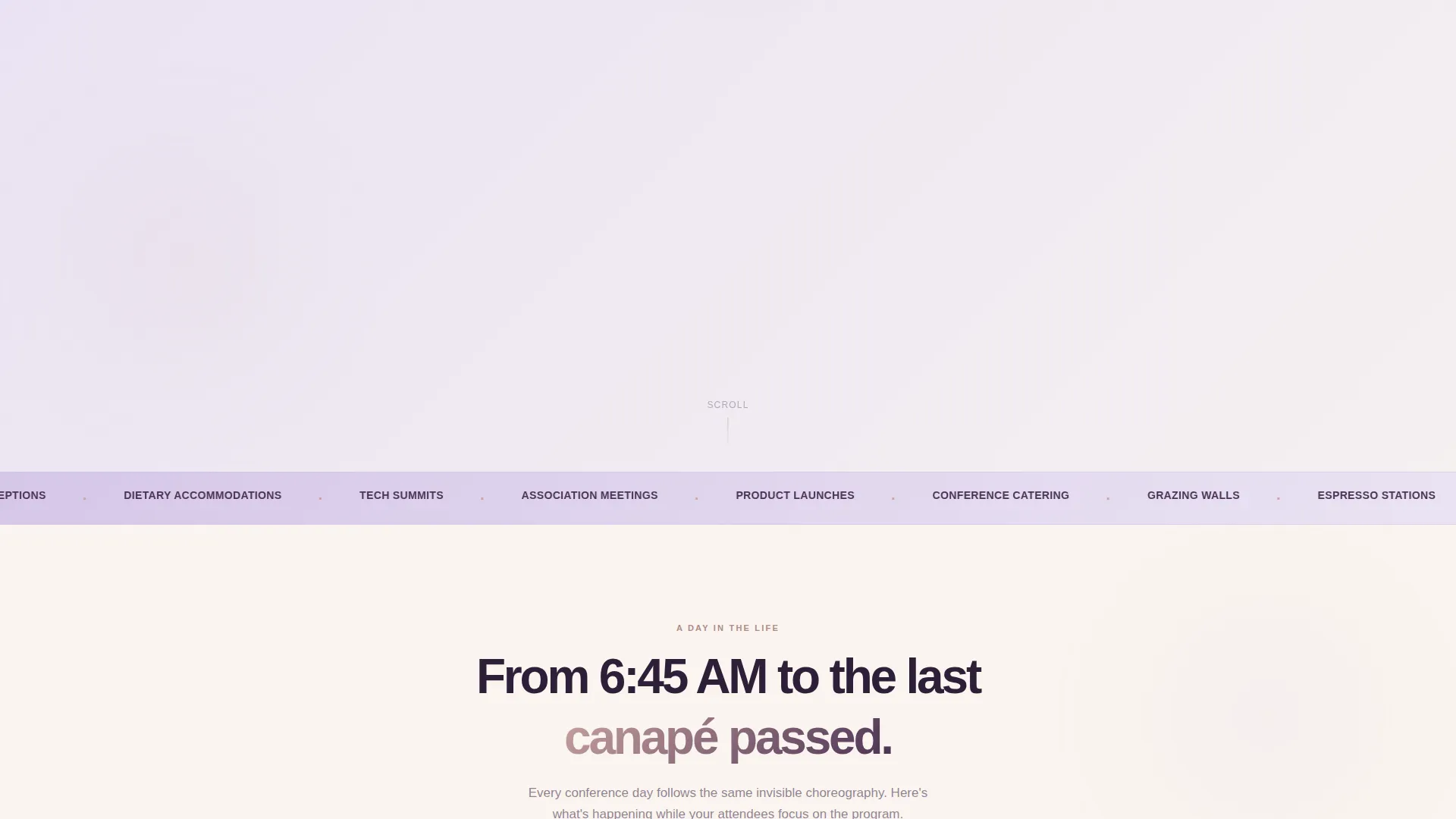
The page opens on a soft cream viewport. As the visitor scrolls, a cinematic sequence plays: an empty conference venue at 6:45 AM transforms into a fully arranged catering spread. The camera moves forward continuously, pulling the viewer through the setup and into the finished experience.
Day-in-the-Life Narrative Flow
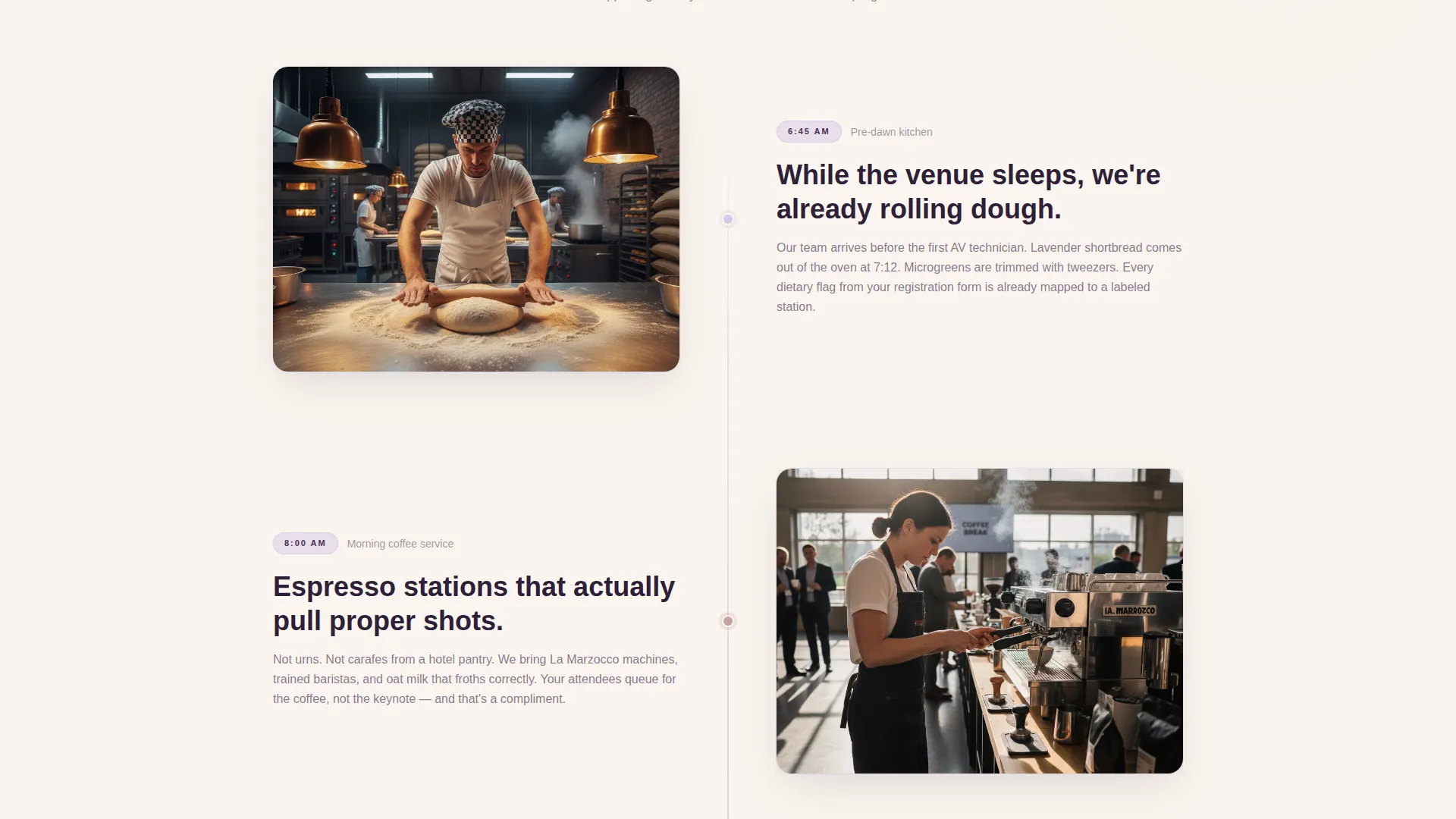
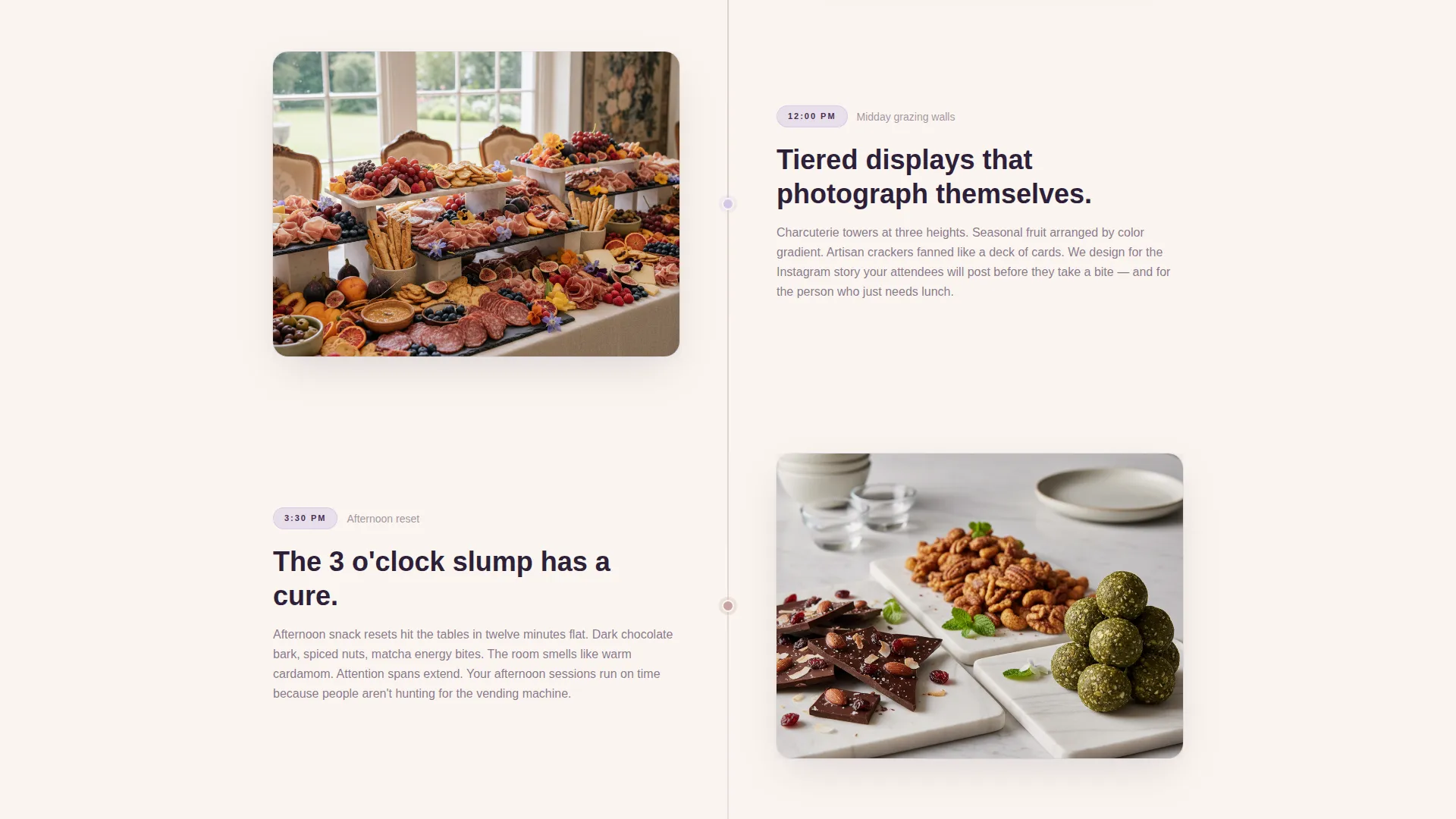
The scroll follows a single conference day from pre-dawn kitchen prep through morning coffee service, midday grazing walls, afternoon snack resets, and an evening cocktail reception. Each scene dissolves into the next using soft gradient transitions, with timestamps floating in plum type like a documentary timeline.
Inline Booking Form with Headcount Dropdown
The primary call to action, "Reserve Your Date," expands inline without leaving the page. The form collects event date, estimated headcount via a dropdown (50 to 100, 100 to 250, 250 to 500, and 500 or more), venue city, and event type from four preset options.
Gated Conference Menu Download
A secondary conversion path invites planners who are still comparing vendors to download the conference menu as a gated PDF. The form captures name and email before delivering the file, giving the catering company a qualified lead even when a visitor is not ready to book.
Handwritten-Style Coordinator Testimonials
Testimonials from real event coordinators appear between narrative scenes in a handwritten-style quote format. They function as whispered asides inside the story, reinforcing trust at the exact moment a planner might pause and question whether to book.
Repeating call to action Placement
The "Reserve Your Date" call to action appears twice: once after the morning sequence and again after the cocktail reception section. This placement matches natural decision points in the scroll, giving motivated visitors a booking prompt without waiting until the end of the page.
Page sections overview
| Section | Purpose |
|---|---|
| Scroll-Triggered Header | Opens the cinematic day-in-the-life video sequence |
| Pre-Dawn Prep Scene | Establishes kitchen craft and early-morning care |
| Morning Coffee Service | Showcases espresso stations and first-contact experience |
| Reserve Your Date | First inline booking form with headcount and event fields |
| Midday Grazing Wall | Displays curated spread and tiered food display details |
| Afternoon Snack Reset | Highlights ongoing service between conference sessions |
| Coordinator Testimonials | Builds trust with handwritten-style quote placements |
| Cocktail Reception Scene | Closes the day narrative with evening service details |
| Reserve Your Date (Repeat) | Second booking form prompt after the evening sequence |
| Menu PDF Download | Gated secondary conversion path for comparison-stage planners |
Design & branding system
The visual identity follows a Soft Gradient theme built on the Lavender Dream color system. Every design choice supports the tone of effortless hospitality: unhurried, warm, and elevated without a sharp edge anywhere.
- Pale wisteria (#D5C7E8) washes into warm cream (#FAF5EF) as the primary gradient background, shifting warmer as the day narrative progresses
- Deep plum (#4A3054) anchors all headlines and timestamp markers, giving editorial weight to the documentary-style layout
- Muted rose gold (#C9A2A0) colors all buttons and interactive accents, including both booking calls to action and the menu download prompt
Mobile & speed optimization
The single-column layout is naturally suited to mobile viewing, where event planners frequently research vendors between sessions or on the go. The template keeps the scroll-led structure intact across screen sizes.
- The single-column flow stacks cleanly on smaller screens without restructuring the narrative sequence
- The inline form expansion and dropdown menus are sized for easy touch interaction on mobile devices
How this template helps you convert
The page is built around two conversion goals working together: direct booking and lead capture for planners who need more time.
- The "Reserve Your Date" call to action appears at two high-intent scroll points, matching the moments when a planner is most likely to feel ready after seeing the morning and evening service sequences.
- The gated menu download offers a softer entry for planners still in the comparison stage, capturing contact details before they leave the page.
Other information about this template
This template is built specifically for the conference event catering niche, where the buying decision is often time-pressured and the planner needs both inspiration and practical information fast.
- The template is part of the Wedding and Events category and is designed for the Conference Event subcategory
- The four event type options in the booking form cover corporate summit, association conference, product launch, and gala, matching the most common conference catering request types
- The day-in-the-life creative direction was chosen to address the emotional gap between a planner reading a menu PDF and actually trusting a vendor with a 400-person event
- The Spread template can support catering brands that want to lead with visual storytelling rather than a traditional services list
Theme
Soft Gradient
Creative direction
Day-in-the-Life
Color system
Lavender Dream
Style
Single Column Flow
Direction
Booking/Scheduling
Page Sections
Scroll-triggered Cinematic Video Header
Day-in-the-life Narrative Sections
Inline Booking Form with Event Fields
Gated Conference Menu Download
Handwritten-style Testimonial Quotes
Dual Call to Action Placement Strategy
Related questions
Who is the Spread template designed for?
What does the inline booking form collect?
How does the gated menu download work?
Can the color palette be updated to match a different brand?
Does the scroll-triggered video play automatically on page load?



