Defense Contractor & Military Expert Professional Website Template
Signal is a hardened military communications landing page template built for defense industry professionals. It uses a hub-and-spoke anchor navigation structure to present performance data, capability matrices, and credentialed lead-generation forms. The Charcoal and Amber visual system and stats-first layout are designed to project operational authority and capture qualified program-level leads.
by Rocket studio
Quick summary
Signal is a single-page, anchor-navigated landing page template purpose-built for military communication systems. It leads with hard performance metrics, organizes content into five spoke sections, and closes every section with a credentialed lead-capture form. The design language mirrors an operations center at night: dimmed charcoal, parchment body text, and amber reserved strictly for what demands attention.
Who this template is for
This template is built for defense industry professionals who need to communicate technical capability quickly and credibly. It suits teams working on competitive proposals, deployment planning, or procurement evaluation in the command, control, communications, computers, intelligence, surveillance, and reconnaissance (C4ISR) space.
- Program managers at defense primes drafting proposals against tight request-for-information (RFI) requirements
- Signals and communications officers planning deployments where a lost link means a lost mission
- Procurement leads evaluating C4ISR stacks who need interoperability evidence before going to theater
What problem this template solves
Defense communication systems are technically complex and often undersold. Generic marketing pages fail procurement audiences who need verified numbers, not brand language. This template solves the credibility gap between what a system does and what a proposal-ready visitor will believe on first contact.
- Buyers skim past vague capability claims and abandon pages that lead with features instead of proof
- Program managers need structured, data-backed content they can reference quickly during proposal cycles
- Without a credentialed form flow, early-stage leads go uncaptured and qualified contacts get no clear next step
What you get with this template
You get a complete, publication-ready landing page layout structured around five anchor-linked spoke sections. Each section is engineered to open with a metric and close with a conversion path, so no visit ends without a clear action available.
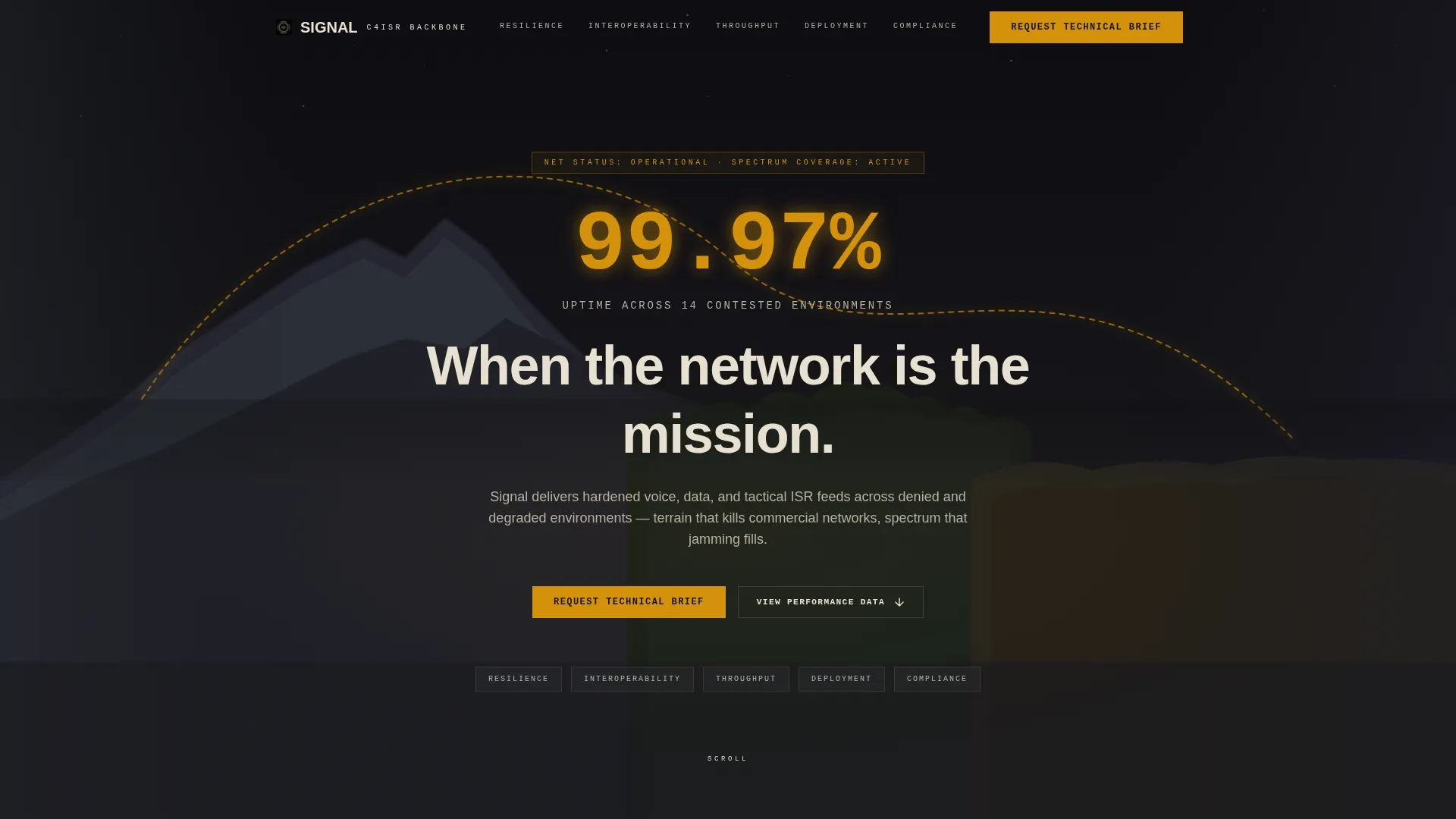
- A panoramic header with an amber communications arc, a live stat overlay, and a primary headline
- Five fully structured spoke sections: Resilience, Interoperability, Throughput, Deployment, and Compliance
- Two lead-generation paths: a credentialed "Request Technical Brief" form and a lighter "Download Capability Sheet" gate
Feature list
This template ships with a focused set of layout and interaction features drawn directly from the Signal brief.
Stats-First Impact Layout
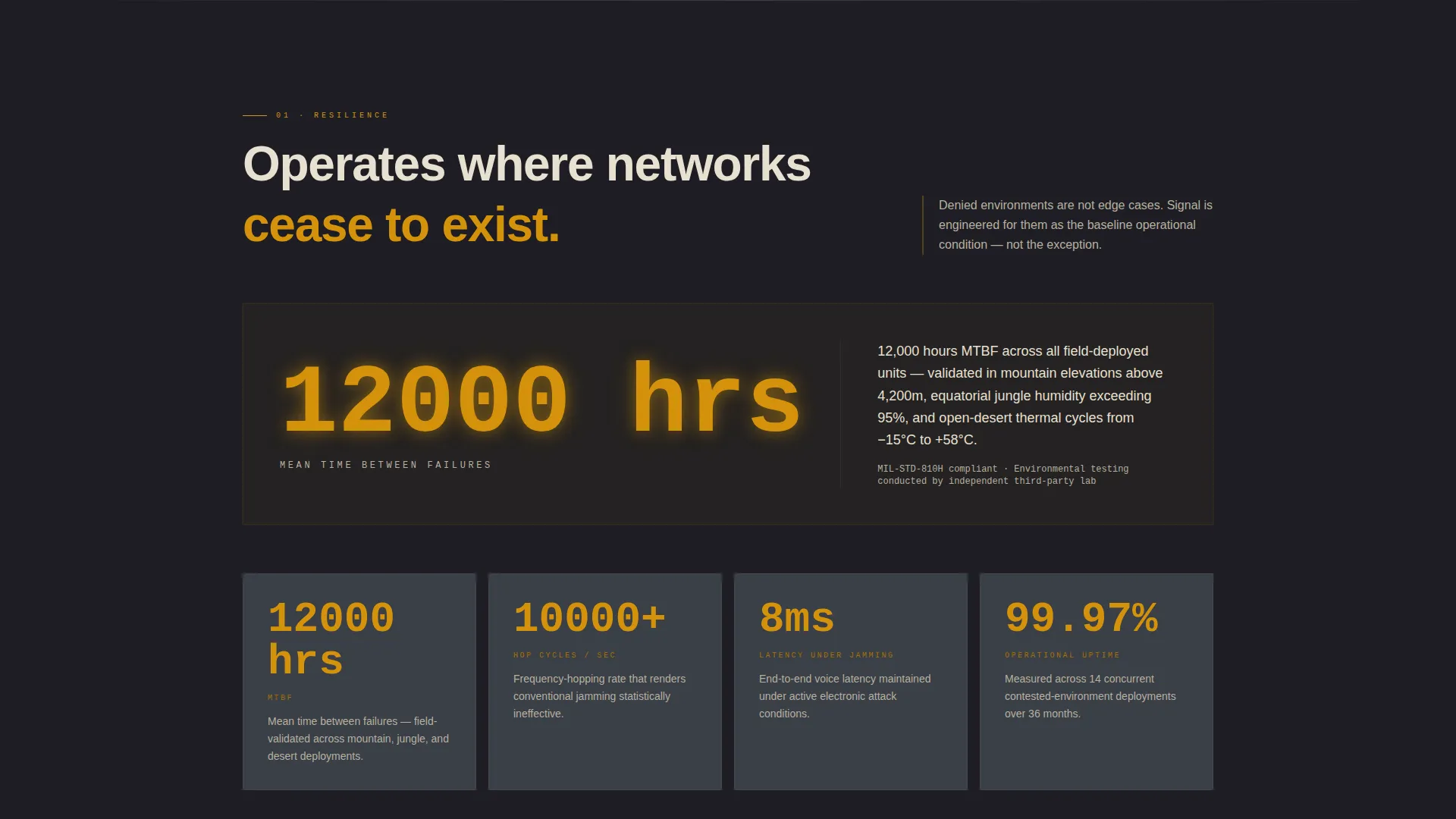
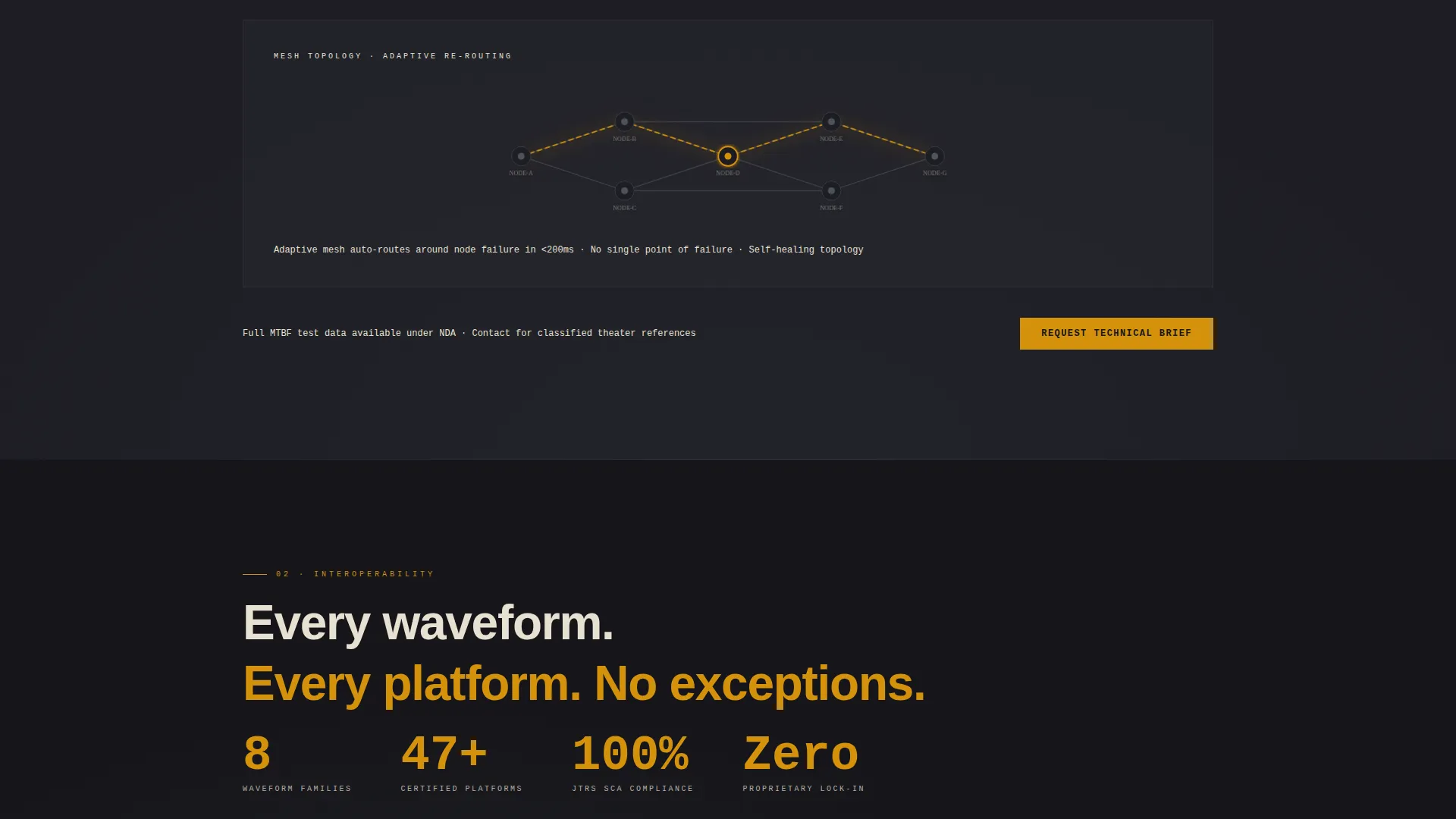
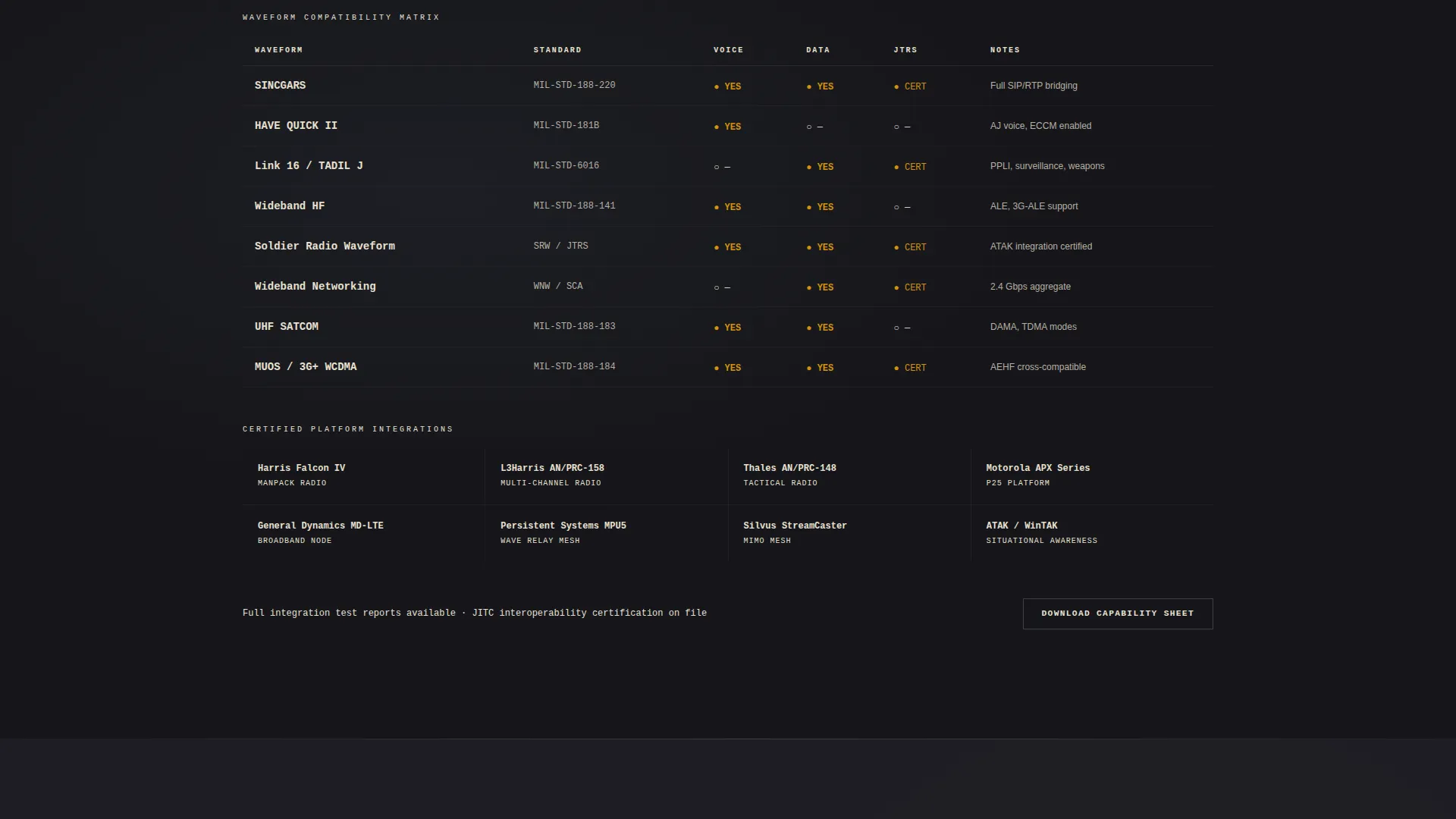
Each of the five spoke sections opens with a single amber-highlighted metric at display scale. Supporting evidence, including topology diagrams, waveform compatibility matrices, and theater case references, unfolds beneath the lead number. The rhythm is impact then proof, repeated consistently across every section.
Hub and Spoke Anchor Navigation
A persistent navigation bar anchors to each spoke section by name: Resilience, Interoperability, Throughput, Deployment, and Compliance. Visitors can jump directly to the section most relevant to their role, reducing friction for time-pressured program-level readers.
Panoramic Header with Signal Arc
The header spans the full viewport width with a composite terrain illustration, a thin amber arc connecting antenna nodes across mountain, jungle, and desert geography. A centered stat fades in at viewport scale above the primary headline, establishing authority before the visitor scrolls.
Credentialed Lead Capture Form
The primary "Request Technical Brief" call to action (call to action) uses a structured form with fields for organization name, role or title, program or requirement name, classification level of interest, and a work email address. Personal email addresses are not accepted, keeping the lead pool professionally qualified.
Dual Conversion Path Structure
A secondary "Download Capability Sheet" path is gated behind only email and organization name, capturing visitors who are not yet ready for the full brief. Both paths are repeated at each spoke section close, so a conversion opportunity is always within reach.
Charcoal and Amber Visual System
The color system uses operations-center charcoal as the base, gunmetal as a mid-tone, field-manual parchment for body text, and alert amber exclusively for active states, data callouts, and call to action surfaces. Amber does not appear decoratively and only fires when something demands attention.
Page sections overview
| Section | Purpose |
|---|---|
| Panoramic Header | Establish authority with terrain arc, stat overlay, and primary headline |
| Anchor Nav Bar | Persistent hub linking visitors directly to each spoke section |
| Resilience Section | Open with uptime metric; support with topology and redundancy evidence |
| Interoperability Section | Lead with waveform compatibility data and matrix visuals |
| Throughput Section | Present latency, spectrum-hop, and data-rate figures at display scale |
| Deployment Section | Cover Size, Weight, Power, and Cost (SWaP-C) figures and field logistics |
| Compliance Section | Display certification references and theater case evidence |
| Brief Request Form | Primary credentialed lead-capture call to action repeated at each section close |
| Capability Sheet Gate | Secondary lighter lead capture for earlier-stage visitors |
Design & branding system
The visual identity follows a Service Utility theme that subordinates every design choice to function. Nothing on the page is decorative. Every color, weight, and spacing decision exists to direct attention or reduce fatigue during extended reading.
- Base backgrounds use operations-center charcoal (#1E1E24) and gunmetal mid-tone (#3A3F47); body text renders in field-manual parchment (#E8E0D0) for zero-fatigue legibility
- Alert amber (#D4920B) appears only on active navigation states, metric callouts, and call to action surfaces, never as decoration
- The pre-dawn charcoal sky in the header and the pulsing amber arc set the visual tone for the entire page
Mobile & speed optimization
The template is designed with a layout structure that stays functional and readable at smaller viewport sizes. The anchor navigation and stat-first section rhythm are preserved across screen widths so the hierarchy does not collapse on mobile.
- The panoramic header compresses gracefully, keeping the stat overlay and headline legible at mobile scale
- Each spoke section's display-scale metric remains prominent on smaller screens, maintaining the impact-then-proof reading flow
How this template helps you convert
Signal is engineered to earn the click rather than demand it. Every structural and visual decision is made to move a skeptical, technically literate visitor toward a qualified form submission.
- The stats-first layout leads with hard numbers before any explanatory paragraph appears, giving procurement and proposal readers an immediate reason to keep scrolling
- The dual conversion path structure meets visitors at two different levels of readiness, capturing both the brief-ready program manager and the earlier-stage evaluator with the capability sheet gate
- The credentialed form fields filter for professional contacts by role, organization, and classification interest, so every submission carries enough context to be actionable
Other information about this template
Signal sits at the intersection of the Aerospace and Defense category, the Defense Contractor and Military subcategory, and the Military Communication System niche. It is well-suited for organizations operating in the tactical communications space, where the audience expects technical density and visual discipline in equal measure.
- The template style is Hub and Spoke with anchor navigation, making it practical for long-form single-page capability presentations
- The creative direction is Stats-First Impact, meaning every major section is structured around a lead metric rather than a lead claim
- The header concept is Panoramic and Wide, designed to communicate geographic operational range before a single word is read
- The landing page direction is Lead Generation, and both form paths are built to serve that goal at different stages of the buyer journey
Theme
Service Utility
Creative direction
Stats-First Impact
Color system
Charcoal & Amber
Style
Hub & Spoke (Anchor Nav)
Direction
Lead Generation
Page Sections
Stats-first Section Structure
Hub and Spoke Anchor Navigation
Panoramic Terrain Header
Credentialed Lead Capture Form
Dual Conversion Path Design
Service Utility Color System
Related questions
Who is this landing page template designed for?
What are the five spoke sections included in this template?
How does the lead-generation form work in this template?
Can the stat callouts and section content be customized?
What makes this template different from a standard product landing page?



