Ship - Powerful Next.js Landing Page Template
Ship is a bento grid landing page template built for Next.js template libraries. It features an animated terminal header, an interactive Time Saved calculator, live template previews, and a sticky CLI install bar. Designed for solo founders, agency developers, and startup engineering teams who need to move fast and launch faster.
by Rocket studio
Quick summary
Ship is a single-page bento grid landing page template designed for Next.js template libraries. It opens with a self-typing terminal code snippet, leads with an interactive Time Saved estimator, and drives installs with a one-click CLI command. The dark-mode Slate and Sky color system signals developer credibility from the first scroll.
Who this template is for
This template is built for technical founders and development teams who sell or showcase Next.js templates. If your audience ships code for a living, this page speaks their language before a single word loads.
- Solo founders preparing for demo day who need a launch page fast
- Agency developers managing multiple client builds who want a credible storefront
- Startup engineering leads who need junior engineers focused on features, not setup
What problem this template solves
Most landing pages for developer tools look like marketing brochures. They talk around the product instead of showing it. Ship solves this by making the product itself the hero visual and proving value through an interactive calculator before asking anything from the visitor.
- Generic landing pages fail to earn trust from technical audiences
- Visitors leave before understanding what hours of scaffolding they would actually save
- Traditional lead forms create friction where a CLI command should be the only ask
What you get with this template
You get a fully structured bento grid landing page with every major section already wired into a coherent visual system. The layout is exploration-first, meaning visitors discover content by scrolling rather than being pushed through a funnel.
- An animated terminal header with realistic chrome, typing animation, and a sky-blue blinking cursor
- An interactive Time Saved calculator with project type selector, team size input, and animated result display
- A sticky bottom install bar that slides up after 40 percent scroll depth, keeping the CLI command always reachable
Feature list
This section covers what the template delivers as built components and interaction patterns.
Animated Terminal Header
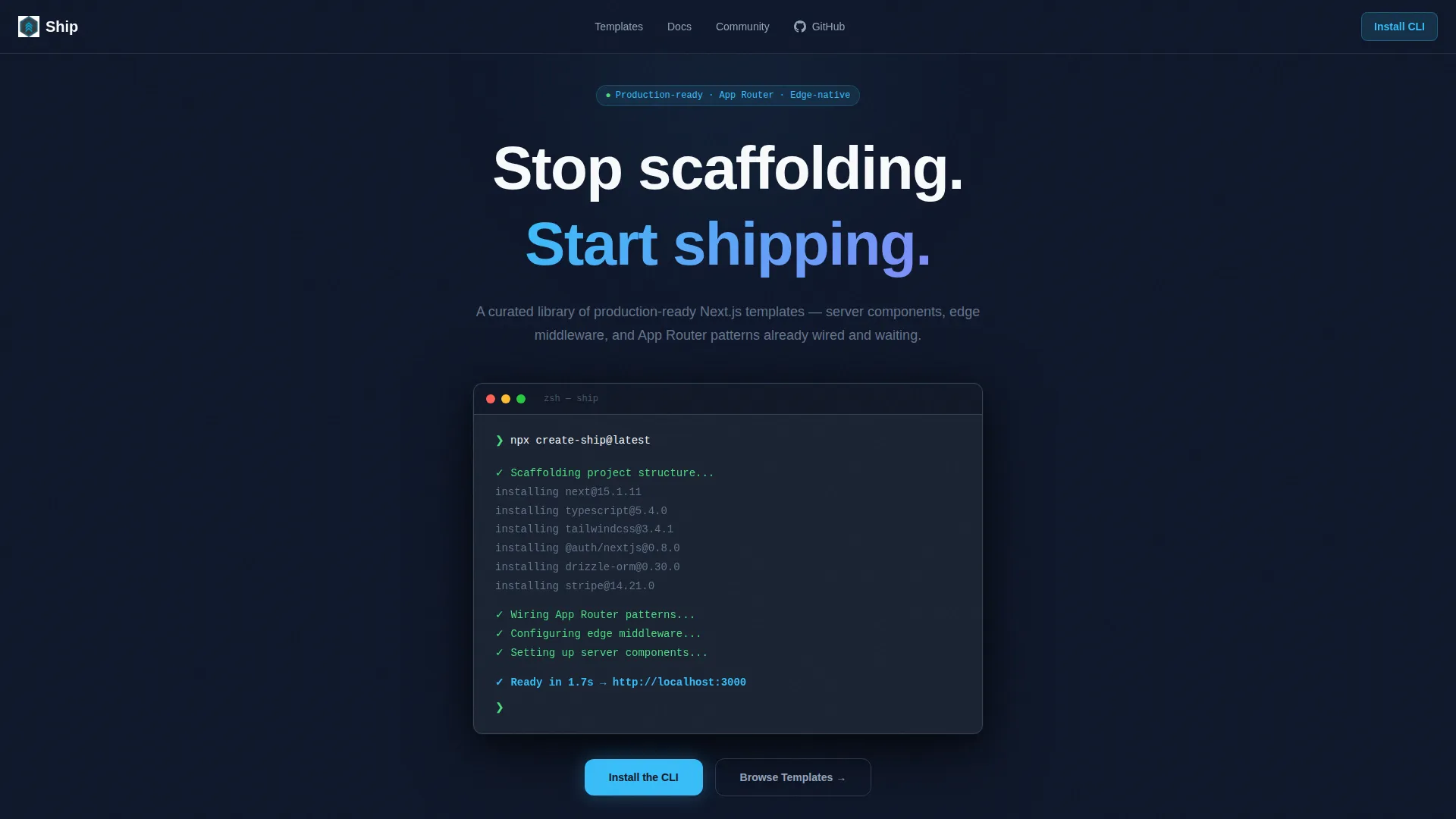
The header renders a monospaced code block centered on a dark viewport. The npx create-ship@latest command types itself out character by character. Terminal output cascades below it, ending with a green checkmark and a ready message. The realistic terminal chrome includes three dot window controls and a subtle drop shadow.
Interactive Time Saved Calculator
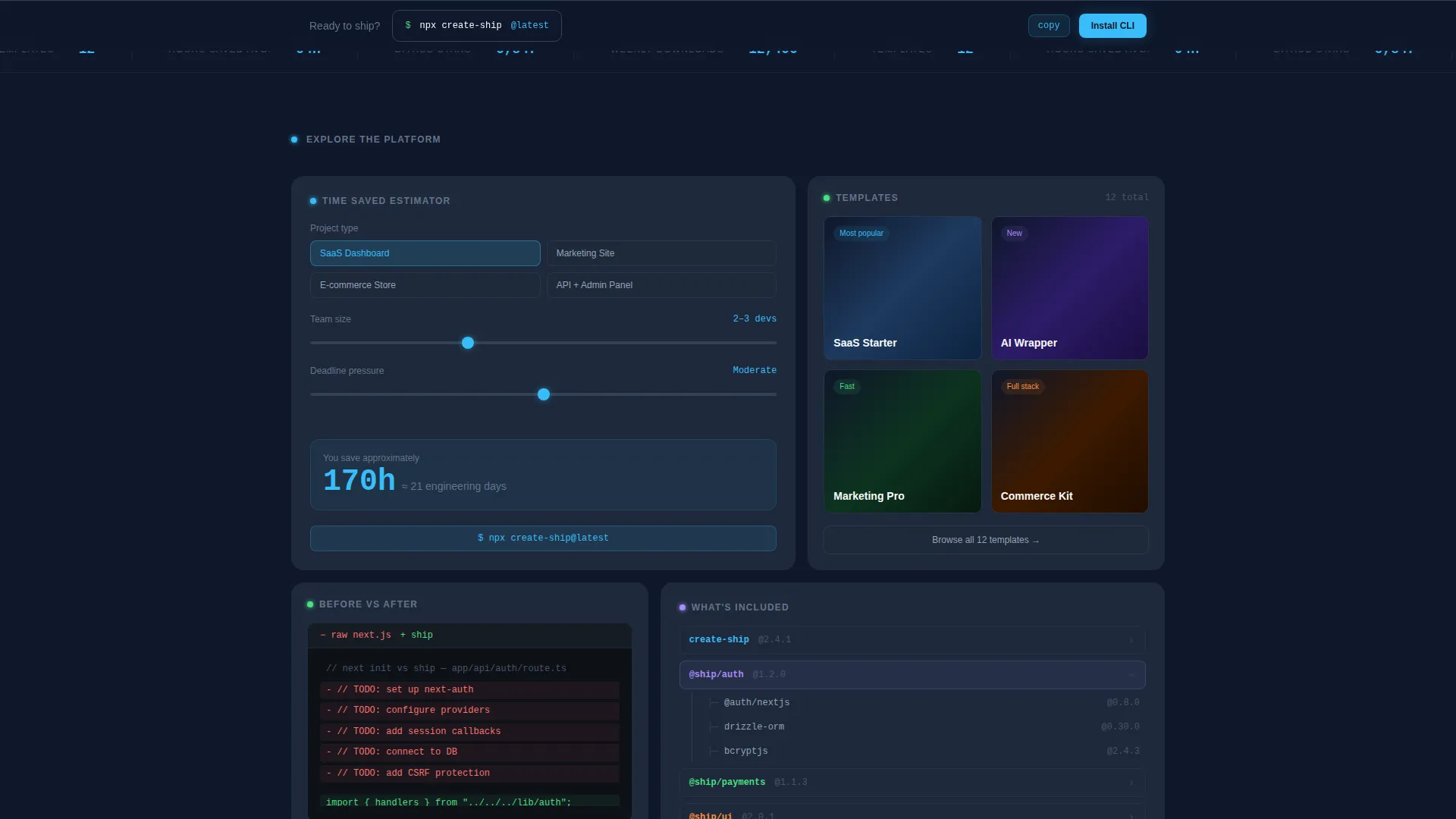
The first bento cell holds a working estimator tool. Visitors choose a project type from three options: SaaS dashboard, marketing site, or e-commerce storefront. They also set team size and deadline pressure. The tool instantly outputs an hours-saved figure rendered as a bold, sky-blue number that animates upward.
Live Template Preview Grid
A bento cell dedicated to template previews lets visitors browse available options. Cards expand on hover, giving a closer look without leaving the page. The grid rewards curiosity and keeps engagement high without requiring navigation to a separate catalog page.
Dependency Tree Visualization
One bento cell renders a visual dependency tree showing exactly what is included with the Ship templates. This gives technical buyers a transparent view of the stack before they install anything.
Side-by-Side Diff View
A dedicated bento cell presents a code diff comparing a raw Next.js initialization against Ship's output. This makes the time-saving claim concrete and visible rather than abstract.
Sticky CLI Install Bar
After the visitor scrolls past 40 percent of the page, a bottom bar slides up with the npx create-ship@latest command and a one-click copy button. The bar persists until the visitor acts, removing every barrier between interest and install.
Page sections overview
| Section | Purpose |
|---|---|
| Terminal Hero Header | Opens the page with an animated CLI command and cascading terminal output |
| Time Saved Calculator | Lets visitors calculate hours saved versus building from scratch |
| Template Preview Grid | Showcases available templates with hover-to-expand cards |
| Dependency Tree Cell | Displays a visual breakdown of included packages and patterns |
| Code Diff Cell | Compares raw Next.js setup against Ship's scaffolded output |
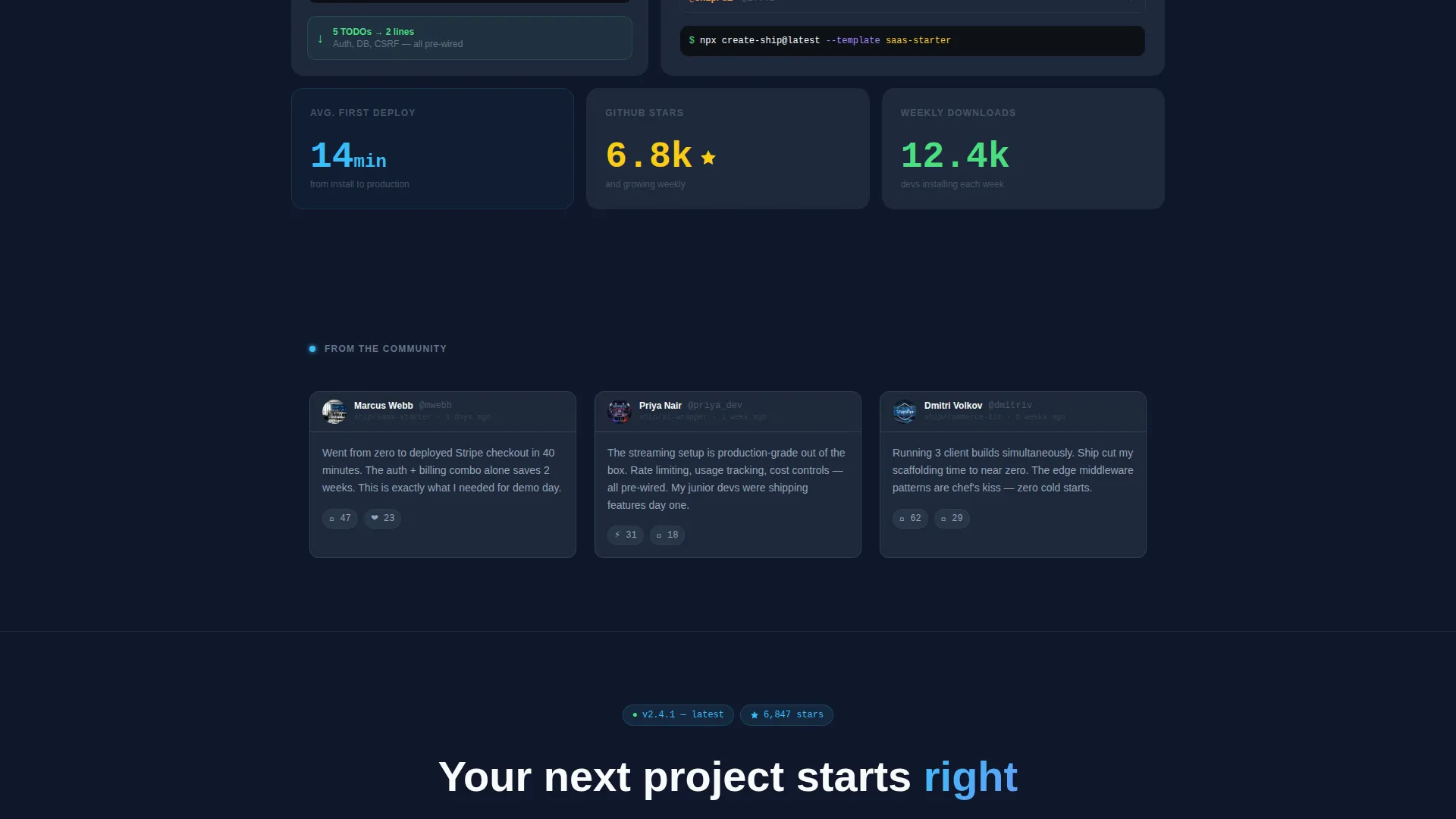
| Testimonial Cards | Shows social proof styled as GitHub comment threads |
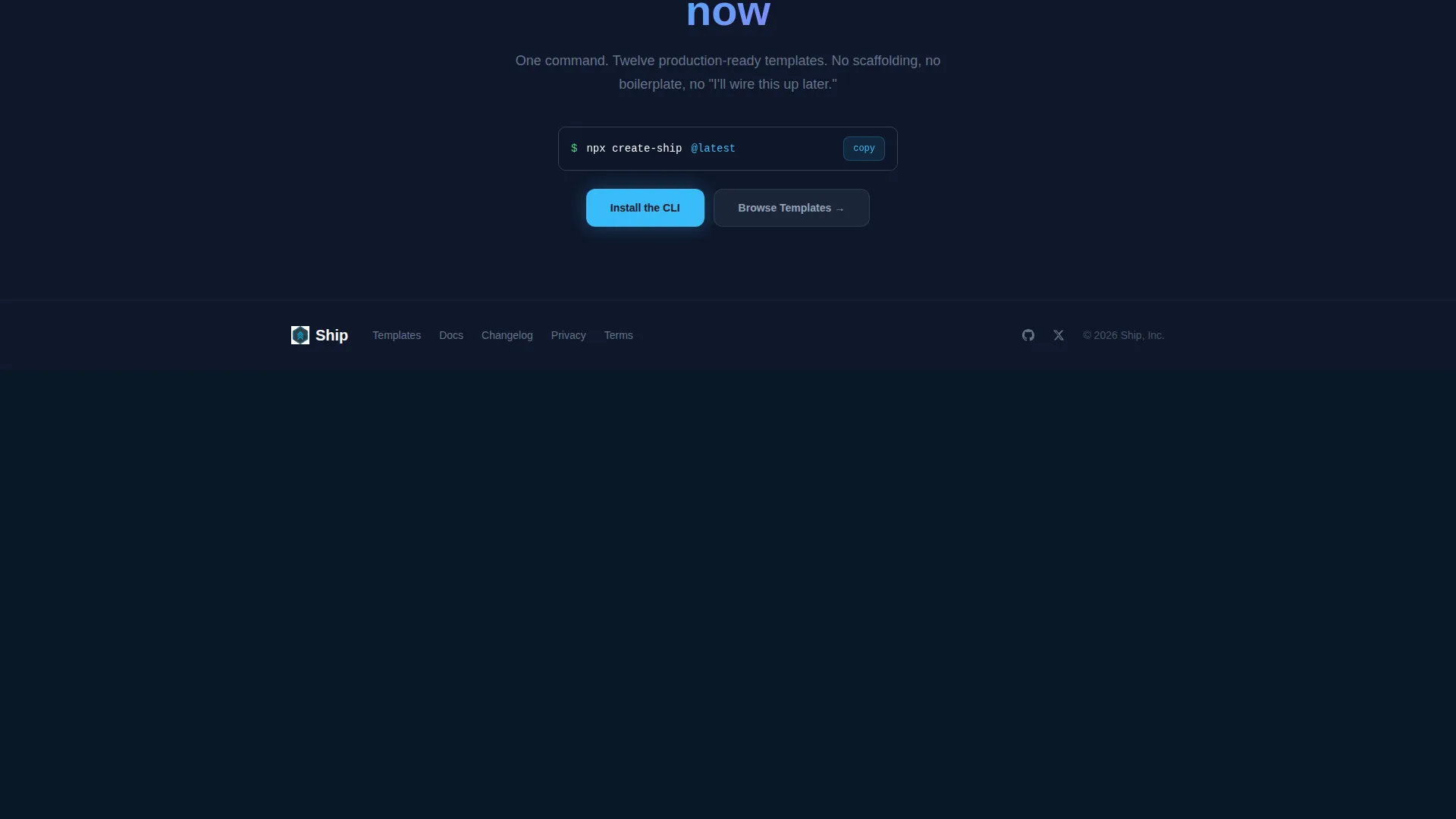
| Primary call to action Section | Presents the Install CLI button and Browse Templates secondary action |
| Sticky Install Bar | Slides up at 40 percent scroll depth with a persistent copy-ready command |
Design & branding system
The visual identity follows a Startup Velocity theme built entirely around a dark-mode developer aesthetic. Every color choice references the feel of a well-configured code editor rather than a traditional marketing site.
- Deep editor slate (#0F172A) dominates all backgrounds and card shells, creating the IDE-like atmosphere
- Cloud-break sky (#38BDF8) hits every call-to-action button, active state, syntax highlight, and the animated calculator result
- Crisp token white (#F8FAFC) handles all heading text, body copy, and card surface text so contrast stays sharp throughout
Mobile & speed optimization
The bento grid layout is built to reflow gracefully on smaller screens. Each cell is a self-contained widget, which makes column stacking on mobile straightforward without breaking the interaction logic of any individual component.
- Individual bento cells stack vertically on mobile, preserving the calculator and preview interactions
- The sticky install bar remains functional at all viewport sizes, keeping the CLI command reachable on phones and tablets
How this template helps you convert
Ship removes every unnecessary step between a visitor's first impression and a CLI install. The conversion path is built into the page structure itself.
- The Time Saved calculator proves value immediately, giving visitors a personal, data-backed reason to keep reading before any call to action appears
- The CLI command appears three times across the page: in the header, after the calculator result, and in the sticky bottom bar, so the install action is always one copy-paste away
Other information about this template
This template is part of a broader set of production-ready Next.js resources suited to teams already working with server components, edge middleware, and App Router patterns. It pairs naturally with the Ship CLI toolchain described in the source brief.
- The template targets the Next.js template library niche and fits the Documentation and Support category
- A live GitHub stars counter and a weekly download badge sit alongside every call-to-action to reinforce community trust
- No email gate or form field stands between the visitor and the install command, keeping the conversion flow frictionless
- The page style is intentionally terminal-coded and IDE-adjacent, which aligns with developer-audience expectations in the Next.js ecosystem
Theme
Startup Velocity
Creative direction
Calculator/Tool First
Color system
Slate & Sky
Style
Bento Grid
Direction
App Download
Page Sections
Animated Terminal Hero Header
Interactive Time Saved Calculator
Bento Grid Layout with Hover Previews
Dependency Tree Visualization
Side-by-side Code Diff View
Sticky CLI Install Bar
Related questions
Does the Time Saved calculator need a back-end to work?
Can I update the project types shown in the calculator?
Where does the CLI command appear on the page?
Is this template suitable for a team that sells multiple Next.js templates?
Does the sticky install bar work on mobile screens?



