Defense Contractor & Military Professional Website Template
Sentinel is a dashboard-style intelligence and surveillance landing page built for defense and security professionals. It combines a full-screen aerial video header, animated data grid sections, and live-styled capability widgets into a single high-stakes operational flow. The page drives lead generation through a gated capability brief and a classified demo request path.
by Rocket studio
Quick summary
Sentinel is a single-page intelligence platform landing page designed to communicate multi-source sensor fusion at operational depth. The layout follows an industry report scrolling cadence, moving from threat landscape data through capability modules to a gated lead generation form. Every section is built to earn trust before asking for a response.
Who this template is for
This template is built for organizations operating in high-stakes defense and security environments. The design language and content flow are calibrated for procurement-level and senior operational audiences.
- Defense ministry procurement officers drafting formal capability requirements
- Intelligence agency division chiefs consolidating multi-source intelligence feeds
- Private security directors responsible for protecting critical infrastructure in hostile regions
What problem this template solves
Intelligence platform vendors face a specific communication challenge. Technical buyers in defense and security need to see operational depth before they engage. A generic software landing page does not carry the authority required to move a procurement officer toward a form submission.
- Standard templates lack the visual density and tonal weight to speak to classified-environment users
- Lead generation forms appear before the product earns the click, breaking trust with cautious buyers
- Multi-source intelligence capabilities are difficult to communicate without showing the data in motion
What you get with this template
This template delivers a complete, single-page operational brief experience. Every section is structured to build the case progressively, from data problem to integration capability to measurable outcome.
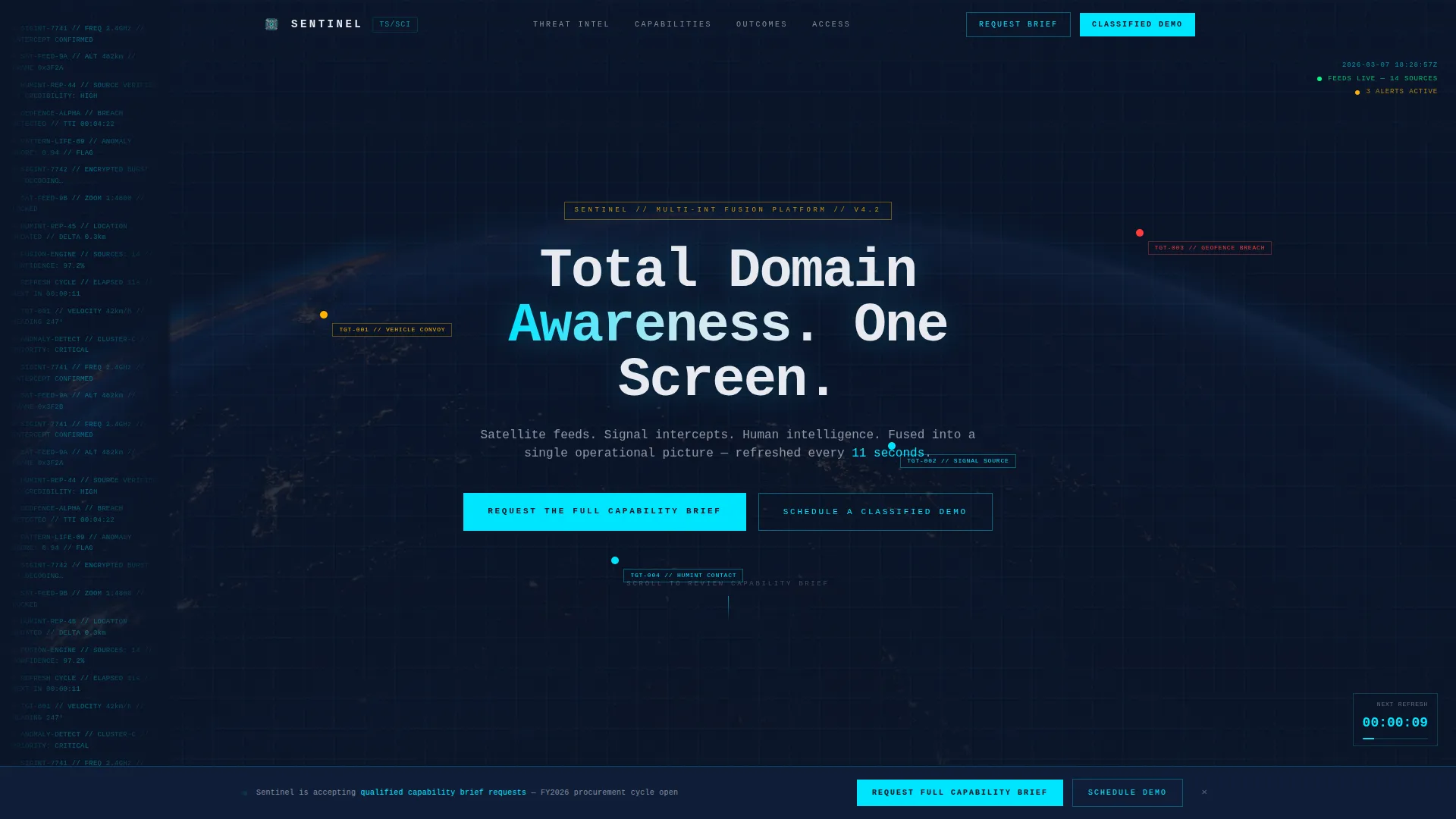
- A full-screen aerial surveillance video header with real-time data overlay compositing and a monospaced headline reveal
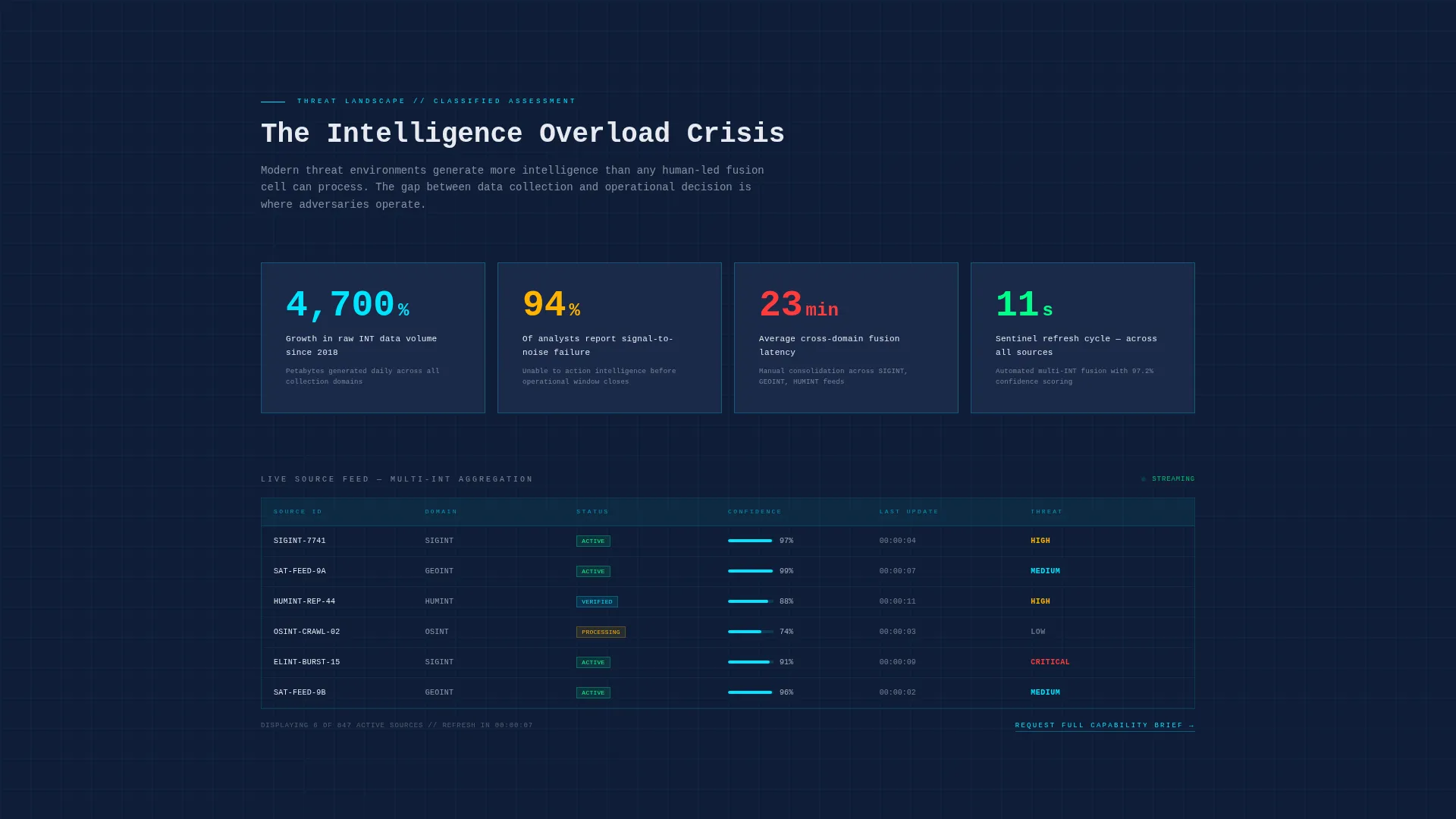
- Animated threat-landscape data grids presenting intelligence volume statistics and analyst overload metrics
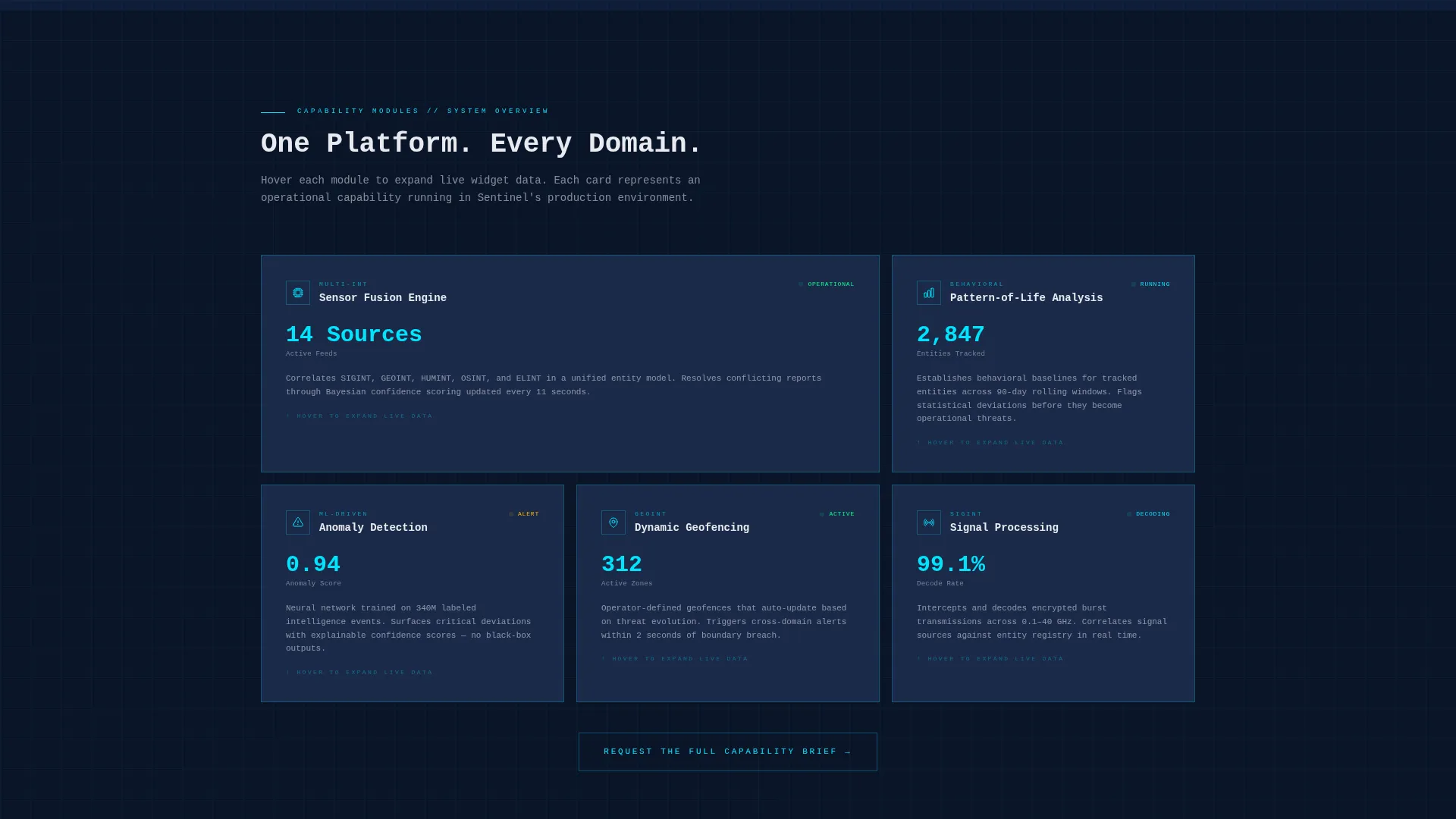
- Hoverable dashboard capability cards styled as live widgets for sensor fusion, pattern-of-life analysis, and anomaly detection
- A gated lead generation form collecting agency name, role and title, operational domain selection, and secure email
- A persistent bottom bar call to action and a secondary classified demo scheduling path
- Thin cyan viewport-scanning transition rules between every major section
Feature list
This template includes a structured set of purpose-built components. Each one is designed to carry the visual weight and informational precision that defense procurement audiences expect.
Full-Screen Aerial Video Header
The header uses a full-screen video background composed of aerial surveillance footage. Moving target indicators pulse, geofence boundaries draw themselves, and metadata tags auto-populate beside tracked assets. The camera pushes slowly from orbital view to street-level resolution. A monospaced headline renders after a three-second delay: "Total Domain Awareness. One Screen."
Animated Threat-Landscape Data Grids
The first content section presents real statistics on intelligence data volume growth and analyst overload. These figures render as animated data grids, establishing the scale of the problem before any solution is introduced. The visual treatment feels like a live terminal feed, not a static infographic.
Live-Styled Capability Widget Cards
Capability modules appear as dashboard cards styled to resemble active system widgets. Each card represents a distinct function: sensor fusion, pattern-of-life analysis, or anomaly detection. Hovering a card expands it to reveal deeper operational detail, rewarding engaged visitors with more fidelity.
Gated Capability Brief Form
The primary lead generation path is a gated download form for a classified capability brief. It collects official agency or organization name, role and clearance-relevant title, operational domain (SIGINT, GEOINT, HUMINT, or Multi-INT), and a secure government or corporate email address. Commercial email domains are not accepted by design.
Persistent call to action Bottom Bar
A fixed bottom bar keeps the primary call to action visible throughout the scroll. The bar reinforces the "Request the Full Capability Brief" action without interrupting the reading flow. A secondary option to schedule a classified demo appears alongside it for visitors further along in the procurement cycle.
CRT-Style Section Transition Rules
Each major section transition is marked by a thin cyan rule that scans across the viewport. The animation mimics a refresh line on a cathode-ray tube display. This detail reinforces the operations-center aesthetic and signals to the reader that a new evidence tier is loading.
Page sections overview
| Section | Purpose |
|---|---|
| Video Header | Establishes operational authority and system capability at first impression |
| Threat Landscape Grids | Frames the intelligence data problem with animated statistics |
| Capability Module Cards | Demonstrates sensor fusion, pattern-of-life, and anomaly detection features |
| Primary call to action Block | Positions the gated capability brief form after the threat section |
| Classified Demo Path | Offers a secondary conversion route for procurement-stage visitors |
| Persistent Bottom Bar | Keeps the lead generation action accessible throughout the entire page |
Design & branding system
The visual identity follows a Navy Authority color system built around a command-center atmosphere. Every color choice serves a functional role in the operational hierarchy.
- Deep command-center navy (#0B1529) and tactical slate (#1B2A4A) dominate all background surfaces, creating the darkened operations-room foundation
- Cold-light cyan (#00E5FF) traces data paths, interactive borders, and live accent elements; warning amber (#FFB300) activates only on hover states and notification badges
- Briefing-paper white (#E8EAF0) is reserved for typography and chart labels, rendering sharp against dark backgrounds like terminal readouts
Mobile & speed optimization
The template is designed with a responsive layout that preserves the operational aesthetic across screen sizes. Dashboard-style grids and card components reflow cleanly at smaller breakpoints.
- Video header and data overlay elements are structured to adapt gracefully on tablet and mobile viewports
- Card-based capability modules stack vertically on narrower screens without losing the live-widget visual treatment
How this template helps you convert
The page earns the lead before it asks for one. The conversion architecture is deliberate and sequenced.
- The video header and threat-landscape data grids establish analytical credibility in the first scroll, so the visitor arrives at the form already convinced of operational depth.
- The gated capability brief form is positioned after the evidence has been presented, reducing resistance by requiring only a professional email and role context rather than asking cold.
- The persistent bottom bar and secondary demo scheduling path give visitors two distinct conversion options matched to different stages of the procurement cycle.
Other information about this template
Sentinel is built within the Dashboard Pro theme framework, which provides the structural foundation for the data grid layout and widget card components. The template sits within the Aerospace and Defense category, specifically the Defense Contractor and Military subcategory, with a niche focus on intelligence and surveillance systems.
- The creative direction follows an Industry Report cadence, meaning the scroll experience is structured like a classified briefing that builds its argument through staged evidence
- The header concept is a Full-Screen Video Background, a format specifically chosen to demonstrate the system's zoom-to-detail capability in motion
- The lead generation direction is the core conversion model, with two distinct paths: a gated document download and a live demo request
Theme
Dashboard Pro
Creative direction
Industry Report
Color system
Navy Authority
Style
Dashboard/Data Grid
Direction
Lead Generation
Page Sections
Full-screen Aerial Video Header
Animated Threat-landscape Data Grids
Live-styled Capability Widget Cards
Gated Capability Brief Form
Persistent Bottom Bar Call to Action
Crt-style Section Transitions
Related questions
Who is this landing page template designed for?
What conversion actions does the template support?
Can the operational domain dropdown be customized?
Does the template include the video footage shown in the header?
What makes this template different from a standard SaaS landing page?



