Fire Safety & Prevention Reviews & Social Proof Website Template
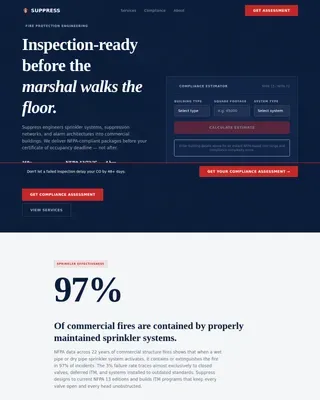
Suppress is a split-screen landing page template built for fire suppression system contractors. It leads with certification authority, presents technical details in spec-sheet format, and guides facility managers, general contractors, and insurance risk engineers toward a compliance review request. Every section earns trust through precision and documented evidence, not generic persuasion.
by Rocket studio
Quick summary
Suppress is a purpose-built landing page template for fire suppression system businesses targeting B2B buyers. It opens with a certification logo bar, moves into a 50/50 split-screen hero, and scrolls through tabular spec sections covering system types, code compliance, inspections, and project case studies. The design feels like a printed spec binder: indexed, authoritative, and ready to convert.
Who this template is for
This template is intended for fire suppression contractors and fire safety businesses that serve commercial and industrial clients. It speaks directly to the people who carry compliance risk every day and need to assess a contractor's credibility fast.
- Facility managers juggling NFPA compliance across multiple properties who need documented records and clear procedures
- General contractors bidding commercial tenant improvements who need a suppression sub lined up quickly
- Risk engineers at insurance carriers requiring fire safety documentation and evidence of adherence before binding coverage
What problem this template solves
Fire suppression contractors often struggle to communicate technical authority online. A generic website fails buyers who need to check system specifications, review compliance details, and assess credentials before making contact. This template solves that gap.
- Buyers arrive aware of the stakes: a failed fire safety inspection means a building doesn't open
- The template replaces vague marketing with tabular data, certification logos, and inspection documentation samples
- It creates a clear path from first impression to lead capture, without burying the compliance details buyers need
What you get with this template
Suppress gives you a structured, data-led landing page designed to document authority and generate qualified leads. You do not need to start from scratch. Every section is pre-structured around the core fire suppression sales conversation.
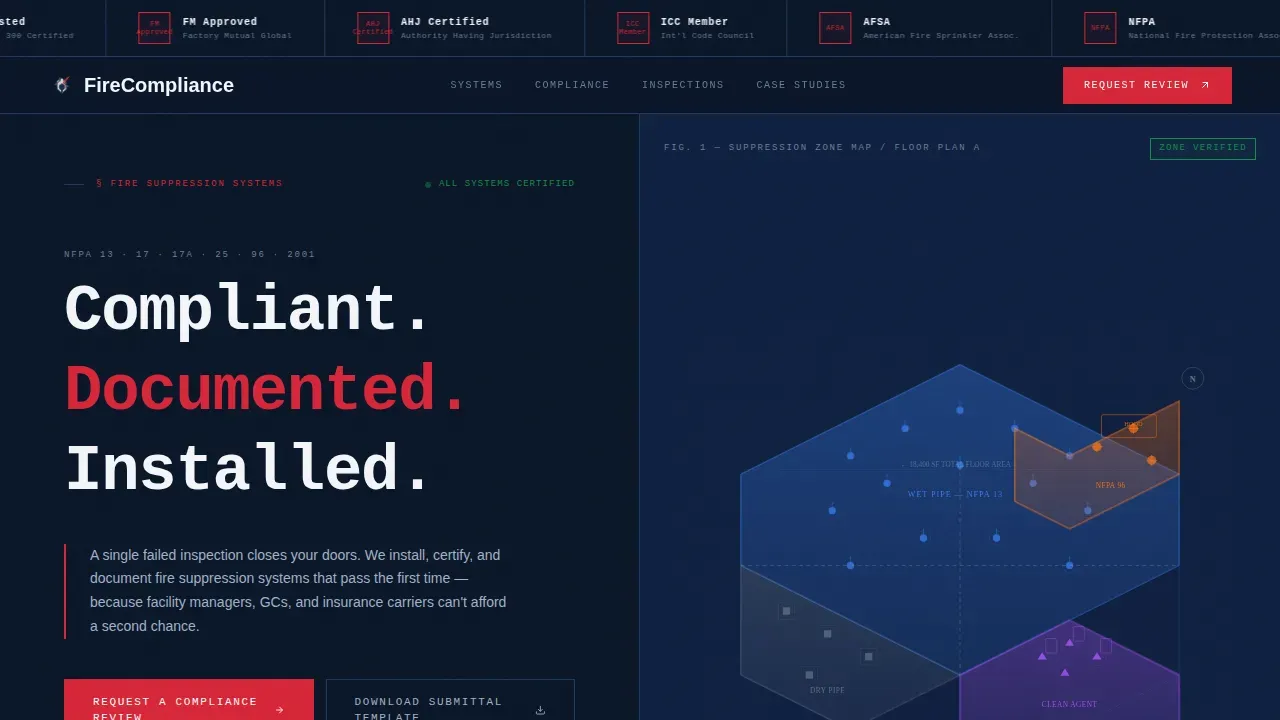
- A split-screen hero with a certification logo bar, monospaced headline, and isometric floor plan diagram
- Tabular spec sections for four suppression system types, a code compliance matrix, and inspection frequency data
- Two conversion paths: a primary "Request a Compliance Review" form and a secondary submittal template download gate
Feature list
This template includes six purpose-built sections that work together to build trust and drive action for fire safety businesses.
Certification Logo Bar
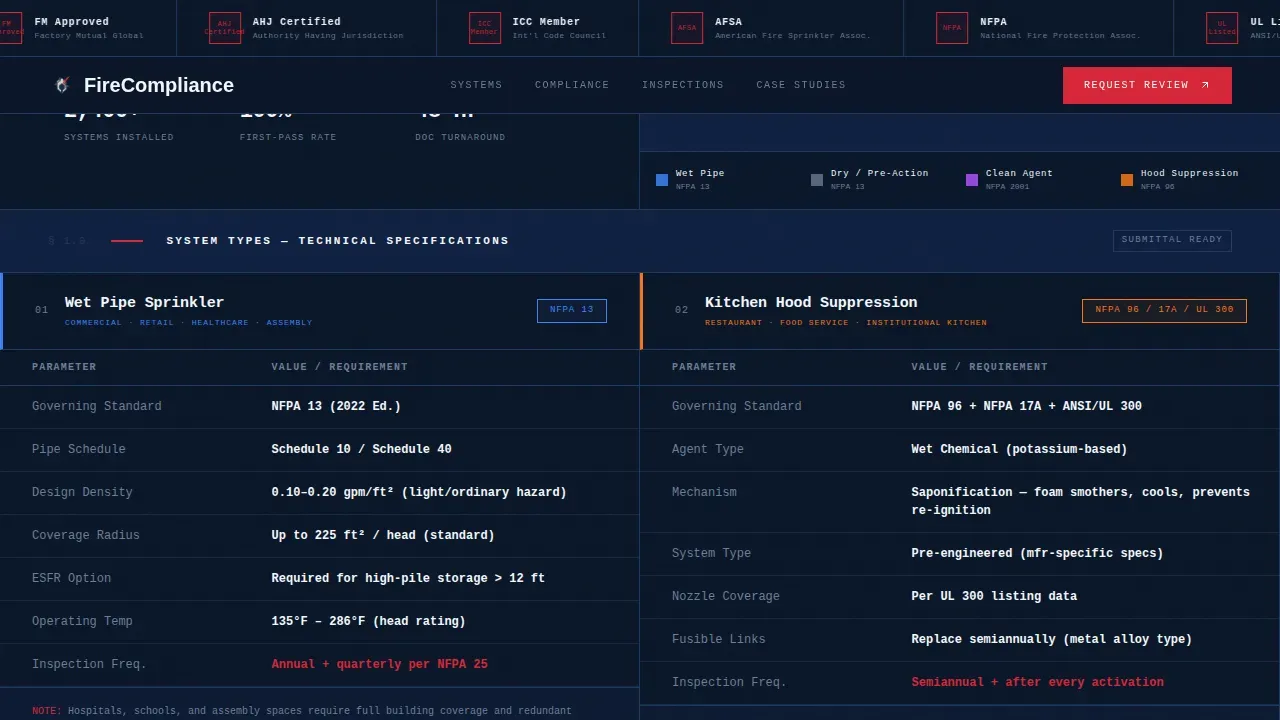
The header displays a horizontal strip of accreditation logos, including authority marks for NFPA standards, UL listings, and FM Global approvals. These logos establish third-party credibility before a single line of copy is read. Trust is built at the top of the page.
Split-Screen Hero Panel
The hero divides the viewport equally. The left side holds a single oversized monospaced headline. The right side shows an isometric cutaway of a commercial floor plan with suppression zones color-coded by system type: wet, dry, clean agent, and hood. Buyers understand the scope of service immediately.
Spec Sheet System Types Section
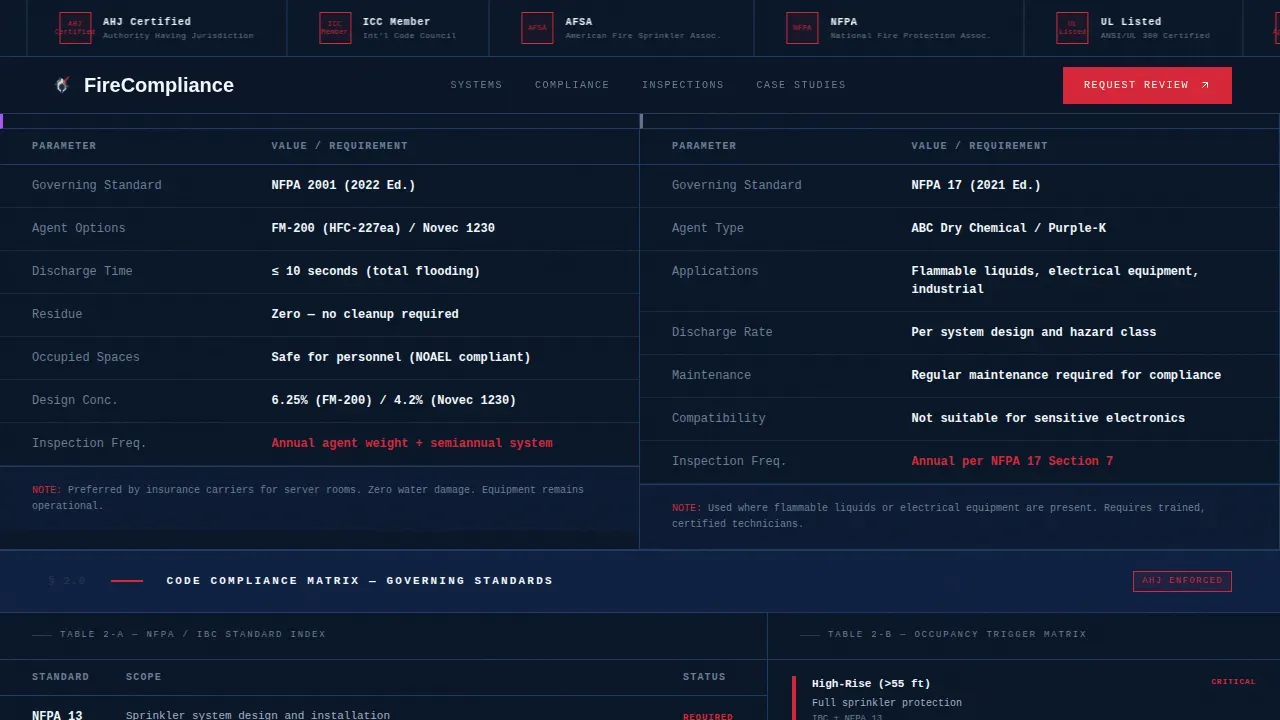
Four fire suppression system types are presented in tabular format: wet-pipe sprinkler, dry-pipe sprinkler, clean agent, and kitchen hood suppression. Each row includes pipe schedules, flow rates, agent concentrations, and coverage radii. B2B buyers can assess which suppression system fits their specific needs without a phone call.
Code Compliance Matrix
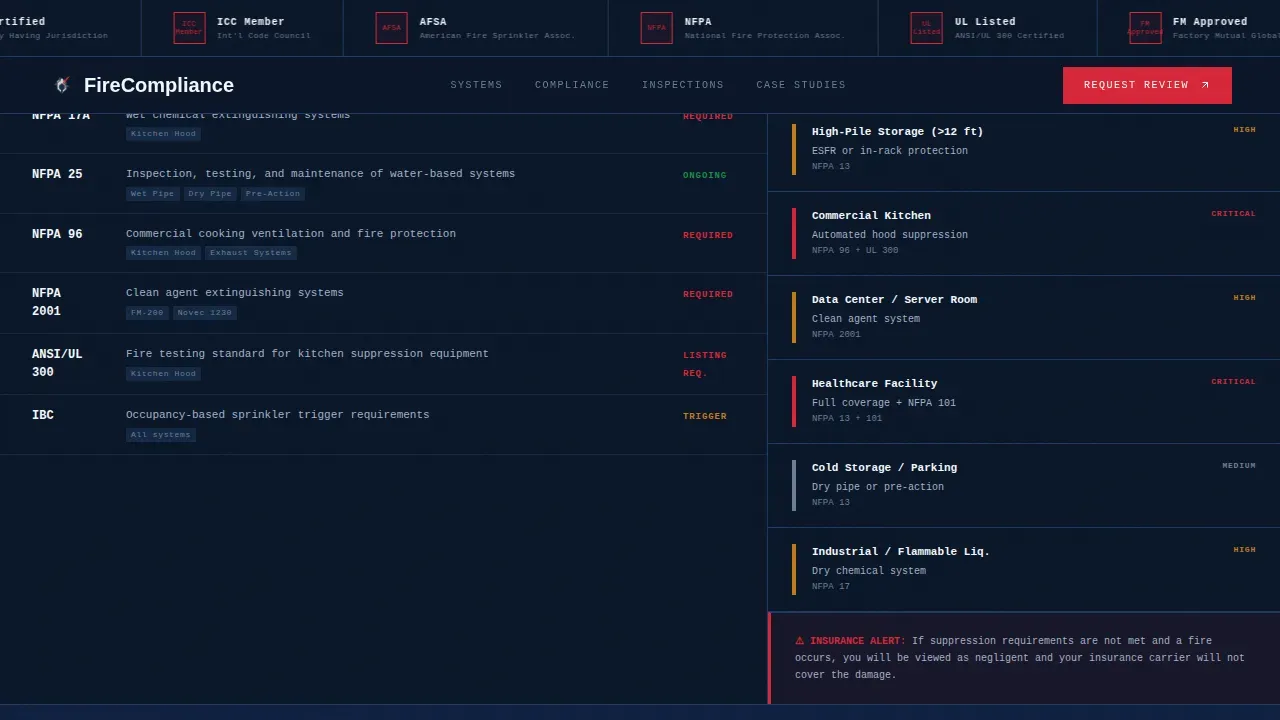
This section presents a structured NFPA standards table paired with an occupancy trigger grid. It references key standards including NFPA 25 for inspections and NFPA 72 for fire alarms. Facility managers and risk engineers can quickly check which regulations apply to their property and building type.
Inspection Documentation Section
Inspection frequency tables and documentation sample cards are included side by side. This section helps buyers understand the records and checklists required to stay compliant. It reflects the reality that fire safety documentation is vital for compliance audits and insurance reviews.
Project Case Studies Bento
Real project cards display square footage, occupancy type, and system installed. The asymmetric bento layout adds visual texture while keeping data legible. These cards serve as evidence of completed work and reinforce confidence for buyers evaluating risk before committing.
Page sections overview
| Section | Purpose |
|---|---|
| Certification Logo Bar | Establish third-party fire safety authority immediately |
| Split-Screen Hero | Headline, floor plan diagram, primary call to action |
| System Types Specs | Tabular data for four suppression system types |
| Code Compliance Matrix | NFPA standards table and occupancy trigger grid |
| Inspection Documentation | Frequency tables and documentation sample cards |
| Project Case Studies | Square footage and occupancy data bento cards |
| Lead Capture Form | Compliance review request with four dropdown fields |
| Submittal Download Gate | Secondary path gated by work email only |
| Footer Strip | Two-row compact footer with links and legal text |
Design & branding system
The visual design follows a Medical Clarity theme. The palette and typography are chosen to feel like a hospital control room: no ambiguity, every element with a clear purpose. This design language builds fire safety credibility through visual precision.
- Color system: Midnight navy (#0A1628) for backgrounds, sterile white (#F4F6F9) for data panels, clinical silver (#A3B1C6) for secondary text and divider rules, alarm red (#D72638) reserved strictly for calls to action and critical compliance callouts
- Typography: JetBrains Mono for headlines and tabular data to reinforce the spec-sheet aesthetic, Manrope for body copy to keep paragraphs readable and approachable
- Imagery and layout: High-quality images of installed suppression systems, isometric floor plan diagrams, and color-coded suppression zone graphics support the spec-binder design direction
Mobile & speed optimization
The template is designed desktop-first, reflecting the reality that facility managers and engineers typically review spec packages at a desk. The layout prioritizes clarity on large screens without sacrificing usability on smaller devices.
- Scroll-reveal animations, data table row staggering, and split-panel parallax are kept at a low-to-medium intensity so the page loads cleanly and stays legible
- Static sections use server-side rendering for fast initial load, while the interactive compliance matrix and lead capture form are handled client-side to keep responsiveness high
How this template helps you convert
Every design decision in Suppress points toward one outcome: turning a qualified visitor into a documented lead. The page does not chase every visitor. It filters for the right ones and gives them exactly what they need to take action.
- Two-path lead capture: The primary "Request a Compliance Review" form collects building type, square footage, number of floors, and construction status. No email required at this stage. The secondary submittal template download requires only a work email, capturing engineers and contractors who need fire safety documentation before they are ready to talk.
- Evidence before persuasion: Certification logos, compliance matrix data, inspection checklists, and project case studies all appear before any call to action. By the time a visitor reaches the form, the fire suppression system credentials are already on record.
- Alarm red calls to action on a neutral field: The alarm red (#D72638) is used exclusively for call to action buttons and critical compliance callouts. Against the deep navy and sterile white panels, these elements demand attention without creating visual noise.
Other information about this template
This is the Suppress compliant fire suppression system landing page template, designed for contractors who install and certify sprinkler heads, clean agent systems, and kitchen hood suppression across commercial properties. It is one of a focused set of website templates built for high-stakes B2B safety niches.
- Users can customize colors, logo placements, and section copy without starting from scratch or needing plugins or coding skills
- The page layout includes clearly labeled navigation links and a link to a privacy policy section in the footer, supporting standard business compliance practices
- Technological advancements in fire safety, including smart fire detection systems and automated emergency response tools, make it important for fire suppression businesses to present their capabilities with the same precision these technologies demand
- Fire safety log books, inspection checklists, and risk assessment records are increasingly expected by the fire department and insurance carriers before a sale or lease is finalized; this template gives contractors a website that matches that standard
- Facility managers are more aware than ever that fire safety regulations carry real financial and legal risk; non-compliance with fire safety regulations can lead to fines or closure, making the credibility signals in this template directly relevant to their decision
- Firefighters and fire department inspectors increasingly expect contractors to produce documented evidence of inspections conducted to current fire safety standards; this template helps a business present that track record clearly
Theme
Medical Clarity
Creative direction
Spec Sheet
Color system
Midnight Blue
Style
Split Screen (50/50)
Direction
Lead Generation
Page Sections
Certification Logo Bar Header
50/50 Split-screen Hero
Tabular Spec Sheet Sections
Code Compliance Matrix
Dual Lead Capture Paths
Project Case Studies Bento
Related questions
What types of fire suppression systems does this template cover?
Can I customize this template without coding experience?
What does the lead capture form collect?
How does the submittal template download path work?
Is this template suitable for contractors serving multiple building types?