Screen - Trusted Tenantscreening Landing Page Template
Screen is a tenant screening landing page template built for property professionals who need fast, credible answers about applicants. It features an interactive loss calculator, a gallery-walk scroll structure, redacted sample report previews, and a dual conversion path. The design uses a Luxe Minimal palette of midnight blue and muted gold to project precision and discretion.
by Rocket studio
Quick summary
Screen is a single-page tenant screening landing page template designed for landlords, property managers, and real estate investors. It opens with a live loss calculator, moves through a curated gallery-walk scroll, and closes with two clear conversion paths. Every section earns its space and pushes the visitor toward confident action.
Who this template is for
This template speaks directly to people who hand over keys for a living. It was built for property professionals who want a conversion-focused landing page that reflects the seriousness of their work.
- Independent landlords managing buildings with four to twelve units
- Property management firms onboarding large or seasonal tenant groups
- Real estate investors acquiring portfolios who need fast applicant vetting
What problem this template solves
Most screening service pages bury their value in paragraphs. Visitors leave before they feel the cost of skipping a background check. This template reverses that by making the financial risk personal and immediate.
- Visitors never feel the real cost of a bad tenant placement until it is too late
- Generic landing pages fail to build trust with cautious, experienced landlords
- Hesitant buyers leave without converting because there is no low-commitment path
What you get with this template
You get a full-width immersive landing page structured to move a skeptical landlord from curiosity to signup in a single scroll. Every component is purposeful and prompt-backed.
- A live calculator header that projects annual losses from bad tenants in real time
- A gallery-walk scroll with full-viewport sections, each presenting one product proof point
- Two distinct conversion paths: direct signup and a sample report download
Feature list
This template delivers six distinct functional and visual components, each designed to move a visitor closer to committing.
Interactive Loss Calculator Header
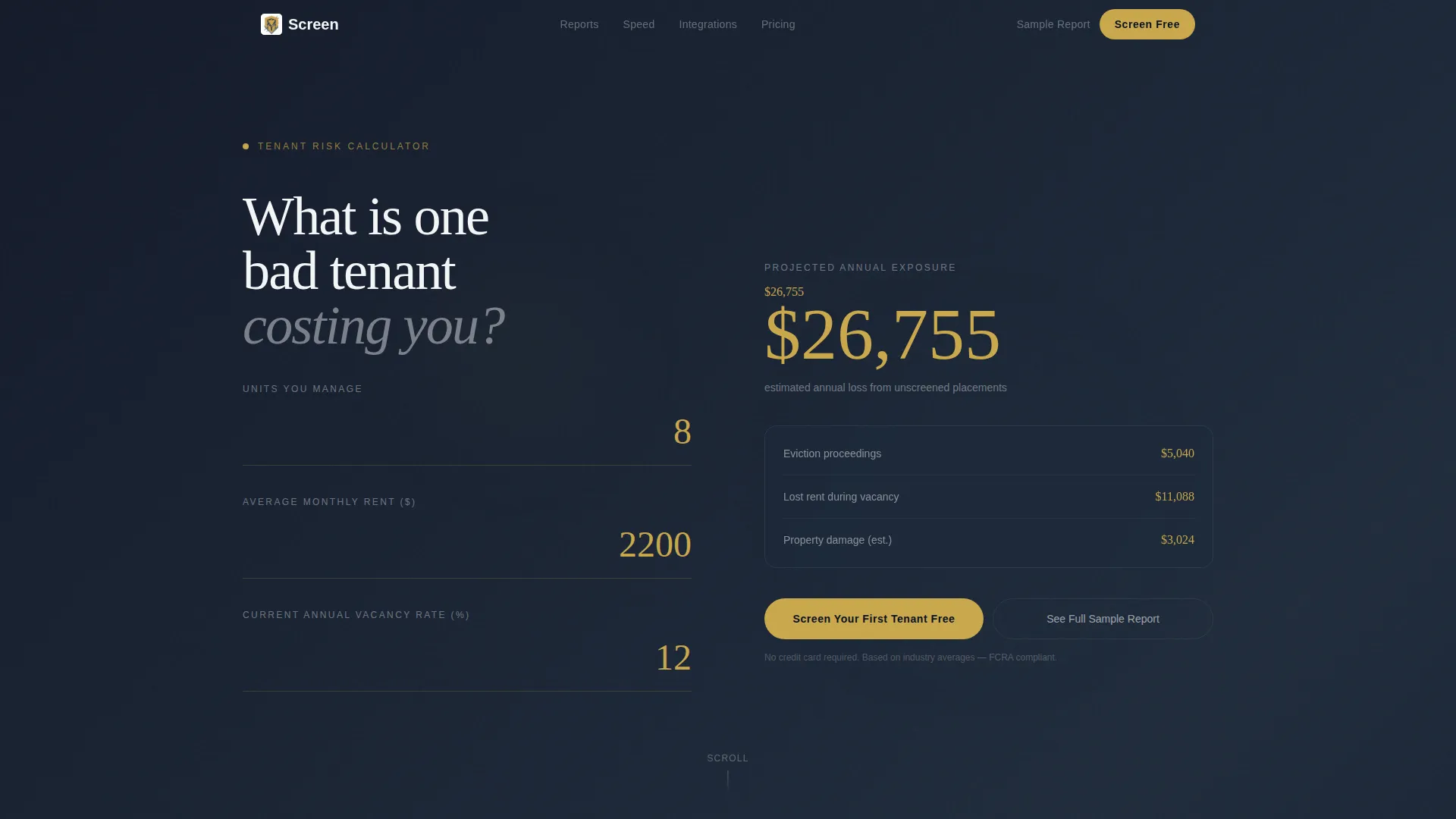
The header fills the full viewport with a real-time estimator. Visitors enter their number of units, average monthly rent, and current vacancy rate. The calculator returns a projected annual loss figure from bad tenants, animated in muted gold like a stock ticker, recalculating with every keystroke.
Gallery-Walk Scroll Structure
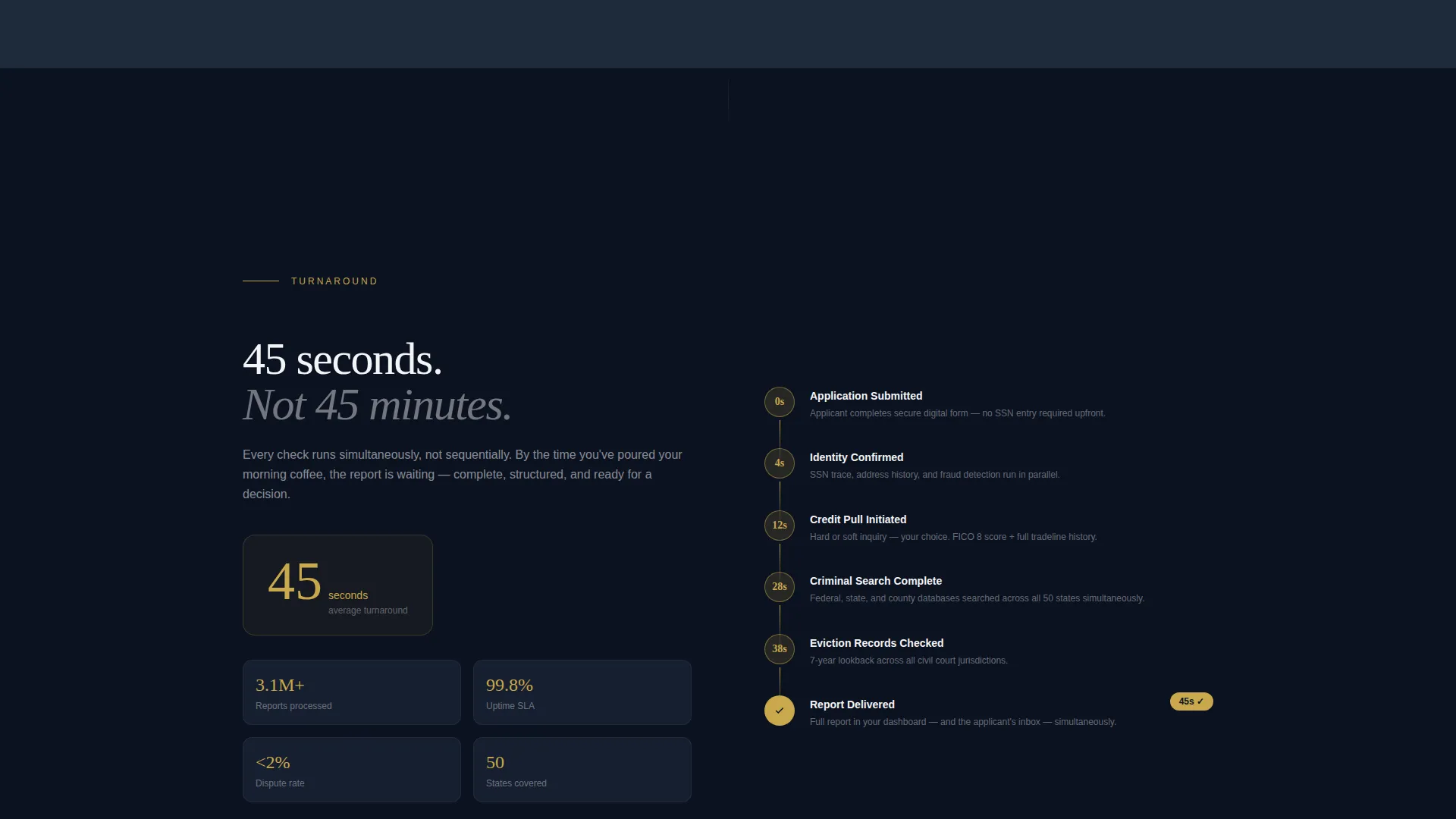
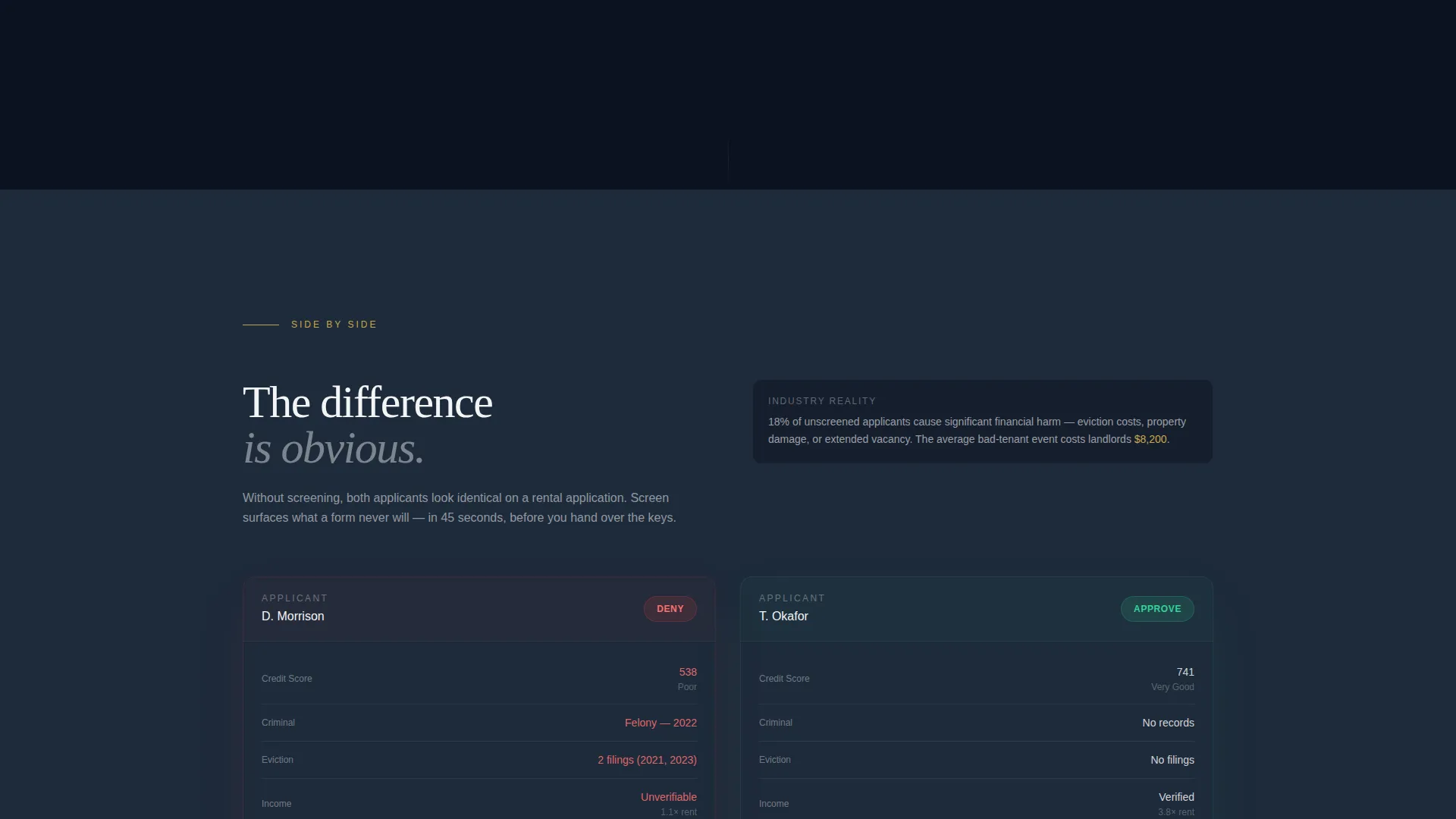
After the calculator delivers its result, the page transitions into a curated exhibition format. Each section occupies the full viewport. Sections include a detailed screening report with redacted sample data, a 45-second turnaround timeline, a flagged-versus-clean applicant comparison, and an integration wall. Slow vertical fades carry the visitor between sections.
Redacted Sample Report Preview
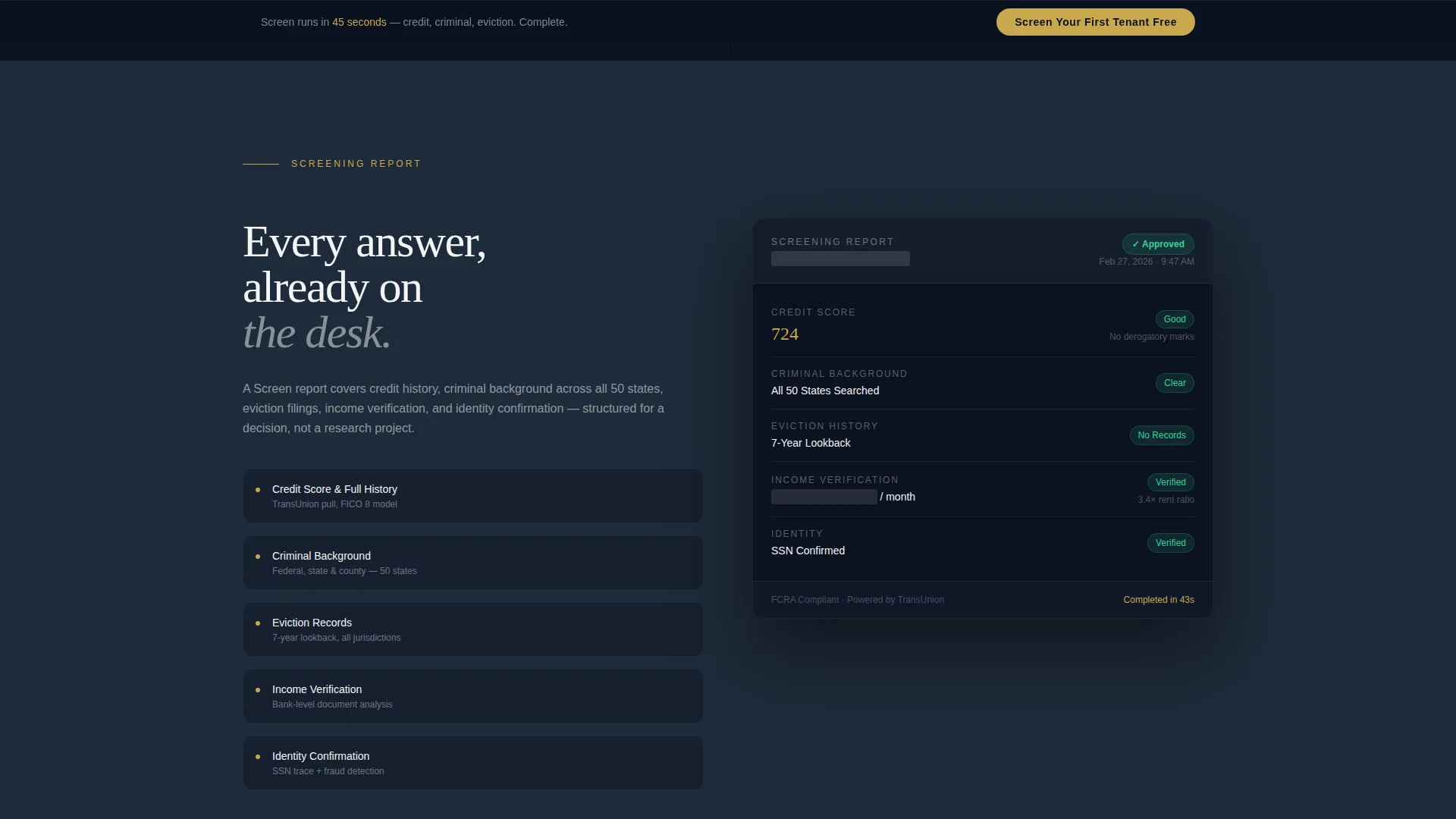
One full-viewport section renders an actual screening report layout using sample data with sensitive fields redacted. Visitors see exactly what the product delivers before they commit. This builds trust with experienced landlords who know what a real report should look like.
Dual Conversion Path Design
The primary call to action, "Screen Your First Tenant Free," appears first below the calculator result and then again in a slim fixed bottom bar after the second scroll. A secondary path, "See Full Sample Report," lets cautious visitors exchange an email for a downloadable redacted report without committing to signup.
Streamlined Signup Flow
Clicking the primary call to action opens a focused signup form. It collects an email address, the number of units managed, and a payment method. A visible note confirms no charge until the second screening, reducing friction for first-time users.
Fixed Bottom Conversion Bar
After two scrolls, a slim persistent bar locks to the bottom of the viewport. It keeps the primary call to action visible without interrupting the gallery experience. The bar appears quietly and stays out of the way until the visitor is ready.
Page sections overview
| Section | Purpose |
|---|---|
| Loss Calculator Header | Personalizes financial risk with real-time projected loss figures |
| Screening Report Preview | Shows a real, redacted sample report to demonstrate product depth |
| Turnaround Timeline | Visualizes the 45-second average result delivery with a clear timeline |
| Applicant Comparison View | Contrasts a flagged applicant with a clean one side by side |
| Integration Wall | Displays connections to property management software platforms |
| Primary call to action Section | Drives direct signup with "Screen Your First Tenant Free" |
| Fixed Bottom Bar | Keeps the primary call to action visible throughout the scroll |
| Sample Report Download | Captures emails from hesitant visitors via a low-commitment PDF offer |
Design & branding system
The visual identity follows a Luxe Minimal theme built around a midnight blue color system. Every color choice reinforces the feeling of a private, precise, after-hours environment.
- Deep midnight (#0B1120) and polished slate (#1E2A3A) anchor all backgrounds, projecting discretion and calm
- Crisp alabaster (#F4F5F7) carries all body typography, keeping text clean and easy to read against dark fields
- Muted gold (#C9A84C) appears only on calls to action, active states, and data highlights, directing the eye exactly where the page wants it
Mobile & speed optimization
The template is structured for a smooth experience across screen sizes. Full-viewport sections and oversized typography reflow naturally on smaller displays.
- The interactive calculator layout adapts to mobile input without losing the visual impact of animated gold figures
- Full-viewport gallery sections stack cleanly on narrower screens, maintaining the unhurried gallery-walk pace
- The fixed bottom conversion bar remains accessible on mobile, keeping the primary call to action within thumb reach
How this template helps you convert
Every layout decision in this template serves one goal: turning a skeptical property professional into a signed-up user.
- The calculator personalizes the risk immediately. Visitors see their own projected loss figure before they read a single feature claim, making inaction feel costly rather than safe.
- The gallery-walk structure builds trust progressively. Each full-viewport section adds one layer of proof, from report detail to turnaround speed to integration depth, before asking for a commitment.
- The dual conversion path catches visitors at different levels of readiness. Those ready to act hit the primary signup. Those still evaluating get the sample report download, keeping them in the funnel.
Other information about this template
This template sits within the PropTech and Real Estate Software space, targeting the tenant screening niche. It is well-suited for businesses building credibility with independent landlords who manage smaller portfolios and need a tool that feels as serious as their liability.
- The template supports integration display for property management tools including AppFolio, Buildium, and RentManager, as described in the source brief
- The no-stock-photography direction keeps the page focused on data and product, which resonates with professional audiences who distrust generic visuals
- The "no charge until your second screening" messaging is built into the signup flow copy, reducing the perceived barrier to a first conversion
- The template's creative direction is Gallery Walk, meaning each section is designed to stand alone as a distinct proof point rather than flowing as one continuous narrative
Theme
Atelier Studio
Creative direction
Stats-First Impact
Color system
Dark Emerald
Style
Card Grid (Modular)
Direction
Click-Through
Page Sections
Interactive Loss Calculator Header
Gallery-walk Scroll Structure
Redacted Sample Report Preview
Dual Conversion Path Design
Fixed Bottom Conversion Bar
Streamlined Signup Form
Related questions
What kind of business is this landing page template built for?
Does the calculator section require custom development?
How does the sample report download path work?
Can I adjust the gallery sections to match my product?
Is the fixed bottom bar visible throughout the entire page?



