Tenant Screening Landing page Template
This tenant screening landing page template is built for PropTech SaaS platforms that deliver criminal checks, credit pulls, and eviction histories fast. It features a persona-selector hero, zigzag testimonial sections, an animated approval flow, a sample report modal, and a low-friction freemium signup form, all styled in a clean Corporate Precision aesthetic.
by Rocket studio
Quick summary
This is a single-page, zigzag landing page template for a tenant screening platform. It guides three distinct visitor types, independent landlords, property managers, and real estate agents, through a personalized hero, alternating content sections, and a freemium signup form. The design is clean, institutional, and optimized for desktop-first use.
Who this template is for
This template is built for PropTech SaaS products that offer instant tenant background screening. It speaks directly to the people who actually run tenant applications day to day.
- Independent landlords managing two to ten rental units from home
- Property management firms handling hundreds of lease renewals each quarter
- Real estate agents who need to vet applicants quickly between showings
What problem this template solves
Tenant screening platforms often struggle to connect with multiple buyer types on a single page. Generic landing pages lose landlords who feel the product is too complex, and lose property managers who feel it is too simple.
- Visitors cannot see themselves in the product without persona-specific messaging
- Skeptical buyers leave before committing because they cannot preview the actual report
- Long signup forms kill freemium conversions before they start
What you get with this template
You get a complete, ready-to-customize landing page built around a freemium conversion goal. Every section is purposeful, from the interactive header down to the final signup form.
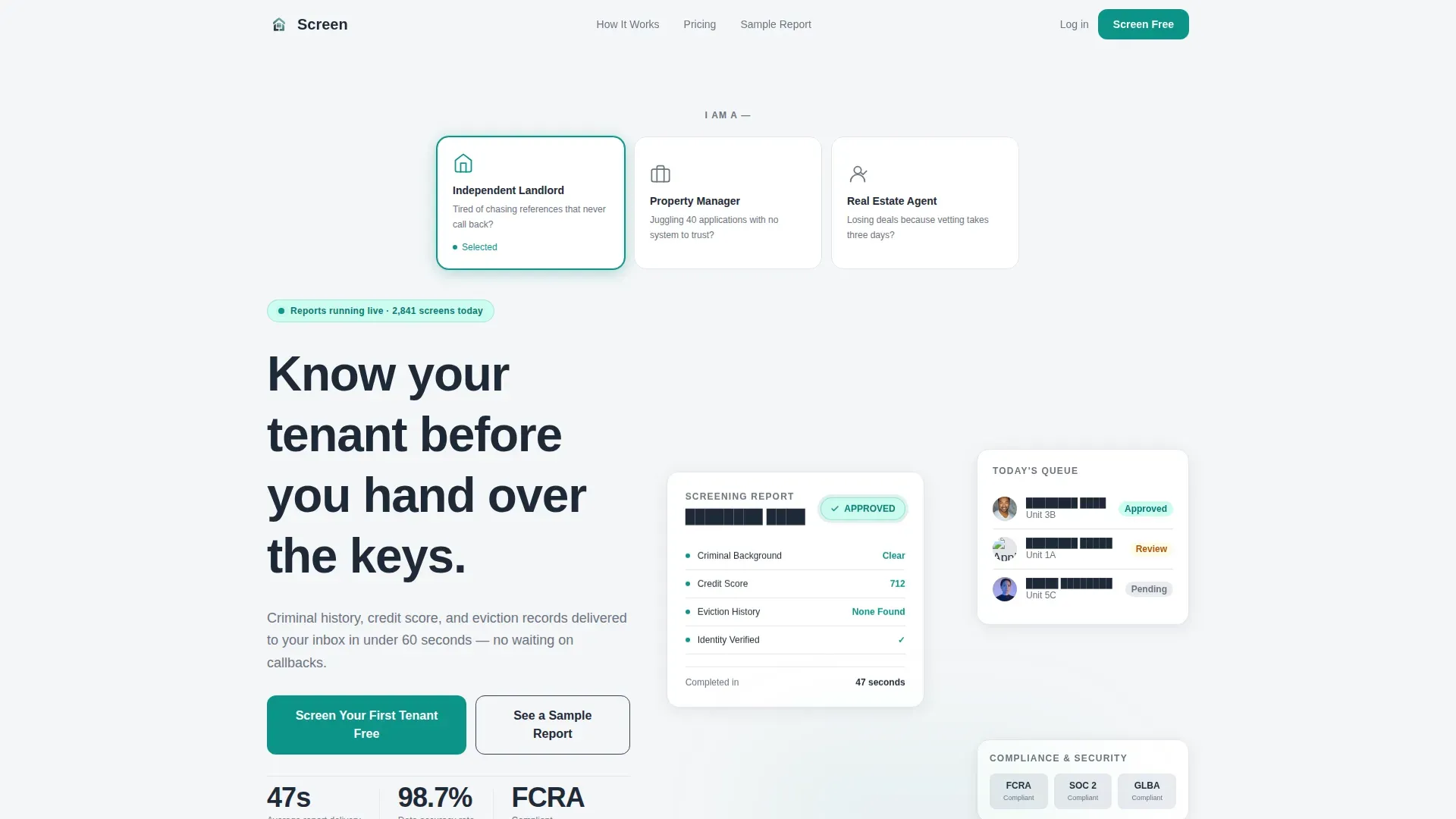
- A persona selector hero with three clickable cards that adjust the headline, statistic, and first testimonial
- A zigzag layout pairing real screening scenarios with named testimonials and specific outcomes
- A two-field freemium signup form and a ghost-button modal for skeptics to preview the full report
Feature list
This template ships with a focused set of interactive and structural features drawn directly from the brief.
Persona Selector Hero
Three side-by-side clickable cards represent "Independent Landlord," "Property Manager," and "Real Estate Agent." Each card displays a minimal line-art icon and a one-sentence pain point. Selecting a card instantly updates the headline, hero statistic, and first testimonial below, so every visitor feels recognized on arrival.
Testimonial Mosaic Layout
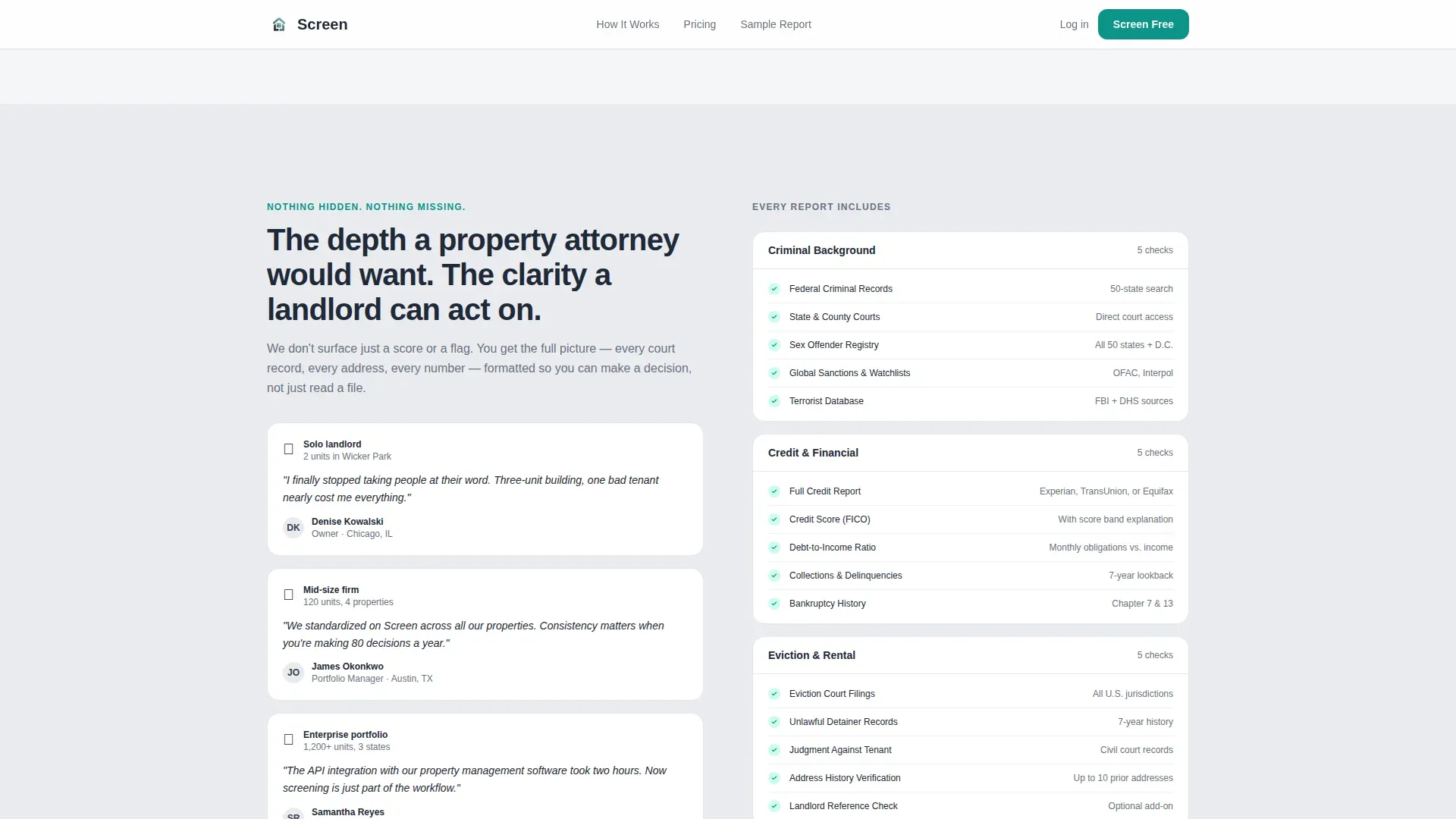
Each zigzag section pairs a real screening scenario on one side with a landlord or manager testimonial on the other. Testimonials scale in scope from solo landlord to mid-size firm to enterprise portfolio, so visitors can see their own growth path reflected in the page.
Sample Report Modal
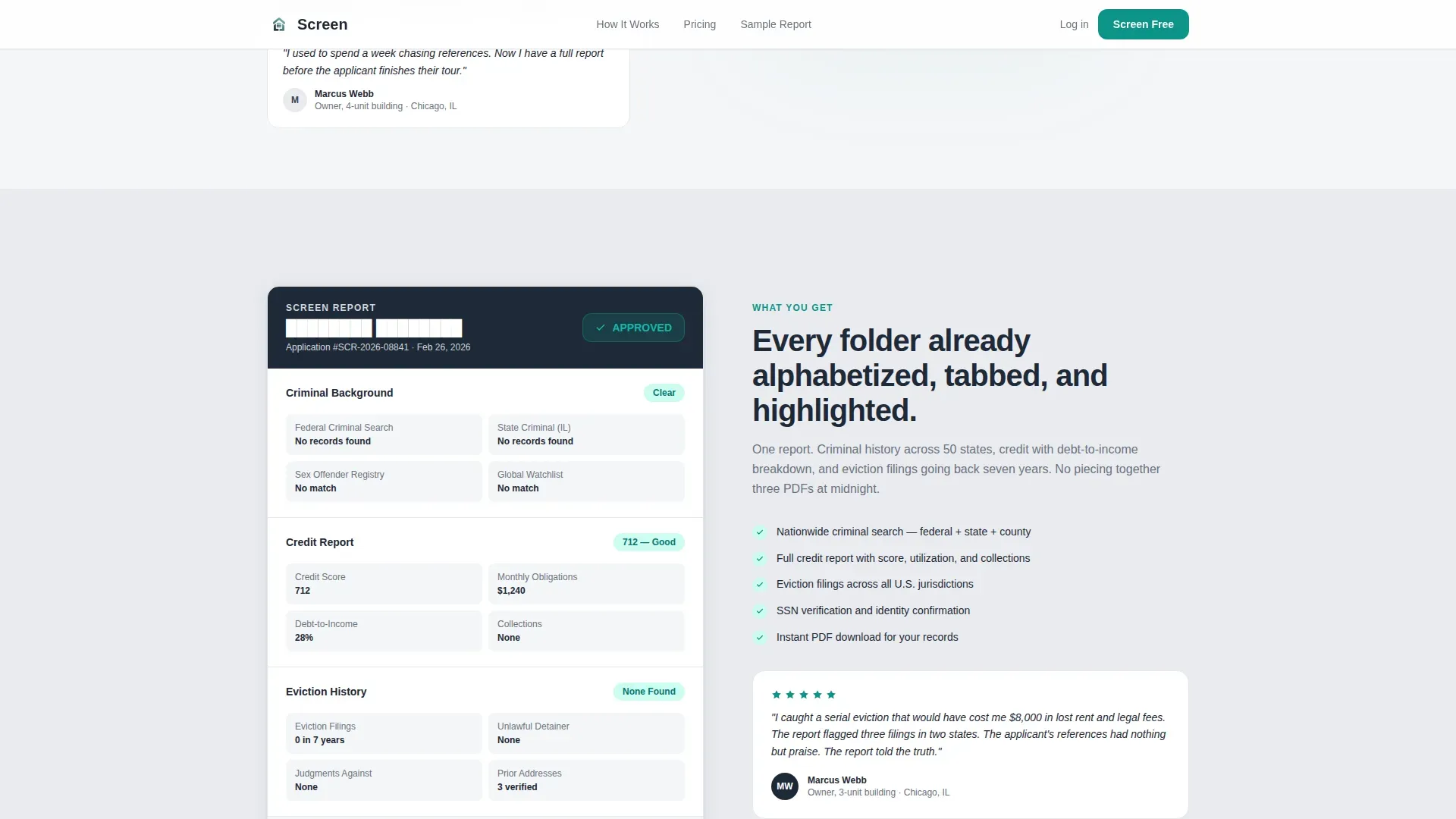
A ghost-button link labeled "See a Sample Report" opens a modal displaying a redacted but complete screening report. This lets skeptical visitors inspect the product before filling in any form, reducing hesitation at the conversion point.
Animated Approval Flow
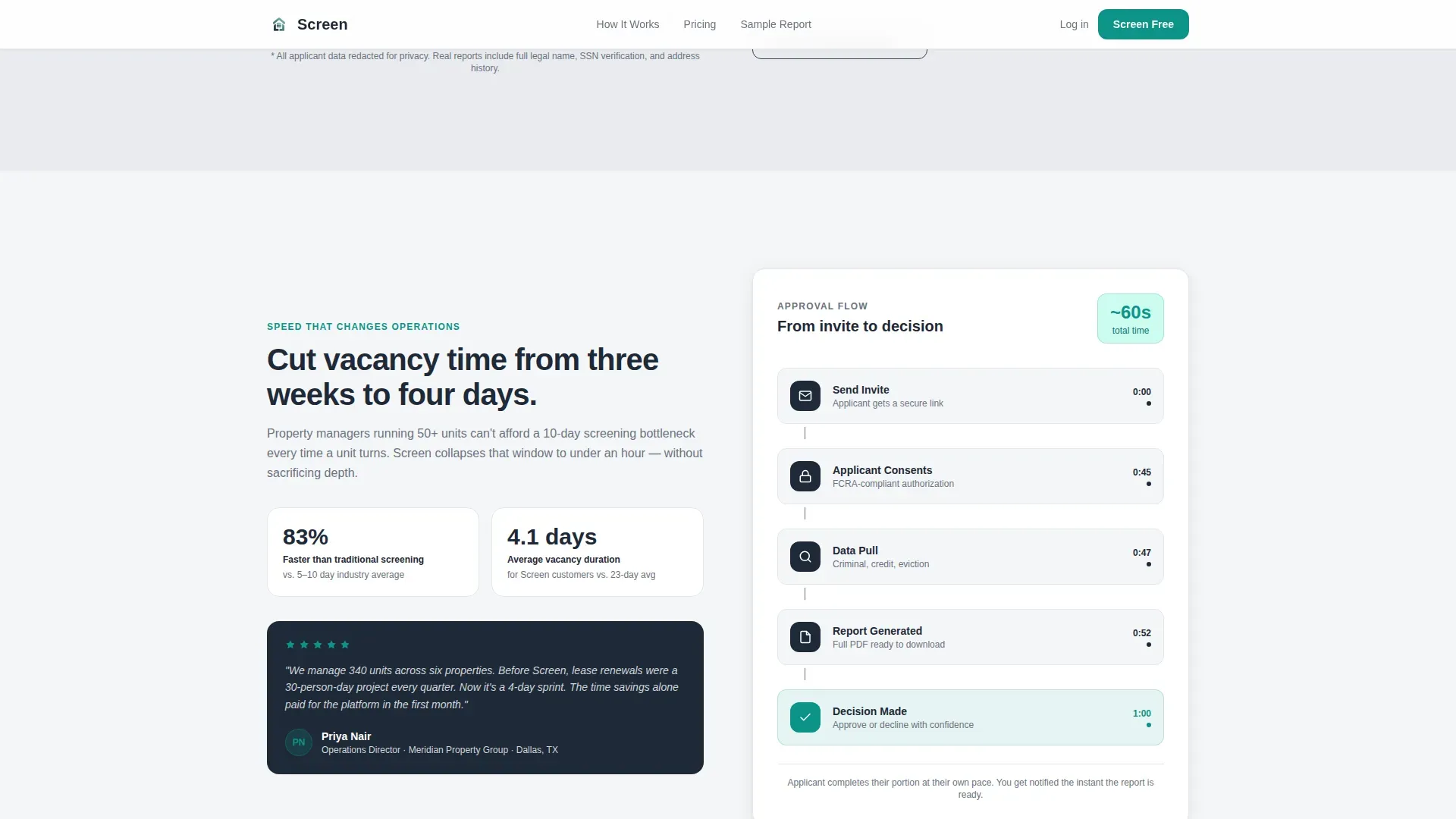
One section features an animated diagram that builds the approval flow step by step on scroll. It sits alongside a property manager testimonial, making the process feel transparent and fast.
Low-Friction Freemium Form
The primary conversion form asks only for an email address and a property count dropdown (1 to 5, 6 to 20, 21 to 100, 100 plus). This minimal design keeps signup friction to a single breath and repeats the primary call to action at the header, midpage, and final section.
Alternating Section Backgrounds
Section backgrounds alternate between cloud white and a faint aluminum wash. This creates visual rhythm without heavy design weight, making long-scroll reading comfortable even when reviewing applications late at night.
Page sections overview
| Section | Purpose |
|---|---|
| Hero Persona Selector | Greet visitors with persona cards that personalize the headline and testimonial |
| Sample Report Preview | Show a redacted report alongside a landlord catching a serial eviction |
| Animated Approval Flow | Demonstrate the screening process with an animated diagram and manager quote |
| Report Components Breakdown | Detail what each report includes alongside a landlord testimonial |
| Pricing Tiers | Present plan options with a freemium call to action |
| Final Conversion Form | Capture email and property count for the "Screen Your First Tenant Free" signup |
| Footer | Single-row linear footer with supporting links |
Design & branding system
The visual identity follows a Corporate Precision theme using a Soft Mist color palette. The result feels like a freshly printed report, clean enough to trust, readable under any lighting condition.
- Colors: cloud white (#F4F6F8) for backgrounds, deep charcoal (#1F2937) for body text, brushed aluminum (#D1D5DB) for secondary backgrounds, and a single decisive teal (#0D9488) reserved exclusively for buttons, checkmarks, and approval badges
- Typography: DM Sans for headings and Manrope for body text, both chosen for clarity and institutional readability
- Teal appears only where action is required, so every interactive element reads as a clear signal to move forward
Mobile & speed optimization
The template is designed desktop-first, matching how landlords and property managers typically review applications at a desk. A strong mobile fallback ensures usability on smaller screens.
- Interactive elements such as the persona selector and sample report modal use client-side components only, keeping the static base lightweight
- The persona selector state and modal are scoped as client components, while the rest of the page renders as static markup for fast initial load
How this template helps you convert
Every design and content decision on this page is pointed at one outcome: getting a visitor to sign up for a free first screening.
- The persona selector opens by making each visitor feel recognized immediately, before they have scrolled a single pixel, which keeps them on the page long enough to see the value.
- The sample report modal lets skeptics inspect the actual product before they commit, so by the time they reach the signup form they already know exactly what they are getting.
- The two-field form and repeated "Screen Your First Tenant Free" call to action across three positions remove every excuse to delay, making the final click feel like a natural next step.
Other information about this template
This template is categorized under HR and Hiring, specifically within the Background Check and Screening subcategory, with a niche focus on tenant screening for the US market.
- The page includes US compliance badge placement, reflecting the Fair Credit Reporting Act (FCRA) context relevant to tenant background check products
- American name conventions and USD pricing are built into the copy and pricing tier structure
- Social proof is structured with named testimonials, property counts, star ratings, and specific outcome language such as "caught a serial eviction" and "cut vacancy by three weeks"
- The page is designed to serve a freemium or free-trial conversion path, making it well suited for PropTech SaaS products at the growth stage
Theme
Corporate Precision
Creative direction
Testimonial Mosaic
Color system
Soft Mist
Style
Zigzag/Alternating
Direction
Freemium/Trial
Page Sections
Persona Selector Hero with Live Updates
Zigzag Testimonial Mosaic
Sample Report Preview Modal
Animated Approval Flow Diagram
Low-friction Freemium Signup Form
Alternating Background Sections
Related questions
Who is this landing page template designed for?
What does the persona selector do on this template?
Can visitors preview the screening report before signing up?
What does the freemium signup form ask for?
How many times does the primary call to action appear on the page?



