Scoop - Effortless Booking Landing Page Template
Scoop is a scroll-reveal landing page template built for ice cream booking systems. It combines a Tech Glass visual identity with a progressive Feature Matrix layout, guiding visitors from a live dashboard preview through every core capability. The freemium conversion flow captures signups in two lightweight steps, making it ideal for parlors, franchise operators, and catering fleets.
by Rocket studio
Quick summary
Scoop is a single-page, scroll-reveal landing page template designed specifically for ice cream booking businesses. It opens with an animated dashboard preview, then progressively reveals each system capability through frosted glass cards. The Void and Violet color system gives it a sharp, modern edge. The freemium conversion path keeps the signup barrier low while nudging visitors toward the right pricing tier.
Who this template is for
This template is built for operators running ice cream businesses that need to manage bookings at scale. Whether you run one shop or twelve, the layout speaks directly to your operational reality.
- Independent parlor owners managing weekend party rushes and birthday slot bookings
- Franchise operators coordinating reservations across multiple locations on a shared calendar
- Event catering teams tracking real-time flavor inventory across wedding and corporate dessert stations
What problem this template solves
Ice cream businesses lose revenue when bookings are managed through paper sheets, phone calls, or generic scheduling tools. Double-booked parties, inaccurate flavor stock, and no visibility across locations are everyday pain points. This template presents a purpose-built booking system in a way that resonates immediately with the right buyer.
- Communicates the value of replacing manual booking with a purpose-built digital system
- Shows multi-location operators that the platform handles calendar coordination at scale
- Builds trust with seasonal managers and caterers by surfacing real-time inventory as a visible feature
What you get with this template
The template delivers a complete, single-page conversion experience built around a progressive scroll structure. Each section reveals one capability, building toward a full picture of the booking platform.
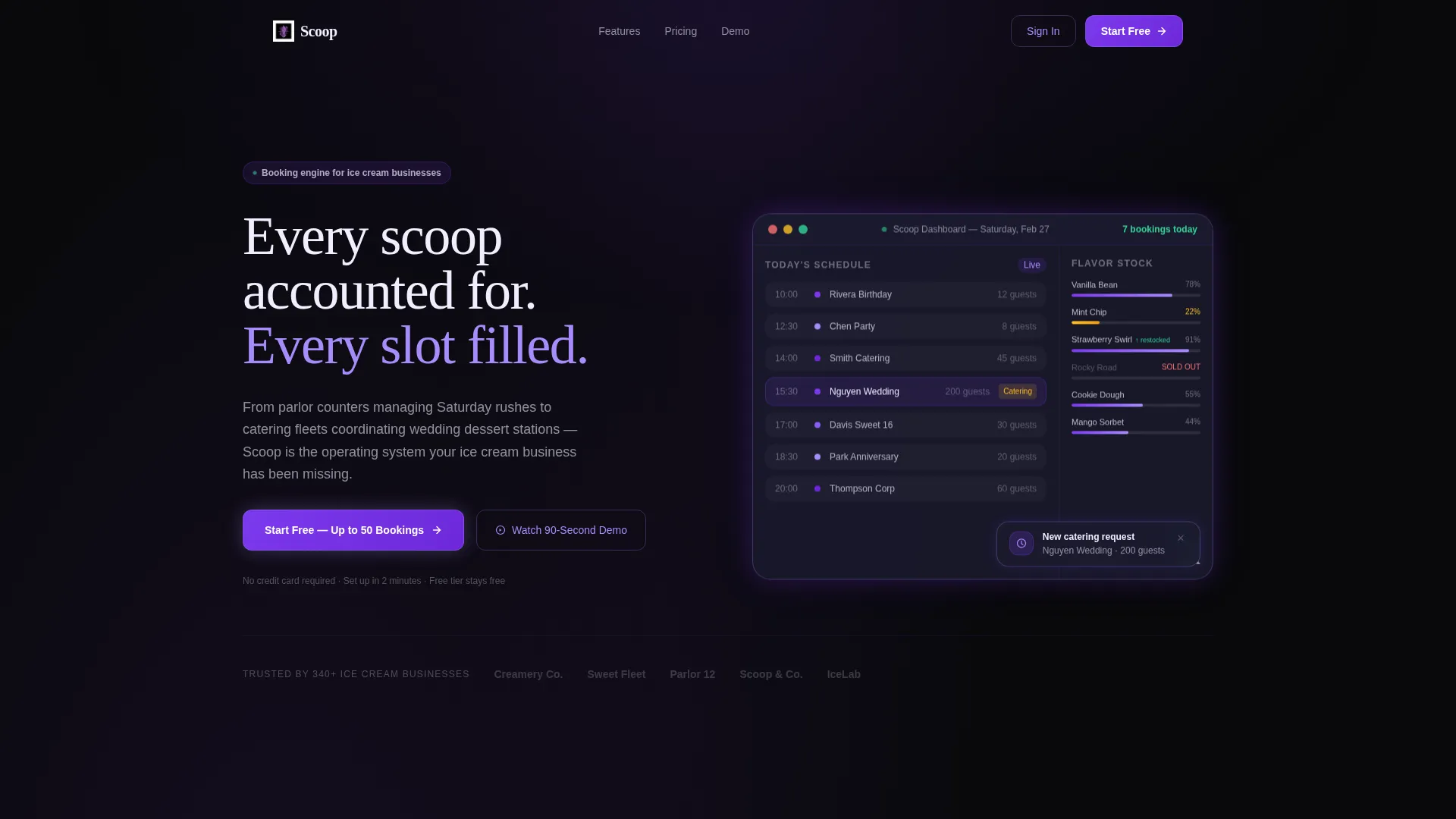
- A full-width animated dashboard header showing a live booking calendar, flavor stock sidebar, and notification toast
- Six progressive feature reveal cards, each tagged with a pricing tier (Free, Pro, or Fleet) and carrying its own mini-dashboard illustration
- A two-step signup form that captures email and shop name first, then optionally collects location count and current booking method
Feature list
This template is built around specific, functional components described in the source brief. Each one serves a distinct role in the conversion experience.
Animated Dashboard Header
The header opens with a full-width, pixel-perfect screenshot of the booking dashboard mid-Saturday. It shows a color-coded calendar with seven party reservations, a real-time flavor stock sidebar (Mint Chip at 22%, Strawberry Swirl restocked, Rocky Road flagged as sold out), and a notification toast for a 200-guest catering request. The headline types in above the preview.
Progressive Feature Reveal Cards
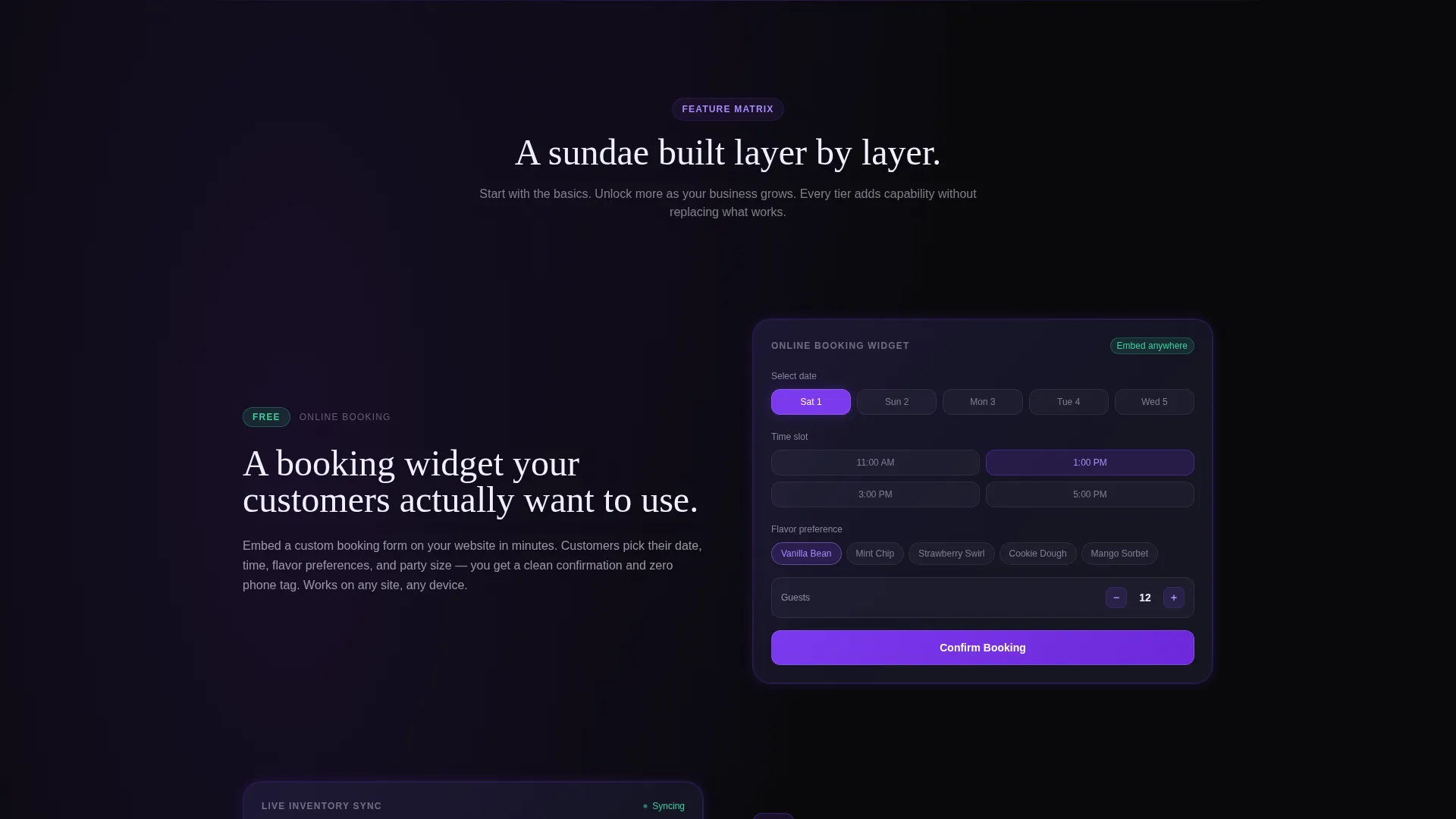
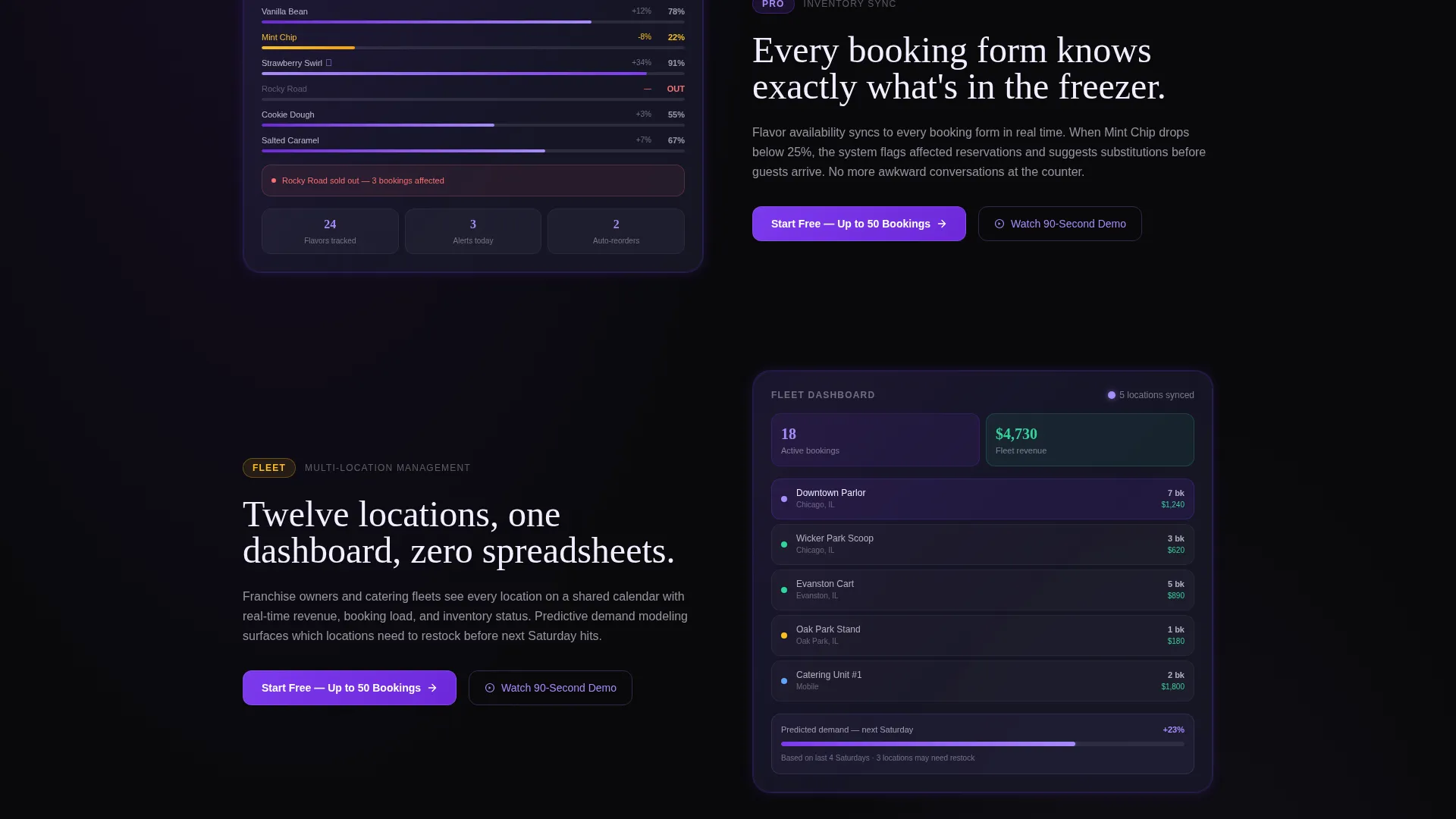
As visitors scroll, each feature materializes through a frosted glass card that slides up from the void background. Cards escalate from the simplest capability (online booking widget) to the most complex (multi-location inventory sync with predictive demand). Every card includes a mini-dashboard illustration and a tier tag.
Pricing Tier Tags on Feature Cards
Each feature card carries a subtle "Free," "Pro," or "Fleet" label. This lets visitors self-select their pricing tier before they ever reach the signup form. It reduces friction and pre-qualifies leads without requiring a separate pricing page.
Two-Step Signup Form
The primary conversion form asks only for email and shop name on step one. Step two is optional and collects location count and current booking method (paper, phone, or another tool). This staged approach keeps the entry barrier low while gathering useful segmentation data.
Secondary Demo Path
Visitors who are not ready to sign up can choose "Watch the 90-Second Demo" instead. The demo path captures their email on play, creating a second conversion touchpoint without pressure. This option appears alongside every primary call-to-action repeat.
Repeating Call-to-Action Blocks
The primary call-to-action, "Start Free - Up to 50 Bookings," appears after the third feature reveal and again after the final feature section. Repeated placement catches visitors at different points of confidence in the scroll journey.
Page sections overview
| Section | Purpose |
|---|---|
| Animated Header Dashboard | Hooks visitors with a live data preview and typed headline |
| Online Booking Widget | Introduces the entry-level feature for single-location parlors |
| Calendar Management View | Shows multi-slot, color-coded party reservation handling |
| Flavor Inventory Sync | Demonstrates real-time stock visibility tied to booking forms |
| Multi-Location Coordination | Reveals franchise-level calendar and location management |
| Predictive Demand Feature | Escalates to the most powerful Fleet-tier capability |
| First call to action Repeat | Converts visitors warmed up by three feature reveals |
| Final Feature Reveal | Completes the capability arc with the full system picture |
| Final call to action Block | Closes the page with the primary signup and demo option |
| Two-Step Signup Form | Captures email, shop name, and optional segmentation data |
Design & branding system
The Void and Violet color system gives this template a sharp, neon-edged identity that feels premium without being cold. Every visual choice reinforces the idea of precision engineering beneath a smooth surface.
- Backgrounds use absolute void black (#09090B); cards and panels float as frosted glass (#1A1A2E) with a subtle blur effect
- Electric violet (#7C3AED) pulses through call-to-action buttons, toggle switches, and progress indicators; UV highlight (#A78BFA) activates on hover and active states
- Body text uses a crisp lavender-white (#F0EEFF) that stays legible against dark backgrounds while carrying a barely-there tint
Mobile & speed optimization
The scroll-reveal structure is designed to feel intentional and fluid across screen sizes. Progressive disclosure keeps each viewport focused on one idea at a time.
- Each glass card reveal is triggered by scroll position, so the page never loads all heavy visual content at once
- The two-step form collapses cleanly on small screens, keeping the signup flow usable without horizontal scrolling
- Mini-dashboard illustrations inside feature cards are sized to remain readable on mobile without requiring zoom
How this template helps you convert
Every structural and visual decision in this template is oriented toward moving the right visitor to the right action at the right moment in their scroll.
- Tier tags on feature cards (Free, Pro, Fleet) let visitors self-qualify before they reach the form, so signups arrive already segmented by intent and business size.
- The two-path conversion model (primary signup and secondary demo with email capture) means the template never loses a visitor who is interested but not yet ready to commit.
- The escalating feature reveal builds compounding confidence, so by the time a visitor reaches the final call-to-action, they have already seen the full capability picture assembled piece by piece.
Other information about this template
This template is a strong fit for the ice cream vertical SaaS category, where visual trust and operational specificity matter more than generic design. A few additional details worth knowing before you build with it.
- The template style is Scroll Reveal (Progressive), meaning each section appears as the visitor reaches it, creating a guided, story-like experience
- The header concept is a Dashboard Preview, which is particularly effective for SaaS landing pages because it shows the product in use rather than describing it abstractly
- The freemium and trial conversion direction means the page is structured to reduce signup friction above all else, with the generous free tier (up to 50 bookings) doing conversion work before any sales conversation
- The Tech Glass theme and Void and Violet palette are consistent across all sections, so no visual rebranding is needed between the header, feature cards, and form sections
Theme
Tech Glass
Creative direction
Feature Matrix
Color system
Void & Violet
Style
Scroll Reveal (Progressive)
Direction
Freemium/Trial
Page Sections
Animated Dashboard Header
Progressive Feature Reveal Layout
Pricing Tier Tags on Cards
Two-step Signup Form
Secondary Demo Capture Path
Repeating Call to Action Placement
Related questions
Can I use this template for a single ice cream shop rather than a franchise?
What information does the two-step signup form collect?
How does the secondary demo path capture leads?
Is the dashboard shown in the header a live data feed or a designed visual?
What do the Free, Pro, and Fleet tier tags on feature cards mean?



