Religious Organization Directory Landing Page Template
Sanctum is a Bold Brutalist hub-and-spoke landing page template built for religious organization directory and listing sites. It combines an isometric dashboard header, five interactive anchor-nav modules, and a persistent app-download bar into one single-page flow. The AI Iridescent color system and massive monospaced typography make the experience feel monolithic yet alive.
by Rocket studio
Quick summary
Sanctum is a single-page, hub-and-spoke landing page template designed for a religious organization directory and listing site. It opens with a full-viewport isometric map dashboard, guides visitors through five interactive spoke modules, and closes with a persistent app-download call to action. The Bold Brutalist design and AI Iridescent color palette give it a raw, cathedral-like energy.
Who this template is for
This template is built for builders and founders who need a high-impact landing page to launch or promote a faith directory platform. It speaks directly to the people who matter most to that platform.
- Teams building a searchable religious organization directory for a city or region
- Community platforms that index churches, mosques, temples, synagogues, gurdwaras, and meditation halls
- Product teams driving app downloads for a religious listing and discovery service
What problem this template solves
Finding a place of worship in an unfamiliar city is surprisingly hard. The family that just relocated, the college student looking for Friday Jummah prayer near campus, and the interfaith couple navigating each other's traditions all face the same problem: there is no clear, welcoming front door. This template solves the cold-start trust gap between a new visitor and a directory app.
- Visitors arrive skeptical and leave with enough confidence to download the app
- The interactive modules let users rehearse the real product experience before committing
- The persistent download bar appears only after engagement, so the ask never feels premature
What you get with this template
You get a complete, production-ready landing page layout with every section, component, and visual system already assembled. Nothing is left as a placeholder wireframe.
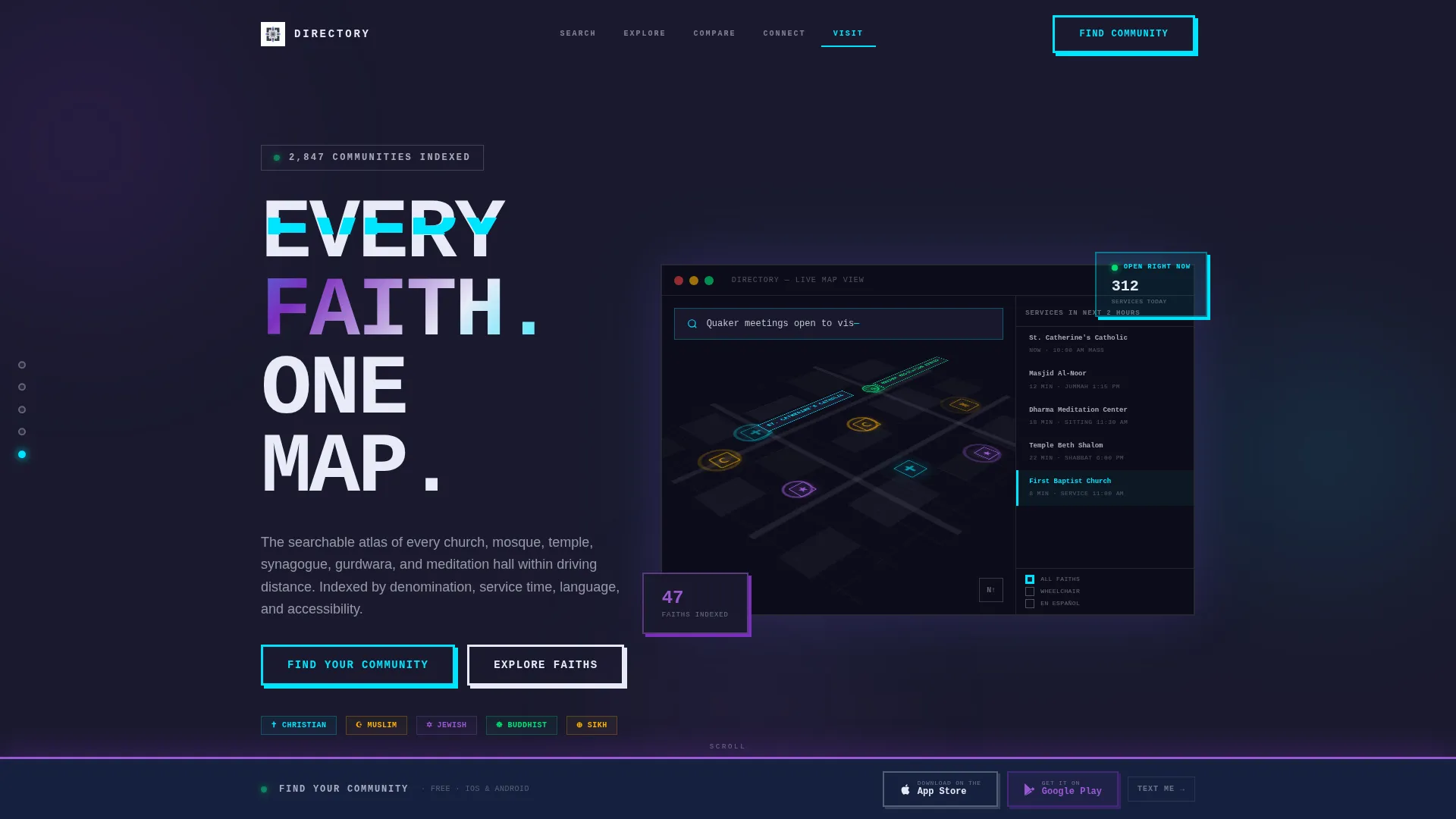
- A full-viewport isometric dashboard header with a live-style map mock and glowing location pins
- Five anchor-nav spoke sections: Search, Explore, Compare, Connect, and Visit
- A fixed brutalist app-download bar with paired App Store and Google Play badge slots, plus a secondary SMS delivery field
Feature list
This template is built around five tightly scoped interactive modules and a visual identity system that does the heavy lifting for trust and engagement.
Isometric Dashboard Header
The header renders a full-viewport city-grid map mock in isometric perspective. Glowing cyan pins in distinct shapes (crosses, crescents, stars, dharma wheels) mark each listing type. A sidebar panel shows nearby service times, and a search bar is frozen mid-query to signal real utility at first glance.
Hub-and-Spoke Anchor Navigation
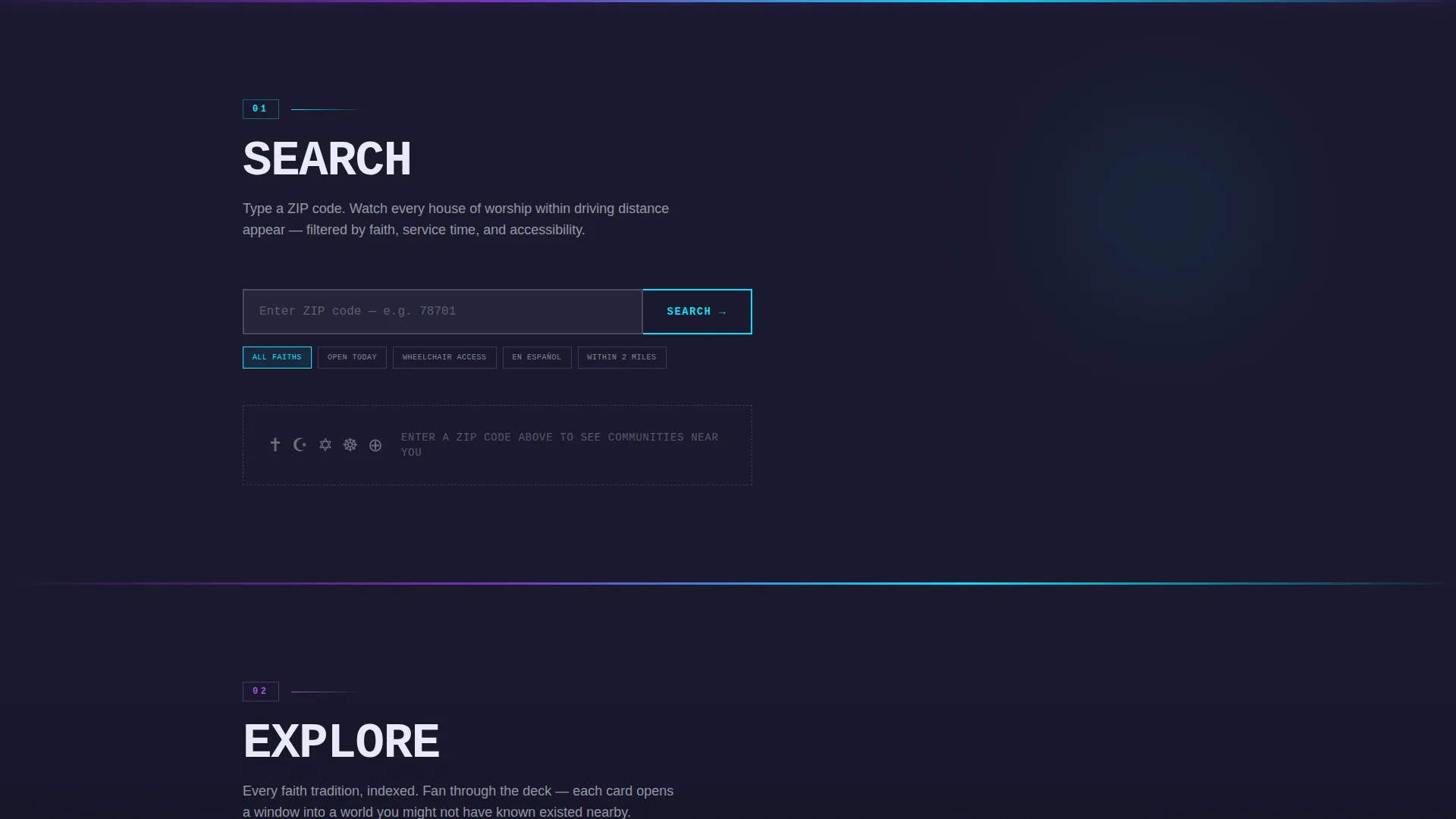
Five anchor-nav nodes sit at the top of the page: Search, Explore, Compare, Connect, and Visit. Each node scrolls the visitor into its own interactive module. The structure keeps orientation clear and lets visitors jump to the spoke that matches their intent without linear scrolling.
Interactive Demo Modules
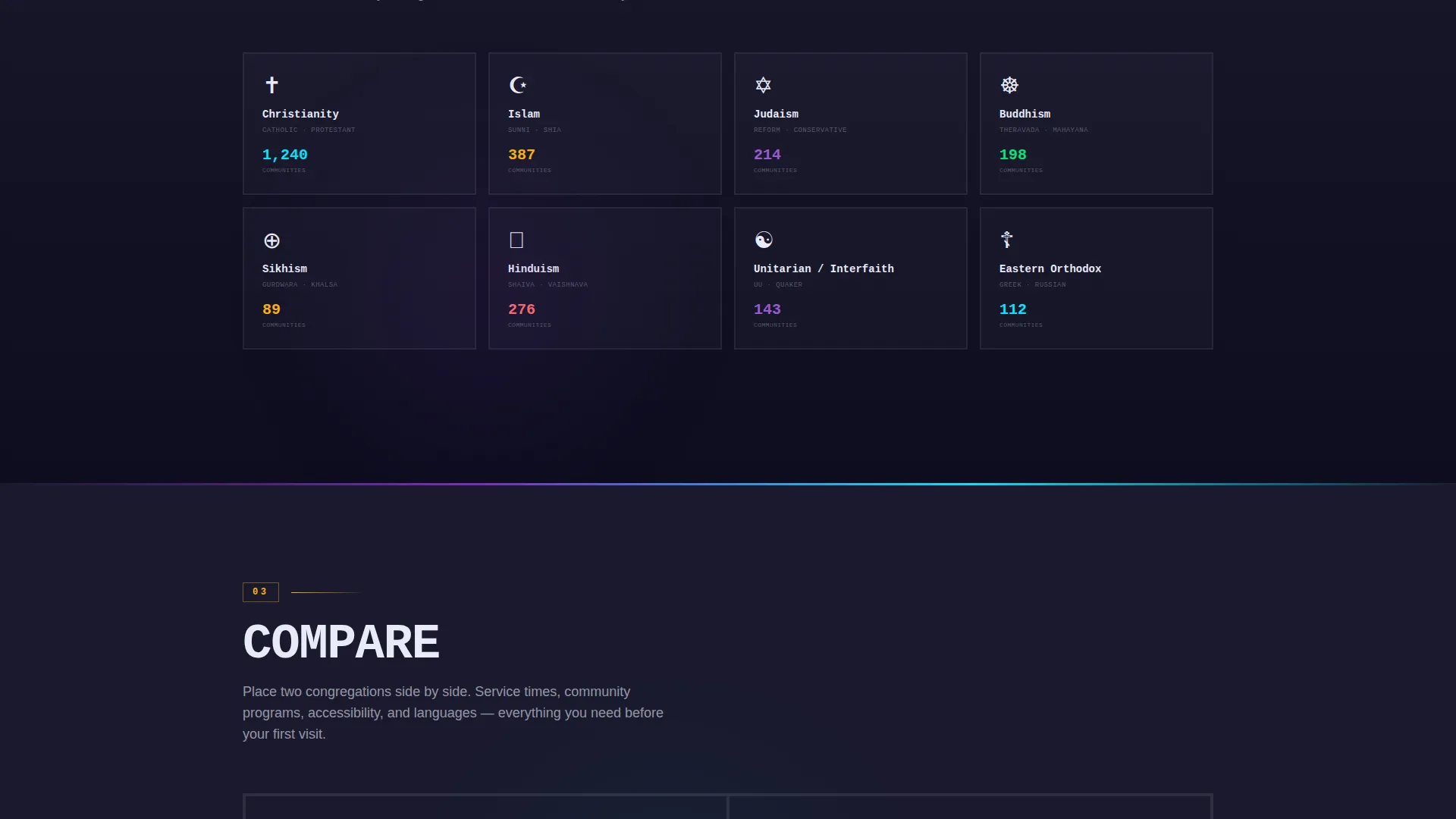
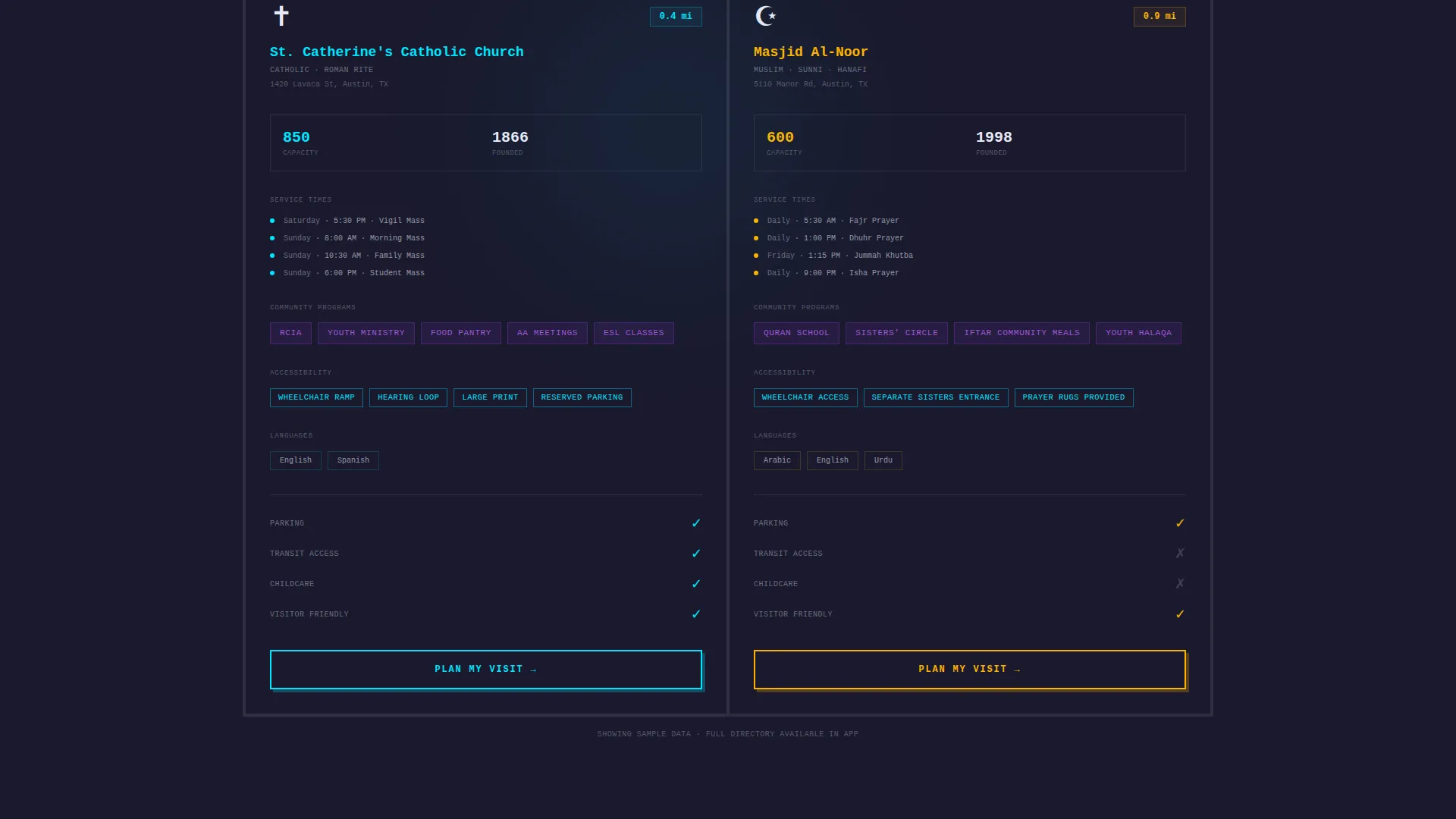
The Search spoke lets visitors type a zip code and watch dummy pins populate the map. The Explore spoke fans denomination cards like a deck. The Compare spoke places two congregations side by side, showing service times, community programs, and accessibility indicators. Each module rehearses the real app flow.
Persistent App Download Bar
After the second spoke section, a fixed brutalist bar locks to the viewport bottom. It holds the primary call-to-action button labeled "Find Your Community," paired App Store and Google Play download badges, and a secondary "Text Me the Link" field for SMS delivery with a single phone number input.
AI Iridescent Color System
The palette pairs deep slab charcoal backgrounds with holographic violet active states, shifting cyan data points, and pearl-shift white card surfaces. Interactive elements pulse between violet and cyan. The result feels like a concrete cathedral lit by aurora borealis: heavy in structure, alive in color.
Brutalist Monospaced Typography
The headline "EVERY FAITH. ONE MAP." is stamped in massive, tight-kerned monospaced type across the header. The typographic system is consistent throughout, using slab weight and dense tracking to reinforce the brutalist gallery feel while keeping directory content scannable.
Page sections overview
| Section | Purpose |
|---|---|
| Isometric Map Header | Establishes product value and visual identity immediately |
| Anchor Nav Bar | Orients visitors to all five hub spokes |
| Search Spoke | Lets visitors simulate a zip-code directory search |
| Explore Spoke | Fans denomination listing cards for browsing |
| Compare Spoke | Side-by-side congregation detail comparison |
| Connect Spoke | Introduces community and outreach features |
| Visit Spoke | Surfaces accessibility, language, and service details |
| Fixed Download Bar | Drives app downloads and SMS link delivery |
Design & branding system
The visual identity is built on a Bold Brutalist theme powered by an AI Iridescent color system. The palette is intentional and specific: every color carries a role, and none are decorative filler.
- Background: deep slab charcoal (#1A1A2E) keeps the page feeling monolithic and grounded
- Accent colors: holographic violet (#7B2FBE) for active navigation and hover states, shifting cyan (#00E5FF) for map pins and data points, pearl-shift white (#E8EAF6) for card surfaces and body text
- Typography: massive, tight-kerned monospaced fonts used as structural elements, not decoration
Mobile & speed optimization
The template is designed with a mobile-first audience in mind. App download is the primary conversion goal, so the mobile experience is treated as the primary surface.
- The fixed download bar is sized and spaced for thumb-friendly tap targets on small screens
- The isometric header and interactive modules are laid out to reflow cleanly on narrower viewports
- The SMS "Text Me the Link" secondary path offers a frictionless mobile entry point for visitors not yet ready to switch apps
How this template helps you convert
The conversion strategy is built into the page structure itself. Visitors earn the download ask through a guided interactive journey rather than a cold pitch.
- Visitors engage with three interactive modules before the persistent download bar ever appears, so the call to action arrives after demonstrated value rather than before it.
- The dual conversion path (app badge download plus SMS link field) reduces drop-off by meeting visitors wherever they are in the decision process.
Other information about this template
This template is part of a broader set of hub-and-spoke landing page designs built for directory and listing platforms in the technology category. It sits at the intersection of religious organization digital presence and app-download conversion design.
- The template style is Hub and Spoke with Anchor Navigation, making it suitable for platforms with multiple distinct feature areas
- The creative direction is Interactive Explorer, meaning scroll behavior is designed to simulate product use rather than describe it
- The header concept is Dashboard Preview, which signals product maturity and real utility from the first frame
- The lp direction is App Download, so every structural decision from the fixed bar to the SMS field is oriented toward that single goal
Theme
Bold Brutalist
Creative direction
Interactive Explorer
Color system
AI Iridescent
Style
Hub & Spoke (Anchor Nav)
Direction
App Download
Page Sections
Isometric Dashboard Header
Hub-and-spoke Anchor Navigation
Interactive Demo Modules
Persistent App Download Bar
AI Iridescent Color System
Brutalist Monospaced Typography
Related questions
What type of page is this template?
Can I customize the color palette and typography?
Do the interactive modules use real data?
Is there a secondary conversion option besides the app download badges?
Who is the primary audience this template is designed to reach?



