Runway - Powerful SaaS Landing Page Template
Runway is a bold brutalist SaaS landing page template built for Series A startups that need to show exactly how much cash they have left. The header is a live burn rate calculator. Scroll reveals layer in hiring scenarios, revenue growth toggles, and benchmark comparisons, turning every visitor interaction into a financial model they want to keep.
by Rocket studio
Quick summary
Runway is a single-page, scroll-reveal landing page template for SaaS startups at the Series A stage. The header opens with a fully functional burn rate calculator, no hero image required. Each scroll step reveals a new financial scenario layer, and a persistent call-to-action bar drives founders from the calculator into a free account signup.
Who this template is for
This template is built for founders and financial operators who live inside cash-flow numbers every day. It speaks directly to the people who need immediate clarity, not a product tour.
- Post-seed founders burning six figures monthly who need live runway visibility
- Early-stage CFOs inheriting a messy spreadsheet and needing a credible model fast
- Lead investors who want a real-time dashboard instead of a static quarterly report
What problem this template solves
Most SaaS landing pages describe a product. This one demonstrates it. The core problem it solves is the gap between a founder's spreadsheet anxiety and the moment they finally see a clean, honest number. Visitors arrive uncertain and leave with a working model built on their own data.
- Founders cannot quickly model the cash impact of a new hire or a shift in monthly revenue
- Investors reviewing a startup need live metrics, not a PDF sent three weeks after the quarter closes
- Standard landing pages lose visitors before they feel the product's value; this one creates investment through interaction
What you get with this template
The template delivers a complete, single-page layout structured around progressive data disclosure. Every component is designed to hold attention through usefulness, not aesthetics alone.
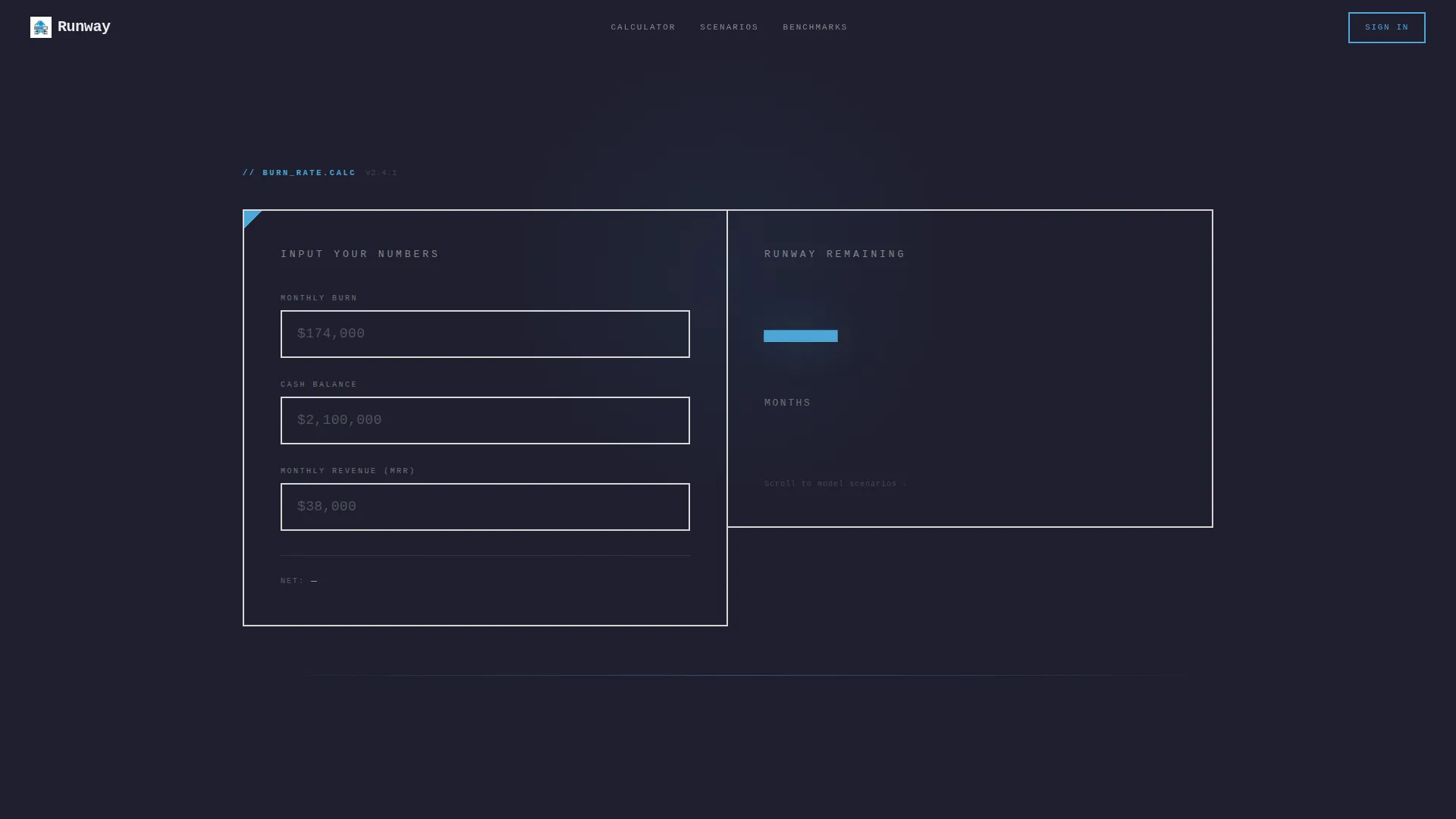
- A fully functional above-the-fold burn rate calculator with three real-time input fields
- Three progressive scroll-reveal layers covering hiring impact, revenue growth scenarios, and benchmark comparisons
- A persistent floating call-to-action bar that appears once a visitor has engaged with at least two inputs, and a secondary call-to-action tied to the benchmark section
Feature list
This template ships with a focused set of purpose-built components. Each one earns its place by adding tangible value to the visitor's session.
Live Burn Rate Calculator Header
Three brutalist input fields sit above the fold: monthly burn, current runway balance, and monthly revenue. As a visitor types real numbers, the runway output updates instantly, rendered in 144-pixel sky-blue type. The calculator replaces the traditional hero section entirely.
Hiring Impact Scroll Layer
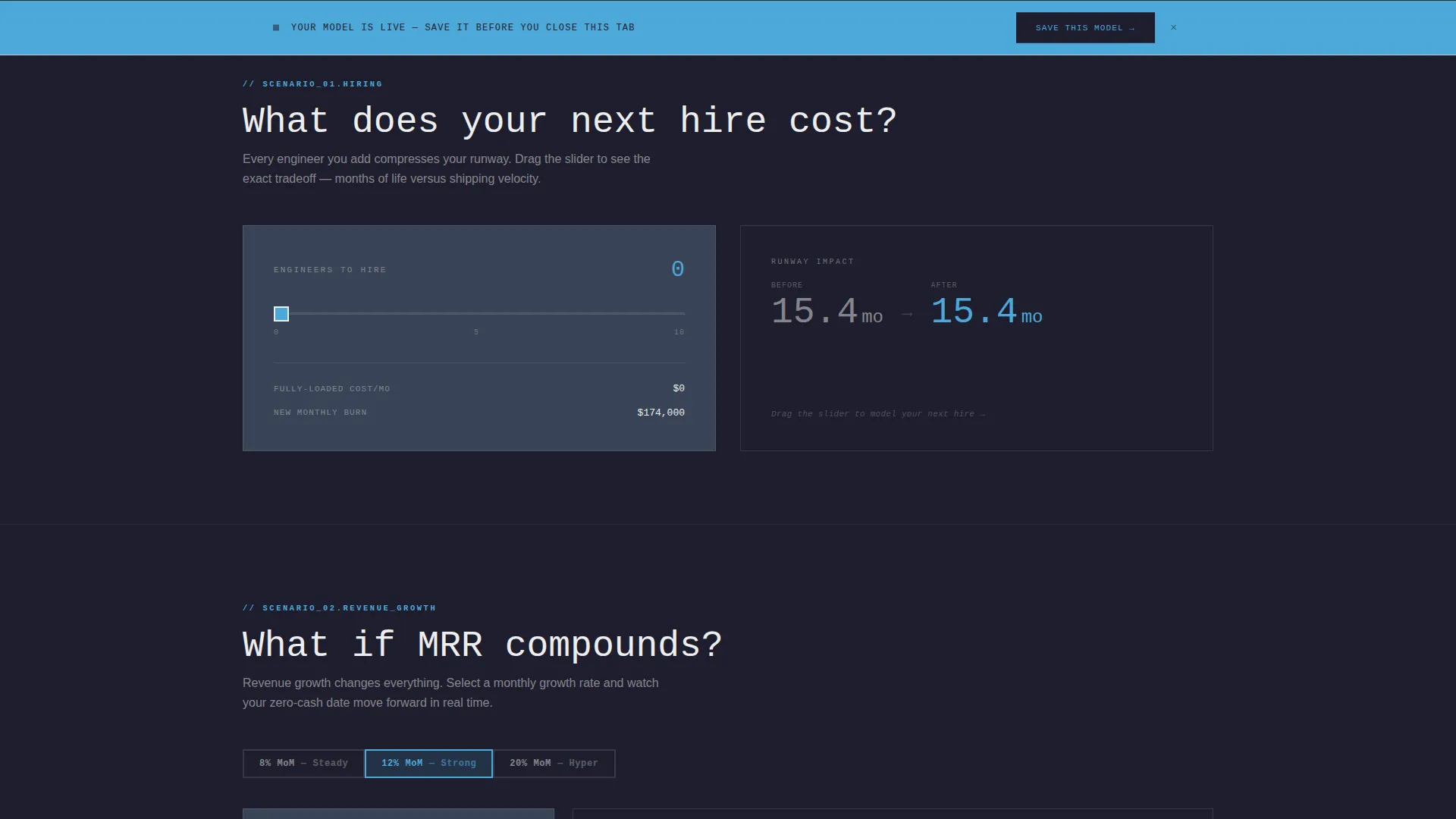
The first scroll reveal exposes a hiring impact slider. It shows, in real time, how adding one or more engineers compresses or extends the runway figure already calculated using the visitor's own inputs.
Revenue Growth Toggle
The second reveal adds a revenue growth toggle. Visitors can model what happens if their monthly recurring revenue grows at 8, 12, or 20 percent month-over-month. The result recalculates live against the numbers already entered above.
Benchmark Comparison Strip
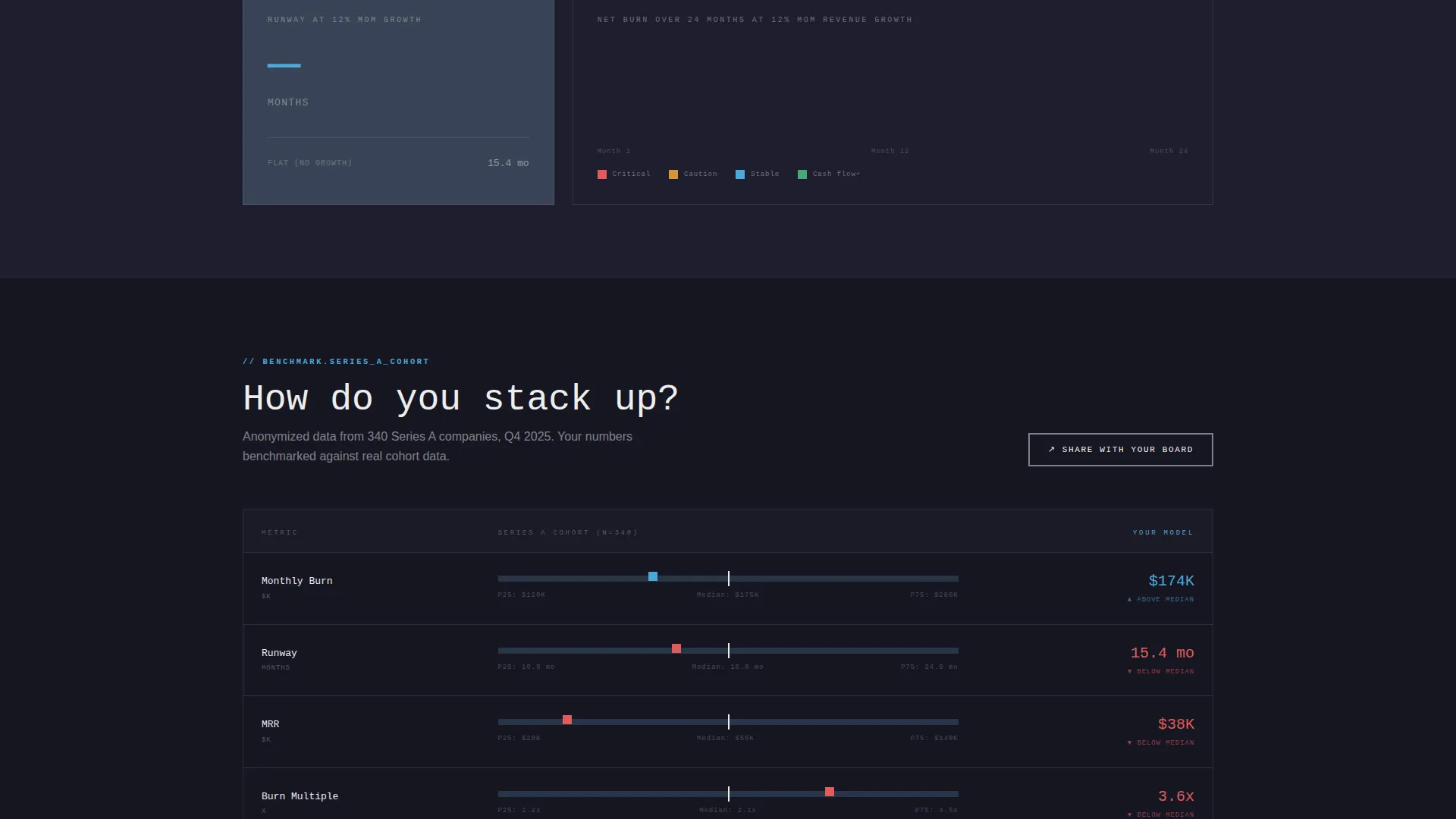
The third reveal displays the visitor's calculated metrics alongside anonymized Series A median figures. This positions their numbers in context without requiring them to leave the page or look up external data.
Persistent "Save This Model" call to action Bar
A fixed brutalist bar anchors the bottom of the viewport once a visitor has interacted with at least two inputs. The primary call-to-action reads "Save This Model" and passes the visitor's calculated data directly into the signup flow so nothing is lost on click-through.
"Share With Your Board" Secondary call to action
A second call-to-action appears beside the benchmark comparison strip. It targets the social proof loop, letting founders share their live model with investors or board members directly from the page.
Page sections overview
| Section | Purpose |
|---|---|
| Burn Rate Calculator | Above-the-fold interactive header that replaces a traditional hero |
| Hiring Impact Slider | First scroll reveal showing headcount effect on runway |
| Revenue Growth Toggle | Second reveal modeling MRR growth at three percentages |
| Benchmark Comparison Strip | Third reveal comparing visitor metrics to Series A medians |
| Floating call to action Bar | Persistent signup prompt tied to visitor input engagement |
| Board Share call to action | Secondary action anchored to the benchmark section |
Design & branding system
The visual identity follows a Bold Brutalist theme built on a Slate and Sky color system. Every design decision prioritizes function over decoration, creating an interface that feels like a command-line tool ready for a boardroom.
- Deep graphite (#1E1E2E) backgrounds, cool slate (#394456) card surfaces, sky blue (#4DA8DA) accent type, and raw white (#EDEDED) monospaced text set at heavier-than-comfortable weights
- Thick 2-pixel white borders with no border-radius on all input fields, placeholder text styled as real financial data, and zero decorative elements
Mobile & speed optimization
The layout is designed to keep interactive fidelity intact across screen sizes. The scroll-reveal sequence adapts so each layer remains usable on smaller viewports.
- Calculator inputs and the large sky-blue runway output scale responsively without losing the brutalist visual weight
- The floating call to action bar and secondary board share button remain accessible at all viewport sizes throughout the scroll sequence
How this template helps you convert
The conversion strategy is built on value-before-ask. Visitors build something useful before they see the primary call-to-action.
- The live calculator creates immediate personal investment, the visitor's own numbers are on screen before any signup prompt appears, making abandonment feel like a loss.
- Each scroll reveal deepens that investment by adding a new scenario layer, so by the midpoint the visitor has built a financial model they genuinely want to preserve.
- The "Save This Model" call to action captures that motivation at peak engagement, and the click passes all calculated data directly into the signup flow so the visitor never has to re-enter a number.
Other information about this template
This template is categorized under Startup and Launch, specifically within the SaaS Startup subcategory for the Series A niche. It is a strong fit for teams preparing a go-to-market page or investor-facing landing page that needs to communicate financial clarity as a core product value.
- The template style is Scroll Reveal (Progressive), meaning each new feature layer appears as the visitor scrolls rather than loading all at once
- The creative direction is Calculator and Tool First, which means the interactive header carries the full weight of the first impression without relying on copywriting or imagery
- The click-through landing page direction means no form appears on this page; all data capture happens in the downstream signup flow
- This layout works well alongside tools commonly used in the Series A ecosystem for financial modeling and investor reporting
Theme
Bold Brutalist
Creative direction
Calculator/Tool First
Color system
Slate & Sky
Style
Scroll Reveal (Progressive)
Direction
Click-Through
Page Sections
Live Burn Rate Calculator Header
Hiring Impact Scroll Layer
Revenue Growth Toggle
Benchmark Comparison Strip
Persistent Save This Model Call to Action Bar
Board Share Secondary Call to Action
Related questions
Does this template include a contact or lead capture form?
Can I update the benchmark figures in the comparison strip?
Is the burn rate calculator functional or just a visual mockup?
Who is this landing page template designed for?
Is this a single-page layout or a multi-page template?



