Resolve - High-Impact IT Helpdesk Landing Page Template
Resolve is a dark-themed IT help desk landing page built around a live ticket-cost calculator and a head-to-head comparison table. It targets IT directors, ops managers, and CFOs at mid-market companies who need to justify switching providers fast. The page turns a visitor's own numbers into the sales argument, then stacks evidence row by row until the decision feels obvious.
by Rocket studio
Quick summary
Resolve is a single-page IT help desk landing page designed around two conviction tools: an interactive ticket-cost calculator and a sequential comparison table. The Data Command visual theme uses a void-black and electric-indigo palette to create a focused, high-trust environment. The page is built to move IT decision-makers from curiosity to a booked audit in one scroll.
Who this template is for
This template is built for IT service businesses and managed service providers (MSPs) targeting mid-market buyers. It speaks directly to the people who hold the budget and carry the operational pain.
- IT directors drowning in Tier 1 support noise and ticket backlogs
- Operations managers whose internal teams are burning time on password resets instead of infrastructure projects
- CFOs who need a clear cost comparison before approving a provider switch
What problem this template solves
Most IT service landing pages lead with features. Resolve leads with the visitor's own numbers. The real problem is that B2B buyers need to feel the cost of inaction before they respond to a solution pitch.
- Visitors leave generic IT service pages without understanding what staying costs them
- Decision-makers want proof of superiority, not just claims, before committing to an audit or a call
- Lead capture often fails because the page asks for commitment before delivering value
What you get with this template
You get a fully structured, dark-themed landing page layout ready to deploy for an IT help desk or managed service offer. Every section serves a specific role in a deliberate conversion sequence.
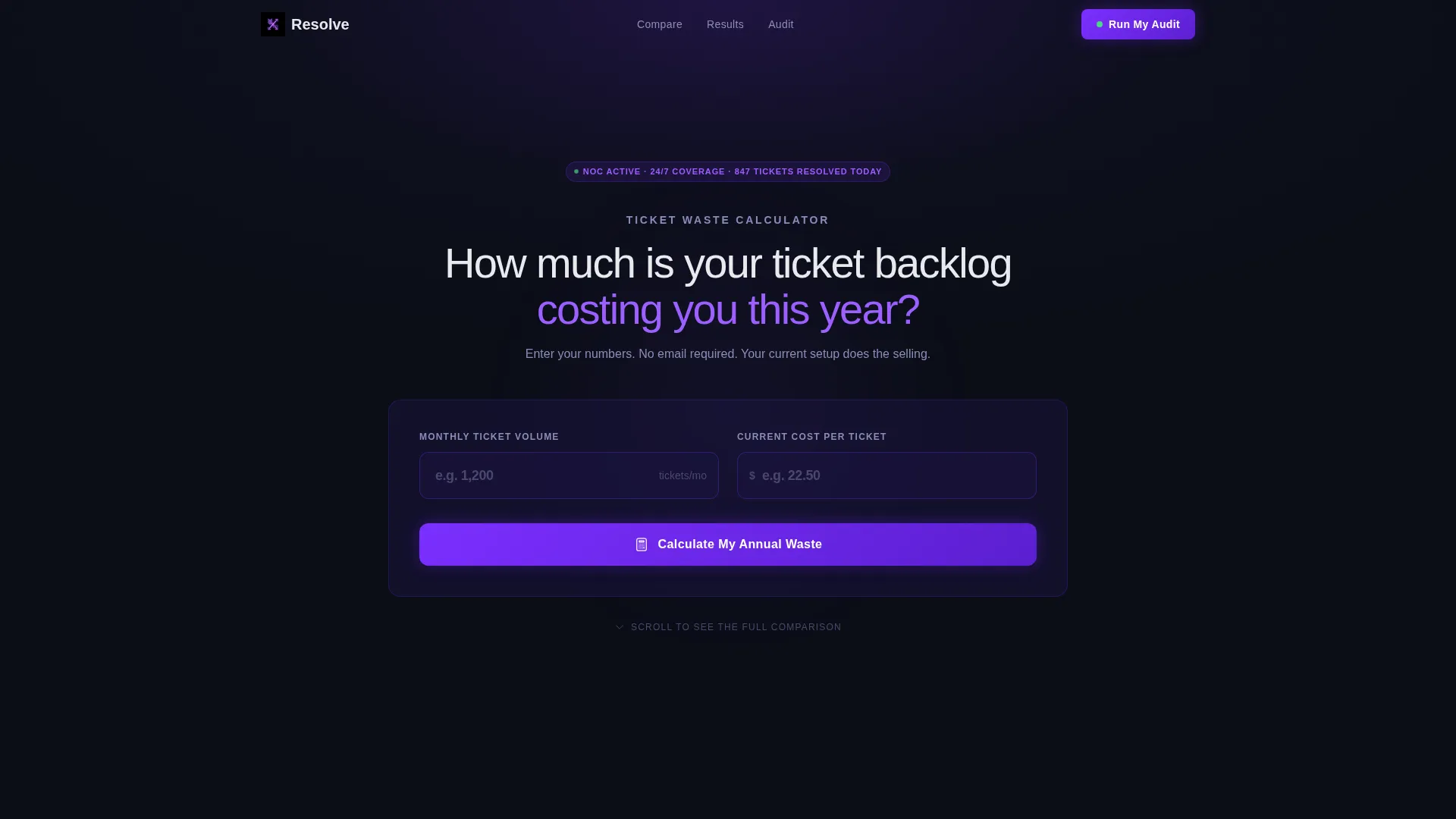
- A live ticket-cost calculator in the hero section that renders annual waste in real time
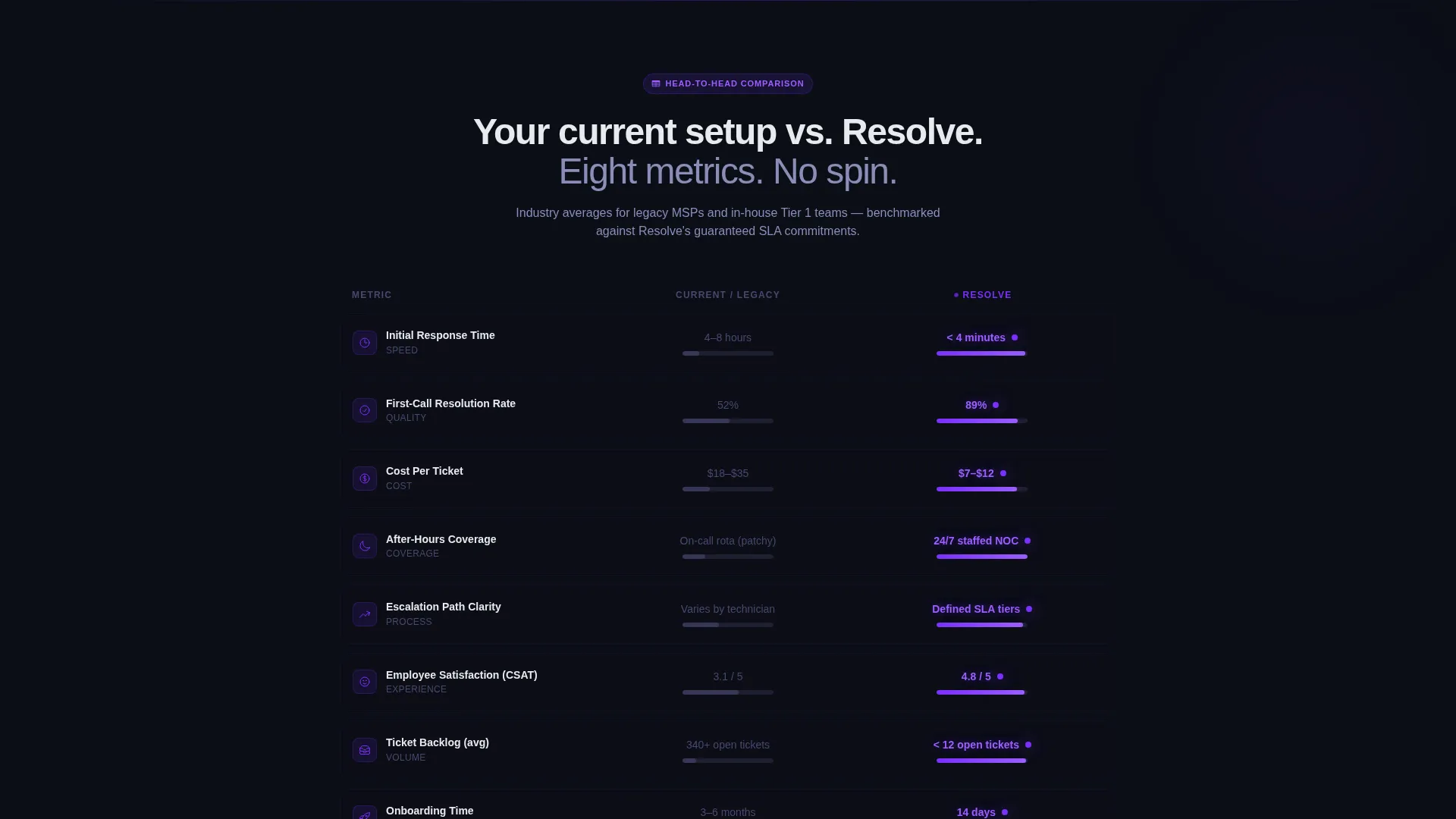
- A head-to-head comparison table covering six key performance metrics with sequential row animations
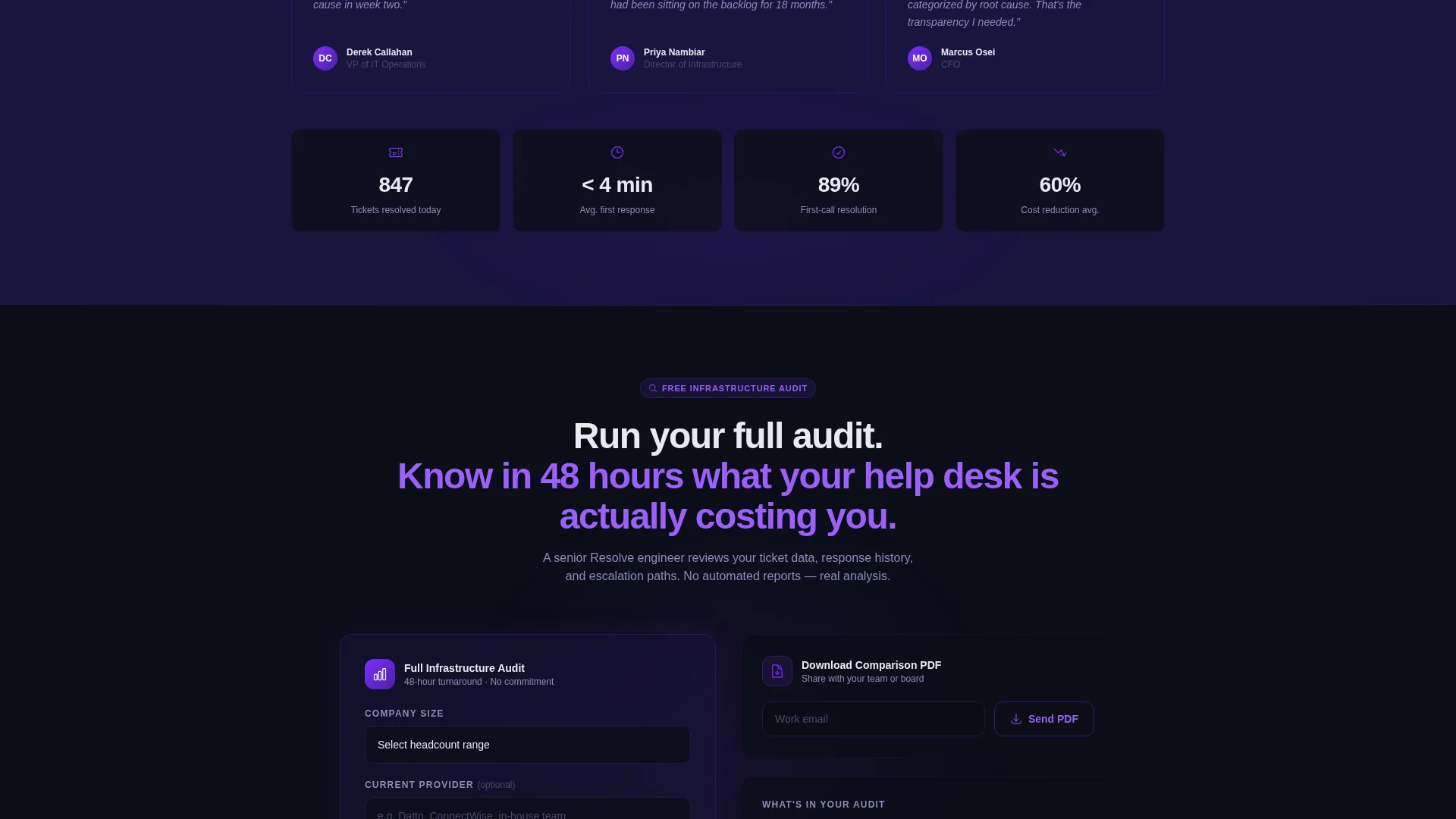
- Two lead capture paths: a three-field audit request form and a PDF comparison download
Feature list
This section details the functional components and design features built into the Resolve template.
Live Ticket-Cost Calculator
The hero section contains two glowing input fields: Monthly Ticket Volume and Cost Per Ticket. The visitor enters their own numbers and the tool instantly calculates their estimated annual waste. The result renders in large phosphor-white text, making the financial gap impossible to ignore before a single word of sales copy appears.
Sequential Comparison Table
The comparison table loads row by row as the visitor scrolls. It covers six metrics: response time, first-call resolution rate, cost per ticket, after-hours coverage, escalation paths, and employee satisfaction scores. Each winning metric on the Resolve side pulses in electric violet, letting the data make the argument without commentary.
Dual Lead Capture Paths
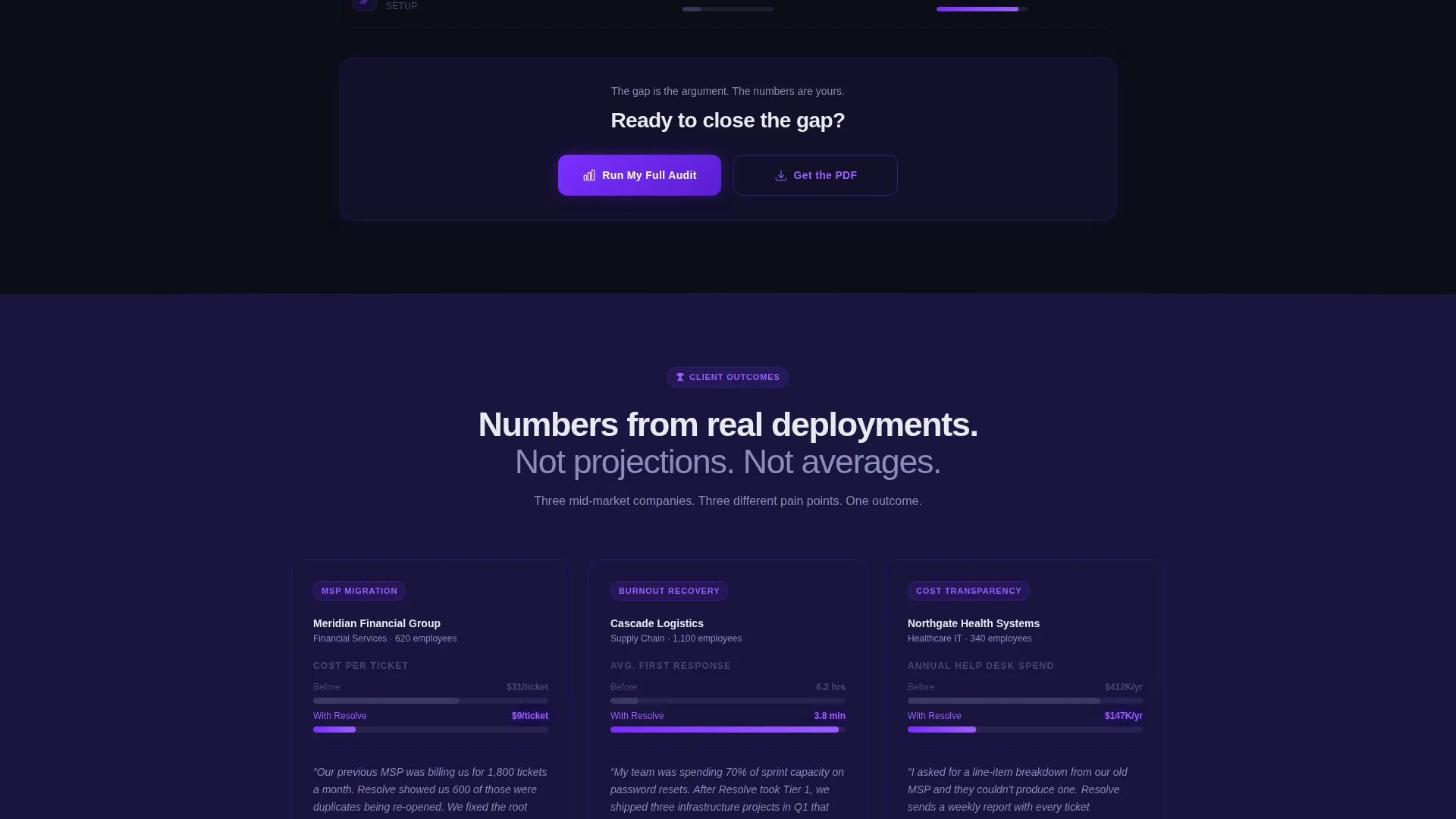
The primary call to action is "Run My Full Audit," which appears pinned after the calculator result and anchored at the final table row. Clicking it opens a three-field form with company size, current provider, and work email. A secondary path, "Download the Comparison PDF," captures leads who prefer data over a conversation.
Dark Full-Bleed Hero with Radial Glow
The header section uses a full-bleed void-black background with a soft radial glow bleeding from the center of the screen. There is no hero image and no stock photography. The visual weight comes entirely from the glowing calculator inputs and the rendered result, creating focus without distraction.
Pinned and Anchored Call-to-Action Placement
The primary call-to-action button appears in two deliberate positions: immediately after the calculator output and at the bottom of the comparison table. This placement ensures the conversion prompt appears at both moments of peak intent without interrupting the evidence flow in between.
Electric Indigo Color System
Every interactive state, active table row, and call-to-action pulse uses electric violet (#7B2FFF) against a void-black (#0B0E17) base. Deep indigo (#1A1440) surfaces card backgrounds and section breaks. Phosphor white (#E8EAED) carries all body text. The result is a palette that feels like live infrastructure monitoring rather than a marketing page.
Page sections overview
| Section | Purpose |
|---|---|
| Dark Hero Calculator | Renders visitor's annual ticket-cost waste in real time |
| Calculator Result call to action | Surfaces primary audit call to action at peak intent |
| Comparison Table Grid | Stacks six head-to-head metrics row by row |
| Table Final Row call to action | Re-anchors the primary call to action after full evidence |
| PDF Download Capture | Offers a secondary lead path for research-stage buyers |
| Audit Request Form | Collects company size, provider, and work email |
Design & branding system
The Resolve template uses a Data Command visual theme built entirely on the Electric Indigo color system. Every design decision reinforces focus and operational authority.
- Core palette: void black (#0B0E17) for backgrounds, deep indigo (#1A1440) for card surfaces, electric violet (#7B2FFF) for active states and calls to action, and phosphor white (#E8EAED) for body text
- No hero imagery or stock photography; visual weight is carried by the glowing calculator inputs and pulsing table rows
- Typography and layout communicate the feeling of a live network operations center (NOC) rather than a standard marketing page
Mobile & speed optimization
The template's layout is built to stay readable and functional across screen sizes, keeping the calculator and table usable on smaller devices.
- The two-column comparison table is structured to reflow cleanly on narrow screens without losing metric labels
- Input fields and call-to-action buttons are sized for comfortable touch interaction on mobile devices
- The full-bleed dark background and minimal image use keep the visual load light across all breakpoints
How this template helps you convert
The conversion architecture in Resolve is intentional. Every section feeds the next, and no ask is made before value is delivered.
- The calculator makes the visitor's current cost visible before any sales claim appears, creating personal financial urgency that no headline can manufacture on its own.
- The comparison table delivers sequential, metric-by-metric proof that closes the gap between curiosity and conviction, so the final call-to-action lands after the visitor has already reached their own conclusion.
Other information about this template
This template is suited for IT help desk services, managed service provider (MSP) marketing, and any support operations offer that competes on measurable outcomes rather than vague service promises.
- The template style is a Comparison Table layout with a Calculator/Tool First creative direction, making it well-suited for competitive positioning in the IT help desk and help center space
- The page follows a Comparison/Versus landing page direction, which is particularly effective when the buyer already has a current provider and needs a concrete reason to switch
- The Data Command theme and Electric Indigo color system give the page a distinctive look that stands apart from generic blue-and-white IT service pages
Theme
Data Command
Creative direction
Calculator/Tool First
Color system
Electric Indigo
Style
Comparison Table
Direction
Comparison/Versus
Page Sections
Live Ticket-cost Calculator
Sequential Comparison Table
Dual Lead Capture Paths
Dark Full-bleed Hero Section
Pinned and Anchored Call to Action Placement
Electric Indigo Color System
Related questions
Can I edit the calculator inputs to match my own pricing model?
Is the comparison table content editable?
What is the purpose of having two lead capture paths?
Does this template include form backend or email delivery functionality?
Who is this landing page best suited for?



