Resilience - Safety Training Landing page Template
A sidebar companion landing page built for fire safety training providers. It guides facilities managers, health and safety officers, and school business managers from compliance awareness to booking action. The Network Effect layout, persistent navigation, and dual conversion paths make a focused, trust-building case for practical, hands-on fire safety training that builds real organizational resilience.
by Rocket studio
Quick summary
This is a single-page sidebar companion landing page for a fire safety training provider. It uses a persistent left-hand navigation, a bold typographic header, and a Network Effect content structure to move compliance-aware buyers toward a free site assessment. The design is authoritative but calm, built for decision-makers who manage real risk across real sites.
Who this template is for
This template is designed for fire safety training providers who serve professional buyers under genuine compliance pressure. The layout speaks directly to the people managing safety across multiple locations and staff groups.
- Facilities managers handling compliance deadlines across several sites
- Health and safety officers at manufacturing plants who track near-misses and incident reports
- School business managers who need staff certified ahead of regulatory inspection windows
What problem this template solves
Buyers in this space know the risk is real. The problem is that most training provider pages fail to communicate urgency, scope, or organizational impact. This template solves that directly.
- It reframes training not as a checkbox but as muscle memory that saves lives at 2 AM
- It shows how a single trained fire warden creates a chain reaction of coverage across shifts and buildings
- It captures undecided visitors through a secondary lead path before they leave without converting
What you get with this template
You get a complete, structured landing page layout that carries a visitor from headline impact through compliance context to a clear conversion action. Every section earns its place.
- A giant centered headline that lands before any other element registers
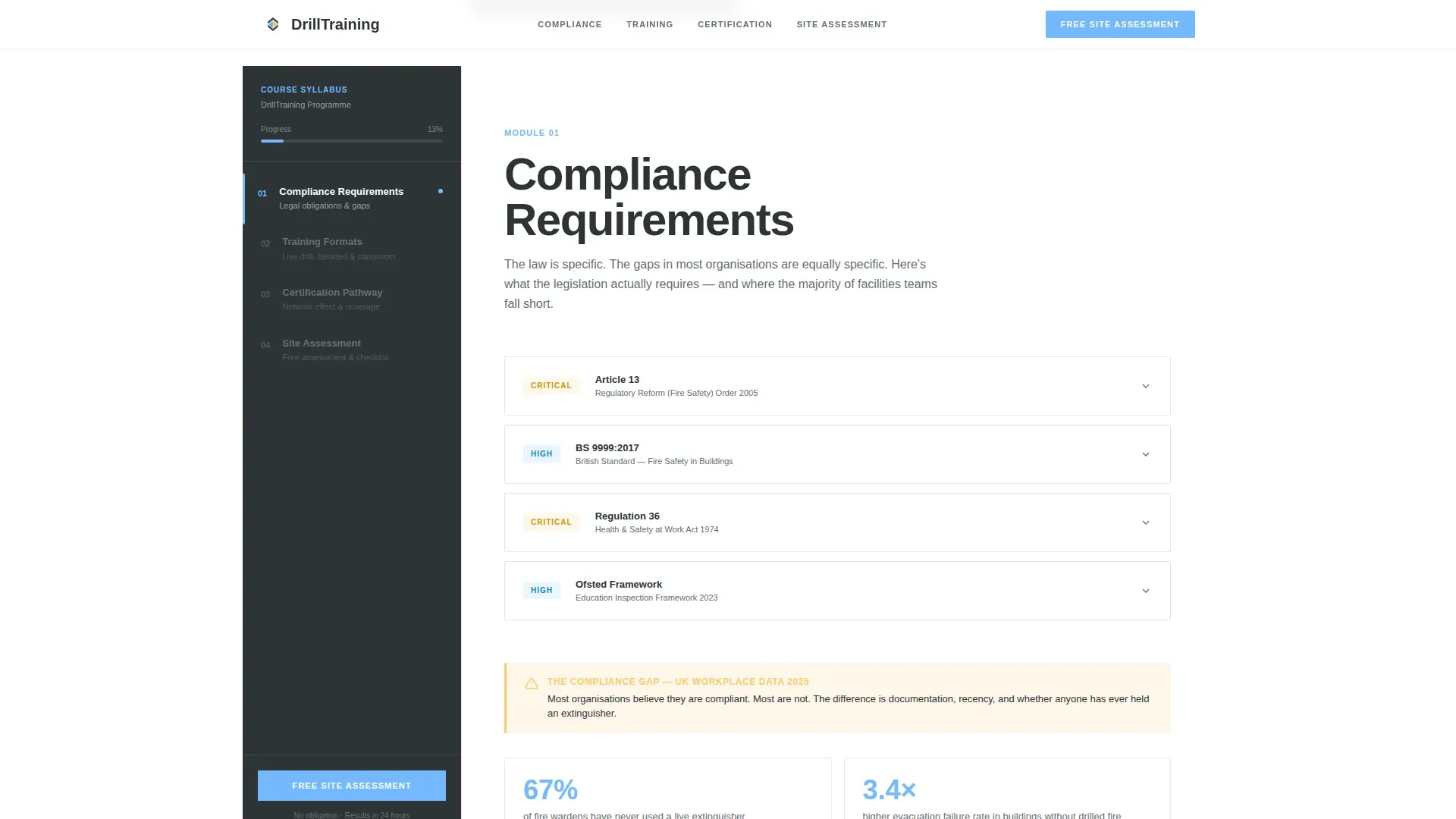
- A persistent sidebar navigation tracking progress through four compliance-focused modules
- Two conversion paths: a primary free site assessment form and a secondary downloadable checklist opt-in
Feature list
This template includes purpose-built components that reflect the training provider's context and the buyer's decision process.
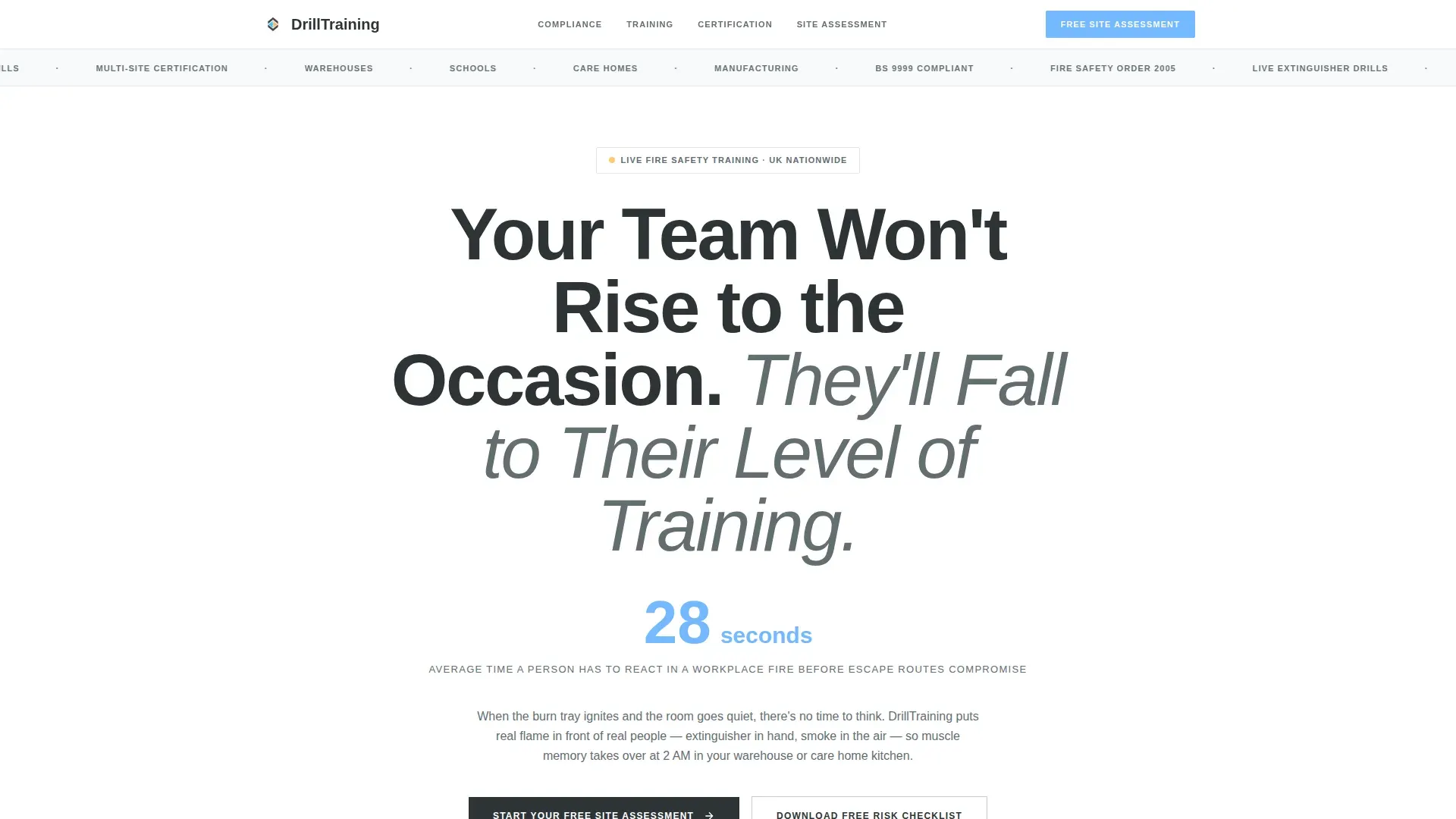
Giant Headline Hero Section
A single bold, condensed headline fills the top of the page at a scale that commands immediate attention. Below it, a key statistic in sky blue reinforces urgency without competing imagery. Typography alone carries the authority of the opening moment.
Persistent Sidebar Navigation
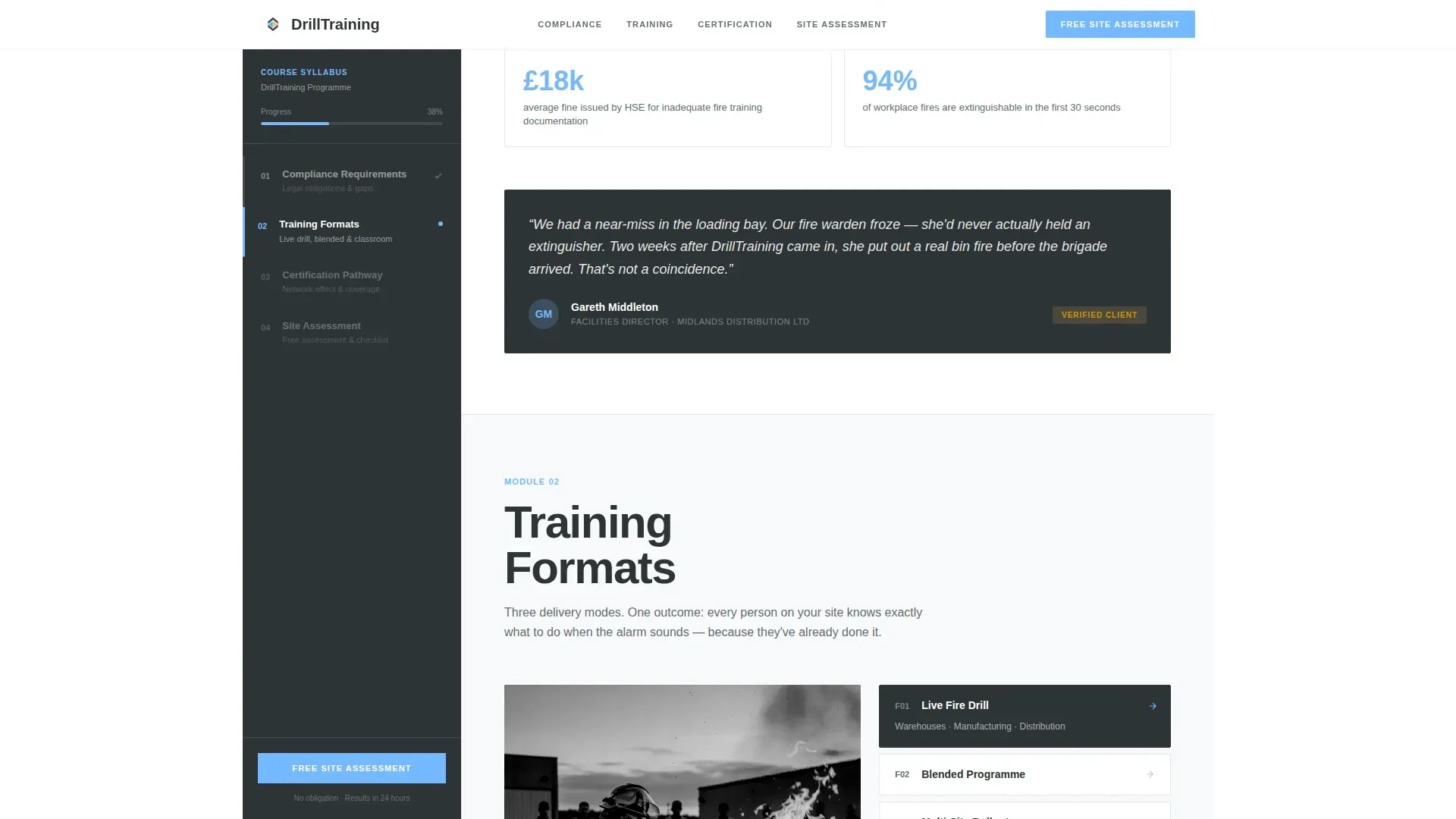
A fixed left-hand navigation panel tracks the visitor's scroll progress through four named modules: Compliance Requirements, Training Formats, Certification Pathway, and Site Assessment. It functions like a course syllabus, giving the visitor a sense of structure and forward movement throughout the page.
Network Effect Content Sections
Each main content section introduces one node in the Network Effect, demonstrating how a single trained fire warden extends competence across shifts, floors, and entire buildings. The narrative escalates from individual skill to full organizational resilience in a logical, convincing sequence.
Interactive Coverage Gap Diagrams
Visual diagrams show how coverage gaps compound risk over time and how a trained cohort radiates capability outward through an organization. These components make the problem tangible and the solution proportionate.
Dual Conversion Path System
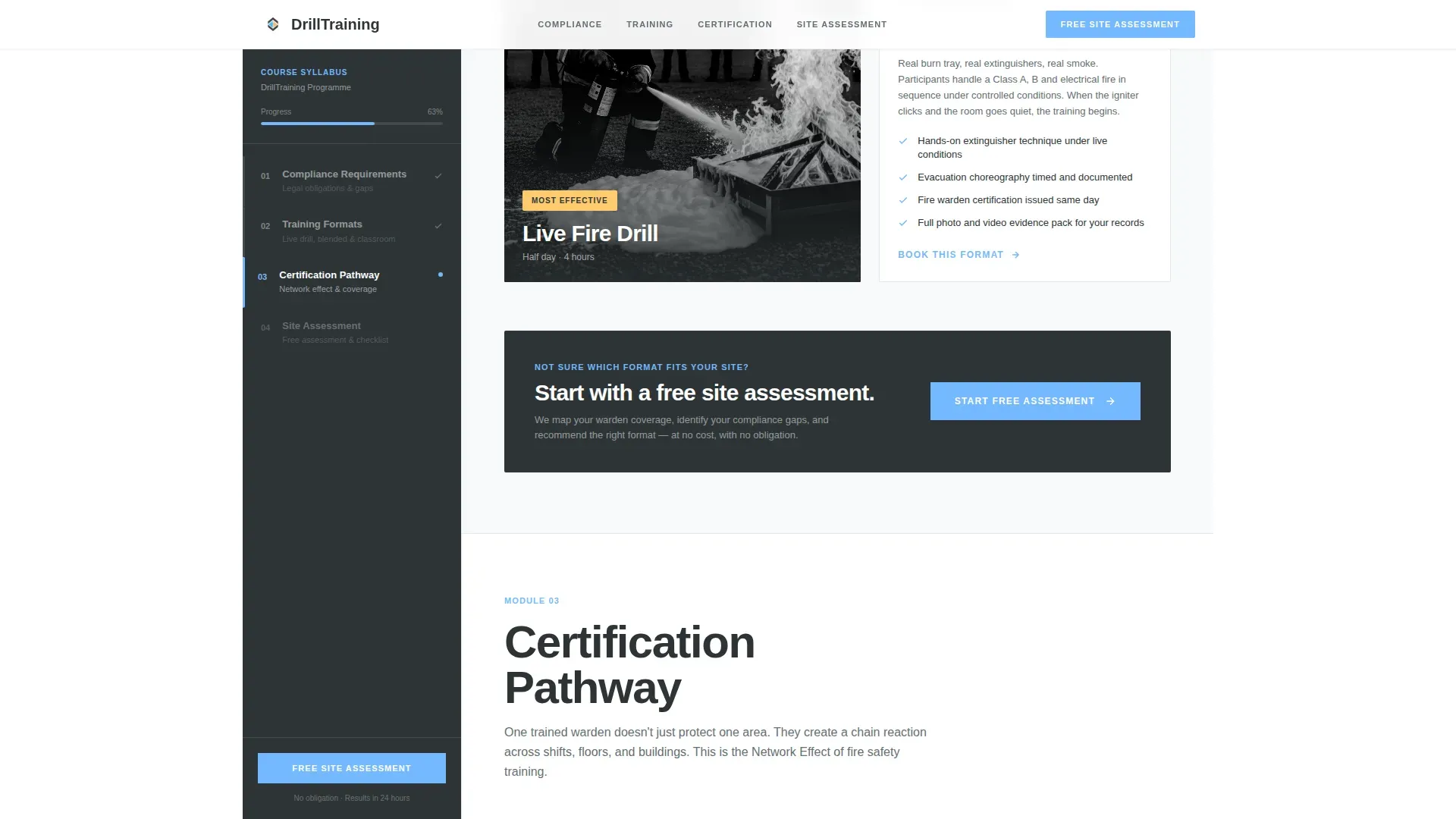
The primary call to action, a free site assessment form, appears in the sidebar and again at the scroll midpoint after the compliance gap section. A secondary path offers a free fire risk checklist in exchange for an email address alone, capturing visitors who are not yet ready to commit.
Staged Site Assessment Form
The primary form collects information in a deliberate sequence: site type first (warehouse, school, office, care home, or mixed-use), then number of employees, then name and email. This order reduces friction by starting with an easy, non-personal question.
Page sections overview
| Section | Purpose |
|---|---|
| Hero Headline | Establish authority and urgency through typography alone |
| Compliance Requirements | Frame the regulatory stakes facing each site type |
| Training Formats | Describe the hands-on, practical training delivery methods |
| Certification Pathway | Outline the steps from enrollment to certified fire warden |
| Network Effect Diagrams | Show how trained individuals extend coverage across an organization |
| Coverage Gap Section | Make the risk of incomplete training visible and concrete |
| Primary call to action Midpoint | Prompt the ready visitor to start their free site assessment |
| Site Assessment Form | Collect site type, employee count, name, and email |
| Secondary Lead Capture | Offer a free fire risk checklist in exchange for an email |
| Sidebar Navigation Panel | Keep the visitor oriented and progressing through all modules |
Design & branding system
The visual identity follows an Educational Guide theme built on a Slate and Sky color system. The palette is authoritative without feeling institutional, calm enough to learn from and sharp enough to act on.
- Deep charcoal slate (#2D3436) is used for primary text and sidebar backgrounds; cool storm gray (#636E72) handles secondary content areas
- Open sky blue (#74B9FF) drives action on buttons and progress indicators throughout the sidebar and conversion points
- Controlled amber (#FDCB6E) appears only on warning callouts and certification badges, keeping its visual weight reserved and meaningful
Mobile & speed optimization
The sidebar companion structure is designed to translate clearly across screen sizes, preserving the navigation logic and conversion hierarchy at every breakpoint.
- The persistent sidebar collapses gracefully on smaller screens, keeping module navigation accessible without obscuring main content
- The staged form design keeps each input step visible and tappable on mobile, reducing drop-off during the conversion sequence
How this template helps you convert
Every structural decision in this template moves a compliance-aware visitor closer to a booking or a lead capture event.
- The giant headline and urgency statistic create immediate emotional engagement before the visitor has read a single paragraph, establishing the cost of inaction within the first few seconds on the page.
- The Network Effect content sequence builds a rational case across the scroll, showing decision-makers exactly how training investment scales across their organization and why coverage gaps are an organizational liability, not just an individual one.
- The dual conversion path means no visitor leaves empty-handed: the primary form captures ready buyers, while the checklist download keeps the training need present in the inbox of those who need more time.
Other information about this template
This template is built within the HR and Hiring category, sitting at the intersection of workplace safety and compliance. It is suited to providers operating in the fire safety training niche who serve professional buyers across sectors including warehousing, education, healthcare, and manufacturing.
- The Educational Guide theme ensures the page feels credible and structured, matching the expectations of buyers who take compliance seriously
- The Freemium and Trial conversion model is embedded in the template layout, not bolted on, making both the primary and secondary paths feel like natural next steps rather than interruptions
- The template style is a Sidebar Companion, a format that reinforces the sense of guided learning and structured progress, which is particularly well matched to certification and compliance content
Theme
Educational Guide
Creative direction
Network Effect
Color system
Slate & Sky
Style
Sidebar Companion
Direction
Freemium/Trial
Page Sections
Giant Headline Hero Section
Persistent Sidebar Navigation
Network Effect Content Sections
Interactive Coverage Gap Diagrams
Dual Conversion Path System
Staged Site Assessment Form
Related questions
Who is this landing page template designed for?
What are the two conversion paths included in this template?
What is the Network Effect structure used in this template?
Can this template support different site types in the assessment form?
What color system and theme does this template use?



