Employee Wellness & Benefits Booking Website Template
Repay is a Corporate Precision landing page template built for employer-funded student loan repayment platforms. It uses a 50/50 split-screen layout to present company-facing and employee-facing metrics side by side. Designed for HR directors, benefits brokers, and CFOs, it drives demo bookings through scroll-triggered data storytelling and a frictionless click-through to an impact calculator.
by Rocket studio
Quick summary
Repay is a single-page, click-through landing page template for B2B HR benefits platforms focused on employer-funded student loan repayment. The layout pairs hard retention metrics with real employee stories in a locked 50/50 split-screen structure. Every scroll builds toward one goal: moving benefits decision-makers into a guided demo experience.
Who this template is for
This template is built for teams selling an employer-funded student loan repayment benefit to mid-market companies. It speaks directly to the people who control benefits budgets and make retention calls.
- HR directors at mid-market firms competing with Big Tech sign-on bonuses
- Benefits brokers assembling competitive packages for open enrollment season
- CFOs who need a retention lever that reads cleanly on a profit and loss statement
What problem this template solves
Mid-market employers struggle to compete on compensation alone. A strong student loan repayment benefit is a powerful retention tool, but it is hard to communicate its financial impact quickly to busy decision-makers. This template solves the credibility and clarity gap.
- Decision-makers leave before the value proposition lands because pages lead with product features instead of proof
- HR leaders need company-facing numbers and employee-facing outcomes presented separately and simultaneously
- The path from awareness to demo booking has too many steps, form fills, and friction points
What you get with this template
The template delivers a fully structured, desktop-first landing page with high-animation components and a locked conversion flow. Every section is designed around one primary call to action: "See Your Company's Impact."
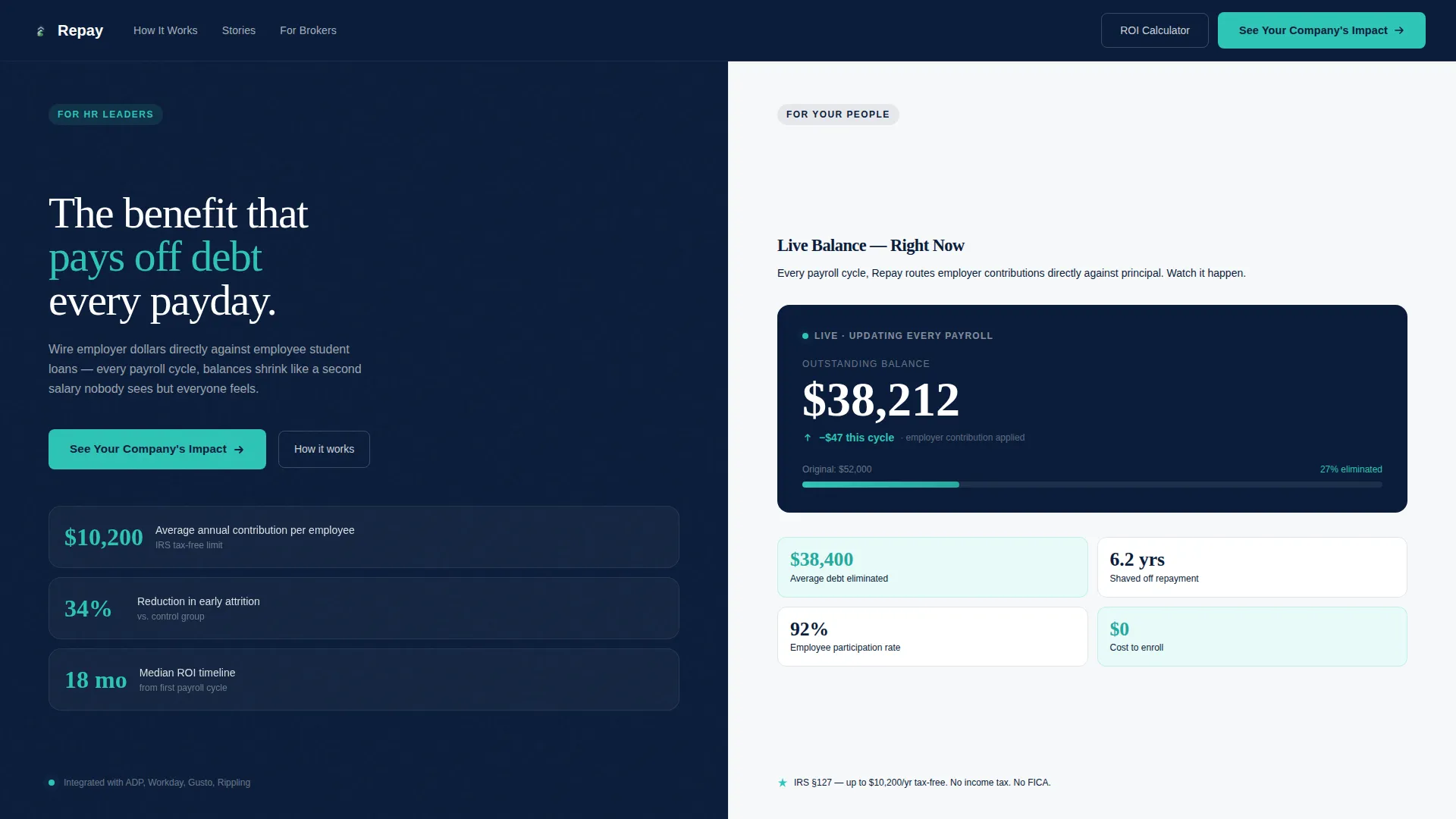
- A hero section split between employer metrics on the left and an animated employee debt counter on the right
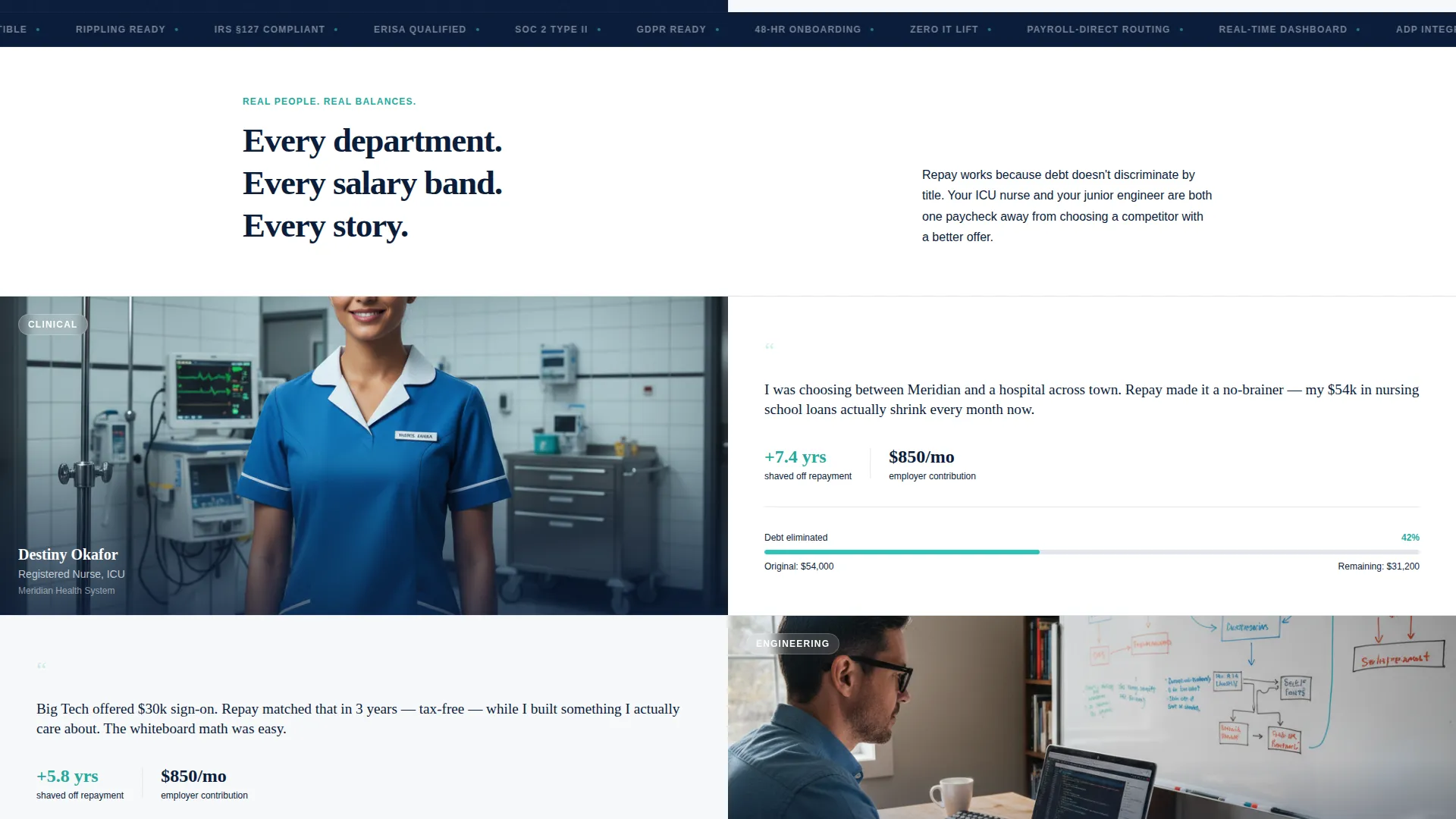
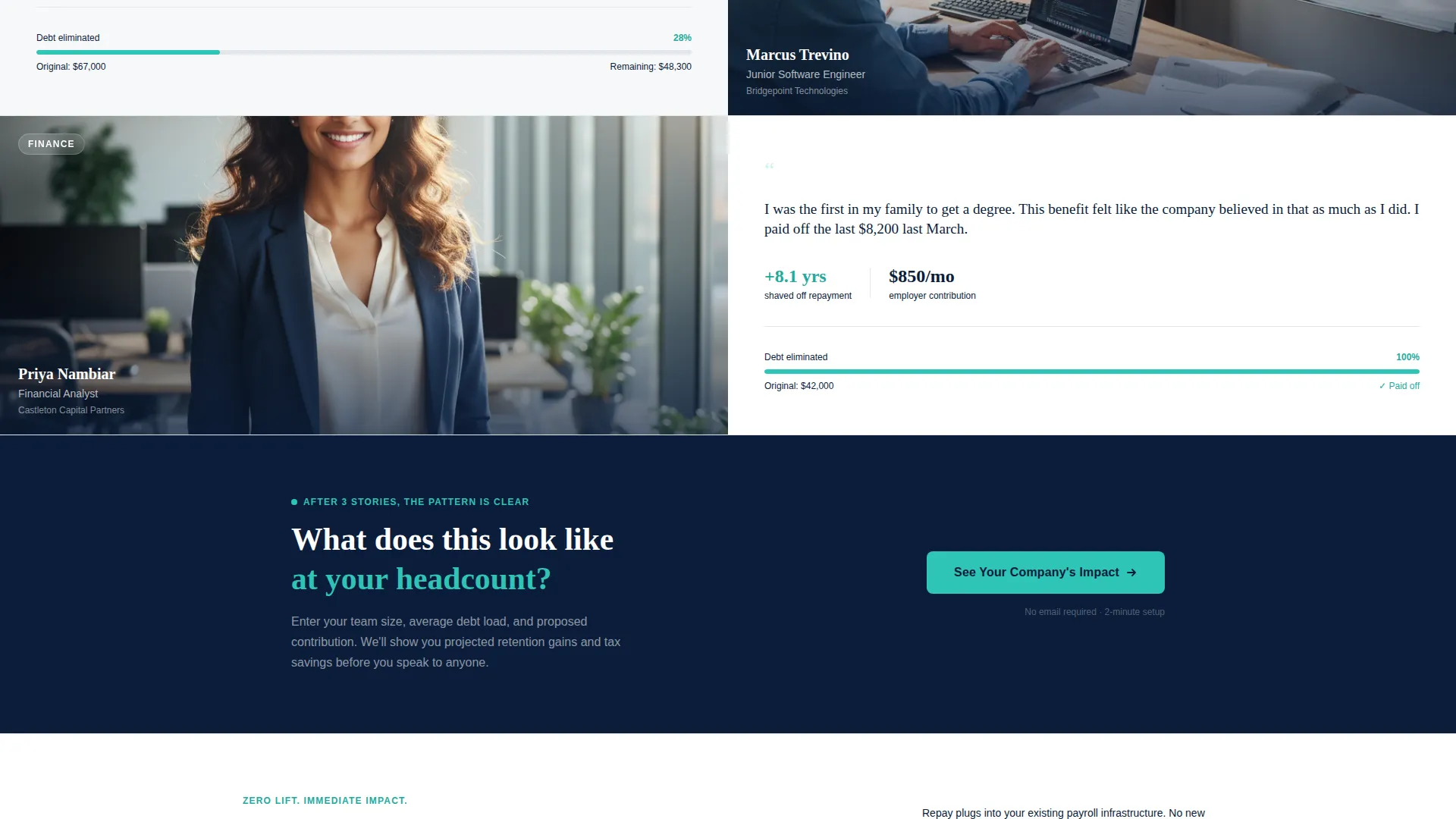
- Three employee story sections each pairing a portrait layout with a repayment narrative and a shrinking balance graph
- A full-width mid-page call to action, a testimonials section, a sticky bottom call to action bar, and a linear single-row footer
Feature list
This template includes a tightly scoped set of interactive and layout features, each grounded in the source brief.
Animated Live Debt Counter
The right panel of the hero section features a live-style counter that ticks a student loan balance downward in real time. This component is built as a client-side animation to simulate the payroll-cycle reduction effect.
Scroll-Triggered Number Reveals
Key metrics across the page animate into view as the visitor scrolls. Company-facing figures such as "$10,200 average annual contribution" and "34% reduction in early attrition" appear with weight-heavy typography on trigger.
Split-Screen Employee Story Cards
Three story sections each lock a portrait on the left against a two-sentence repayment narrative and a shrinking balance graph on the right. Each card includes hover states and staggered entrance animations.
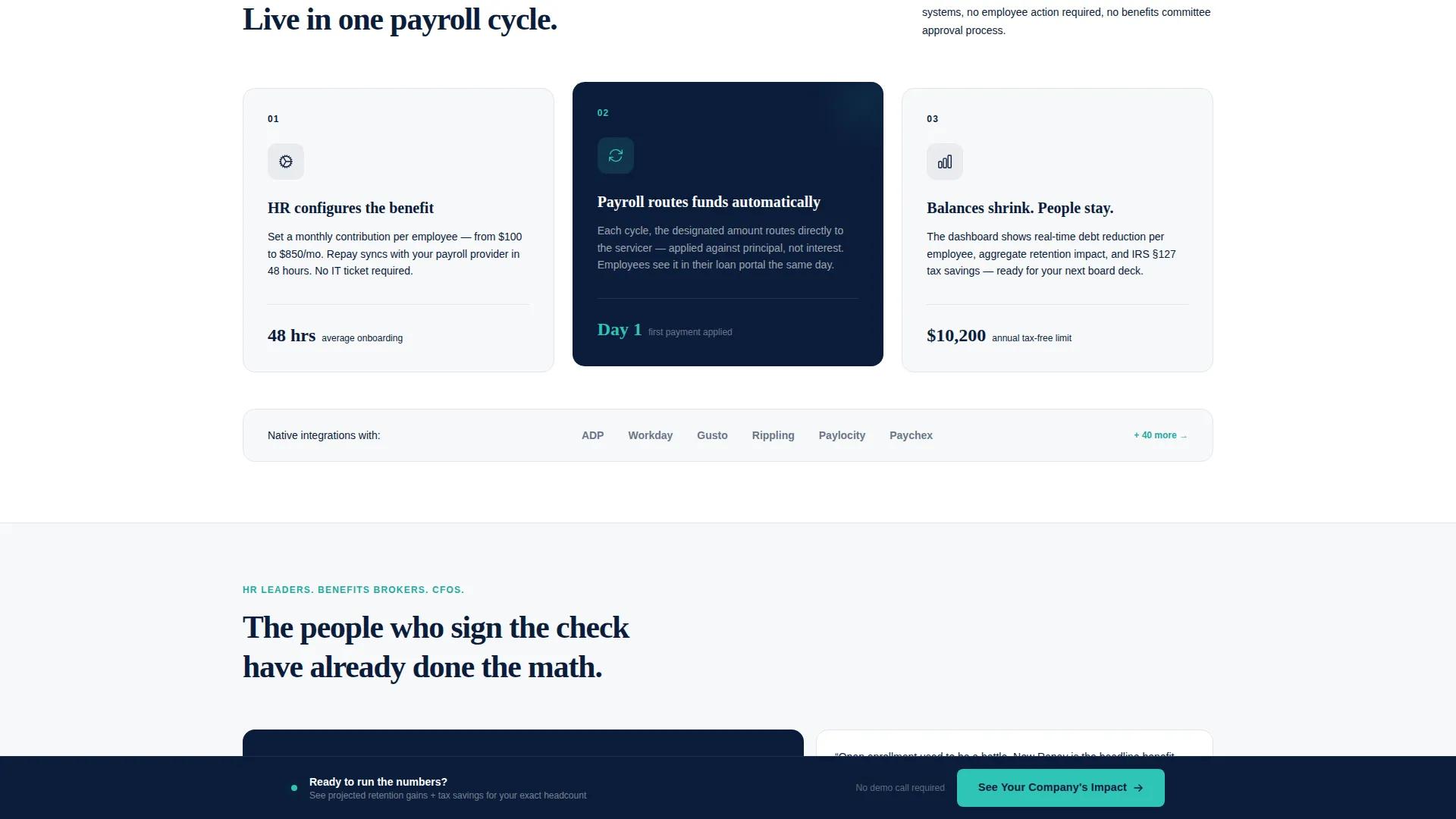
Sticky Bottom Call to Action Bar
A persistent bottom bar activates on final scroll and keeps the primary call to action visible without interrupting the reading flow. It functions as a frictionless exit ramp toward the calculator page.
Asymmetric How It Works Section
A dedicated layout section illustrates the payroll-to-contribution-to-balance-reduction flow in an asymmetric visual format. It gives technical stakeholders a clear process view without breaking the page's narrative pace.
Testimonials in Bento Layout
HR leader quotes with full name and company title are displayed in an asymmetric bento grid. This section reinforces social proof after the employee stories have already established emotional resonance.
Page sections overview
| Section | Purpose |
|---|---|
| Hero Metrics Wall | Show employer and employee numbers side by side with primary call to action |
| Employee Story One | Pair a nurse portrait with a personal repayment narrative and balance graph |
| Employee Story Two | Pair a junior engineer portrait with a repayment story and balance graph |
| Employee Story Three | Pair a first-gen graduate portrait with a paid-off statement story and balance graph |
| Mid-Page Call to Action | Full-width prompt to click through after the third employee story |
| How It Works | Illustrate the payroll contribution and balance reduction flow |
| Testimonials Section | Display HR leader quotes in an asymmetric bento layout |
| Footer Row | Deliver a linear single-row footer for clean page close |
Design & branding system
The visual identity follows a Corporate Precision theme. The palette and typography are chosen to feel authoritative and trustworthy to a C-suite and HR audience.
- Navy Authority color system: deep command navy (#0B1D3A) for backgrounds and headers, polished slate (#3D5A80) for secondary panels, clean white (#F7F8FA) for content surfaces, and decision green (#2EC4B6) for calls to action and live data points
- Typography pairs DM Sans for body text and user interface elements with Fraunces display headlines for weight-heavy metric callouts
- No stock photography in the hero; evidence and numbers anchor credibility before human portraits appear on scroll
Mobile & speed optimization
The template is built desktop-first to match the primary audience of HR directors and CFOs reviewing benefits options at a workstation. It is also responsive for mobile viewing.
- Desktop-first layout structure with responsive breakpoints for tablet and mobile contexts
- Server Components handle static sections; client-side rendering is scoped to the animated counter and interactive story cards
- Staggered card entrance animations and scroll-triggered reveals are designed to load progressively rather than all at once
How this template helps you convert
The conversion architecture is deliberate. The page never asks for an email or form fill. Instead, it builds proof in layers and then makes clicking the only obvious next step.
- The hero metrics wall leads with hard data on both sides of the screen, establishing credibility before any product claim is made, so decision-makers stay engaged from the first second.
- Three sequential employee story sections shift the emotional register from data to human impact, widening the audience from CFO to HR director to frontline manager across a single scroll.
- The primary call to action "See Your Company's Impact" appears three times: in the hero left panel, after the third story, and in the sticky bottom bar, creating a persistent and frictionless path to the impact calculator.
Other information about this template
This template was designed specifically for the student loan repayment benefit niche within the broader HR and employee wellness category. A few additional details help frame its scope and fit.
- The click-through destination is an impact calculator where visitors enter headcount, average debt load, and proposed monthly contribution to see projected retention gains and tax savings
- The template is localized for English, United States Dollar pricing, and United States date formats
- It is categorized under HR and Hiring, Employee Wellness and Benefits, making it a strong fit for open enrollment campaign pages and benefits broker proposal support sites
- The page type is a single click-through landing page, not a multi-page website, so it is optimized for a focused, linear conversion path with no internal navigation distractions
Theme
Corporate Precision
Creative direction
Team & People
Color system
Navy Authority
Style
Split Screen (50/50)
Direction
Click-Through
Page Sections
Animated Live Debt Counter
Scroll-triggered Metric Reveals
Split-screen Employee Story Cards
Sticky Bottom Call to Action Bar
Asymmetric How It Works Layout
Bento Testimonials Grid
Related questions
Who is the primary audience for this template?
Does the landing page include a form or lead capture?
What sections are included in this template?
Can this template be adapted for a benefits broker's client presentation?
What makes this template different from a generic HR benefits page?



