Ref — API Docs Landing Page Template
Endpoint is a hub-and-spoke API reference landing page built for integration engineers, product managers, and automation consultants. It pairs a dark Dashboard Preview header with a sticky anchor nav, five documented spoke sections, live in-browser code examples, and two lead-capture paths. The monochrome steel palette and launch-energy scroll rhythm make complex API documentation feel fast and navigable.
by Rocket studio
Quick summary
Endpoint is a single-page API reference template designed for teams that document complex integration ecosystems. It opens with a cinematic API console header, locks a sticky anchor nav after load, and walks visitors through five spoke sections covering authentication, triggers, actions, searches, and errors. Two conversion paths capture leads before the visitor leaves.
Who this template is for
This template is built for technical teams and consultants who need a polished, credible API reference page. It suits anyone publishing integration documentation that must earn trust on first load.
- Integration engineers who need a reference page they can share with teammates at any hour
- Product managers scoping new connectors and needing a single source of truth before sprint planning
- Freelance automation consultants building client workflows that rely on accurate, always-current documentation
What problem this template solves
Most API documentation pages are either too sparse to be useful or too cluttered to navigate under pressure. When an engineer hits a 401 error at 2 a.m., they need instant orientation, not a wall of unsorted text.
- Readers land with no clear entry point and waste time scrolling past irrelevant sections
- Documentation pages often fail to demonstrate reliability, so visitors distrust the content before reading it
- Lead capture is bolted on awkwardly, interrupting the reading flow rather than earning the conversion
What you get with this template
You get a fully structured, single-page API reference layout with every major section pre-built and ready to populate. The template handles both the reading experience and the conversion flow in one cohesive design.
- A sticky anchor nav linking to five spoke sections: Authentication, Triggers, Actions, Searches, and Errors
- A two-path lead capture system with a single-step modal form and a gated PDF download option
- Three interactive in-browser code examples that demonstrate documentation reliability before asking for anything
Feature list
This template ships with a set of purposefully designed components. Each one serves a specific role in keeping readers oriented and moving toward conversion.
Dashboard Preview Header
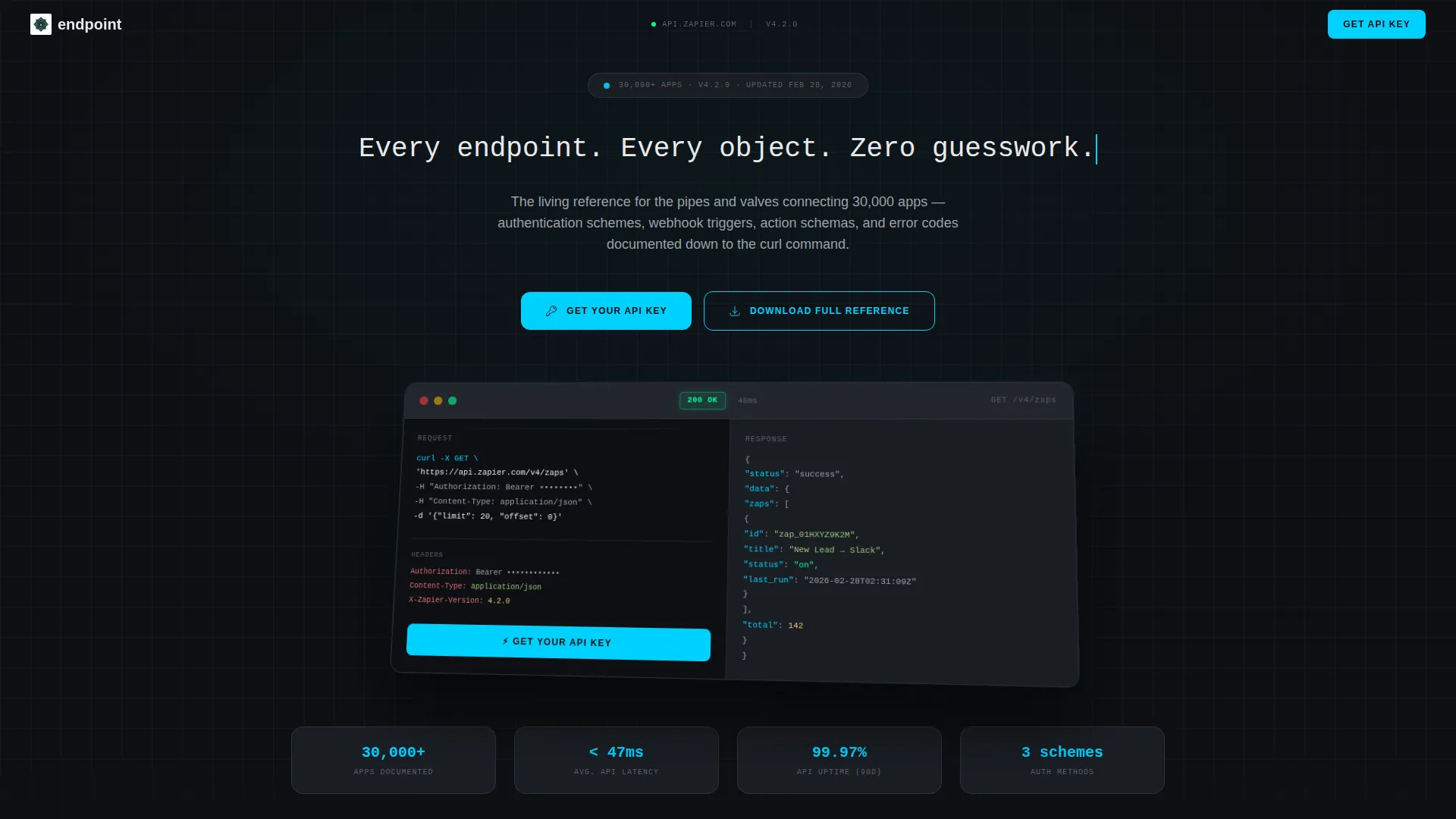
The header renders a stylized API console split into two panes. The left shows a cURL command, the right streams a JSON response, and a cyan status badge reads 200 OK alongside a latency counter frozen at 47ms. Partially visible request headers ground the scene in a real workflow context.
Sticky Anchor Navigation
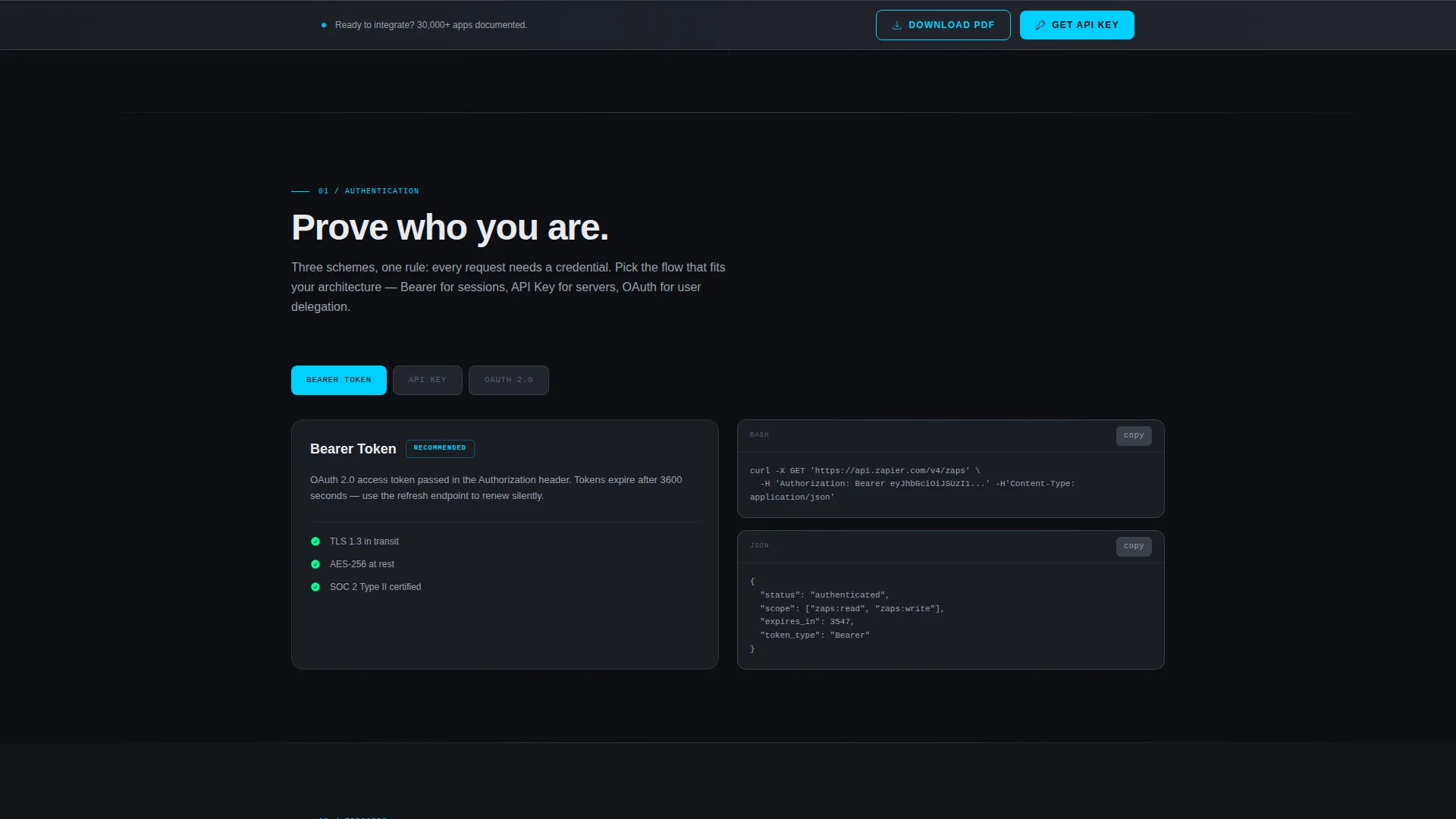
After the header, the anchor nav locks to the top of the viewport. Each link scrolls directly to one of the five spoke sections, so readers jump straight to the documentation they need without losing their place in the page.
Animated Spoke Sections
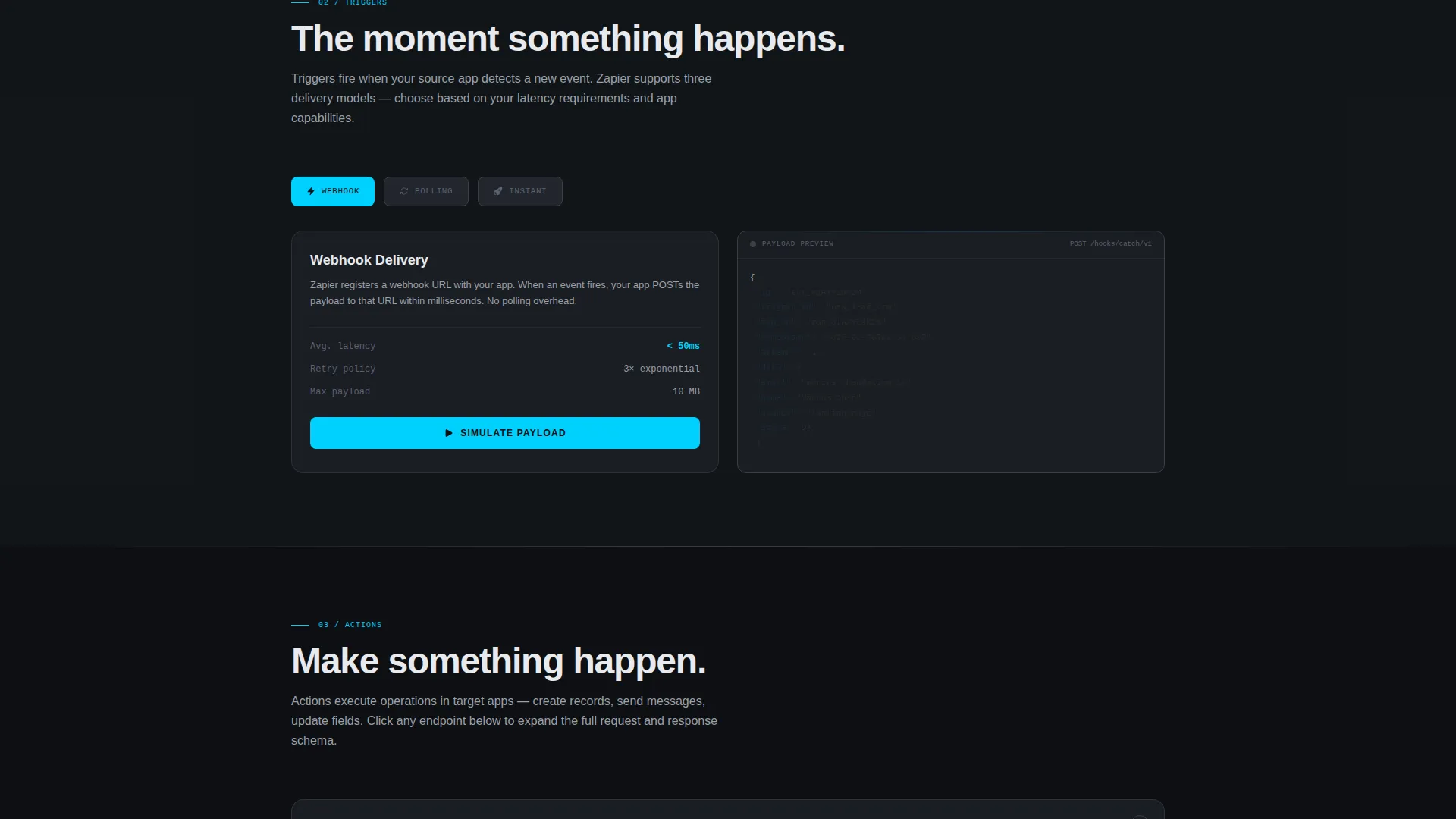
Each spoke section enters with a quick upward translate as the visitor scrolls into view. Triggers includes a real-time animation of incoming payloads. Actions expands request and response pairs on click. The Errors section opens with a dramatic status code wall that fades from red to cyan as each error is explained.
Live In-Browser Code Examples
Three interactive code examples run directly in the browser. They let visitors test documentation behavior before signing up, building confidence in the reference material and reducing friction at the conversion step.
Dual Lead Capture Paths
The primary call to action, "Get Your API Key," appears inside the header and repeats as a sticky bar after the second spoke section. A secondary path offers a gated PDF download of the full reference. Both paths use the same single-step modal collecting work email, company name, and a use-case radio selector.
Launch Energy Scroll Rhythm
The page follows a tension-and-release scroll pattern. Authentication opens calm and procedural. Each subsequent section adds motion and interactivity. The rhythm is designed so readers feel progressively more confident as they move down the page.
Page sections overview
| Section | Purpose |
|---|---|
| Dashboard Preview Header | Sets tone, shows API console, introduces primary call to action |
| Sticky Anchor Nav | Keeps all five spokes reachable from any scroll position |
| Authentication Spoke | Documents every auth scheme in a calm, procedural layout |
| Triggers Spoke | Animates incoming webhook payloads in real time |
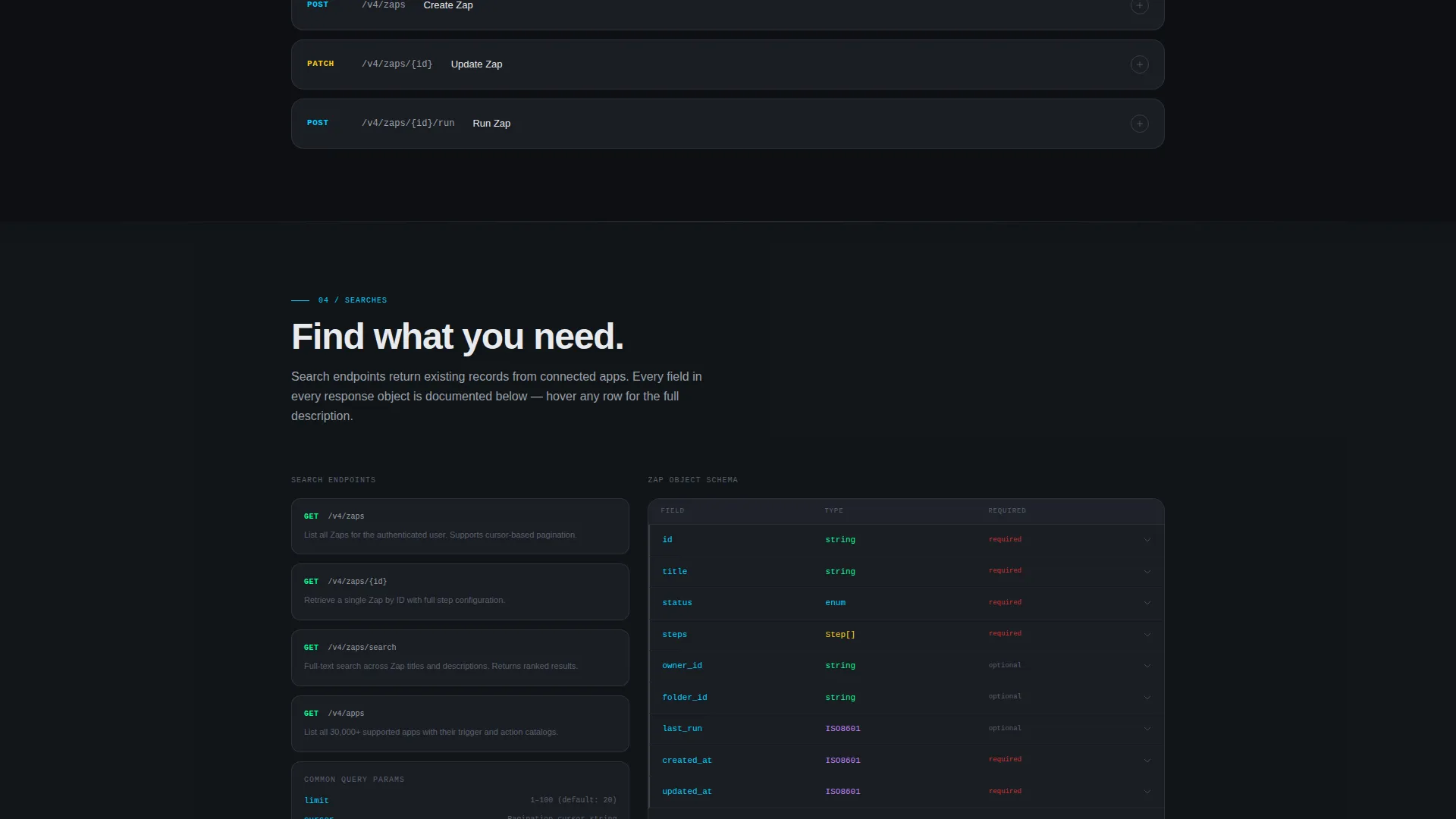
| Actions Spoke | Expands request and response pairs interactively on click |
| Searches Spoke | Documents polling intervals and search endpoint behavior |
| Errors Spoke | Presents status code wall, fades to cyan with explanations |
| Sticky call to action Bar | Repeats lead capture after the second spoke section |
| Lead Capture Modal | Single-step form: email, company, and use-case selector |
| PDF Download Gate | Secondary conversion path using the same email field |
Design & branding system
The visual identity follows a Data Command theme built on a Monochrome Steel color system. The palette stays almost entirely desaturated until an interactive element demands attention, then a single electric cyan cuts through.
- Core palette: terminal black (#0D0F12), brushed gunmetal (#3A3F47), signal white (#E8EAED), and electric cyan (#00D1FF) reserved for active states, hover flares, and call-to-action pulses
- Backgrounds range from #0D0F12 to #1A1D23; body text sits in signal white; code blocks use slightly lighter gunmetal containers
- The header floats above a subtle grid background evoking graph paper on a circuit board, with the API console panel rotated slightly on a z-axis and lifted by a soft depth shadow
Mobile & speed optimization
The template is structured to stay readable and functional on smaller screens. The anchor nav and modal form are built for touch interaction and compact viewports.
- The sticky anchor nav collapses cleanly on mobile without losing section access
- The split-pane header console and code blocks reflow to single-column layouts on narrower screens
- Modal forms are sized for thumb-friendly input on phones and tablets
How this template helps you convert
The conversion strategy is built into the scroll sequence itself. The template earns attention before it asks for anything, which makes both lead capture paths feel natural rather than forced.
- Three live code examples run in the browser before any form appears, proving the documentation works and building trust at the point of highest reader skepticism
- The primary "Get Your API Key" call to action appears inside the header dashboard and then repeats as a sticky bar after the second spoke, catching readers at two distinct moments of intent
- The gated PDF download offers a second conversion path for readers who prefer offline reference material, ensuring visitors who leave the page still enter the lead funnel
Other information about this template
This template is part of the Documentation and Support category, specifically built for the Zapier API reference niche. It is suited to teams publishing connector documentation for automation platforms with large app ecosystems.
- The template style is Hub and Spoke with anchor navigation, making it practical for reference pages that cover multiple distinct topic areas on a single URL
- The header concept is a Dashboard Preview, which is a design pattern that signals technical credibility immediately without requiring the visitor to read a single line of copy
- The creative direction is Launch Energy, meaning the scroll experience builds momentum from a calm opening into progressively more dynamic section reveals
- The lead generation direction means every design decision, from the sticky call to action bar to the gated PDF, is oriented toward capturing qualified contacts rather than maximizing passive page views
Theme
Data Command
Creative direction
Launch Energy
Color system
Monochrome Steel
Style
Hub & Spoke (Anchor Nav)
Direction
Lead Generation
Page Sections
Dashboard Preview Header
Sticky Anchor Navigation
Animated Section Reveals
Live In-browser Code Examples
Dual Lead Capture Paths
Related questions
Who is this template designed for?
Can I customize the spoke sections for my own API?
How does the lead capture work?
Do the in-browser code examples require a live backend?
What makes the scroll experience different from a standard docs page?



