Reel - Cinematic Motiondesigner Landing Page Template
Reel is a horizontal scroll landing page for motion designers who want their portfolio to feel like a film, not a webpage. Looping kinetic typography, liquid transitions, and a full-screen video header greet every visitor instantly. The monochrome steel palette keeps all visual attention on the work itself, and a single bold call to action closes the experience with confidence.
by Rocket studio
Quick summary
Reel is a single-page horizontal scroll portfolio built for motion designers whose work demands to be experienced, not just viewed. The full-screen video header runs a seamless supercut before a visitor reads a word. Every panel advances like a film act. The monochrome steel color system keeps project thumbnails as the sole source of color on the page.
Who this template is for
This template is built for motion designers who work at a professional or freelance level and need a portfolio that matches the ambition of their craft. It speaks directly to the people on both sides of that conversation.
- Freelance motion designers pitching to agencies and brand teams
- In-house motion artists building a portfolio for title sequences and product launch films
- Digital artists presenting work to festival programmers and creative directors
What problem this template solves
Most portfolio templates treat motion work like static screenshots in a grid. That approach buries the very quality that makes motion design worth hiring. Reel solves this by making the portfolio itself a moving experience.
- Visitors see the work in motion immediately, without pressing play or navigating a menu
- The horizontal scroll structure removes the stop-start rhythm of a traditional scrolling page
- The persuasion happens through the work itself, so the call to action lands at peak impact
What you get with this template
You get a complete horizontal scroll landing page structured as a cinematic sequence of project panels. Every visual and interaction detail in the template is designed to reinforce one idea: this designer's work moves.
- A full-screen video header stitched from seven project supercuts with match-cut transitions
- A sequence of full-viewport project panels, each auto-playing its hero animation on enter
- A persistent call-to-action arrow and a reel-end "Let's Make Something Move" button linked to a contact and availability page
Feature list
This section covers the core capabilities built into the Reel template as described in the source brief.
Full-Screen Video Header
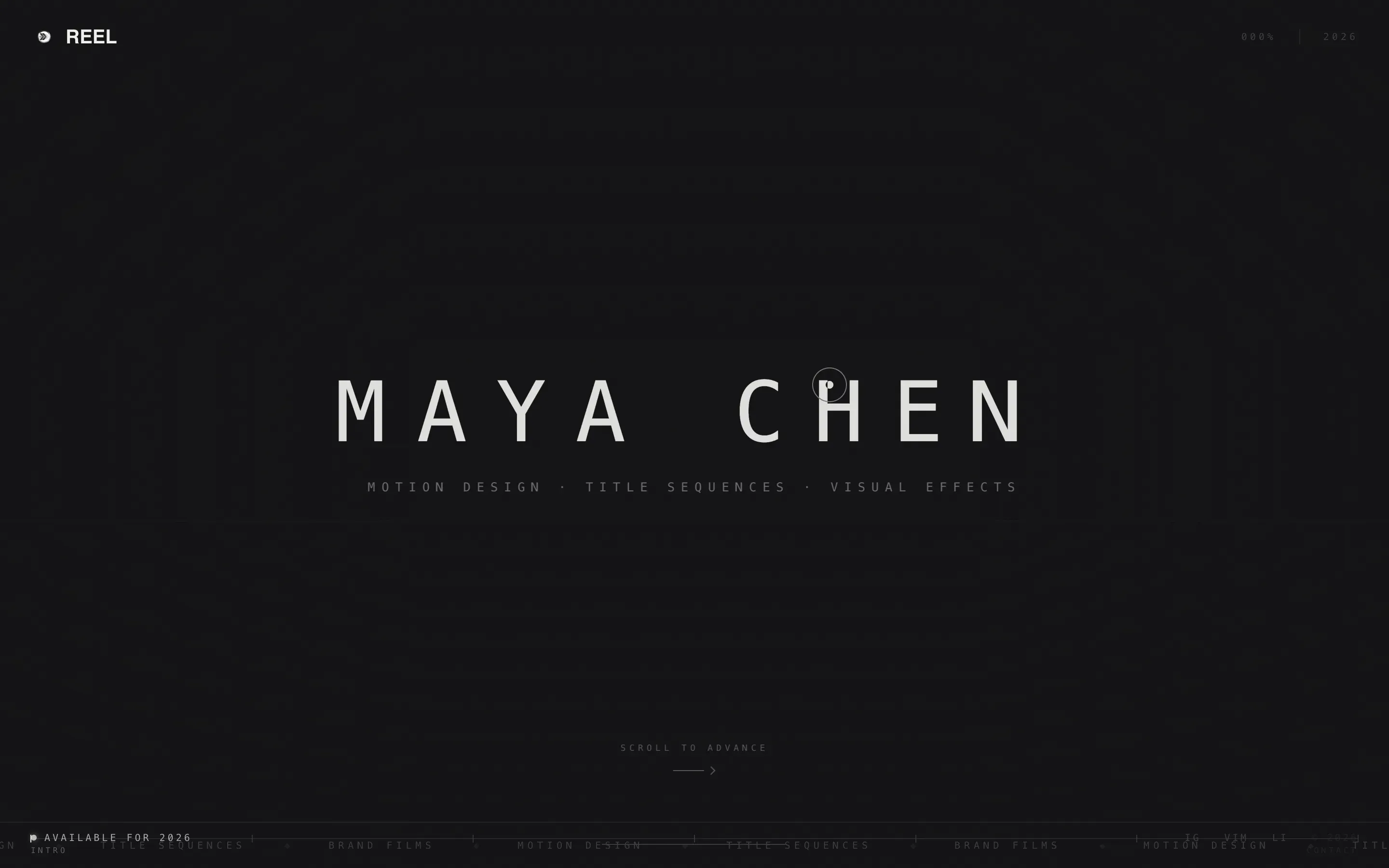
The header runs a seamless supercut at 60 frames per second, edge to edge, with no play button and no controls. Seven projects are stitched with match-cut transitions so fluid the reel reads as one continuous piece. A single line of monospaced knockout type pulses slowly at center screen.
Horizontal Scroll Cinematic Layout
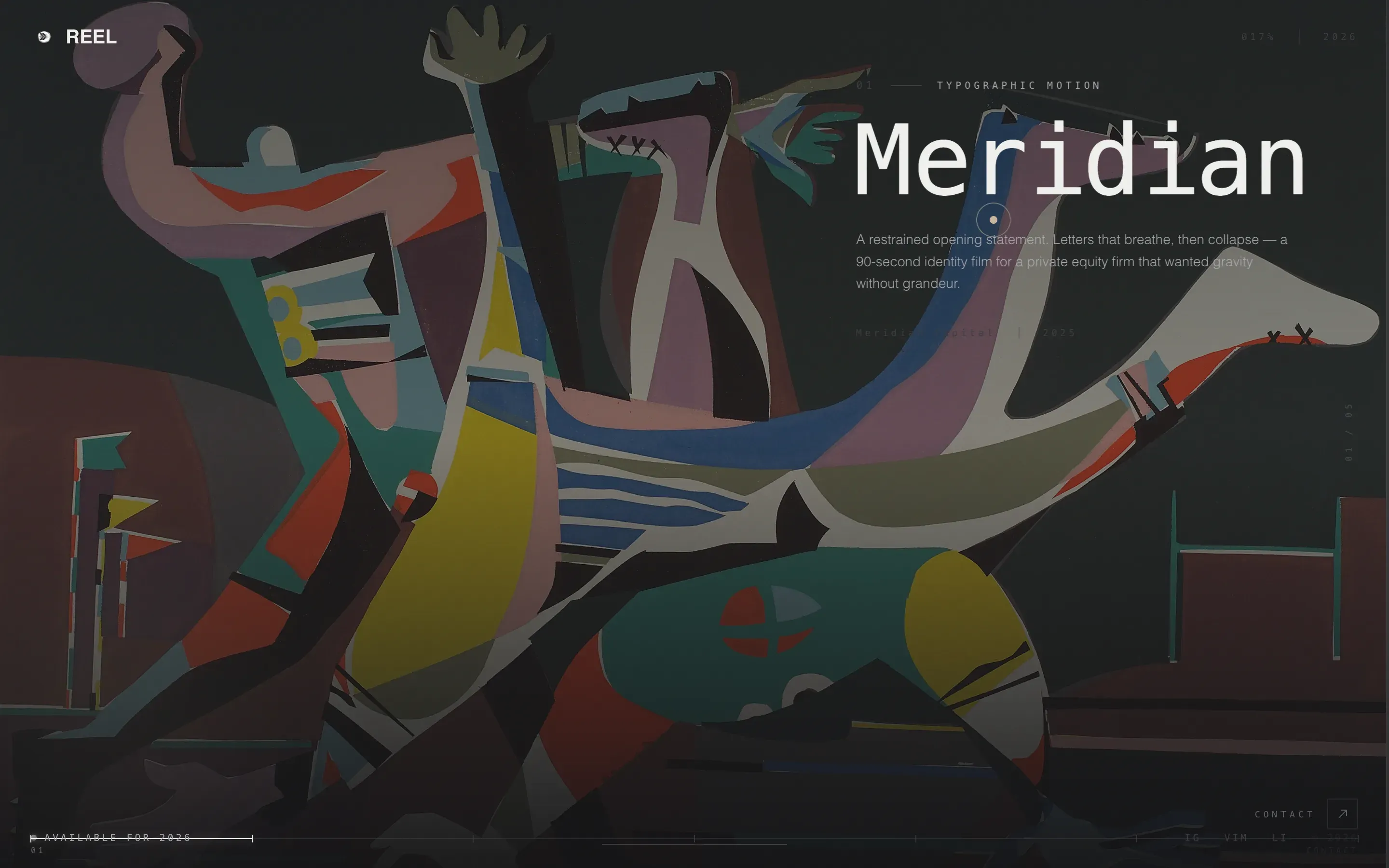
Swiping right advances through project panels the way a film advances through acts. Each panel fills the full viewport width and auto-plays its hero animation on enter, while the previous panel pauses behind it. The sequence builds from restrained typography to full 3D immersion.
Progress Bar Timeline Scrubber
A thin bar runs along the bottom of the page, filling from nickel to arc-weld white as the visitor advances through panels. It reinforces the feeling of watching a film rather than browsing a page. The visual metaphor ties the scroll position to a film timeline.
Dual Call-to-Action Placement
The call to action appears twice without ever feeling repeated. A ghost-outlined "Let's Make Something Move" button solidifies on hover at the end of the reel. A minimal arrow icon stays anchored in the bottom-right corner throughout the entire scroll journey.
Monochrome Steel Color System
The palette uses forge black, brushed graphite, polished nickel, and a single accent of arc-weld white. Project thumbnails are the only source of color on the page. This restraint makes every piece of work visually dominant the moment it enters the viewport.
Kinetic Typography and Transition System
Looping kinetic typography and liquid transitions are baked into the template's visual language. Each panel transition reinforces the cinematic sequence direction. The type treatment uses a monospaced face with wide tracking and a slow opacity pulse.
Page sections overview
| Section | Purpose |
|---|---|
| Full-Screen Header | Runs the video supercut and introduces the designer's name |
| Typographic Project Panel | Opens the horizontal sequence with a restrained motion piece |
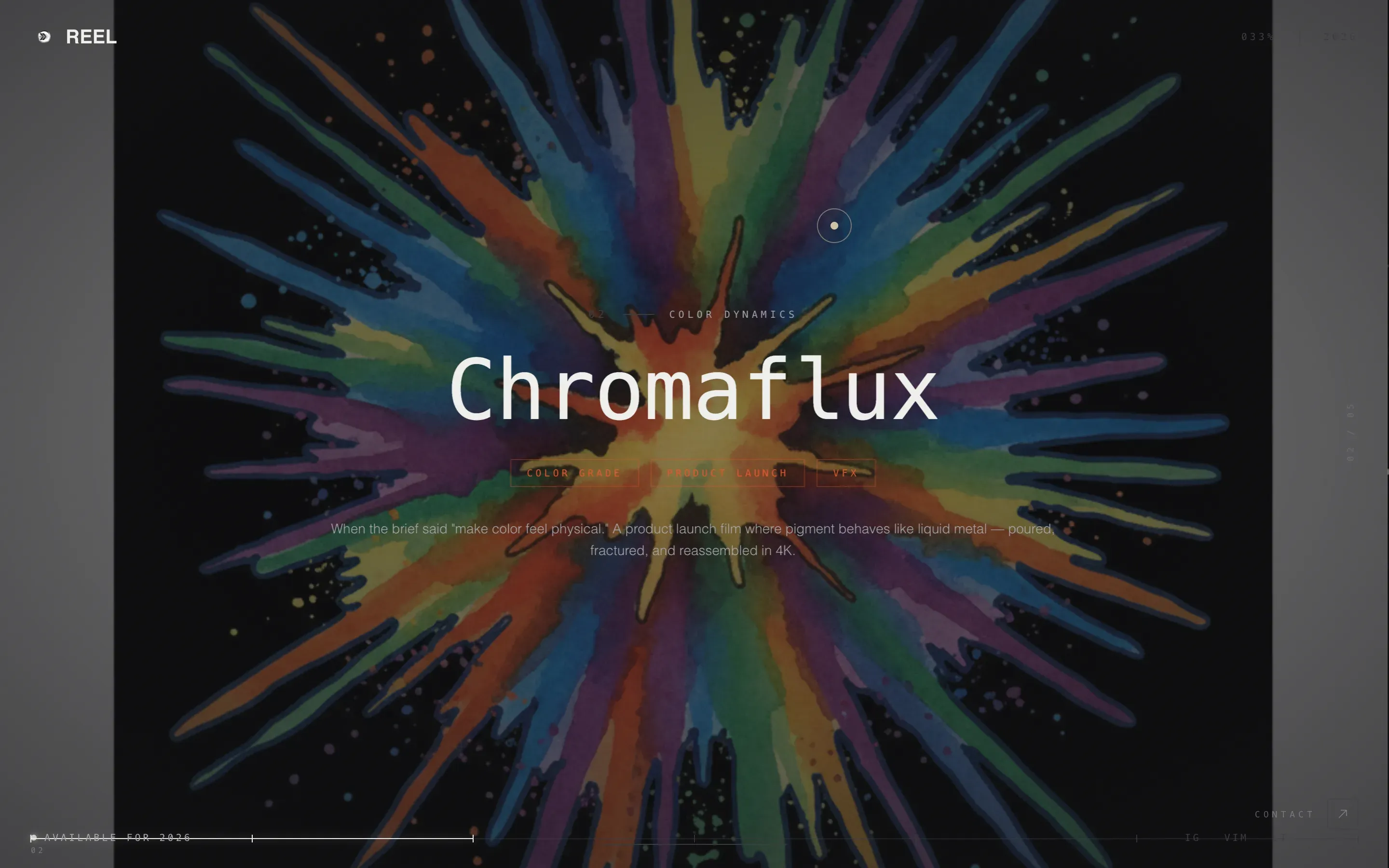
| Color Explosion Panel | Introduces bold color into the reel's second act |
| 3D Project Panel | Advances the sequence into full three-dimensional work |
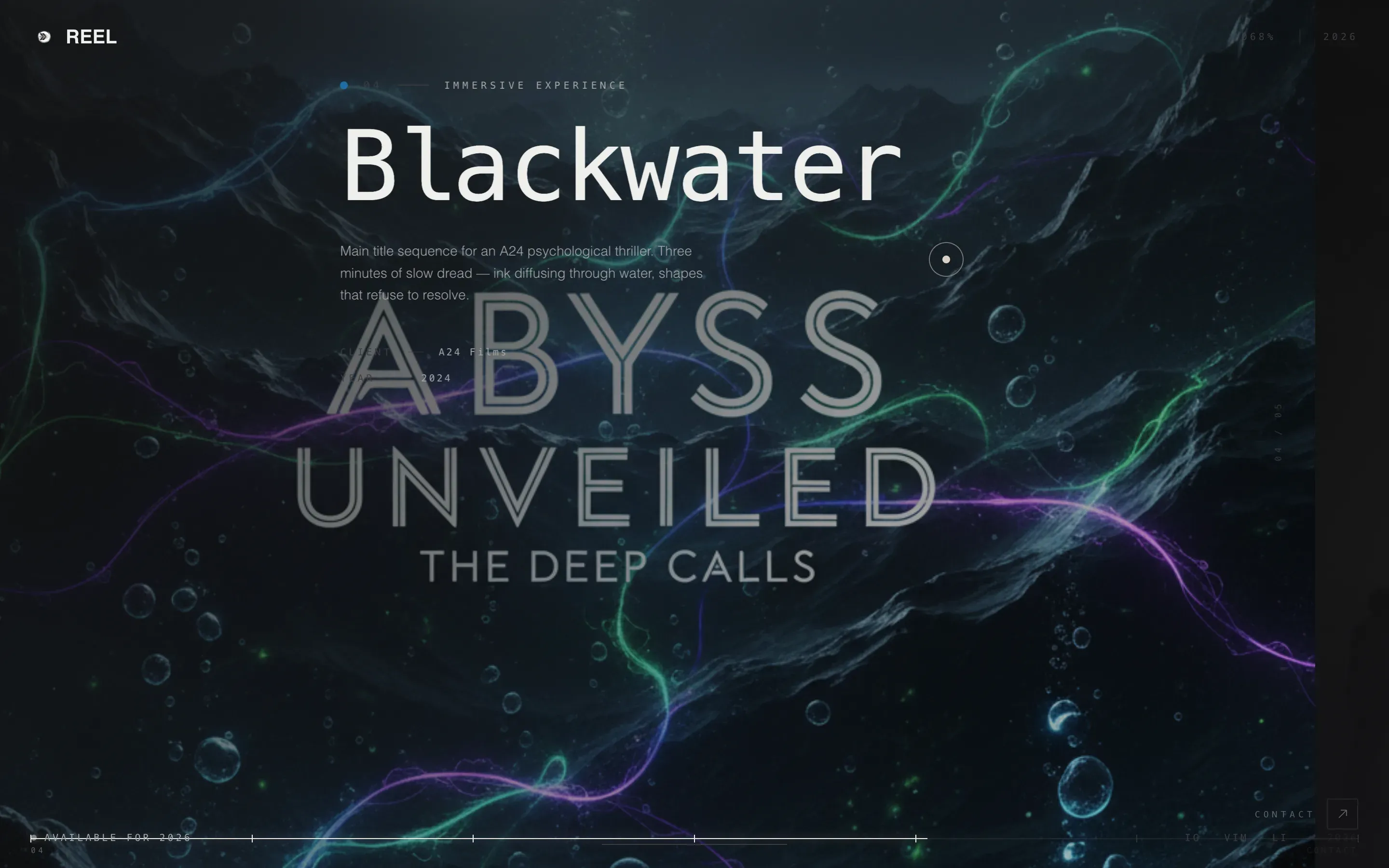
| Immersive Final Panel | Closes the reel at peak visual intensity before the call to action |
| Reel-End call to action | Presents the ghost-outlined "Let's Make Something Move" button |
| Progress Bar Timeline | Tracks scroll position as a film-style scrubber at the bottom |
Design & branding system
The Atelier Studio theme drives every visual decision in this template. The palette reads like machined aluminum catching light in a dim workshop: cold, precise, and intentional.
- Forge black (#111113) and brushed graphite (#3A3A3F) lock all backgrounds into a consistent dark field
- Polished nickel (#A8A9AD) carries body text and inactive states; arc-weld white (#F0F0EC) activates on hover and marks the call to action
- Project thumbnails are the only color elements on the page, ensuring the work always commands full visual attention
Mobile & speed optimization
The template is designed with the horizontal scroll experience as the primary interaction model. Swipe gestures on touch screens map naturally to the panel-by-panel advance built into the layout.
- Touch-based horizontal swipe supports the cinematic sequence on mobile and tablet screens
- Each project panel is sized to fill the viewport, keeping the immersive feel intact across screen sizes
- The minimal interface elements, including the progress bar and persistent arrow icon, remain unobtrusive on smaller displays
How this template helps you convert
The template removes every friction point between a visitor seeing the work and reaching out. There is no form on the page. The portfolio is the persuasion.
- The full-screen video header captures attention in the first seconds, before a visitor decides whether to stay or leave
- The cinematic panel sequence builds emotional investment panel by panel, so the visitor arrives at the call to action already convinced
- The dual call-to-action placement means the contact link is always one tap or click away, whether the visitor is mid-scroll or at the final panel
Other information about this template
This template is well suited for motion designers who present work on large displays in agency presentations or festival screenings. The gallery-wall aesthetic and full-viewport panels make it equally strong when shared as a link in a pitch deck or cold outreach email.
- The template style is horizontal scroll, which is a deliberate departure from standard vertical portfolio pages
- The Atelier Studio theme and Cinematic Sequence creative direction are matched intersection context fields, meaning the visual and structural choices reinforce each other throughout
- The landing page is structured to direct all traffic toward a single destination: the designer's contact and availability page
Theme
Atelier Studio
Creative direction
Cinematic Sequence
Color system
Monochrome Steel
Style
Horizontal Scroll
Direction
Click-Through
Page Sections
Full-screen Video Header with Supercut
Horizontal Scroll Panel Sequence
Progress Bar Timeline Scrubber
Dual Call-to-action Design
Monochrome Steel Palette
Kinetic Typography and Liquid Transitions
Related questions
Who is this landing page template designed for?
Does this template include a contact form?
Can I replace the video header with my own supercut?
How does the horizontal scroll work on a touchscreen?
How many project panels does the template include?