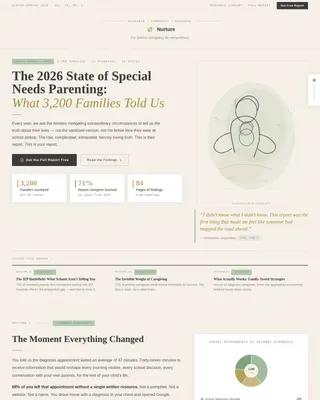
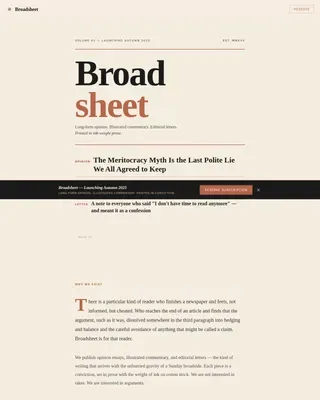
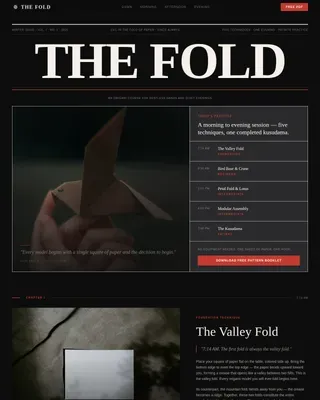
Hobby & Passion Content Portfolio & Case Study Website Template
Reef is a cinematic dark editorial landing page template built for reef tank keeping blogs and communities. It pairs a giant serif headline with a staggered masonry gallery to showcase real reefers' builds, from beginner softies to advanced acropora gardens. A ghost button and full-width banner drive visitors toward a community signup, with no form required on the page itself.
by Rocket studio
Quick summary
Reef is a single-page editorial template designed for saltwater hobbyist blogs and reef-keeping communities. It combines a dramatic dark aesthetic with a masonry photo gallery, museum-style captions, and two precisely placed calls to action. The goal is simple: show stunning tank photography, build aspiration row by row, then earn the click to a community signup.
Who this template is for
This template is built for people who take reef-keeping seriously and want a visual home that matches that seriousness. Whether you are launching a coral journal or growing an online hobbyist community, this layout gives your content the editorial weight it deserves.
- Active saltwater hobbyists running 40-gallon to 200-gallon tanks who want to share builds and find community
- Newcomers who just set up their first tank and need a space that speaks their language from day one
- Community builders and reef content creators who want a click-through landing page that converts visitors to members
What problem this template solves
Most hobby blogs look like hobby blogs. They use generic layouts that flatten the visual drama of a living reef into something forgettable. Reef tank photography deserves better framing, and this template provides it.
- Reef hobbyists struggle to present tank photography with the editorial authority it earns through months of patient work
- Community landing pages often ask for the click before they have earned it, leading to low conversion
- Standard page templates cannot replicate the immersive, dark-room atmosphere that makes the reef-keeping experience feel cinematic
What you get with this template
You get a fully structured, single-page click-through layout designed specifically for the reef aquarium hobbyist niche. Every section is built to do one job and do it well.
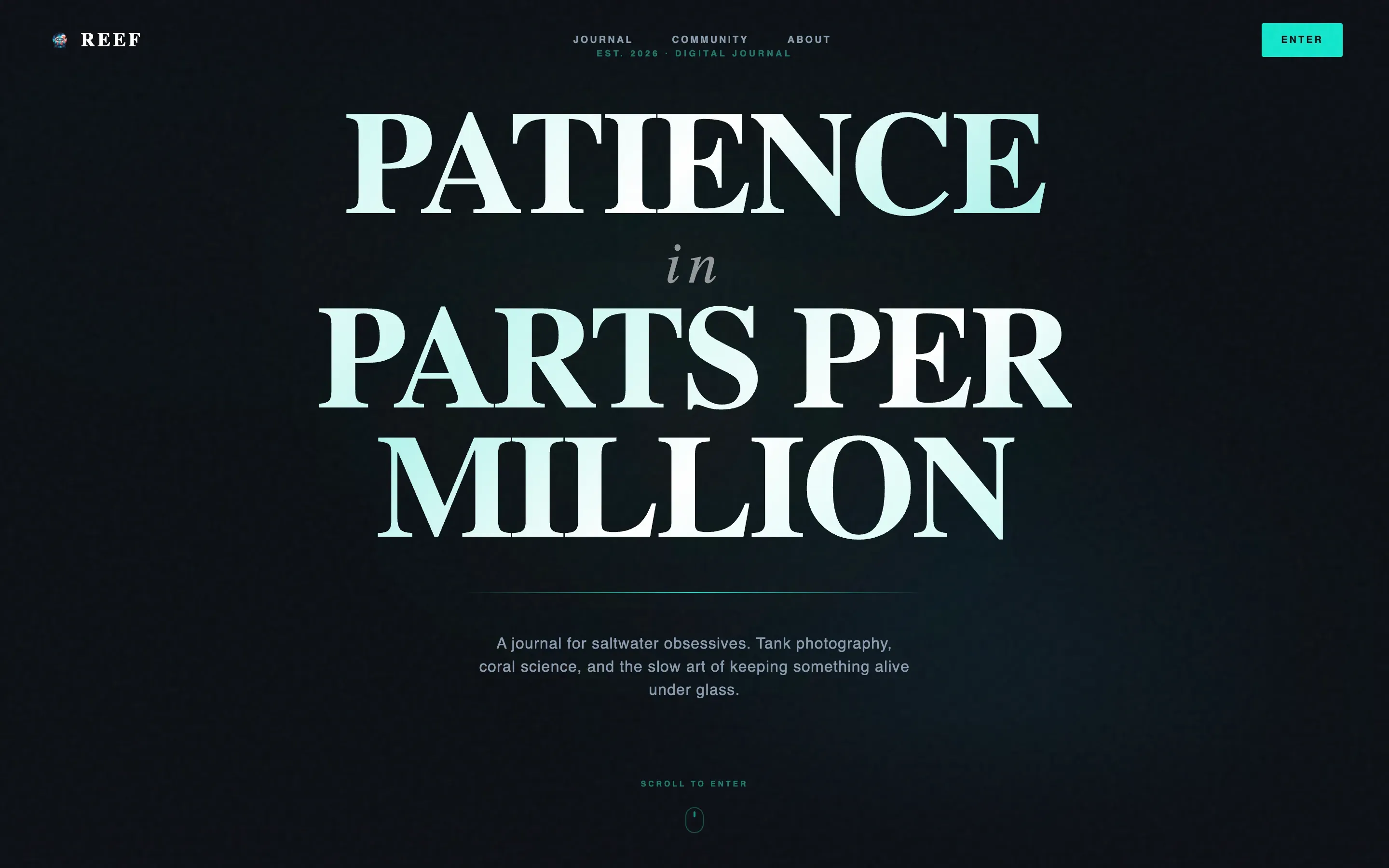
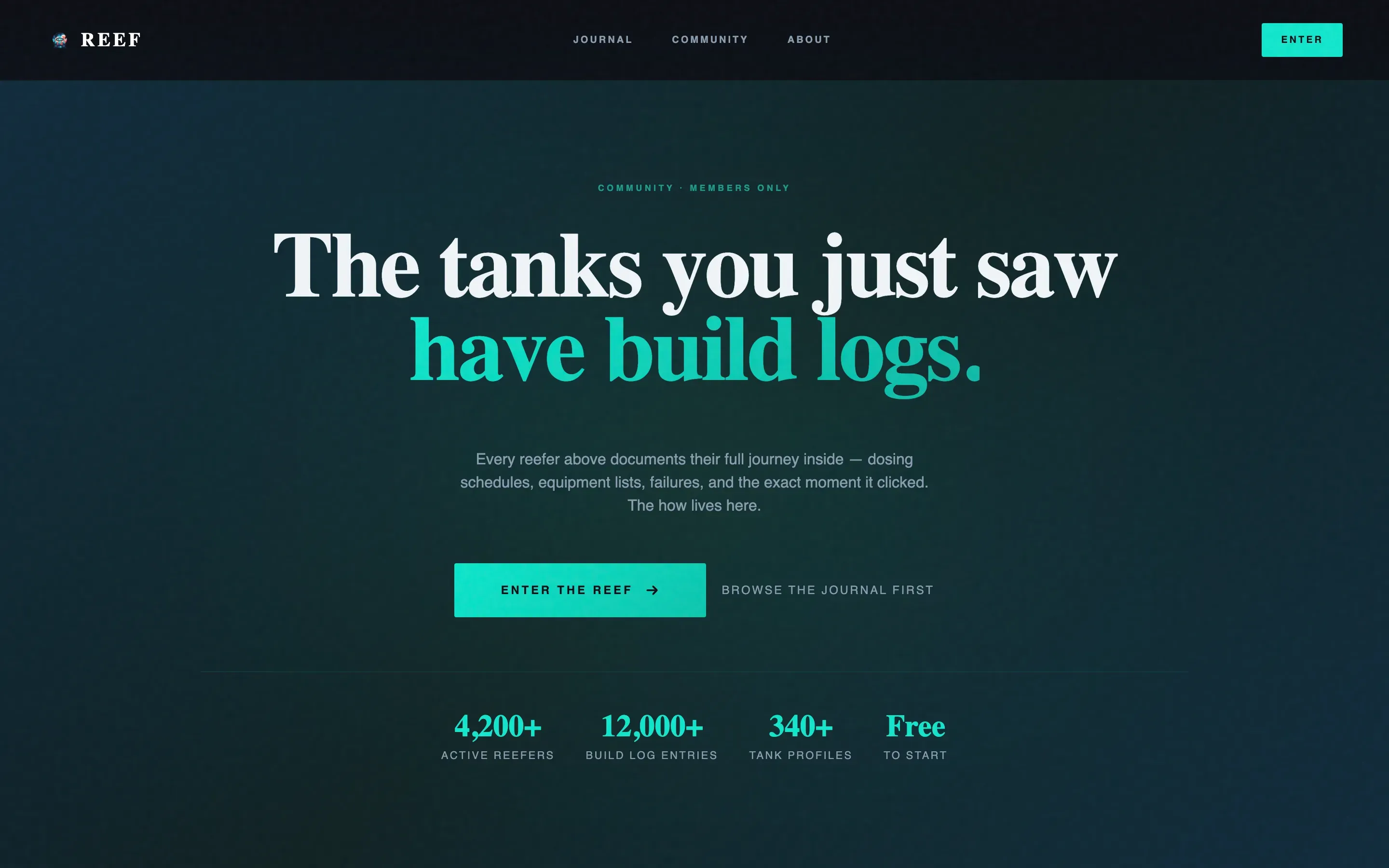
- A hero section with a giant centered serif headline, a CSS light-caustics shimmer animation, and a single cyan accent line
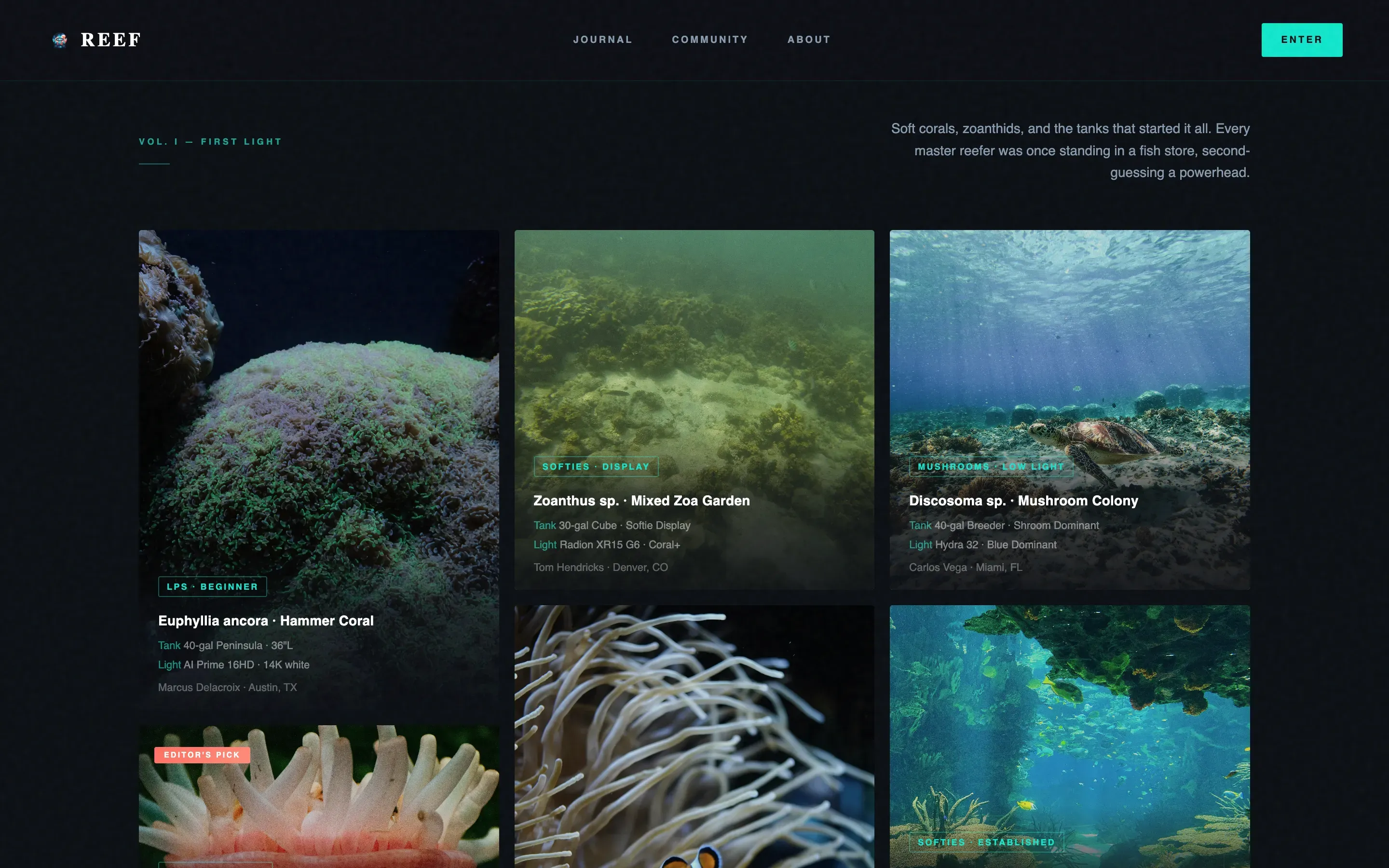
- A three-row staggered masonry gallery with editorial museum-placard captions, pull quotes, and two contextually placed calls to action
- A full-width conversion banner and a minimal horizontal footer to close the page cleanly
Feature list
This template is built from a focused set of components that work together toward one outcome: making a visitor feel compelled to join the community.
Giant Centered Headline Hero
The hero section uses an oversized Fraunces editorial serif headline set against pure abyssal black. A CSS animation mimics light caustics rippling across the letterforms. A single thin cyan line sits beneath the headline. Nothing else competes above the fold.
Staggered Masonry Gallery
Three gallery rows load in staggered clusters using Intersection Observer reveals. Each image card carries an editorial caption naming the coral species, tank dimensions, and lighting setup. Cards respond to hover states with coral-pink accent effects.
Pull Quote Breathing Rooms
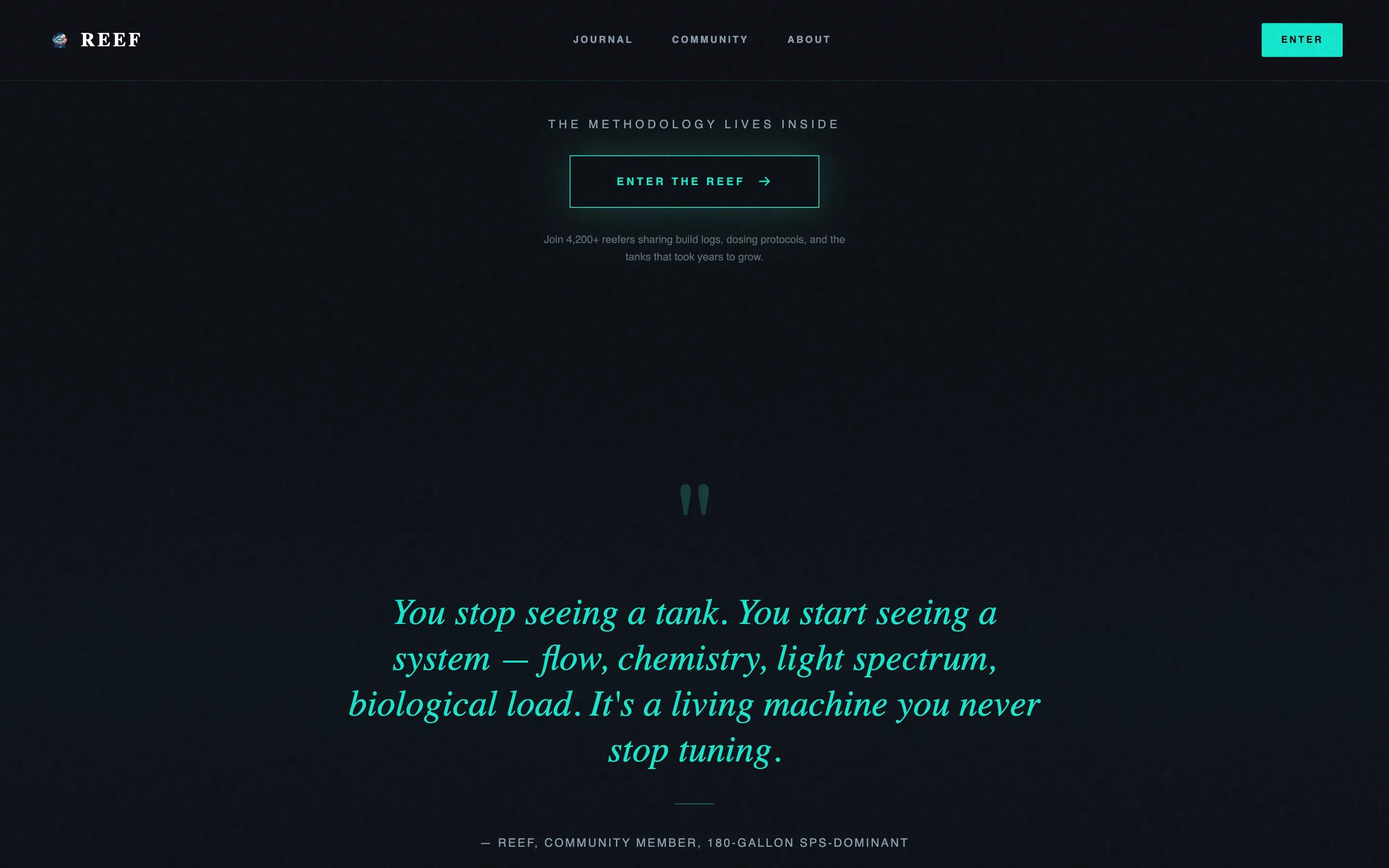
Between masonry rows, single pull quotes appear alone in bioluminescent cyan on black. These typographic breaks give the scroll rhythm contrast and prevent the gallery from feeling dense or exhausting.
Ghost Button and Full-Width Call to Action
The primary call to action, labeled "Enter the Reef," appears first as a ghost button in cyan after the third masonry row. It reappears as a full-width conversion banner after the final gallery section. Both drive to a signup flow with no form on this page.
Cinematic Dark Color System
The entire page uses a four-color palette: abyssal black (#0B0E13) as the base, deep reef blue (#0F2B3C) for layered depth, bioluminescent cyan (#00E5CC) for accents and calls to action, and living coral pink (#FF6F61) reserved for hover states and featured tags.
Editorial Typography Pairing
Headlines use Fraunces, a high-contrast editorial serif that carries the visual weight the content demands. Body text and captions use DM Sans, a clean and readable sans-serif that keeps museum-placard captions easy to scan without competing with the imagery.
Page sections overview
| Section | Purpose |
|---|---|
| Hero Headline | Sets cinematic tone above the fold |
| Masonry Row One | Beginner softie builds with editorial captions |
| Pull Quote One | Typographic breathing room between rows |
| Masonry Row Two | Intermediate small polyp stony builds |
| Ghost call to action Button | First conversion touch after row two |
| Masonry Row Three | Advanced acropora garden photography |
| Full-Width Banner | Final "Enter the Reef" conversion push |
| Minimal Footer | Horizontal pattern three footer |
Design & branding system
The visual identity follows a Cinematic Dark editorial magazine theme. Every color choice is intentional, referencing the biology of the reef itself rather than conventional web palettes. Colors feel emitted, not applied.
- Four-color palette: abyssal black base, deep reef blue for depth, bioluminescent cyan for active elements, and living coral pink for hover and tag states
- Typography pairing of Fraunces serif headlines with DM Sans body text creates strong editorial contrast across all screen sizes
- GPU-accelerated CSS animations and Intersection Observer scroll reveals keep motion purposeful and performance-conscious
Mobile & speed optimization
The template is built desktop-first, reflecting how most reef hobbyists browse: late at night, on a large screen, close to the tank. Mobile support is included so the experience holds across devices.
- Lazy image loading is built into the masonry gallery so the page does not wait for all photography to load before becoming interactive
- GPU-accelerated CSS transforms handle all animation effects, keeping motion smooth without taxing the device
- Staggered masonry load clusters images in groups rather than all at once, reducing perceived load time on slower connections
How this template helps you convert
This template earns its conversion by building desire progressively. The visitor is never asked to act before they are ready.
- The gallery rows are structured in ascending complexity, from beginner softies to impossible-looking acropora gardens, so aspiration grows with every scroll and the visitor arrives at the call to action already wanting more.
- The ghost button appears mid-page after the visitor has absorbed two full masonry rows, placing the first conversion prompt exactly when curiosity peaks rather than immediately on arrival.
- The full-width banner closes the page with a final, unavoidable "Enter the Reef" prompt, backed by everything the visitor just saw, making the click feel like a natural next step rather than a sales ask.
Other information about this template
This template is a strong fit for reef-keeping content creators who want their page to feel as deliberate and curated as the tanks they document. A few additional details worth noting:
- The template uses a masonry and Pinterest-style grid layout, which is well-suited for photography-heavy hobby content where image dimensions vary naturally
- The click-through structure means there is no form or data collection on this page itself; all signup handling happens in the destination flow
- The caustics shimmer animation is built with CSS only, keeping the effect lightweight and browser-friendly without requiring video or canvas elements
- Page copy placeholders for coral species, tank dimensions, and lighting details are formatted as museum-placard style captions so your real content slots in directly
- The footer uses a minimal horizontal pattern consistent with clean editorial publishing layouts
Theme
Editorial Magazine
Creative direction
Gallery Walk
Color system
Cinematic Dark
Style
Masonry/Pinterest
Direction
Click-Through
Page Sections
Giant Centered Headline Hero
Staggered Masonry Gallery
Pull Quote Breathing Rooms
Ghost Button and Full-width Call to Action
Cinematic Dark Color System
Editorial Typography Pairing
Related questions
Does this template include a signup form?
Can I edit the headline text and color palette?
Is this template suitable for a new reef blogger or only for large communities?
How does the masonry grid handle images of different sizes?
What kind of page is this template built as?