Rampart - Enchanting Castlevenue Landing Page Template
Rampart is a full-width immersive landing page template built for castle venues. It draws visitors into the atmosphere through sensory-led scroll sections, a cinematic full-bleed header, and a focused four-field booking form. The Cloud Canvas color system and tallow flame accent give every detail a warmth that matches the candlelit grandeur of a historic stone venue.
by Rocket studio
Quick summary
Rampart is a single-page landing page template designed for castle venues that host weddings, corporate retreats, and private events. It leads with atmosphere over amenity lists, guiding visitors through light, sound, and scale before presenting a clean booking form. The result is a page that feels like the venue itself.
Who this template is for
This template is built for venue owners and event professionals who need a page that does more than describe a space. It works best when the setting speaks for itself and the goal is to move an interested visitor toward a confirmed reservation.
- Wedding venue managers ready to attract brides scouting a fairy-tale ceremony location
- Corporate event planners offering an atmospheric retreat away from ordinary conference rooms
- Filmmakers and production teams seeking a visually authentic historic backdrop
What problem this template solves
Most venue pages rely on amenity checklists and rate tables. That approach works for generic spaces, but it undersells a castle. Rampart addresses this directly by replacing dry information with sensory immersion.
- Visitors leave before committing because flat pages fail to convey atmosphere
- A long, cluttered enquiry form raises the barrier to contact unnecessarily
- Generic layouts make distinctive historic venues look indistinguishable from hotel ballrooms
What you get with this template
You get a complete, ready-to-customize landing page built around mood, storytelling, and a clear conversion path. Every section is designed to carry the visitor deeper into the experience before presenting the call to action.
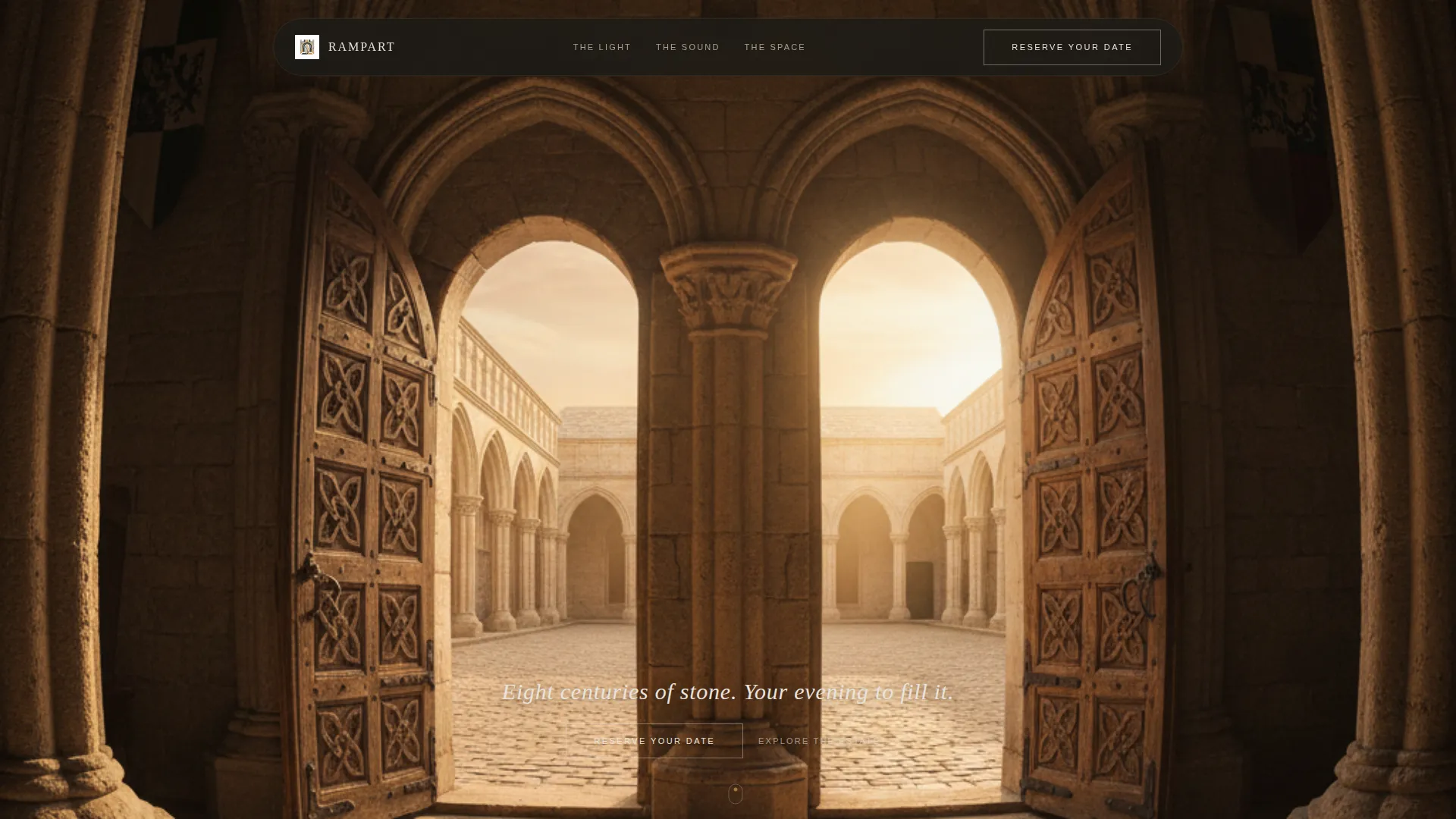
- A full-bleed cinematic header with a single serif headline that appears low and centered
- Atmosphere-led scroll sections covering light, sound, and spatial scale
- A four-field booking form and a secondary soft call-to-action link for undecided visitors
Feature list
This template is built around a precise set of components that serve both atmosphere and conversion. Each feature below comes directly from the template brief.
Full-Bleed Cinematic Header
The header opens with a full-viewport photograph shot from inside the great hall looking toward open oak doors and a golden-hour courtyard beyond. No overlay gradient sits on the image. After a brief pause, a single serif headline appears low and centered, letting the composition do the storytelling before any text appears.
Sensory Scroll Sections
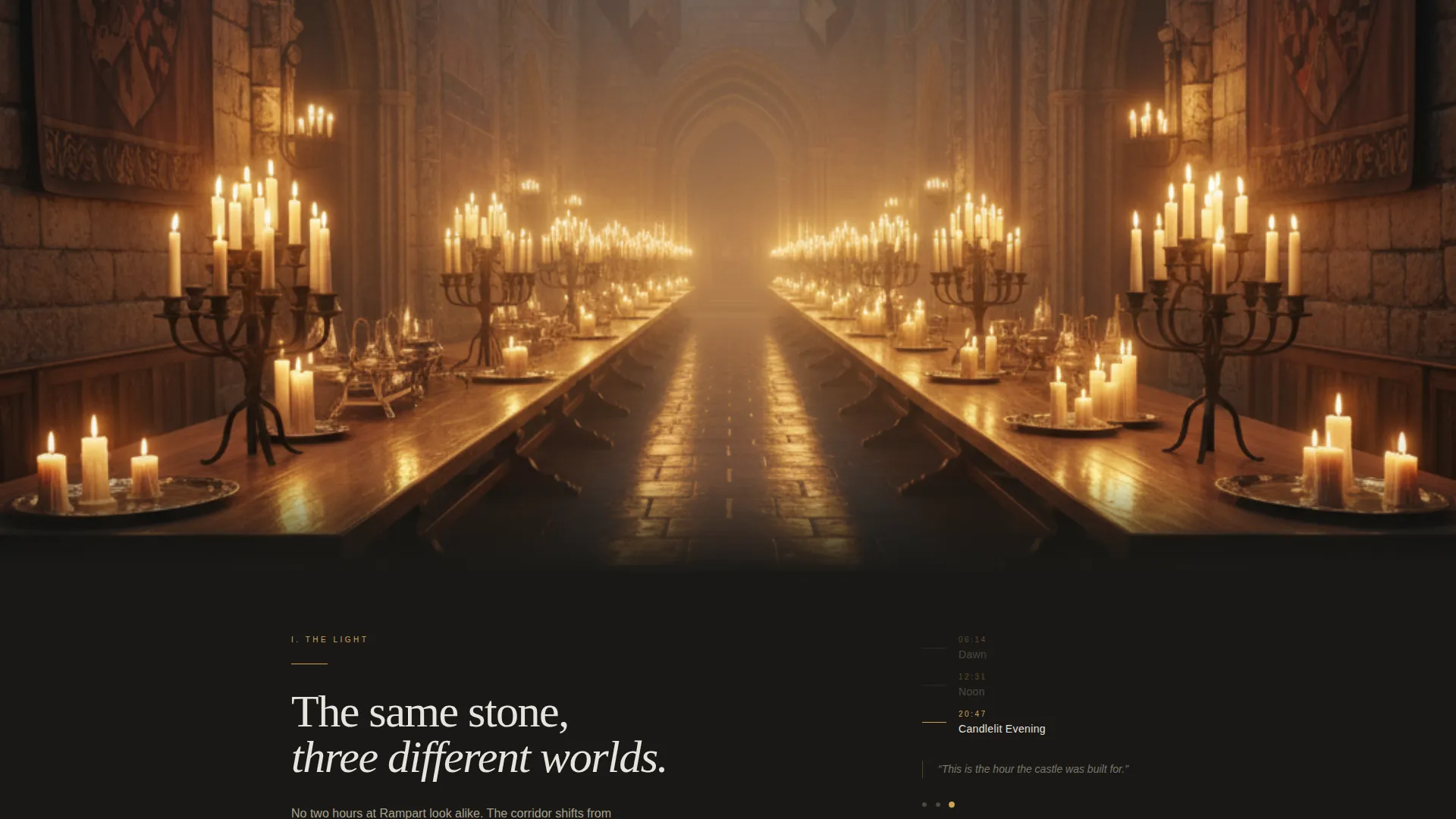
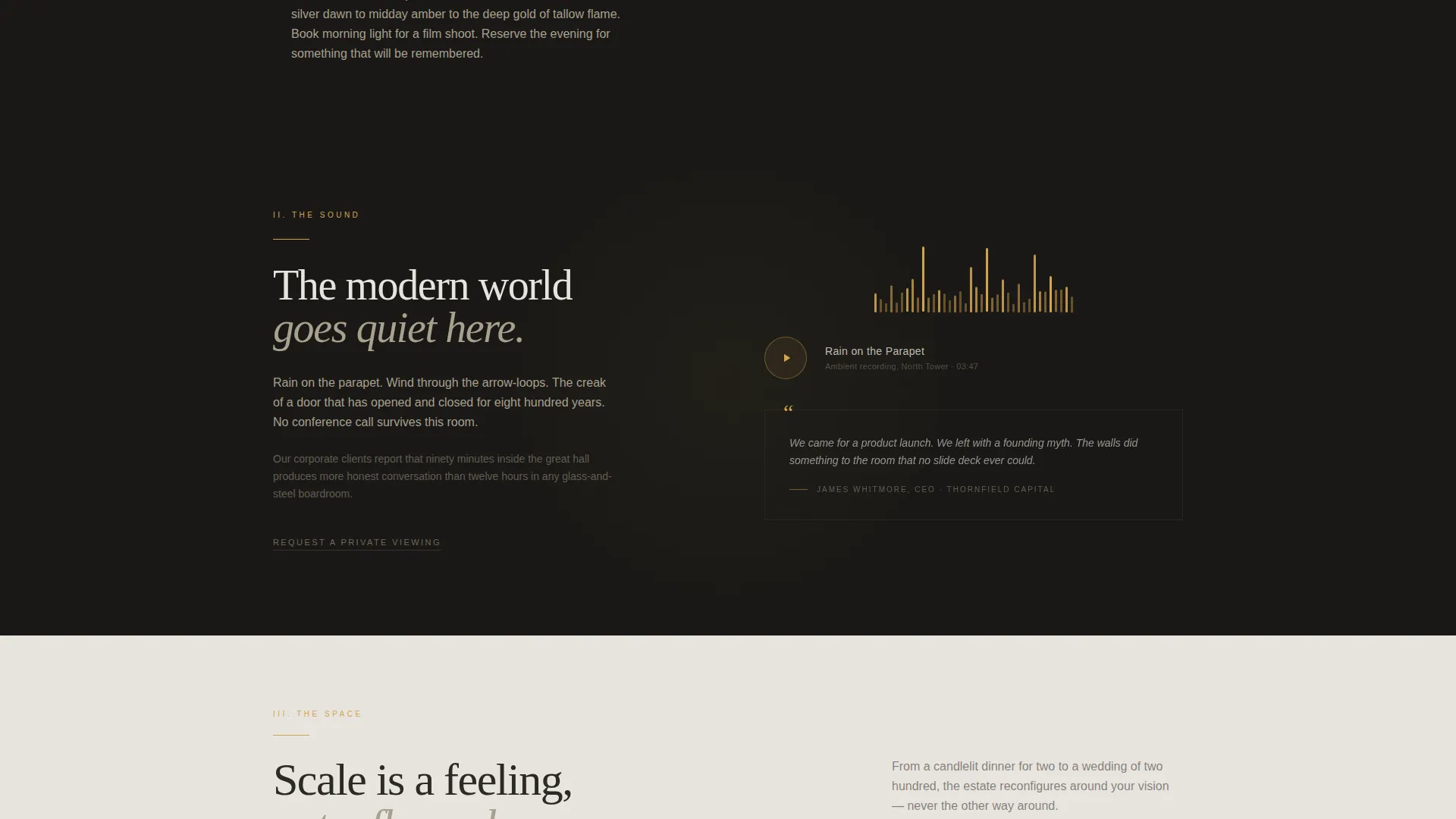
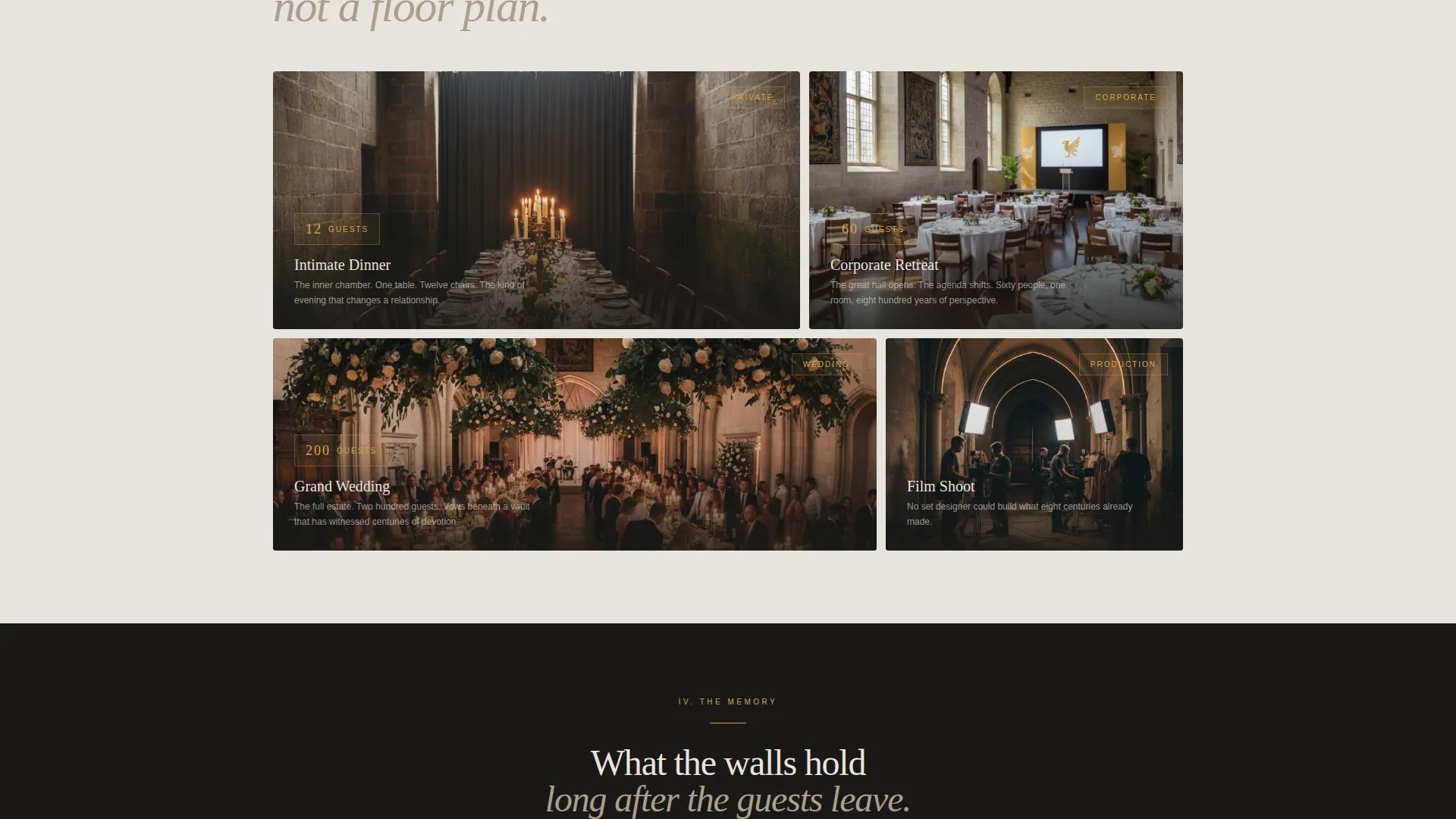
Three dedicated scroll sections move visitors through different experiential layers of the castle. The first shows a slow crossfade gallery of the same corridor at dawn, noon, and candlelit evening. The second pairs a waveform-style visual with a short ambient audio clip of rain on the parapet. The third presents panoramic stills of the banquet hall set for twelve, sixty, and two hundred guests.
Dual Call-to-Action Structure
The primary call to action, "Reserve Your Date," first appears as a soft ghost button after the header. It returns at the close of the page as a solid tallow flame button anchored directly to the booking form, reinforcing the conversion path at the natural decision point.
Focused Four-Field Booking Form
The booking form at the page close asks only for event type, preferred date range via a calendar picker, estimated guest count, and an email address. Four fields keep friction low and signal respect for the visitor's time.
Secondary Viewing Request Link
Below the booking form sits a plain text link reading "Request a Private Viewing." This lower-commitment option keeps hesitant visitors engaged without distracting from the primary booking path.
Aerial Twilight Closing Shot
The page ends on an aerial image of the full castle lit from within at twilight. This final visual delivers scale and grandeur, reinforcing confidence in the venue before the visitor submits their details.
Page sections overview
| Section | Purpose |
|---|---|
| Full-Bleed Header | Opens with the great hall photograph and delayed serif headline |
| Ghost Button call to action | Soft first call to action after the header image |
| Light Gallery | Crossfade corridor shots showing dawn, noon, and candlelight |
| Sound & Atmosphere | Waveform visual paired with ambient parapet rain audio |
| Space Scale Gallery | Panoramic banquet hall stills showing three guest capacities |
| Aerial Closing Shot | Full castle twilight image that ends the atmospheric narrative |
| Booking Form | Four-field reservation form with calendar picker |
| Private Viewing Link | Secondary text link for visitors not yet ready to commit |
Design & branding system
The Cloud Canvas color system builds every section around four tones drawn from the natural textures of a historic stone fortress. The palette feels quiet and intentional, never competing with photography.
- Morning mist gray (#E8E4DF) and deep keep shadow (#2C2A26) alternate as section backgrounds, creating a natural rhythm of light and dark as the visitor scrolls
- Tallow flame (#D4A34F) is reserved exclusively for buttons, hover states, and illuminated details, giving every interactive element a warm focal point
- Body text sits in warm charcoal against both background tones, maintaining legibility without fighting the featured photography
Mobile & speed optimization
The template is structured with a mobile-first mindset so that the immersive full-width experience translates cleanly to smaller screens. Atmospheric sections and the booking form adapt to narrower viewports without breaking the visual flow.
- Full-bleed header and scroll gallery sections reflow gracefully on portrait phone screens
- The four-field booking form stacks into a single column on mobile, keeping input straightforward
- Audio and visual components are designed to remain accessible and non-intrusive on touch devices
How this template helps you convert
Rampart builds desire before it asks for anything. The page earns the booking form by first immersing the visitor in the venue's atmosphere and scale.
- The sensory scroll sequence moves visitors from curiosity to emotional investment before the form appears, so they arrive at the call to action already engaged rather than evaluating from a distance.
- The dual call-to-action structure catches visitors at two different readiness levels: the ghost button after the header catches early interest, while the solid tallow flame button at the form close captures visitors who are ready to commit.
- The secondary "Request a Private Viewing" link retains visitors who need one more step before booking, lowering drop-off without weakening the primary conversion path.
Other information about this template
Rampart fits into the broader castle venue landing page category, where atmospheric design and efficient contact forms matter as much as photography selection.
- The template belongs to the Wedding and Events category with a Wedding Venue subcategory focus, making it a direct fit for castle venue marketing in competitive bridal and events markets
- The Organic Flow theme and full-width immersive template style are paired specifically to support venues where visual storytelling is the primary sales tool
- The Atmosphere and Mood creative direction distinguishes this template from standard venue directory listings and generic event-space pages
- This template is equally suited to corporate retreat bookings and film production location enquiries, not only weddings, broadening its practical use without requiring layout changes
Theme
Organic Flow
Creative direction
Atmosphere & Mood
Color system
Cloud Canvas
Style
Full-Width Immersive
Direction
Event Registration
Page Sections
Full-bleed Cinematic Header
Sensory Scroll Sections
Dual Call-to-action Structure
Focused Four-field Booking Form
Secondary Viewing Request Link
Aerial Twilight Closing Shot
Related questions
Can I use this template for a venue that is not a castle?
How many fields does the booking form include?
Can visitors request a viewing without filling out the booking form?
What event types does the booking form support?
Is this a single landing page or a multi-page website?



