Workforce Management SaaS Landing Page Template
Pulse is a workforce management landing page template built for B2B SaaS platforms targeting operations managers, HR directors, and startup COOs. It features a persona-driven hero with animated character cards, three real-world scenario sections, and a sticky demo banner. The single-column flow guides each visitor from their specific pain point straight to a personalized product tour signup.
by Rocket studio
Quick summary
Pulse is a single-column landing page template for workforce management platforms. It opens with a three-card Persona Selector, then walks each visitor through role-specific scenarios, warehouse no-shows, restaurant overtime, startup onboarding, before delivering a contextual call to action. The design feels like a live SaaS dashboard: bright, clean, and built to convert.
Who this template is for
This template is purpose-built for B2B SaaS teams selling workforce management software to frontline and operations-heavy businesses. It works best when your product addresses scheduling, attendance, or labor cost visibility across multiple locations or headcounts.
- Operations managers at large warehouses juggling last-minute shift gaps
- HR directors at multi-location restaurant chains losing budget to unplanned overtime
- Startup COOs scaling headcount rapidly who need structure without extra hiring
What problem this template solves
Workforce management platforms often lose prospects at the hero section because the messaging feels generic. A scheduling tool that talks to everyone ends up speaking to no one. This template solves that by making the page respond to the visitor's role before a single form field appears.
- Visitors leave before converting because the page doesn't reflect their specific situation
- Generic feature lists fail to connect product capabilities to real operational pain points
- One-size-fits-all calls to action underperform when buyers have different urgencies
What you get with this template
You get a fully structured, single-column landing page with interactive persona logic baked into every section. The layout moves from identity selection through scenario-driven storytelling to a repeated, contextual call to action at every stage of the scroll.
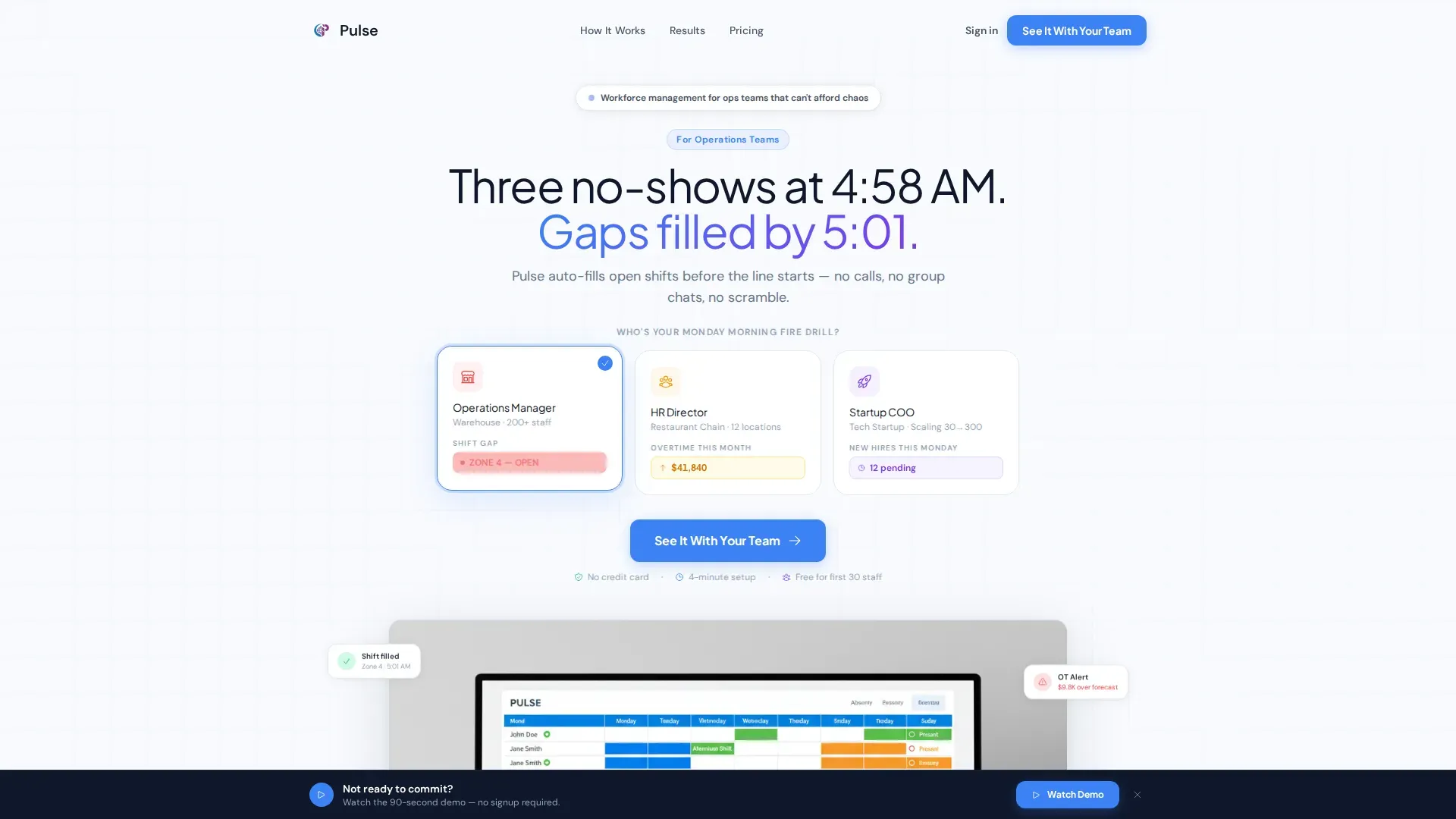
- A three-card Persona Selector hero with animated pain-point indicators per role
- Three scenario sections each showing the product as the resolution to a real team crisis
- A social proof bento block with role-matched testimonials, a metrics grid, and a logo wall
- A sticky bottom banner for secondary intent capture without interrupting the main flow
Feature list
A paragraph introducing the feature set grounds the reader before the detail blocks below. Each capability below maps directly to a defined section or component in the template brief.
Animated Persona Selector Header
Three illustrated character cards sit side by side in the hero. Each card shows a tiny animated pain point specific to that role. When a visitor clicks their card, the headline rewrites, the hero screenshot swaps, and the first testimonial rotates to a peer from the same role.
Scenario-Driven Narrative Sections
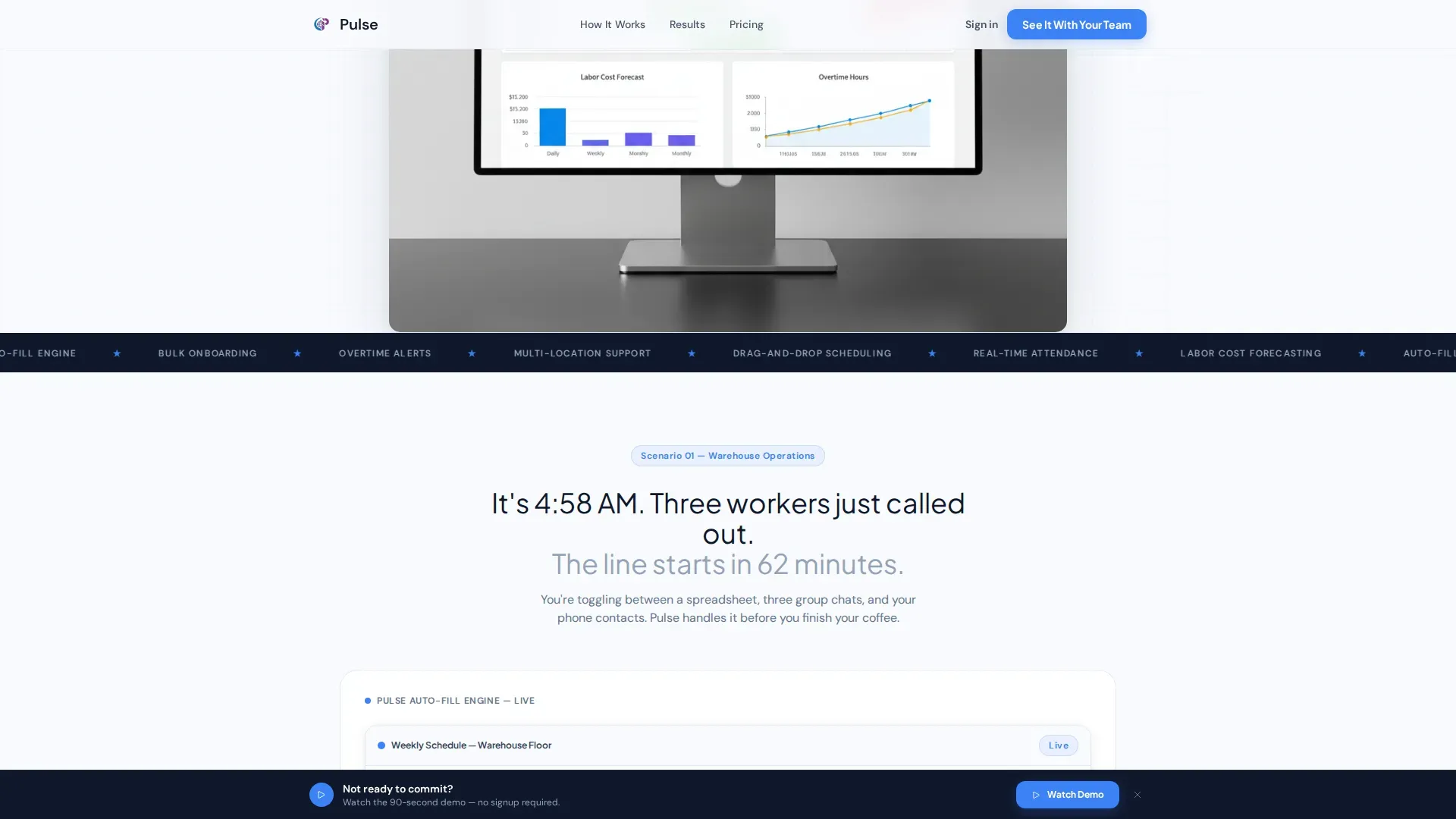
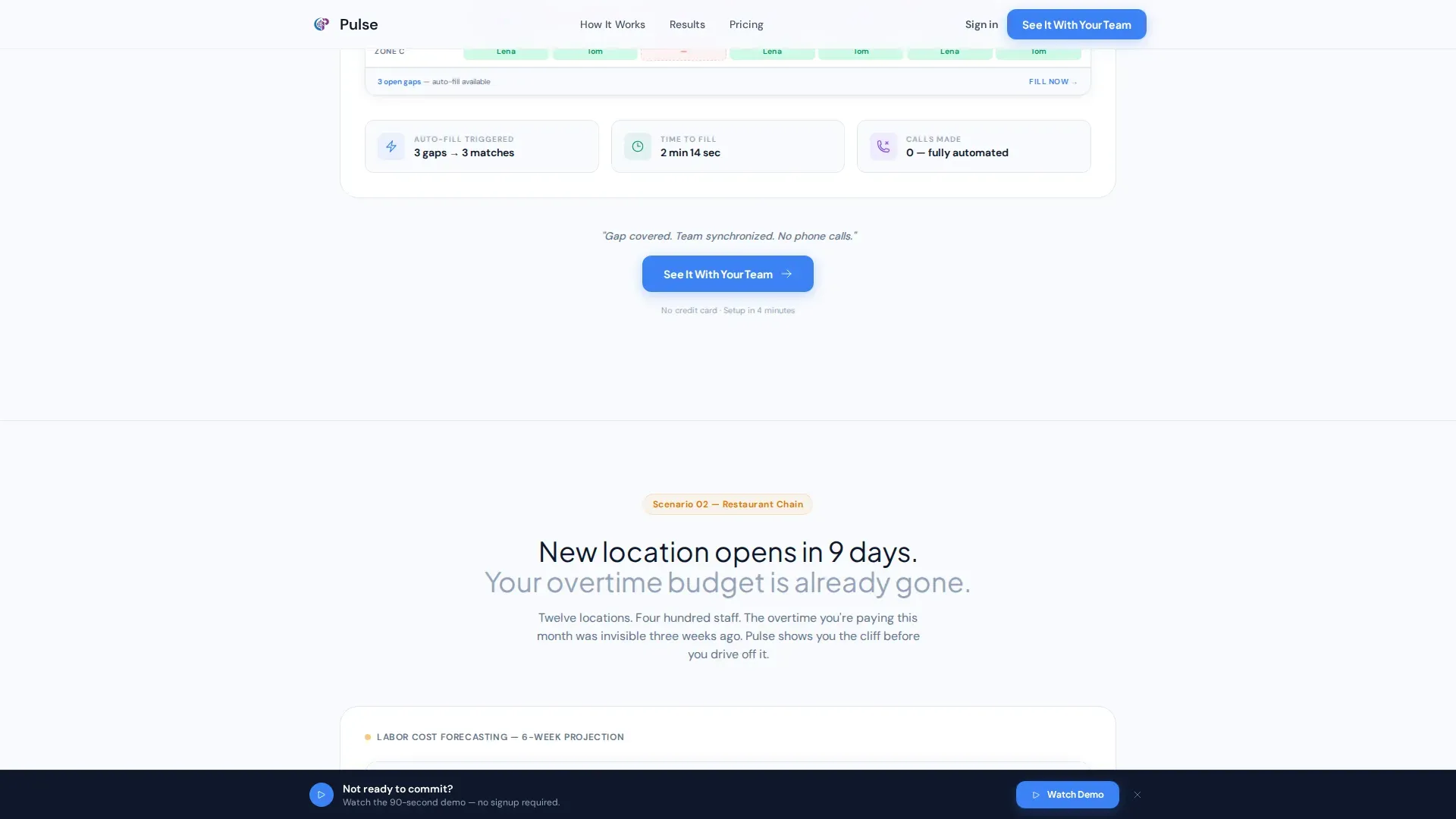
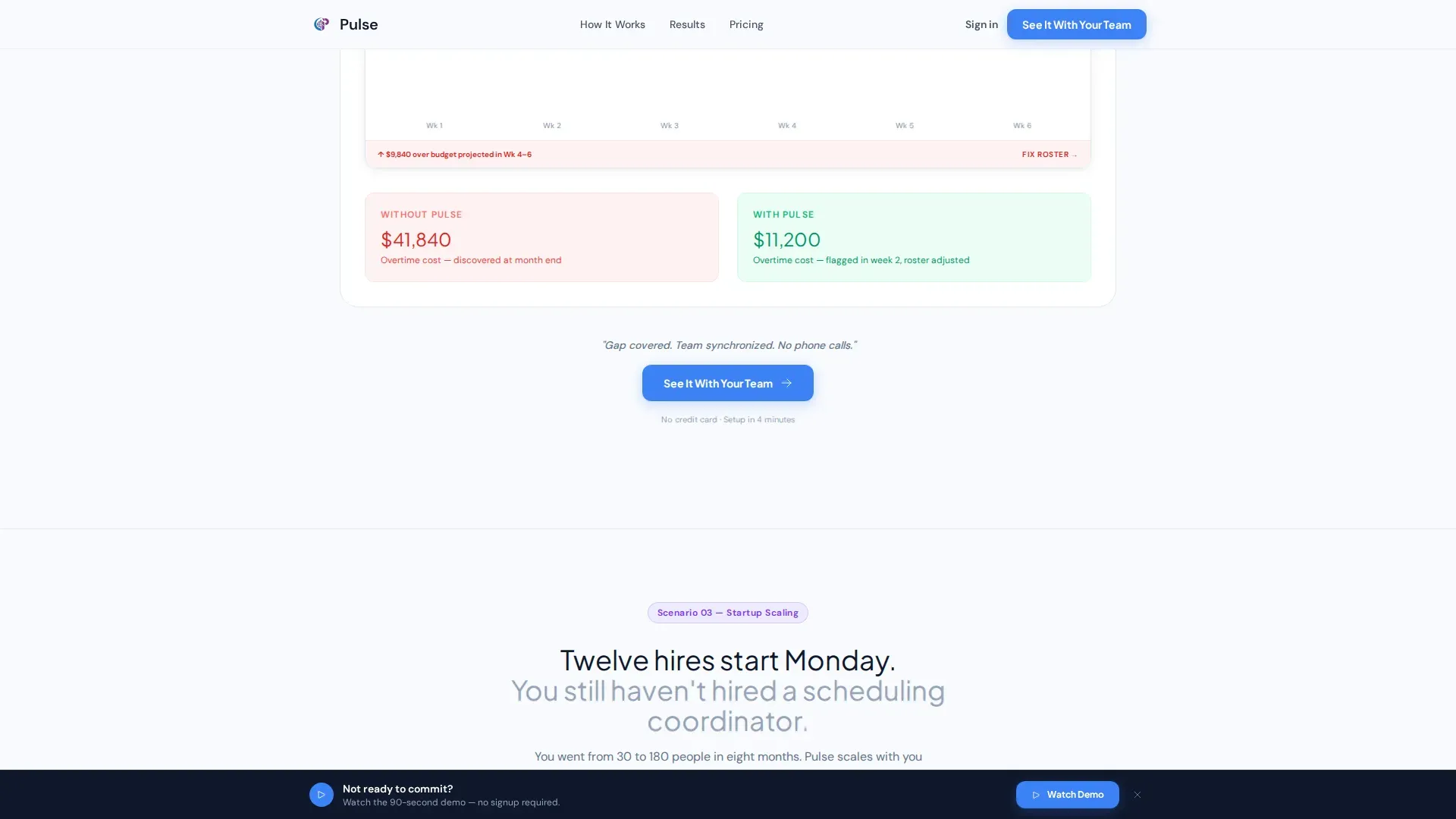
Three full scenario blocks follow the persona lock-in. Each one stages a real operational crisis, warehouse no-shows at 5 AM, a restaurant chain opening a new location, a startup onboarding twelve hires at once, and resolves it with the product feature most relevant to that situation.
Contextual Repeating Call to Action
The primary call to action, "See It With Your Team," appears after the persona selector and again after each scenario block. A short contextual line directly above each button references the problem just resolved, so the click always feels earned and timely.
Sticky Secondary Demo Banner
A persistent banner anchors to the bottom of the viewport throughout the scroll. It offers a "Watch the 90-Second Demo" option for visitors not yet ready to start a trial, capturing intent at low friction without interrupting the main narrative.
Social Proof Bento Block
A structured bento-style section near the bottom combines a metrics grid with concrete numbers, role-matched rotating testimonials, and a company logo wall. This builds credibility for all three personas in one compact, scannable space.
Persona-Parameter Call to Action Routing
When a visitor clicks the primary call to action, their selected persona passes as a parameter to the next page. This means the product tour or trial signup already knows who the visitor is before they arrive, making the handoff feel personal rather than cold.
Page sections overview
| Section | Purpose |
|---|---|
| Hero Persona Selector | Lets visitor self-identify and reframes headline, screenshot, and testimonial |
| Warehouse Scenario Block | Shows auto-fill engine resolving a 5 AM no-show crisis |
| Restaurant Chain Block | Demonstrates labor forecast flagging overtime risk before launch |
| Startup Onboarding Block | Illustrates bulk hire flow processing twelve new employees at once |
| Social Proof Bento | Delivers metrics, role-matched testimonials, and logo wall in one block |
| Sticky Demo Banner | Captures secondary intent with a low-commitment demo watch option |
| Linear Footer | Closes the page with a clean single-row footer pattern |
Design & branding system
The visual language follows a Startup Velocity theme using the Cloud Canvas color system. The palette reads like a freshly provisioned SaaS dashboard, bright and weightless, with every color carrying a clear job on the page.
- Open-sky white (#F8FAFE) dominates backgrounds so interface screenshots have room to breathe
- Signal blue (#3B82F6) drives all primary actions, metric callouts, and clickable elements
- Soft vapor gray (#E2E8F0) separates content blocks the way cloud layers divide altitude
- Launchpad violet (#7C3AED) appears sparingly on hover states and progress indicators as a reward for interaction
- Typography uses Plus Jakarta Sans for headings and DM Sans for body text
Mobile & speed optimization
The template is designed desktop-first to match the primary audience of operations managers working on large monitors. It still delivers a clean and usable experience on smaller screens as the scroll-driven layout translates naturally to mobile viewports.
- Screenshots widen progressively from mobile-size to full-dashboard as the visitor scrolls deeper, reinforcing a sense of growing confidence
- Server components handle static sections while client components manage persona selector state, keeping interactive elements isolated
How this template helps you convert
The page is structured to earn the click before asking for it. Every conversion moment is preceded by a narrative that makes the visitor feel seen in their specific role and fire drill.
- The Persona Selector reframes the entire page around the visitor's identity in the first few seconds, reducing the cognitive gap between "this product" and "my problem"
- Each scenario block builds urgency by staging a recognizable operational crisis and then resolving it with a specific product capability, so the call to action that follows feels like a natural next step rather than an interruption
Other information about this template
This template is built for teams in the HR software and workforce management space who need a landing page that does the persona segmentation work that would otherwise happen inside an onboarding flow. A few additional details worth noting before you build:
- The template style is Single Column Flow, keeping the visitor on a single uninterrupted narrative path from top to bottom
- The lp_direction is Click-Through, meaning every design decision prioritizes moving the visitor to the product tour or free-trial signup
- The header concept is a Persona Selector, which is the defining interaction of the entire page experience
- Localization defaults are set for the United States market, using USD currency and 12-hour time format
- Animation level is high, covering persona card transitions, headline morphing on selection, scroll-triggered section reveals, animated counters in the metrics grid, and a marquee element
- Interactivity is high, with persona selector state management, scenario reveals tied to scroll position, and the persistent sticky demo banner
- The footer follows Pattern 1, a linear single-row layout that keeps the close of the page as clean as the opening
Theme
Startup Velocity
Creative direction
Team & People
Color system
Cloud Canvas
Style
Single Column Flow
Direction
Click-Through
Page Sections
Animated Persona Selector Hero
Scenario-driven Story Sections
Contextual Repeating Call to Action
Sticky Secondary Demo Banner
Social Proof Bento Block
Persona-parameter Call to Action Routing
Related questions
Can I use this template for a different type of SaaS product?
How does the persona selector change the page content?
Is the sticky demo banner always visible while the visitor scrolls?
Does the template include actual product screenshots or illustrations?
What is included in the social proof bento block?



