Certified Consulting Firm Software Professional Website Template
Pulse is a dark-mode, card grid landing page template built for consulting firm survey and feedback platforms. It guides visitors through a tension-driven Problem-to-Solution Arc, showcases real-time sentiment dashboards visually, and converts through a low-friction freemium pilot flow. The layout is dense, focused, and designed for teams that move fast between client engagements.
by Rocket studio
Quick summary
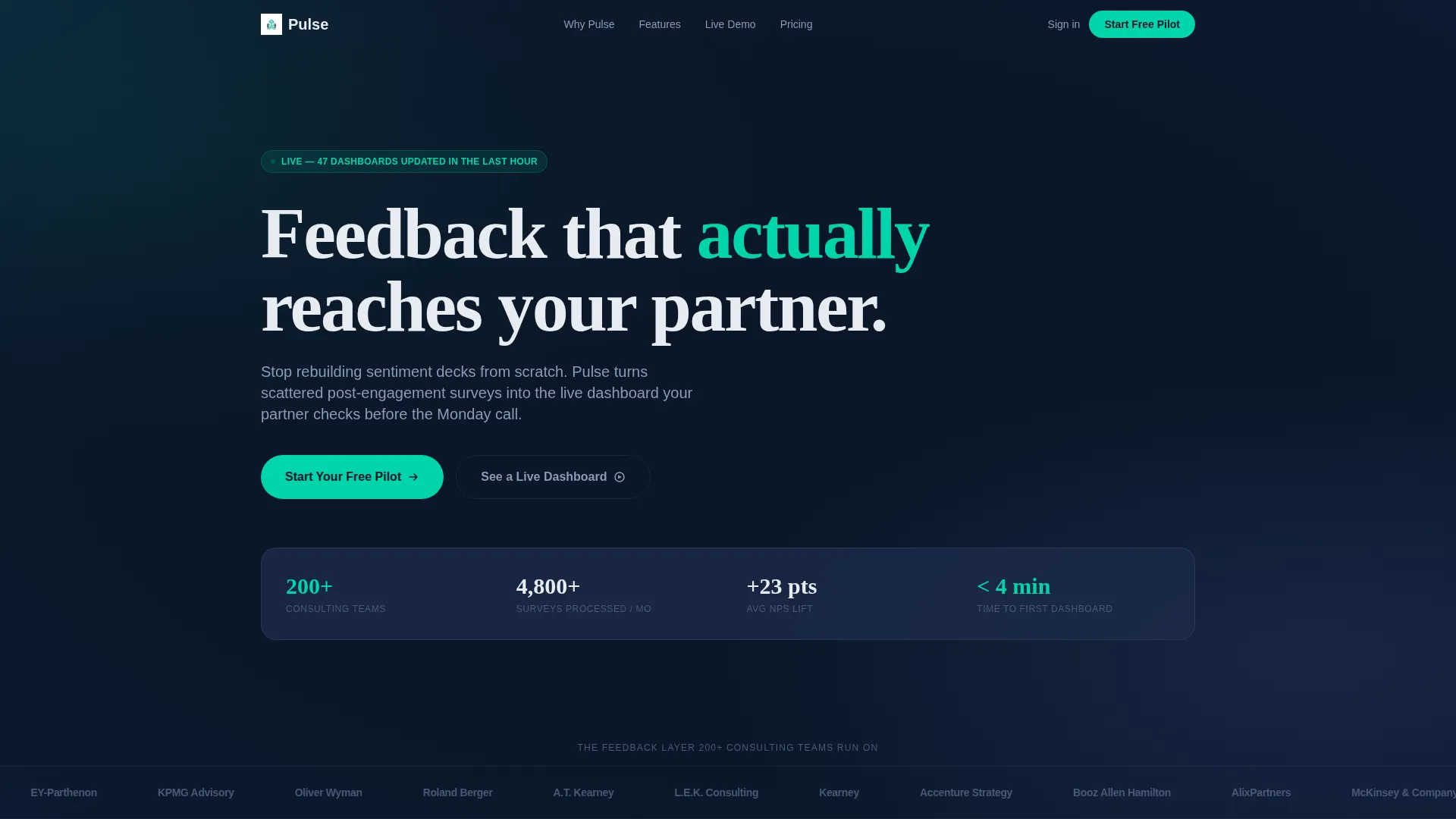
Pulse is a single-page, card grid landing page template built for a consulting firm survey and feedback platform. It opens with a logo bar of recognizable firm silhouettes, walks visitors through a structured problem-to-solution scroll, and closes the gap with a two-step freemium pilot sign-up. The visual identity is dark, data-forward, and professionally restrained.
Who this template is for
This template suits founders and product teams launching a consulting-focused feedback or survey platform. It speaks directly to the workflows of consulting professionals at every seniority level.
- Junior associates who build feedback decks late at night and need faster data
- Engagement managers tracking Net Promoter Score drift across multiple simultaneous workstreams
- Partners who need a single slide proving the team delivered measurable client sentiment
What problem this template solves
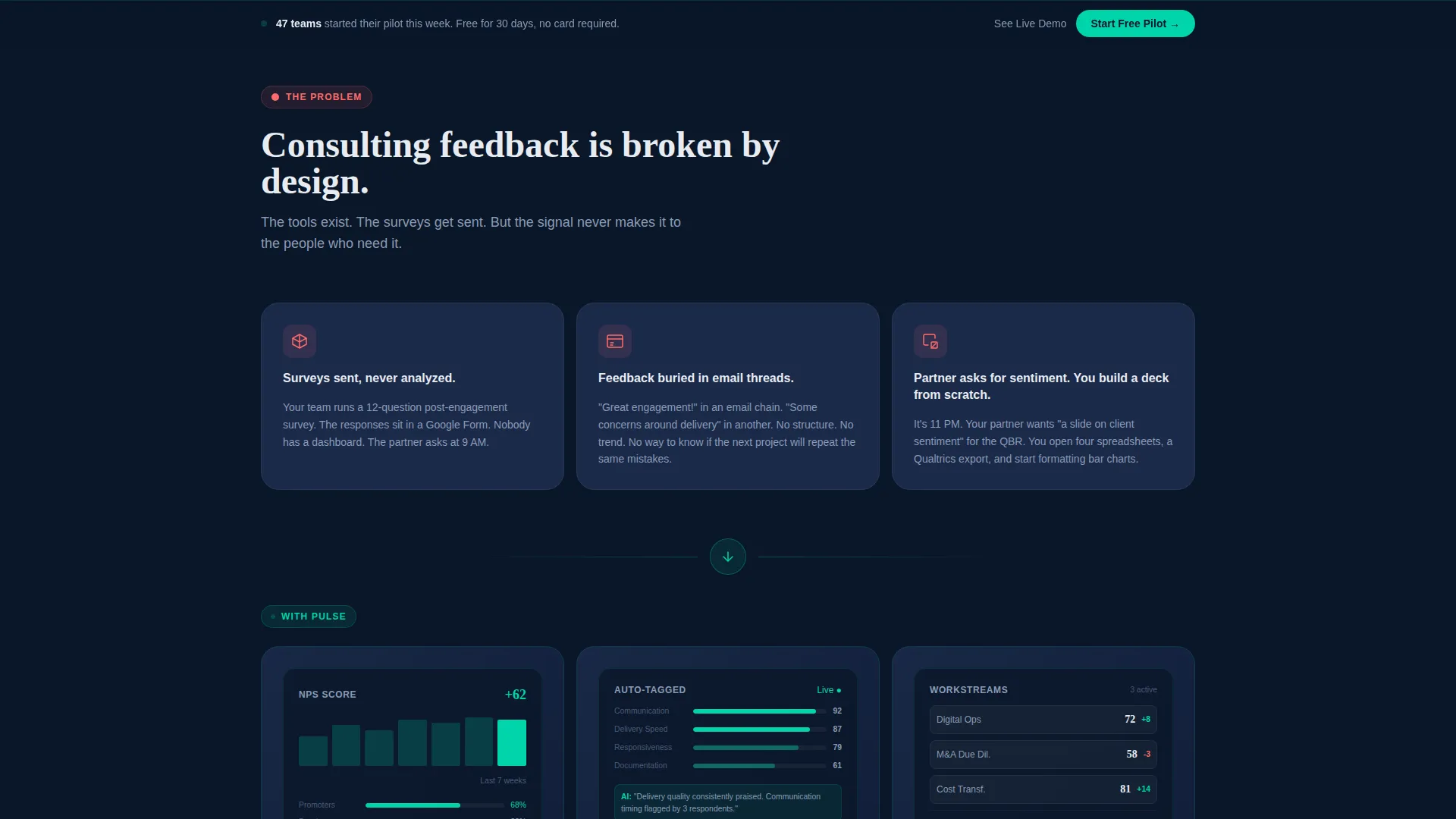
Consulting teams collect post-engagement surveys but rarely act on them. Feedback sits in inboxes, raw data never becomes a dashboard, and partners request sentiment reports that take hours to assemble from scratch. This template positions Pulse as the solution to that exact failure loop.
- Survey responses sent but never properly analyzed or surfaced
- Feedback buried in email threads, invisible to the people who need it most
- On-demand partner requests that force associates to build decks manually under deadline pressure
What you get with this template
The template delivers a fully structured, modular card grid landing page with a clear visual narrative. Every section is purpose-built to move a consulting professional from skeptic to pilot user.
- A logo bar header with scrolling firm logos and a single proof-point headline
- A three-row Problem-to-Solution Arc with problem cards, resolved-state dashboard cards, and a full feature card grid
- A freemium conversion system including a sticky bottom bar, a two-step sign-up form, and a secondary demo path with exit-intent email capture
Feature list
This template is built around components that reflect how consulting professionals actually evaluate a new tool. Each feature earns its place by serving a specific moment in the buyer journey.
Scrolling Logo Bar Header
A horizontal strip of consulting firm logo silhouettes scrolls at a readable pace beneath a single headline. No hero image is used. The logos serve as the primary social proof, and the restraint signals credibility without visual noise.
Problem-to-Solution Card Arc
Three rows of modular cards lead visitors through escalating pain, a product pivot moment, and feature abundance. Problem cards use a red-amber accent icon on dark steel-blue surfaces. Resolved-state cards display mini dashboard screenshots with teal data lines.
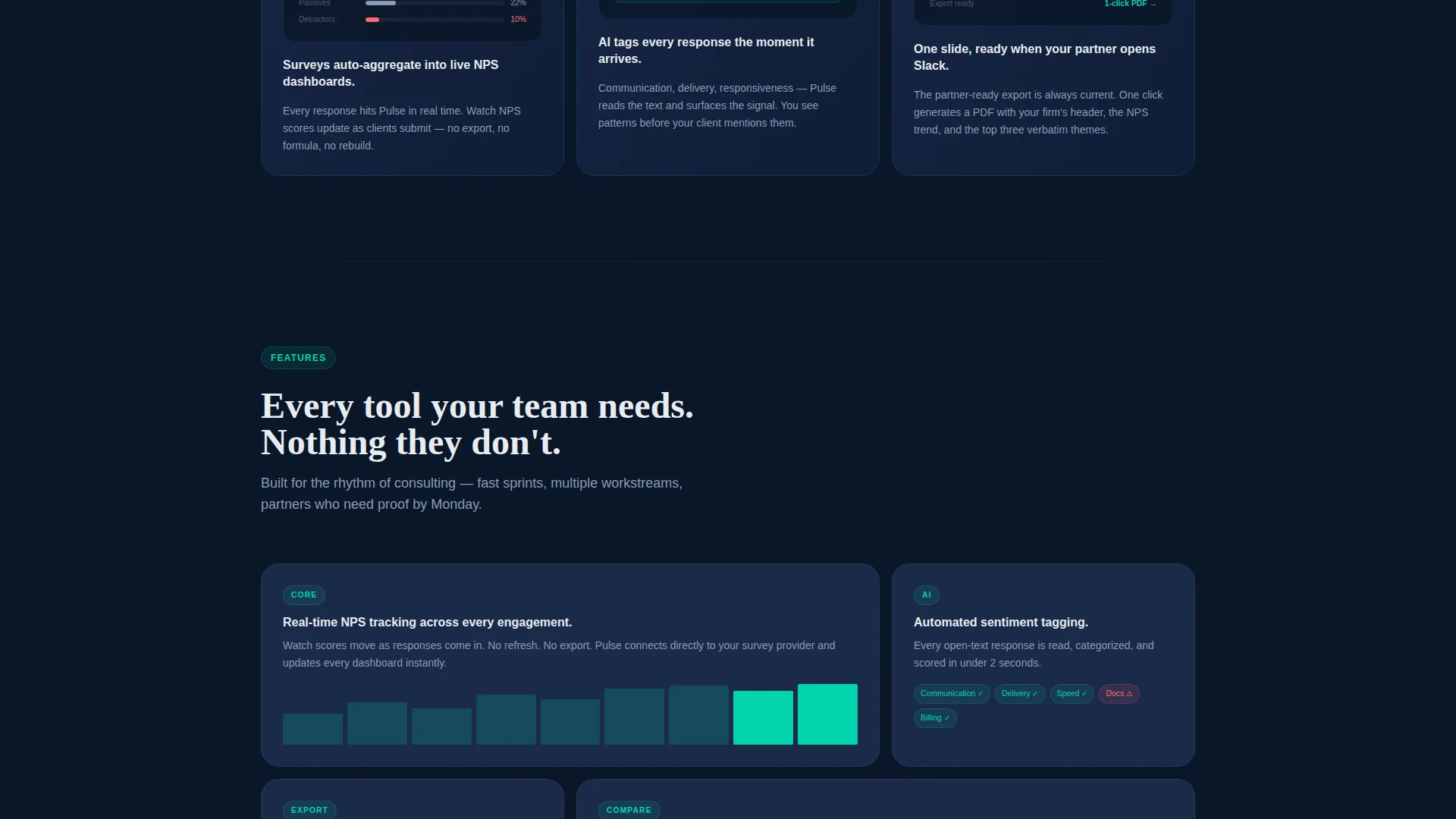
Interactive Feature Card Grid
The third card row presents platform capabilities as individual feature cards. Each card lifts off the surface with a subtle shadow shift on hover, making the grid feel alive without distracting from the information.
Two-Step Pilot Sign-Up Form
The primary call to action opens a two-step form. Step one captures work email and firm size. Step two uses a slider to ask how many active engagements the user is running. No credit card is required at any point.
Sticky Conversion Bar
After the problem row, a sticky bottom bar keeps the primary call to action visible throughout the scroll. It reinforces the freemium pilot offer without interrupting the content flow above it.
Live Dashboard Demo Path
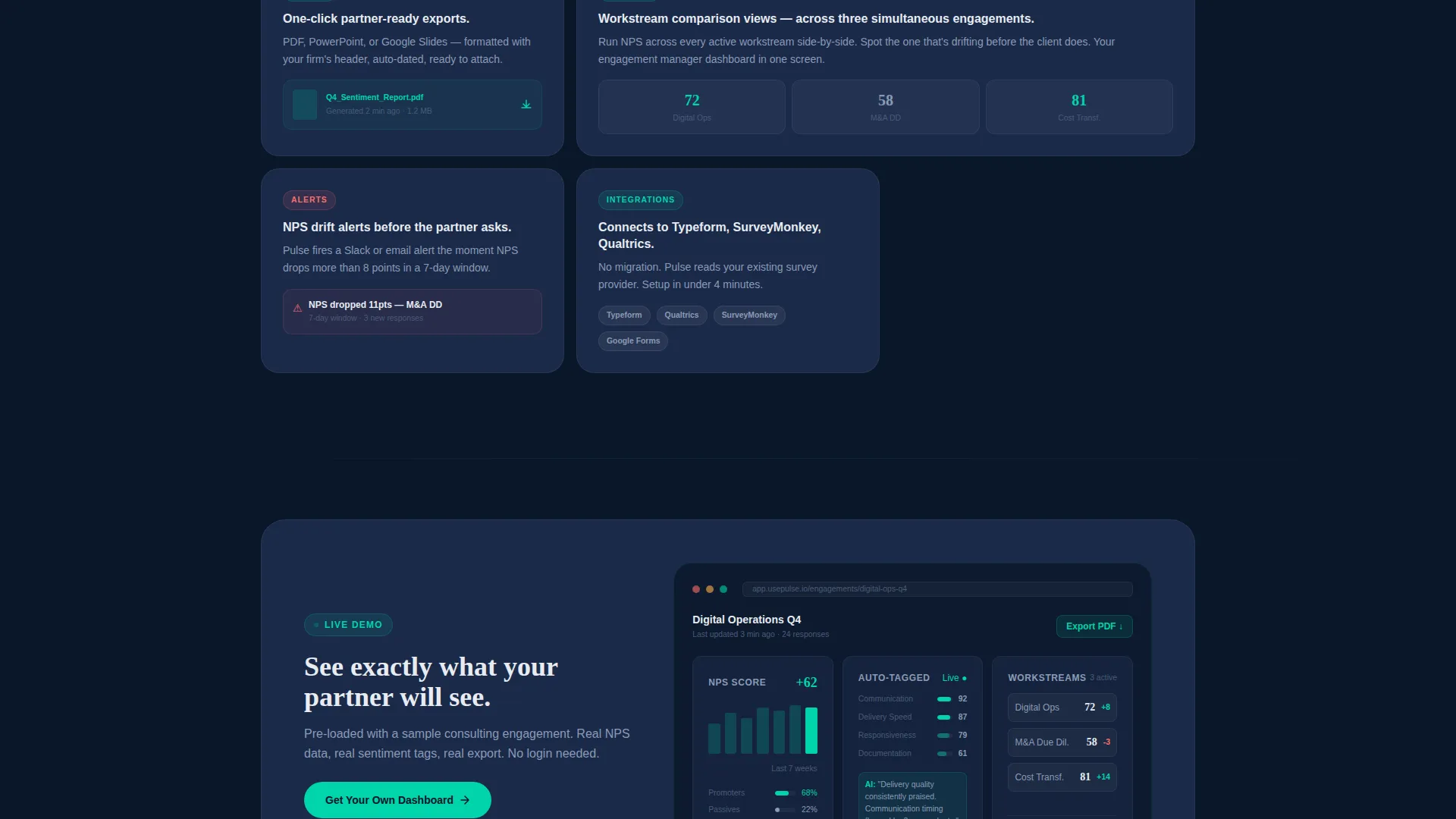
A secondary conversion path links to an interactive demo pre-loaded with sample consulting engagement data. Exit-intent behavior captures email addresses from visitors who leave without signing up.
Page sections overview
| Section | Purpose |
|---|---|
| Logo bar header | Establishes credibility through recognizable firm logos and a single proof headline |
| Problem card row | Surfaces the three core pain points consultants recognize immediately |
| Solution card row | Resolves each pain point visually using mini dashboard screenshot cards |
| Feature card grid | Expands the product story with hover-interactive capability cards |
| Sticky call to action bar | Keeps the pilot sign-up offer accessible throughout the scroll |
| Two-step sign-up | Converts interest into a pilot start with a low-friction, no-card form |
| Demo path section | Offers a secondary entry point via an interactive live dashboard preview |
Design & branding system
The visual identity is built on a Midnight Blue color system that references the focused energy of a Bloomberg terminal in a dark office. Every color choice is deliberate and informational.
- Deep terminal navy (#0A1628) covers full-bleed backgrounds; steel-blue midtone (#1B2A4A) surfaces card faces; crisp signal white (#E8ECF1) carries all body and headline typography
- Electric teal (#00D4AA) is reserved exclusively for calls to action, live data points, and progress indicators, giving it strong visual hierarchy against the dark field
- Red-amber (#FF6B6B) appears only on problem card icons, creating an instinctive contrast that signals tension before the solution reveals itself
Mobile & speed optimization
The modular card grid structure adapts naturally to smaller screens. Rows reflow into stacked layouts so the problem-to-solution narrative reads cleanly on any device.
- Card components are self-contained and reflow without breaking the visual hierarchy
- The sticky bottom bar is designed to remain usable and visible on mobile viewports throughout the scroll
How this template helps you convert
The page is engineered around a specific psychological sequence: show the pain, prove the fix, make the entry point feel effortless. Each conversion element reinforces that sequence.
- The logo bar establishes trust before a single feature is mentioned, reducing the instinct to bounce early in the scroll
- The Problem-to-Solution Arc creates recognition and relief in sequence, so by the time the call to action appears, the visitor already understands the value
- The two-step pilot form and secondary demo path offer two friction levels, capturing both ready-to-start users and those who need one more proof point before committing
Other information about this template
Pulse fits naturally into the Startup Velocity design language, where every layout decision prioritizes information density over decoration. The template style is a card grid, which makes it easy to extend or rearrange sections as the product evolves.
- The freemium pilot model is baked into the conversion architecture, making it a strong fit for consulting firm software products that need to reduce signup friction
- The template supports a consulting firm survey and feedback use case end-to-end, from problem awareness to product demonstration to email capture
- The dark color system and focused layout align with the expectations of consulting professionals who value precision and clarity over visual flair
- This template can support early-stage platforms looking to build trust quickly with enterprise-adjacent audiences through logo-based social proof
Theme
Startup Velocity
Creative direction
Problem→Solution Arc
Color system
Midnight Blue
Style
Card Grid (Modular)
Direction
Freemium/Trial
Page Sections
Scrolling Logo Bar Header
Problem-to-solution Card Arc
Interactive Feature Card Grid
Two-step Pilot Sign-up Form
Sticky Conversion Bottom Bar
Demo Path with Exit-intent Capture
Related questions
Who is the Pulse template designed for?
Does the sign-up flow require a credit card?
What conversion paths does this template include?
How does the Problem-to-Solution Arc work visually?
Can this template be customized for a different color scheme?



