Pulse - Powerful Frontline Engagement Landing Page Template
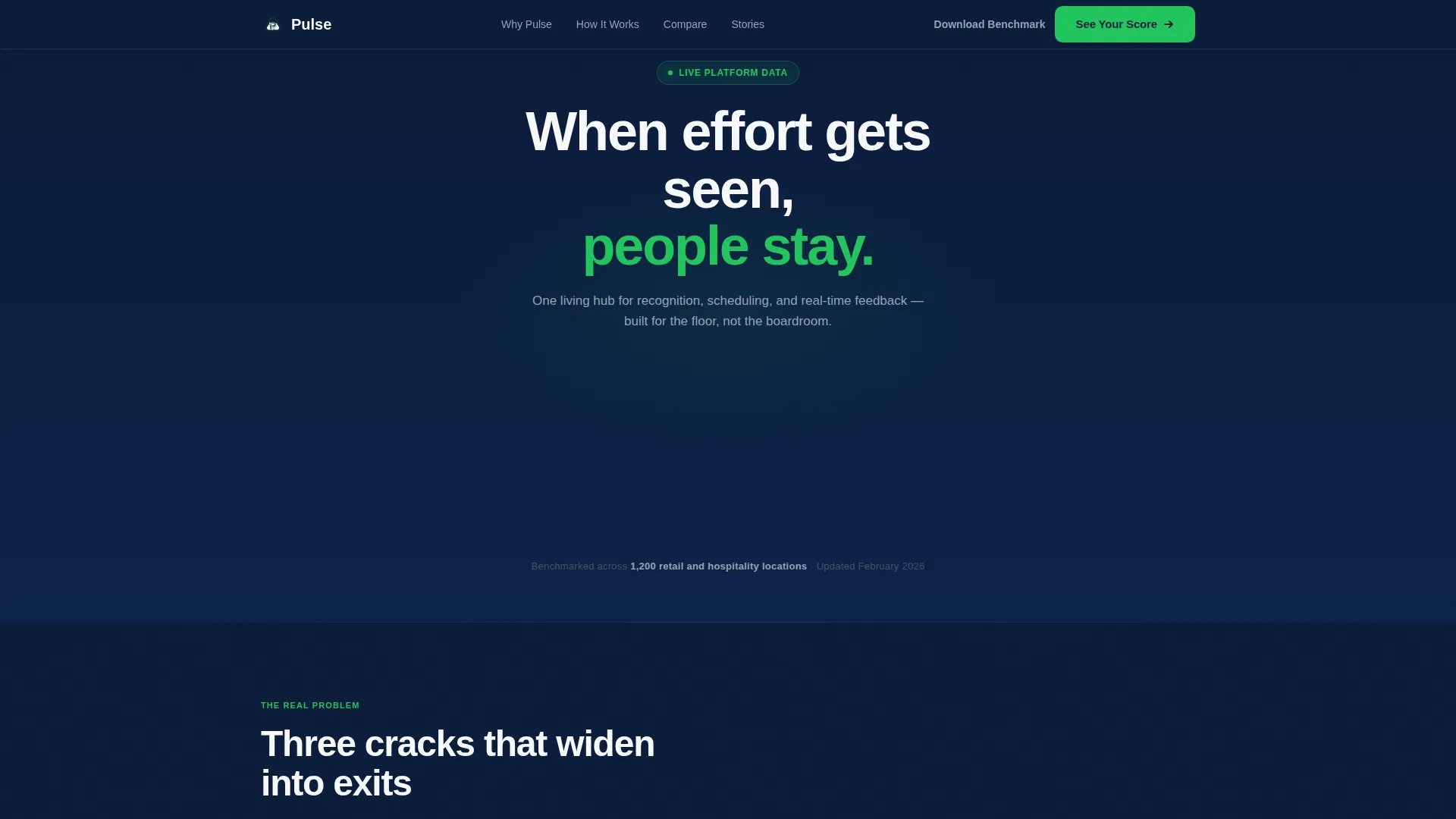
Pulse is a single-page lead generation landing page built for a retail and hospitality employee engagement platform. It opens with four animated metric counters, walks visitors through a structured diagnostic and comparison flow, and closes with a progressive lead capture form. The design uses a disciplined Navy Authority color system built to earn trust from operations-minded buyers.
by Rocket studio
Quick summary
Pulse is a focused, data-forward landing page template for a frontline employee engagement platform. It replaces vague platform promises with hard numbers, a centerpiece comparison table, and a frictionless lead form. Designed for regional retail directors, hotel general managers, and franchise operators, it turns operational pain into a clear reason to act.
Who this template is for
This template speaks directly to the people managing large hourly workforces across multiple locations. They have seen bulletin boards ignored, group chats spiral, and Glassdoor reviews appear before anyone flagged a problem internally.
- Regional retail directors overseeing 40 or more stores with high annual turnover
- Hotel general managers tracking front-desk morale through peak seasons
- Franchise operators who need early signals before problems become public reviews
What problem this template solves
Frontline teams are hard to reach, harder to recognize, and easy to lose. Most platforms built for desk workers do not translate to the shift-based, mobile-first reality of retail and hospitality. Managers end up reactive instead of proactive, and employees feel invisible.
- Effort goes unseen because recognition tools are buried in systems nobody opens on the floor
- Scheduling and feedback live in separate apps, creating disconnected shifts and missed handoffs
- Turnover compounds quietly until the cost becomes undeniable and the Glassdoor review is already live
What you get with this template
This template gives you a complete, single-page lead generation flow built around the Pulse platform story. Every section is purposeful and ordered to move a skeptical operations buyer from awareness to form submission.
- An animated stats wall header, a three-step how-it-works flow, and a centerpiece comparison table
- A progressive three-field lead capture form paired with a secondary PDF download path
- Scroll-reveal interface screenshots, a testimonial strip, and a sticky navigation call-to-action bar
Feature list
This template is built around six purposeful components, each doing a specific job in the conversion flow.
Animated Metrics Header
Four oversized counters animate upward on page load, moving from baseline to benchmark figures for engagement score, time-to-recognition, voluntary turnover reduction, and shift-fill rate. Signal green delta arrows sit beside each number. No photography, no illustration, the data carries the opening impression.
Three-Part Diagnostic Section
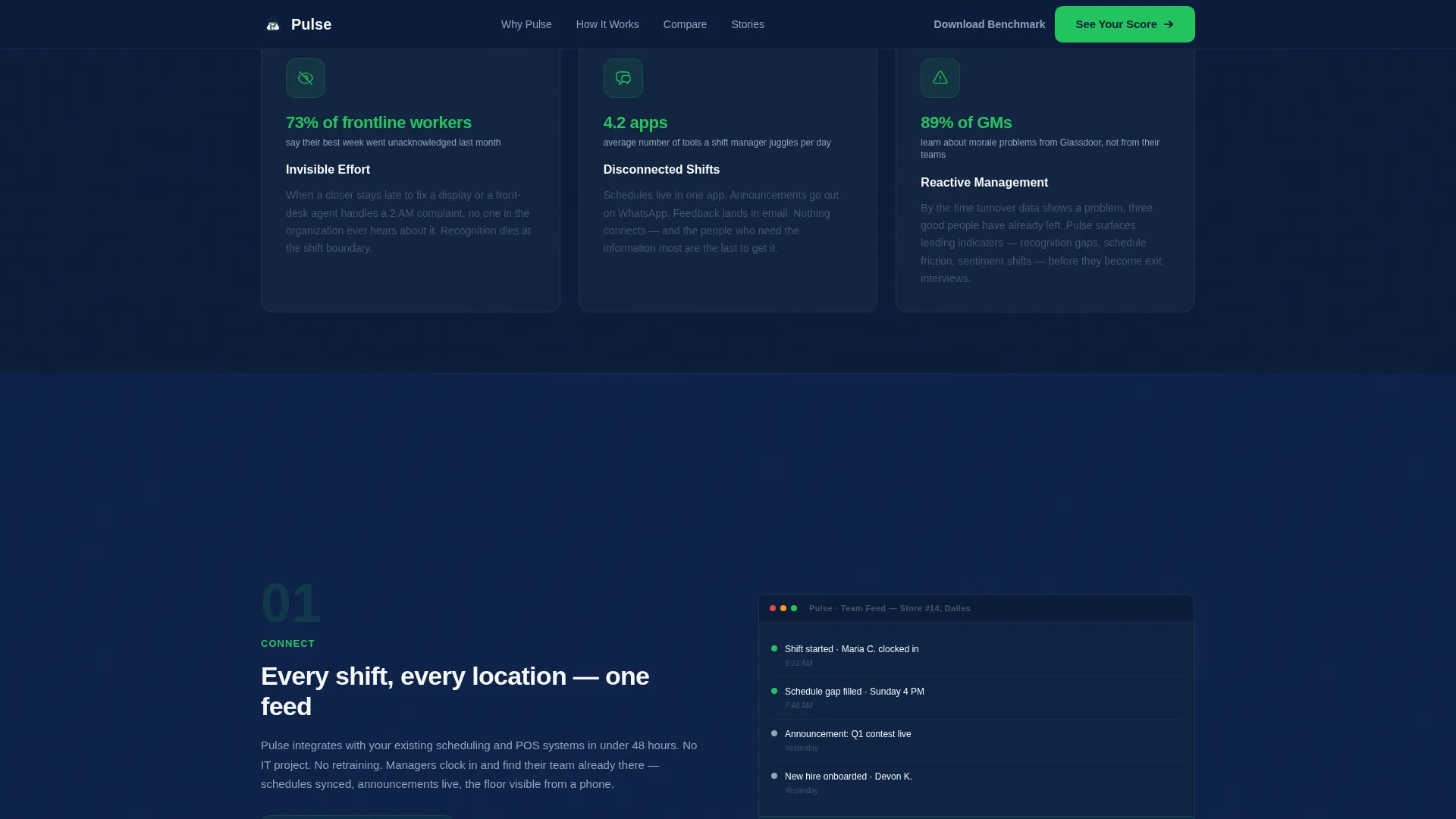
A short pain-point block names three specific problems, invisible effort, disconnected shifts, and reactive management. Each is paired with an icon and a single supporting statistic. Visitors recognize their situation before the solution is introduced.
Numbered How-It-Works Flow
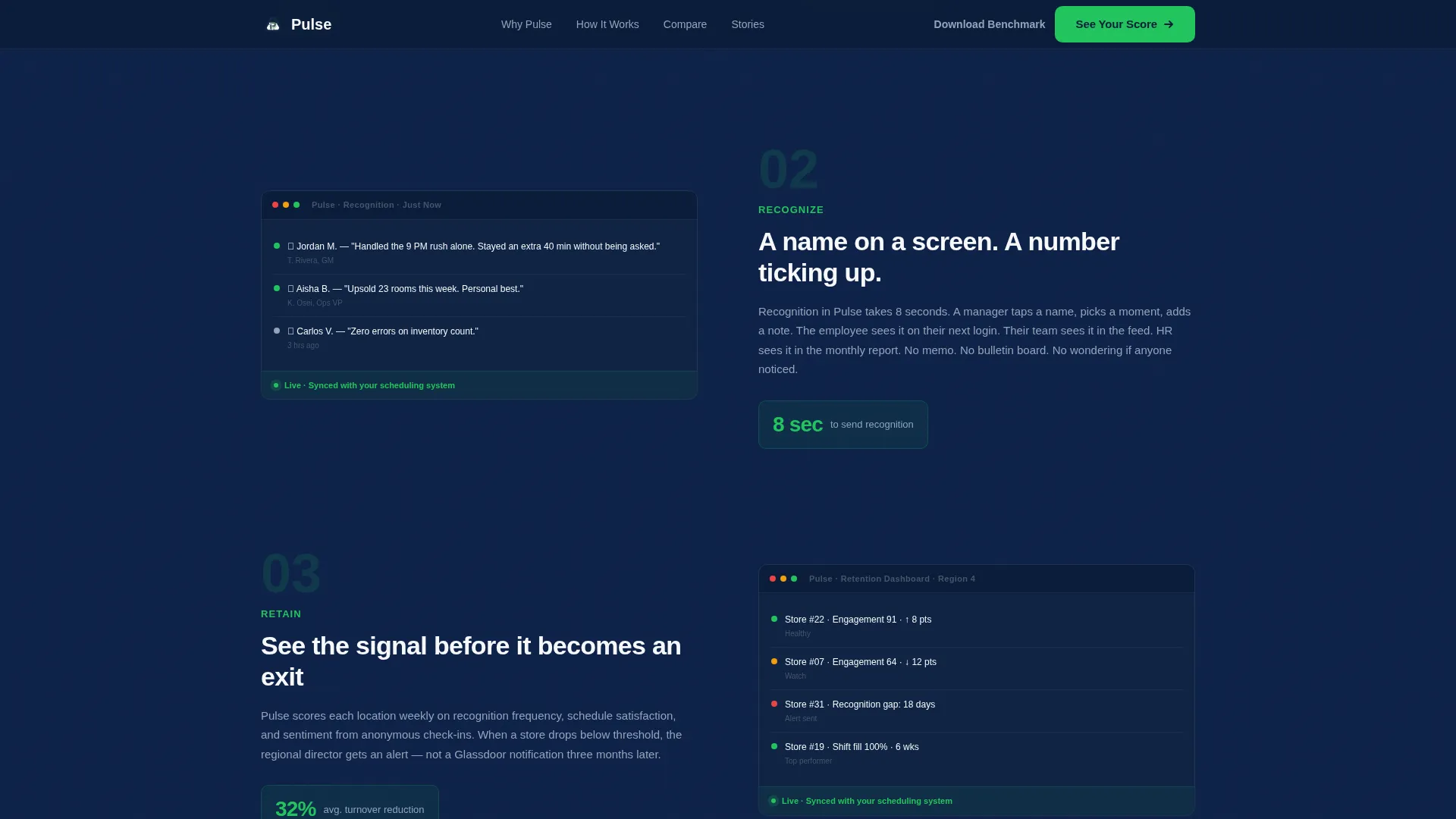
Three numbered steps, Connect, Recognize, Retain, guide the reader through the platform's core loop. Scroll-reveal animations surface interface screenshots as each step comes into view, making the product feel tangible without a live demo.
Centerpiece Comparison Table
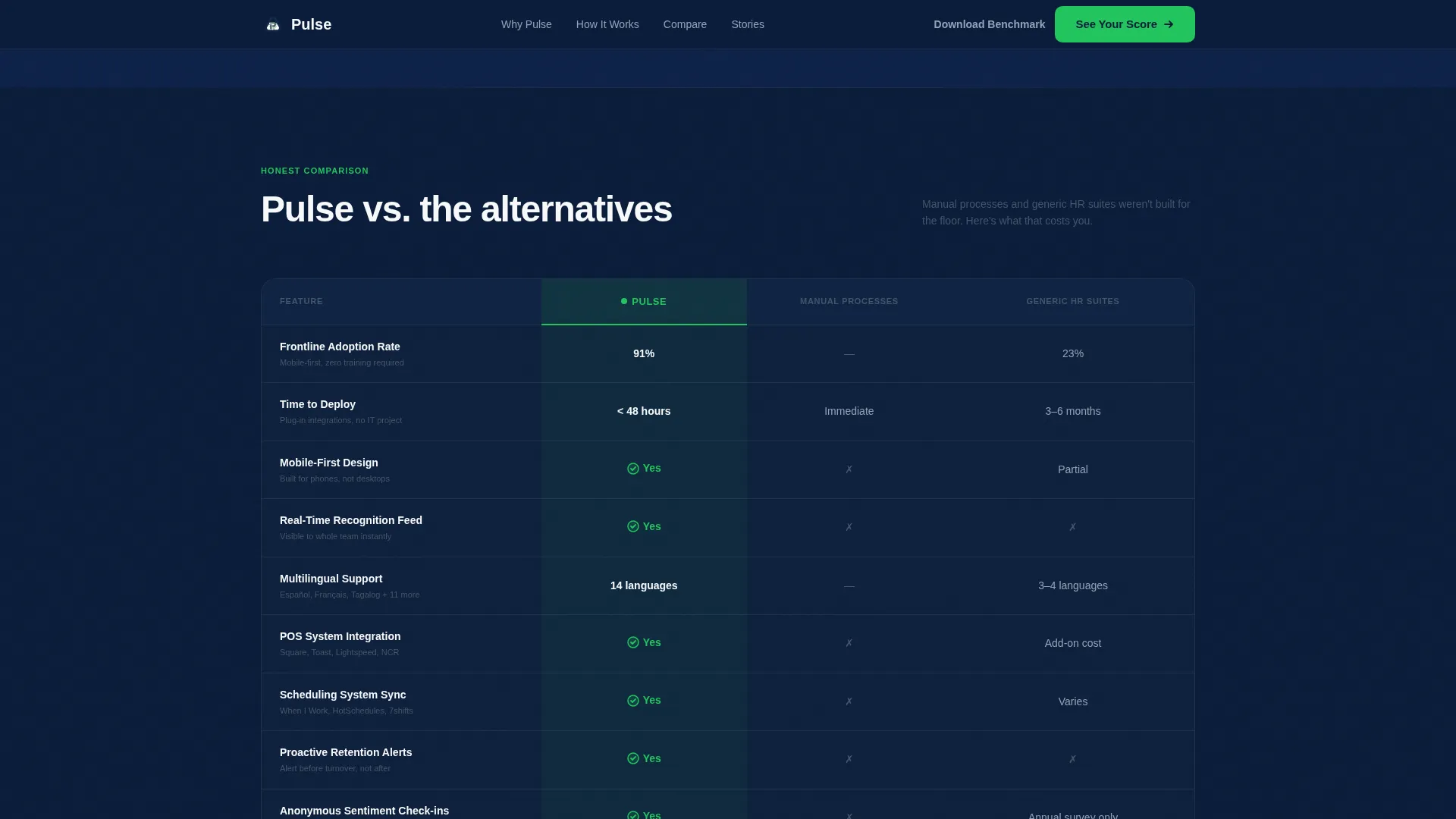
The table benchmarks Pulse against manual processes and generic HR suites across five criteria: frontline adoption rate, time to deploy, mobile-first design, multilingual support, and integrations with point-of-sale and scheduling systems. Green checkmarks and bold numbers fill the Pulse column; gray dashes mark the alternatives.
Progressive Lead Capture Form
The form collects three fields in sequence: company type via dropdown, number of locations, and work email. No phone number is required and no meeting is implied. The promise is a personalized benchmark report delivered within one business day.
Secondary PDF Download Path
Visitors not ready to engage directly can download a gated benchmark report using email-only capture. This secondary path keeps passive browsers inside the conversion funnel without pressuring them toward a conversation.
Page sections overview
| Section | Purpose |
|---|---|
| Animated Stats Wall | Opens with four live counters to establish credibility immediately |
| Pain Point Diagnostics | Names three specific frontline problems with icons and stats |
| How It Works | Walks through Connect, Recognize, Retain with scroll-reveal screenshots |
| Comparison Table | Benchmarks Pulse against manual and generic HR alternatives |
| Testimonial Strip | Reinforces trust with named quotes from a hotel VP and franchise owner |
| Lead Generation Form | Captures company type, location count, and work email progressively |
| Secondary Download | Offers a PDF benchmark report behind email-only capture |
| Sticky Navigation Bar | Keeps the primary call-to-action visible throughout the scroll |
| Single-Row Footer | Closes the page with a minimal, linear footer pattern |
Design & branding system
The visual identity follows a Startup Velocity theme built to feel operational and trustworthy, like a back-office dashboard, not a marketing brochure. Every color choice reinforces hierarchy and attention.
- Deep command navy (#0B1D3A) for primary backgrounds, crisp white (#F7F8FA) for content panels, and steel-grade slate (#475569) for body text
- Signal green (#22C55E) reserved for every upward-moving metric, delta arrow, and positive comparison marker
- DM Sans for headings and Plus Jakarta Sans for body text and interface labels, keeping the typographic feel clean and functional
Mobile & speed optimization
This template prioritizes mobile-first managers who check dashboards between shifts, not at a desk. The layout and interaction model are built for small screens first.
- Counter animations and scroll-reveal screenshots are handled client-side while static content uses server components, keeping initial load light
- The progressive form collapses neatly on mobile with a single-column stack and large tap targets for each input field
How this template helps you convert
The page is engineered as a single conversion funnel with two entry points and no dead ends. Every section reduces friction and builds toward a decision.
- The animated metrics header creates instant credibility with benchmarked numbers before any copy is read, lowering the guard of a data-driven operations buyer
- The comparison table does the evaluation work for the visitor, making Pulse the clear choice without requiring them to research alternatives independently
- The progressive form removes commitment anxiety by asking only for company context and a work email, then promising a specific, personalized deliverable within one business day
Other information about this template
This template is category-matched to the HR and Hiring space, specifically the retail and hospitality employee engagement niche. It is structured for a B2B SaaS platform context where the buyer is an operations leader, not an HR generalist.
- The benchmark stat, drawn from 1,200 retail and hospitality locations, is built into the header subline to ground the metrics in scale
- Testimonials are positioned after the comparison table and before the form, using named titles and company types to add specificity to the social proof
- The template uses staggered section reveals and tab interactions in addition to the counter and scroll-reveal animations noted in the how-it-works section
- The footer follows a Pattern 1 linear single-row layout, keeping the close of the page clean and distraction-free
- Content is localized for English-language, US-market audiences using USD and US date formatting
Theme
Startup Velocity
Creative direction
Step-by-Step Guide
Color system
Navy Authority
Style
Comparison Table
Direction
Lead Generation
Page Sections
Animated Metrics Header Wall
Frontline Pain Point Diagnostics
Scroll-reveal How-it-works Flow
Centerpiece Comparison Table
Progressive Three-field Lead Form
Secondary PDF Download Path
Related questions
Who is this landing page template designed for?
What is the primary conversion goal of this template?
Does this template include a comparison table?
How are the animated counters structured?
Can this template support a two-path lead generation flow?



