Performance Management Landing Page Template
Pulse is a sidebar companion landing page built for People leaders who are done with annual review dread. It pairs a warm editorial design with a case study narrative structure, guiding visitors through three real transformation stories. The lead generation form captures work email, company size, and a pain-articulation field that qualifies prospects while deepening their own commitment to change.
by Rocket studio
Quick summary
Pulse is a sidebar companion landing page for a performance management tool. It replaces clunky annual reviews with weekly fifteen-minute conversations. The template uses a documentary case study format, a persistent sidebar chapter navigator, and a focused lead generation form to turn VP-level People leaders into booked demos.
Who this template is for
This template is built for People Operations leaders at mid-market software-as-a-service companies. If your organization has outgrown spreadsheets but finds enterprise human resources suites too rigid, this page speaks your language directly.
- VP of People Operations or Chief People Officer at companies with 200 to 800 employees
- HR Directors responsible for manager adoption and performance review rollout
- People teams that want a tool managers will actually open on Monday morning
What problem this template solves
Annual performance reviews create anxiety for managers and employees alike. The process drags on for weeks, surfaces feedback too late to act on, and produces data that rarely changes behavior. This template addresses that disconnect head-on.
- It reframes the product story around short, consistent conversations instead of once-a-year evaluations
- It builds trust through layered case study evidence, from a 50-person startup to a 700-person company that cut voluntary attrition by 22 percent
- It captures lead intent at the exact moment a visitor articulates their own review pain
What you get with this template
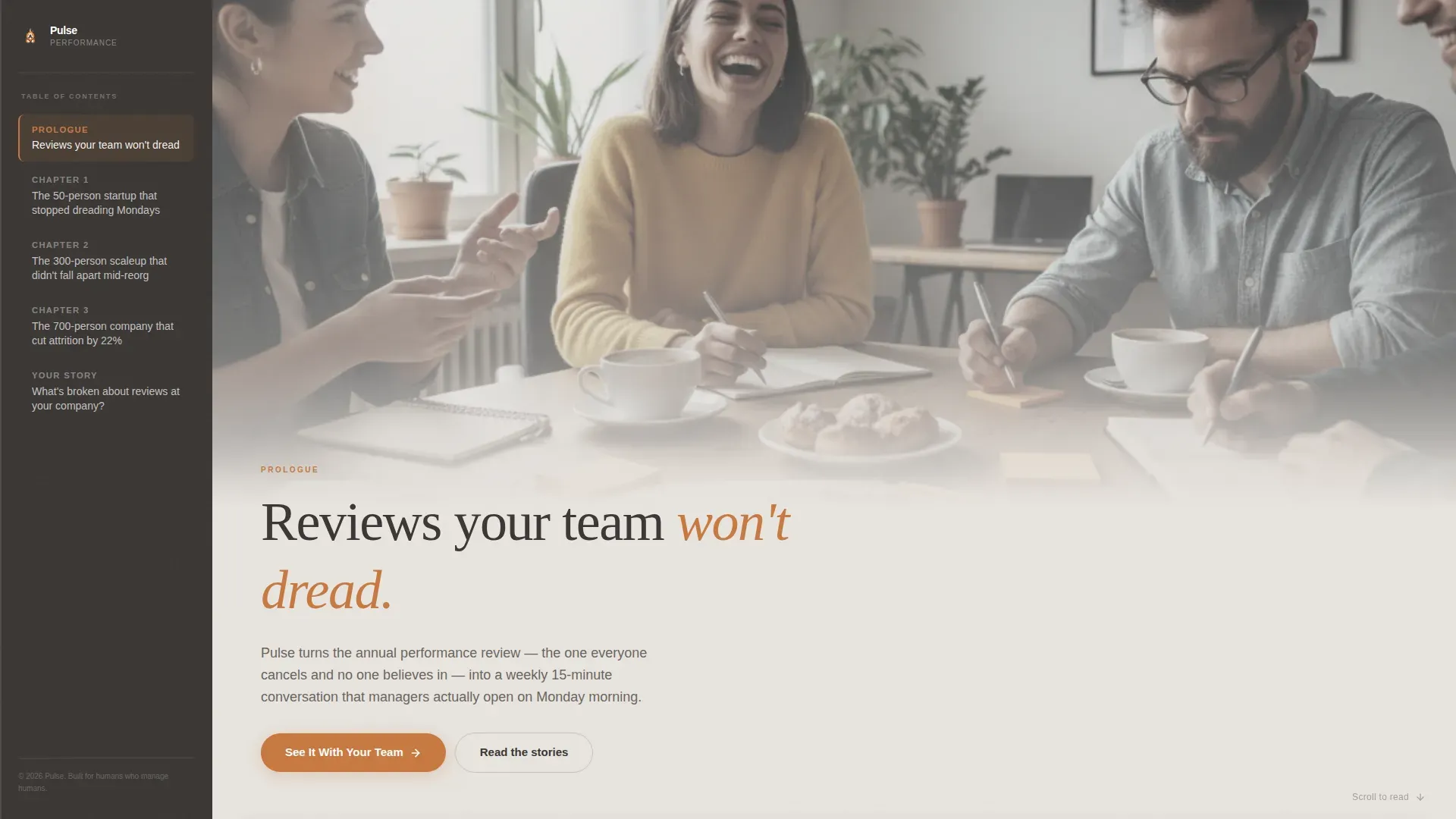
You get a fully structured, single-page lead generation experience designed for desktop-first use with a responsive mobile fallback. Every section serves a specific conversion role, from the candid team photo hero to the pinned sidebar call to action.
- A cinematic hero section with a rounded serif headline and a sidebar chapter navigator already visible on load
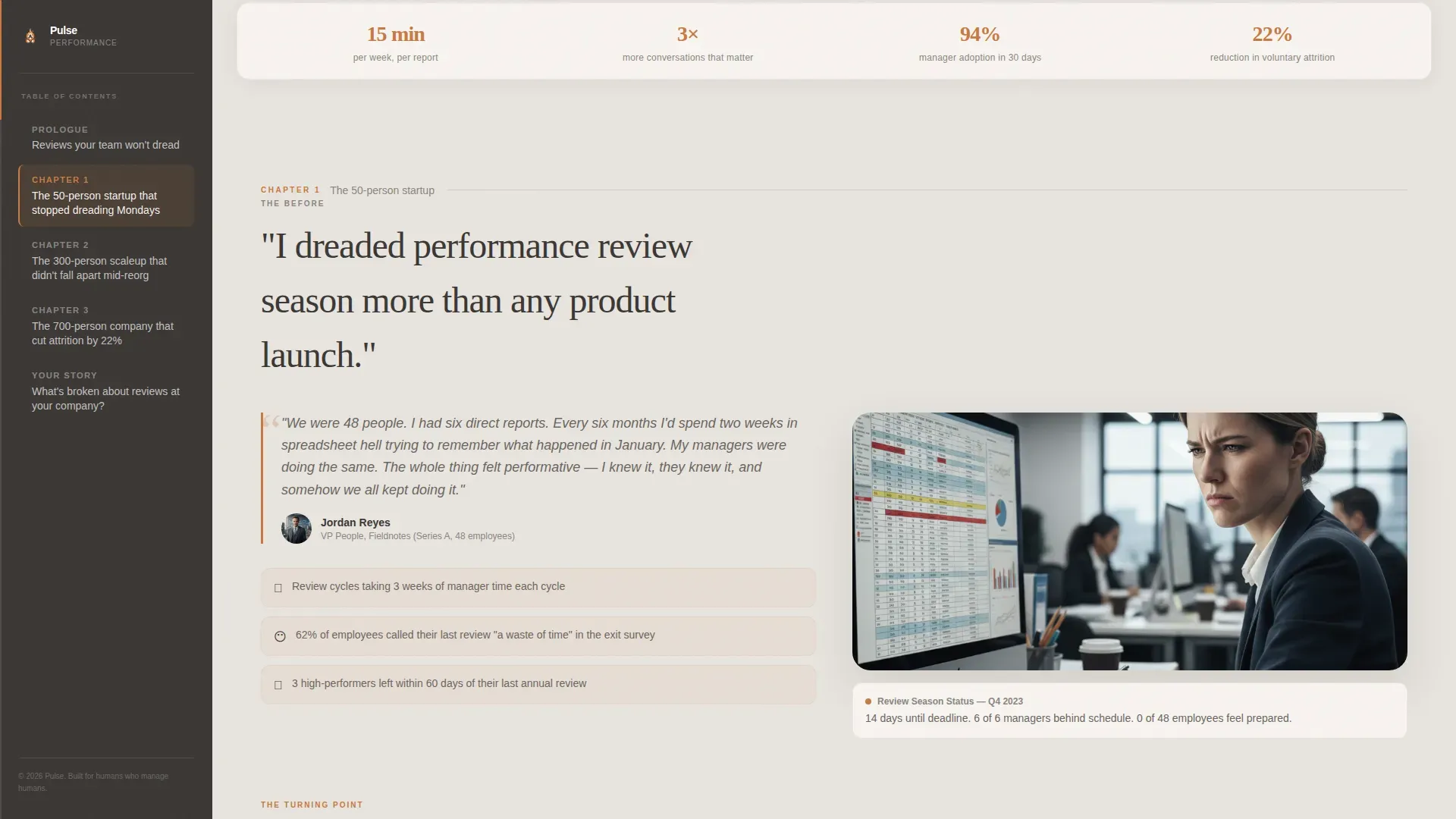
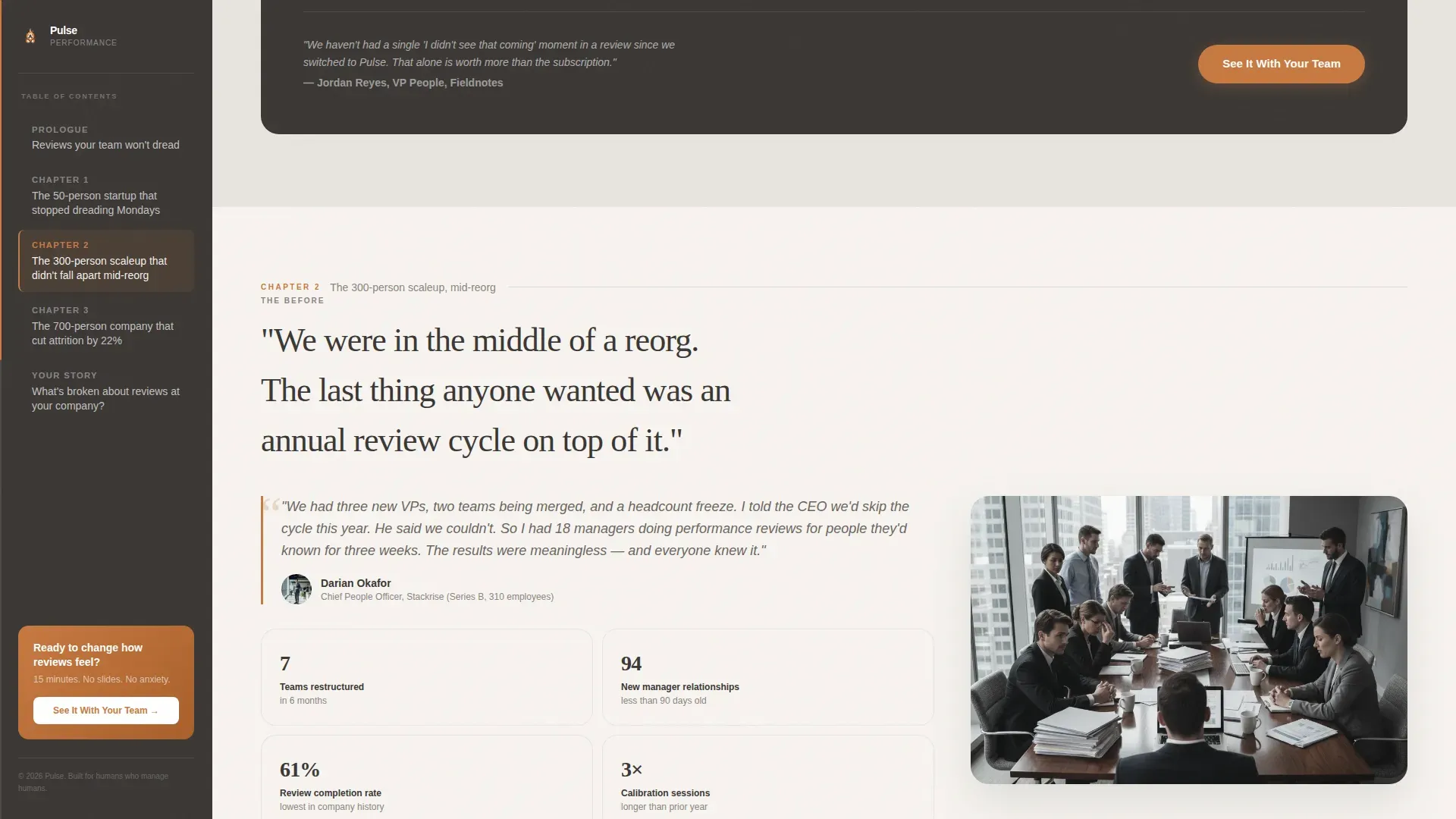
- Three scroll-driven case study chapters with before, turning point, and measurable-after narrative structure
- A two-path lead generation form with a company size slider, an open pain-articulation field, and a downloadable secondary offer
Feature list
This section breaks down the core built-in components that make Pulse work as both a storytelling page and a lead generation tool.
Persistent Sidebar Chapter Navigator
The sidebar lives in hearthstone charcoal and tracks visitor progress across all three case study chapters. It lists chapter titles like a book's table of contents and lets visitors jump between stories without losing their place. After the visitor scrolls past the first story, a pinned call-to-action button appears inside the sidebar.
Documentary Case Study Sections
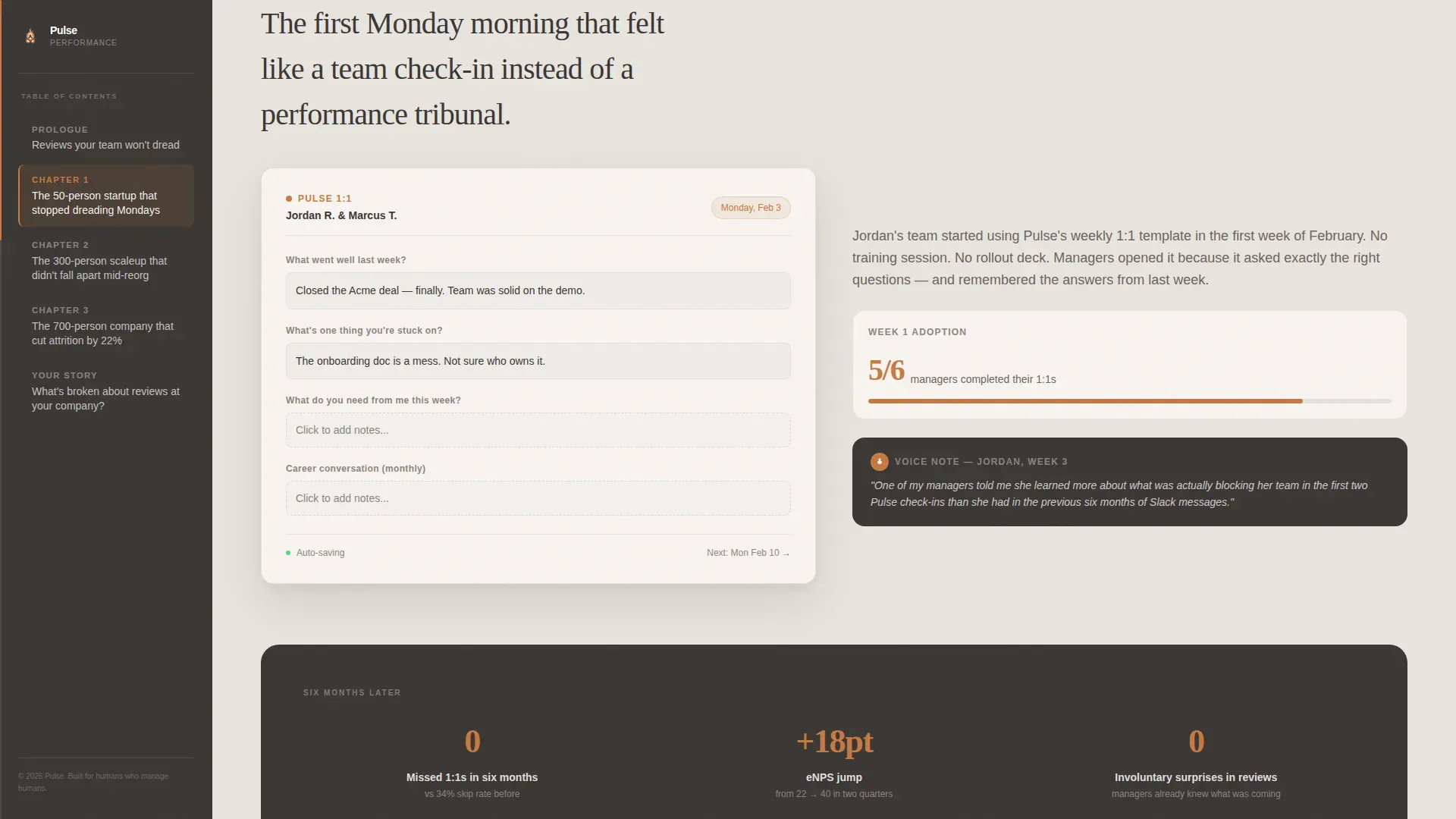
Each of the three case study chapters follows a short documentary structure. It opens with a manager quote about dreading review season, moves to a screenshot of a one-on-one template being filled out live, and closes with a measurable result such as a retention stat, an employee net promoter score jump, or a transcribed manager voice note. Stakes escalate with each chapter.
Two-Path Lead Generation Form
The primary capture path asks for a work email, then collects company size via a simple 50-to-1000-plus slider, then presents one open field: "What's broken about reviews at your company?" The secondary path offers a downloadable PDF guide gated behind email-only capture for visitors not yet ready to speak with sales.
GSAP ScrollTrigger Animations
The page uses high-motion scroll animations powered by GSAP ScrollTrigger. Clip-path reveals, spotlight hover effects, and sidebar progress tracking create a narrative momentum that keeps visitors reading through all three chapters.
Warm Editorial Visual System
The Community Hearth design theme uses a Soft Mist color palette across every layer of the page. Backgrounds sit in warm fog gray, card surfaces use soft birch, buttons and progress indicators use ember glow, and the sidebar anchors everything in hearthstone charcoal. Typography pairs Fraunces serif headlines with DM Sans for body and interface text.
Page sections overview
| Section | Purpose |
|---|---|
| Hero with sidebar | Establish headline and chapter navigation |
| Chapter 1 story | 50-person startup transformation narrative |
| Chapter 2 story | 300-person scaleup mid-reorg adoption |
| Chapter 3 story | 700-person company attrition reduction proof |
| Lead gen form | Capture email, size, and pain context |
| Footer row | Single linear row with supporting links |
Design & branding system
The visual identity follows a Community Hearth theme. Every color choice and typographic decision reinforces warmth, intimacy, and editorial credibility rather than corporate polish.
- Color palette: warm fog gray (#E8E4DF) backgrounds, soft birch (#F7F4F0) card surfaces, ember glow (#C87941) buttons and progress indicators, hearthstone charcoal (#3B3735) sidebar and body text
- Typography: Fraunces rounded serif for headlines with italic warmth, DM Sans for body copy and interface elements
- Header imagery: a wide, slightly desaturated candid team photo showing a real mid-conversation moment, not a posed stock grid
Mobile & speed optimization
The template is designed desktop-first to match how VP-level and HR Director audiences typically browse on laptops. A responsive mobile fallback ensures the page remains readable and functional on smaller screens.
- Server Components handle all static content sections for fast initial load
- Client Components power the sidebar navigator, company size slider, and GSAP animations only where interactivity is needed
- The sidebar chapter navigator adapts cleanly so mobile visitors can still move between case study chapters
How this template helps you convert
The page is structured so each scroll action builds commitment before the form appears. Visitors do not encounter a generic demo request; they encounter a story that mirrors their own situation.
- The pain-articulation field in the lead generation form asks visitors to describe what is broken about reviews at their company, which makes them commit to their own problem before submitting
- The secondary downloadable PDF offer ("The 1:1 Template Our Best Teams Use") captures email-only leads who are not ready for a sales conversation, keeping no prospect behind
Other information about this template
This template is purpose-built for the performance management tool category within HR software and platform products. It is especially well suited to B2B software-as-a-service businesses in the HR technology space that rely on direct lead capture rather than self-serve sign-up flows.
- Template style: Sidebar Companion, designed for chapter-based long-form storytelling pages
- Creative direction: Case Study Narrative with documentary structure and escalating social proof
- Localization: English (United States), USD, MM/DD/YYYY date format, and US SaaS industry context throughout
- The lead generation form doubles as a qualifications tool, surfacing the most motivated prospects through the open pain-articulation field
Theme
Community Hearth
Creative direction
Case Study Narrative
Color system
Soft Mist
Style
Sidebar Companion
Direction
Lead Generation
Page Sections
Persistent Sidebar Chapter Navigator
Documentary Case Study Sections
Two-path Lead Generation Form
GSAP Scrolltrigger Animations
Warm Editorial Visual System
Related questions
Who is this landing page template designed for?
What makes the lead generation form different from a standard demo request?
Does the sidebar chapter navigator work on mobile devices?
What is the secondary conversion path for visitors not ready to book a demo?
Can this template support a different HR or B2B product?



