PropTech Startup Portfolio Website Template
Propstack is a scroll-reveal proptech landing page template built for growth-stage startups. It combines a Feature Tab Switcher header, glassmorphic card layouts, and spring-motion animations to showcase lease management, tenant communications, and building analytics in one living dashboard. The freemium conversion flow gets visitors to sign up with just a work email and portfolio size.
by Rocket studio
Quick summary
Propstack is a single-page proptech landing page template built for growth-stage startups. It uses a glassmorphic design system, progressive scroll-reveal sections, and a Feature Tab Switcher header to demonstrate portfolio management capabilities. The freemium conversion model keeps the signup form short and removes friction before the first click.
Who this template is for
This template is built for proptech founders and startup marketing teams who need a high-impact landing page fast. It speaks directly to the people their platform serves, so the design and copy direction already match the audience.
- Operations directors at mid-market commercial real estate firms managing multiple buildings across cities
- Asset managers who need to demonstrate portfolio-wide reporting to investors
- Proptech-curious landlords moving away from spreadsheet-based rent tracking toward a modern platform
What problem this template solves
Most proptech startups struggle to show product value before a prospect ever signs up. A static screenshot or a bulleted feature list does not communicate the depth of a real-time dashboard. This template closes that gap by letting the design do the selling.
- Visitors can explore leasing, operations, and analytics views through interactive tabs before committing
- The progressive scroll builds confidence gradually, moving from a single-building view to cross-portfolio benchmarking
- The short signup form removes the credit-card barrier that stalls freemium conversions
What you get with this template
You get a fully structured, single-page landing page with motion-forward design and a clear conversion path built in. Every section is designed to escalate capability perception while keeping the interface feeling clean and approachable.
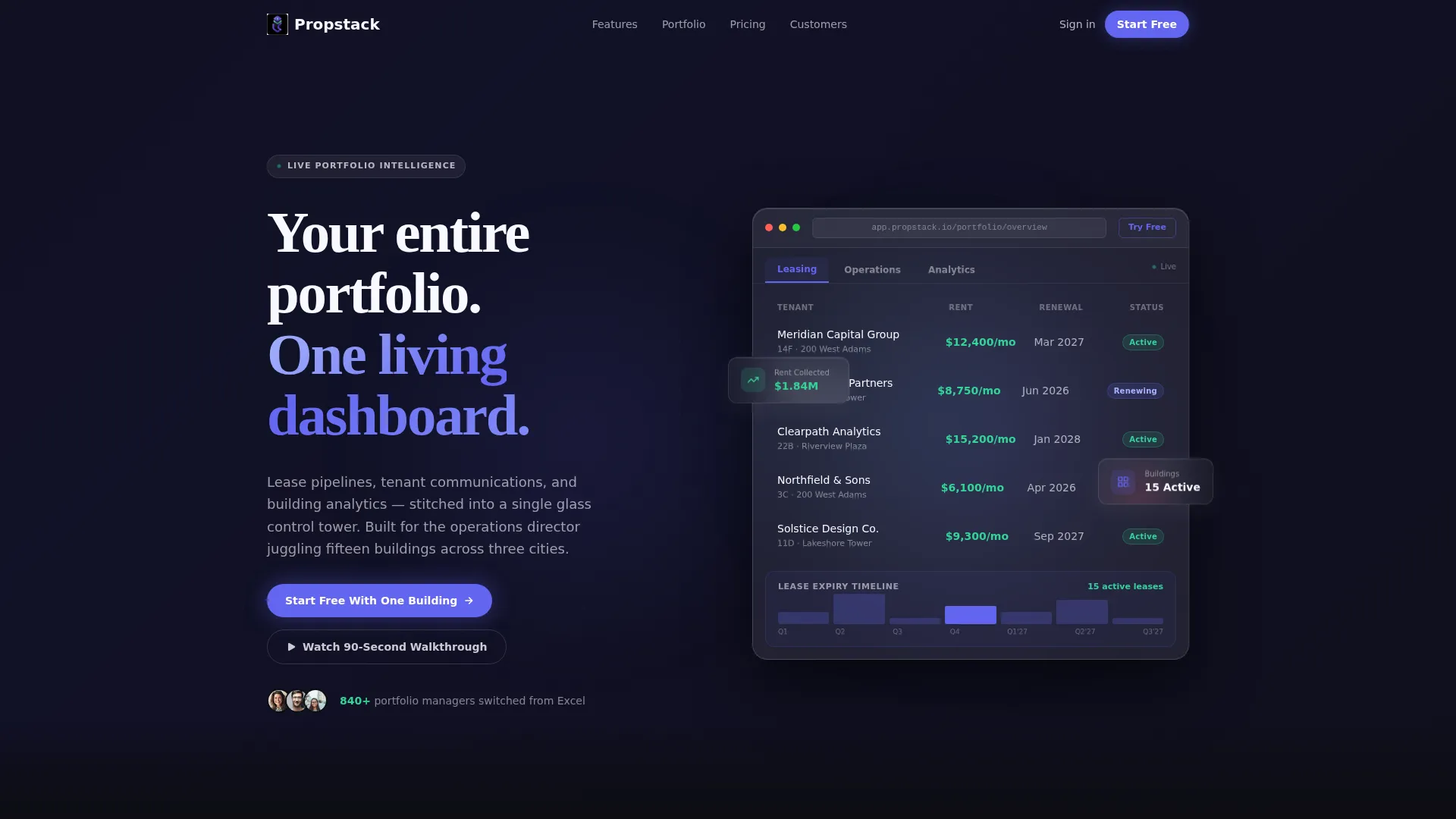
- A Feature Tab Switcher header with three tabs labeled Leasing, Operations, and Analytics
- A scroll-reveal section flow that layers single-building, multi-property, and cross-portfolio views
- A dual conversion path with a primary free trial signup and a secondary product walkthrough option
Feature list
This template ships with purpose-built components that reflect the product experience rather than just describing it.
Feature Tab Switcher Header
Three clickable tabs sit above a frosted glass browser frame. Each tab triggers a smooth morph transition where charts redraw and data points animate into new positions. The default view shows a live-looking lease pipeline with tenant names, renewal dates, and colored status pills.
Scroll-Reveal Progressive Sections
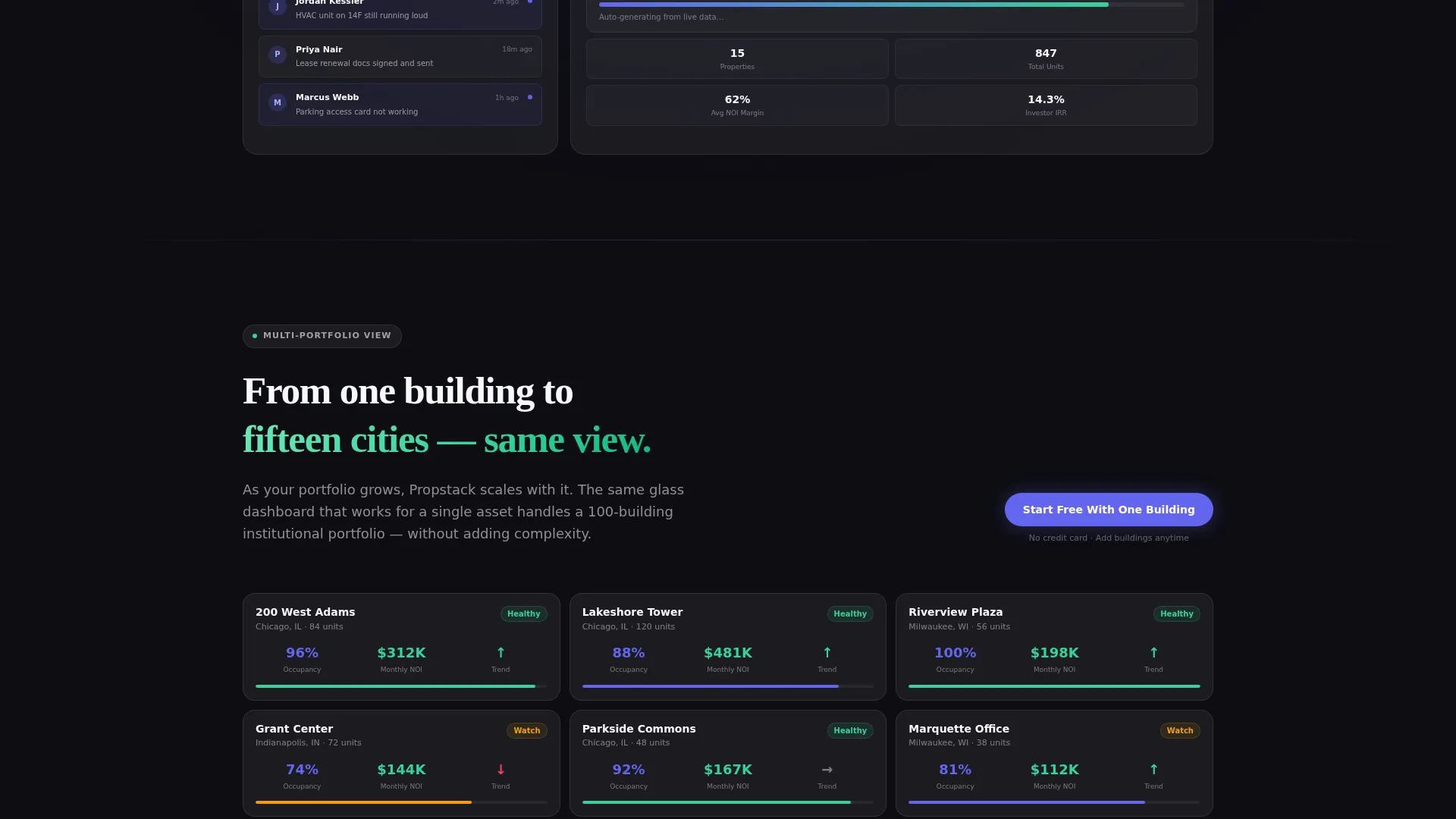
Each section fades and slides into the viewport as the visitor scrolls down. The flow escalates from a single-building view to a full multi-property portfolio and then to cross-portfolio benchmarking. Complexity increases with each section while the layout stays visually weightless.
Capability Card Grid with Hover Micro-Interactions
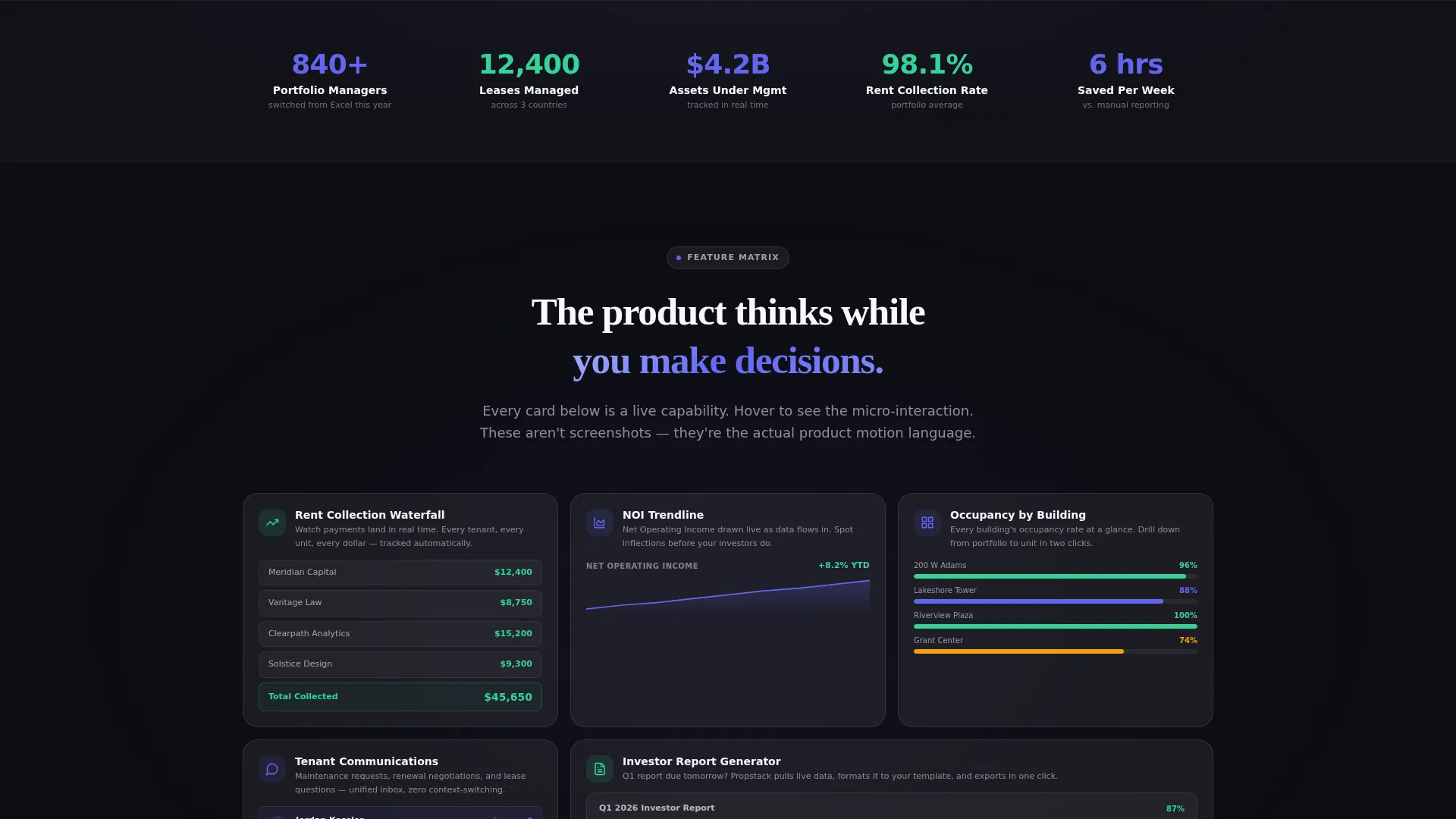
Every section is a grid of glassmorphic capability cards. On hover, each card expands to reveal a micro-interaction. A rent collection card shows a payment waterfall animation. A net operating income card draws a trendline in real time.
Spring-Based Motion System
All animations use spring easing rather than linear timing curves. Every element decelerates as it settles into position, giving the interface a sense of physical weight and intentional placement.
Freemium Signup Form
The primary conversion form asks for a work email and a portfolio size dropdown. The four dropdown options are 1 to 5, 6 to 20, 21 to 100, and 100 or more buildings. No credit card is required. The form appears inside the header frame and resurfaces as a sticky bottom bar after every third section.
Secondary Walkthrough Capture
A secondary call-to-action invites visitors to watch a 90-second product walkthrough. It captures an email address in exchange for an interactive product tour, converting visitors who are not yet ready for the full signup.
Page sections overview
| Section | Purpose |
|---|---|
| Feature Tab Header | Introduce the dashboard with interactive tab views for Leasing, Operations, and Analytics |
| Single Building View | Show the entry-level dashboard experience for one property |
| Multi-Property Portfolio | Expand the view to demonstrate cross-building management |
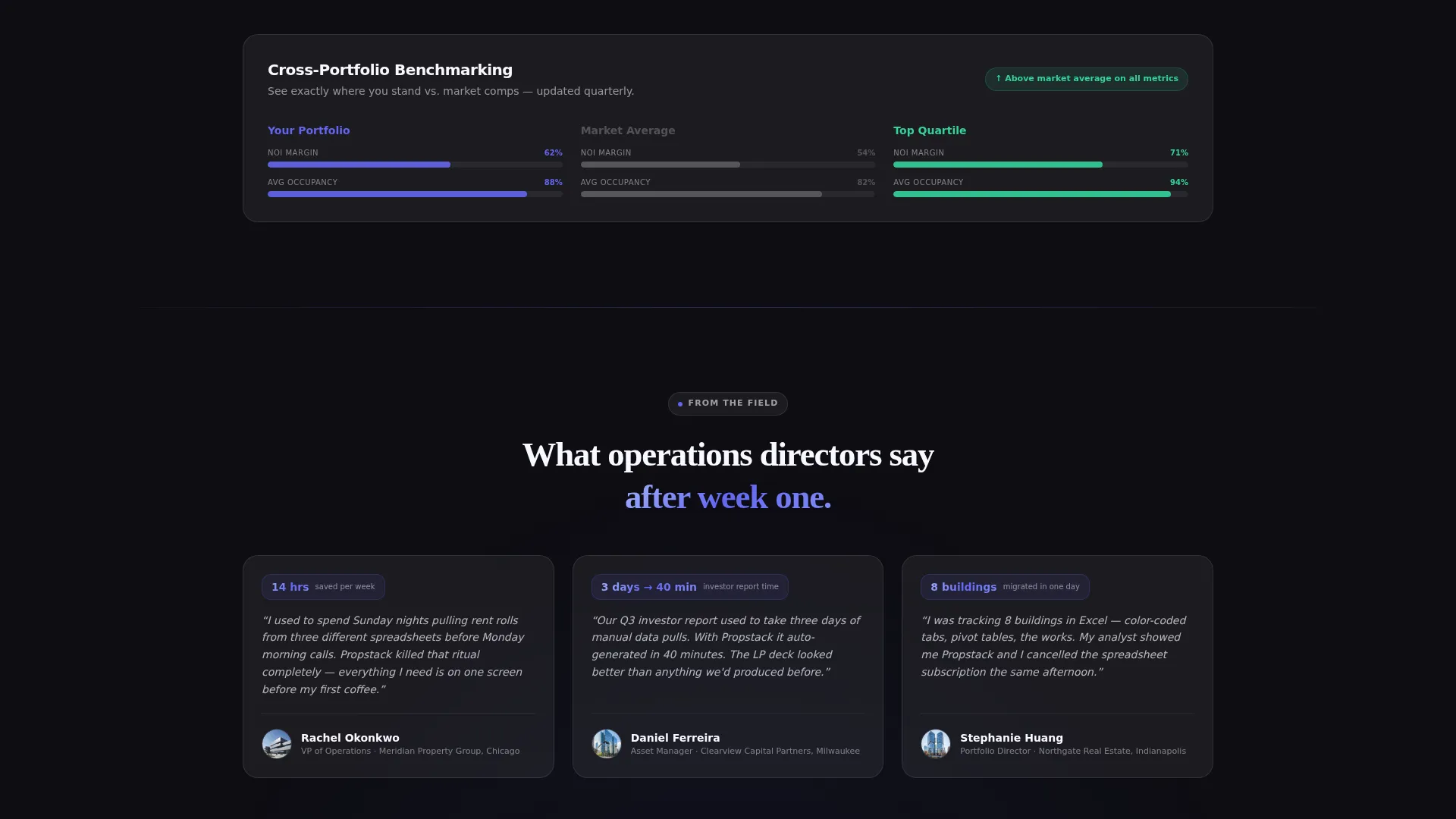
| Cross-Portfolio Benchmarking | Present advanced analytics and comparative reporting across properties |
| Sticky call to action Bar | Resurface the free trial prompt after every third content section |
| Secondary Walkthrough call to action | Capture email from visitors not yet ready to sign up directly |
Design & branding system
The visual identity follows a Dynamic Motion theme built on a Glassmorphic color system. The palette feels like a smartphone screen floating in a dark room: luminous, layered, and backlit from within.
- Base layer uses deep void black (#0D0D12), with frosted glass white at 8% opacity for card surfaces, electric indigo (#6366F1) for active states and data highlights, and soft mint (#34D399) for success states and upward-trend indicators
- Frosted panels stack with subtle blur effects and 1-pixel light borders, giving every element the appearance of hovering just above the surface
- Motion easing is entirely spring-based, so elements decelerate naturally and settle with weight rather than snapping or fading linearly
Mobile & speed optimization
The template is designed with a layered glassmorphic structure that keeps the visual hierarchy legible across screen sizes. The spring-motion system and card grid adapt to narrower viewports without losing the sense of depth.
- Frosted card components scale down cleanly, preserving blur, border, and color hierarchy on smaller screens
- The sticky conversion bar remains accessible on mobile, keeping the primary call-to-action reachable throughout the scroll
- Scroll-reveal animations trigger per section, so the progressive escalation of content works on both desktop and mobile viewports
How this template helps you convert
The conversion architecture is built around one idea: let visitors feel like users before they ever sign up. Every design decision reinforces that goal.
- The Feature Tab Switcher lets prospects explore three distinct product areas interactively, building familiarity and confidence before any form appears.
- The sticky bottom bar resurfaces the free trial call-to-action after every third section, so the offer is always within reach without feeling aggressive.
- The secondary walkthrough path captures emails from undecided visitors, giving the startup a second conversion opportunity from the same page visit.
Other information about this template
This template is part of the Startup and Launch category on the marketplace, filed under the PropTech Startup subcategory. It is designed specifically for growth-stage proptech companies that need to communicate platform depth to a sophisticated B2B audience.
- The template style is Scroll Reveal (Progressive), matching the escalation-of-capability narrative described in the brief
- The creative direction follows a Feature Matrix layout, meaning each section organizes capabilities into an expandable grid rather than a linear list
- The header concept is a Feature Tab Switcher, which is a distinct interaction pattern suited to multi-module SaaS platforms
- The landing page direction is Freemium and Trial, with no credit card required and a radically short signup form by design
- The theme is Dynamic Motion, and the color system is Glassmorphic, both of which are natively expressed in every component layer of this template
Theme
Dynamic Motion
Creative direction
Feature Matrix
Color system
Glassmorphic
Style
Scroll Reveal (Progressive)
Direction
Freemium/Trial
Page Sections
Feature Tab Switcher Header
Progressive Scroll-reveal Layout
Capability Card Grid with Micro-interactions
Spring-based Motion System
Freemium Conversion Form
Secondary Email Capture Path
Related questions
Can I change the tab labels in the Feature Tab Switcher header?
Does this template require coding knowledge to customize?
How does the sticky call-to-action bar behave on the page?
Can I replace the secondary walkthrough call-to-action with a different offer?
Is the signup form pre-connected to any backend or email service?



