Space & Advanced Aerospace Professional Website Template
Pressurize is a card grid landing page template built for space suit and life support system manufacturers targeting national space agencies, private launch providers, and defense aerospace primes. It pairs a spec-sheet creative direction with a Monochrome Steel Dashboard Pro theme, front-loading real performance data so a systems engineer can begin feasibility assessment before making contact.
by Rocket studio
Quick summary
Pressurize is a single-page, modular card grid template designed for aerospace hardware companies that engineer pressure suits and life support systems. It leads with an animated Before/After case study header, follows with deep-dive subsystem cards, and closes with a dual-call to action qualification funnel. Every design choice serves engineering credibility, not decoration.
Who this template is for
This template is built for companies that sell complex, flight-qualified hardware to institutional buyers. If your sales cycle involves procurement officers, systems engineers, or government contracting teams, this page speaks their language.
- Space suit and life support system manufacturers presenting hardware to national space agencies or private launch providers
- Defense aerospace primes integrating pressure suit subsystems into high-altitude platform programs
- Engineering-led companies that need a landing page capable of earning trust before a conversation begins
What problem this template solves
Most landing pages are built for consumer persuasion, not technical procurement. A systems engineer evaluating crew vehicle hardware cannot start a feasibility assessment from a page full of lifestyle photography and vague benefit statements. That mismatch costs qualified prospects before the first call.
- No mechanism to present real performance specifications alongside qualification status in a scannable format
- No structured path for prospects at different stages of the procurement cycle, from early feasibility through active RFP response
- No built-in export-control acknowledgment step before a technical data package is released
What you get with this template
You get a fully structured, single-page layout that delivers engineering evidence at every scroll depth. The template is ready to populate with your own subsystem data, qualification badges, and performance parameters.
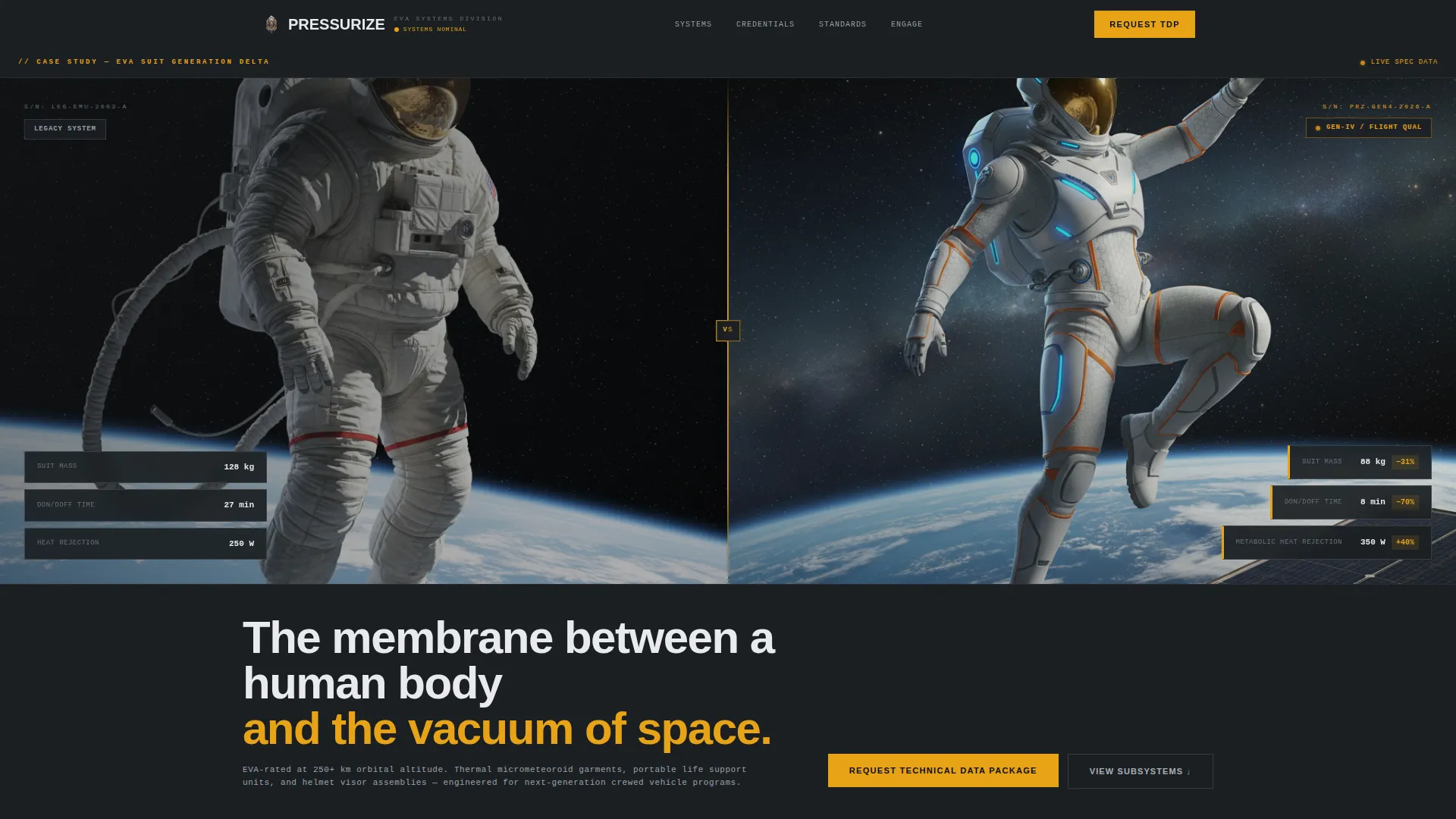
- An animated split-panel header showing legacy versus current-generation suit performance with sequentially revealed data points
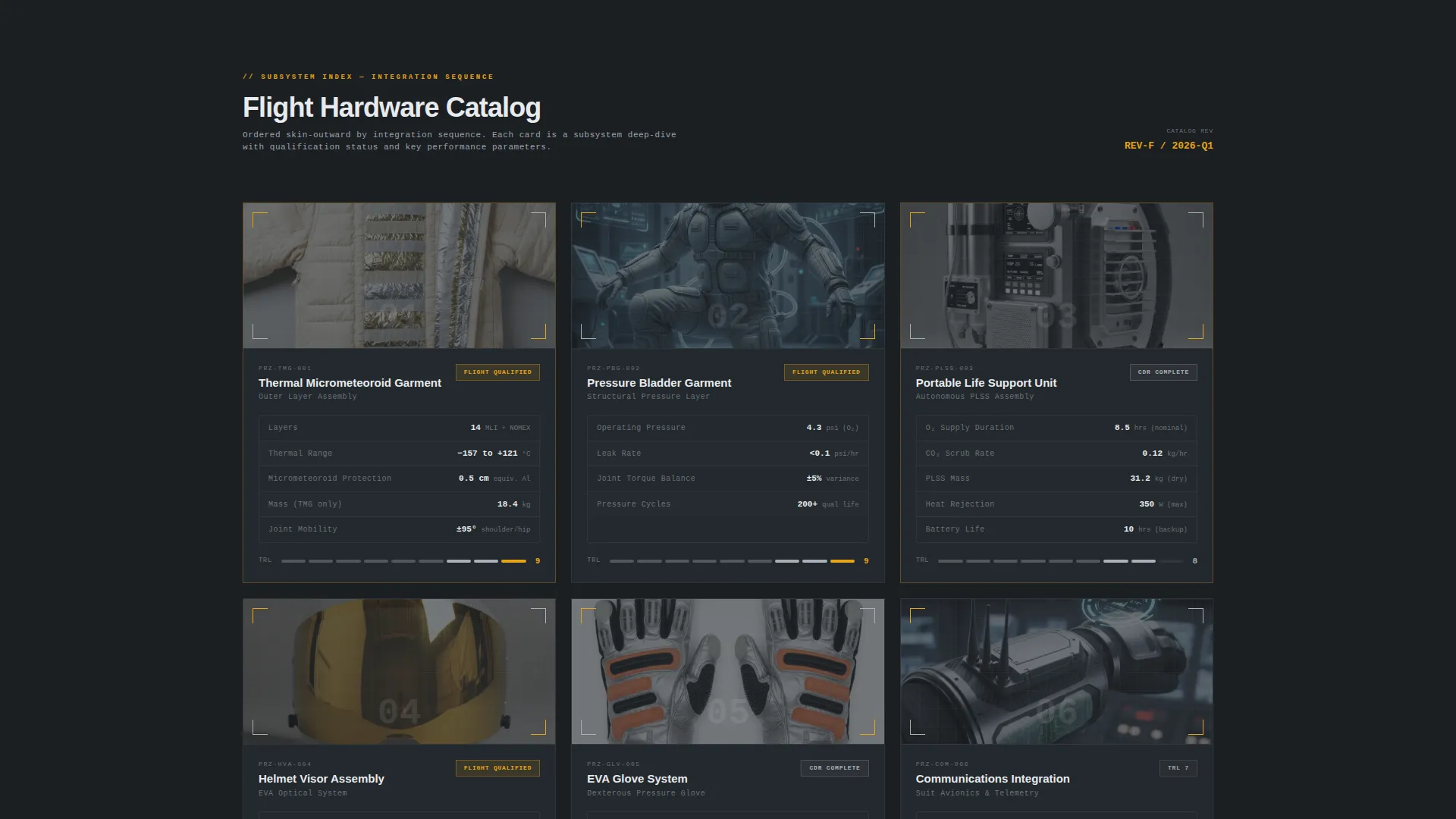
- Six modular subsystem cards, each holding an isometric technical illustration, a mini data table of three to five key performance parameters, and a qualification-status badge
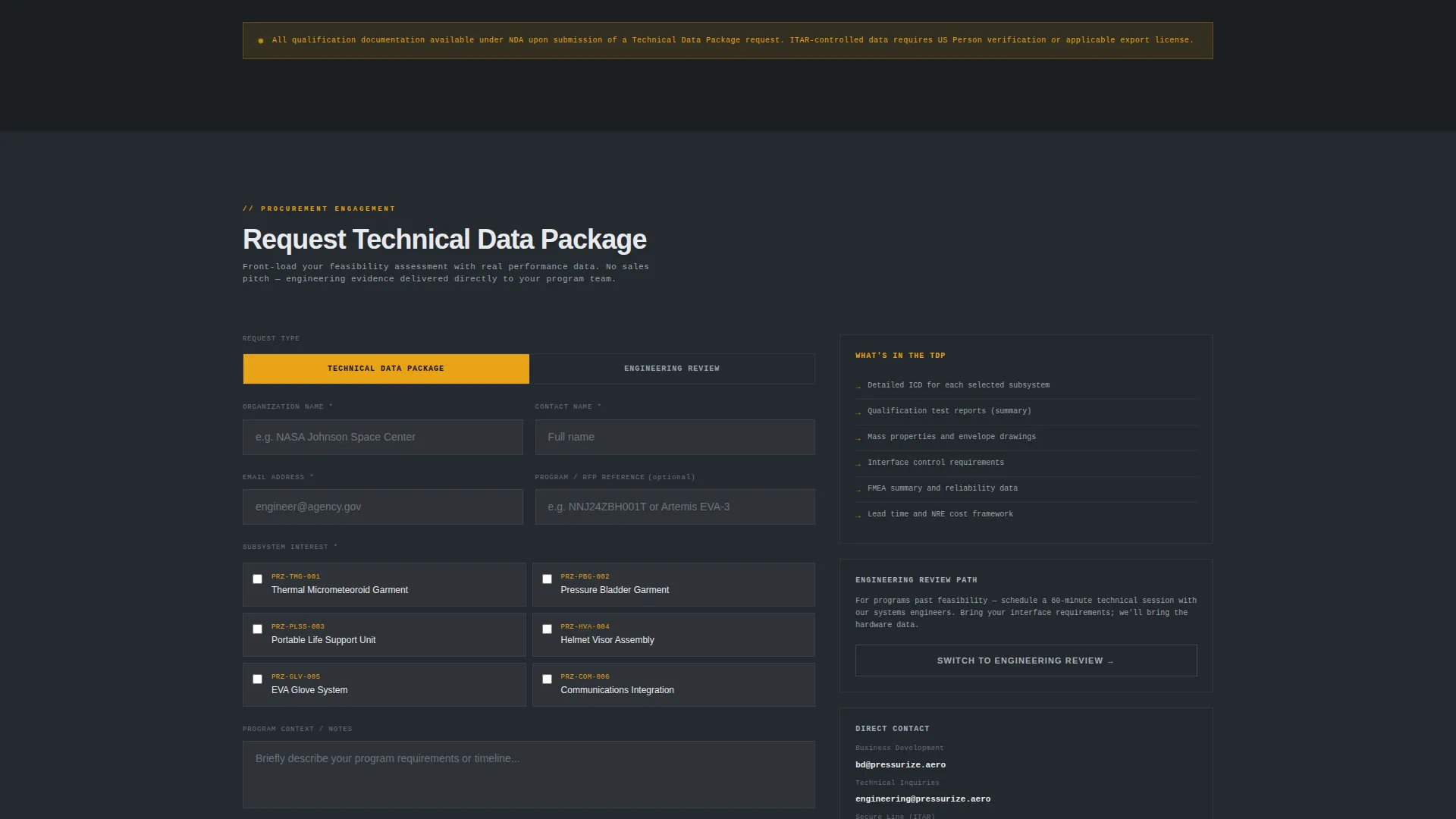
- A primary call to action that opens a qualification form with subsystem interest checkboxes and a required export-control citizenship confirmation field
Feature list
This template delivers a focused set of purpose-built components. Each one is grounded in what a B2B aerospace procurement audience actually needs to see.
Animated Before/After Case Study Header
A full-width split panel places a legacy suit system beside the current-generation suit. Data points animate in sequentially, revealing measurable improvements such as 31% mass reduction, don/doff time cut from 27 minutes to 8, and metabolic heat rejection up 40%. The hardware is the visual hero; the numbers carry the narrative.
Modular Subsystem Card Grid
Six cards cover distinct subsystem categories: pressure garment, portable life support unit, helmet assembly, glove system, thermal control, and communications integration. Each card includes an isometric technical illustration, a compact performance data table, and a qualification-status badge indicating flight-qualified status, Critical Design Review completion, or Technology Readiness Level. Cards follow an integration sequence from skin layer outward to avionics, but can be browsed in any order.
Dual-Path Conversion Funnel
The primary call to action reads "Request Technical Data Package" and appears in both the sticky header bar and at the grid terminus. A secondary path offers "Schedule an Engineering Review" for prospects further along the procurement cycle. The two paths address different buyer stages without cluttering the page.
Qualification and Export-Control Form
Clicking the primary call to action opens a short form collecting organization name, program name or RFP reference (optional), subsystem interest checkboxes mirroring the card categories, and a required field for ITAR (International Traffic in Arms Regulations) export-control citizenship confirmation. The form is structured to qualify leads before any technical data is shared.
Sticky Header Bar with Persistent call to action
The header bar remains visible as users scroll through the card grid. The primary call to action stays accessible at all times, reducing friction for buyers who are ready to act mid-page rather than waiting to reach the bottom.
Spec Sheet Creative Direction
The overall page cadence mirrors a technical data package. Each card earns its place with engineering evidence. Scrolling through the grid feels like paging through a flight-readiness review document, not a marketing brochure.
Page sections overview
| Section | Purpose |
|---|---|
| Split-panel header | Animate legacy versus. current suit specs side by side |
| Sticky header bar | Keep primary call to action visible during scroll |
| Subsystem card grid | Present each hardware category with specs and qualification status |
| Data package call to action | Capture qualified leads via the primary conversion form |
| Engineering review call to action | Offer a secondary path for later-stage procurement prospects |
Design & branding system
The visual identity uses a Dashboard Pro theme with a Monochrome Steel color system. Every color in the palette has a functional role, mirroring a subsystem monitoring console at mission control rather than a decorative layout.
- Deep bulkhead charcoal (#1B1F23) on primary backgrounds, machined aluminum (#A8B0B8) for card surfaces and divider rules, and status-white (#E8EAED) for body text and data labels
- Caution amber (#E8A317) reserved exclusively for calls to action, live-status indicators, and spec callouts, drawing the eye the way a warning light functions on an instrument panel
- Isometric technical illustrations and a spec-sheet typography cadence reinforce an engineering-first visual language with no lifestyle photography
Mobile & speed optimization
The modular card grid is structured to reflow cleanly across screen sizes. A procurement officer reviewing the page on a tablet during a program review should see the same data hierarchy as a desktop user.
- Cards stack vertically on smaller viewports without losing the isometric illustration and data table pairing
- The sticky header bar and dual-call to action layout remain accessible on mobile, keeping both conversion paths reachable at any scroll depth
How this template helps you convert
The page is built on the principle that proof of competence removes the need for a sales pitch. Front-loading real performance data gives a systems engineer enough context to begin feasibility work before making contact.
- Sequential data animation in the header establishes immediate technical credibility, showing measurable improvement metrics before the buyer reads a single line of marketing copy
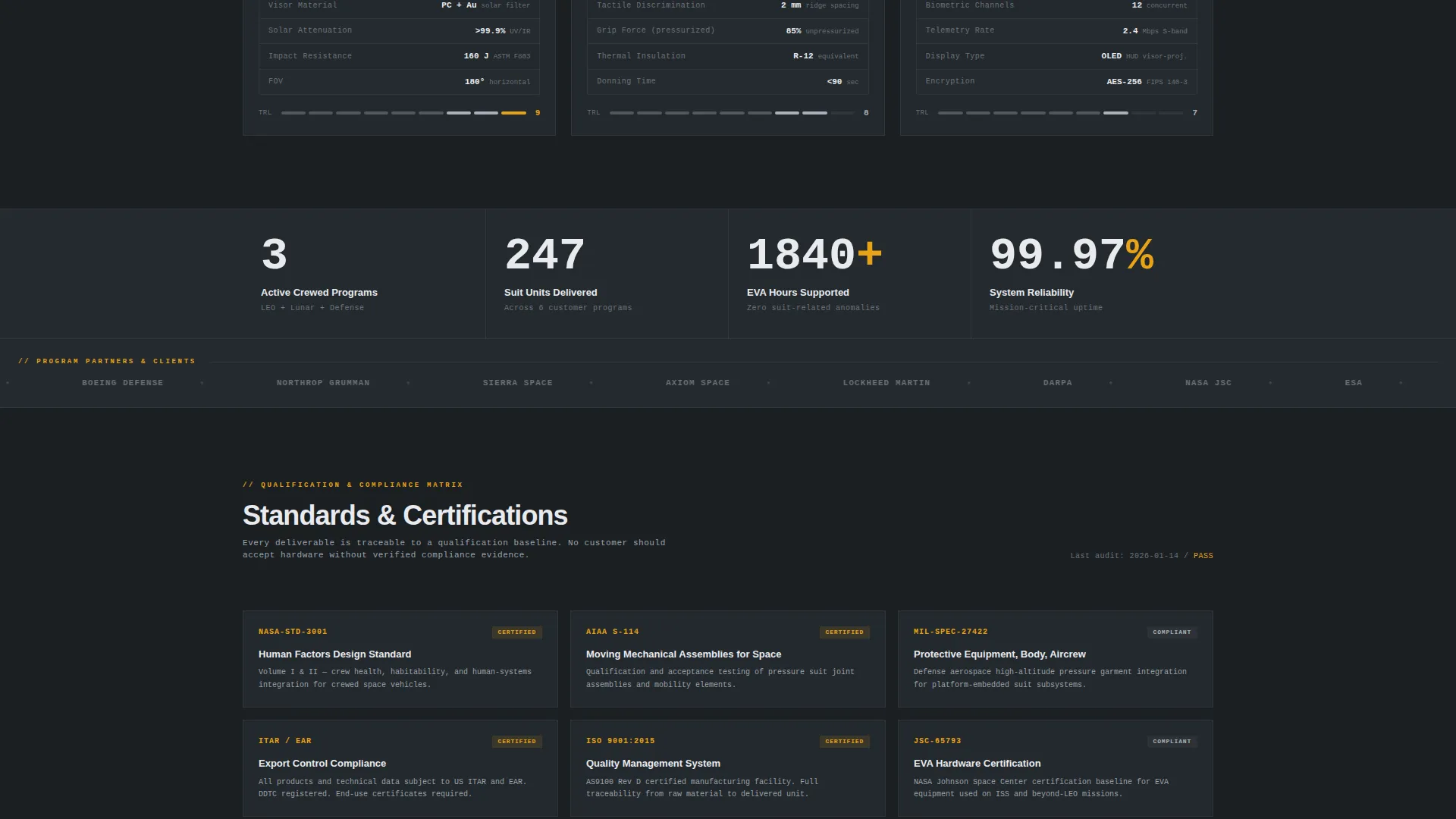
- Subsystem cards with qualification-status badges let procurement teams quickly confirm which components are flight-qualified or have completed Critical Design Review, reducing the number of clarification calls needed before a proposal stage
- The split conversion funnel routes early-stage buyers toward a data package request and later-stage buyers toward a direct engineering review, matching the ask to where the prospect actually is in the procurement cycle
Other information about this template
This template sits inside the Aerospace and Defense category under the Space and Satellite subcategory, with a niche focus on space suit and life support hardware. It is well suited for companies preparing materials for next-generation crew vehicle contract competitions or high-altitude defense platform integration programs.
- The integration sequence numbering on the card grid mirrors actual suit assembly order, from pressure garment layer through life support and avionics, giving procurement audiences a logical reading path
- The qualification form's ITAR citizenship confirmation field is built into the template structure, supporting the export-controlled nature of the hardware category
- The template style is Card Grid (Modular), the theme is Dashboard Pro, and the header concept is a Case Study Before/After, all of which are reflected consistently in every design decision across the page
Theme
Dashboard Pro
Creative direction
Spec Sheet
Color system
Monochrome Steel
Style
Card Grid (Modular)
Direction
Partnership/B2B
Page Sections
Animated Before/after Case Study Header
Modular Subsystem Card Grid
Dual-path Conversion Funnel
Qualification and Export-control Form
Sticky Header Bar with Persistent Call to Action
Spec Sheet Page Cadence
Related questions
What types of companies is this template designed for?
Can I customize the subsystem card categories?
What is the ITAR confirmation field in the form?
Does the template include real performance data?
Is this a single-page layout or a multi-page website?



